


ODOO'S FUNCTION
In Odoo, when an invoice or bill has deferred revenue or expense entries, the deferred journal entries (JE) include a smart button called Related Sale(s), which links back to the original invoice or bill. Additionally, there is a field Original Invoices, which allows grouping journal entries by their source invoice or bill. However, this field is many2many, making it less structured for direct one-to-one tracing. Furthermore, in Journal Items (JI), there is no way to group by the original invoice or bill, limiting the ability to analyze deferred accounting at a more granular level.
CLUEDOO'S FUNCTION
Cluedoo improves Odoo’s traceability by introducing a new many2one field - Original Move in deferred Journal Entries (JE) and Journal Items (JI). This field provides a direct, structured reference to the originating invoice or bill, allowing for clearer backward traceability. With this enhancement, users can now easily track the source of deferred transactions at both the journal entry and journal item levels, enabling better financial analysis and grouping.
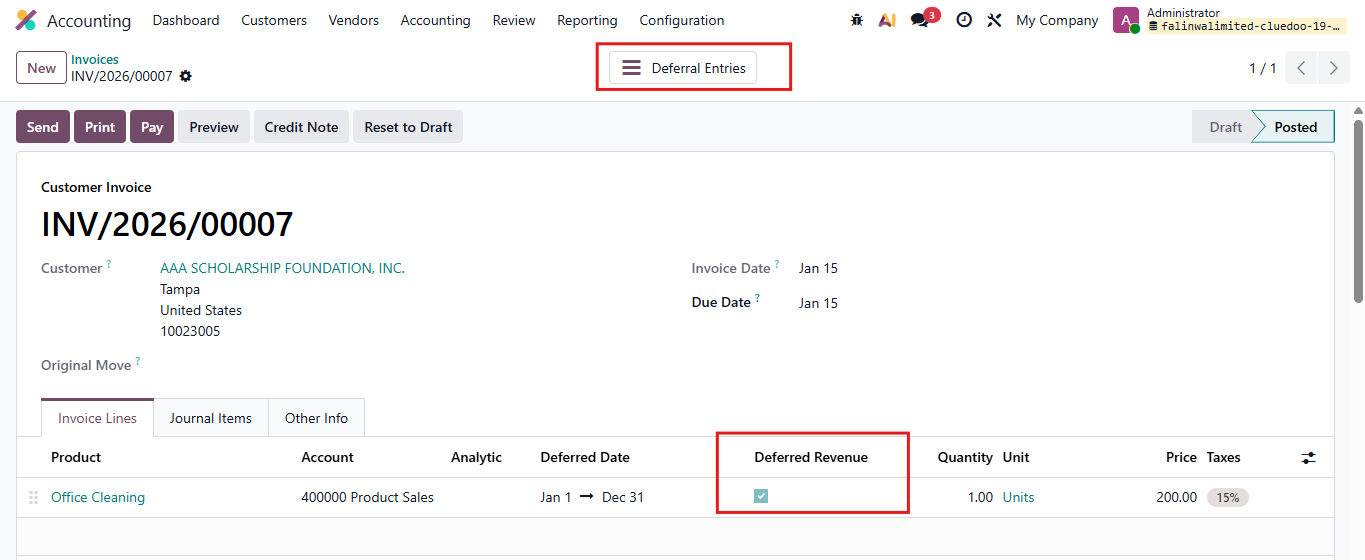
1. Create an invoice/bill and tick checkbox Deferred Revenue/Expense and set Deferred Date Then Confirm Smart button Deferred Entries will appear |
|
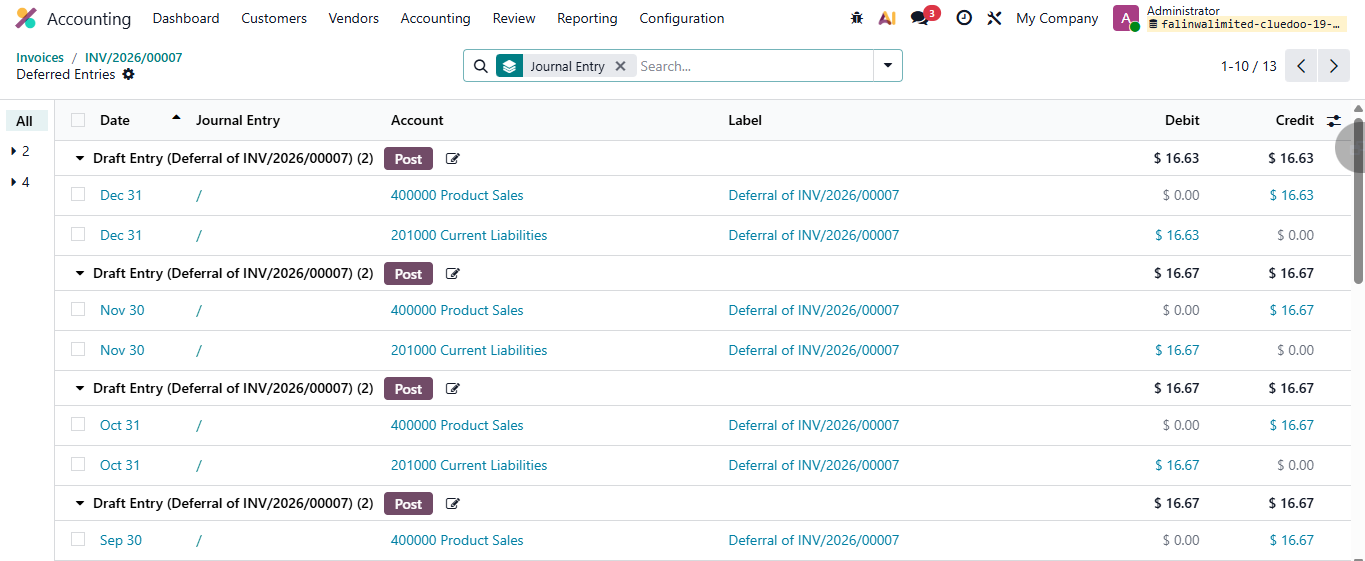
2. Click on smart button Deferred Entries You will find all the Deferred Entries |
|
3. Click on an Entry You will see the field Orginal Move linked to the invoice of this Deferred Entries | 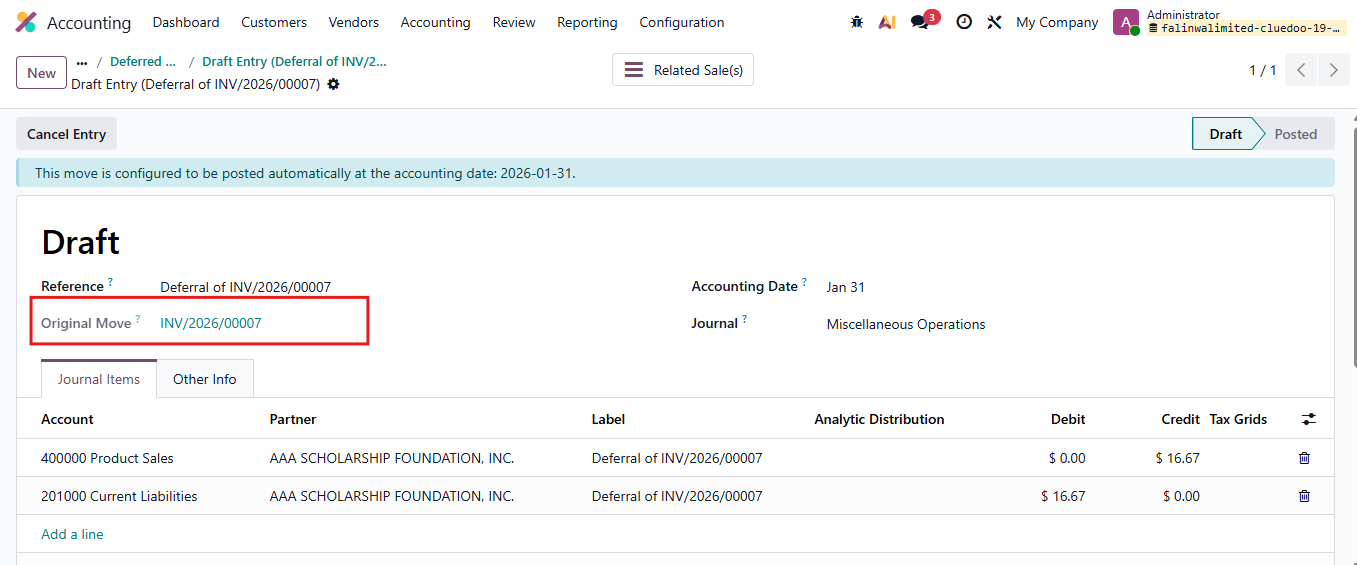 |
4. In Deferred Entries, we can group them by Original Move | 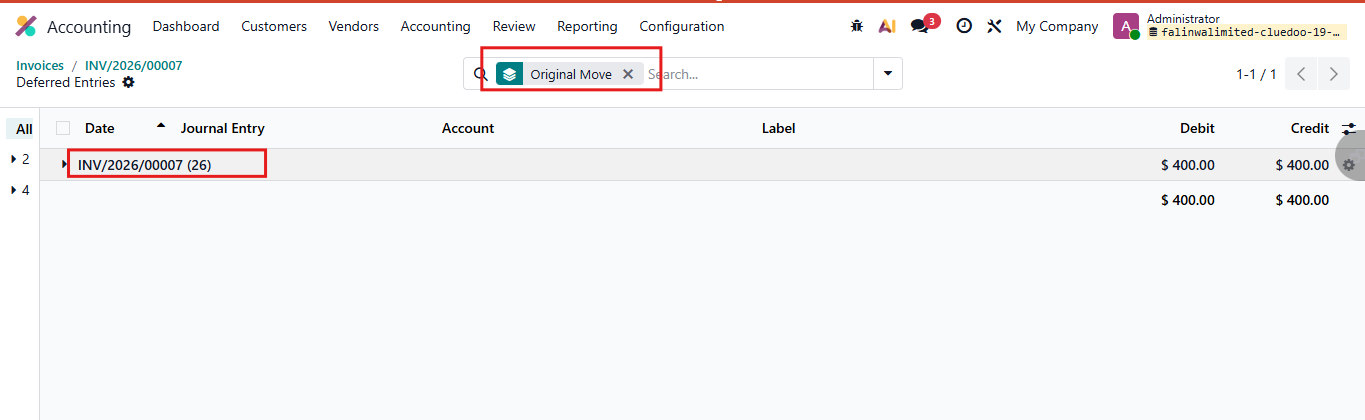 |
5. We can group by Original Move for Journal Items as well | 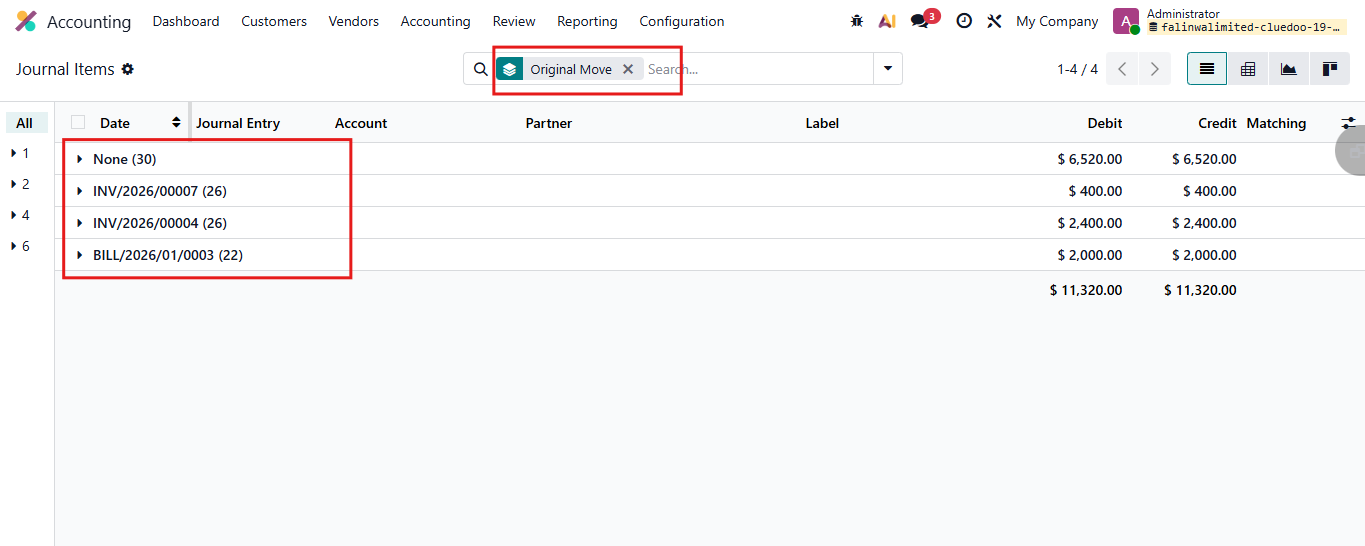 |