



ODOO'S FUNCTION
In Odoo, an analytic account is strictly limited to one company. Because of this limitation, the analytic account (and thus, the project context) is lost during inter-company transactions. When one company within the group receives a purchase order from another, they have no idea which project the order is related to, leading to a breakdown in project tracking.
CLUEDOO'S FUNCTION
Cluedoo enhances analytic accounting for multi-company operations by introducing:
1️⃣ The ability for a single analytic account to be shared between all companies of the group in a multi-company configuration.
2️⃣ The retention of the project's analytic account on all inter-company documents (like purchase orders or vendor bills).
This allows for project information to flow clearly between companies. When one company "buys" services from another for a project, the receiving company can see the correct analytic account on their documents. This makes it easy to organize internal projects, handle re-invoicing, and track all related costs in one central place.
1. Go to Settings > General Settings Find Inter-Company Transactions > Tick and fill all the fields like this image Then Save Note: Make sure you configure this settings for all the companies which you want to make inter-company transactions | 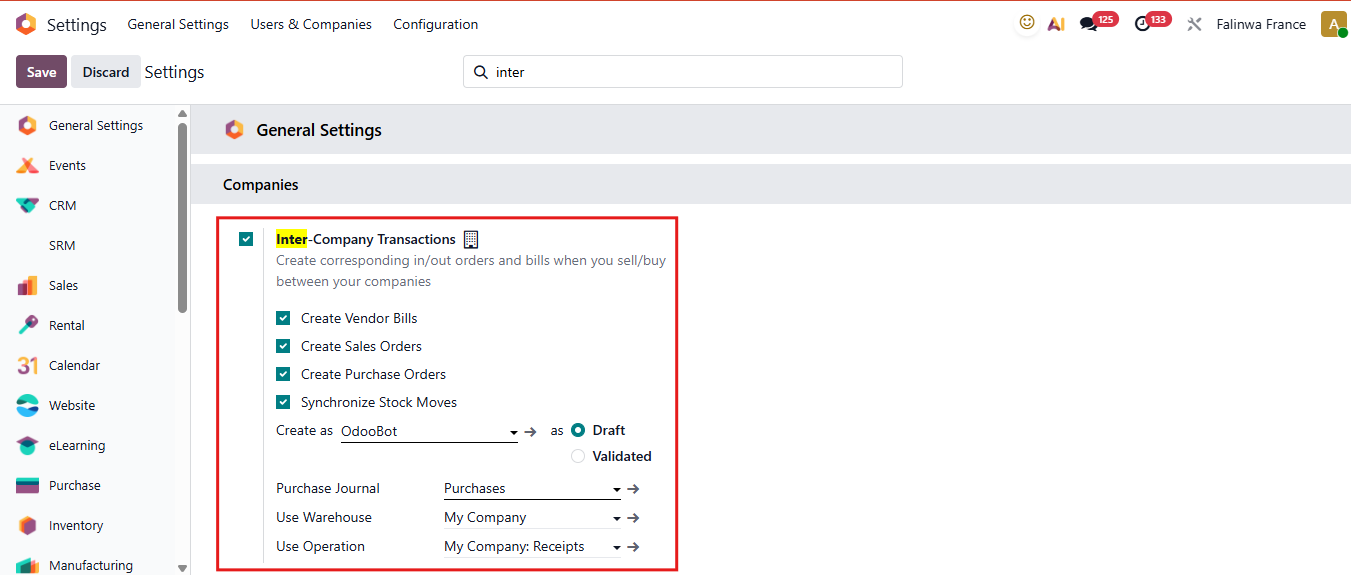 |
2. Create a Sales Order and designate an Analytic Account in the order lines for Company A (for example, Falinwa France). Note:
| 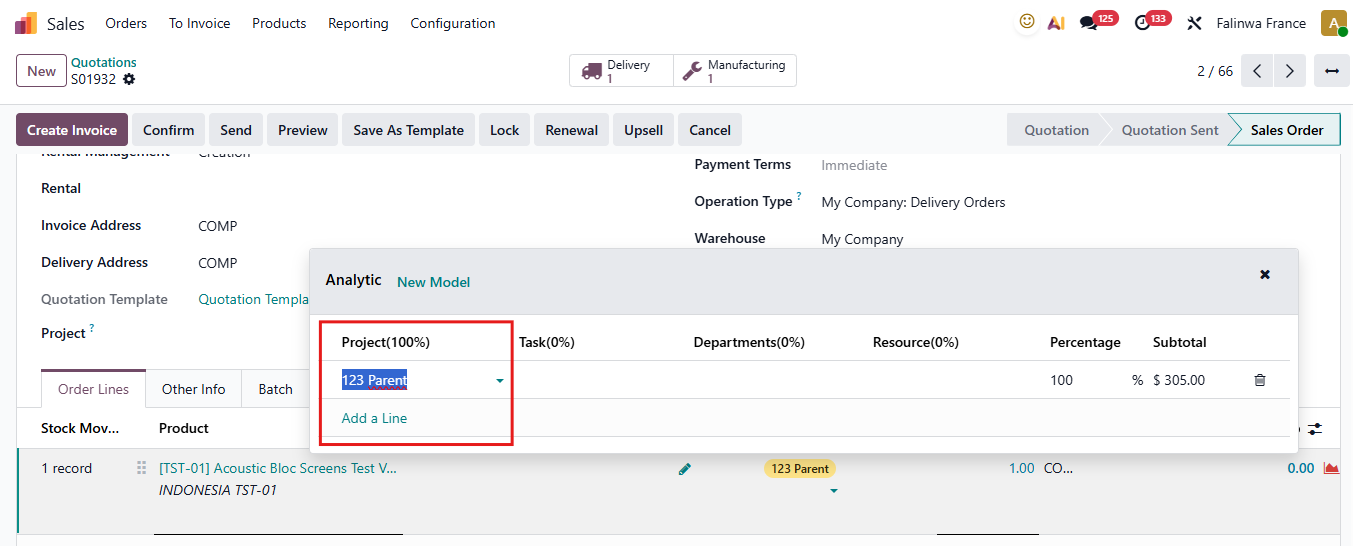 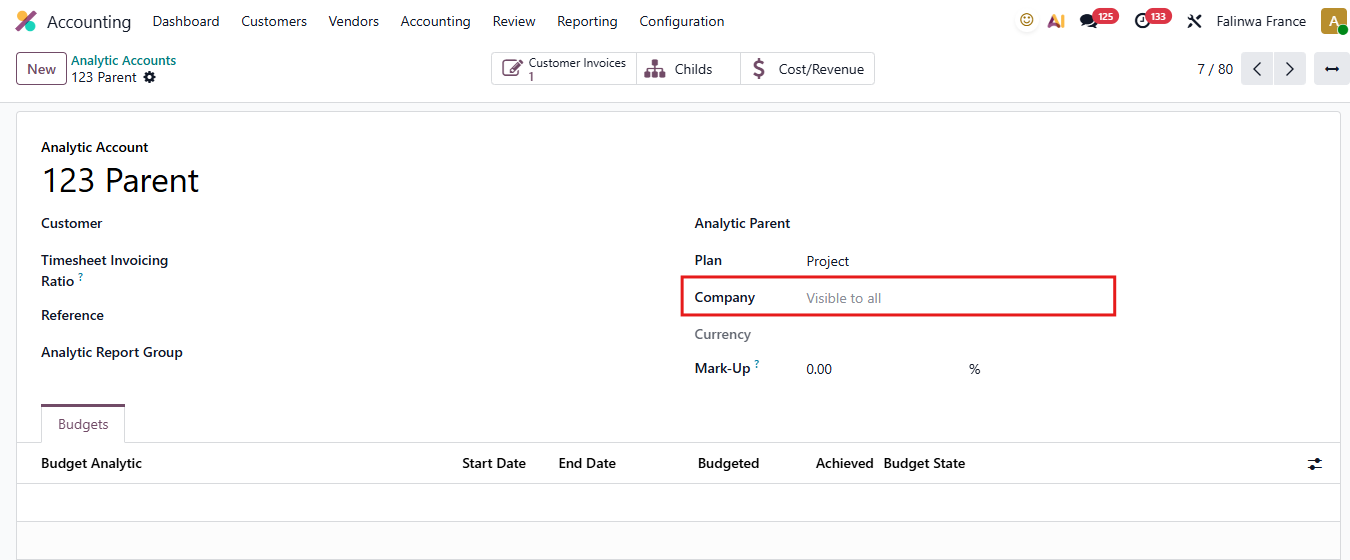 |
3. Go to Company B (for example, COMP) and check the Requests for Quotation (RFQ). It will automatically create the RFQ with the same Analytic Account as in Company A. | 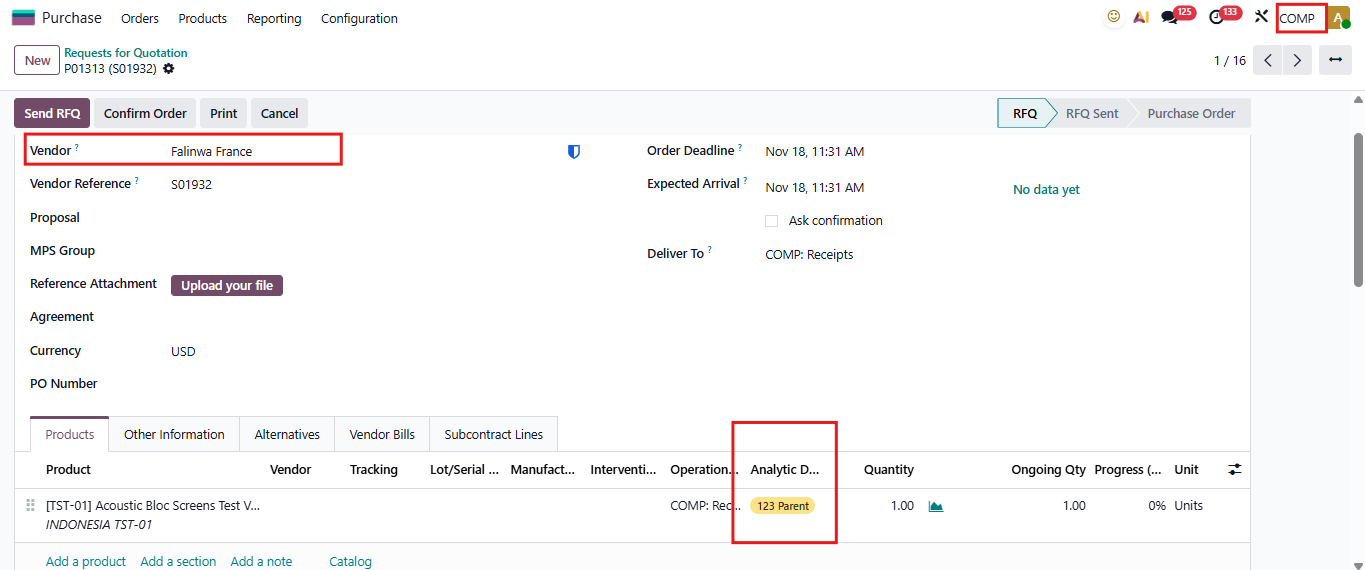 |