


ODOO'S FUNCTION
In Odoo, the Inventory module supports product packaging configurations, allowing users to define packaging types, quantities per pack, and associate them with sales and delivery operations. However, Odoo does not provide a native customs declaration process, especially for compliance with specific national regulations like China's.
CLUEDOO'S FUNCTION
CLuedoo adds a customs declaration workflow tailored for Chinese regulations. Once packaging is defined and a sales order is confirmed, users can trigger a Custom Declaration process directly from the SO. It includes fields for detailed declaration data and tracks declared vs. remaining quantities. This ensures compliance and visibility for international shipments from China.
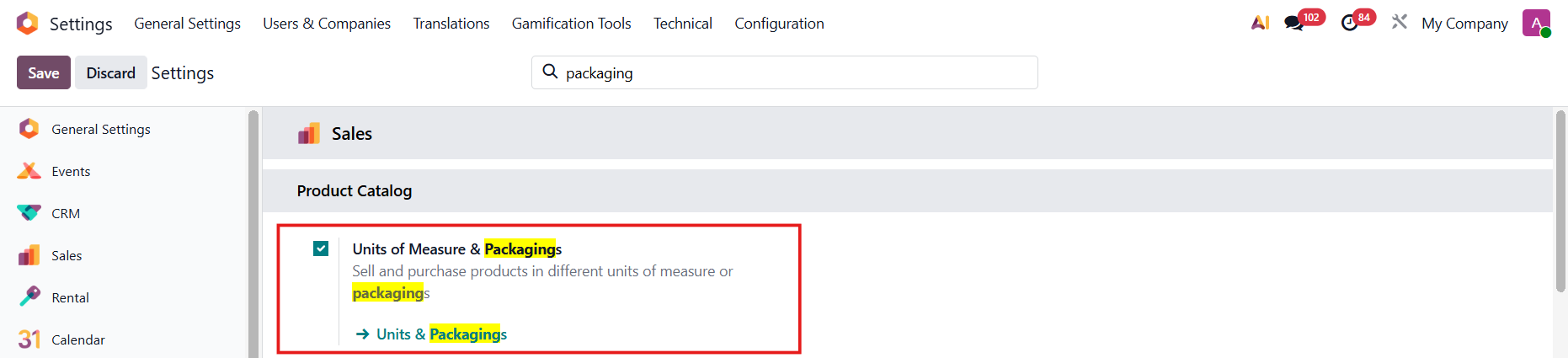
1. Settings > Inventory > Checkbox Packages and Product Packagings | 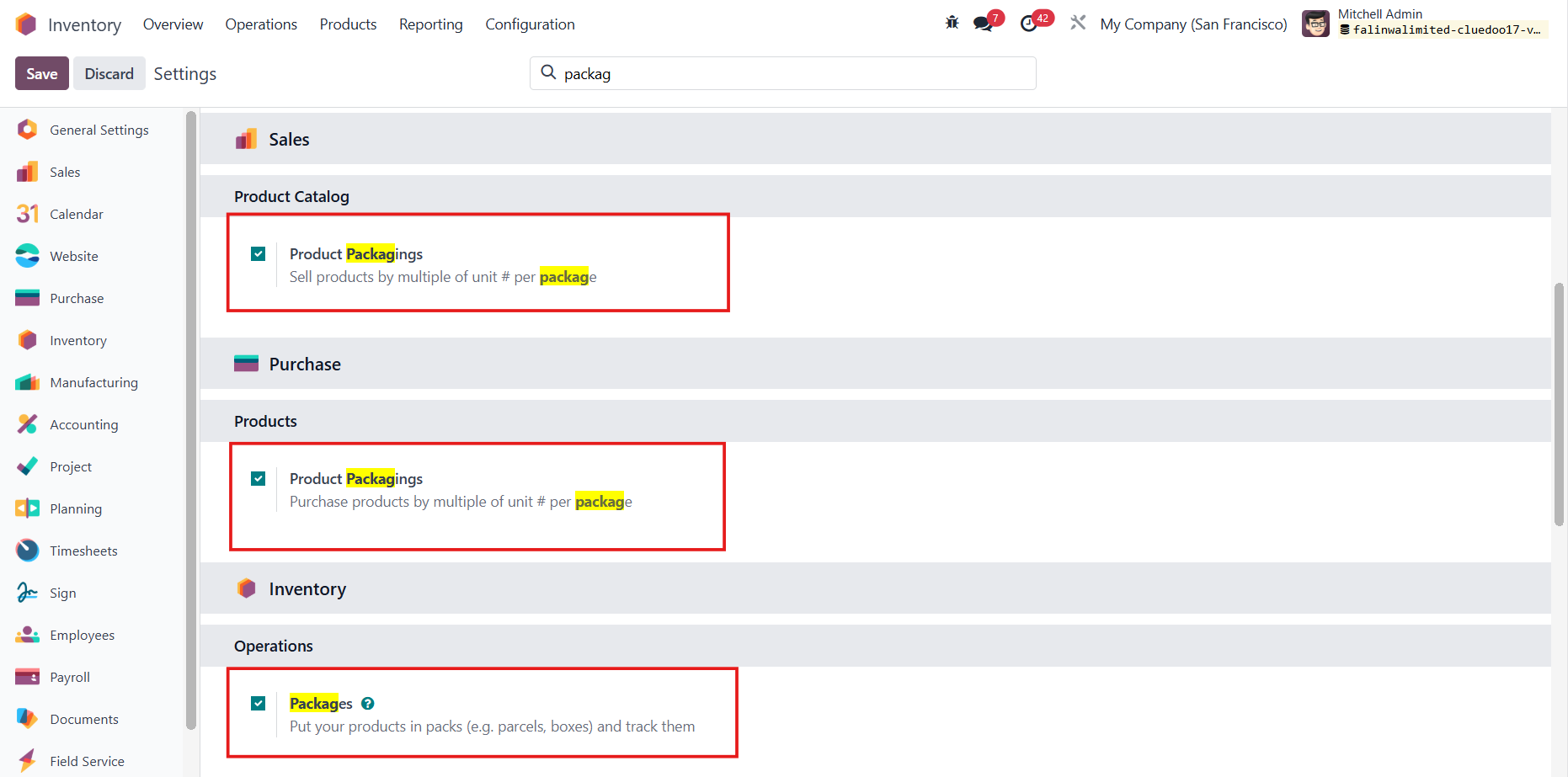 |
Note: Since v19, checkbox Units of Measure & Packagings |
|
2. Inventory > Configuration > Product Packagings | 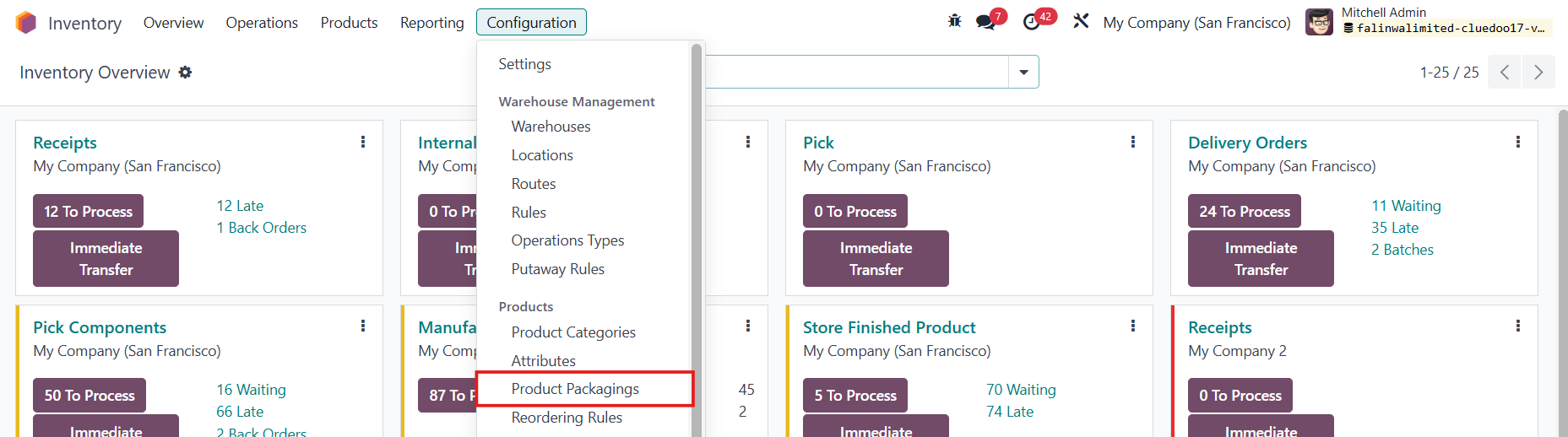 |
3. Create a new product packaging > Fill in the Product, Package Type, Contained quantity, and Quantity Per Unit Pack | 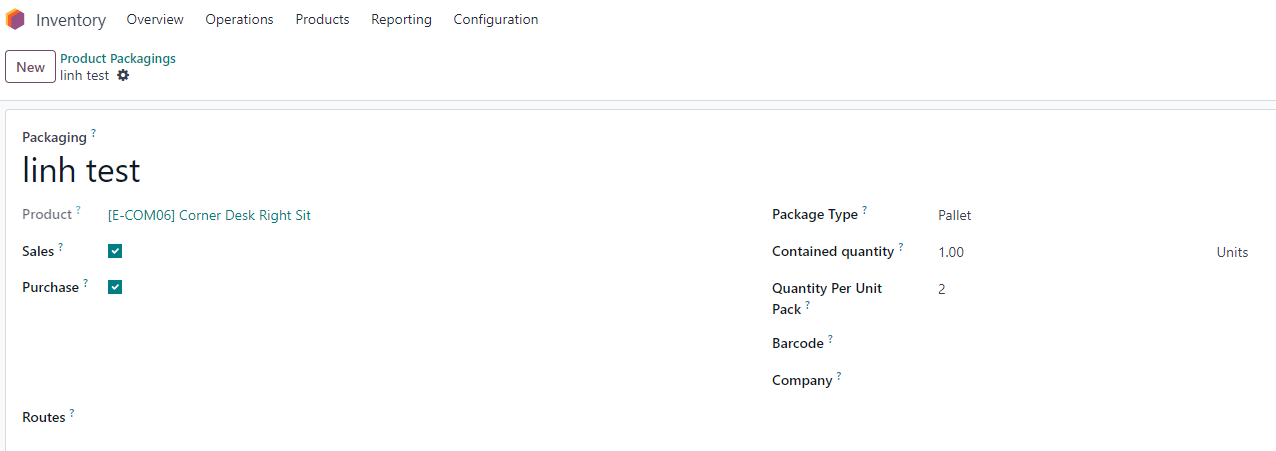 |
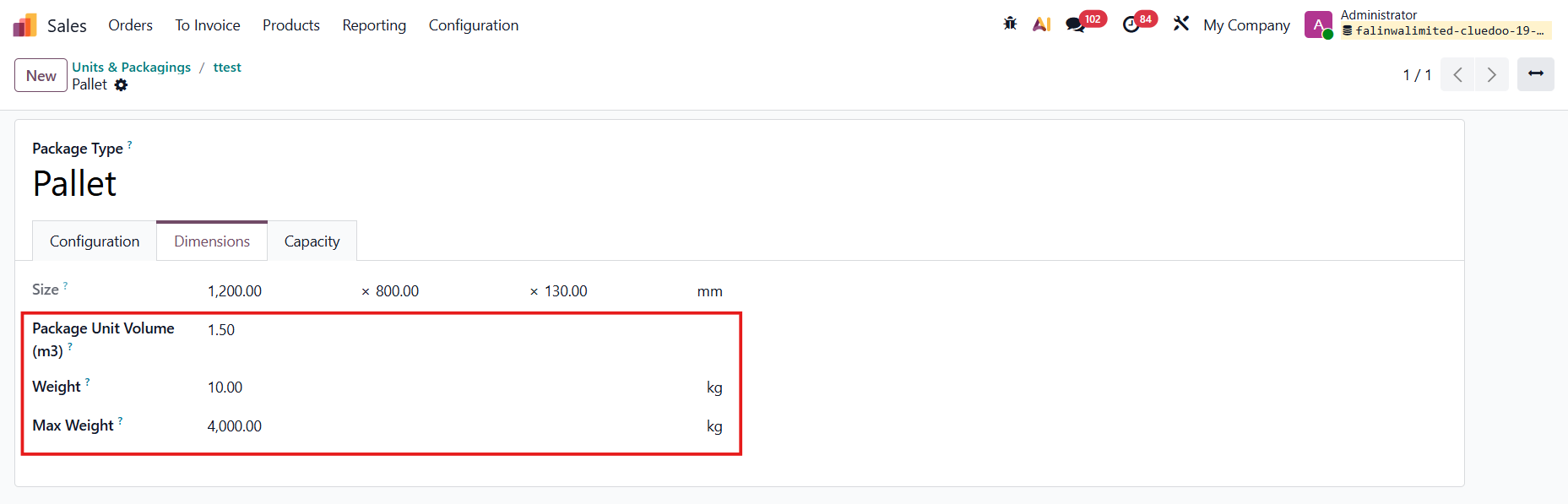
4. You can set up details for the Package Type | 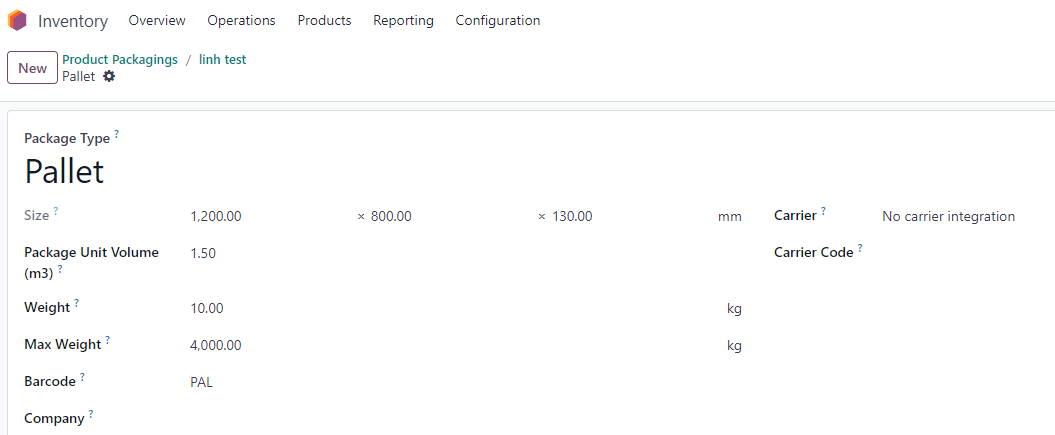 |
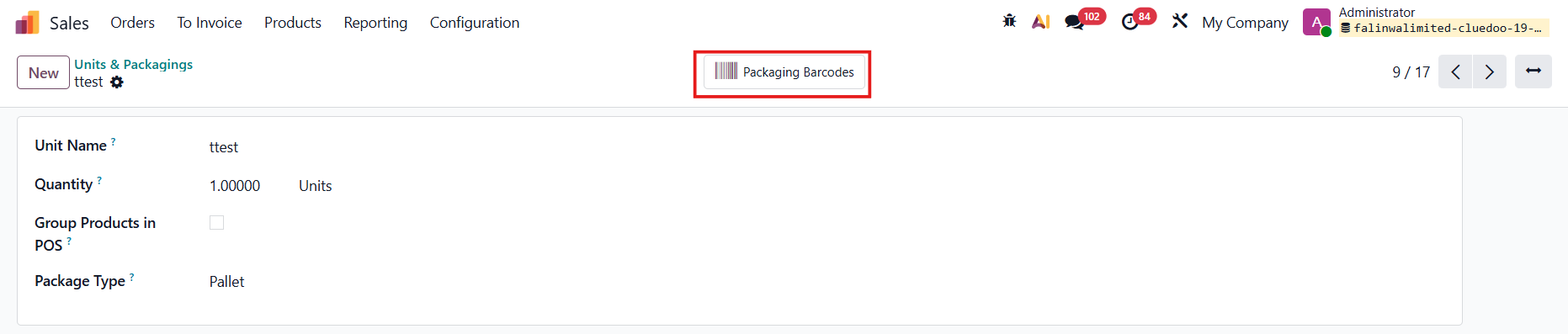
Update from v19: Go to Units & Packagings and create a new product packaging The Unit Name serves as the Packaging name Click Packaging Barcodes |
|
Add the Product, Quantity Per Unit Pack, and dimensions of the packaging here |
|
Details of the package type can be set in Package Type > Dimensions |
|
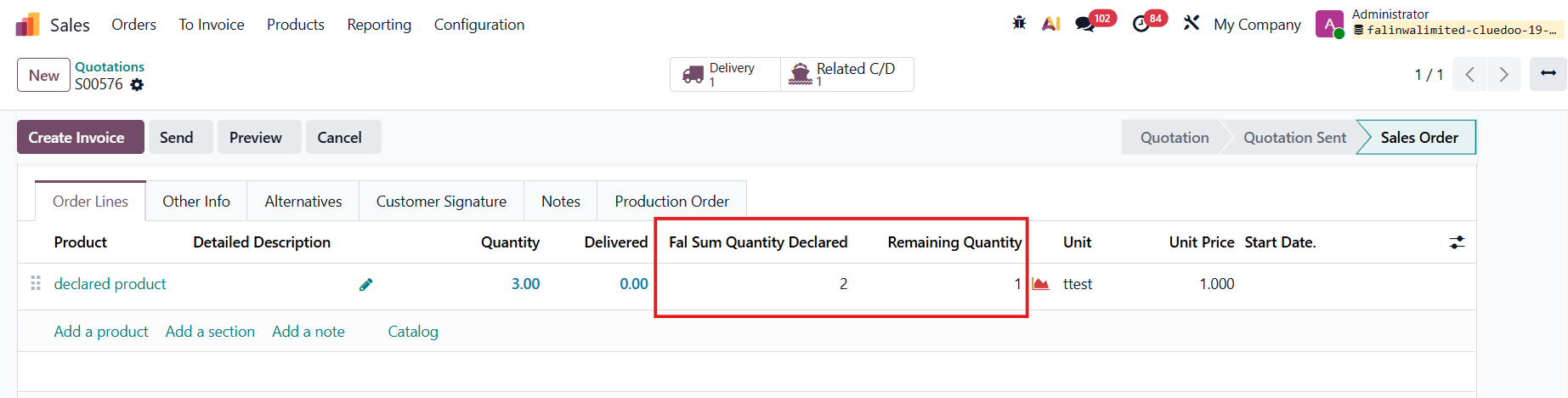
5. Create a new SO > Add the product that you just added in the Packaging and the Quantity You will see 2 new columns: Fal Sum Quantity Declared and Remaining Quantity Confirm the quotation | 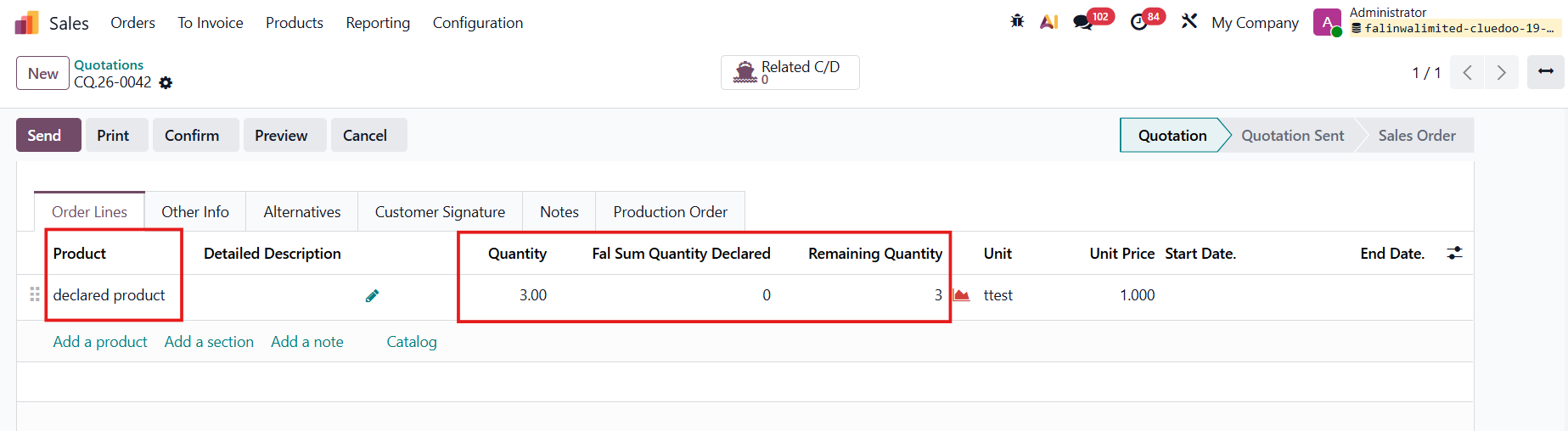 |
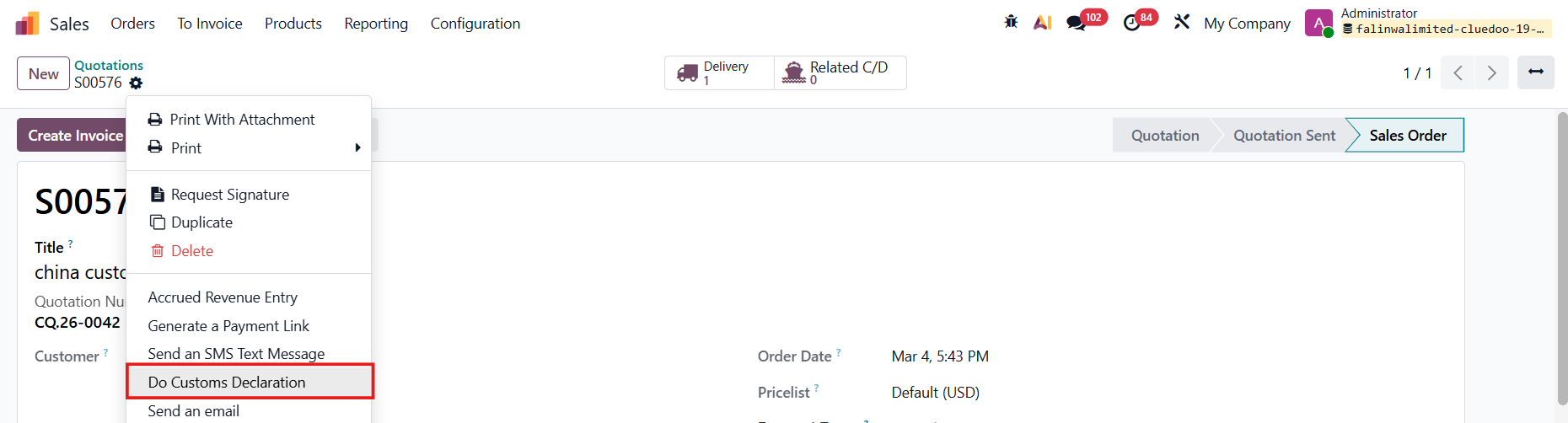
6. Actions button > Do Custom Declaration > Pop-up screen appears > Confirm |
|
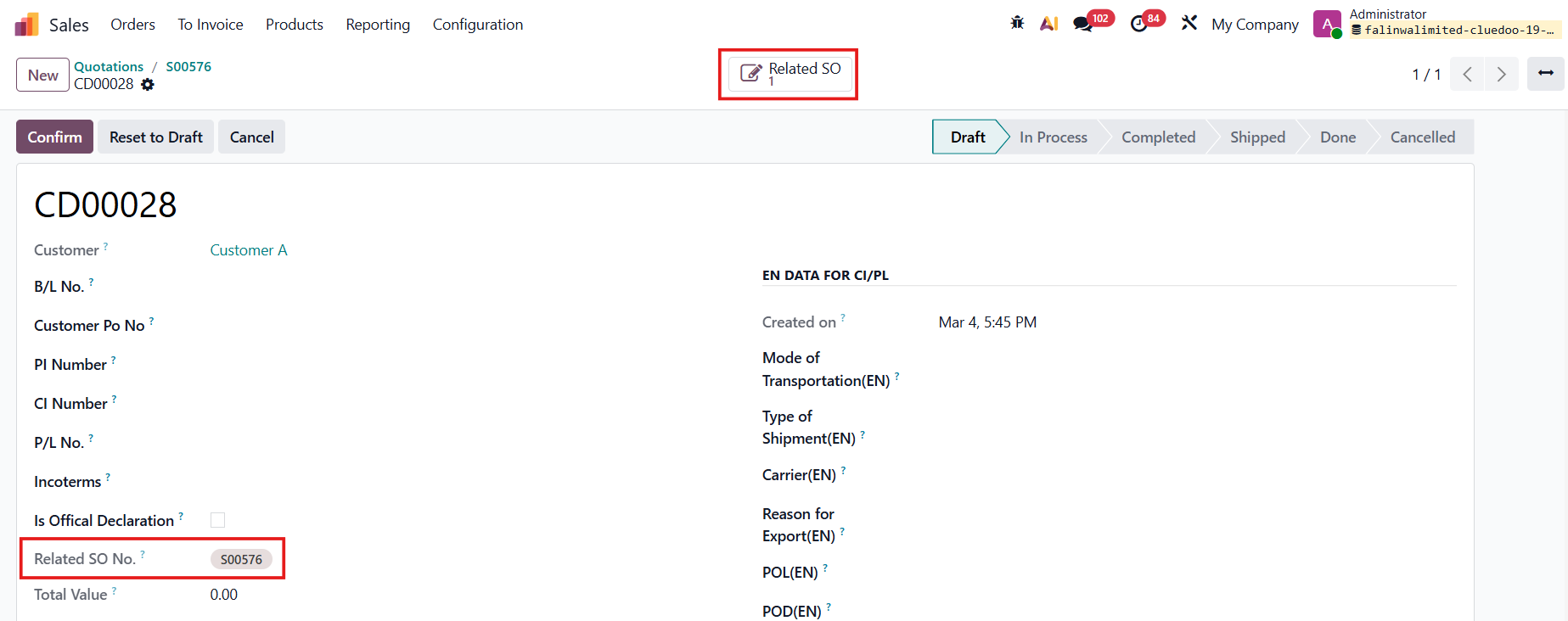
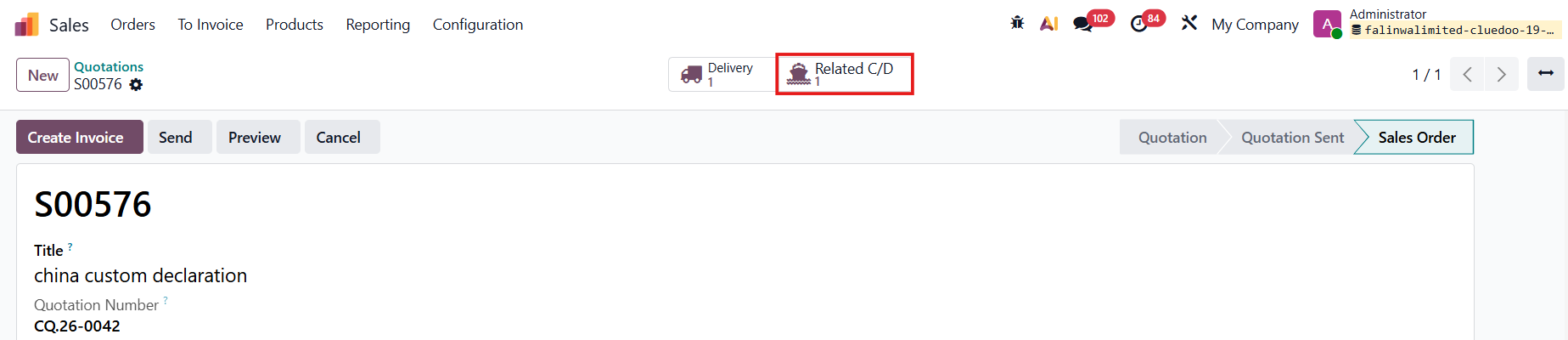
Note: you can check the related SO in the customs declaration form, and vice versa |
|
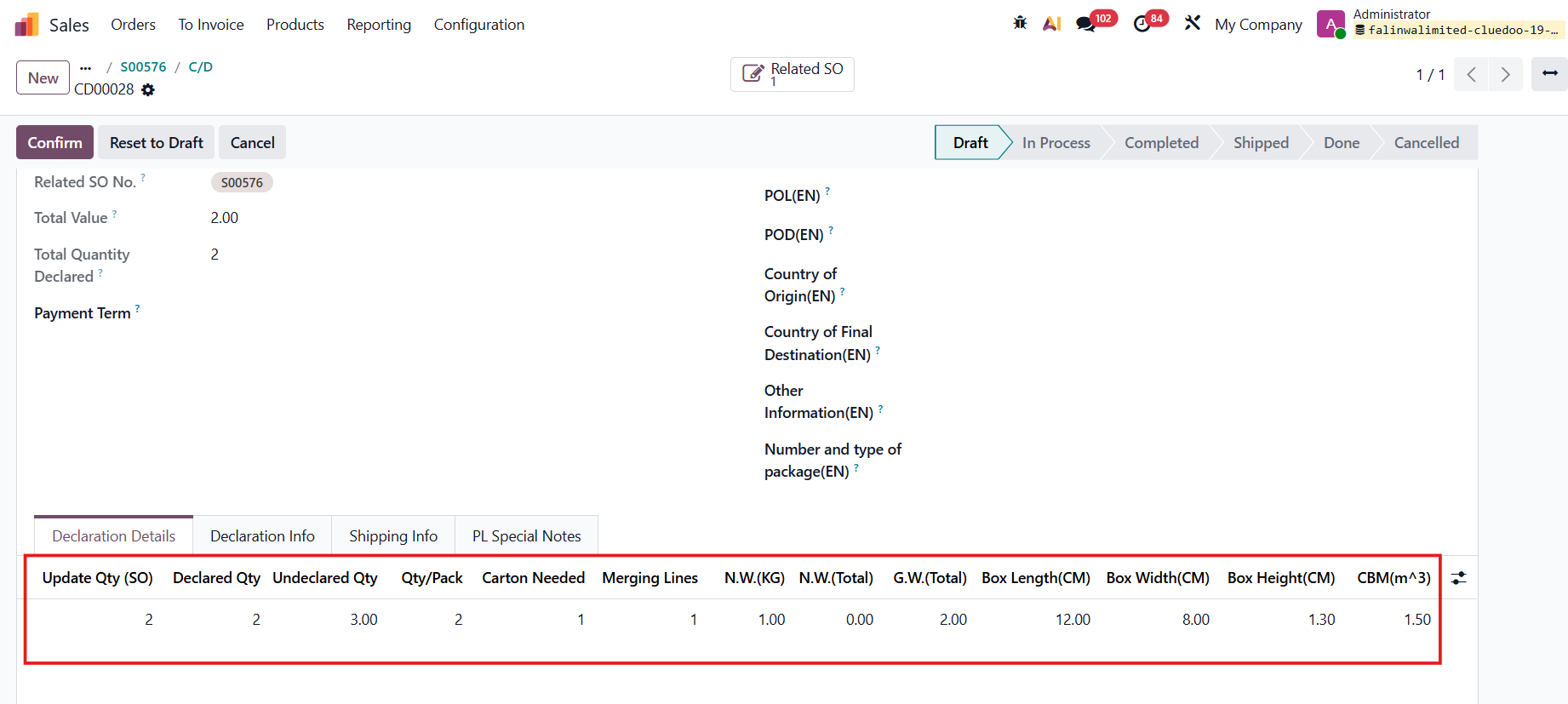
7. Go to tab Declaration Details > The dimensions (length, width, height) of the packaging will be automatically filled in > Adjust some other fields as needed. e.g., Update Qty: 2 Declared qty: 2 NW:1 GW:2 CBM: 1.5 Note: NW = Net Weight, GW = Gross Weight, CBM = Cubic Meter |
|
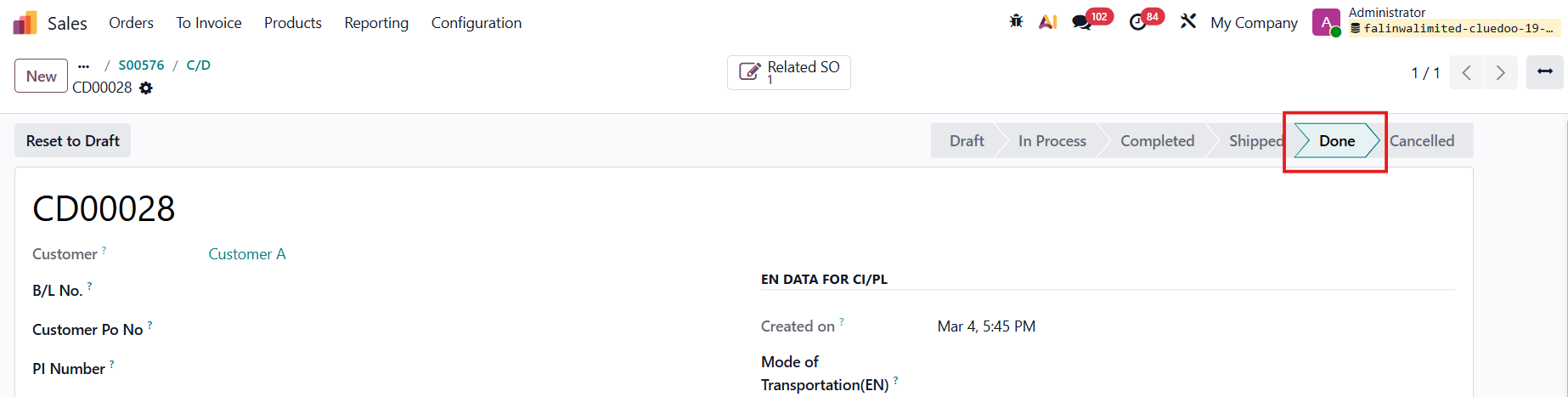
8. Confirm the declaration form > Complete Custom Declaration > Shipped > Done > The stage will change following the actions taken. |
|
9. Go back to the SO > the Fal Sum Qty Declared and the Remaining qty will be updated. |
|