
ODOO'S FUNCTION
In Odoo, Purchase Subscriptions do not include the IFRS Total Committed and Company Total Committed fields at the end of the subscription.
CLUEDOO'S FUNCTION
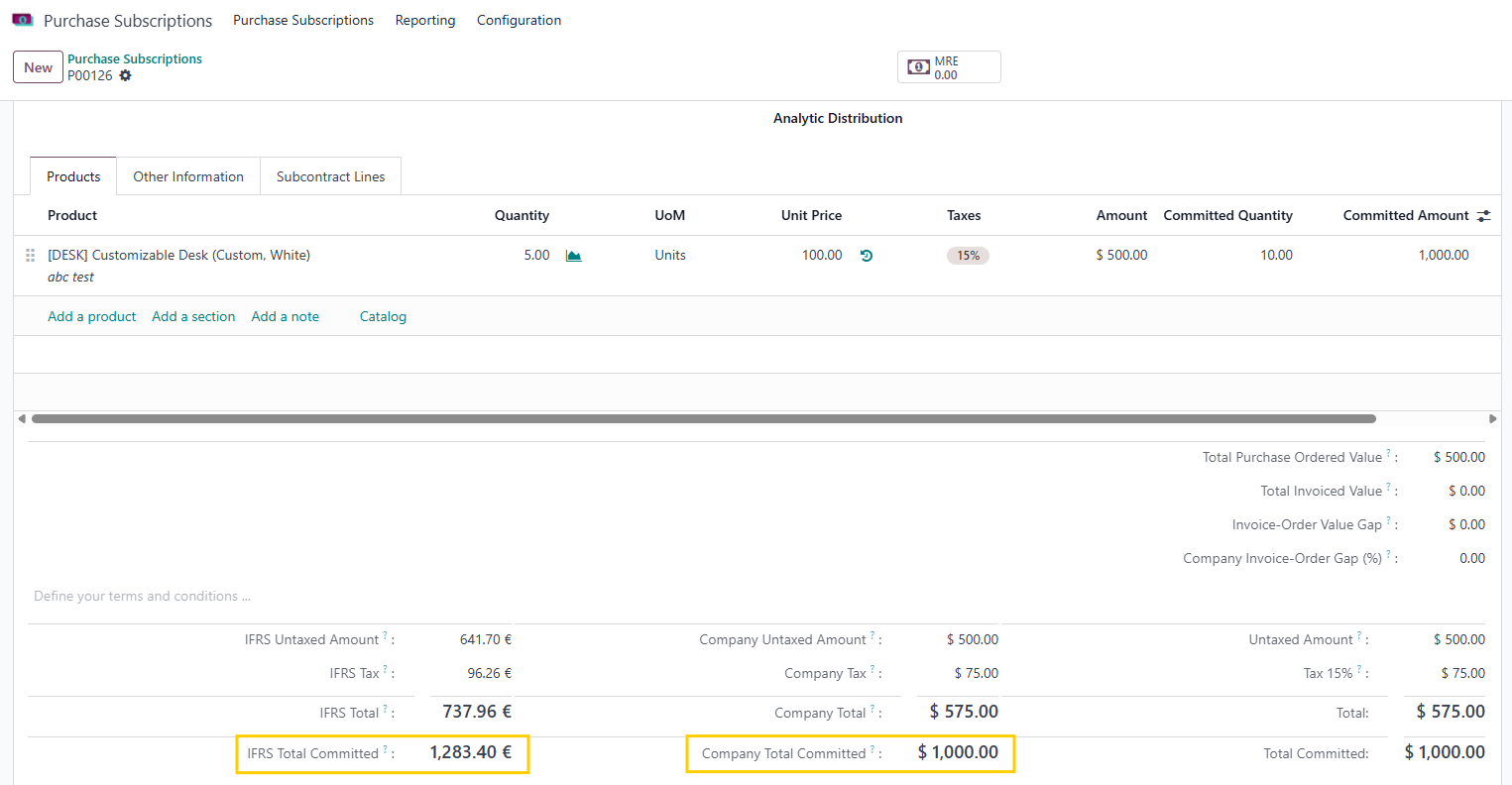
CLuedoo enhances this by automatically displaying the total committed amounts for the entire subscription period, in IFRS currency (IFRS Total Committed) and in Company currency (Company Total Committed).
Go to Purchase Subscriptions and create a new one > Fill in the necessary information We can see the IFRS Total Committed and Company Total Committed field at the end of the subscription. In which:
|  |
TOTAL COMMITTEDIn the Order Lines, we have 2 new columns:
We have a Total Committed field at the end of the subscription to show the total committed amount for the whole period | 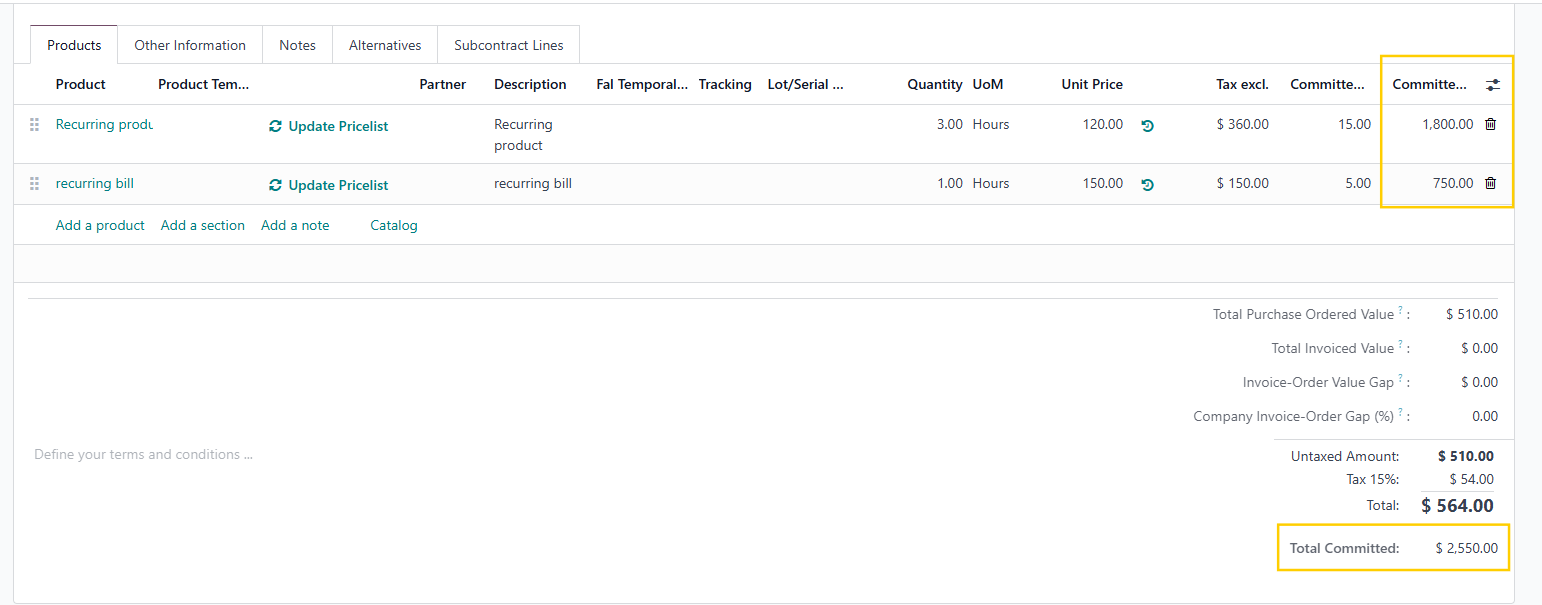 |
To calculate the Number of Periods, we check the Start Date and End Date, as well as the Recurring Plan e.g., Start Date = 1 Aug 2025, End Date = 31 Dec 2025 Billing Period for Recurring Plan = 1 month --> Number of Periods = 5 (months) | 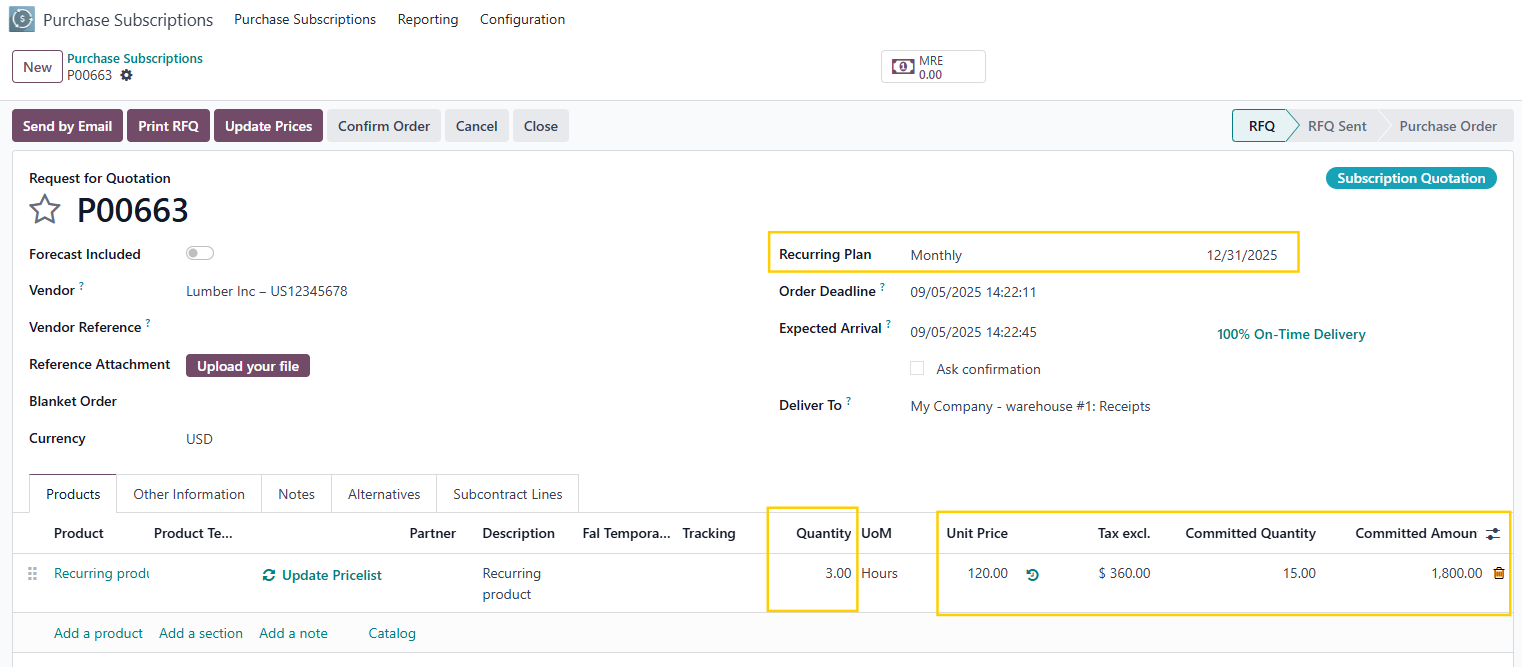 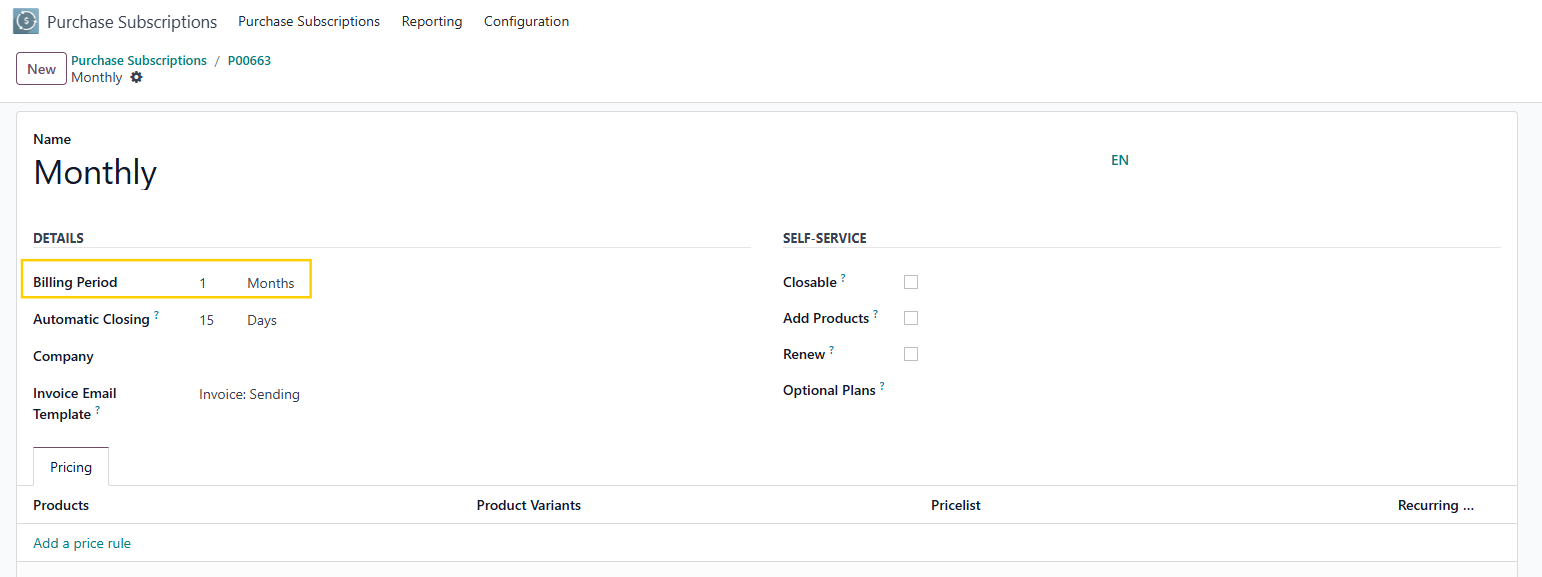 |