
ODOO'S FUNCTION
In Odoo, Approval Categories are strictly local. This means every category you create is permanently locked to one specific company. If your business operates across multiple companies or branches, you’ll have to manually rebuild the exact same approval rules from scratch for every single one.
CLUEDOO'S FUNCTION
CLuedoo gives you the ultimate flexibility! You can keep things Local for specific branches, or unlock the power of Global categories.
Create a Global category just once and use it across all your companies. The best part? CLuedoo works perfectly in the background - when you submit an approval request, the system automatically detects the company you are currently working in and links it instantly. Build it once, use it everywhere!
CONFIGURATION | |
Go to Approvals > Configuration > Approval Categories Choose or create a new category > You can leave the field Company blank to make it global. | 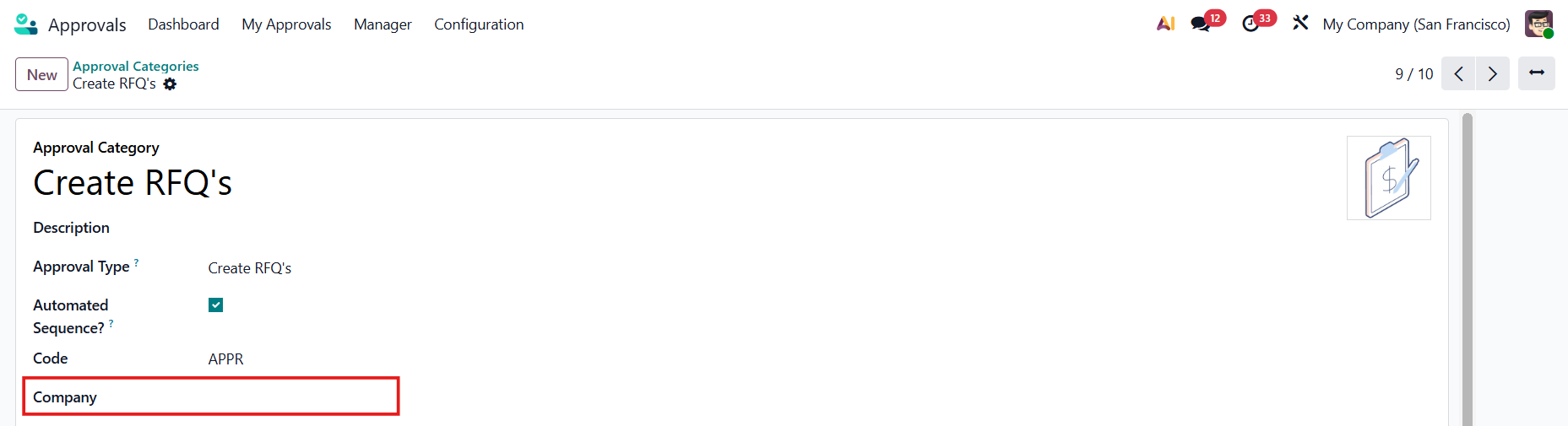 |
In the category list view, you can see all the categories that belong to your current company and the global ones. | 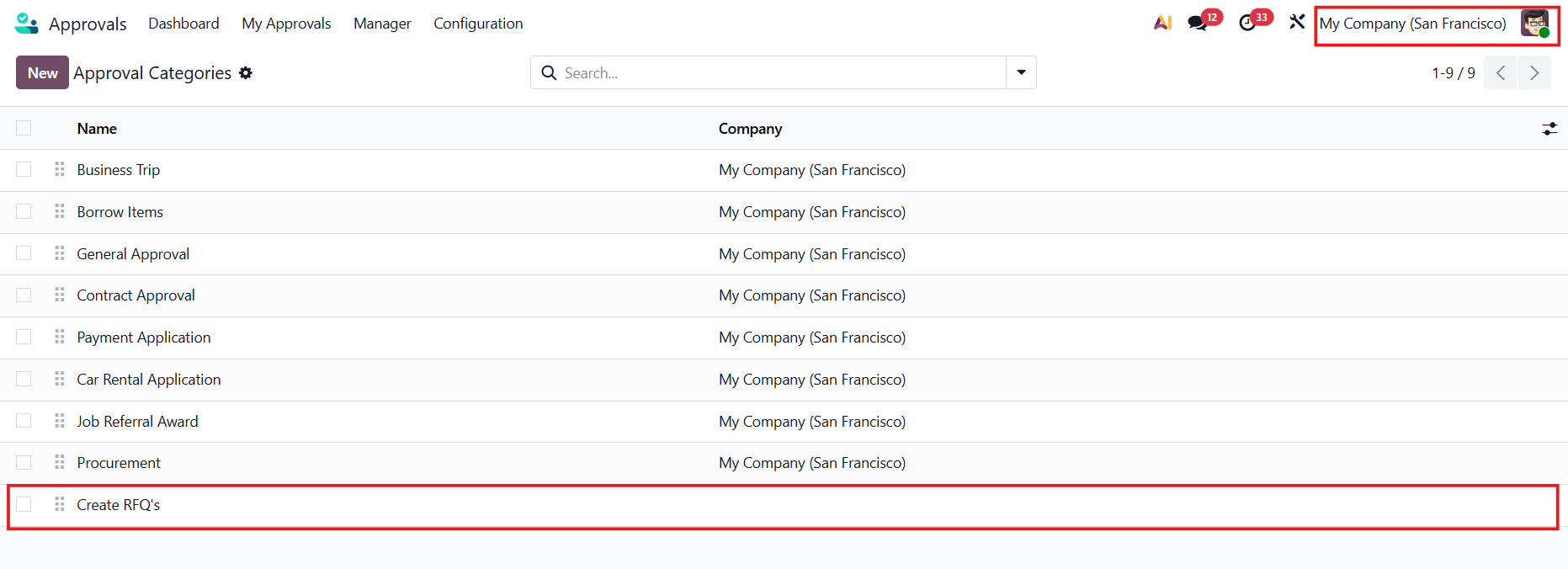 |
USAGE | |
Go to Approvals > Dashboard > Choose the category and click New Request If the category is global, in the approval request, the system will automatically get the current company. | 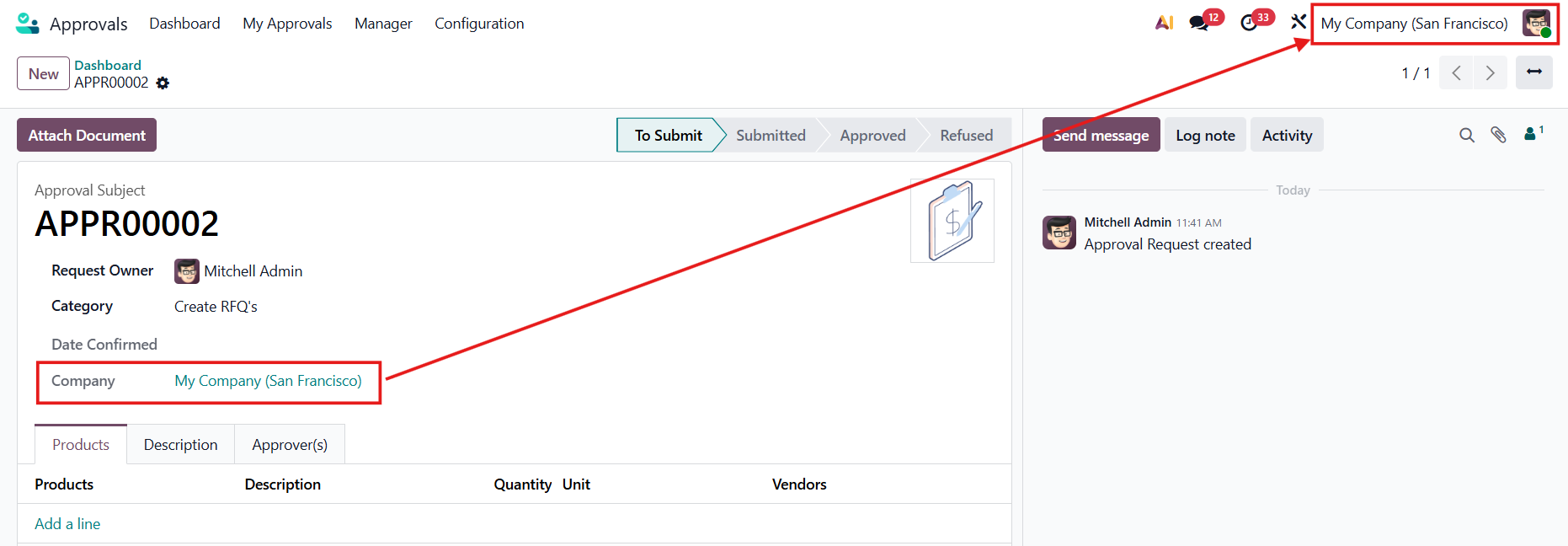 |