


STORY BEHIND THE FEATURES
ODOO'S FUNCTIONS
CLUEDOO'S FUNCTIONS
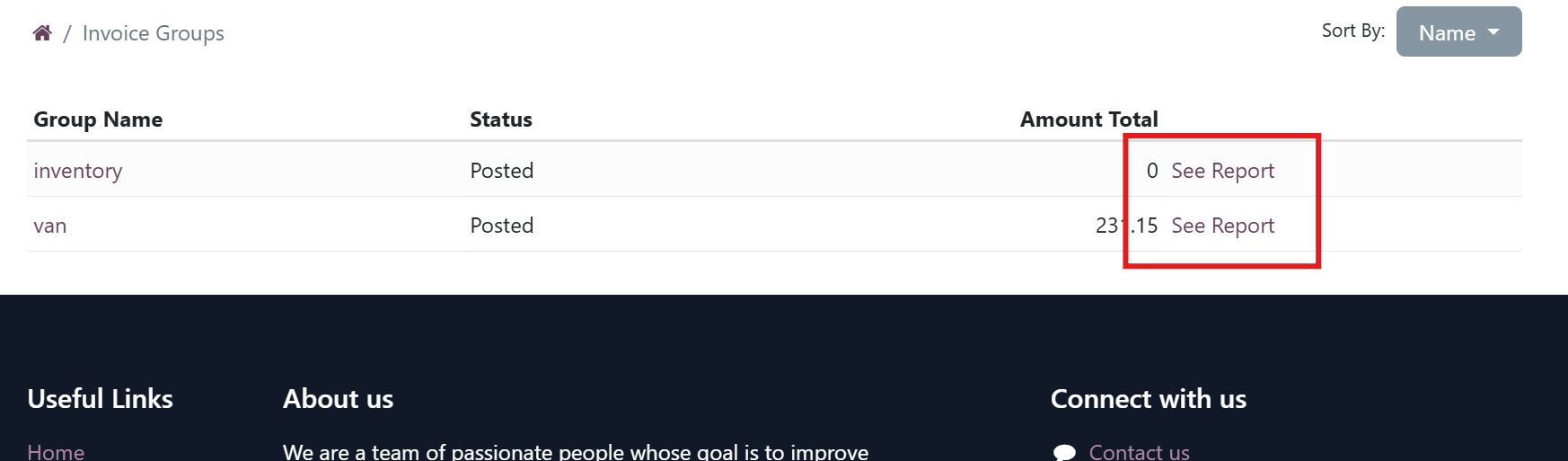
- Allows exposing the journal entry groups on Portal for customers to get access to the journal entry groups.
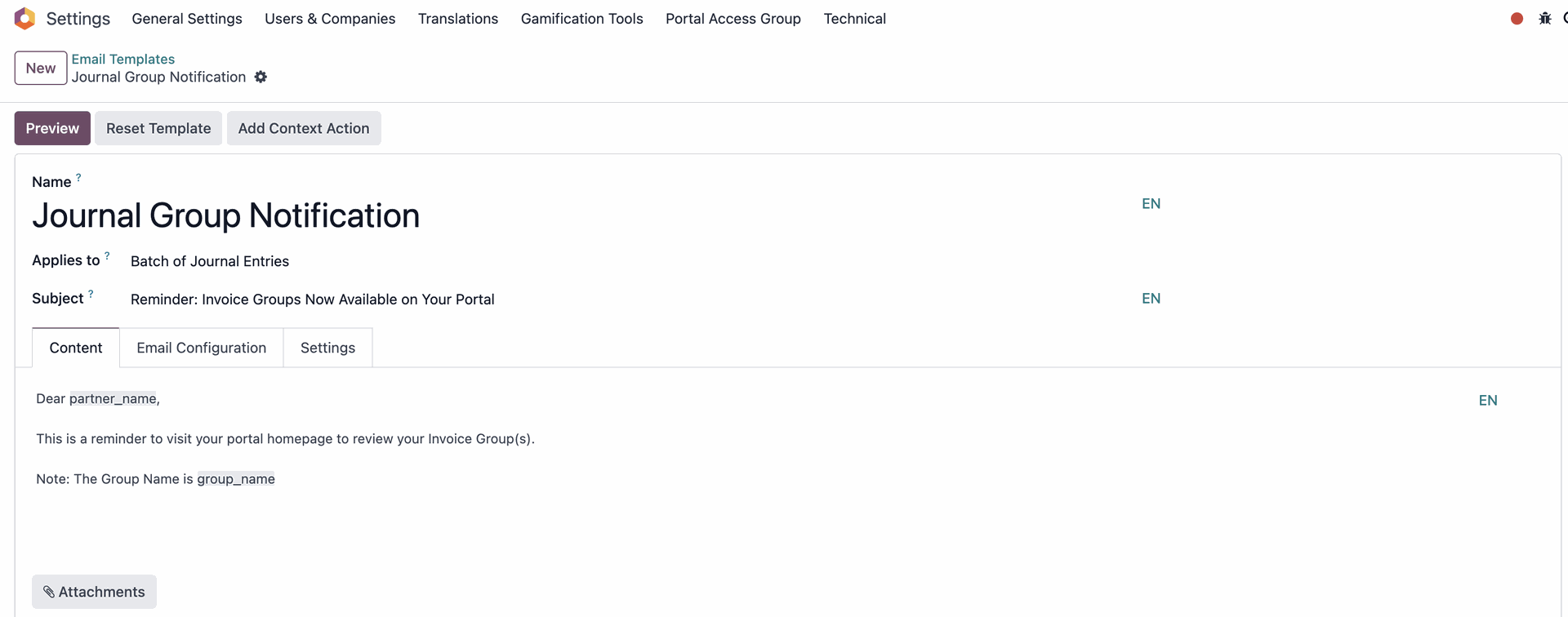
- Send reminder emails to partner
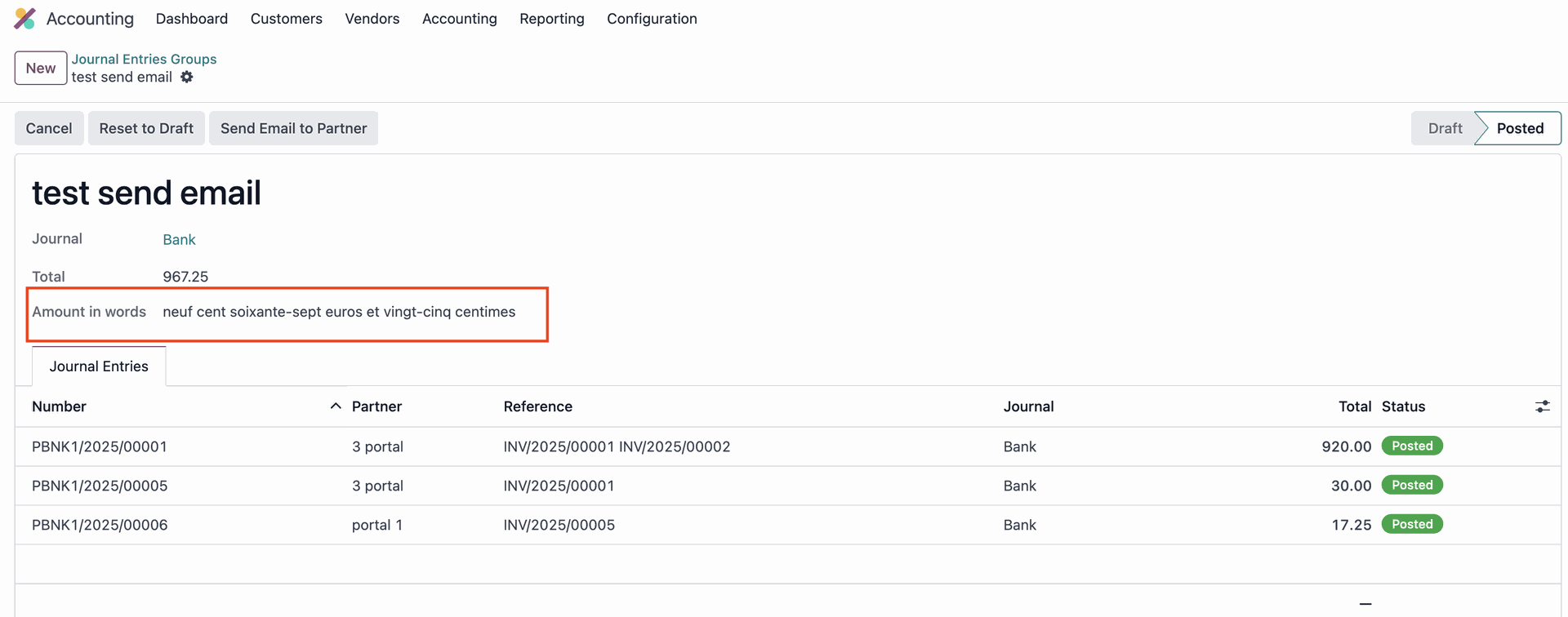
- Total amount of journal entries group in French
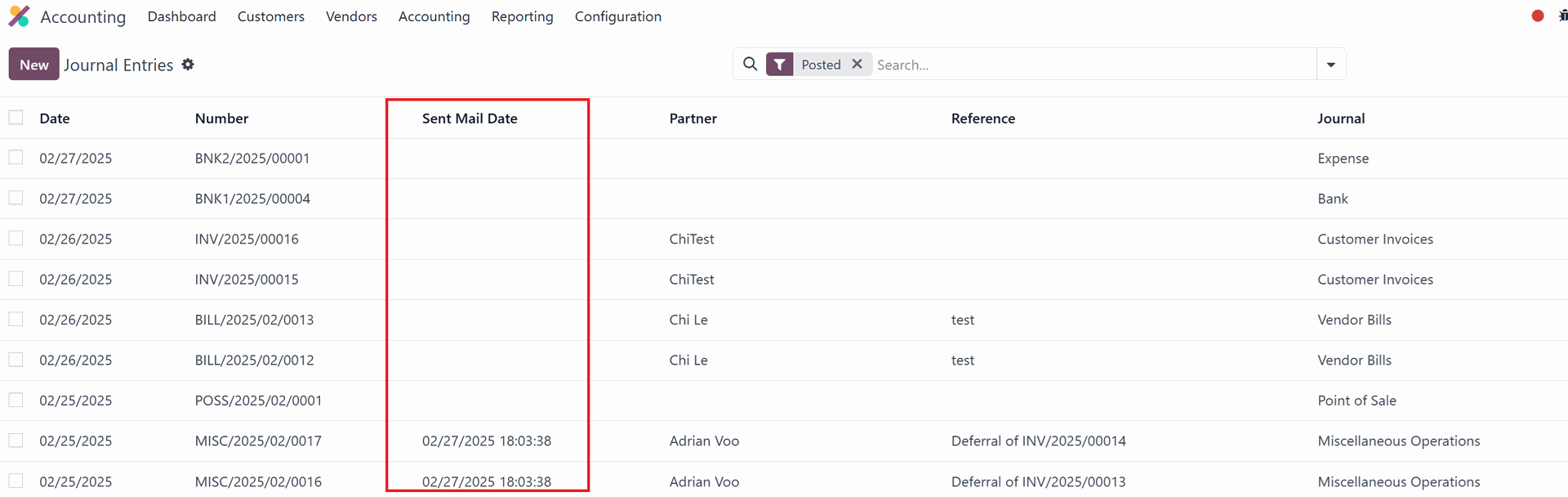
- Display the last reminder email's sent time
CLUEDOO RECOMMENDATION
We recommend this module for all companies that use the Accounting app on Odoo.
HOW TO USE THIS MODULE
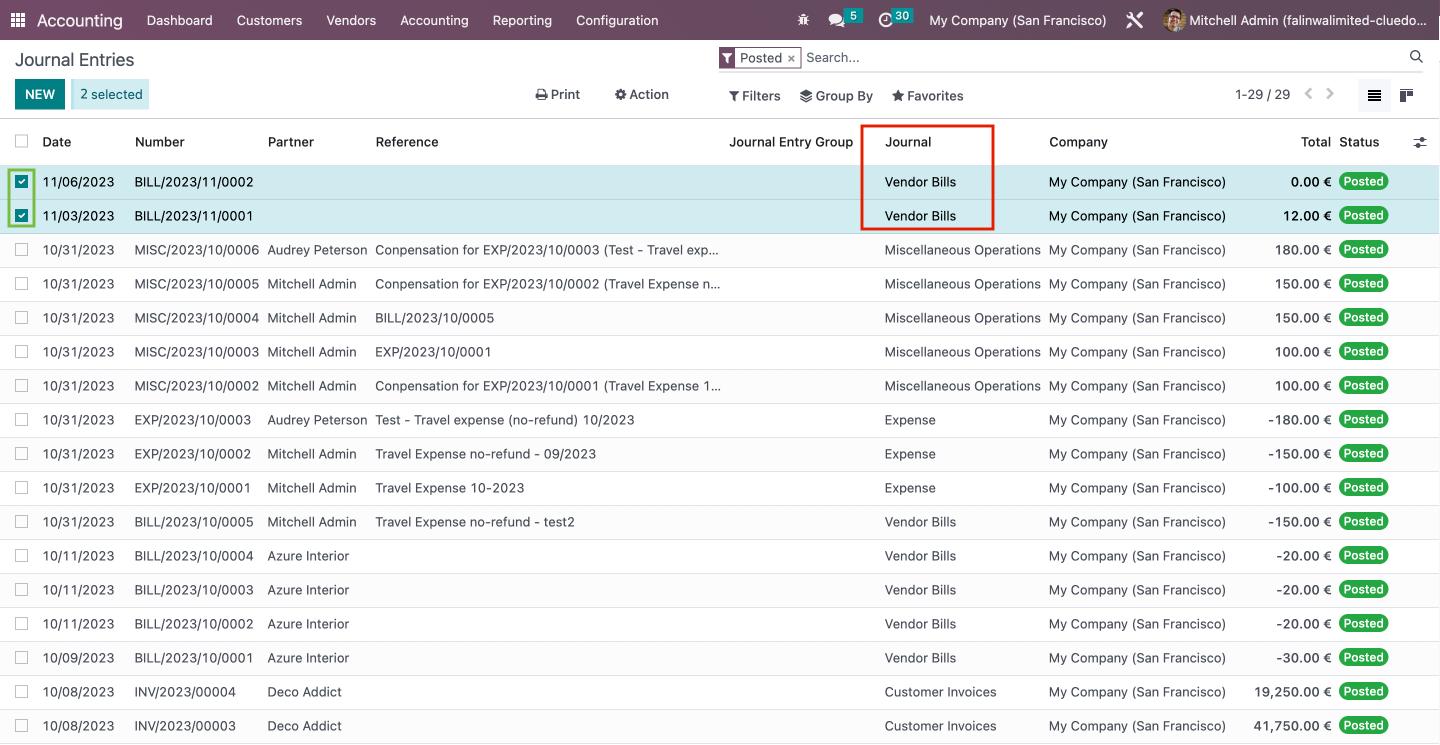
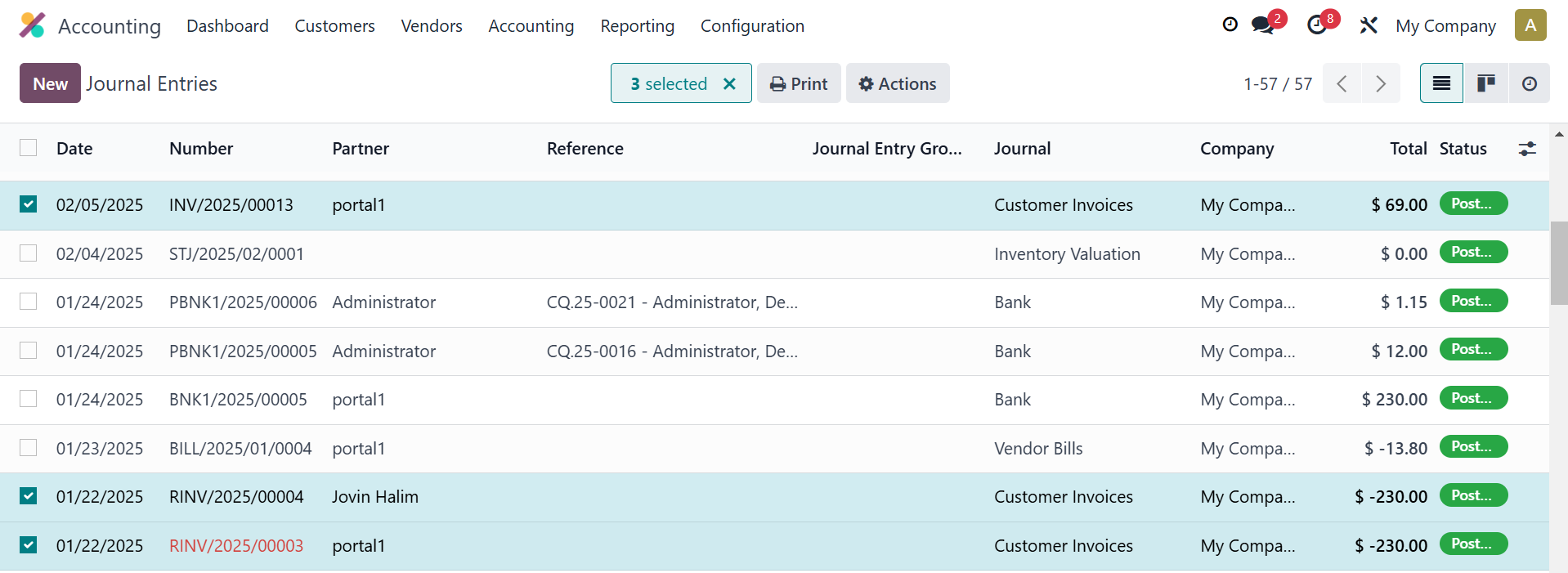
1On Accounting → Accounting → Journal Entries, we can group entries into batches. First, select the entries that you would like to group. Please note: only entries with the same Journal can be batched. |
|
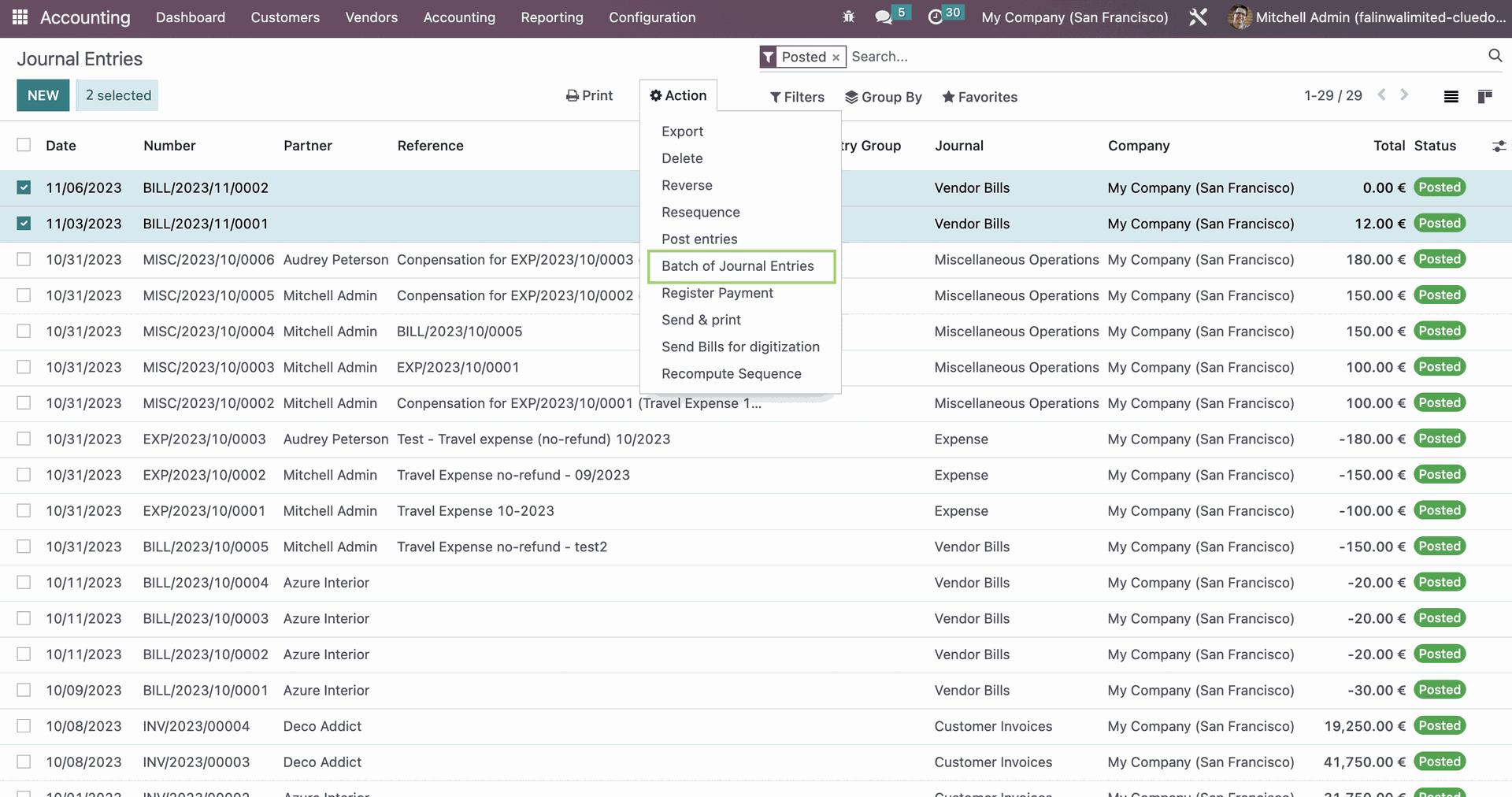
2In the Action tab, you will find the option "Batch of Journal Entries". |
|
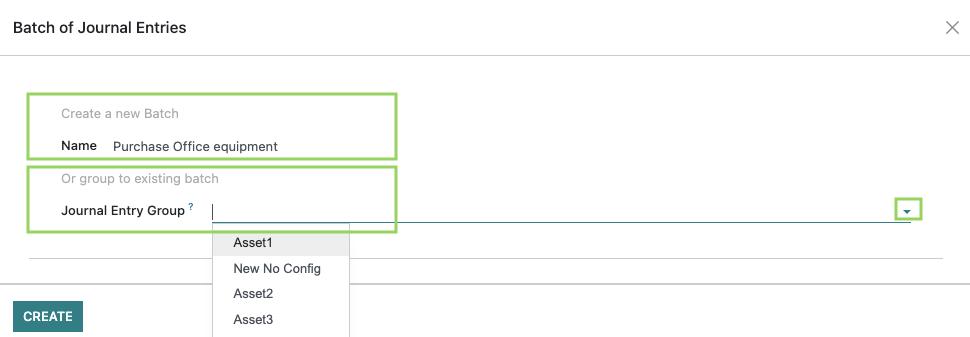
3Here, you will have options to create a new batch with a new name, or to group the selected entries to an existing batch. You can choose the group by clicking on the arrow button. |
|
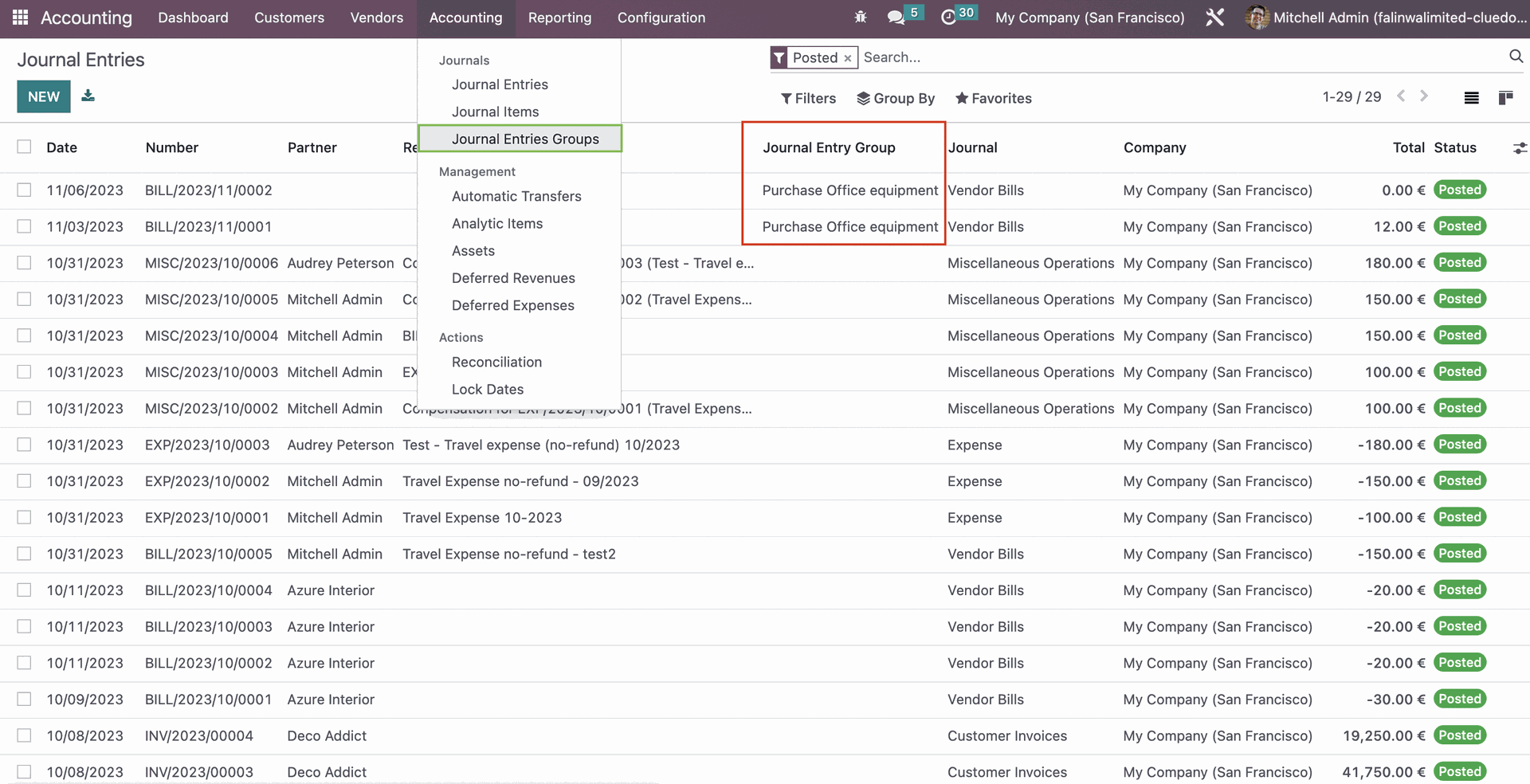
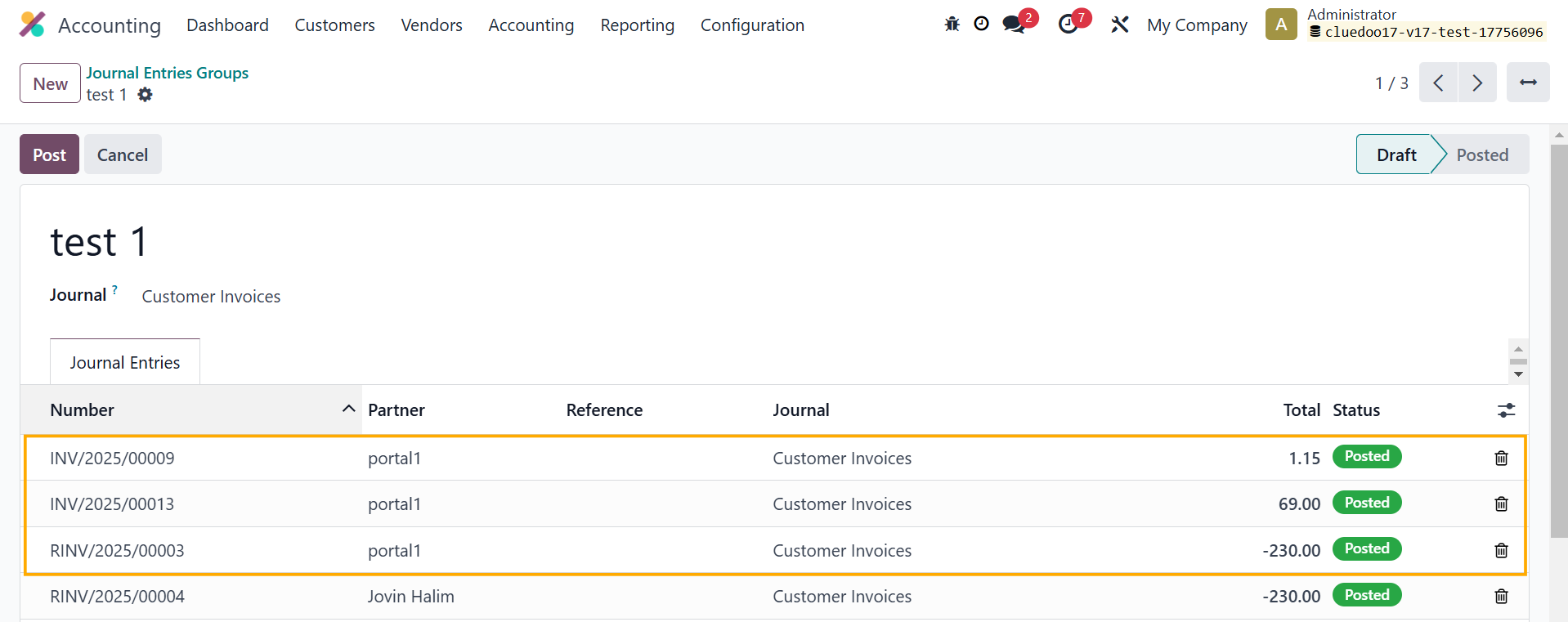
4Once completed, the names of the entries group will appear under the Journal Entry Group column. To view all Journal Entries Groups, go to Accounting → Journal Entries Groups. |
|
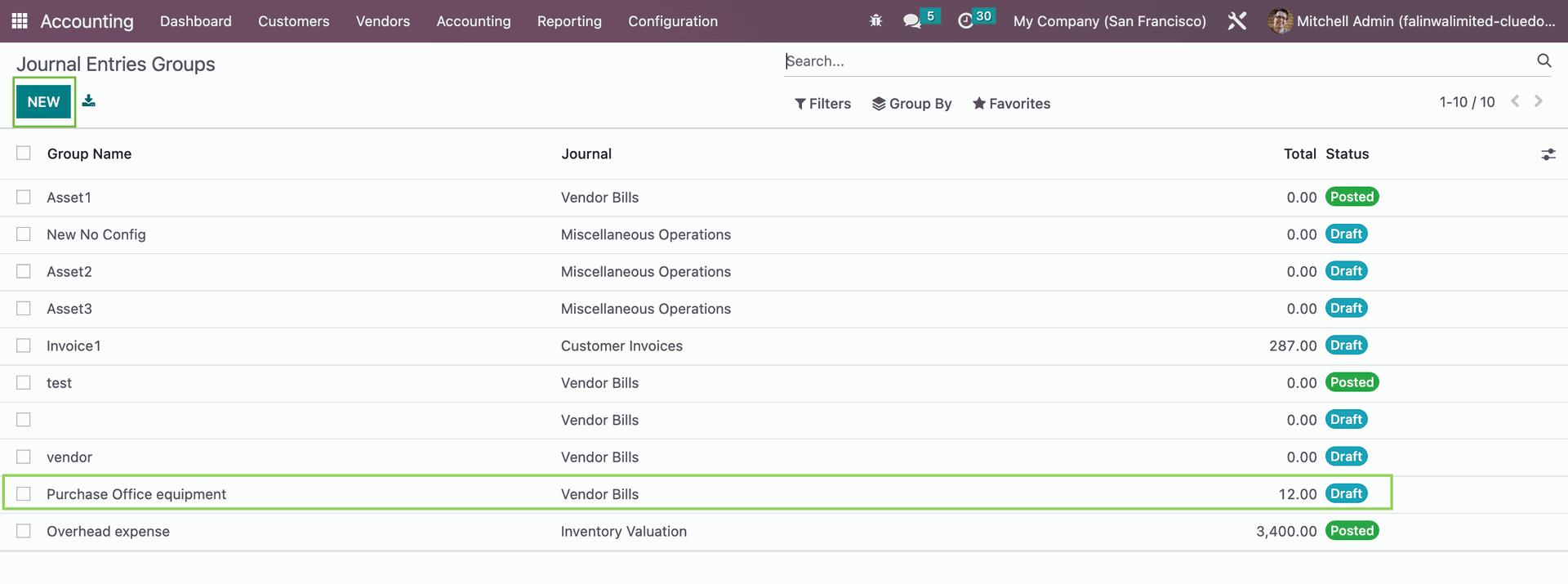
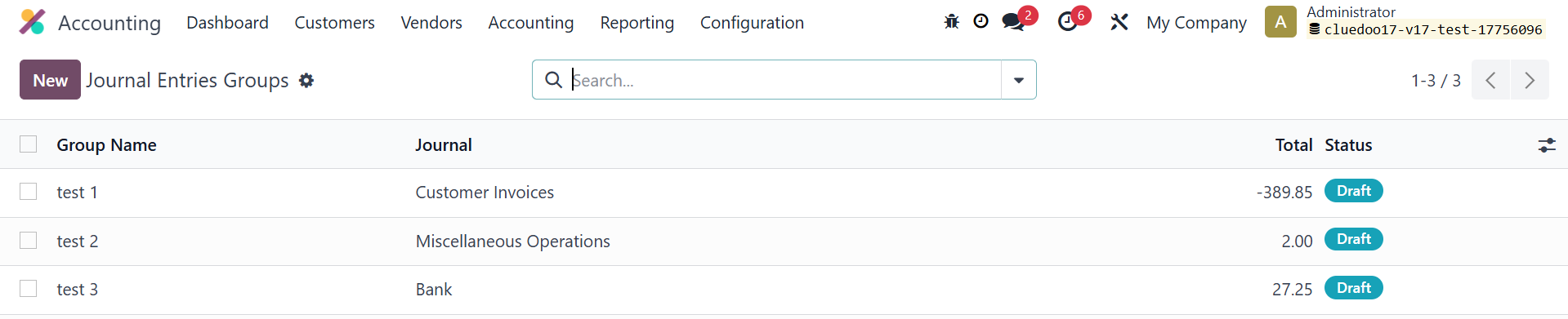
5Within the Journal Entries Groups section, you can see the new batch along with other existing entries batches. You can also create a new batch and post new entries directly into the batch by clicking on "New". |
|
6. EXPOSING JOURNAL ENTRY GROUPS ON THE PORTAL1. Group the journal entries with a portal user as a partner into a batch. |
|
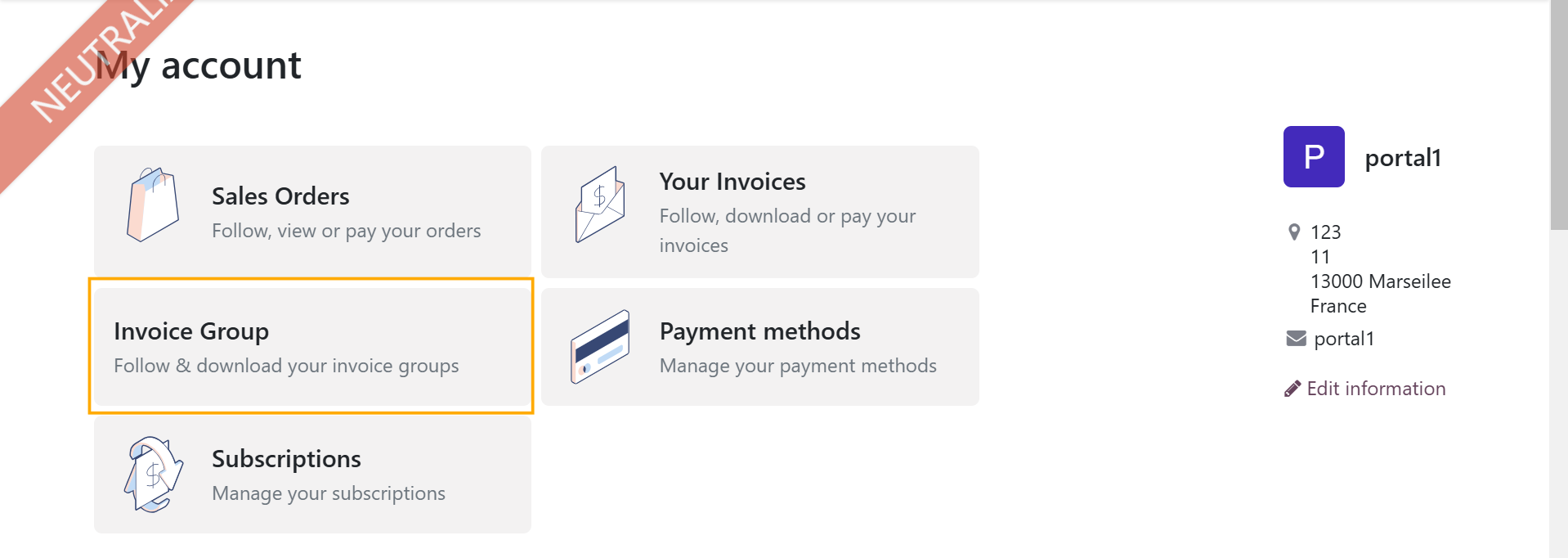
2. Log in as a portal user, and you will see a new menu called Invoice Group has been added to the home page. |
|
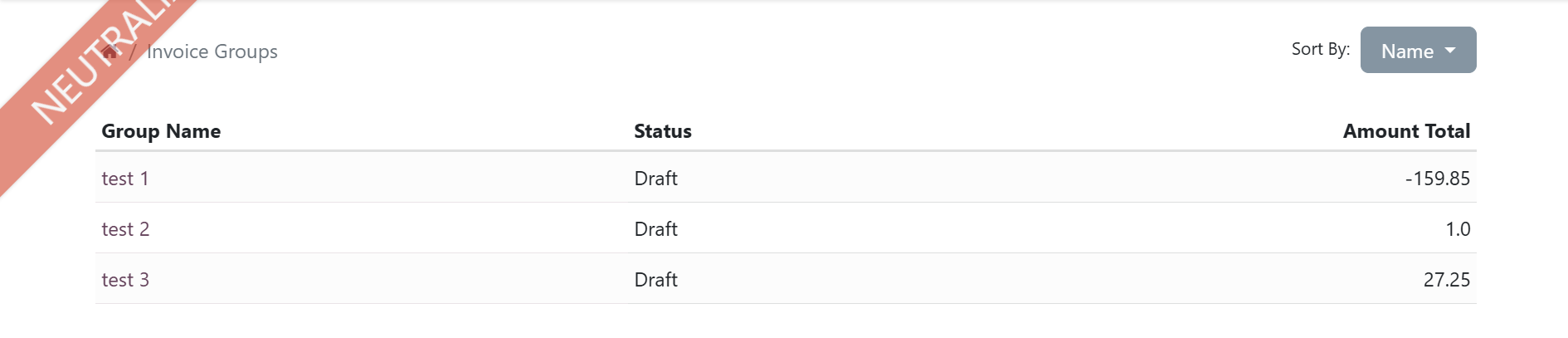
All the journal entry groups that have the portal user as partner will be automatically added here. Note: The Amount Total is the total of the journal entries with the portal user as partner, not the total of the journal entry group |
|
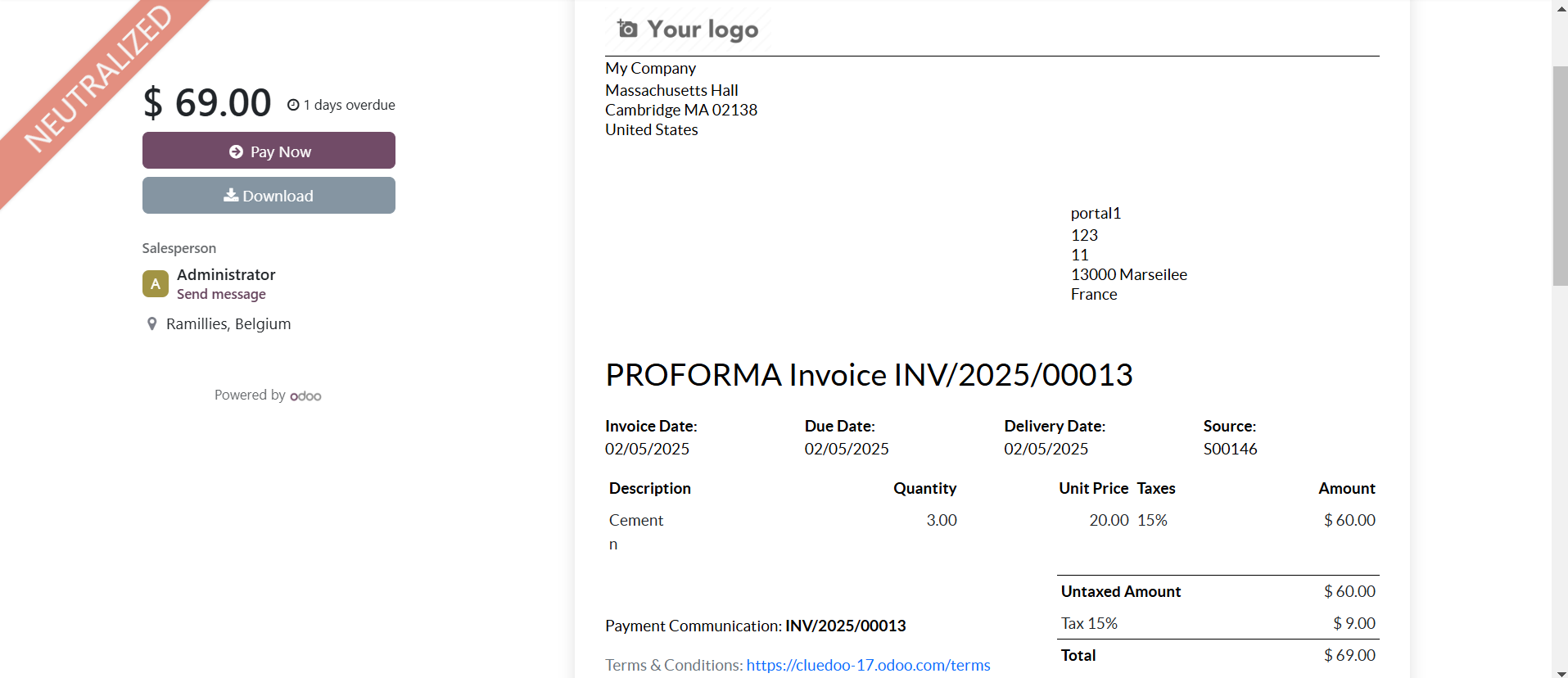
If you click on a document, it will show you a PDF of the journal entry. |
|
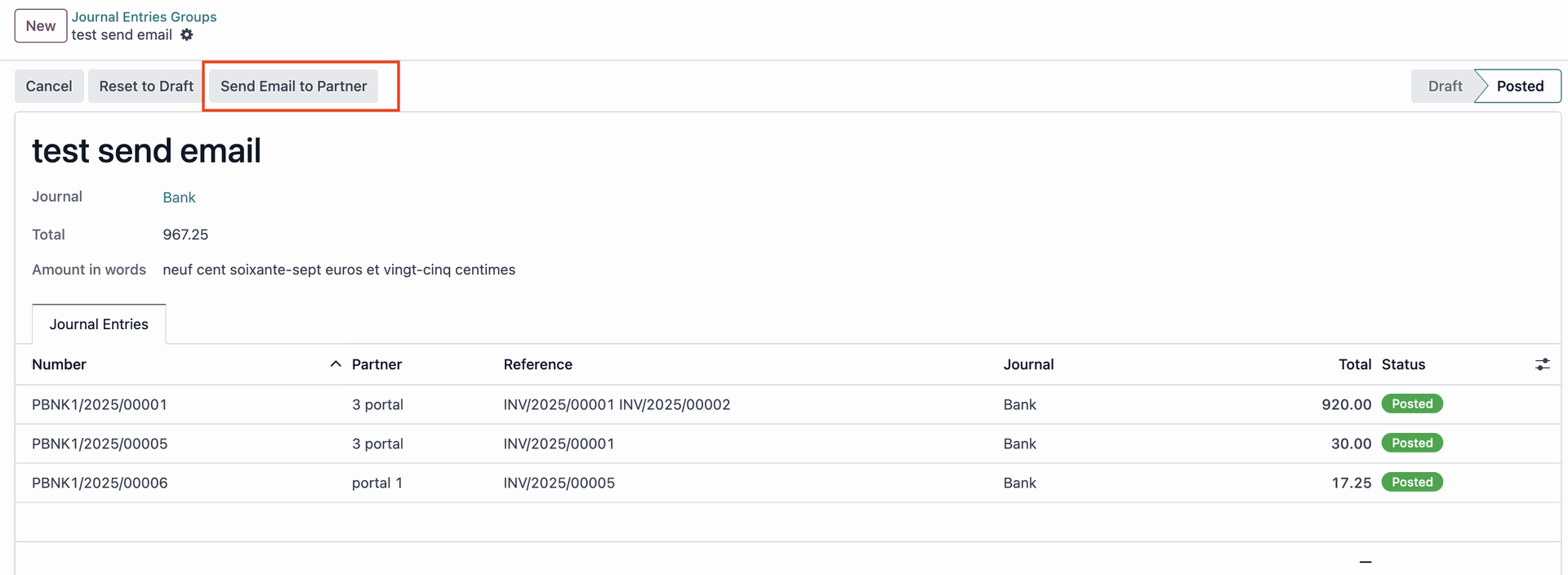
3. You can send a reminder email to partner(s) to inform them that their invoices are available on portal by clicking Send email to Partner Button |
|
This email can be customized by going to Email Templates > Journal Group Notification |
|
4. To check the latest date of the remind email was sent, you can go to Studio and add Sent Mail Date (latest_sent_mail_date) to List View |
|
5. You can consult the total amount of journal entries group in French |
|
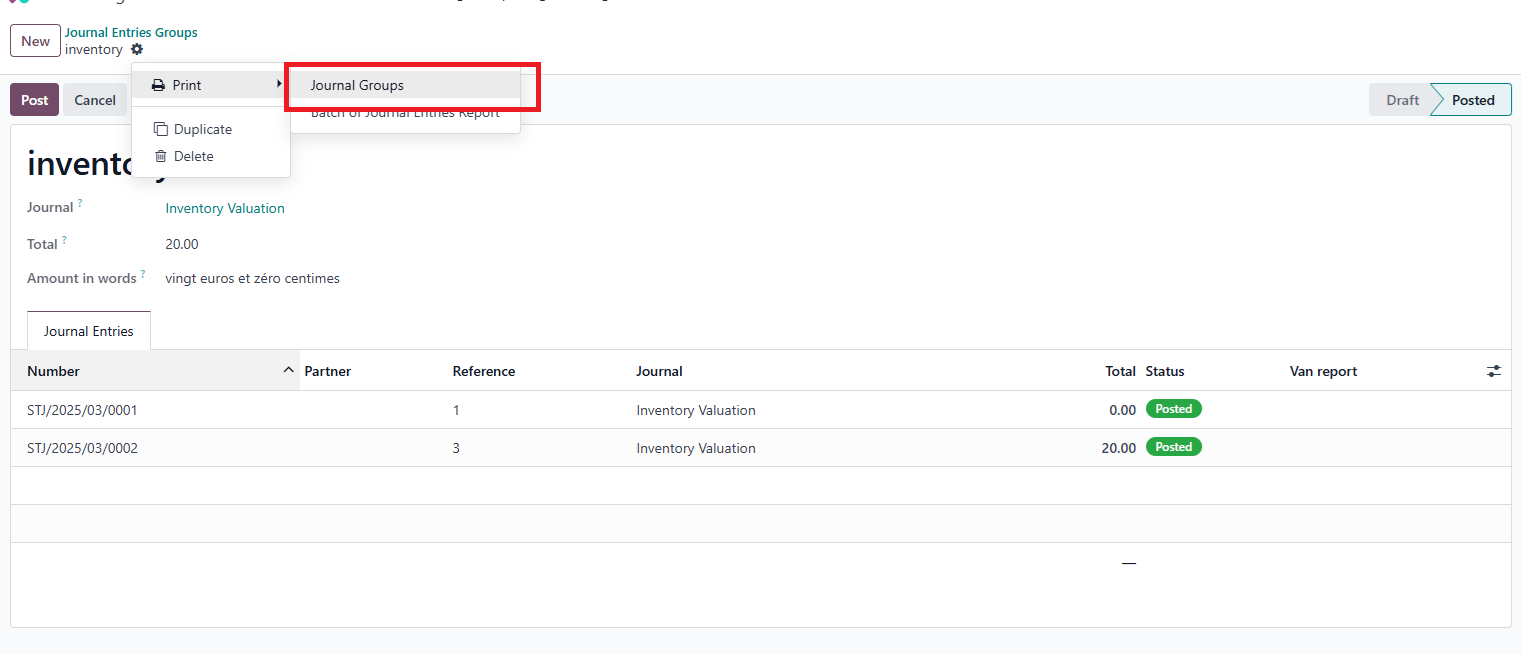
6. A report that includes all journal entries the Journal Entries Group is available Portal users can also consult their report |
|