



ODOO'S FUNCTION
Odoo standard lets you define automated server actions, but they run automatically based on system events. There is no native option to run a specific automated action manually from a form view like a stock adjustment or a product.
Additionally, there is no mechanism to manually assign a specific automated action to an individual record (e.g., a specific Quotation or Sales Order) directly from the record’s interface.
CLUEDOO'S FUNCTION
CLuedoo enhances the automated action functionality by introducing a manual trigger button to run a predefined automated action (such as updating product quantity) directly from the form view. This button will trigger the rule for the specific record only.
This allows users to have control to execute specific logic on demand without relying solely on automatic triggers.
1. Go to a Form view (Purchase/Sales Order...) > Studio > Automations Then create an Automated Action (Automations) For example, I want to create an Automated Action for Sales Order | 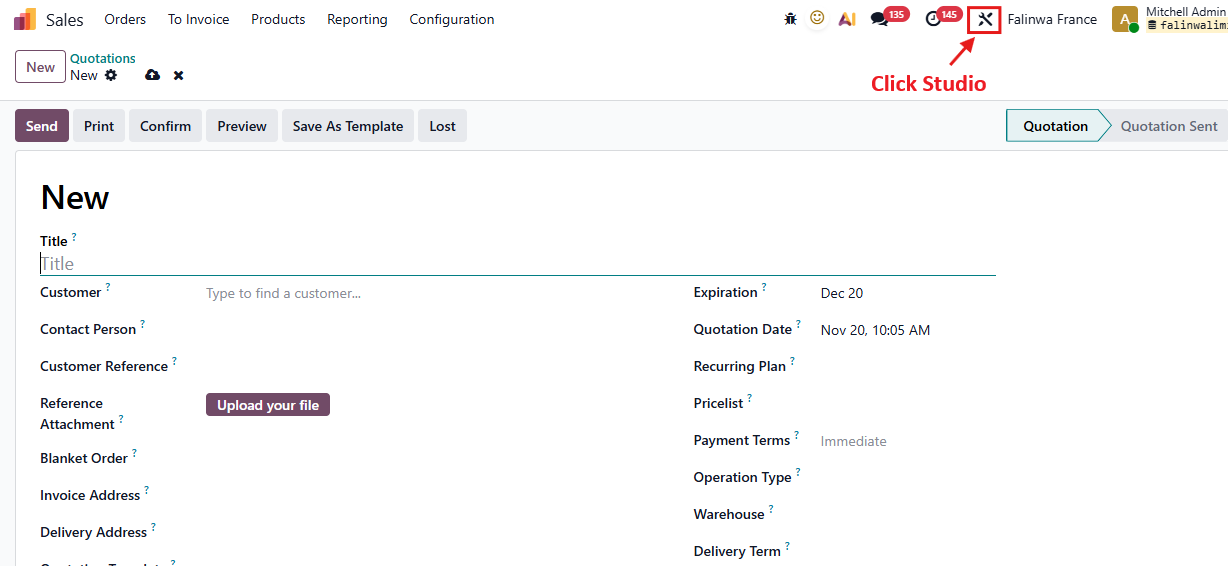 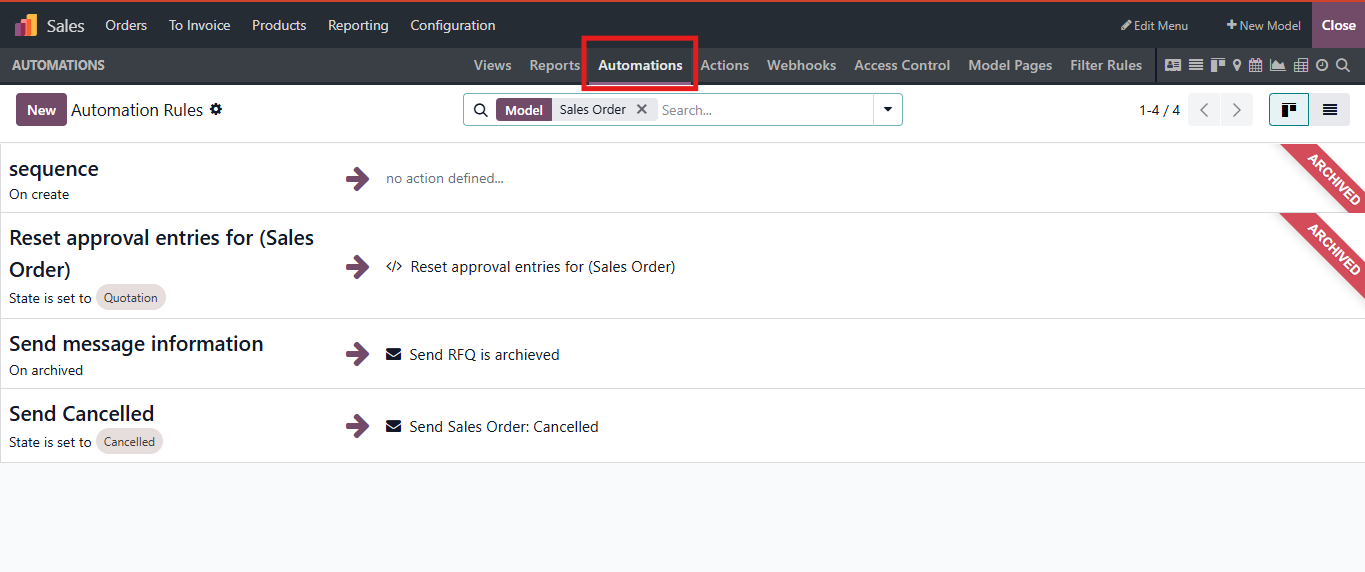 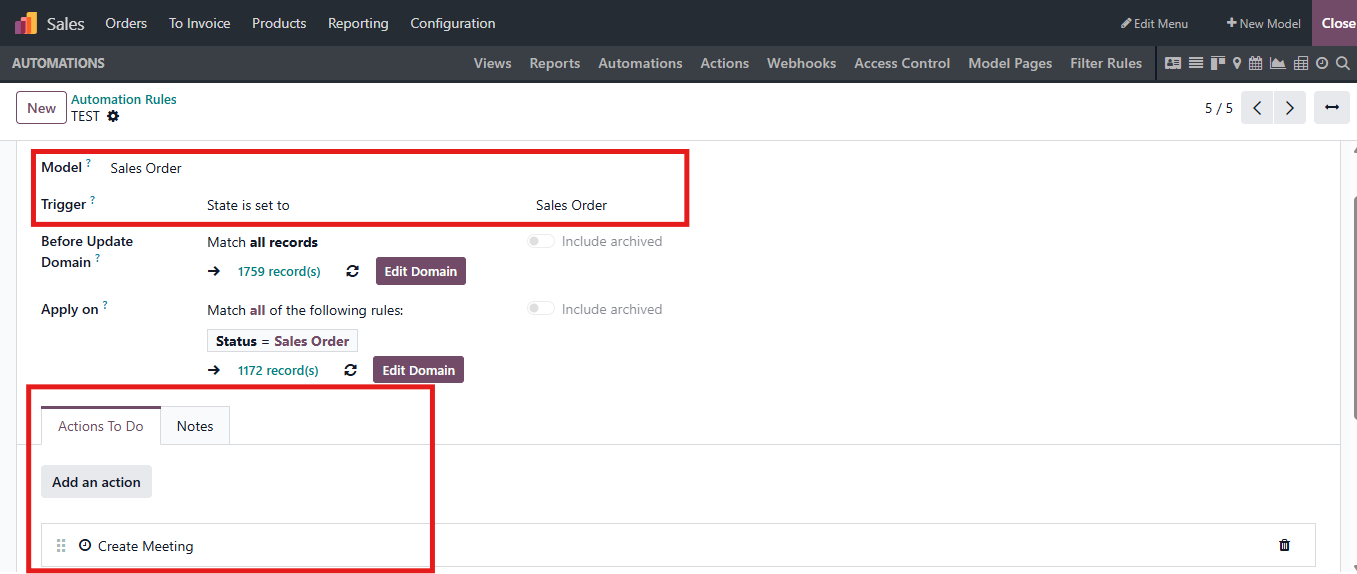 |
2. In Studio > Existing Fields Find Automatic Action Then add it in form in the place you want it appear Then Close | 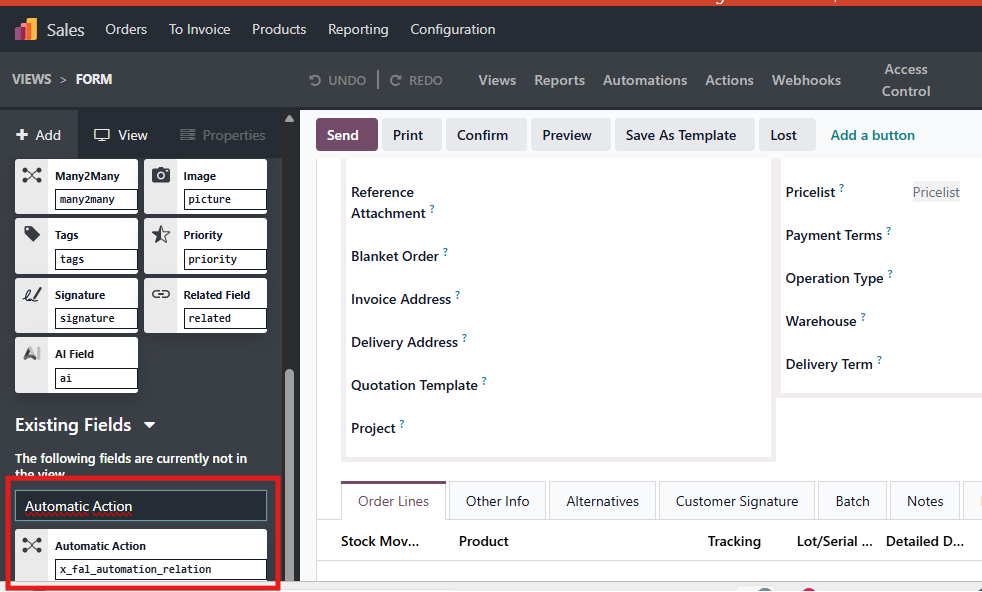 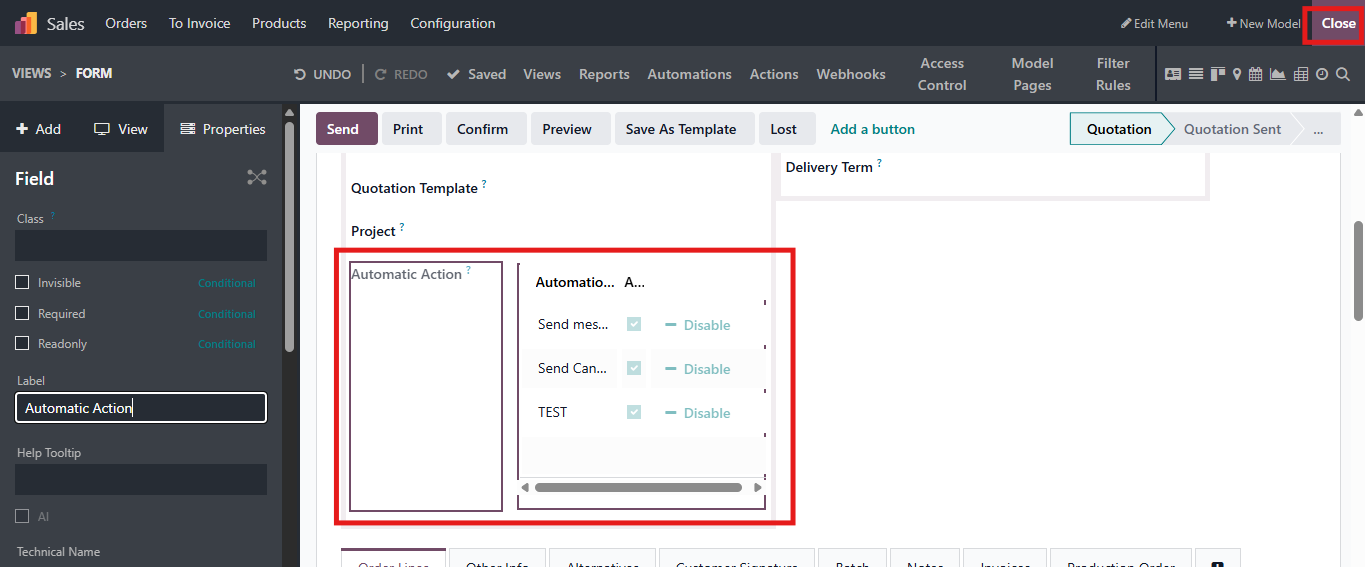 |
3. You can set Automations for each form. To disable an automatic action > Click Disable or Untick field Automation On in Automatic Action view > Save Note: This rule just applies to the current record (for example, it is just active for Sales Order S01991) | 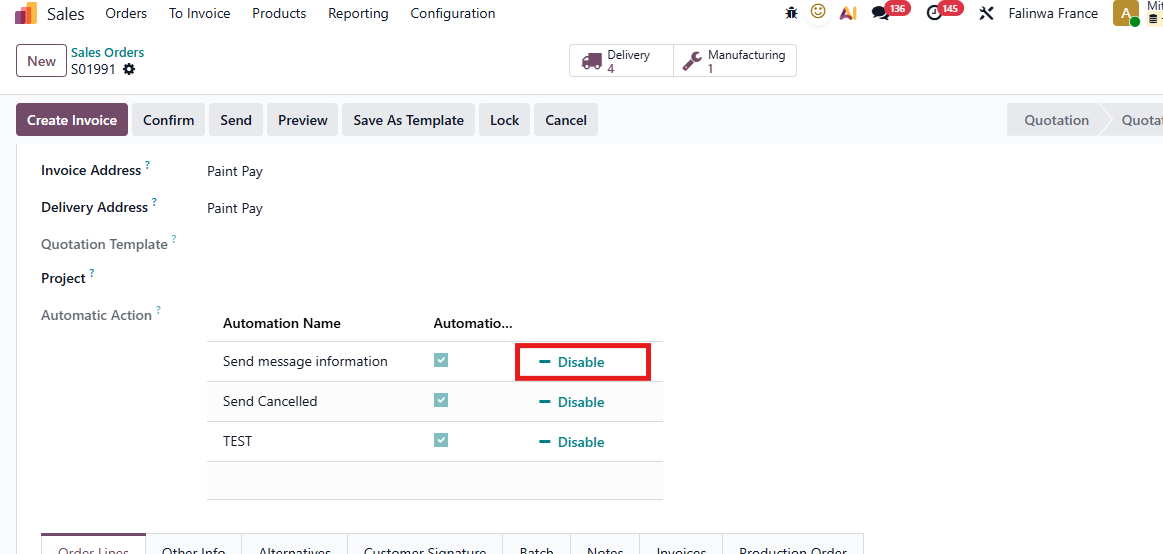 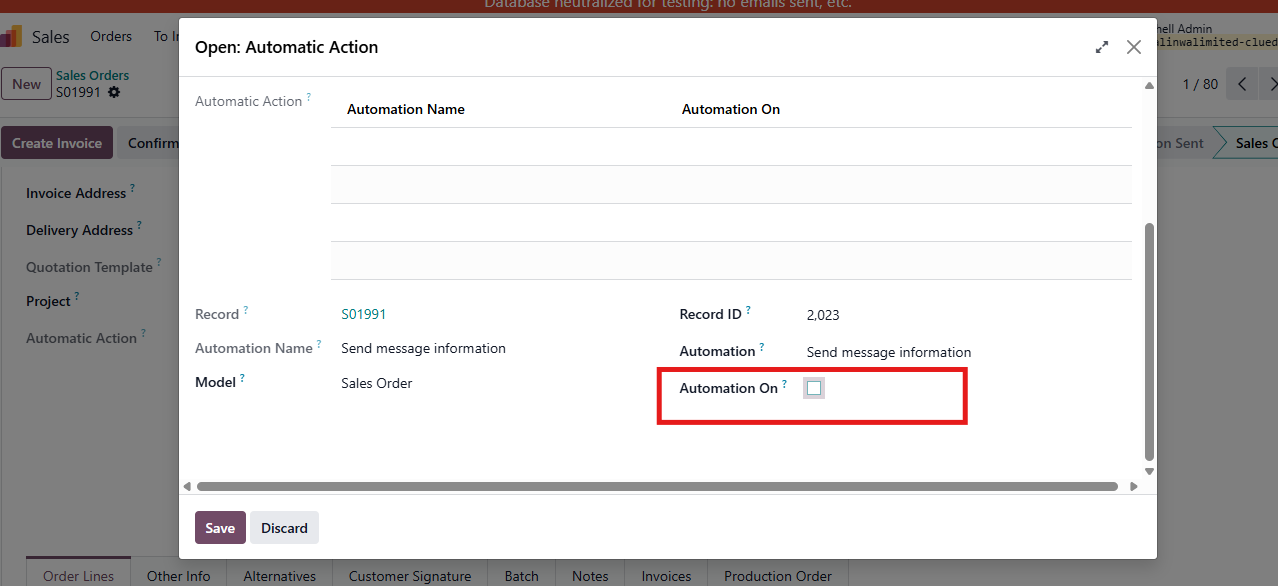 |
4. To turn on an Automatic Action Click Run or on Automactic Action form, tick Automation On > Save | 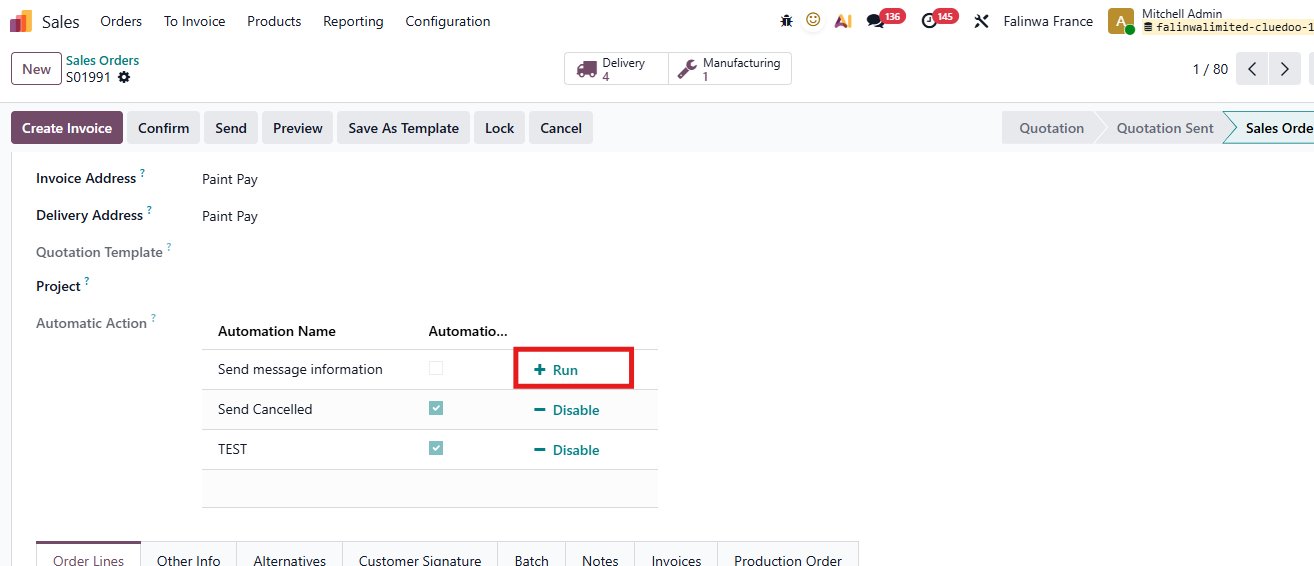 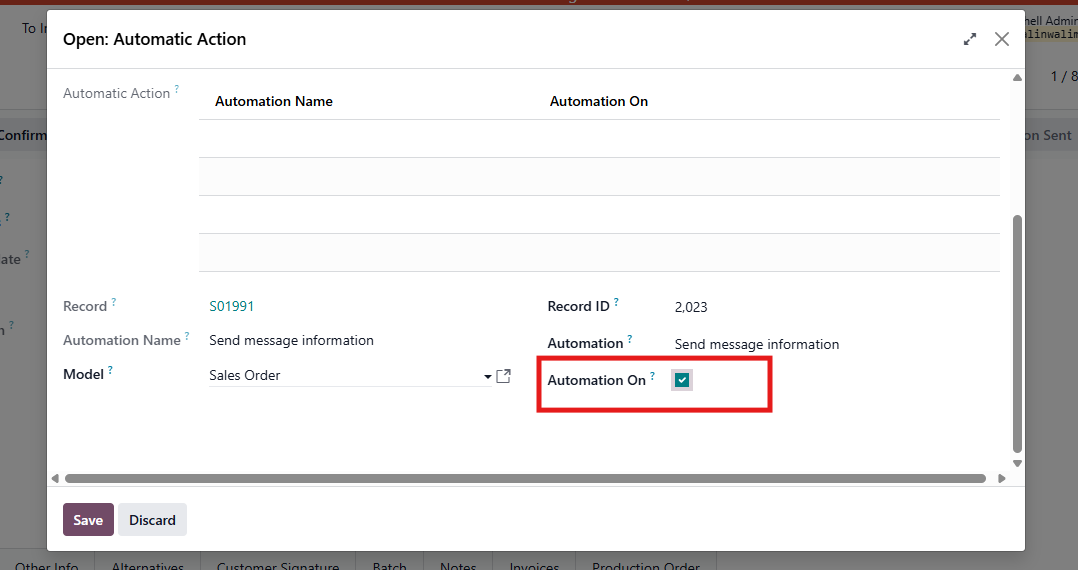 |