



ODOO'S FUNCTION
In Odoo, standard fields like Cost Price, Margin, and Margin % are already available on Sales Order lines. However, these do not distinguish between the cost at order creation versus the actual delivery cost, limiting accurate post-delivery profitability analysis.
CLUEDOO'S FUNCTION
Cluedoo enhances Sales Order profitability tracking by adding:
1️⃣ Delivery Out Cost Price: Captures the actual product cost at delivery time for true profitability calculation.
2️⃣ Smart Margin Logic: Automatically uses Delivery Out Cost Price (post-delivery) or standard Cost Price (pre-delivery) for margin calculations.
This provides businesses with precise delivery-based profitability insights beyond Odoo's standard cost tracking.
On the product form view, we have Sales price and cost defined for product. | 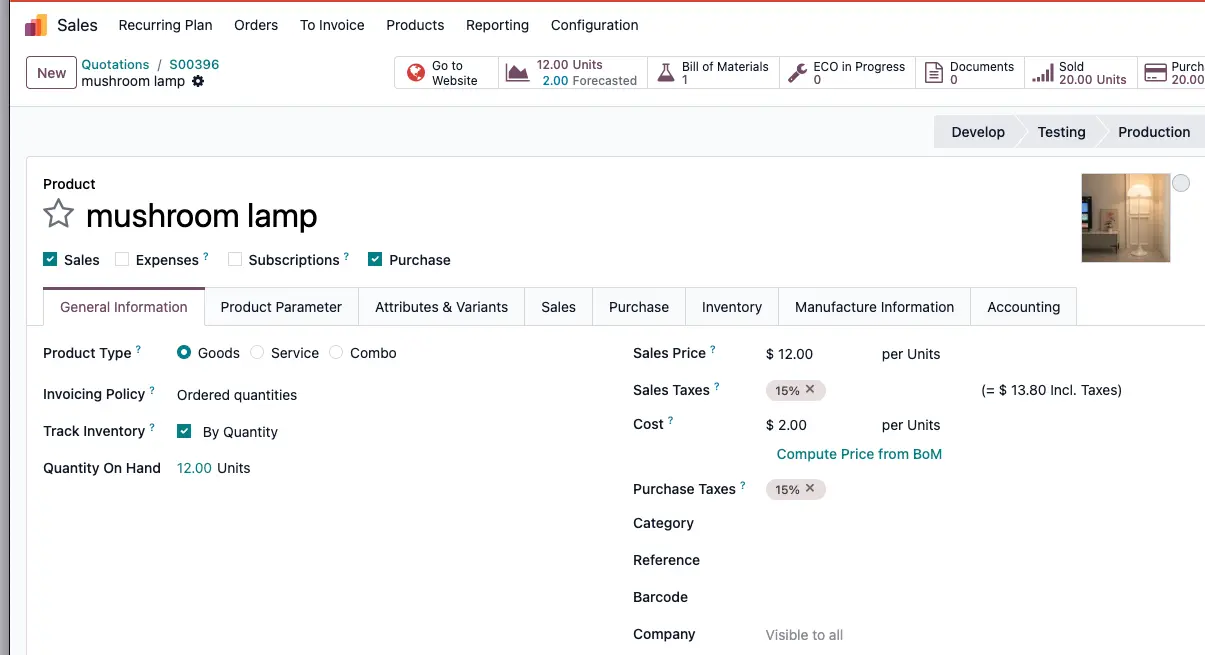 |
Cost Price is the price at the time we create the sales order. We will get the delivery out cost after we deliver the products. The delivery cost depends on the cost price of the product at the time of delivery. IF Stock Picking NOT DONE: Margin = Sales Price - Cost Price In this example, Sales price (12) - Cost (2) = Margin (10) | 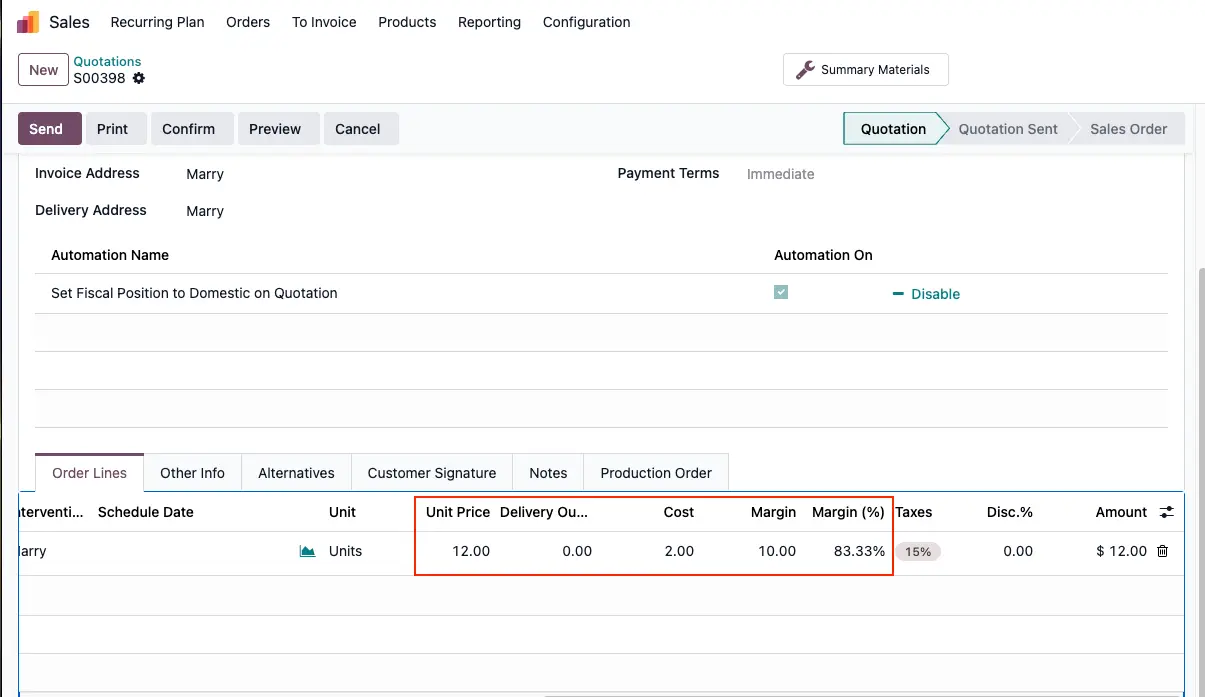 |
IF Stock Picking is DONE: Margin = Sales Price - Delivery Out Cost Price In this example, Sales price (12) - Delivery Out Cost Price (3) = Margin (9) We can also manually update the Cost Price and Delivery Out Cost Price. If we update the delivery out cost, the product margin will be updated too. | 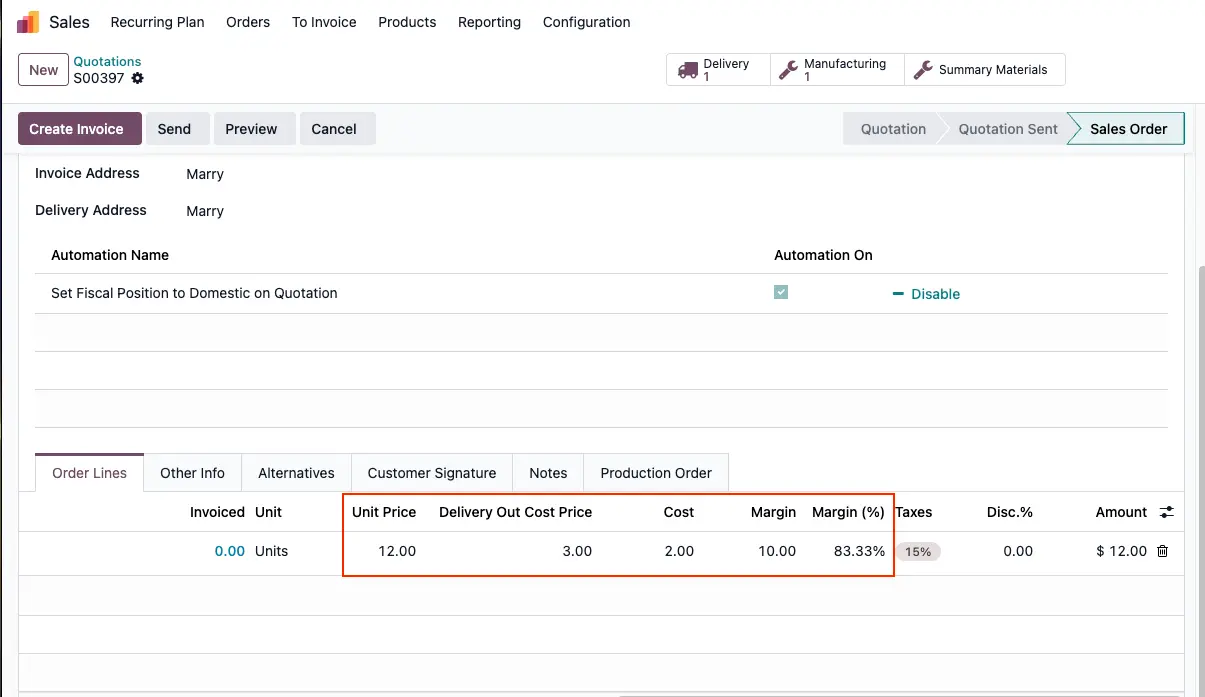 |