



ODOO'S FUNCTION
In Odoo’s standard inventory and purchasing modules, the country of origin can be specified at the product template level, but there is no mechanism to associate a specific country of origin with individual lots or serial numbers. This limitation creates challenges for distributors who source the same part number (PN) from multiple countries, as they cannot accurately track or report the origin of each batch on sales invoices. Additionally, Odoo does not automatically populate the supplier’s country as the origin during purchase order (PO) receipt creation, requiring manual documentation that is prone to errors and inefficiencies.
CLUEDOO'S FUNCTION
✅ Enables accurate reporting of the country of origin on sales invoices for customs and trade compliance.
1. Create a new Purchase Order > Add a Vendor and a product tracked by lot/SN Make sure to fill in the country in the vendor's address > Confirm | 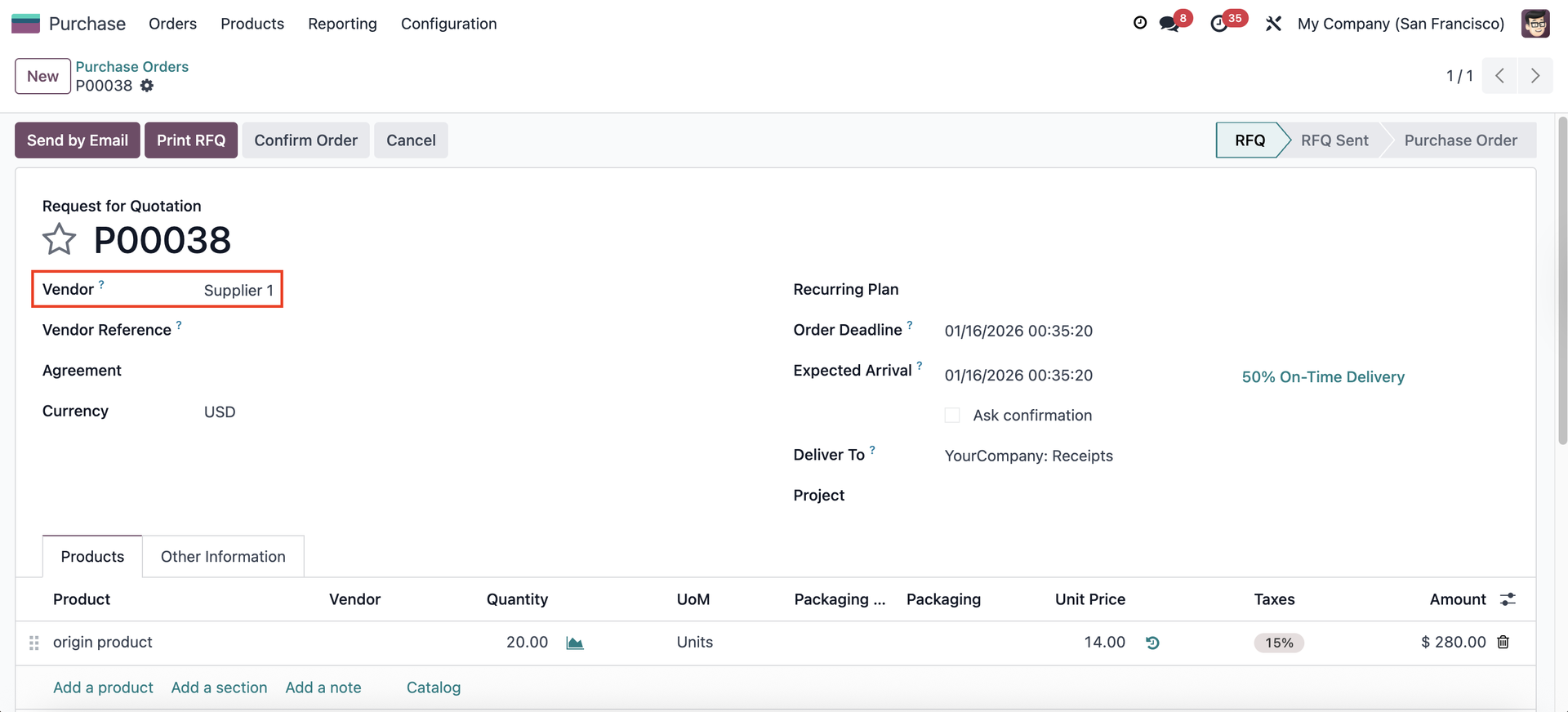 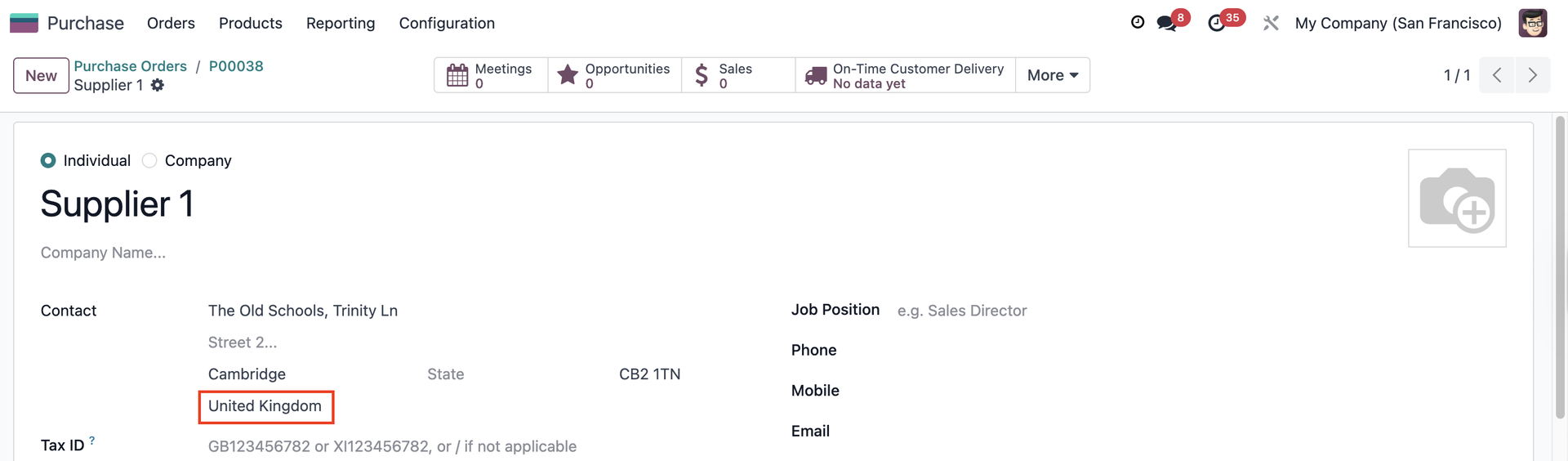 |
2. Go to Receipt > Assign lot/SN to the product > The Origin of Goods will be automatically filled in with the vendor's country > Validate | 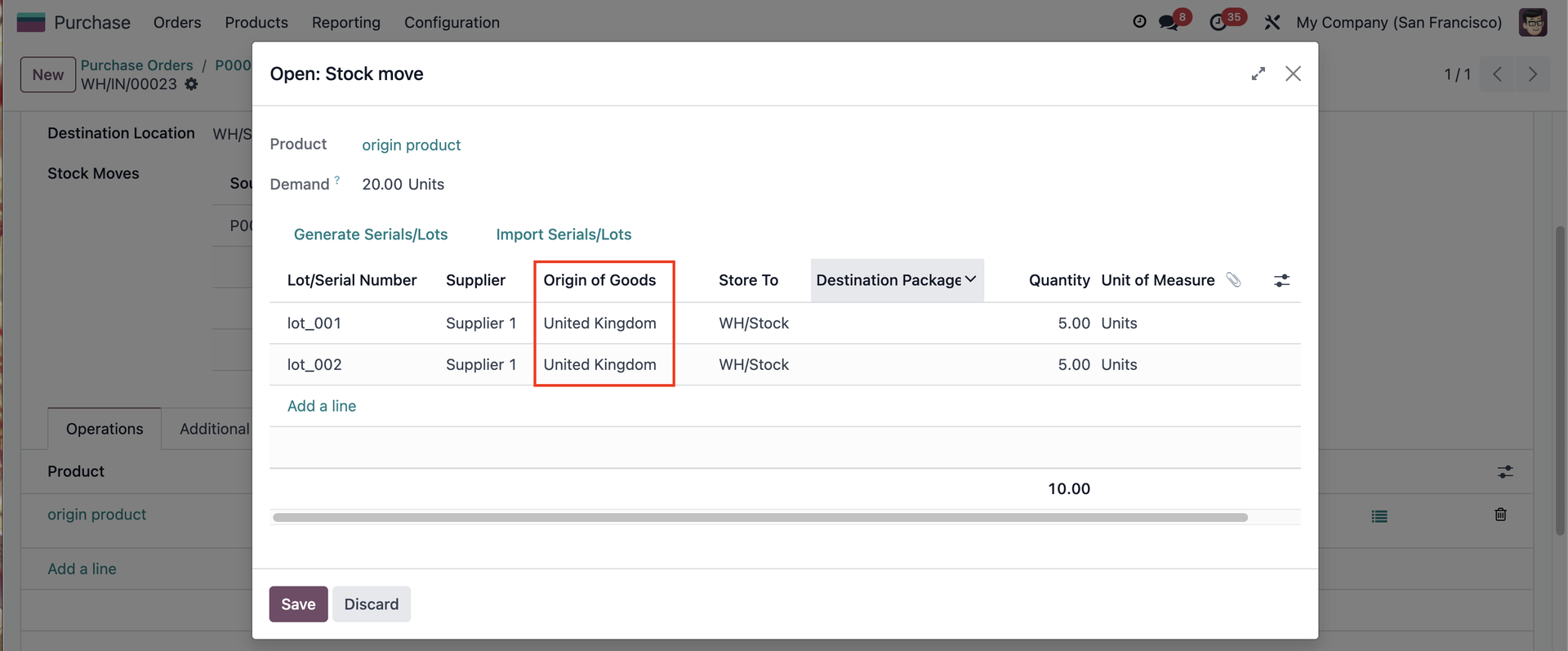 |
You can change the Origin of Goods in the stock.move wizard and it will be inherited to the Lot/SN | 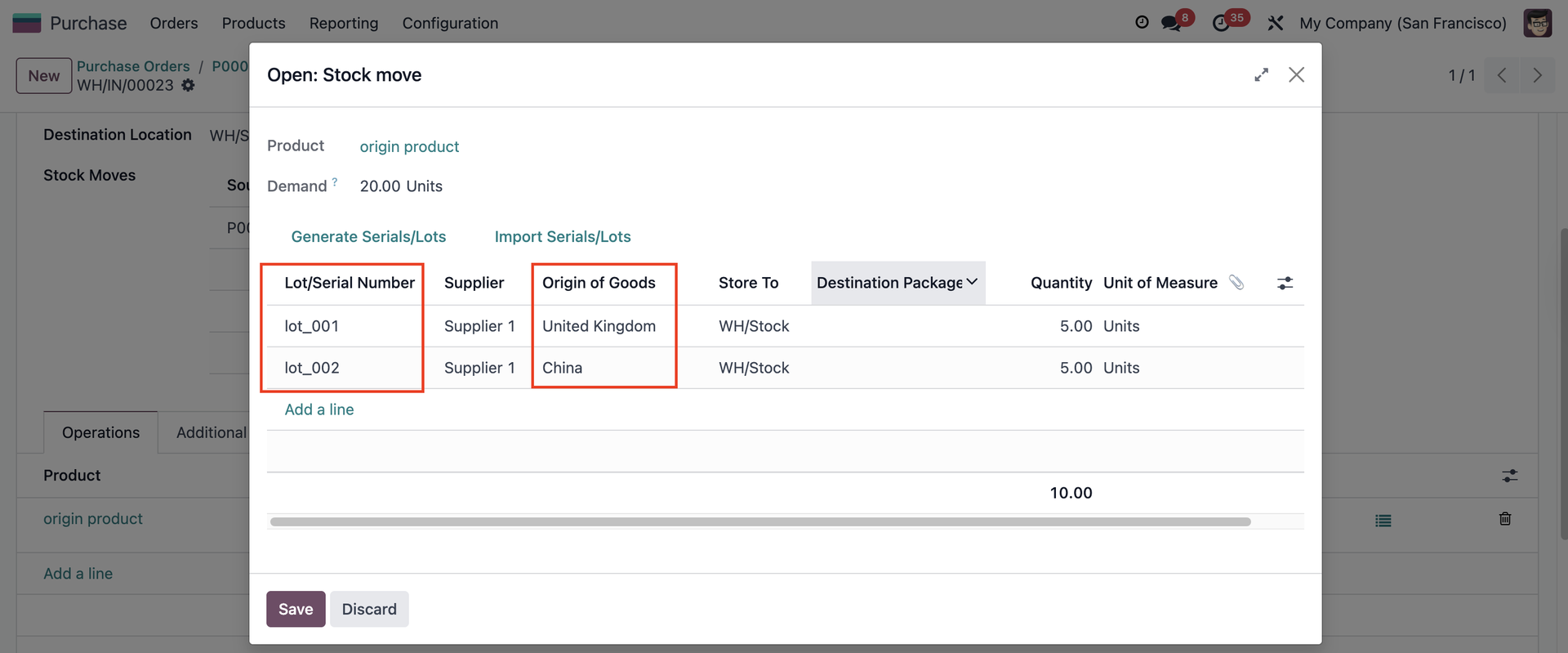 |
3. Go to the Lot/SN > The Origin of Goods field is automatically updated. | 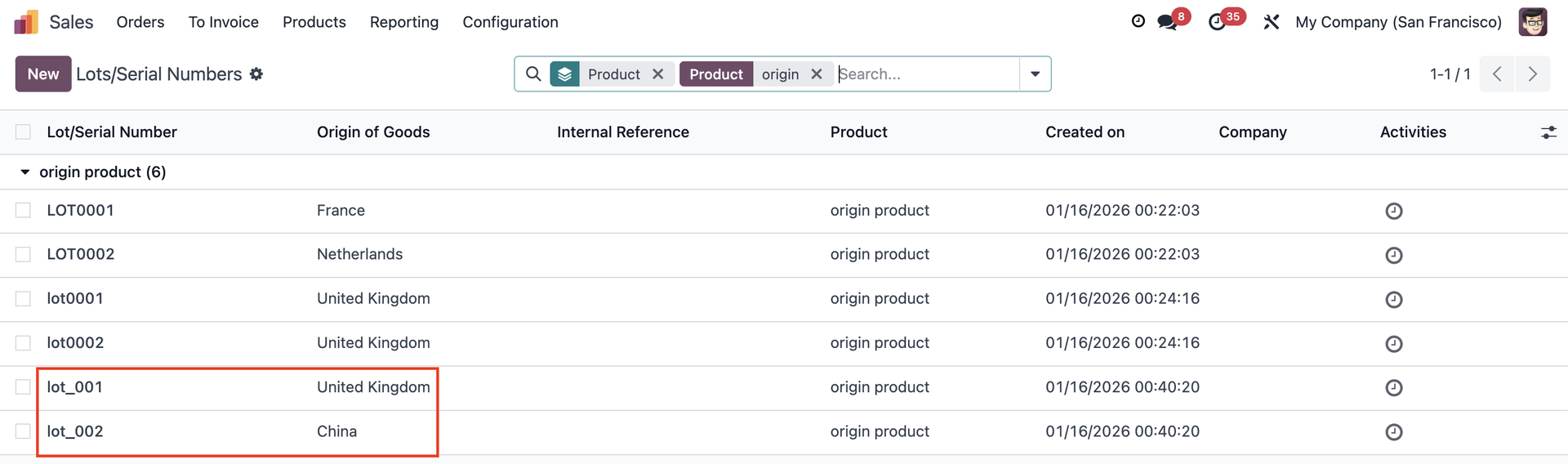 |
4. The Origin of Goods also propagates in backorders. | 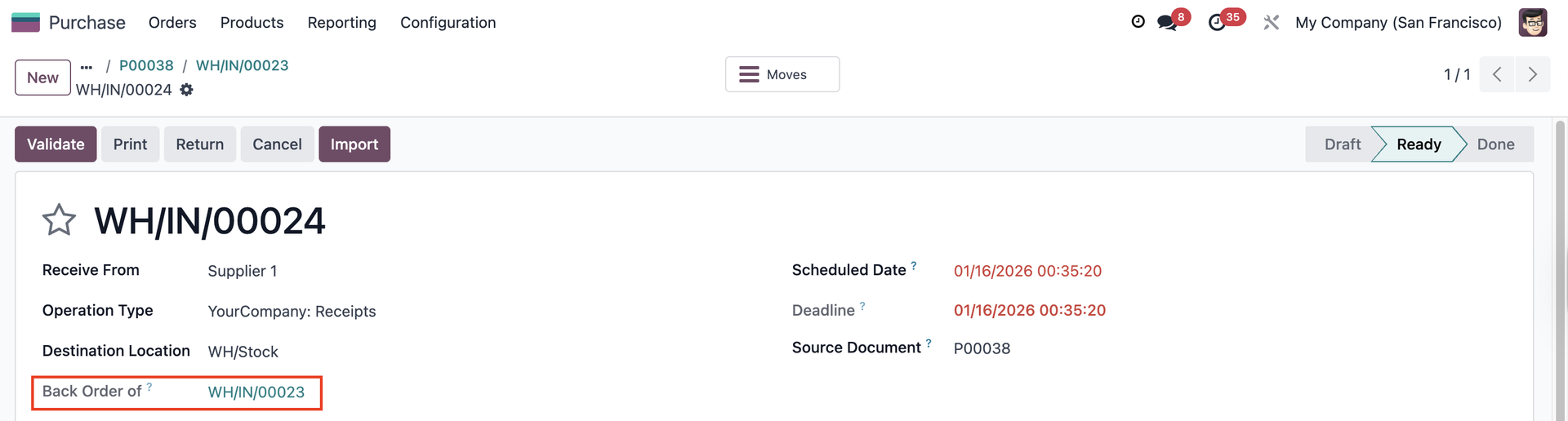 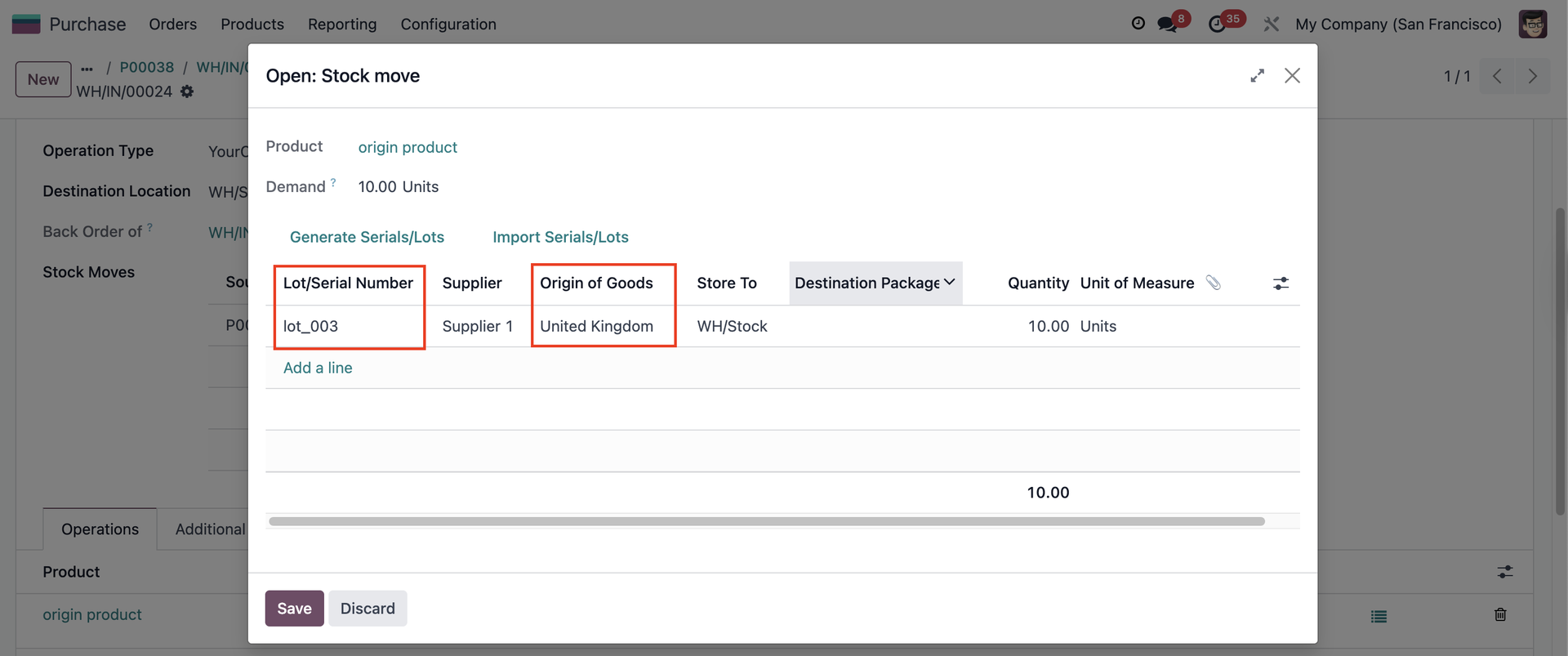 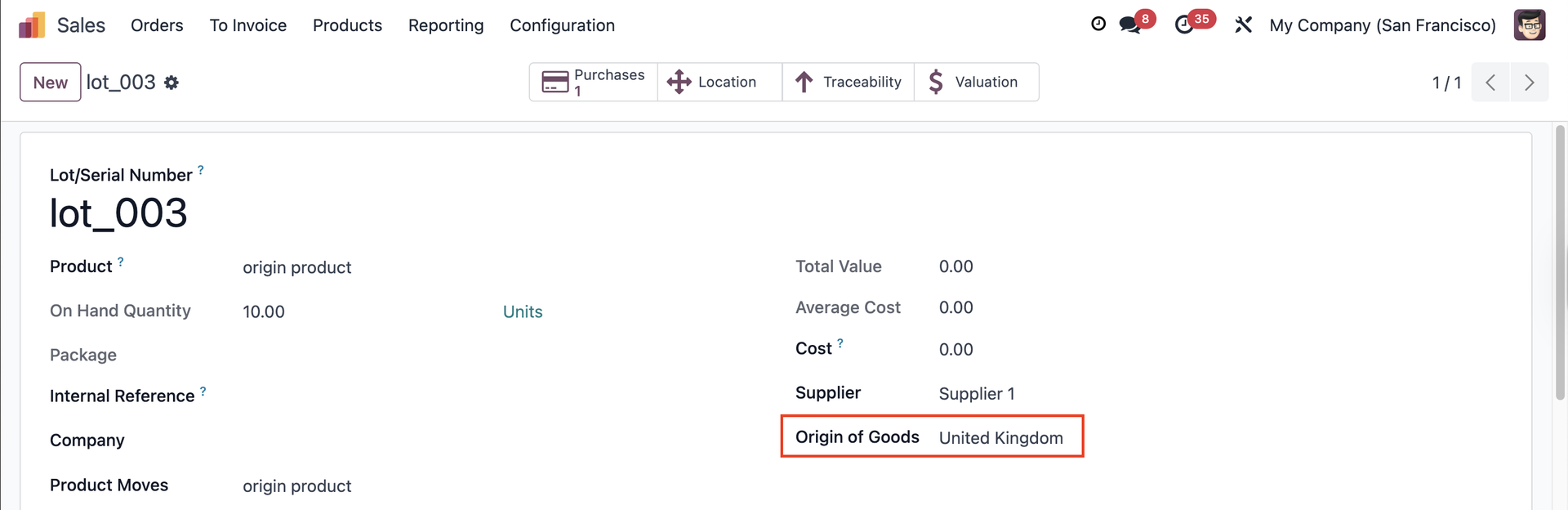 |
5. Create a Sales Order with the same product > Assign the L/SN from the PO that you created before > The Origin of Goods will be inherited in the stock.move wizard | 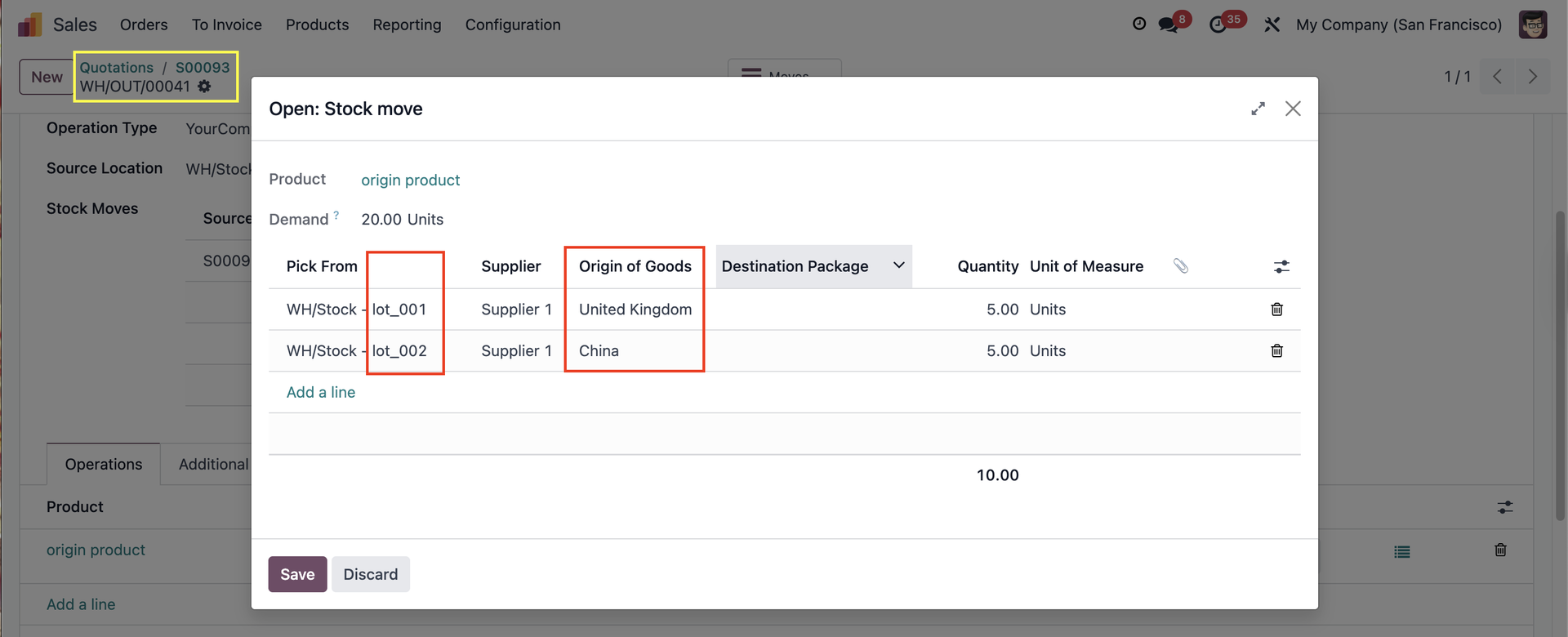 |