



ODOO'S FUNCTION
Odoo operates with Manufacturing Orders but does not include the concept of Production Orders.
CLUEDOO'S FUNCTION
CLuedoo enhances the management of Production Orders by introducing: The automated creation and assignment of serial numbers specifically for Production Orders.
This allows for enhanced efficiency and accuracy in production management, ensuring that Production Orders have proper traceability from the moment they are created.
1. Create a Production Order (PO) with a product tracked by Unique Serial Number. For example, I create a PO with Quantity to produce is 10. Then choose Create Manufacturing Orders or Create MO Choose Confirm Then it will show the button to Assign Serial Number | 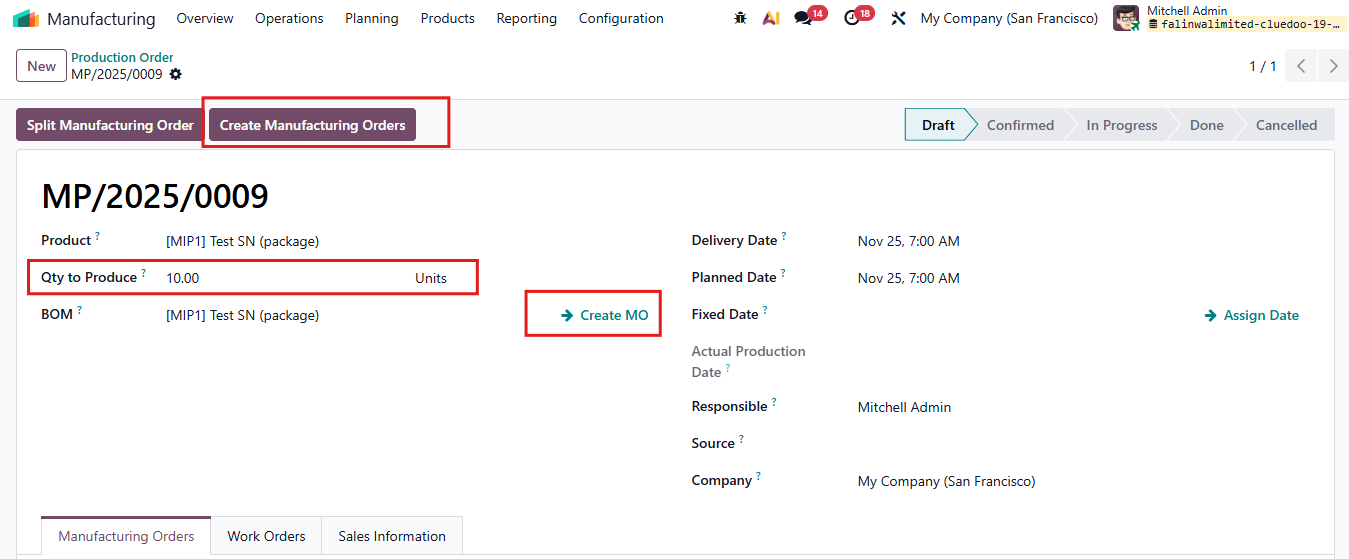 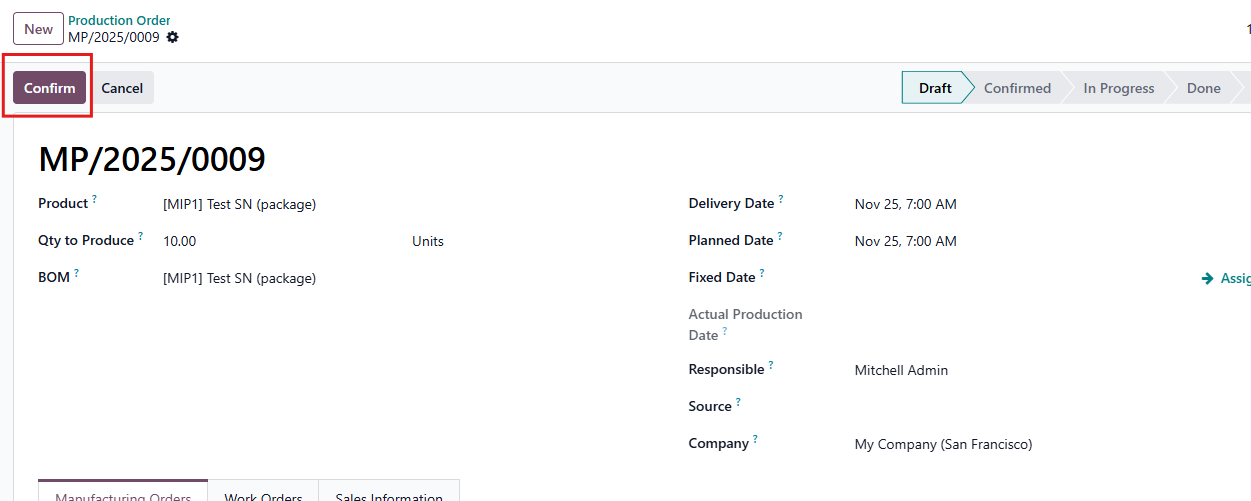 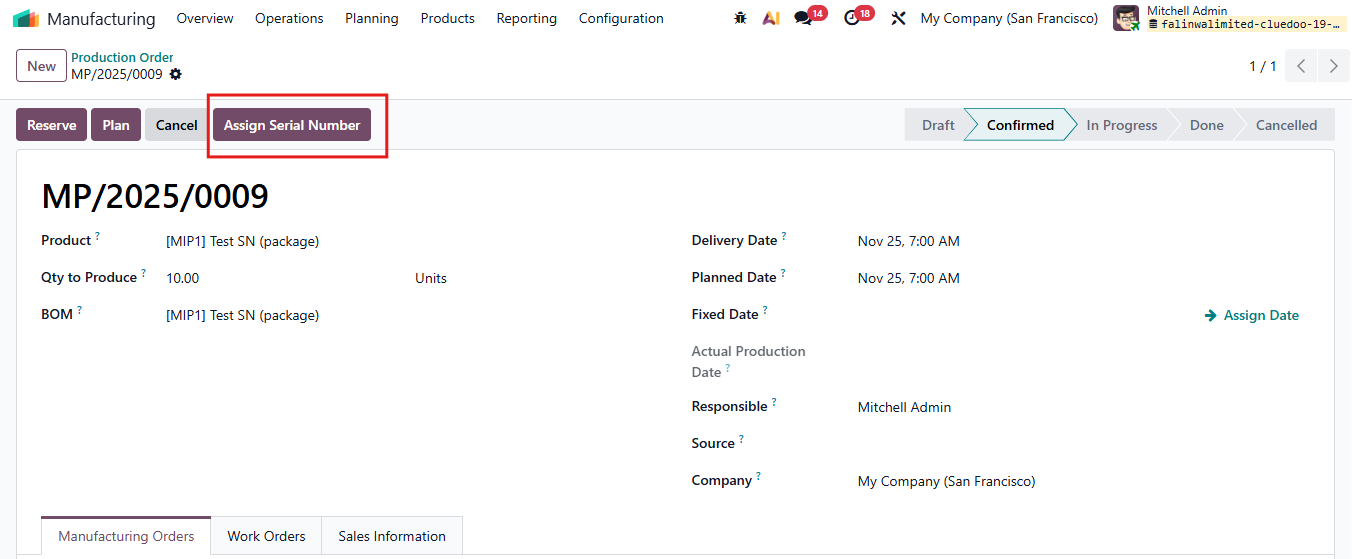 |
2. Click "Assign Serial Number" and a wizard appear Assign the starting serial number then Confirm For example, I assign "testttt1" as the starting serial number. | 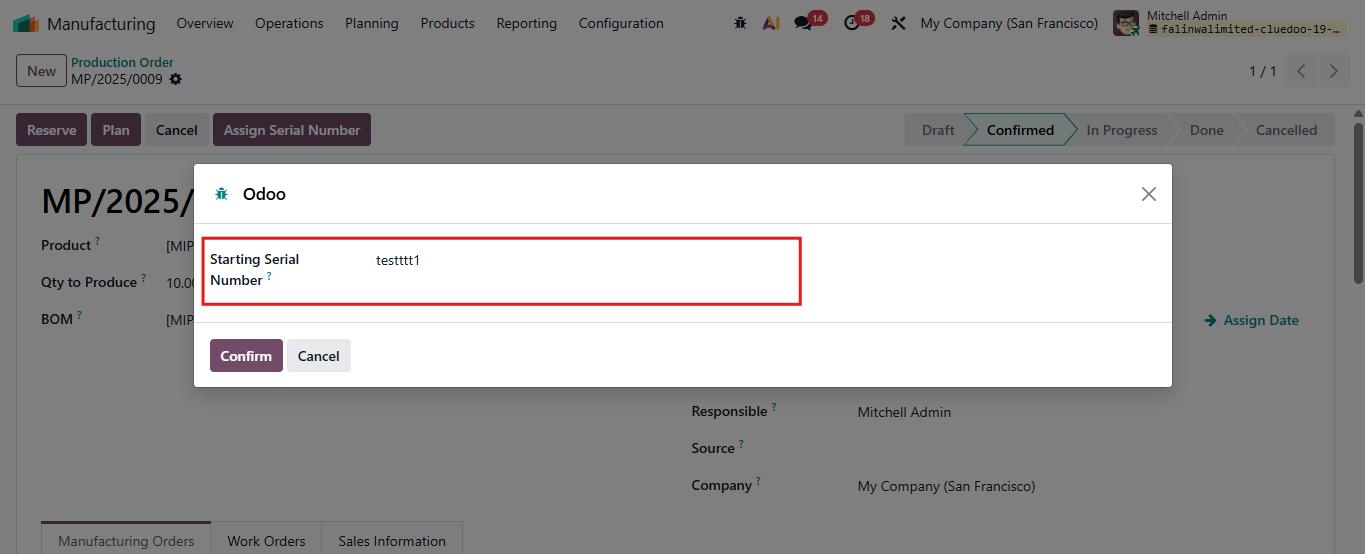 |
3. It will automatically create manufacturing orders with serial numbers following the starting serial number For example, Qty to Produce is 10 -> 10 Manufacturing Orders with 10 SN are created. | 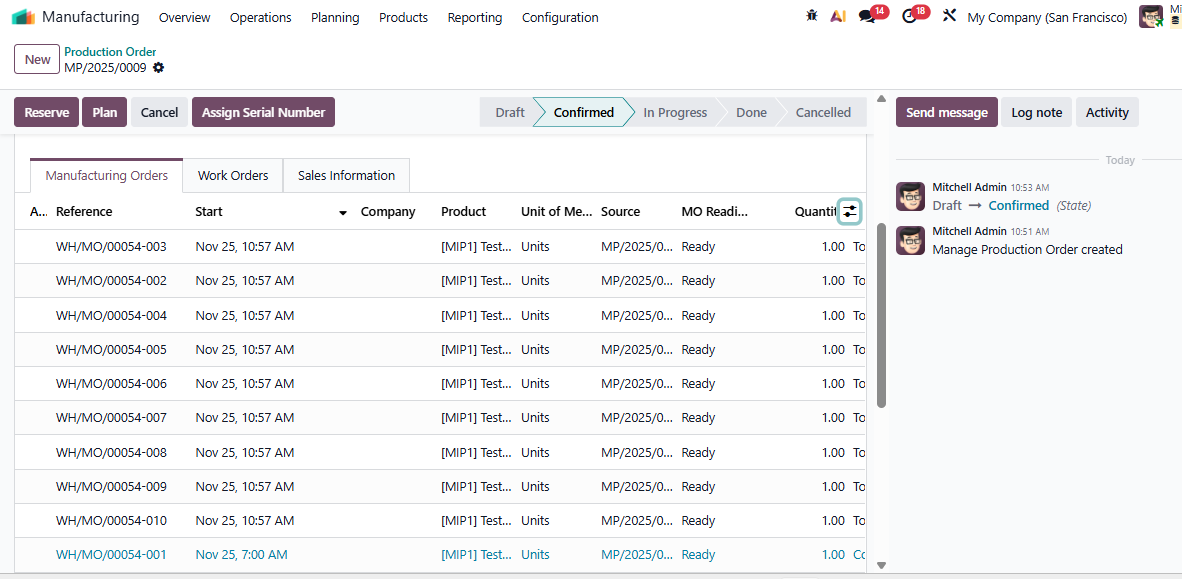  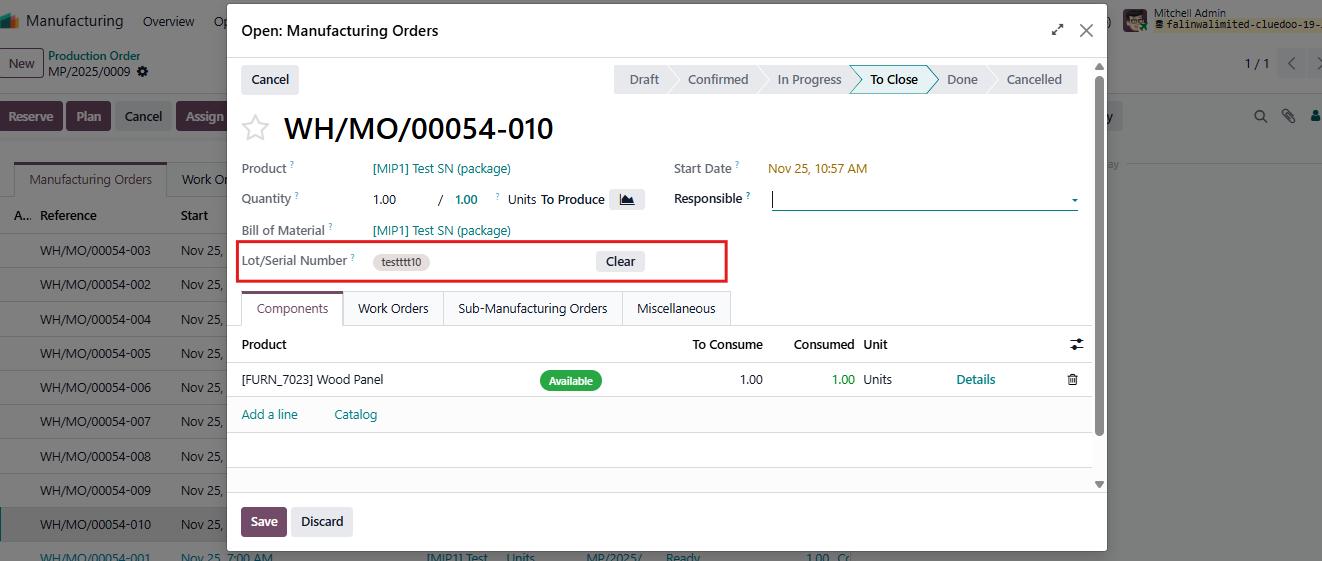 |