



STORY BEHIND THE FEATURE
ODOO BEHAVIOUR
In multi-warehouse environments, businesses often need to define different delivery operation types depending on the warehouse selected on a sales order.
However, Odoo by default does not allow users to manually select or override the operation type on the sales order level, and delivery orders are always created with the default operation type of the warehouse.
CLUEDOO BEHAVIOUR
✅ Adds an "Operation Type" field to the Sales Order form.
✅ Allows the user to select the desired operation type manually (based on the selected warehouse).
✅ Delivery transfer inherits the selected operation type from the Sales Order.
COMPARISON: ODOO (ODS) AND CLUEDOO (CLS)
Odoo:
Auto-selects the default operation type from a warehouse.
No flexibility for user override.
CLuedoo:
Operation Type can be selected on the SO form.
Delivery inherits and follows that operation type.
BUSINESS CASE
A company operates several warehouses, each with its own delivery method (e.g., direct shipping, pick + pack, 3PL delivery).
With default Odoo, they cannot easily adjust the delivery logic per sales order, which may result in manual fixes or delivery mismatches.
OUR FEATURES AS SOLUTIONS
Operation Type selection on SO
Inherit Operation Type from SO to Delivery
For ex: Warehouse: SF Warehouse # 3 Operation Type: SF Warehouse # 3: Delivery Orders from 3.1 = default Note: It will only display the operation types belonging to the warehouse that you choose | 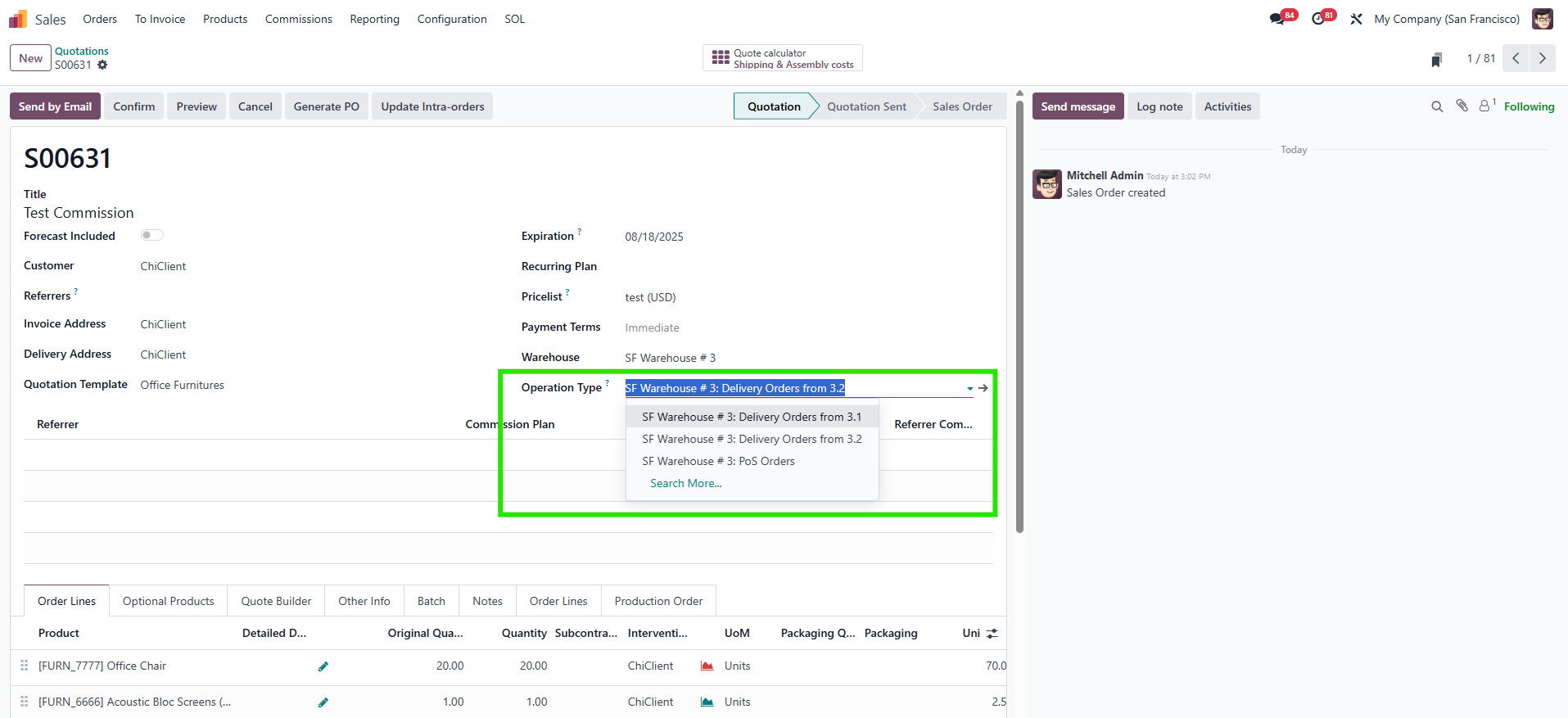 |
2. Confirm SO, a transfer will be created > Operation Type is inherited | 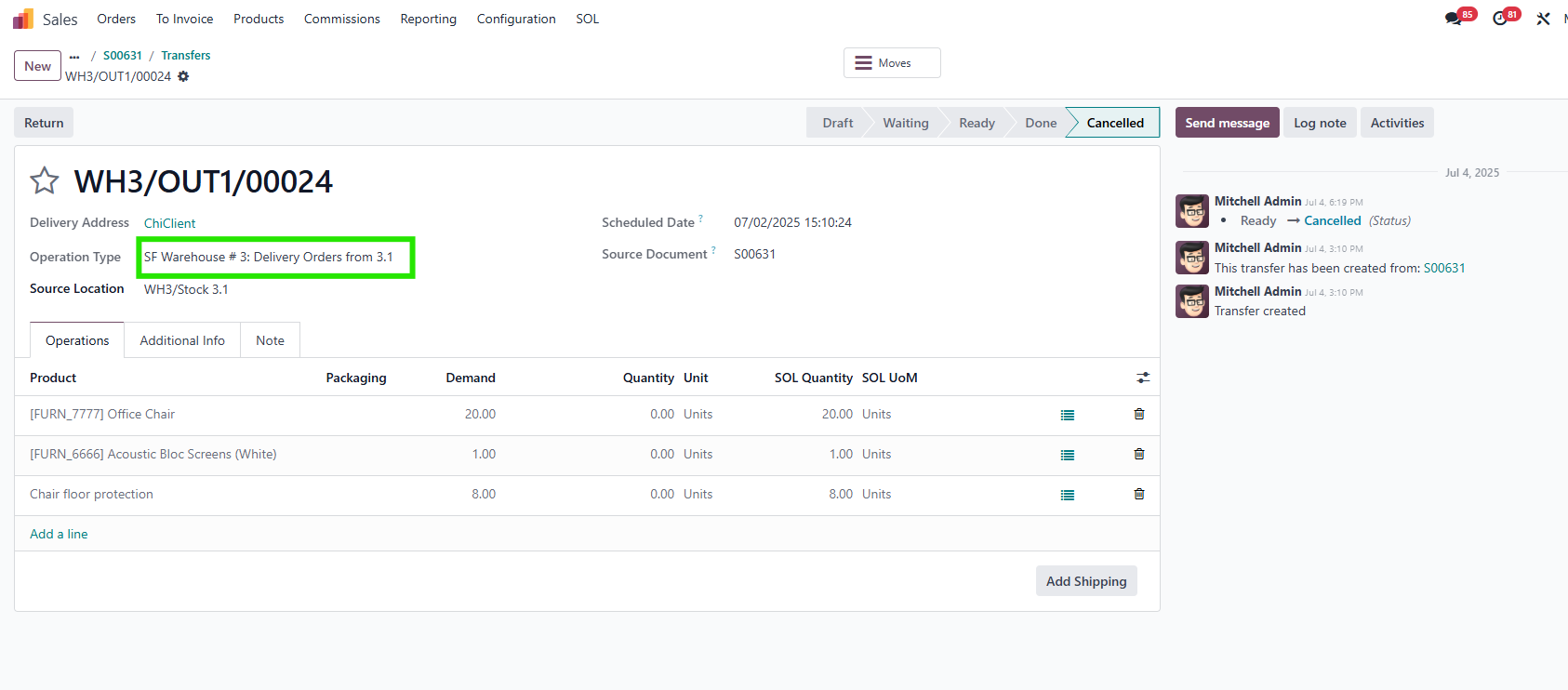 |
3. If you cancel the SO, set to quotation and choose another operation type > Reconfirm > the operation type is also inherited in the new delivery | 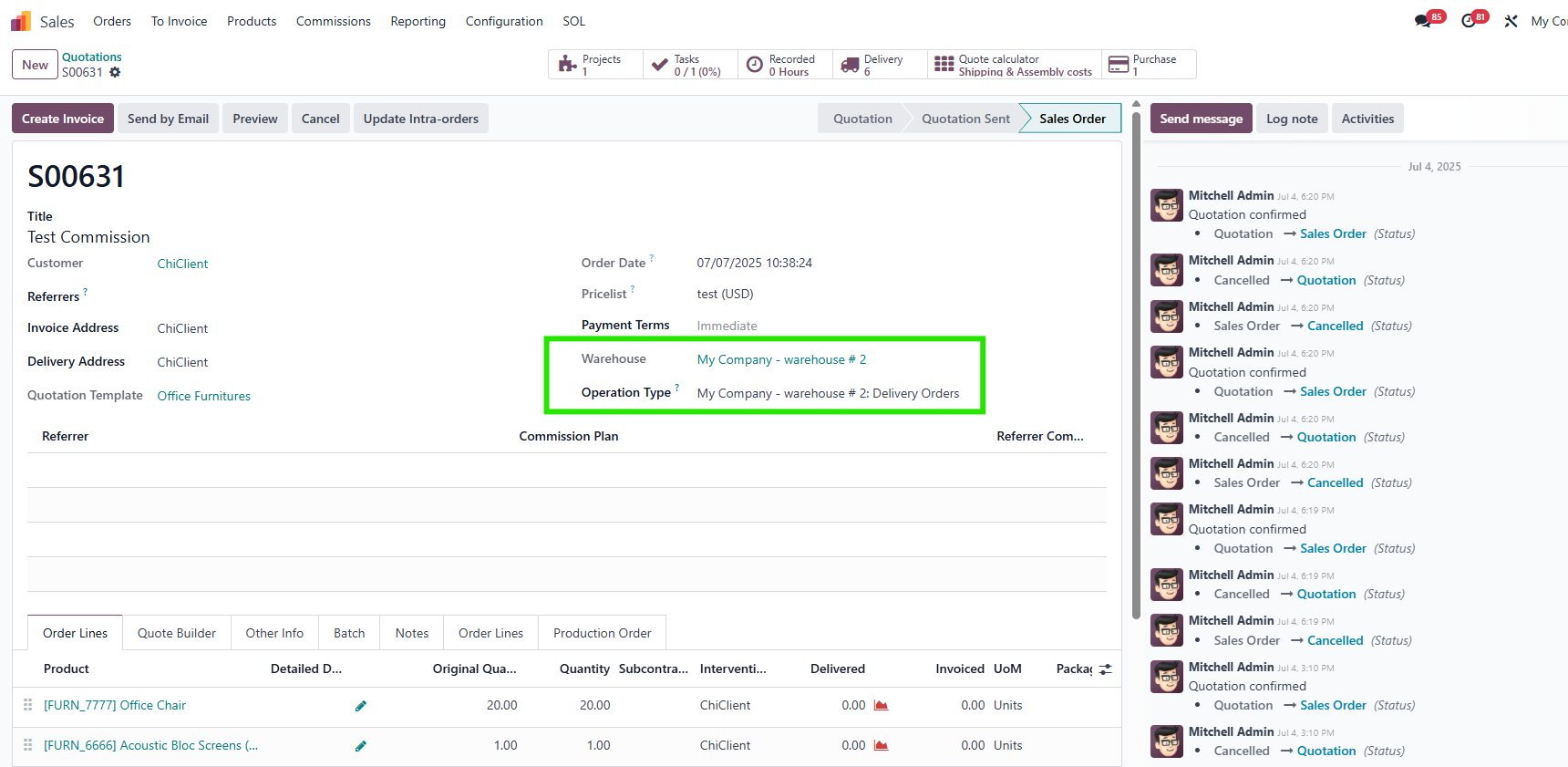 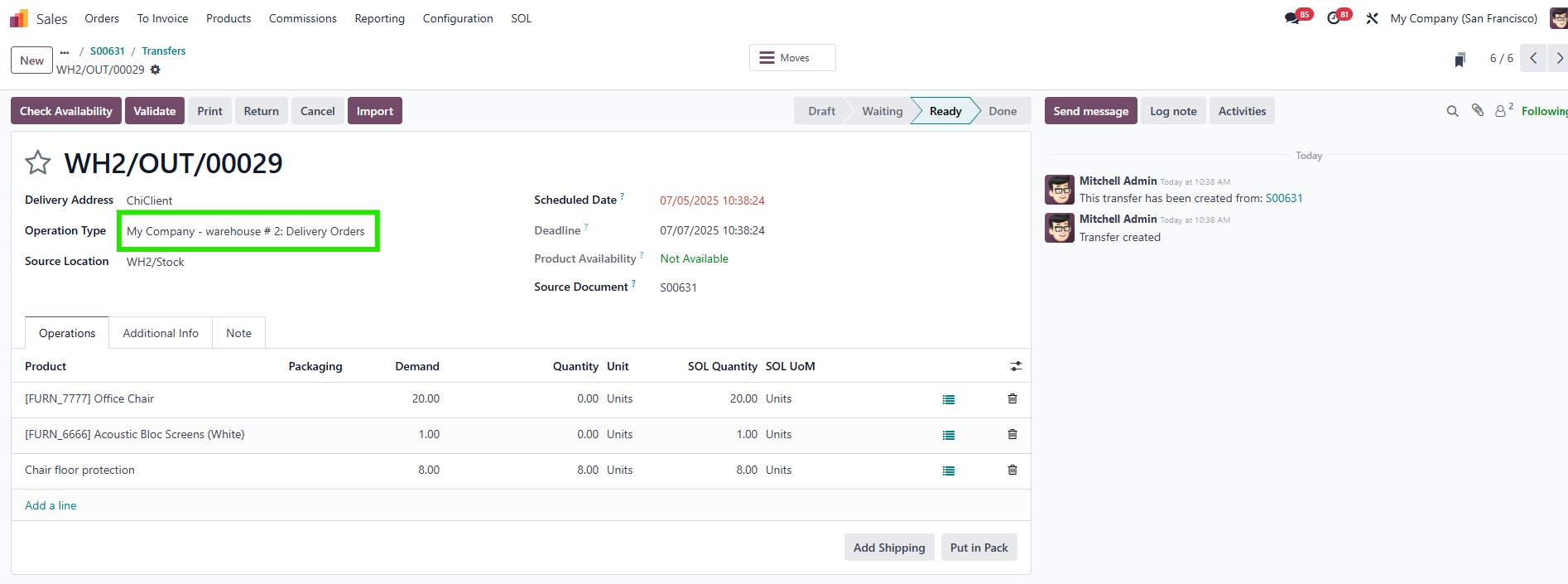 |