ODOO'S FUNCTION
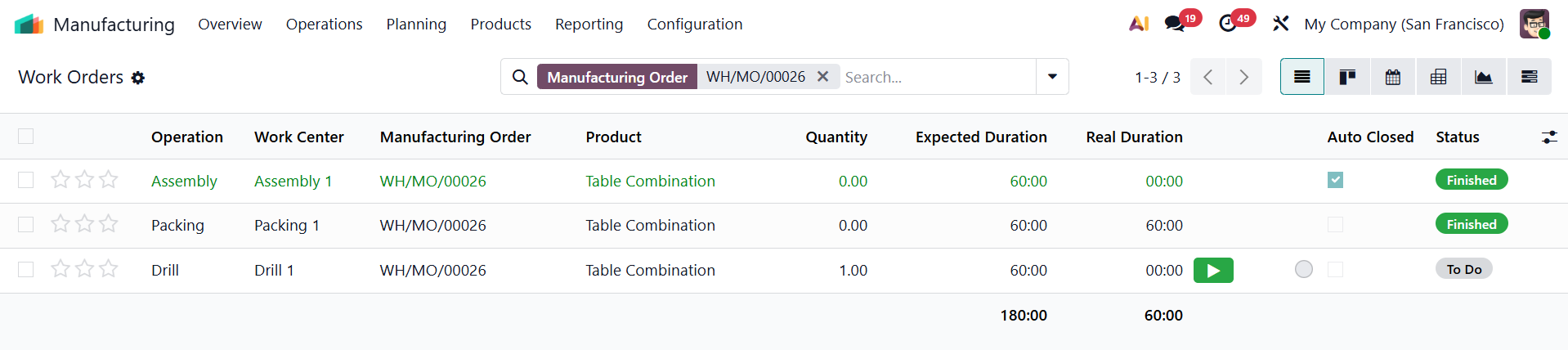
With standard Odoo, managing a sequence of work orders is completely manual. Every single step in the manufacturing process must be started and closed one by one. If a worker finishes the current task but forgets to close the previous ones, those older tasks simply stay open. This causes wasted time and extra clicks to manually hunt down and close unfinished previous operations just to complete a Manufacturing Order.
CLUEDOO'S FUNCTION
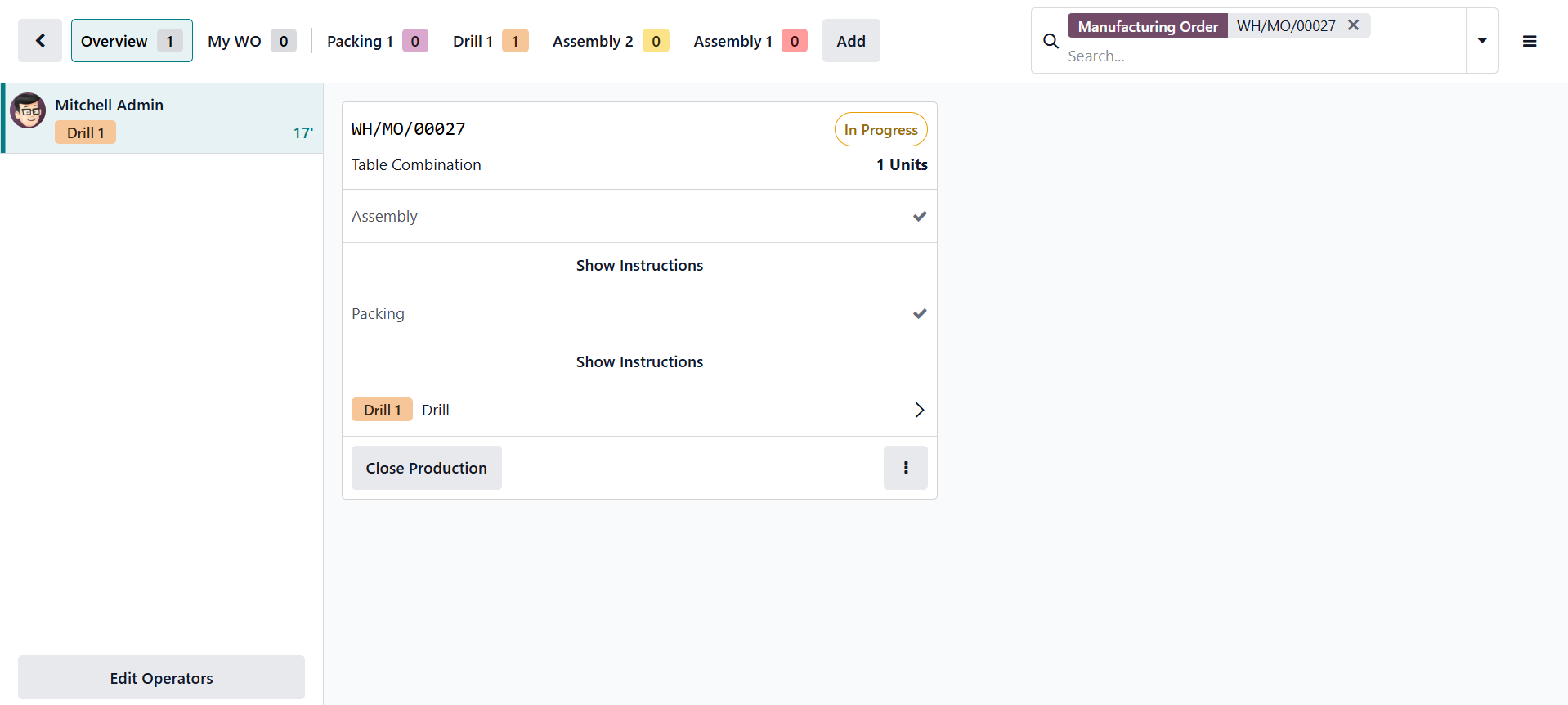
CLuedoo provides a module to automatically close previous steps. Now, whenever a work order is finished, the system instantly checks the sequence and automatically closes any earlier operations that were left open. This automation works perfectly across the board, from the MO form view, the Work Orders list, or directly on the Shopfloor. Ultimately, this automation saves valuable time by eliminating repetitive manual clicks and prevents production bottlenecks caused by forgotten tasks. It ensures a smoother, error-free manufacturing process with perfectly clean tracking data.
CONFIGURATION | |
Create New Product and set up Routes as Manufacture. | 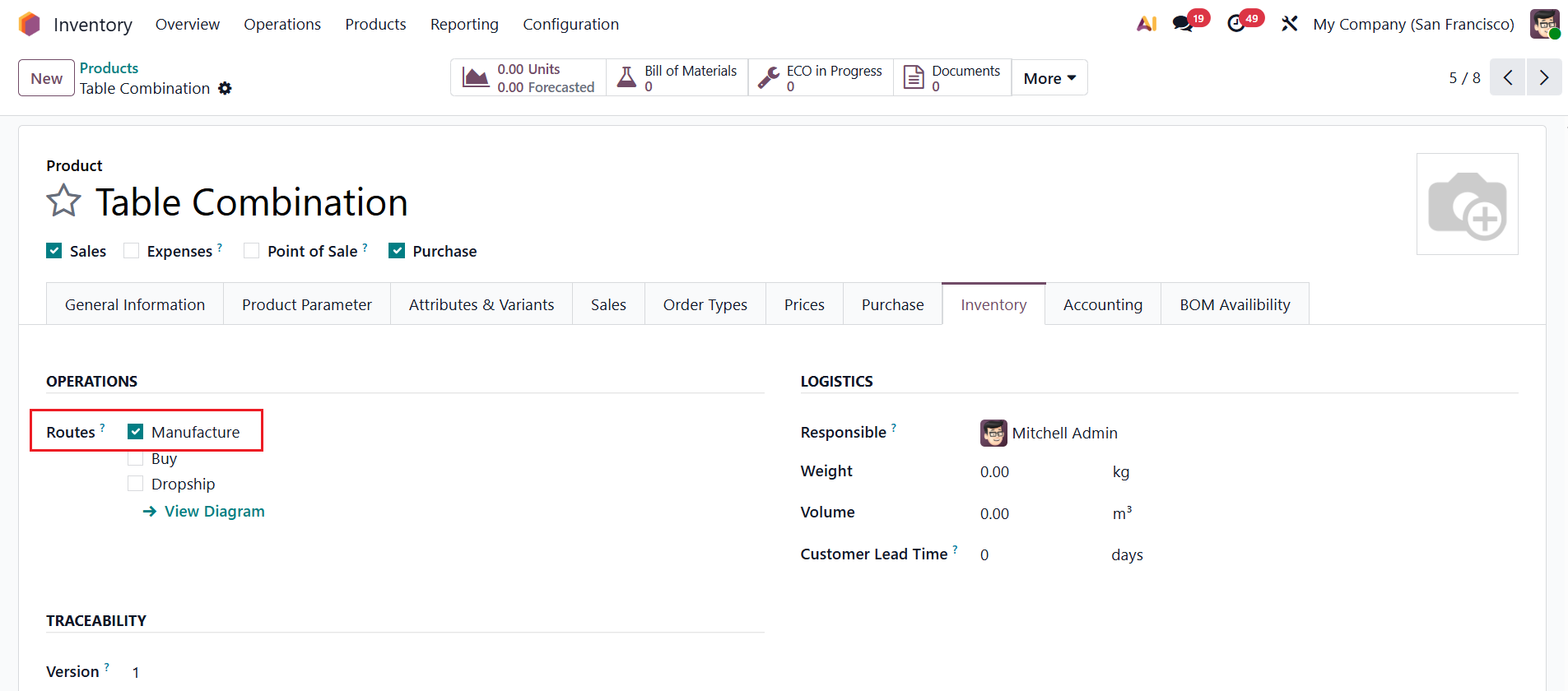 |
Create a Bill of Materials > Under the Operations tab, set up the Operations and Work Centers. |
|
USAGE | |
Go to Manufacturing > Create New Manufacturing Order. | 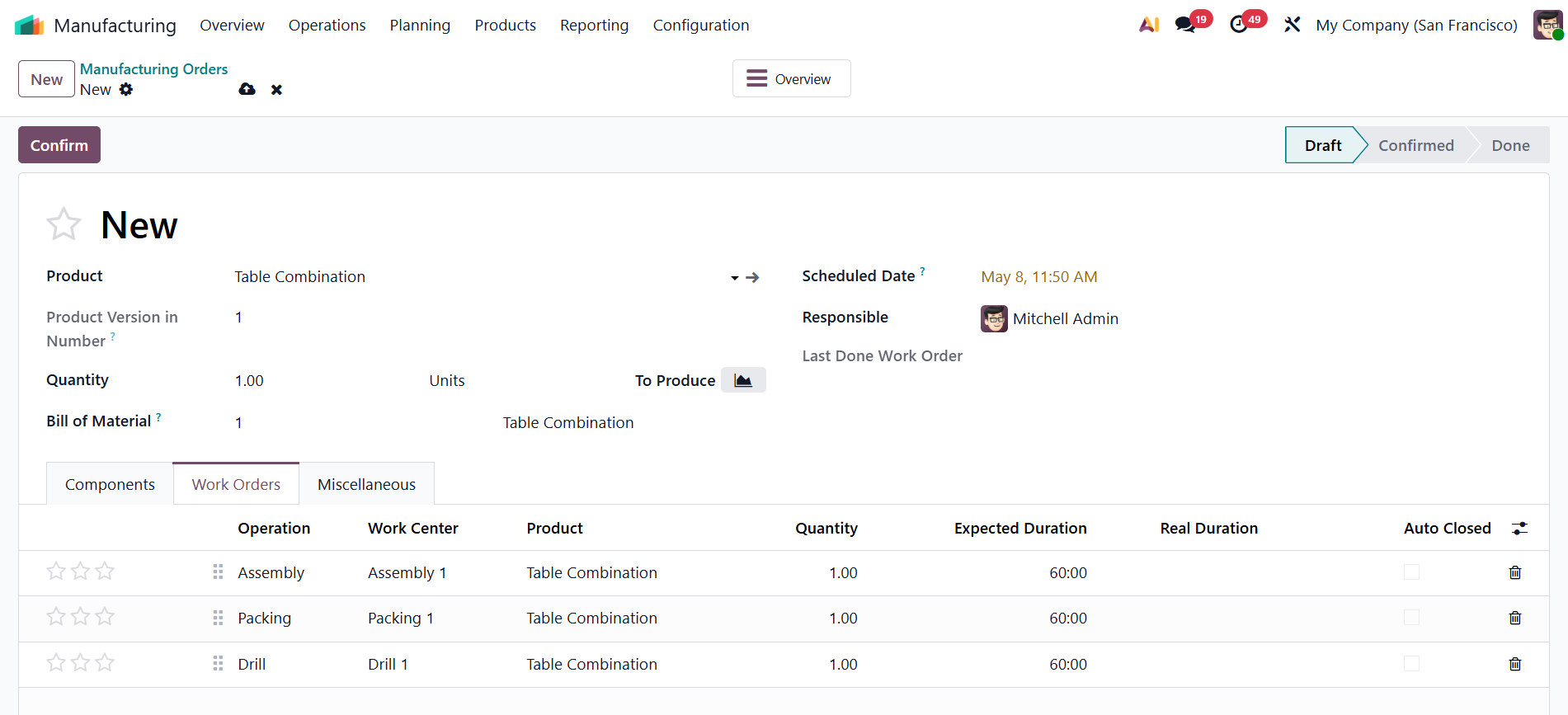 |
From the MO form view, open one of the Work Orders and click Mark as Done. Any previous work order in the sequence will automatically be finished and marked as Auto Closed. | 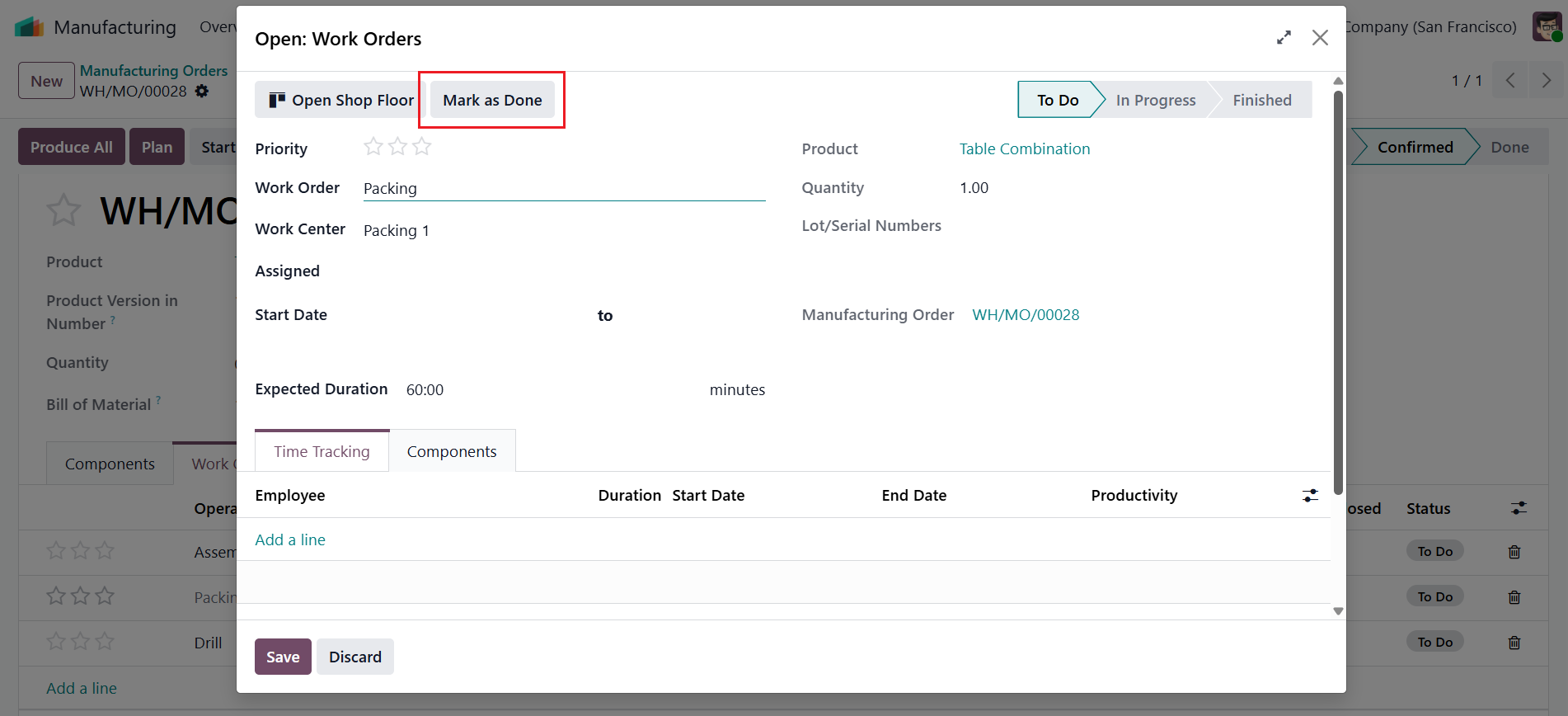 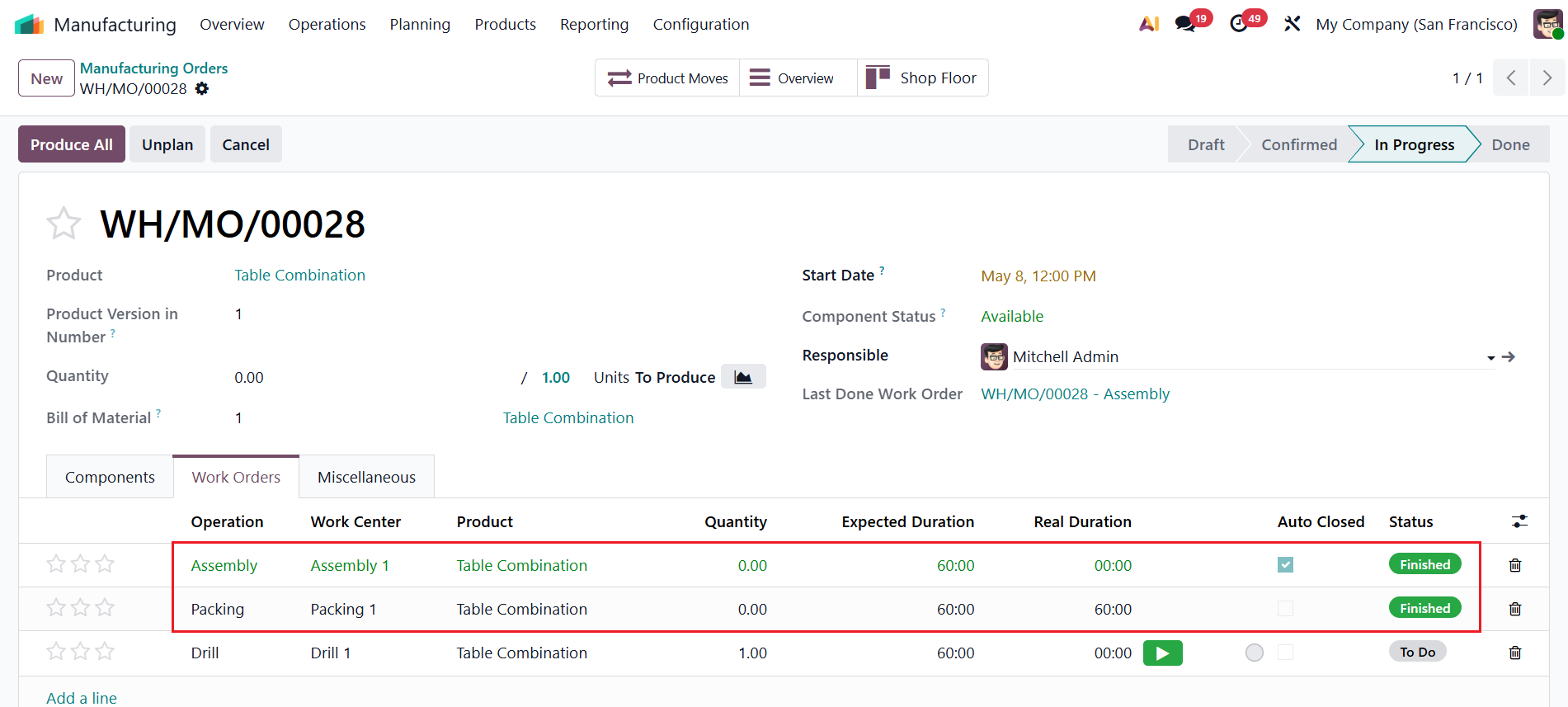 |
This function also works if the WOs are closed from Work Orders list view or Shopfloor. |
|