
ODOO'S FUNCTION
Standard Odoo automatically generates and prints the entire document by default, with no built-in option to select or isolate a specific page range.
CLUEDOO'S FUNCTION
CLuedoo calculates the total page count upfront and empowers you to define exact custom page ranges (such as printing pages 1-400 or 401-1000), giving you full control to print only the sections you need.
CONFIGURATIONGo to Settings > Technical > Actions > Reports > Choose a report and check Enable Page Range e.g., Quotation / Order | 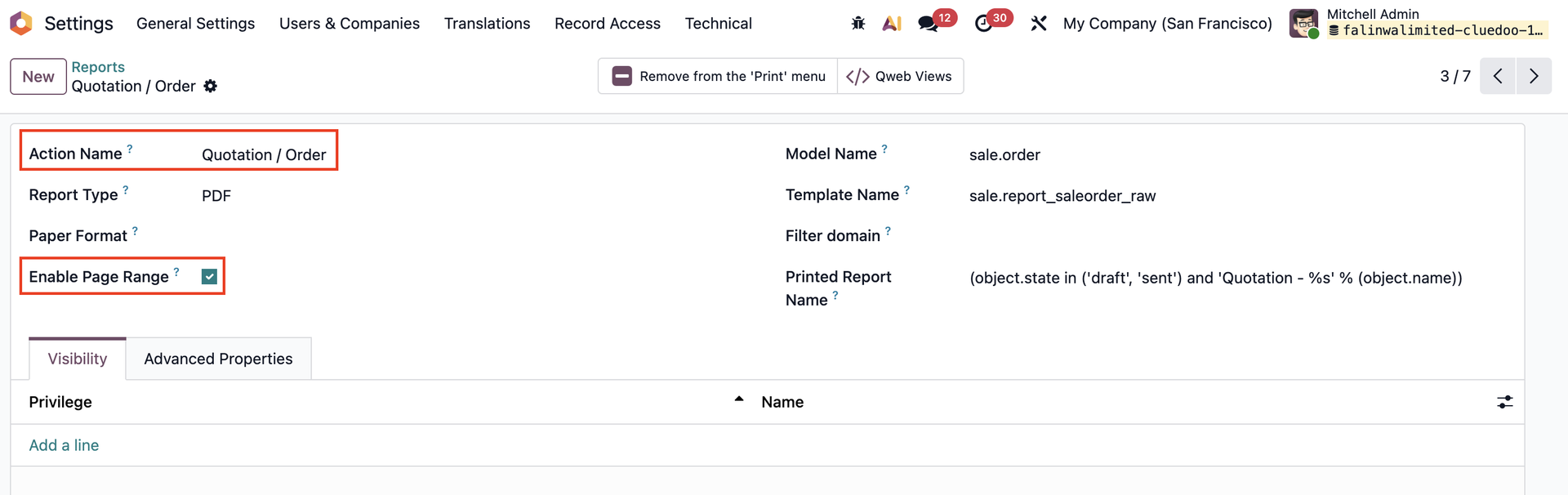 |
USAGEBased on the report that you chose > Access it > Actions > Print > Select the report | 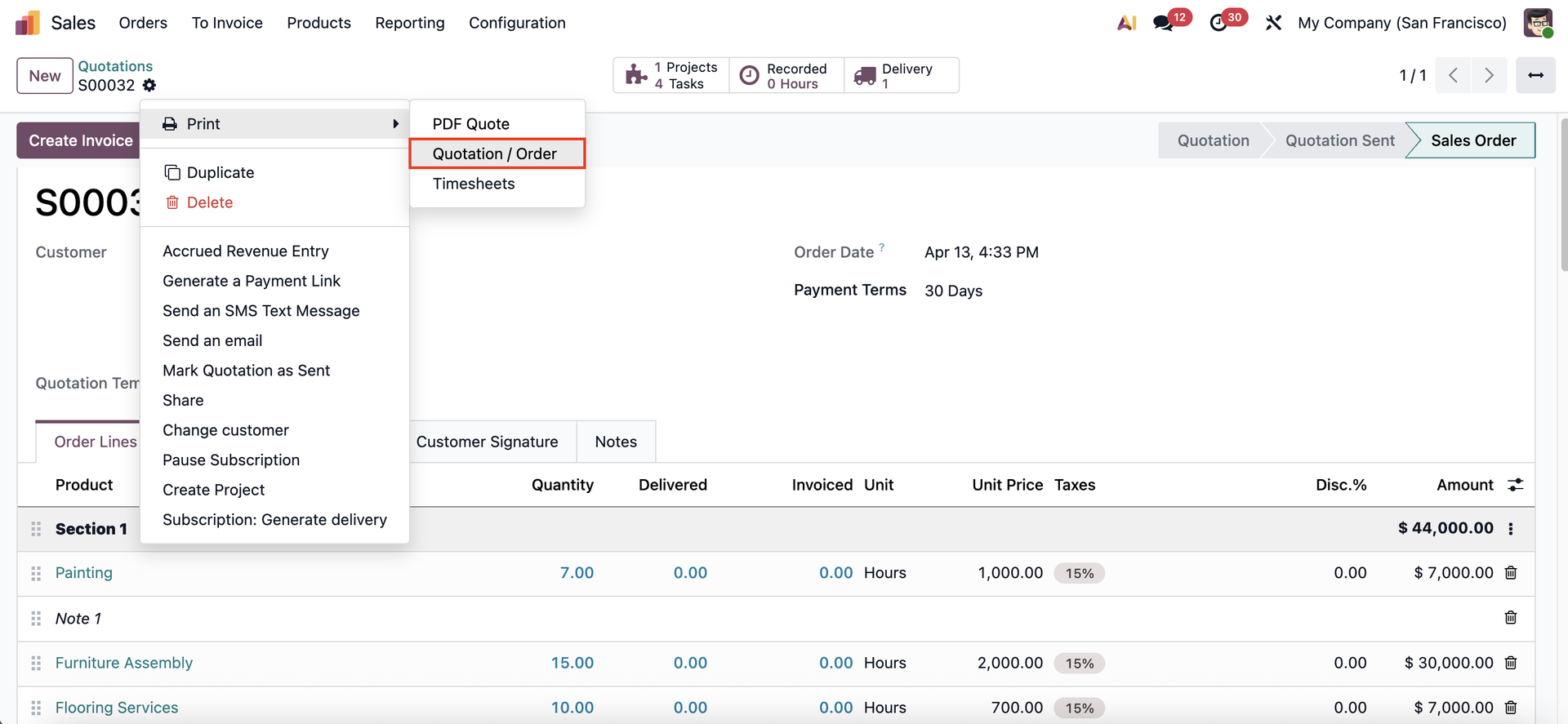 |
A pop-up will appear for you to choose the desired page range. | 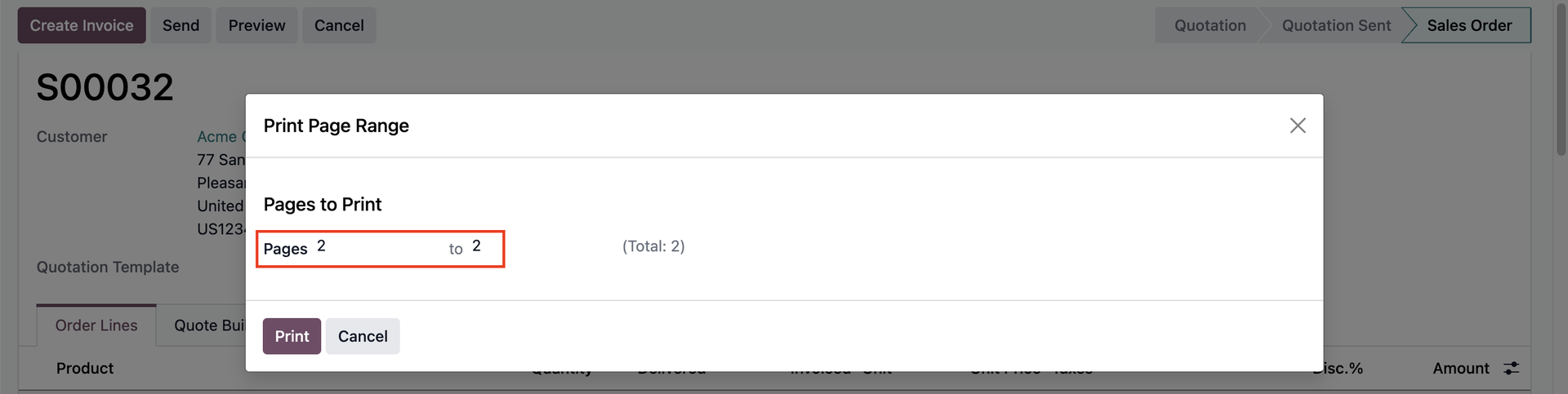 |
Only the selected pages will be printed. | 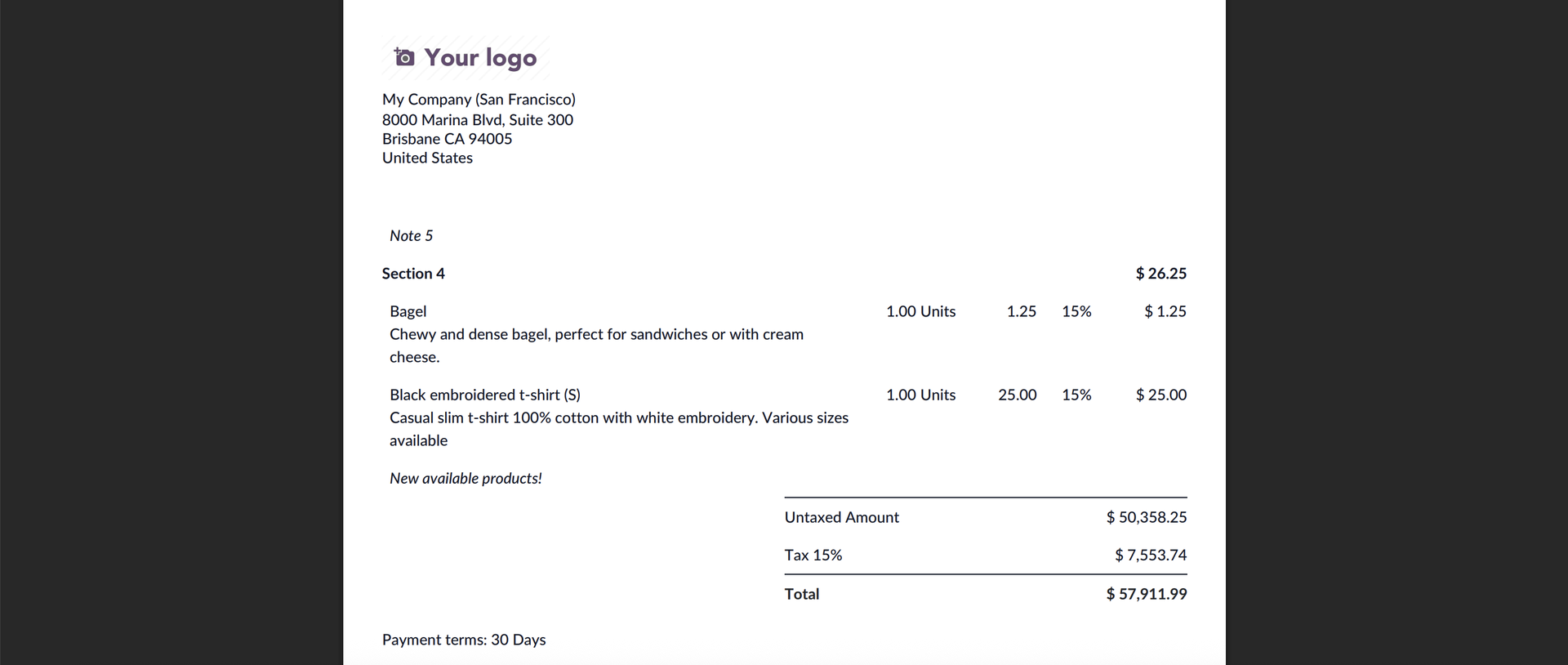 |