



ODOO'S FUNCTION
In Odoo, you can easily create an export list from any object, but you do not have a tool to manage all the export lists.
CLUEDOO'S FUNCTION
CLuedoo adds an Exports List menu, which allows the user to manage all the export lists from a view, delete them, change the sequence, delete fields, and even add fields from a sub-table.
1. Go to the app that you want to export the data > Actions > Export e.g., Deliveries | 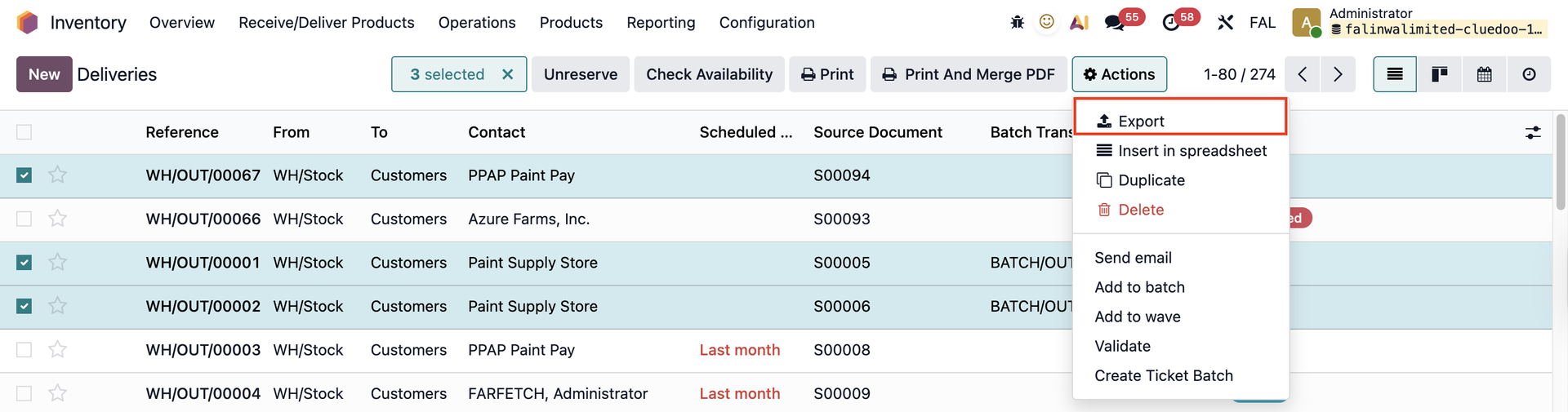 |
Choose a Template or create a new one > add/remove the fields that you want to appear on your export file > Export Note: If you create a new template, remember to click the Save icon before exporting the data | 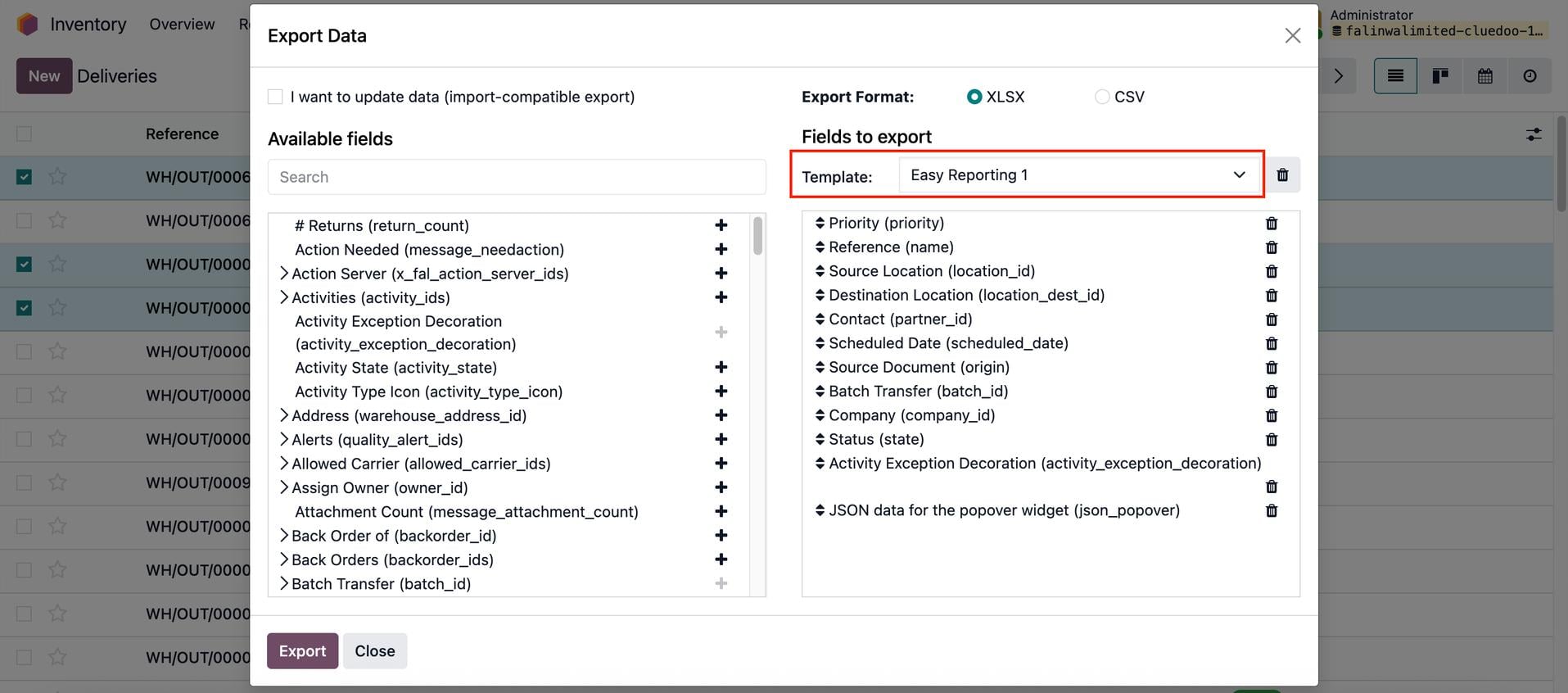 |
2. Go to Settings > Configuration > Export Template > you will find your template here You can drag and drop to change the sequence of the fields | 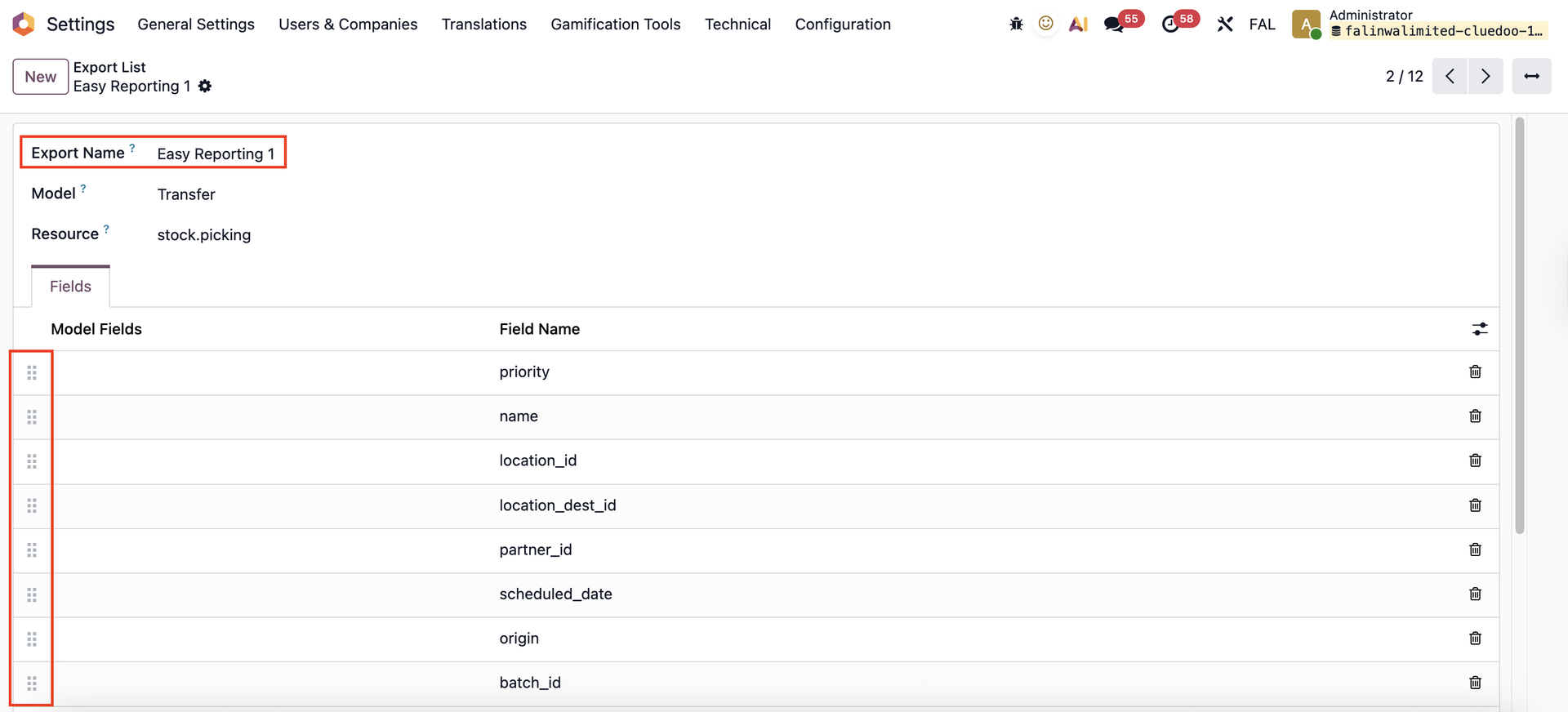 |
3. You can create a new template directly from here by filling in the necessary information and the fields that you want to include | 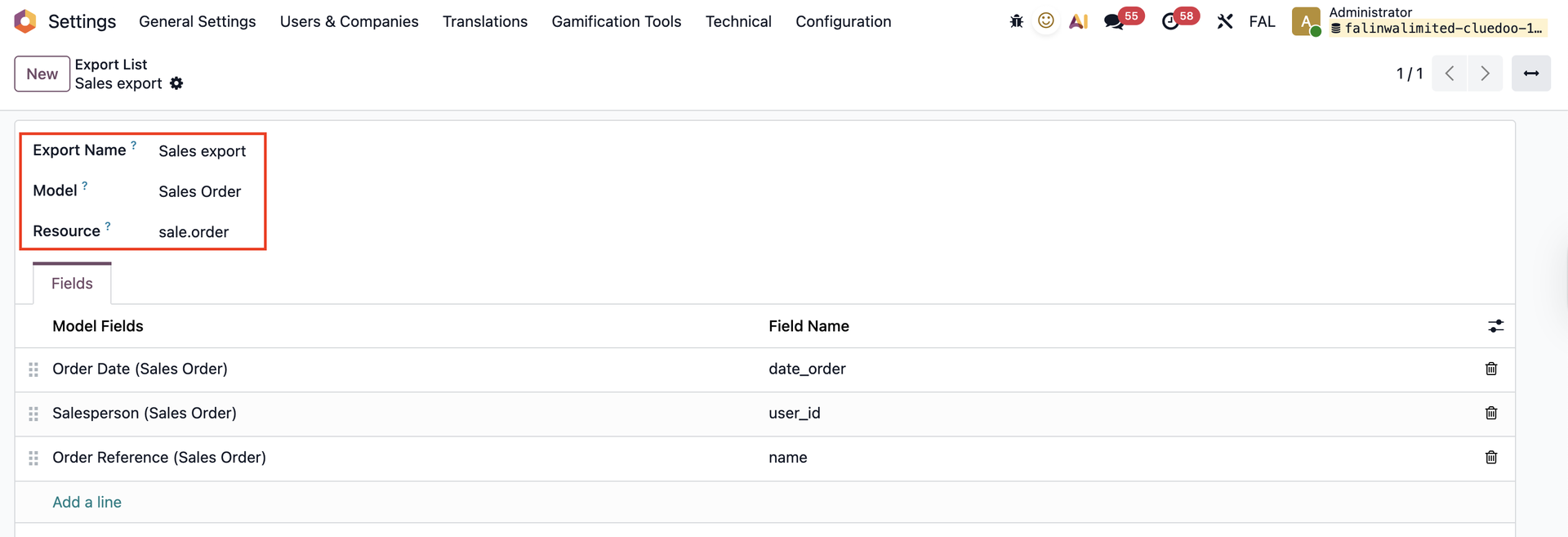 |
Navigate to the related app > You will find your template and the fields will be automatically filled in | 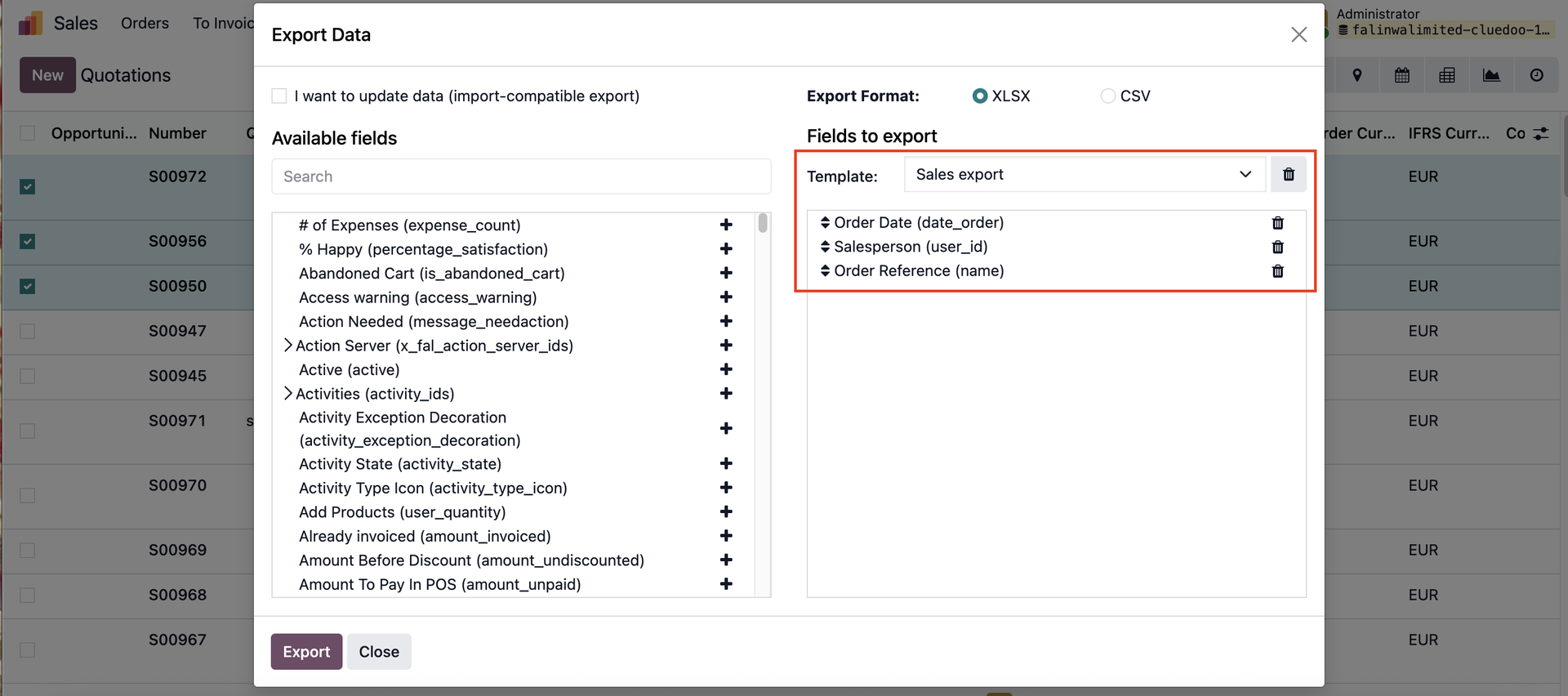 |