



ODOO'S FUNCTION
In Odoo, follow-up levels are manually managed per partner, meaning users must individually assign levels. The follow-up report itself is static and lacks advanced capabilities for filtering or grouping by custom criteria. Additionally, there is no configuration to easily use custom fields (including Odoo Studio fields) as filters within the follow-up logic.
CLUEDOO'S FUNCTION
Cluedoo enhances the accounting follow-up workflow by introducing:
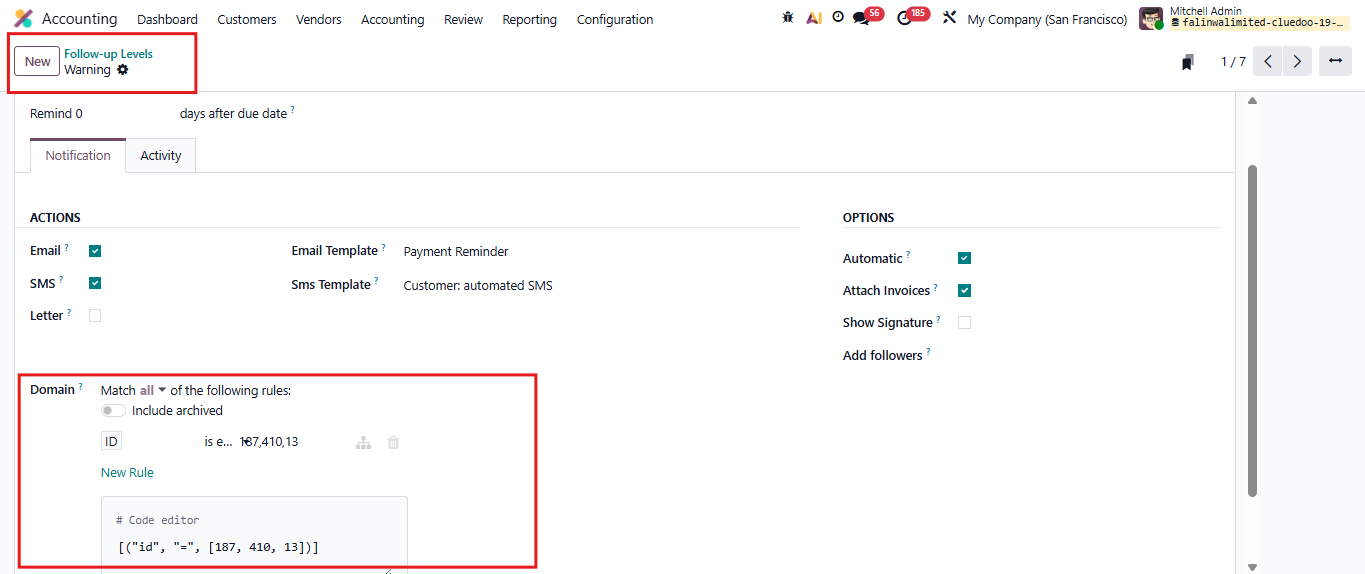
1️⃣ The ability to define a dynamic domain to automatically determine a partner’s follow-up level.
2️⃣ A configuration panel that lets you select partner-related fields (including custom or Studio fields) to be used in the follow-up logic.
3️⃣ Advanced regrouping capabilities in the follow-up report to consolidate records meaningfully.
This allows companies to differentiate strategies automatically (e.g., applying different follow-up levels for domestic vs. international customers) and group overdue invoices by customer type, ensuring a more targeted and efficient debt collection process.
1. Go to Accounting > Configuration > Follow-up Levels Choose an available Follow-up Levels or Create new one | 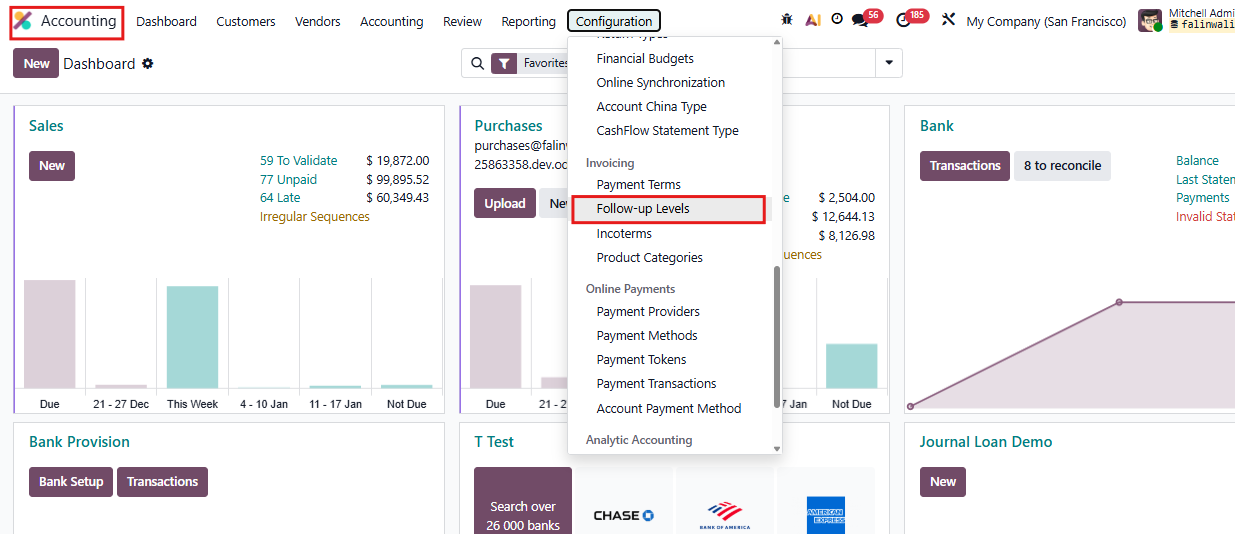 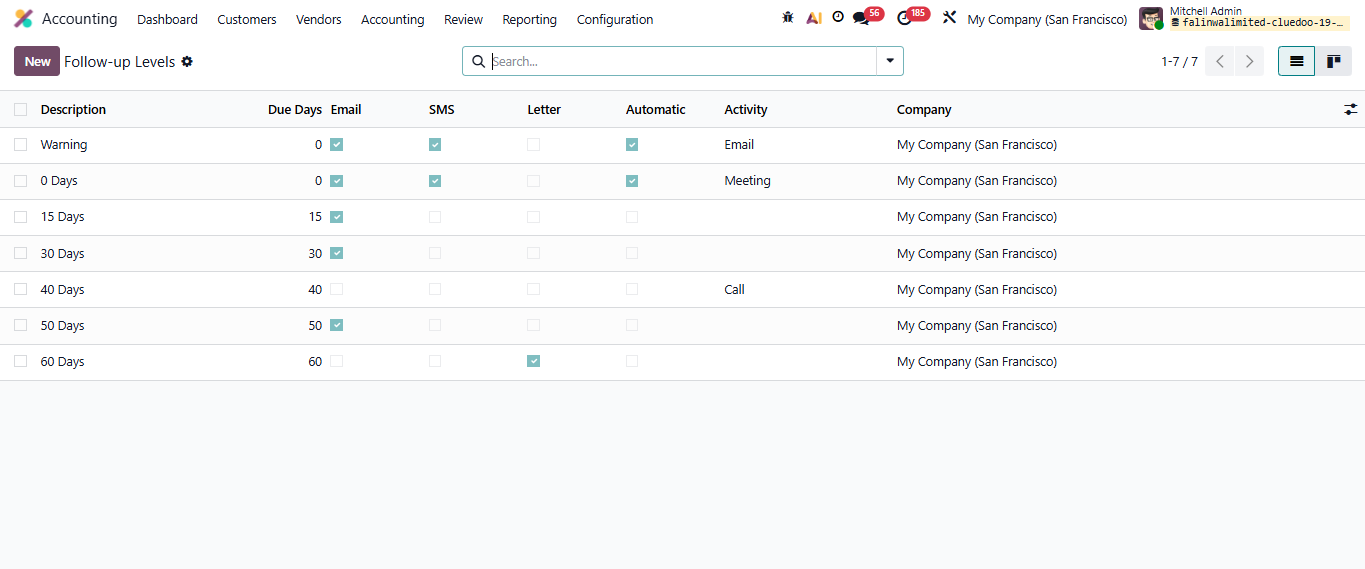 |
2. In a Follow-up Level Form We can set a domain for the follow-up level. For example, I set rule:
|  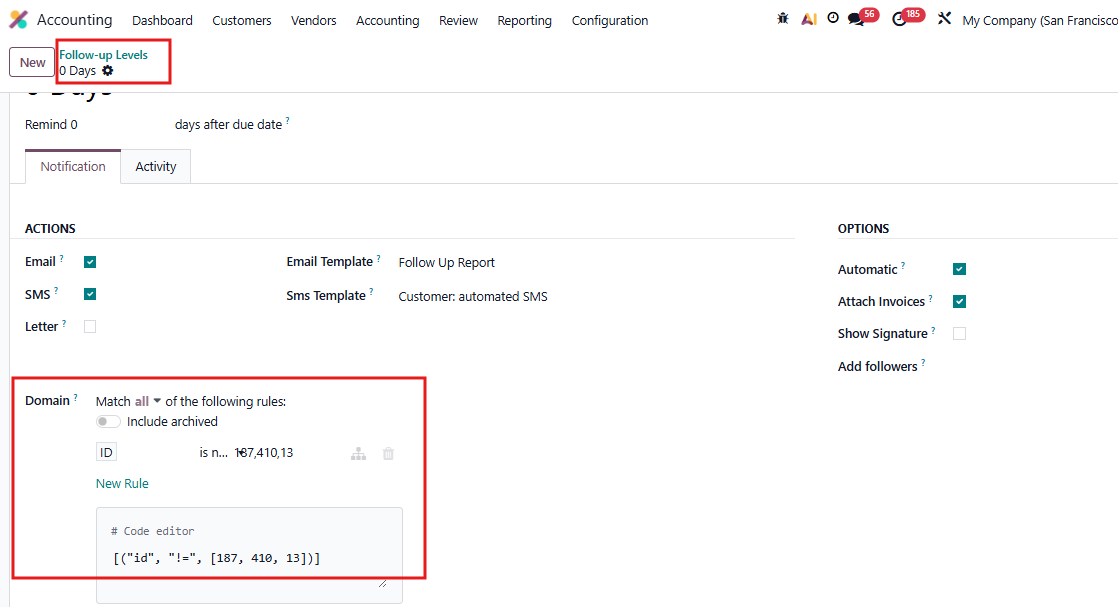 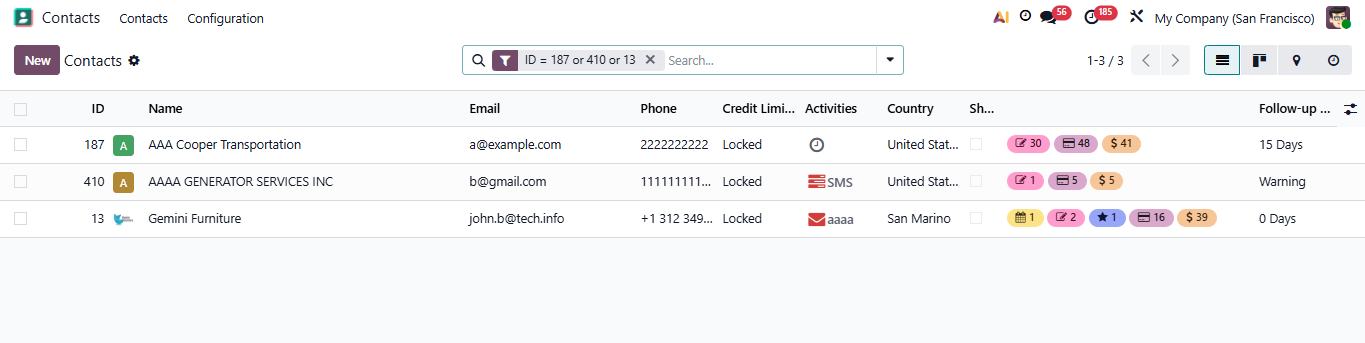 |
3. Go to Contacts > Choose the contact > Accounting We can see all Follow-up Levels for this contact For example: In AAA Cooper Transportation, we can see Warning is displayed while 0 Days is not. The email and message is automatically sent to the partner | 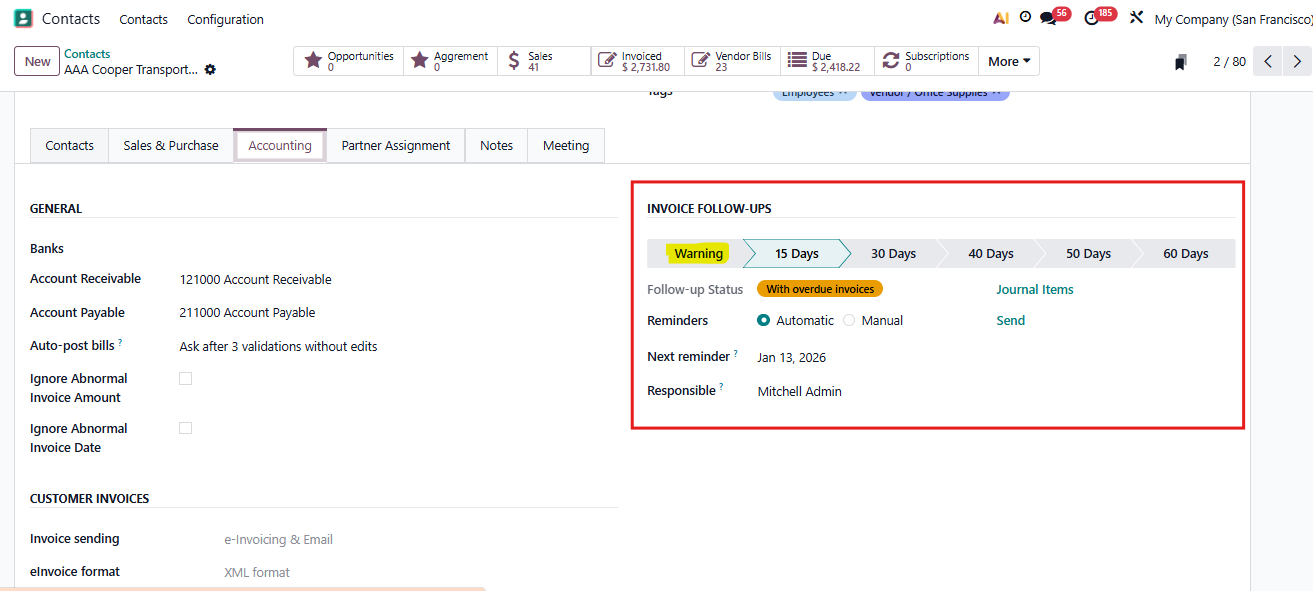 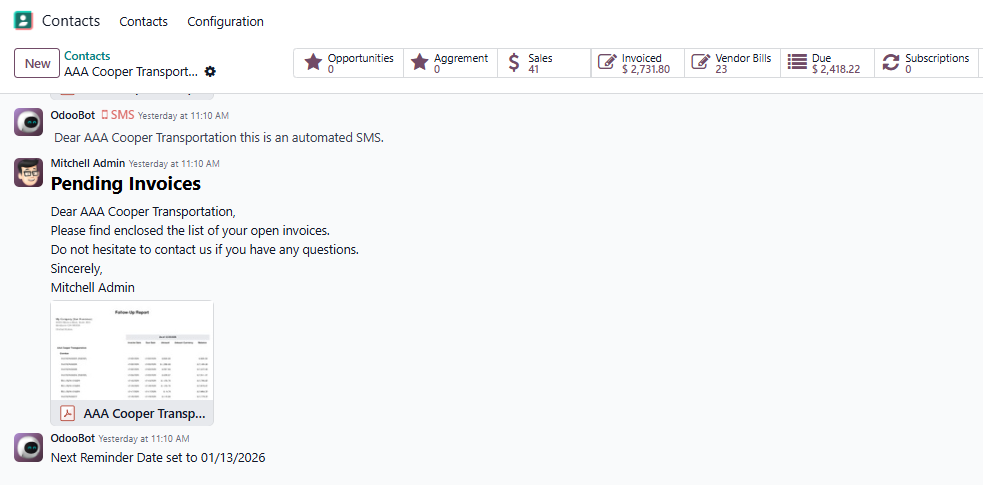 |