



STORY BEHIND THE FEATURES
ODOO BEHAVIOR
Aged balance in Odoo is based on the due date, which is fixed once an invoice is validated and is also a mandatory legal field that should not be modified after validation. If your customer delays payment, you cannot record the expected payment date and thus cannot follow up on your aged balance based on the expected payment date.
Moreover, you cannot follow up on your aged balance by a salesperson and so define with each sales what the key actions are to take regarding their customers.
CLUEDOO BEHAVIOR
Cluedoo enhances the Odoo aged balance report by adding:
- The option of "Based on expected payment date". You can check your aged balance according to the due date or expected payment date, either on the customer or supplier side.
- Filter by sales person in order to easily communicate between the finance department and the salesperson.
MODULE +
If you have experienced some customer payment delays, this module is a must-have because Odoo's basic settings of aged balance do not offer a setting for expected payment dates.
BUSINESS CASE
You are working on a project, and your customer does not respect the due date at all. So, if you check your aged balance, almost all of your invoices are due, and you cannot use this aged balance to get an accurate idea about your positive cash flow during the next month.
With the expected payment date, the aged balance gives you a clear and realistic visibility of your cash flow.
CLUEDOO RECOMMENDATION
Expected payment date management is one of Cluedoo's most recommended practices. This should be installed on 100% of the database using invoicing modules.
OUR FEATURES AS SOLUTIONS
Expected Payment Date
We can set expected payment dates on Invoices and have Aged Receivable and Payable Expected Date Reports
HOW TO USE THIS MODULE
Expected Payment Date on Customer Invoice/Vendor Bill
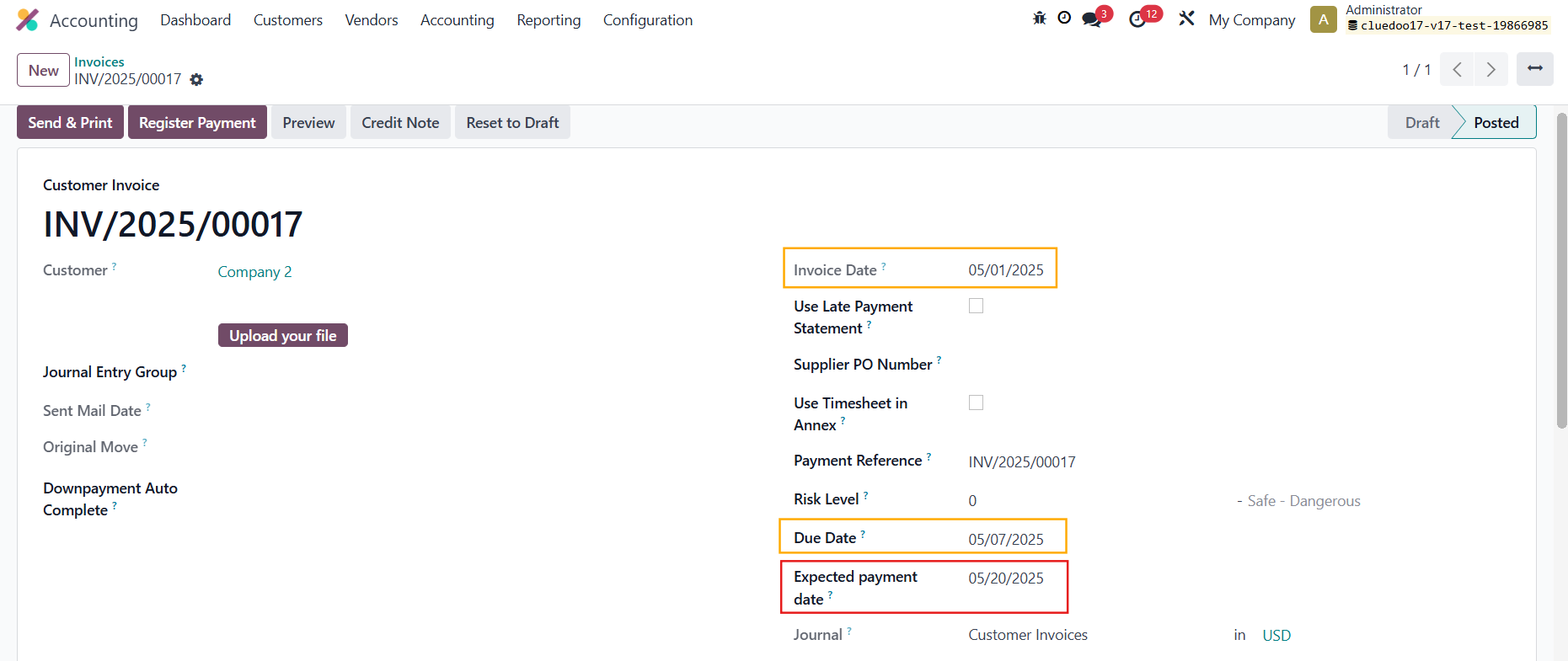
We can set an Expected Payment Date on an invoice/bill
Aged Receivable/Payable Expected Date Report
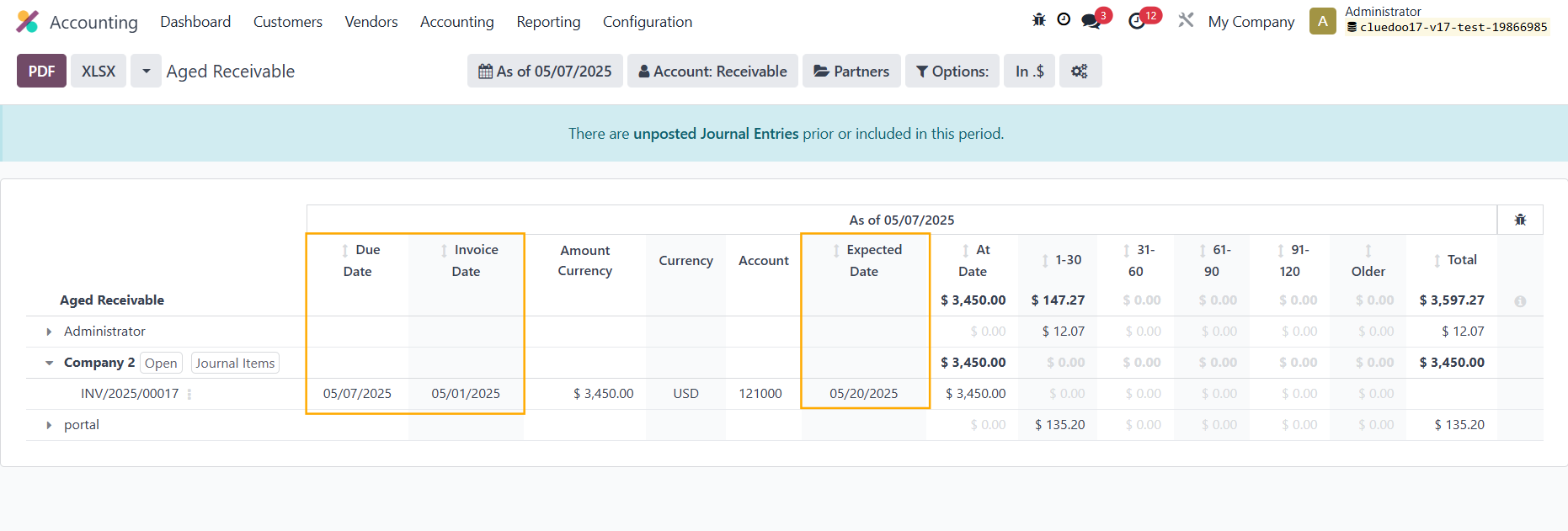
CLuedoo provides Aged Receivable/Payable Expected Date reports, where we can see any expected payment dates that we have already set on an invoice/bill
Note:
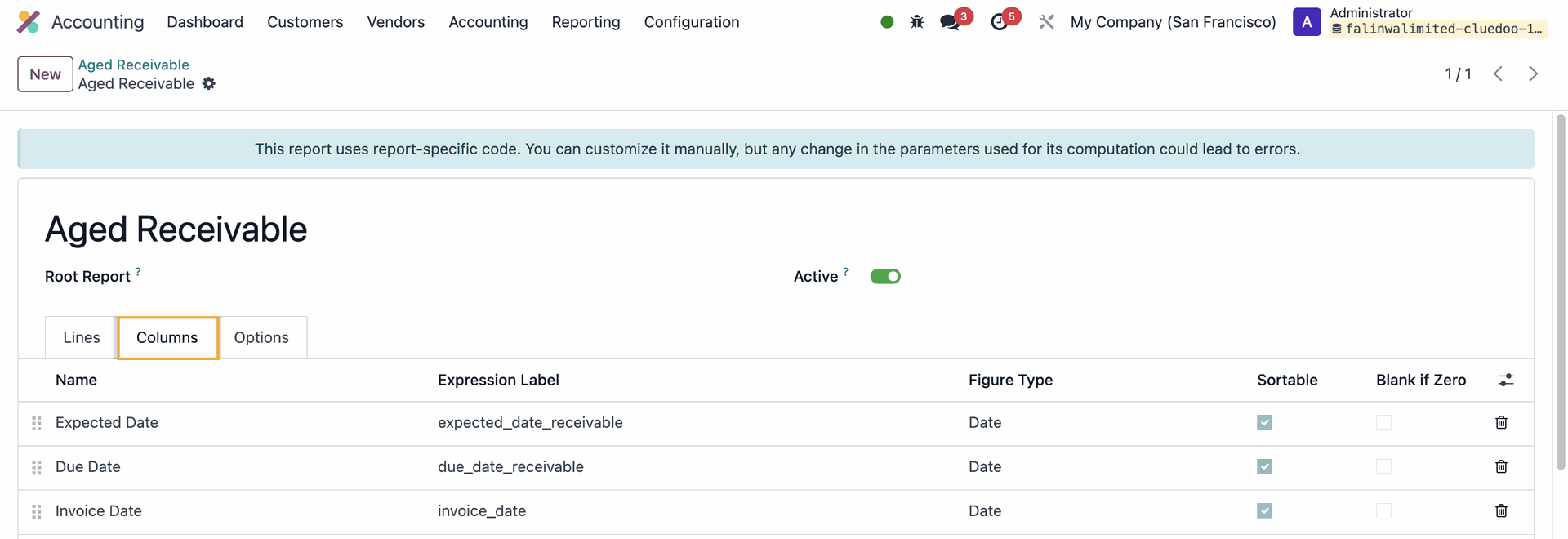
From v18, we no longer have the Aged Receivable/Payable Expected Date report because we can use the configuration and add the needed columns
Aged Receivable/Payable Report
The Due Date, Invoice Date, and Expected Date columns' data will be taken from the invoice/bill


Sales Person Filter
On the Aged Receivable and Payable Expected Date report, we can filter by Salesperson.
Note: Sales Person filter should only work on Aged Receivable
