

STORY BEHIND THE FEATURES
ODOO BEHAVIOR
In Odoo, you have to manually fill in information such as the journal, warehouse, and operation type in orders every time. If you want to sort and filter orders classified by these fields, there is no available method.
CLUEDOO BEHAVIOR
Combined with module fal_order_type, this module helps you that transfers the journal, warehouse, and operation type from a purchase agreement to a purchase order.
CLUEDOO RECOMMENDATION
REQUIRED MODULES
To experience the complete package of the features, we recommend installing all the modules below. Here are the required modules and their corresponding purposes
| MODULE | PURPOSE |
fal_order_type | This is the core module that helps you create an order type with important fields. In addition, our module also helps you quickly sort and fill in orders that have been classified by specific order types.
|
fal_purchase_order_type | This is a Purchase module that transfers the journal, warehouse, and operation type from the Purchase Order Type to a Purchase Order. |
fal_purchase_agreement_order_type | This is a Purchase module that transfers the journal, warehouse, and operation type from a Purchase Agreement to a Purchase Order. |
HOW TO USE THIS MODULE?
Steps | Example Screenshot | |
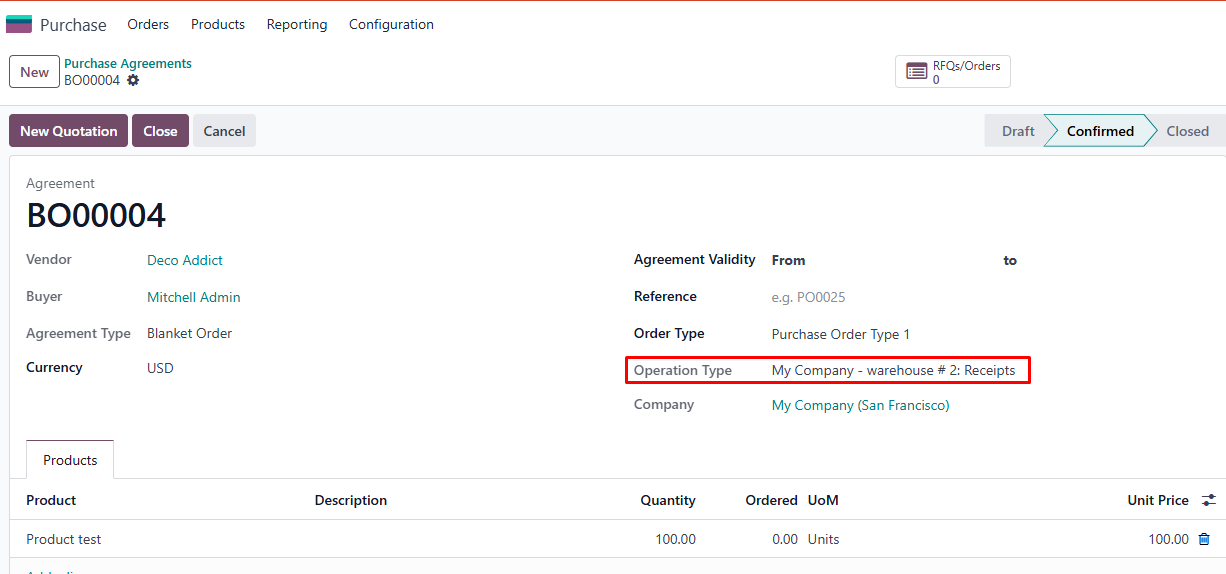
1. Transfer the journal, warehouse, and operation type from the Purchase Agreement to a Purchase Order | 1Go to Purchase Agreement and choose the Order type you want → The Operation Type fields will be auto-filled with the same contents that you set in the order type |
|
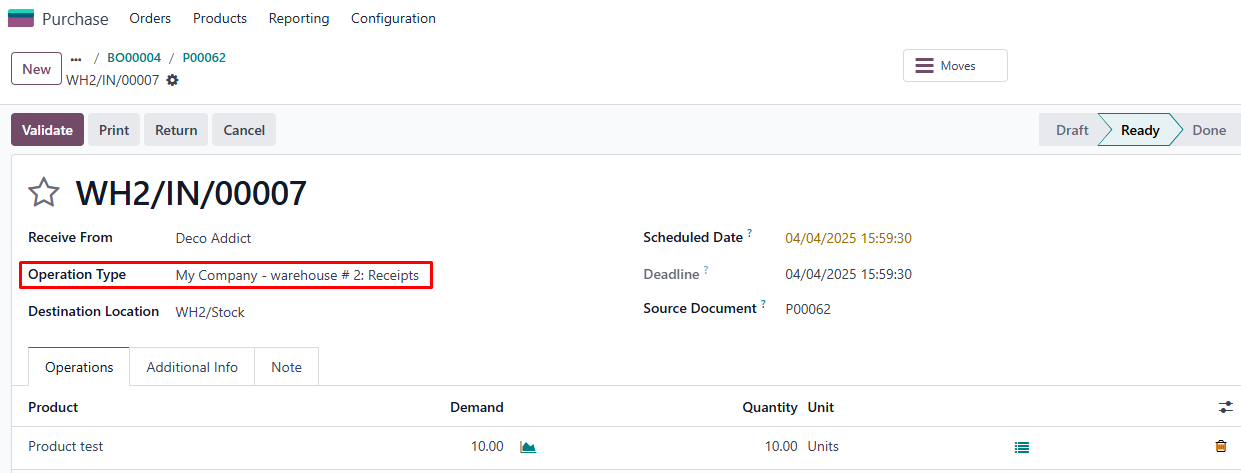
2Create a New Quotation from this Purchase Agreement Confirm this quotation to change status to Sales Order Go to Receipt → The Operation Type fields will be auto-filled with the same contents that you set in the order type
|
| |
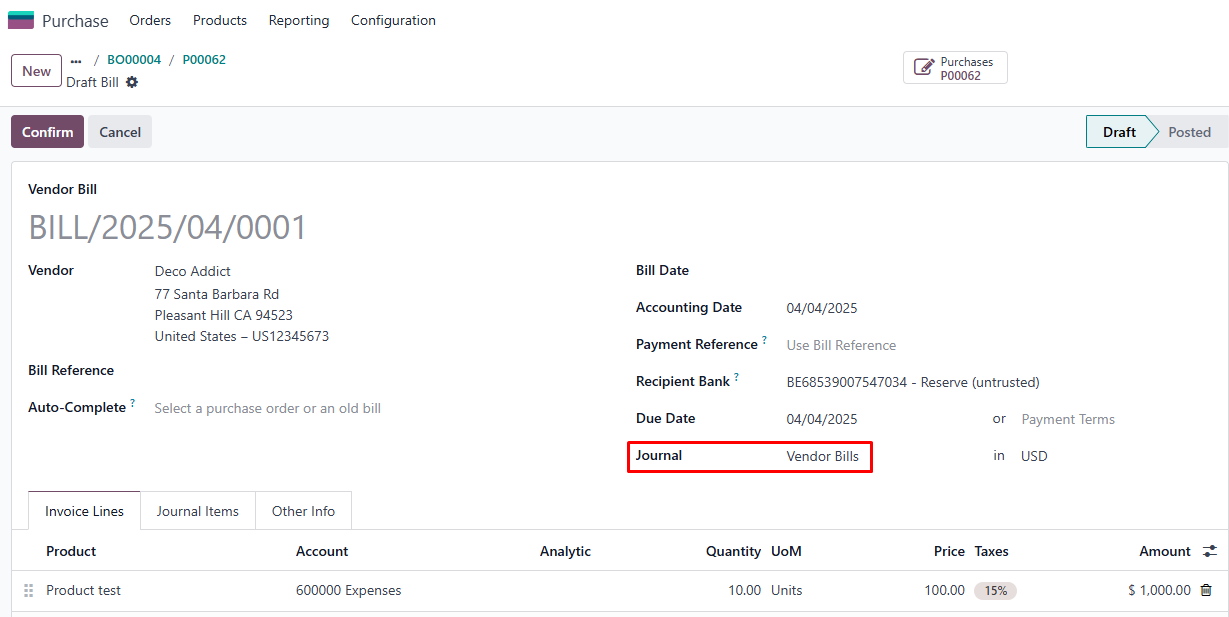
3Go back to Purchase Order and Create Bill → The Journal fields will be inherited |
|