
ODOO'S FUNCTION
By default, Odoo supports product pricing through vendor pricelists with fixed prices. However, it does not support custom pricing logic or dynamic calculation.CLUEDOO'S FUNCTION
CLuedoo provides dynamic pricing capabilities for orders using Python code formulas defined in pricelists. This allows businesses to compute prices based on custom logic and apply them instantly across all Purchase Order Lines with a single click.
CONFIGURATIONGo to Purchase > Configuration > Vendor Pricelists > Open or create a pricelist > Enable the Use Python Formula checkbox then write your formula in the script box. Example: For Large Cabinet, the formula result = 100 if OL.product_uom_qty > 5 else 150 means set the unit price to 100 if the quantity is greater than 5; otherwise, set the unit price to 150. | 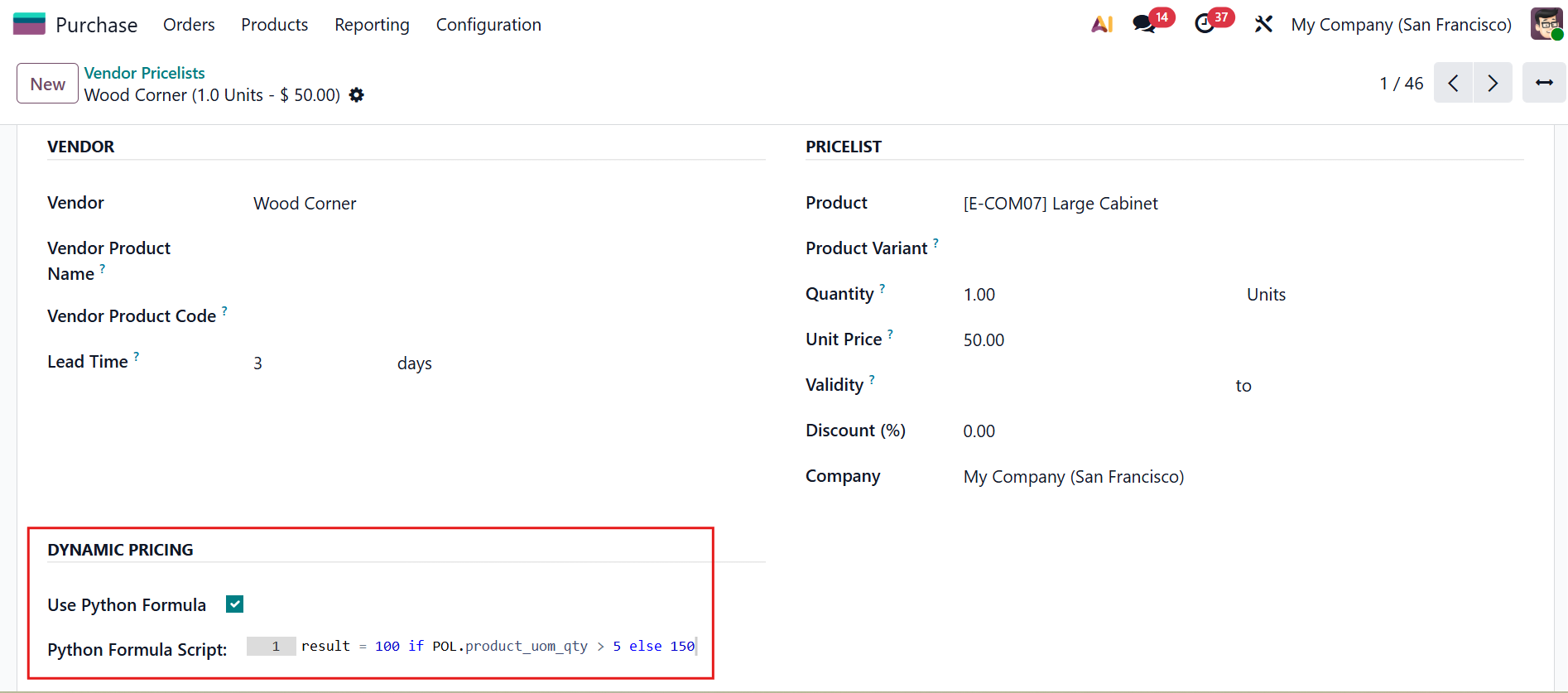 |
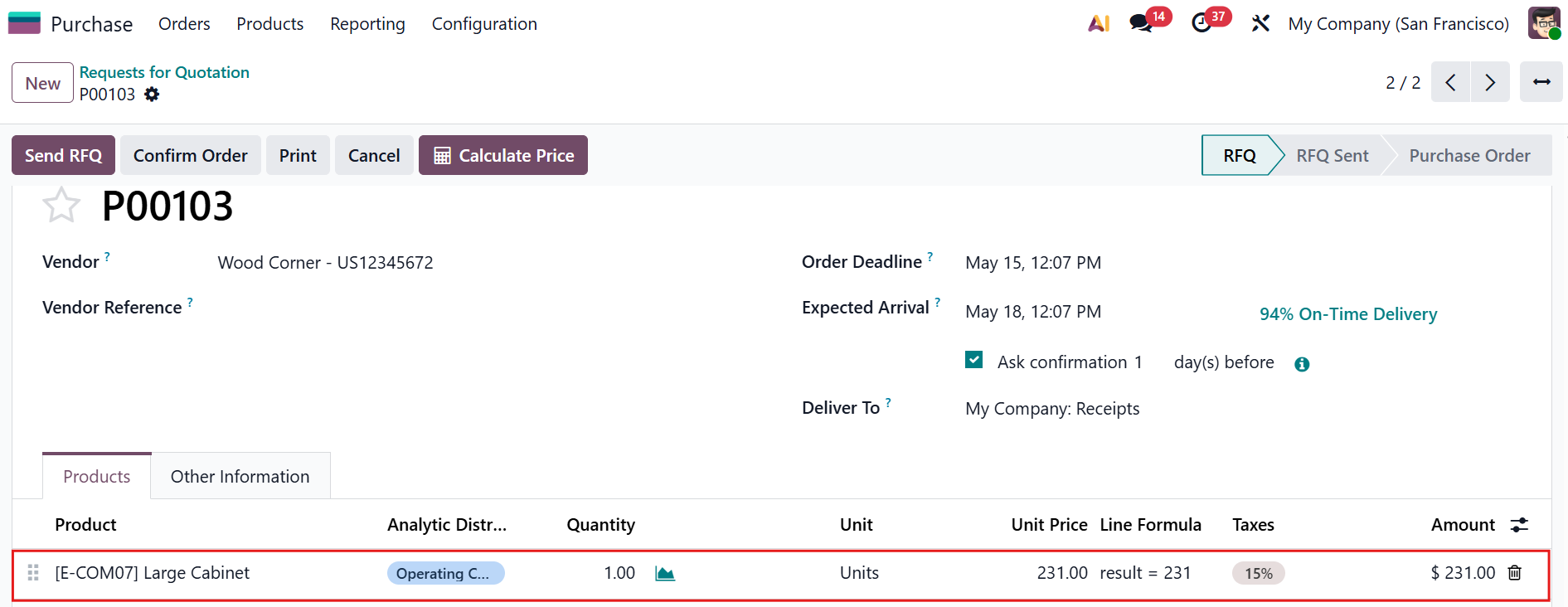
USAGECreate a new Purchase Order using the vendor pricelist you just configured > The formula is automatically inherited by each Purchase Order Line At this point, the unit price still shows the original value. The formula is ready but not yet applied. | 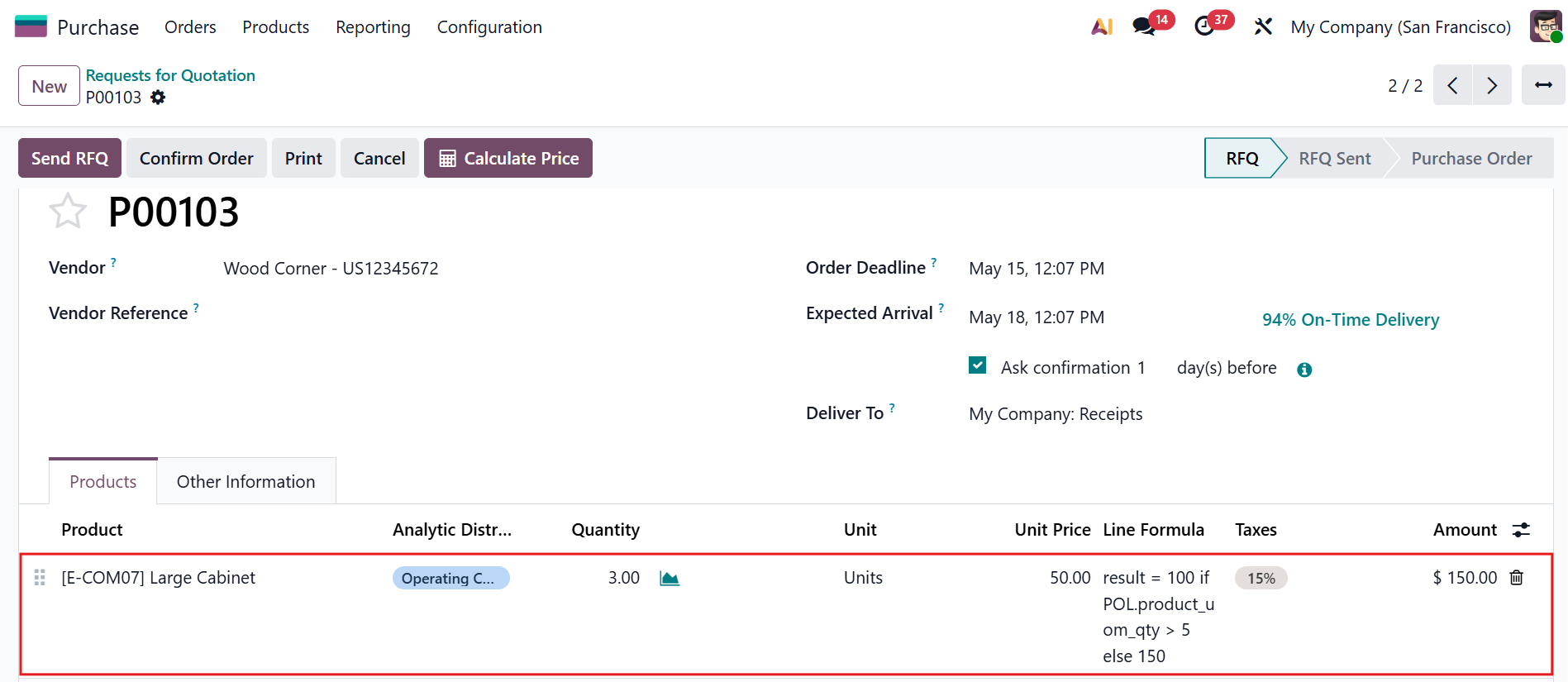 |
Hit the Calculate Price button at the top of the Purchase Order > The system instantly recomputes the unit price for all lines based on their formula. | 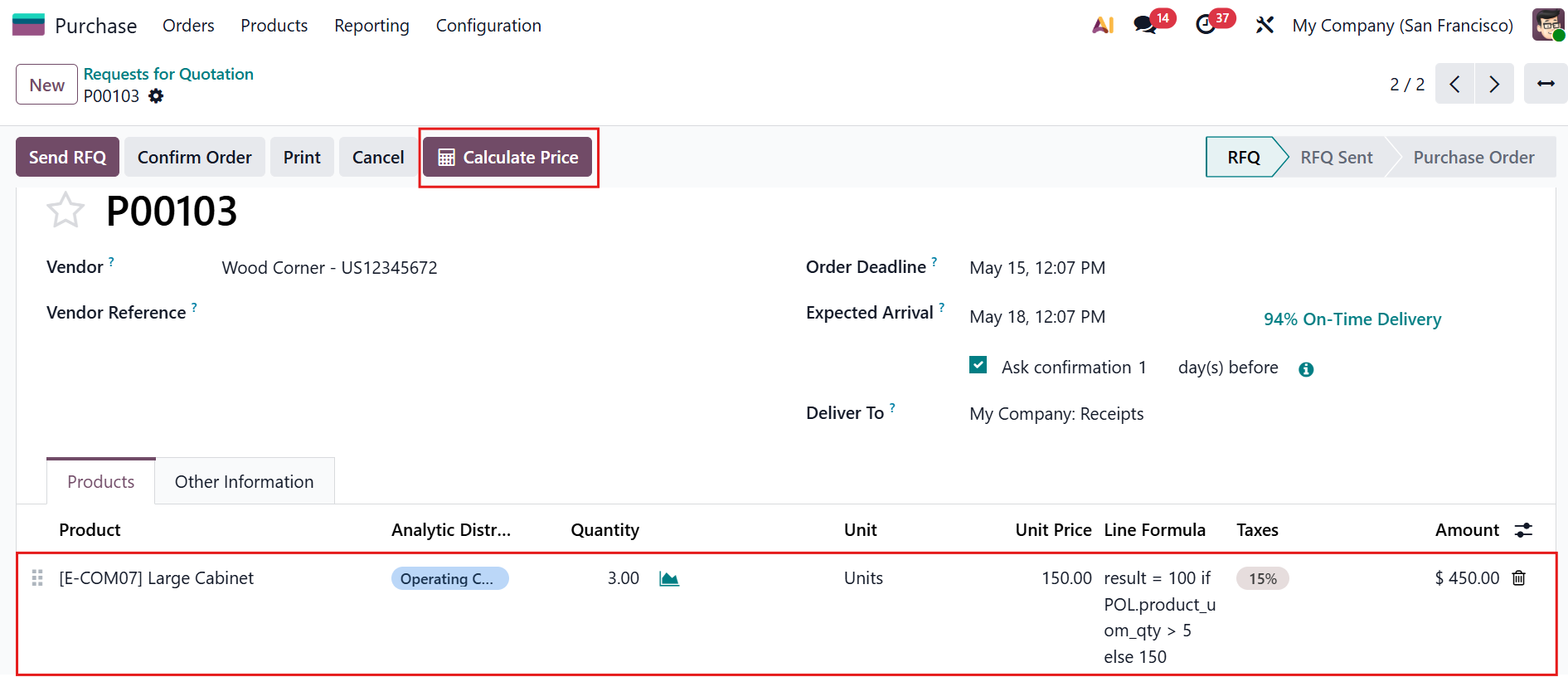 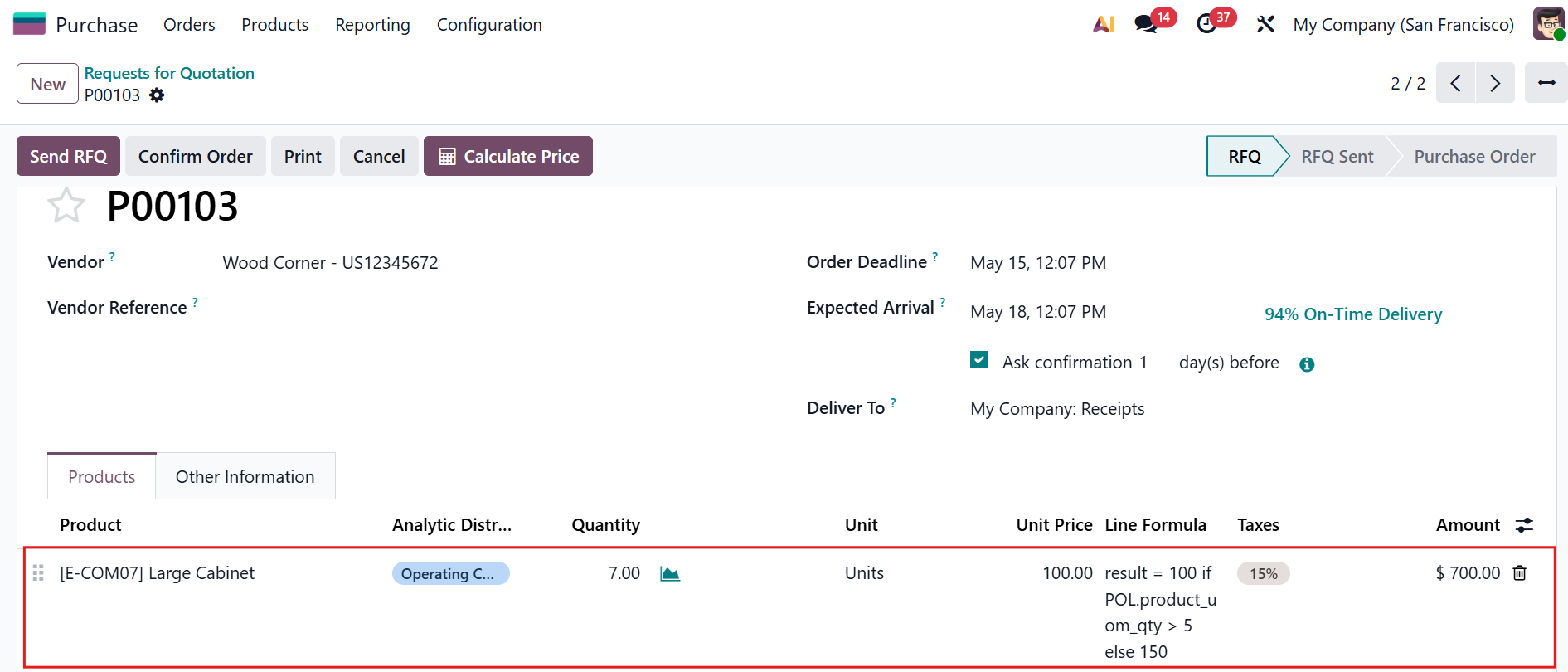 |
Notes:
|  |