




ODOO'S FUNCTION
Odoo proposes a hardcoded description on sales order line which is Product ref/Product name and without any flexibility to define priorities. For instance, if you give supplier reference on the supplier pricelist, description on purchase order lines only show the Supplier ref and no more your product reference.
CLUEDOO'S FUNCTION
CLuedoo lets you configuration the description using python code in the product categories. With this way, you can varies the description by categories and have a control on what you will have on the Sales/Purchase order.
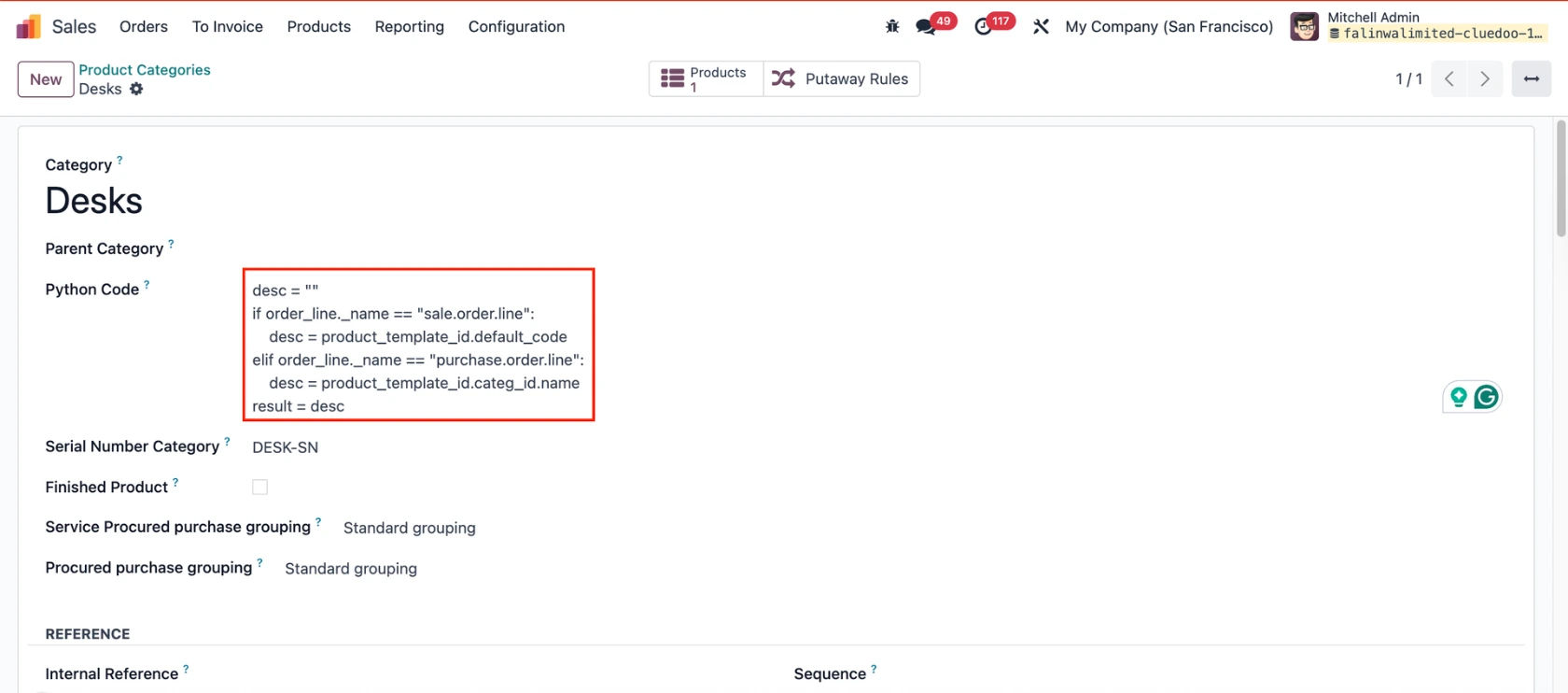
In the Product Category form, you can enter Python code to define the product description displayed on Sales Order Lines. The values can be derived from the following objects: Purchase Order Line (purchase.order.line), Product Template (product.template), Product Variant (product.product), and (order_line) that can work for both sale and purchase. | 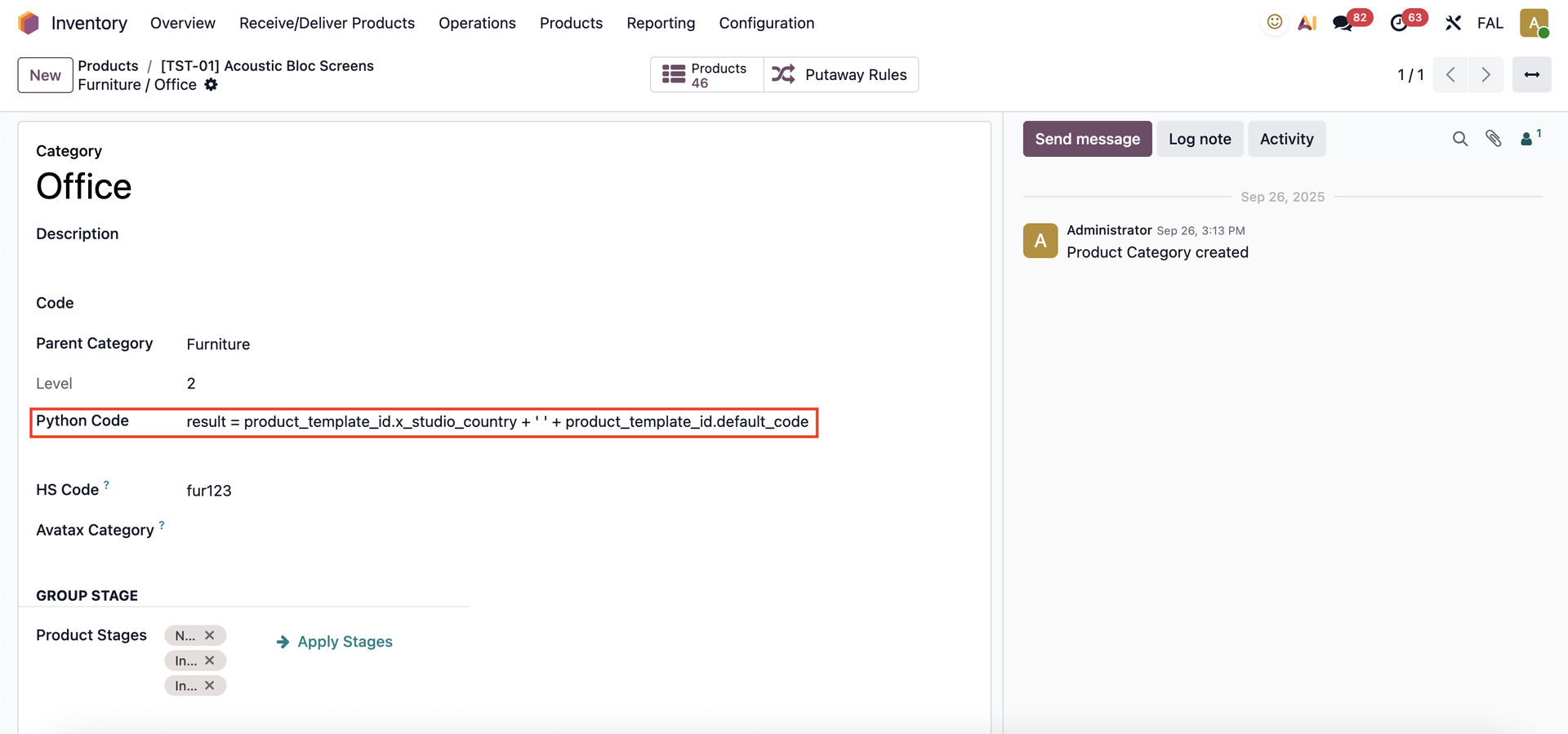 |
EXAMPLE 1result = product_template_id.x_studio_country + ' ' + product_template_id.default_code |
|
This code displays the Internal Reference and Country (custom field created in Odoo Studio) in the product description on purchase order lines. | 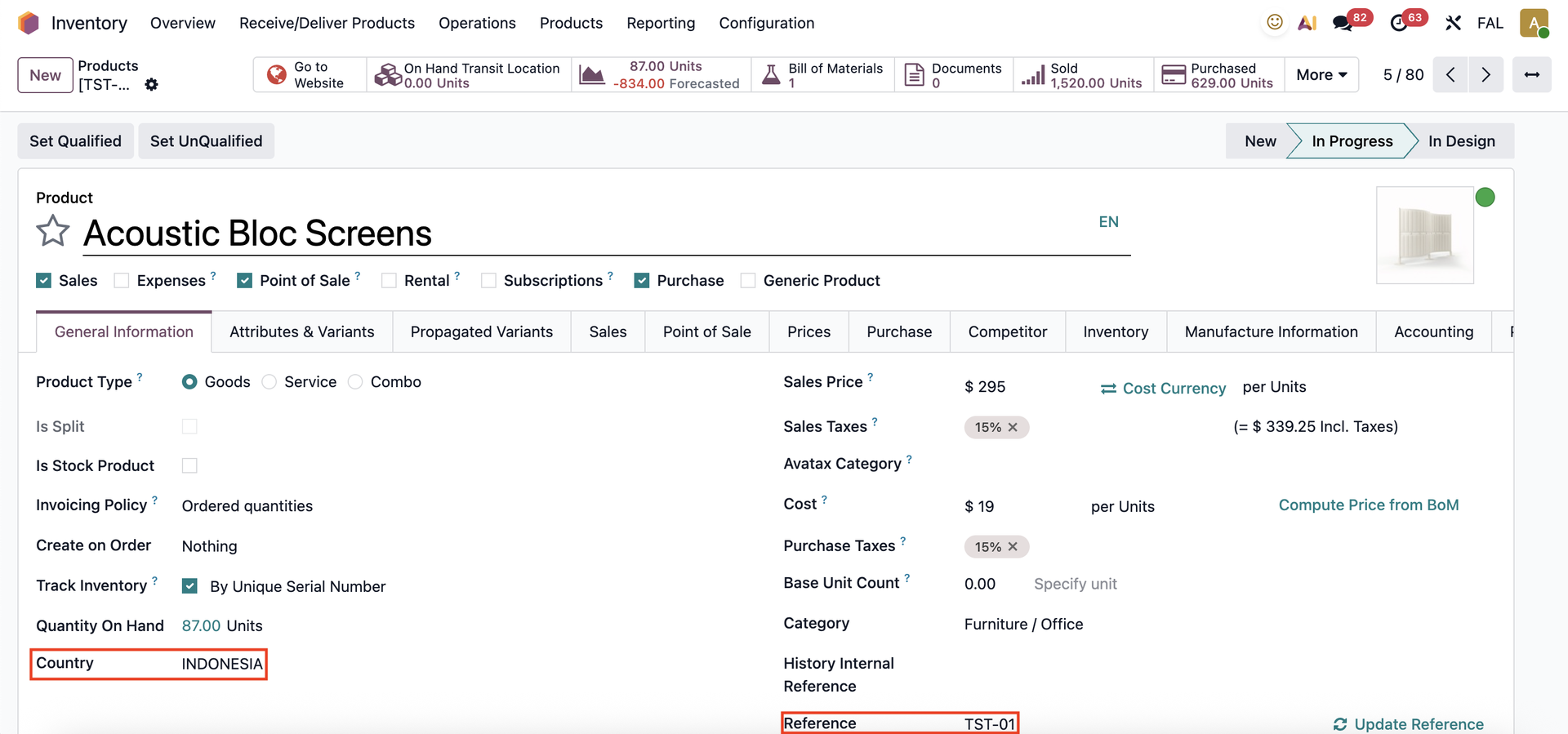 |
Once you choose the product in a Purchase Order, the Country and Reference will automatically appear as the product's description. | 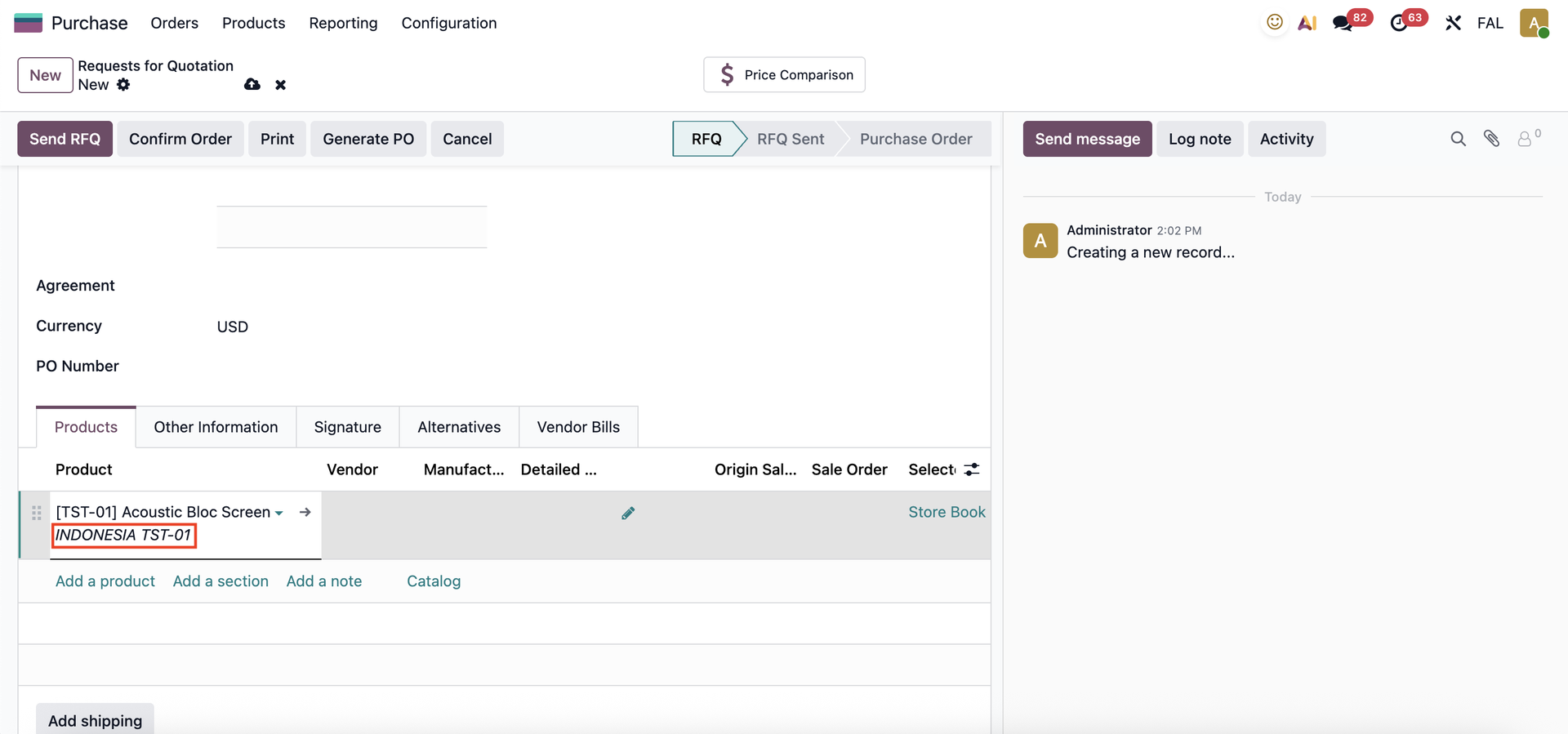 |
The same information will also appear on the Receipt form. | 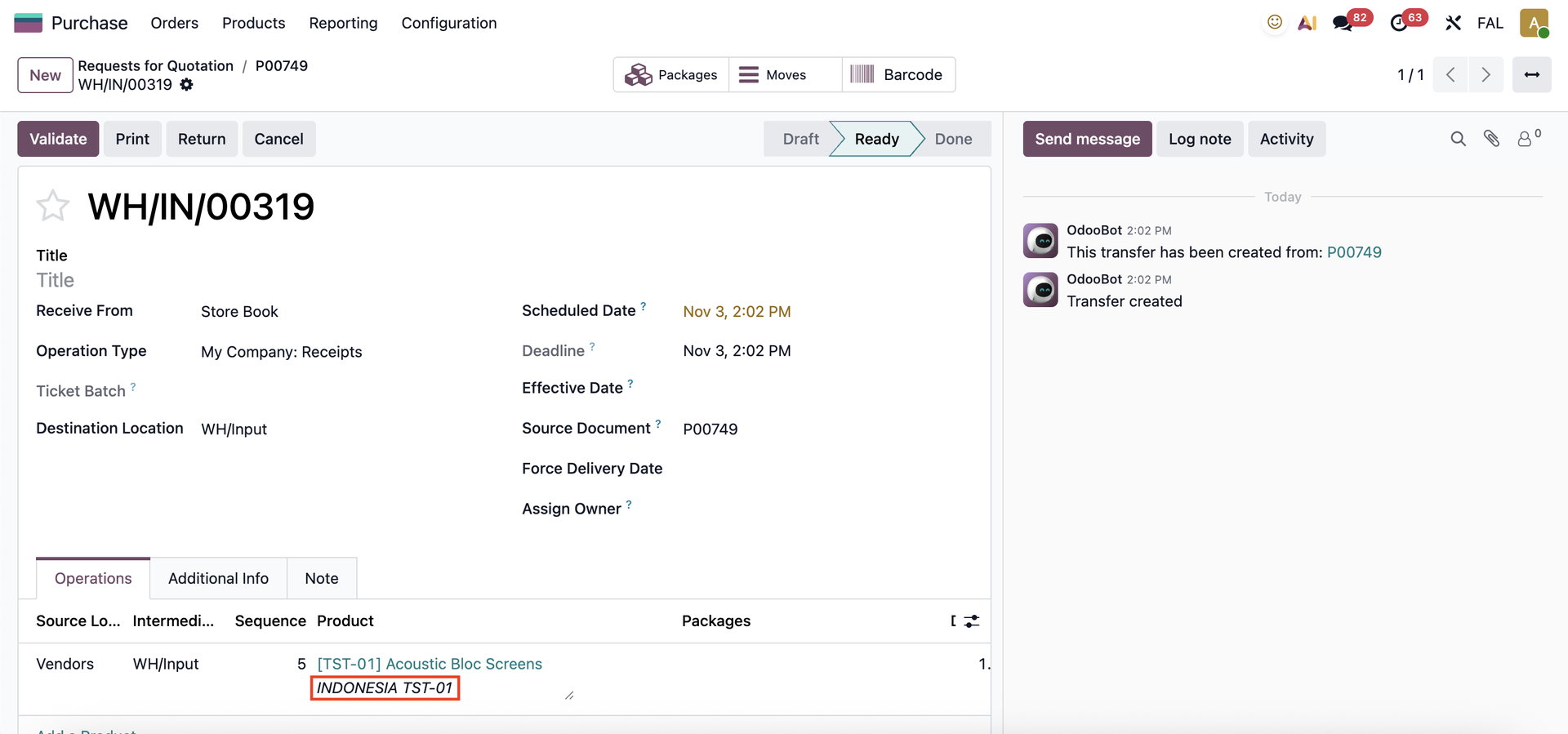 |
It will also be shown on the Vendor Bill. | 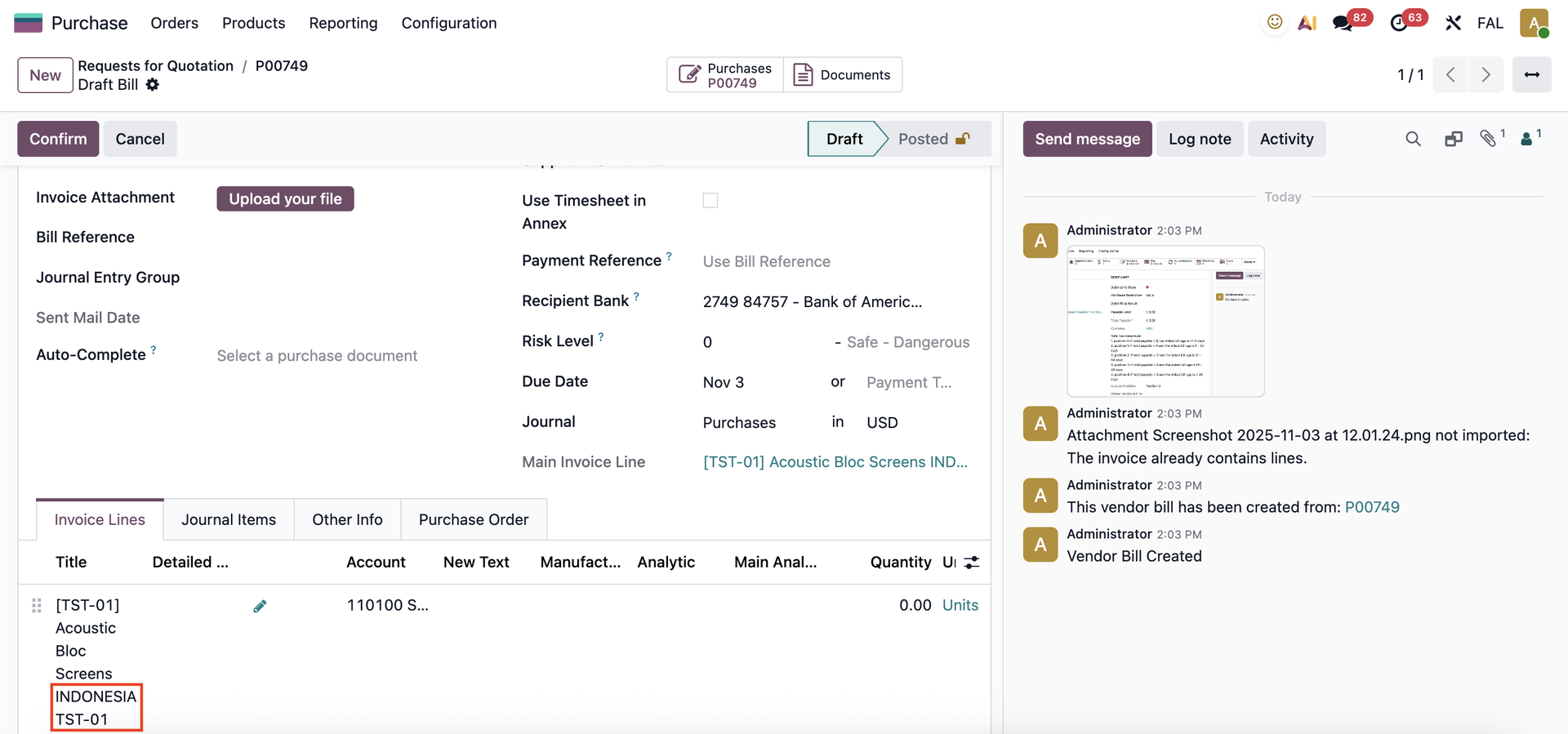 |
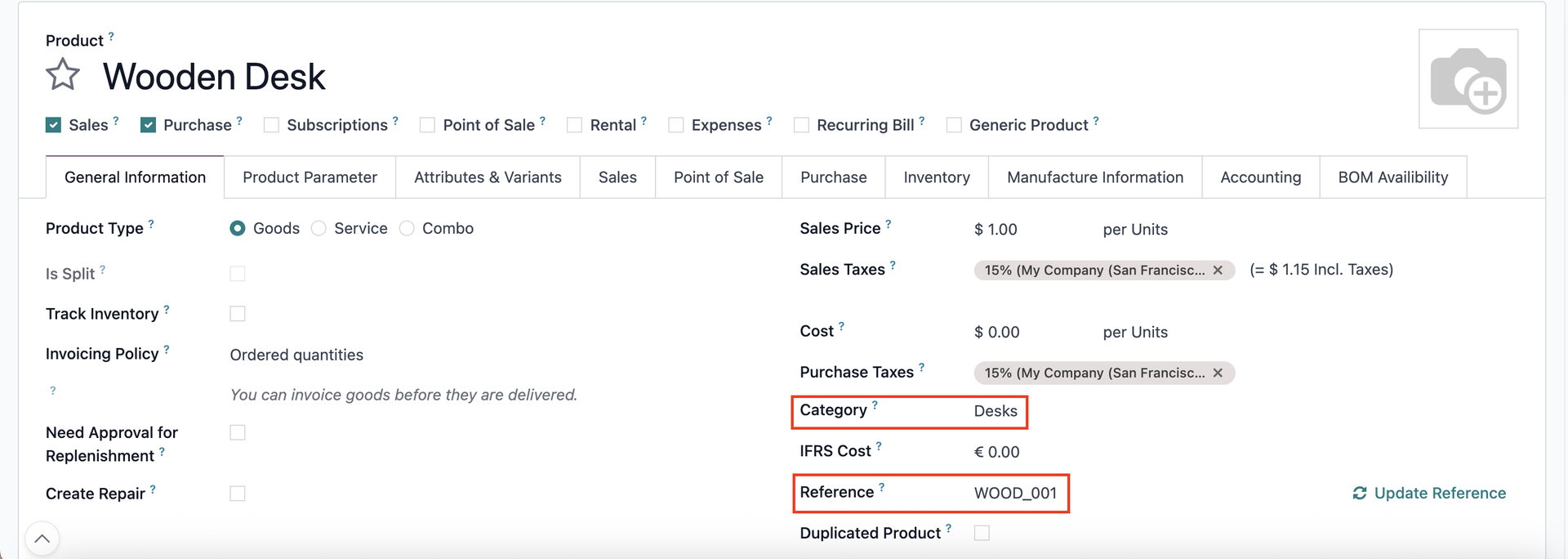
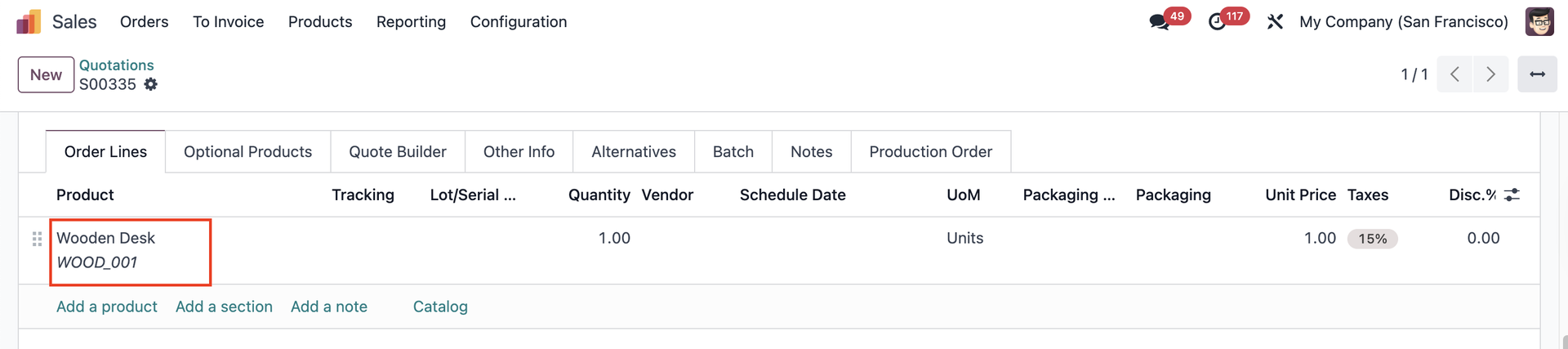
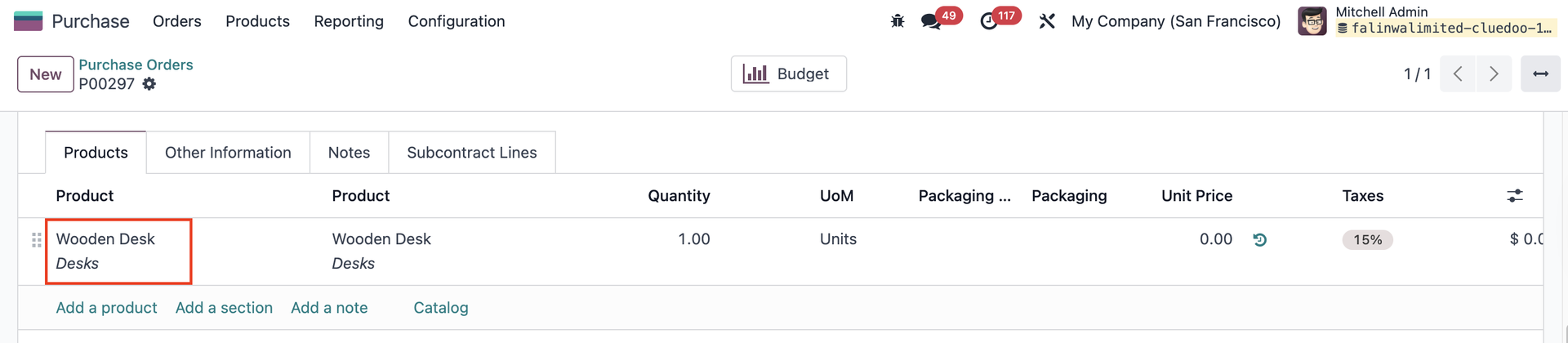
EXAMPLE 2if order_line._name == "sale.order.line": desc = product_template_id.default_codeelif order_line._name == "purchase.order.line": desc = product_template_id.categ_id.name result = desc
|
|
In Sales Order Lines |
|
In Purchase Order Lines |
|