

ODOO'S FUNCTION
Odoo project task analysis feature allows users to manage and view all tasks in summary. However, users do not have an overall view of individual activities within tasks/project/project update.
CLUEDOO'S FUNCTION
Cluedoo enhances project monitoring by mirroring the powerful CRM Activity Report logic into the Project app. It introduces three dedicated reporting views:
- Project Activity Report.
- Project Task Activity Report.
- Project Update Activity Report.
This allows users to visualize all undertaking, completed, or updated activities via Graphs, Pivots, or Lists. Users can easily manipulate activity history data to get a clear picture of exactly what actions have been performed across the entire project lifecycle.
1. Go to Project Under the Reporting section, there are three new features which will outline all tasks and activities in a project. | 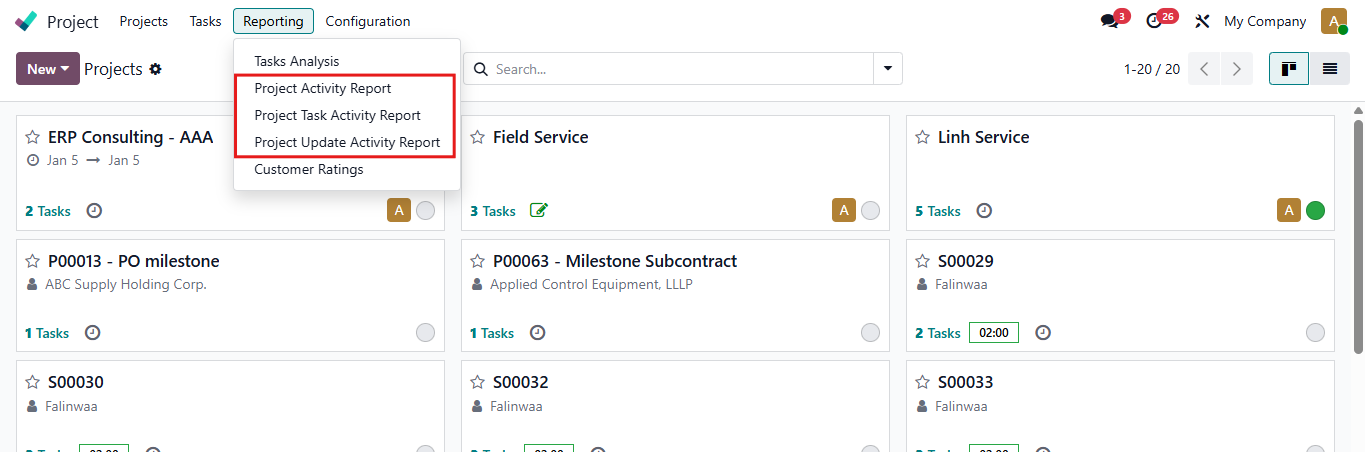 |
2. Within each features, the data can be displayed in three modes: The first mode provides a visualization graph, which can be grouped by activity, type, person in charge or completion date. You can also choose the type of chart: Bar chart, Line chart or Pie chart | 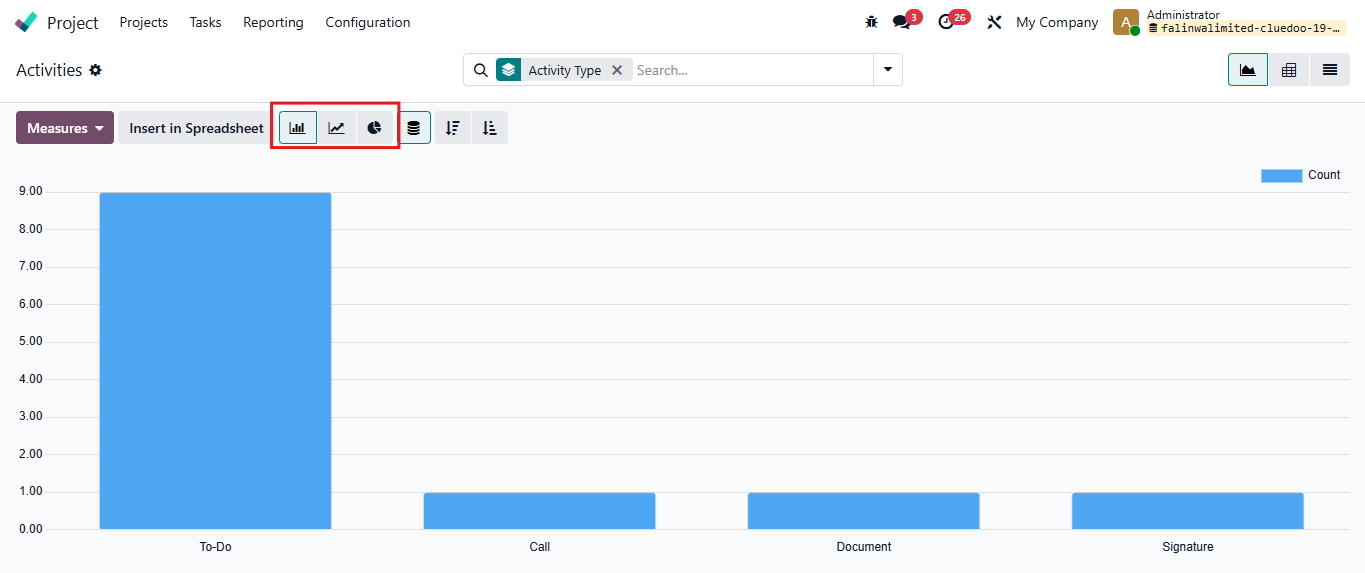 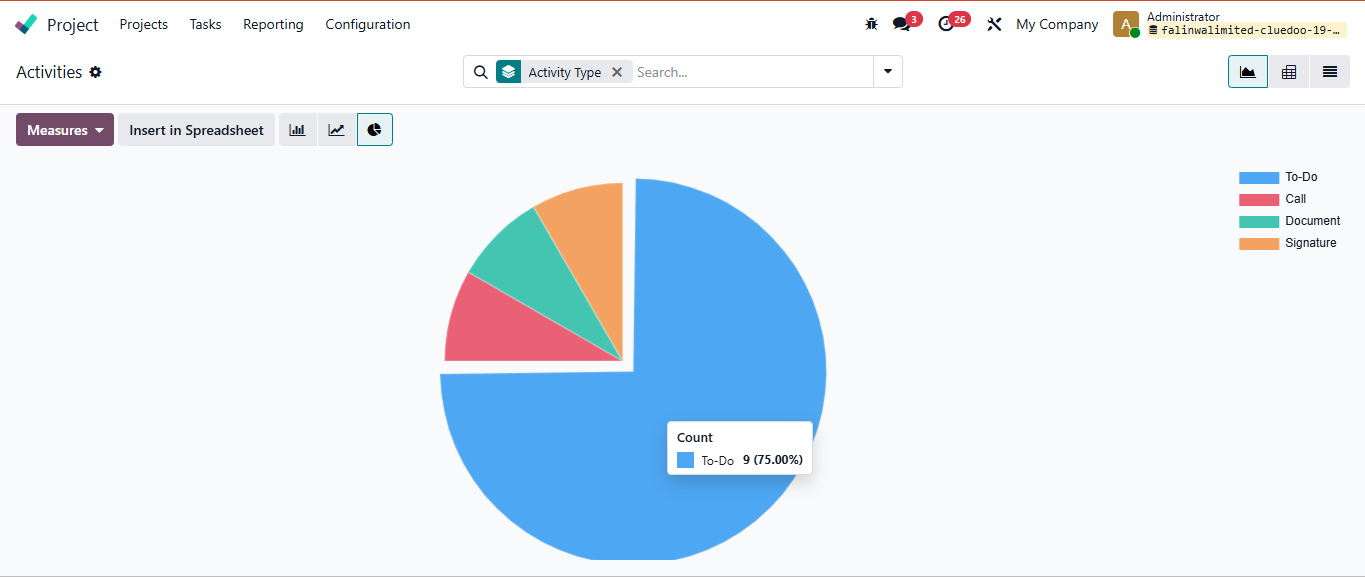 |
The second mode is a pivot, calculating the total number of activities. Click on plus button > Choose the category you want to group | 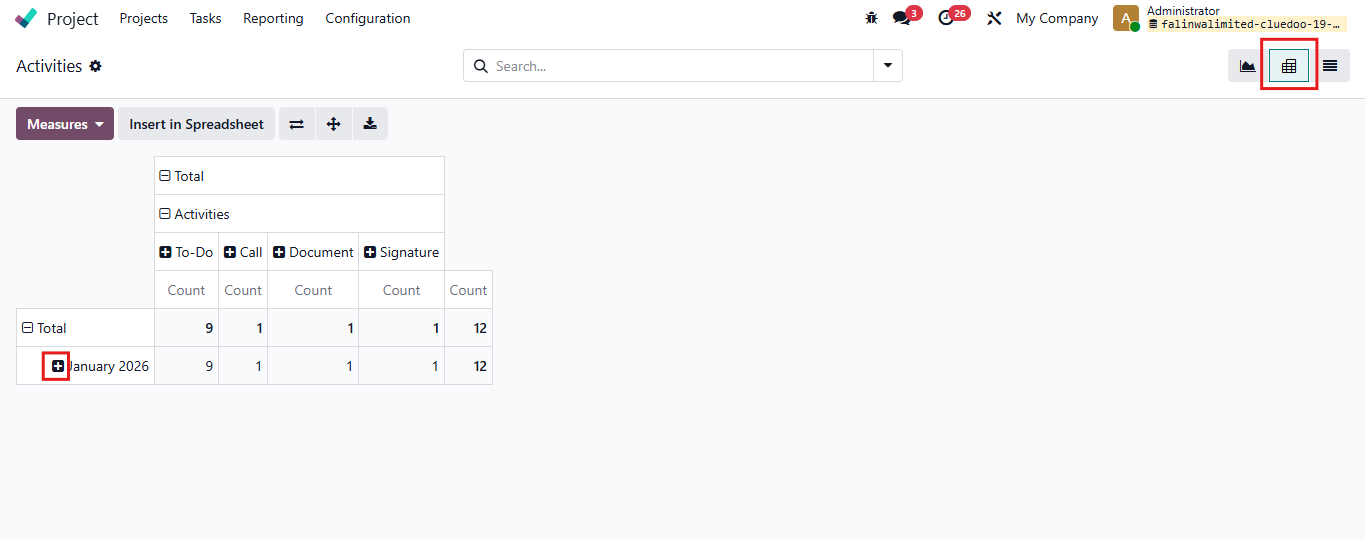 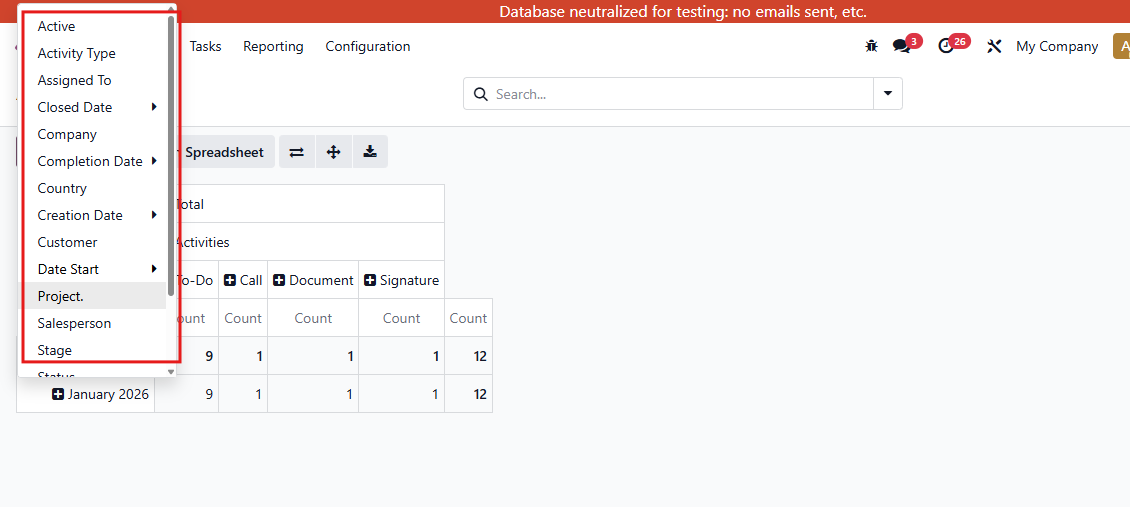 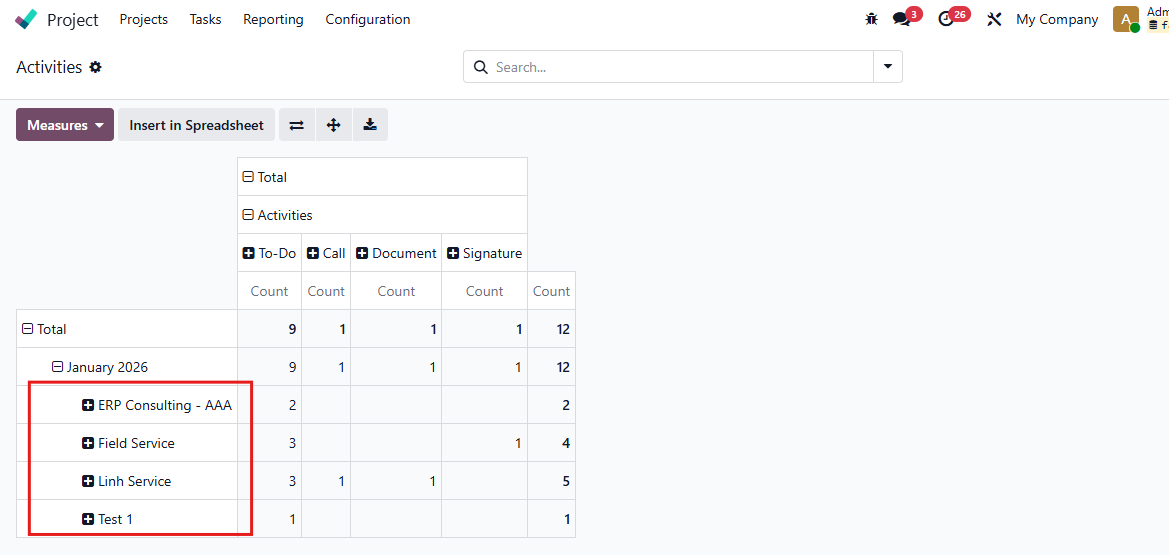 |
The third mode is a list. You can also choose a lot of types of Group By for this view | 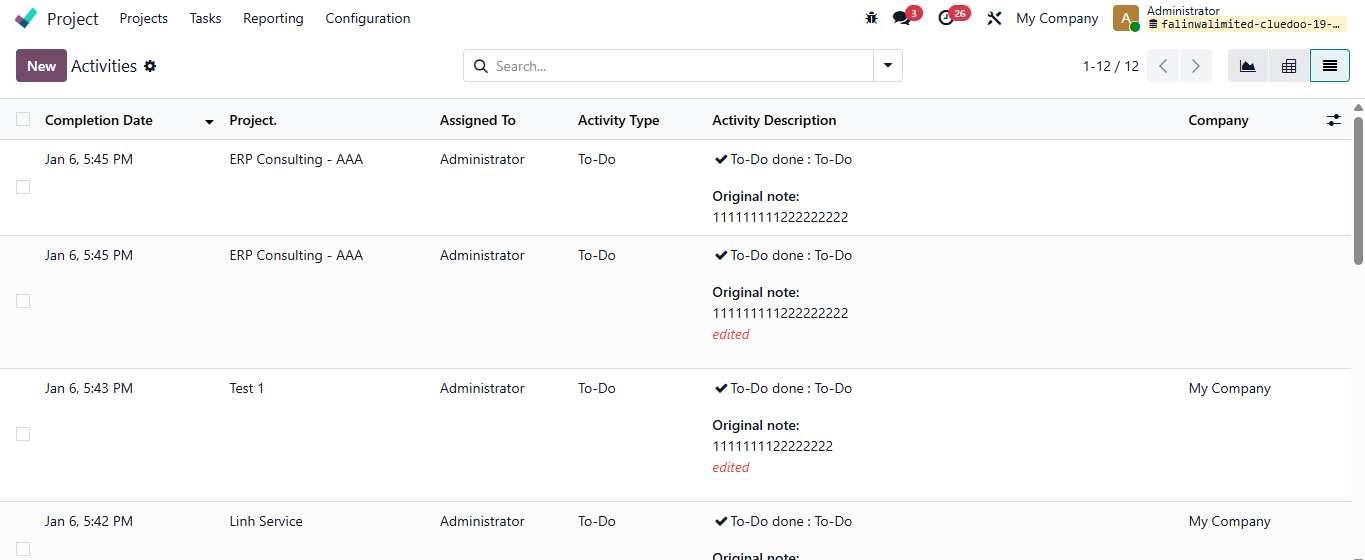 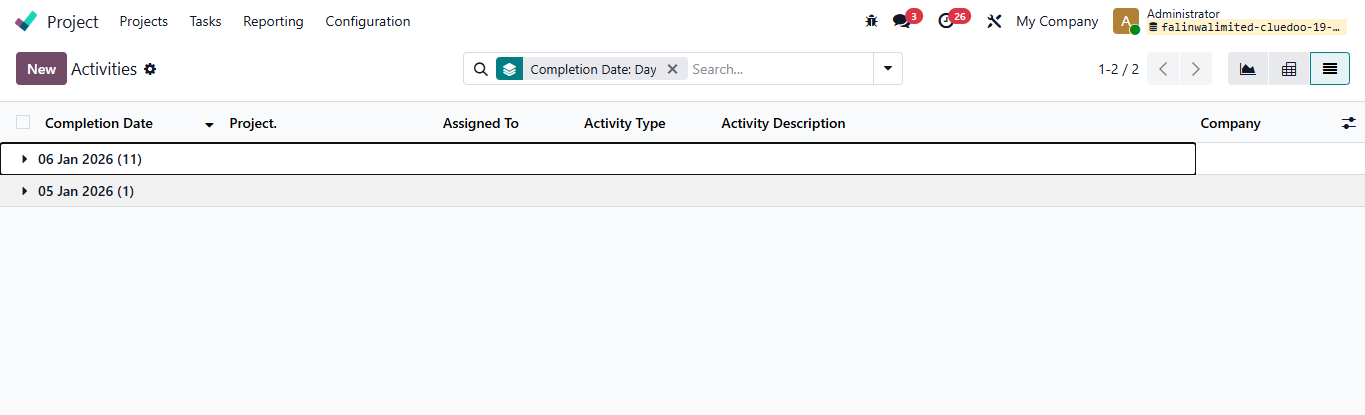 |
3. In Task view, you can also see the Smart button Activity Count | 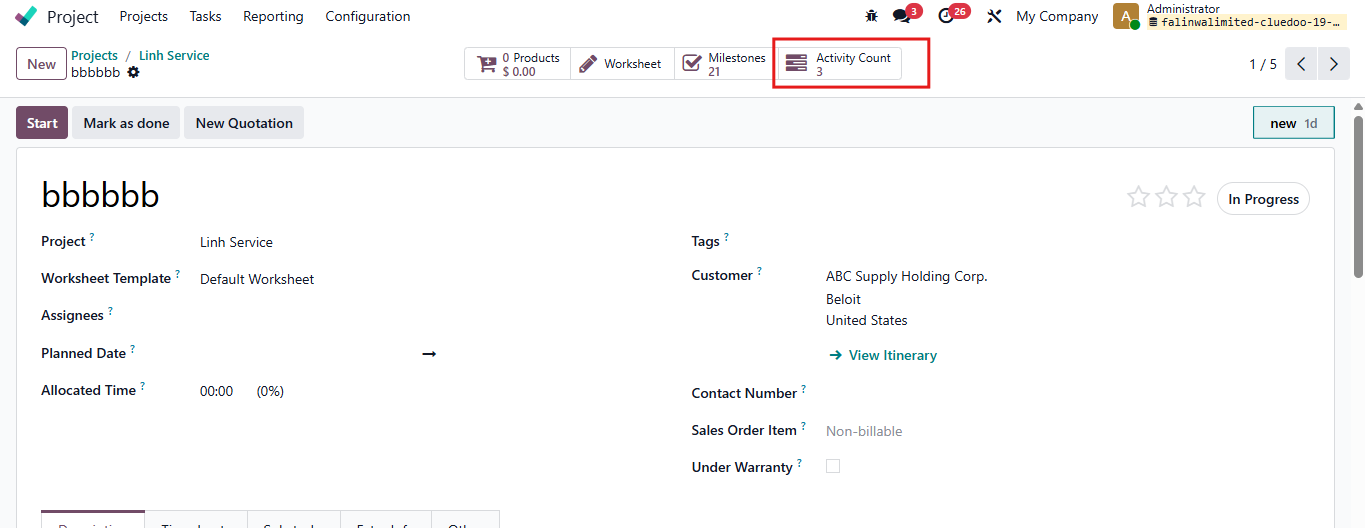 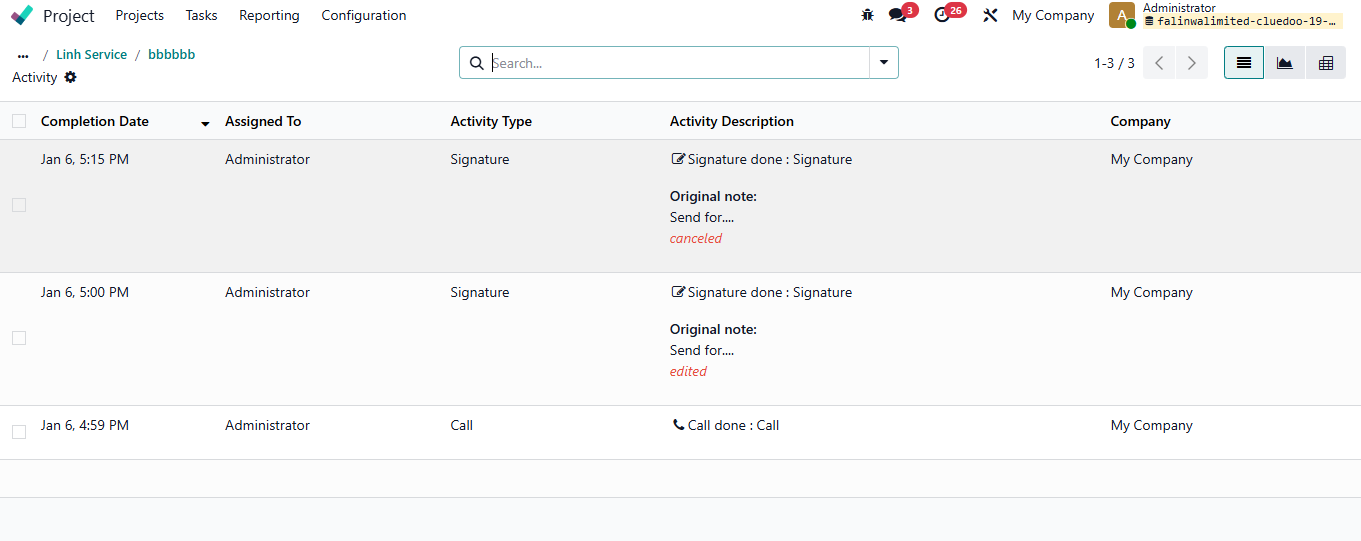 |