



STORY BEHIND THE FEATURE
ODOO BEHAVIOUR
By default, Odoo only provides a Manufacturing Order menu in the Manufacturing app, but no Production Order menu which displays material requirements for a production order with the links to all related moves. This limitation prevents users from creating production orders or utilizing the related functions, thereby restricting their capabilities in planning and production management.
CLUEDOO BEHAVIOUR
The fal_production_order_view_and_plan module enhances Odoo's manufacturing capabilities by providing a 360-degree view for Production Orders, improving planning, replenishment, and traceability with the following features:
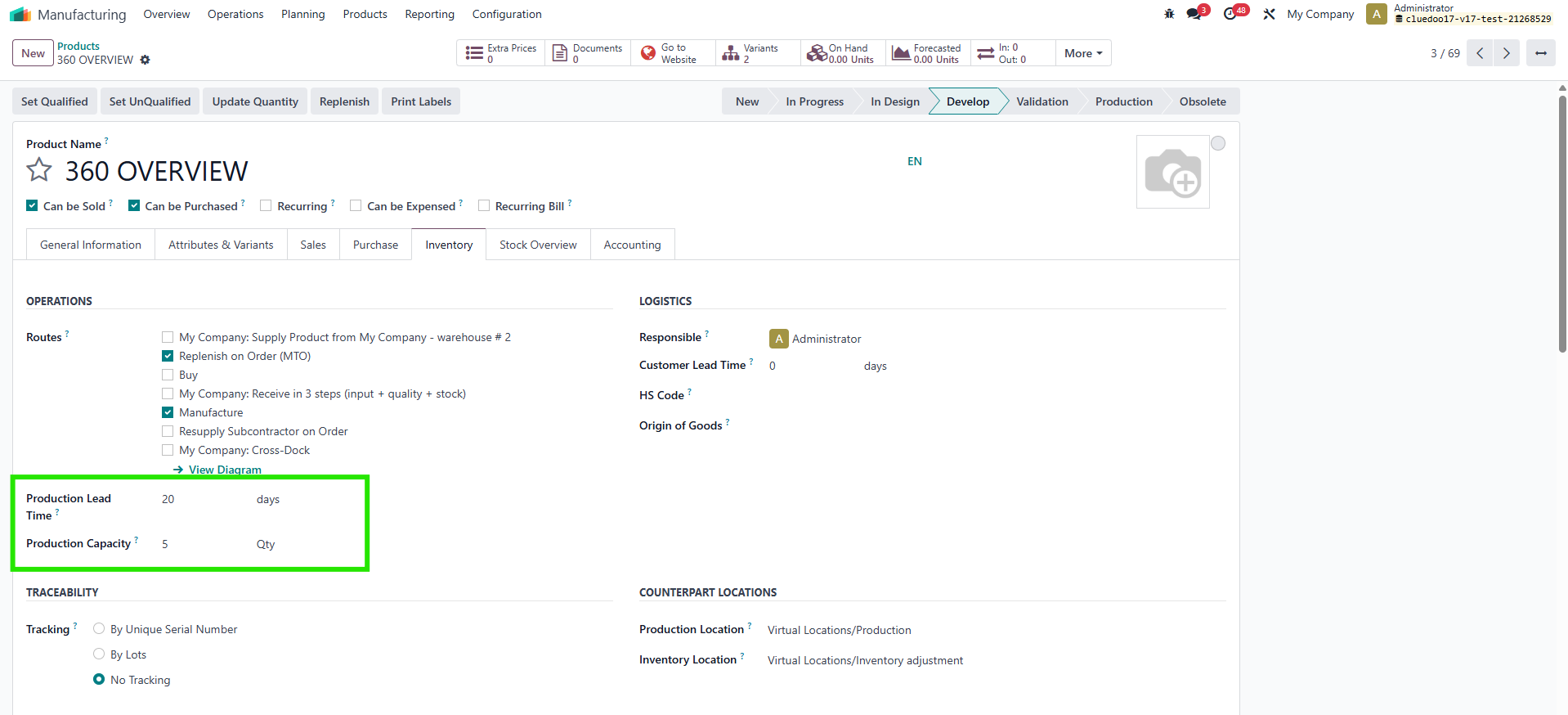
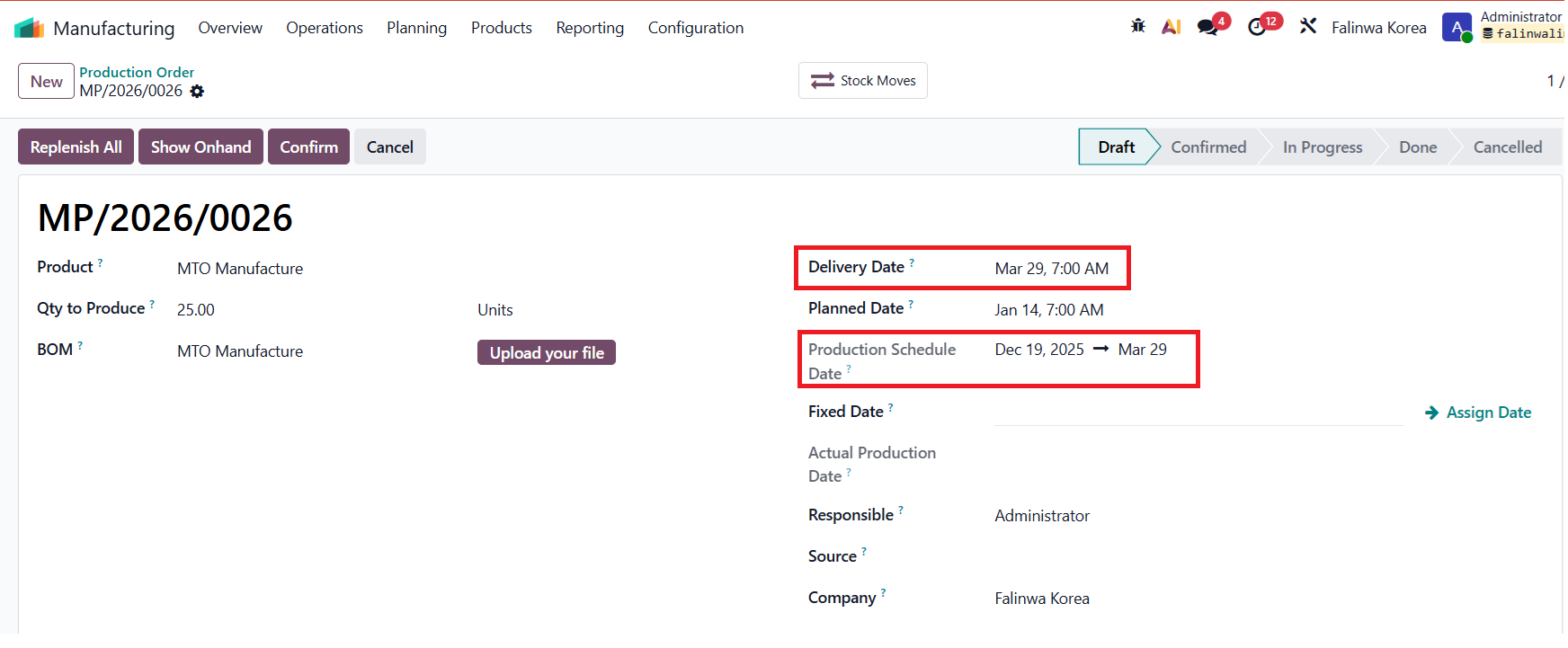
- Adds Production Leadtime and Production Capacity fields at the product level to calculate the Scheduled Starting Date for POs.
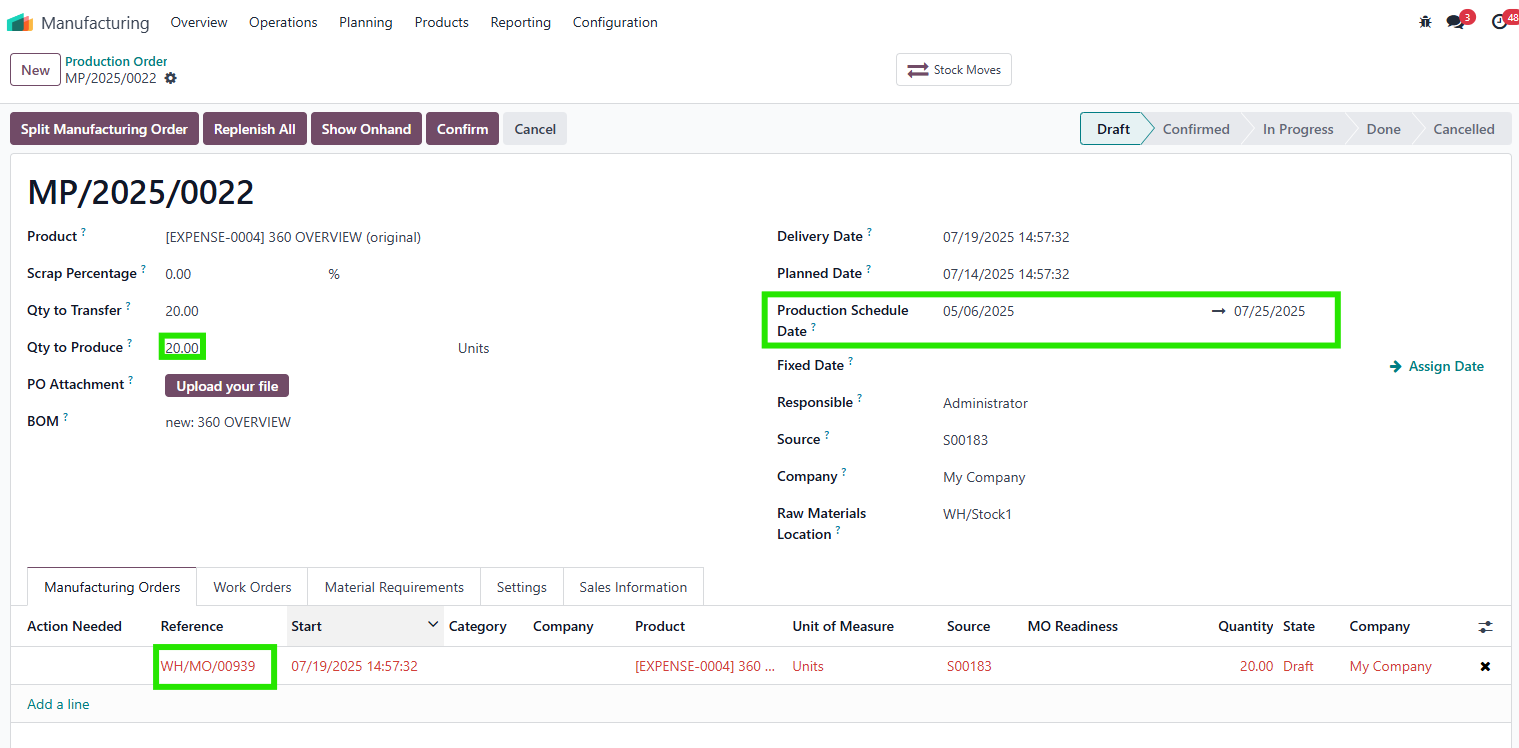
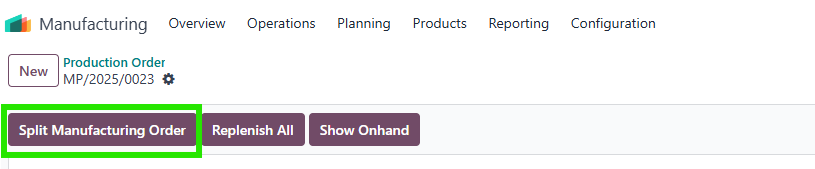
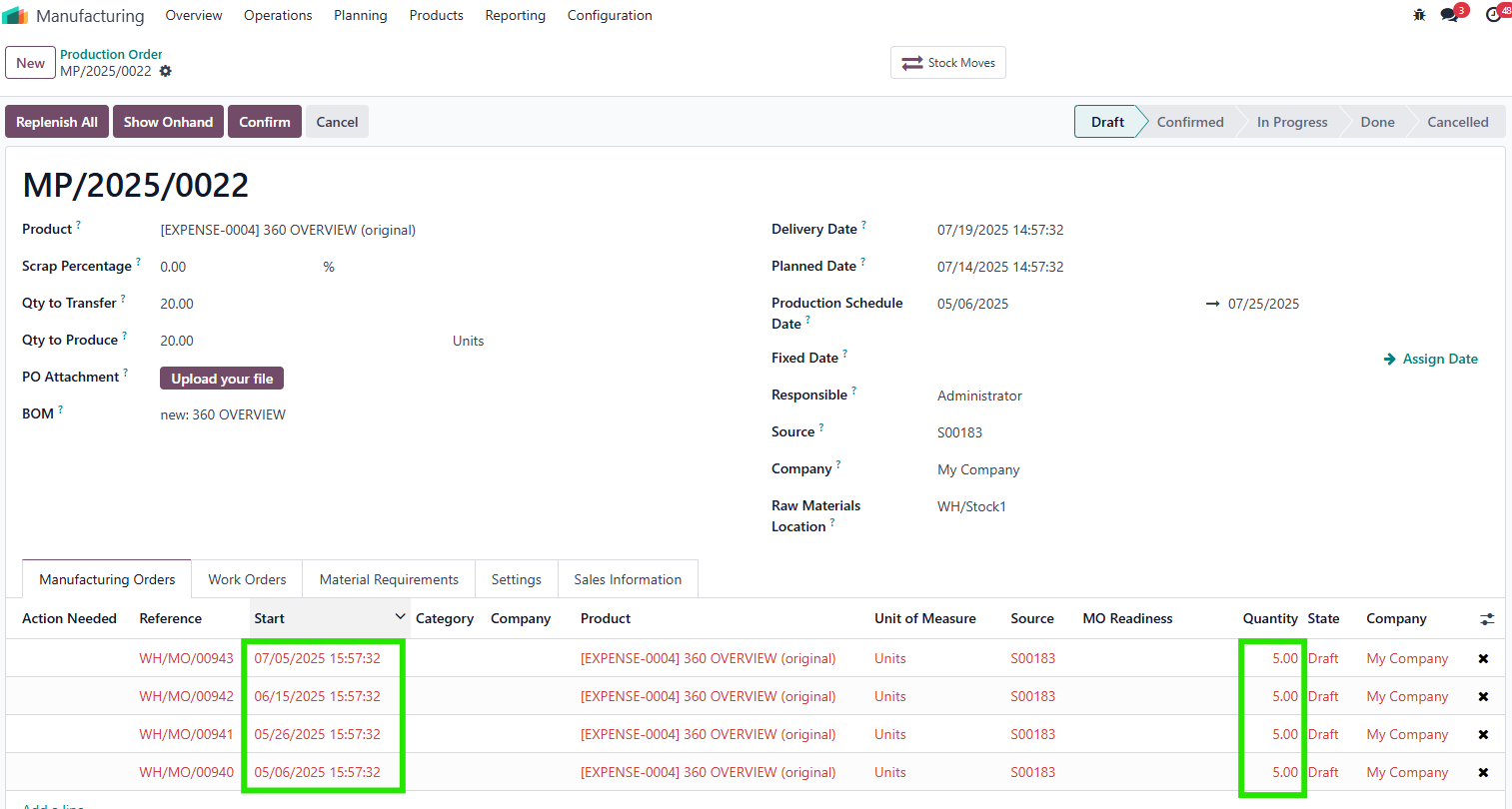
- Supports spliting MOs based on Production Capacity with sequential scheduling.
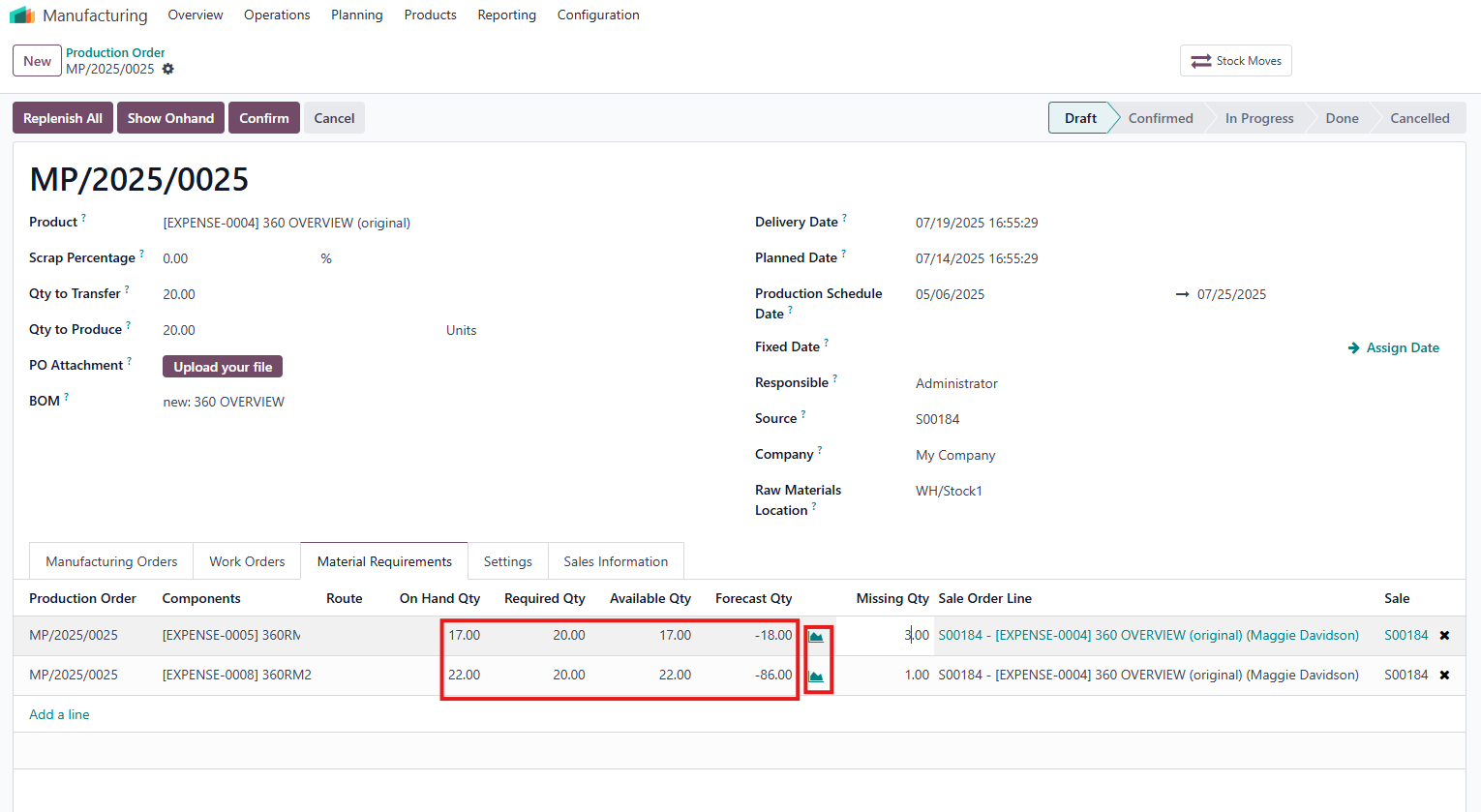
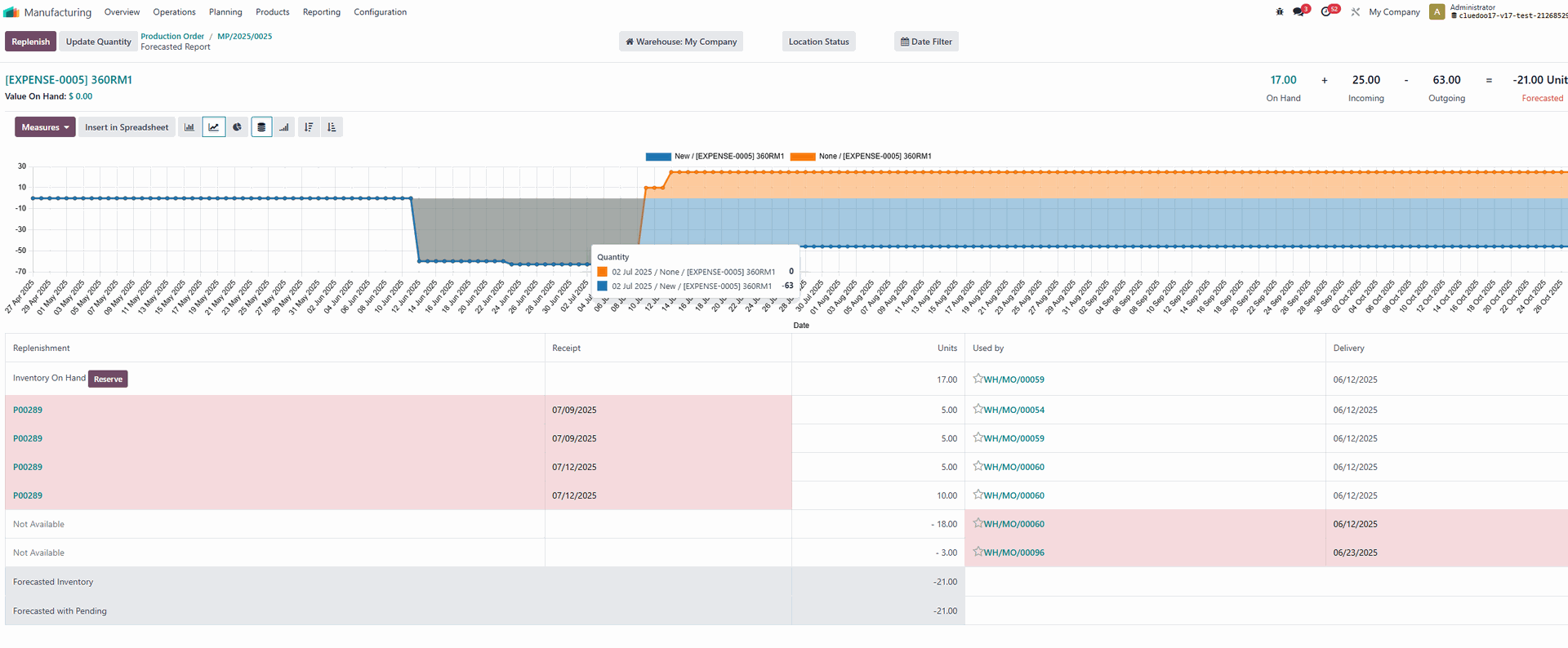
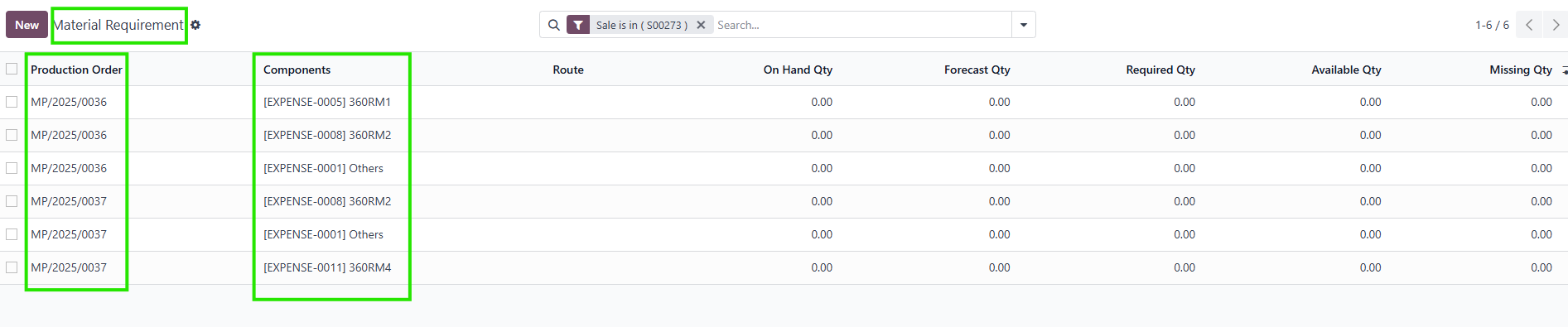
- Introduces a Material Requirements tab and a dedicated menu displaying Qty Required, Qty on Hand, Available Qty, Forecast Qty, and Qty Missing, with manual updates via an Update button.
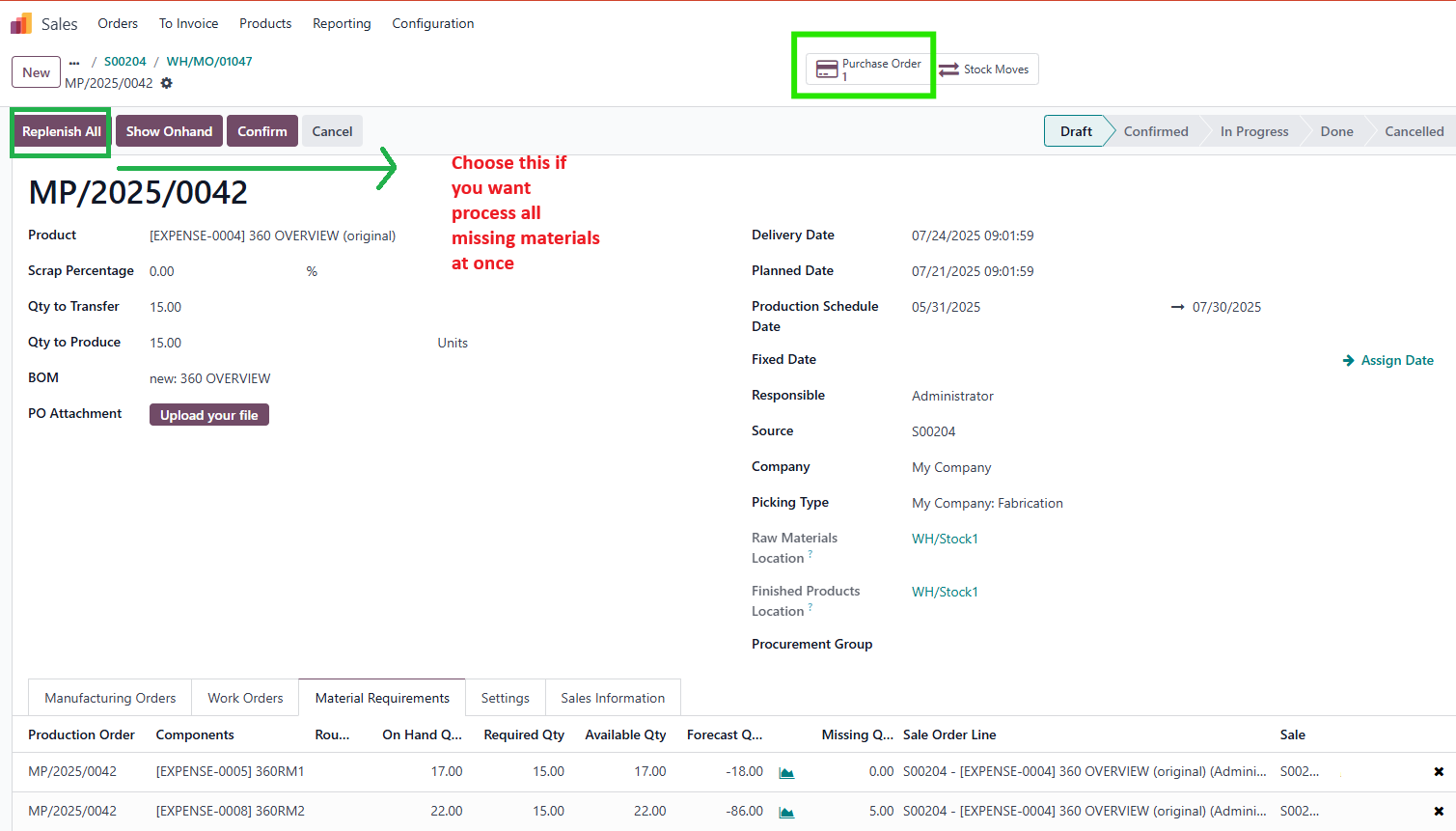
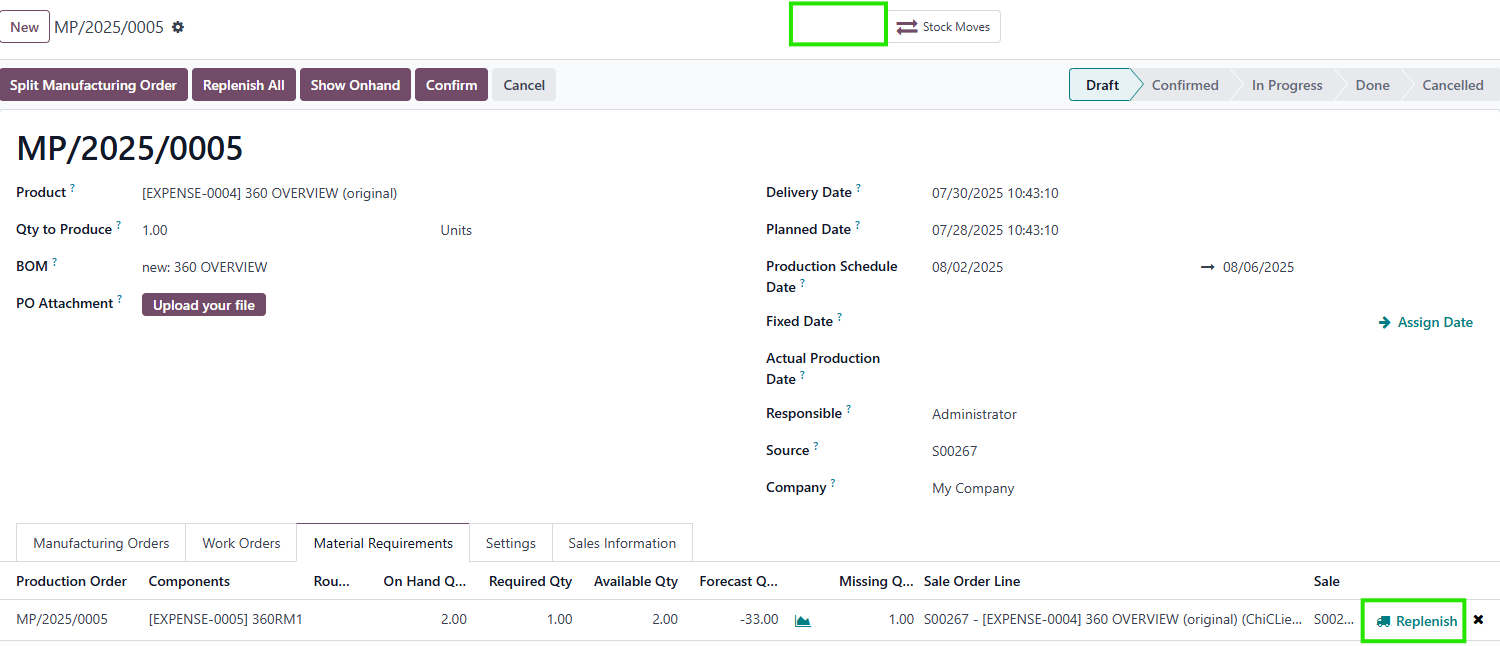
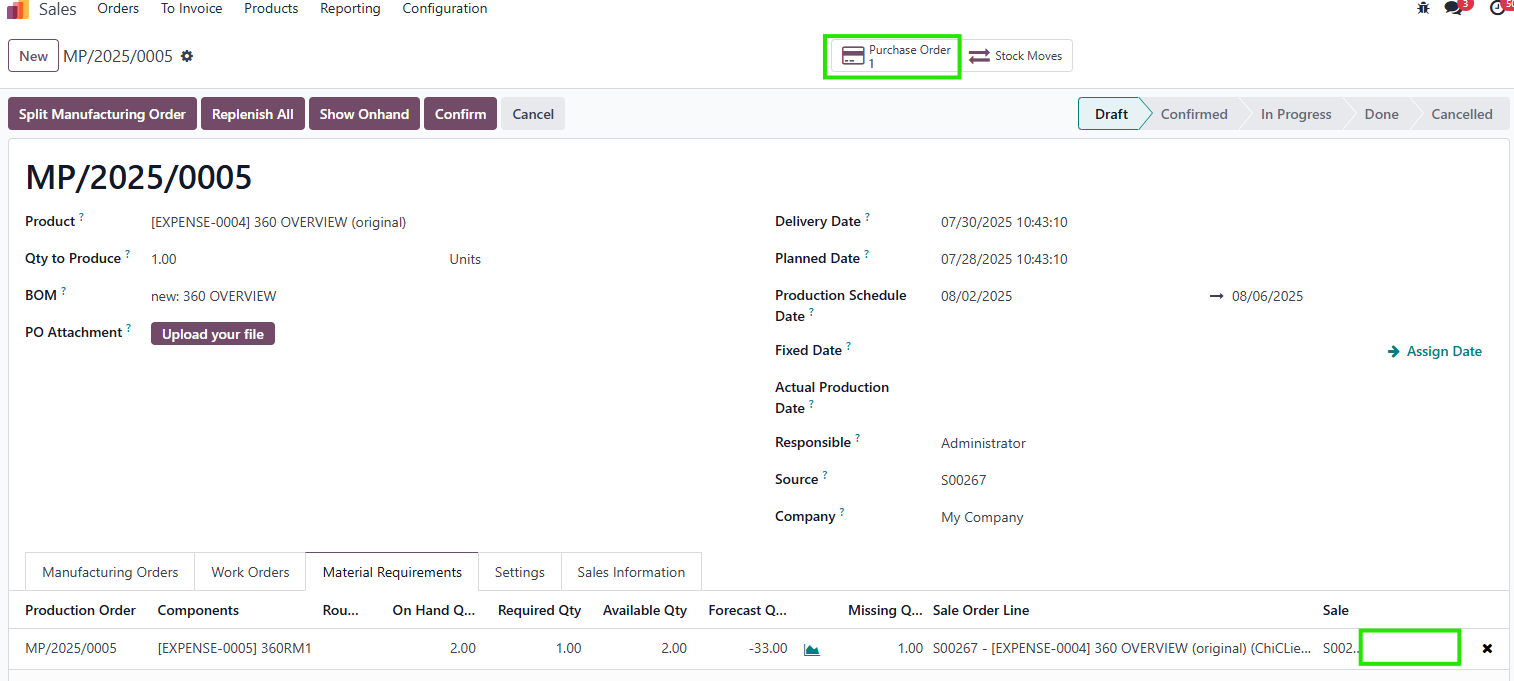
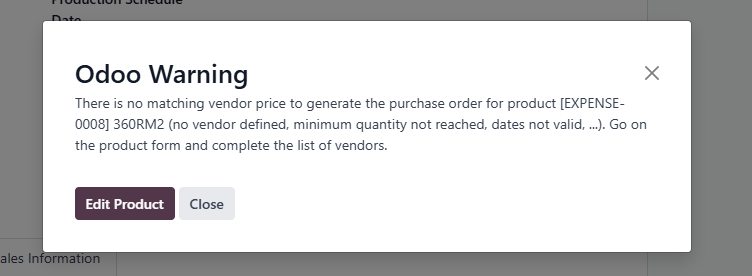
- Streamlines replenishment with Replenish and Replenish All buttons directly in the PO
- Consolidates material requirements for the same product within a PO using a Merge Requirement feature, accessible in the PO and Material Requirements List View.
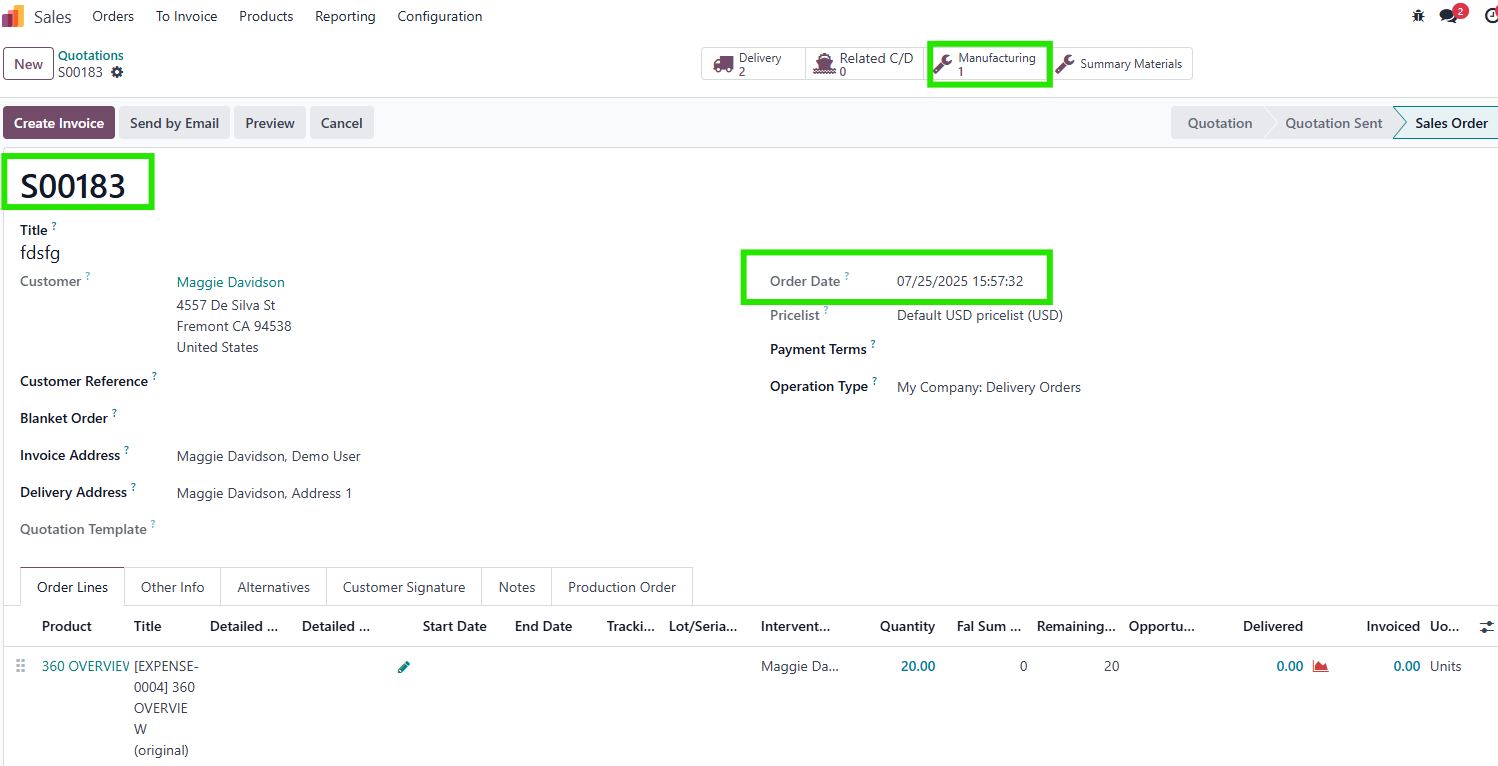
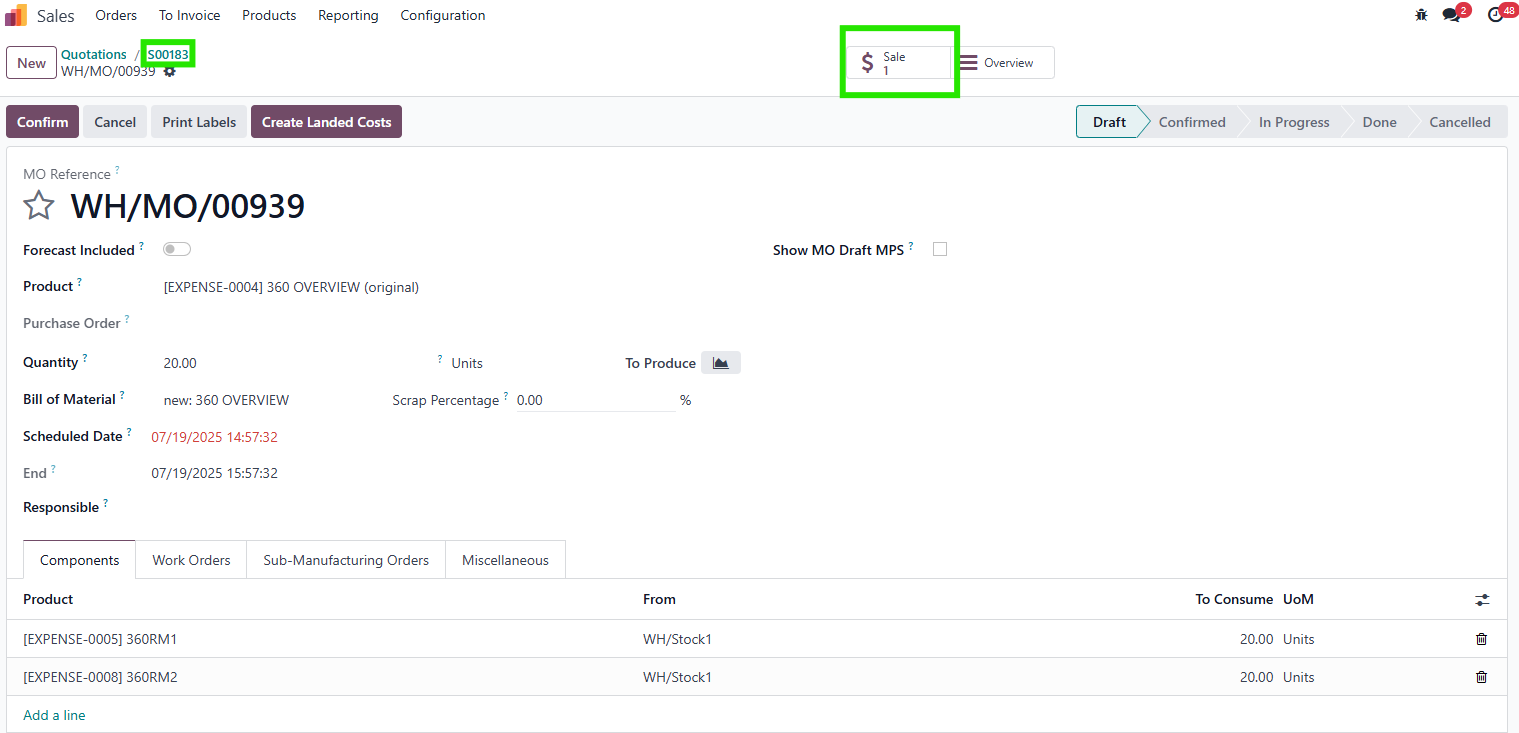
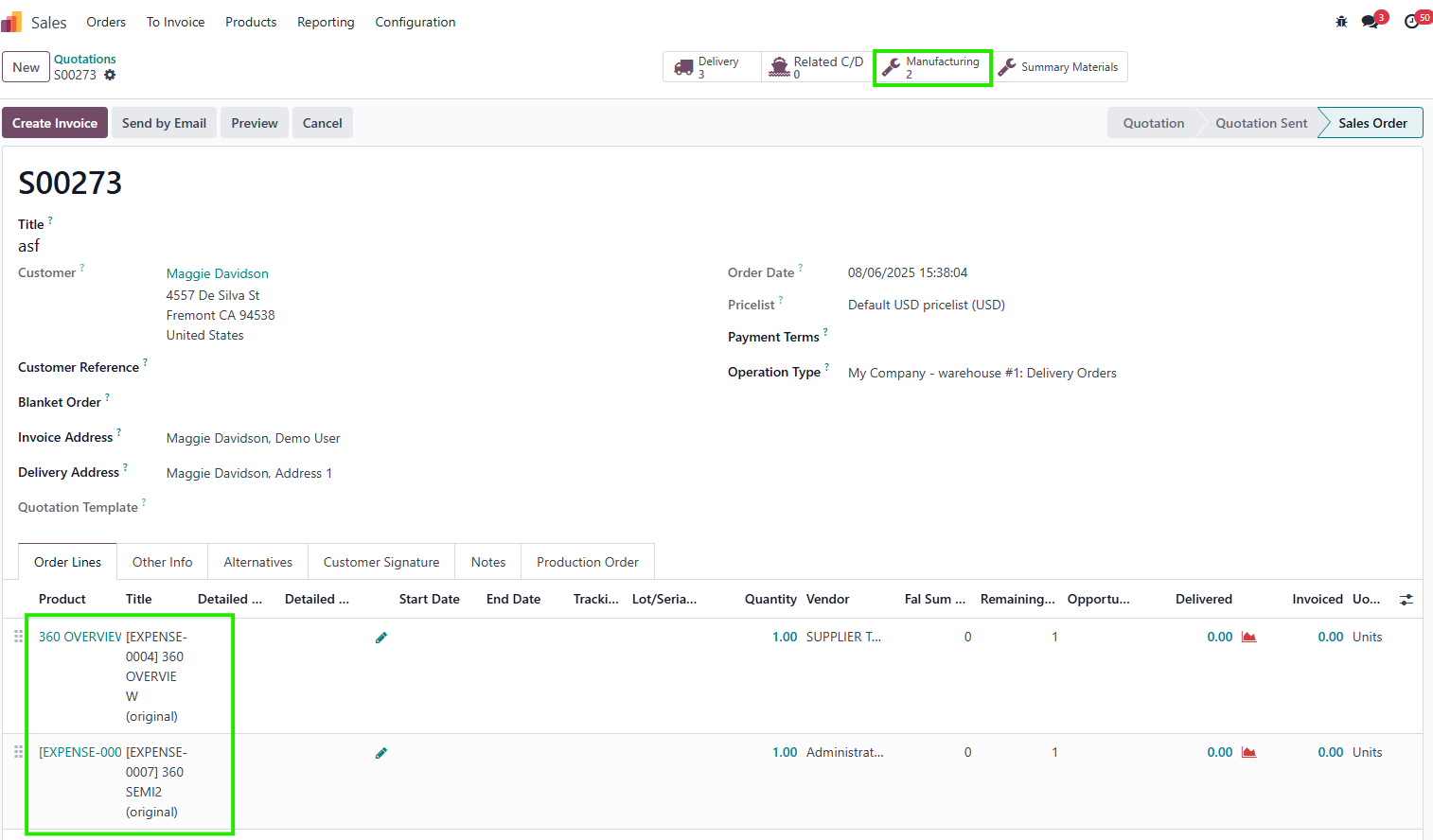
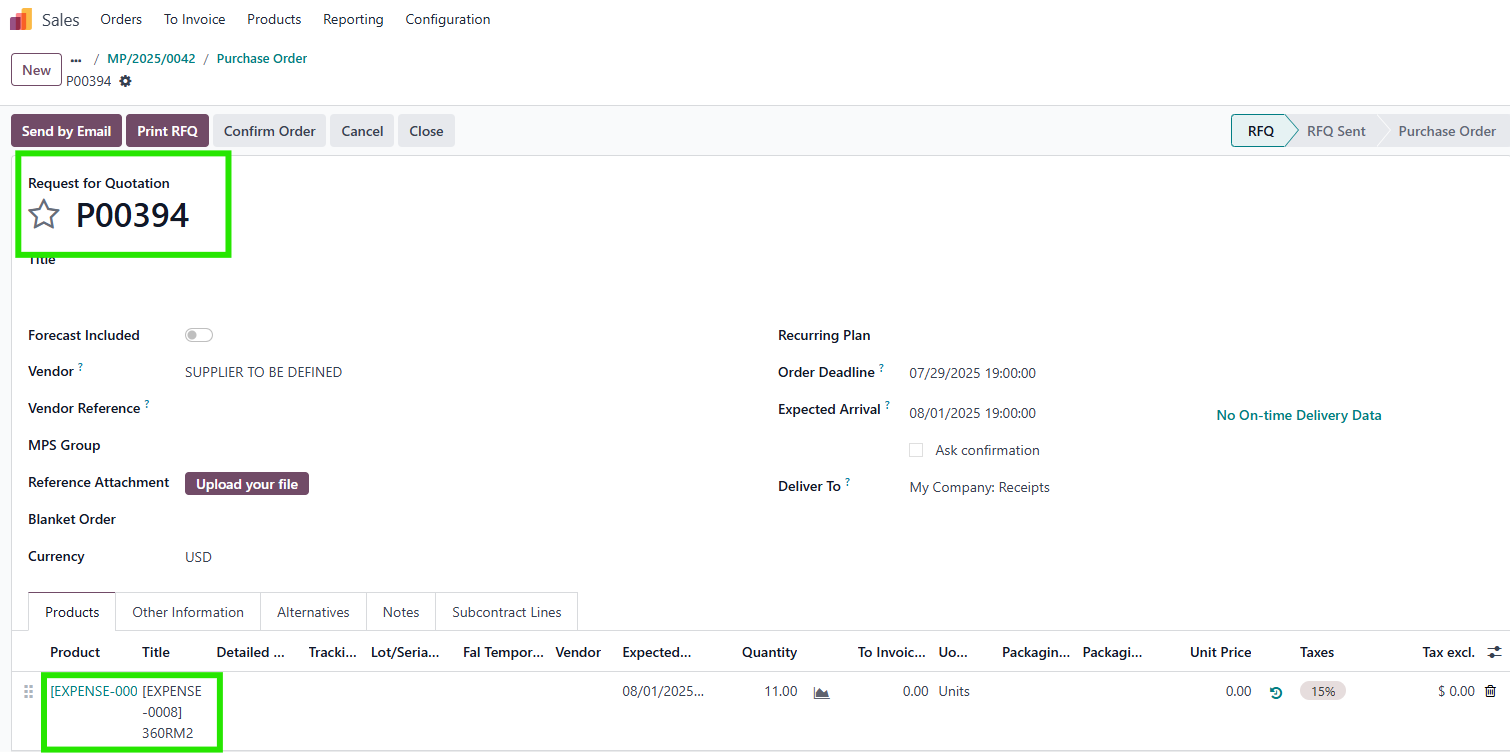
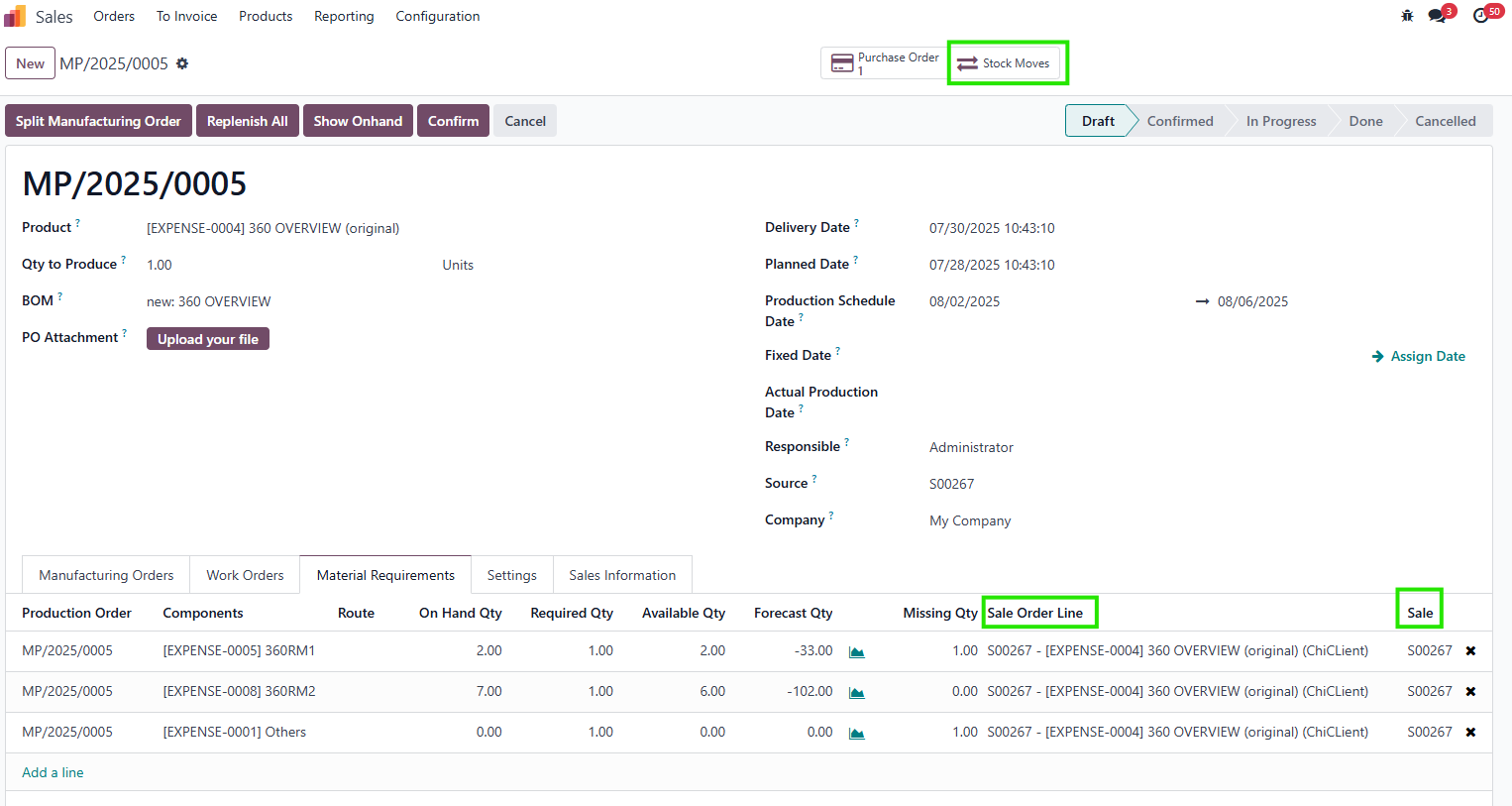
- Links POs to Sales Orders (SOs), Sale Order Lines (SOLs, for single-variant cases), RFQs, PO lines, stock moves, and a dedicated document folder for full traceability.
- Supports multiple main MOs with different product variants (same Product Template) in a single PO, compatible with Odoo v18.
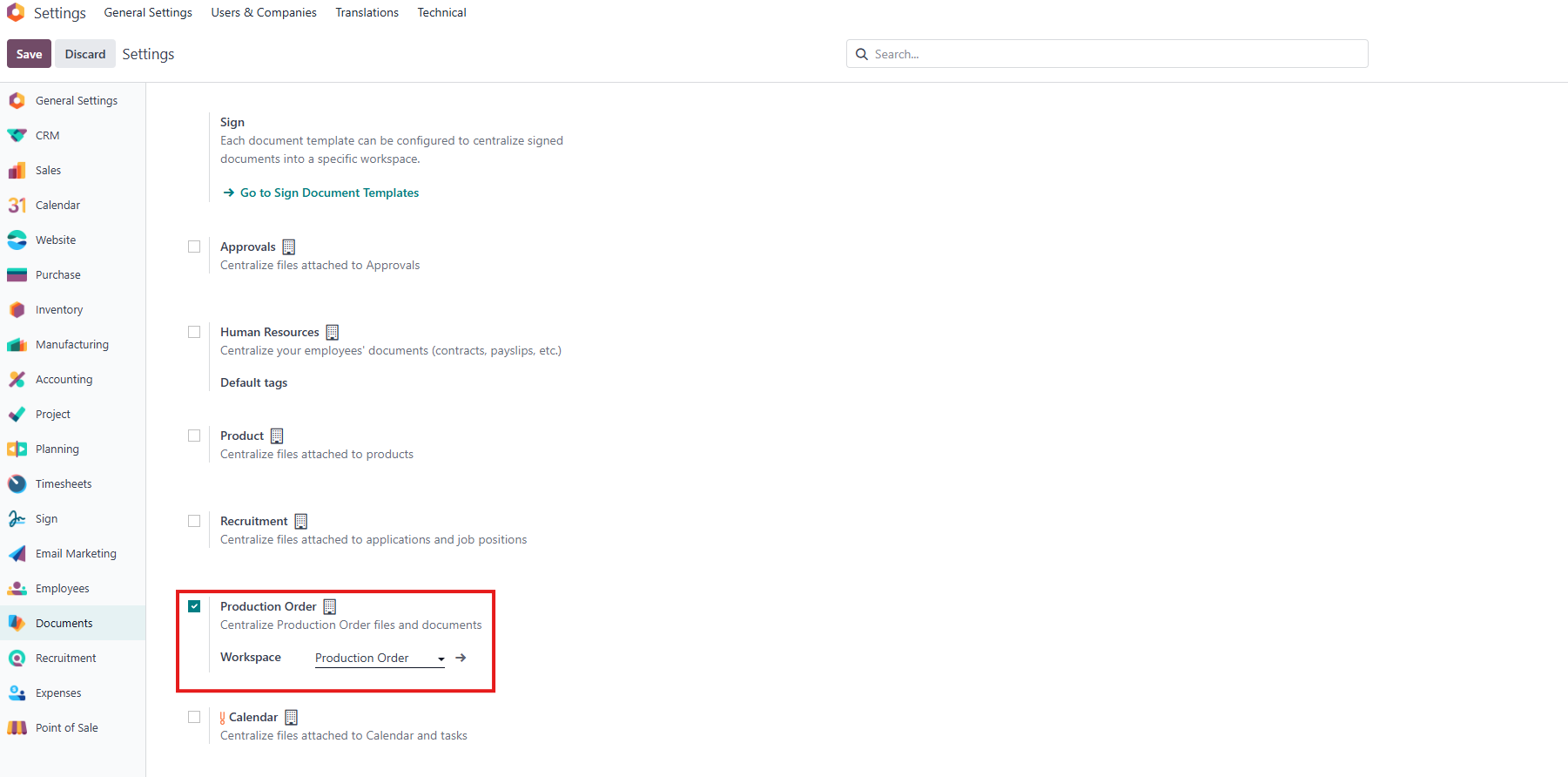
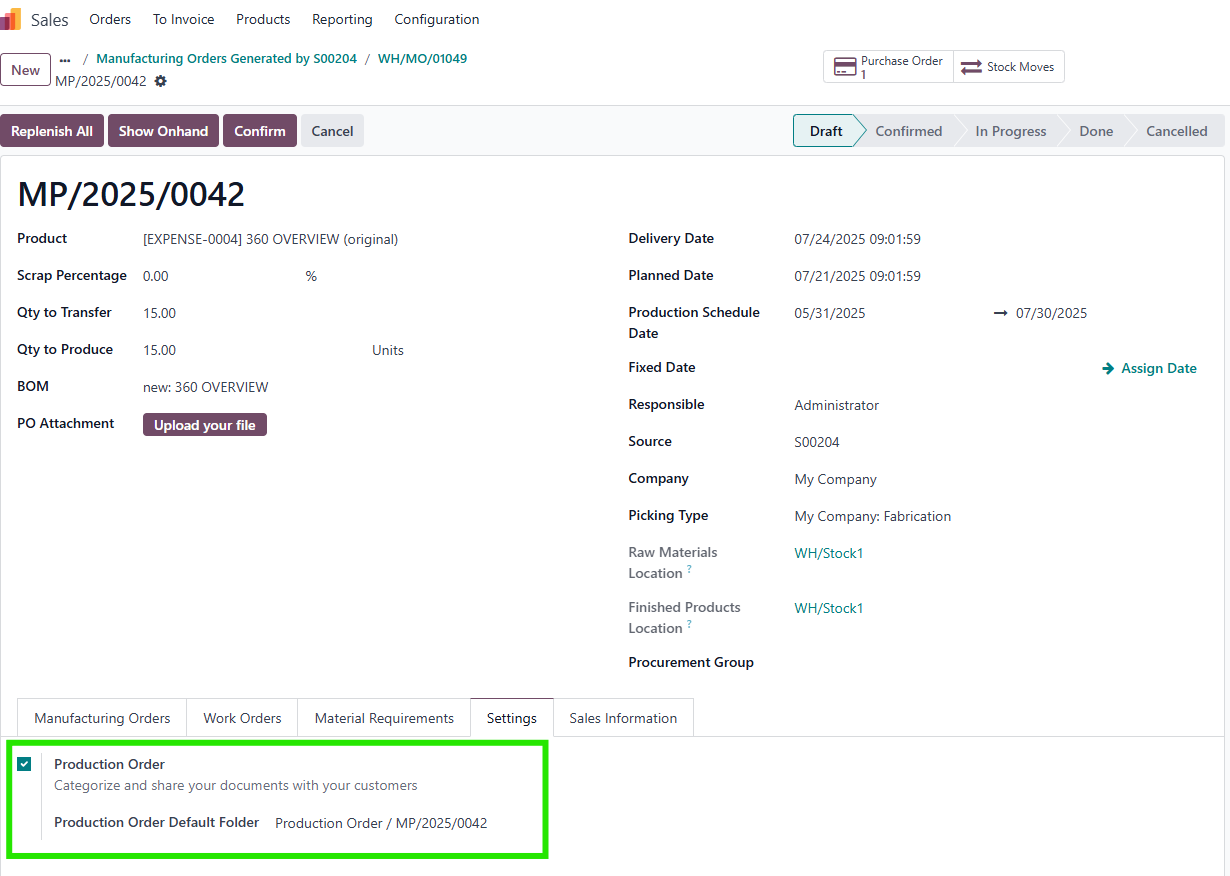
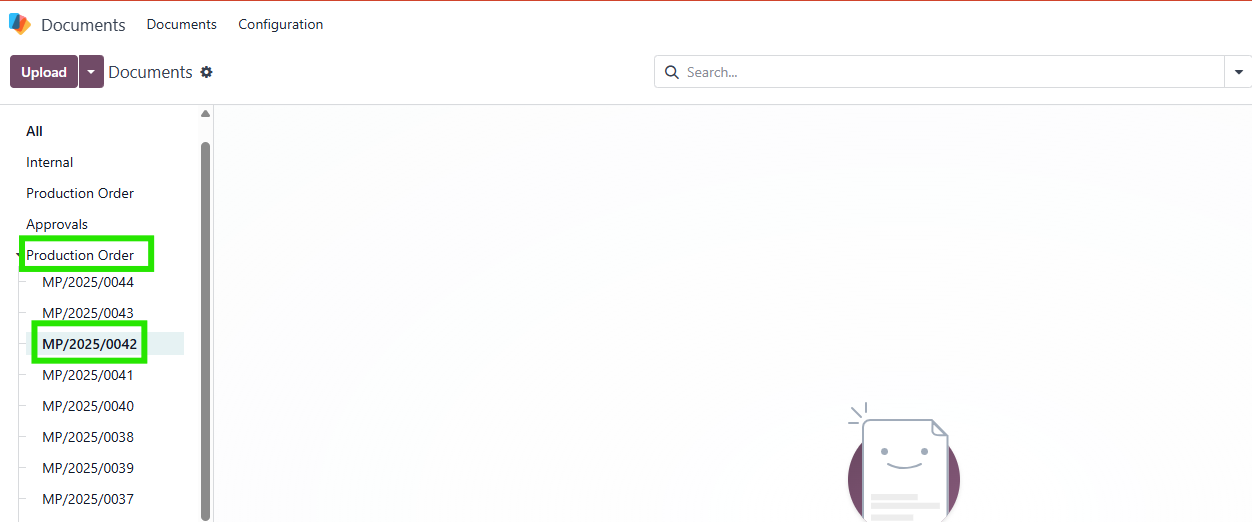
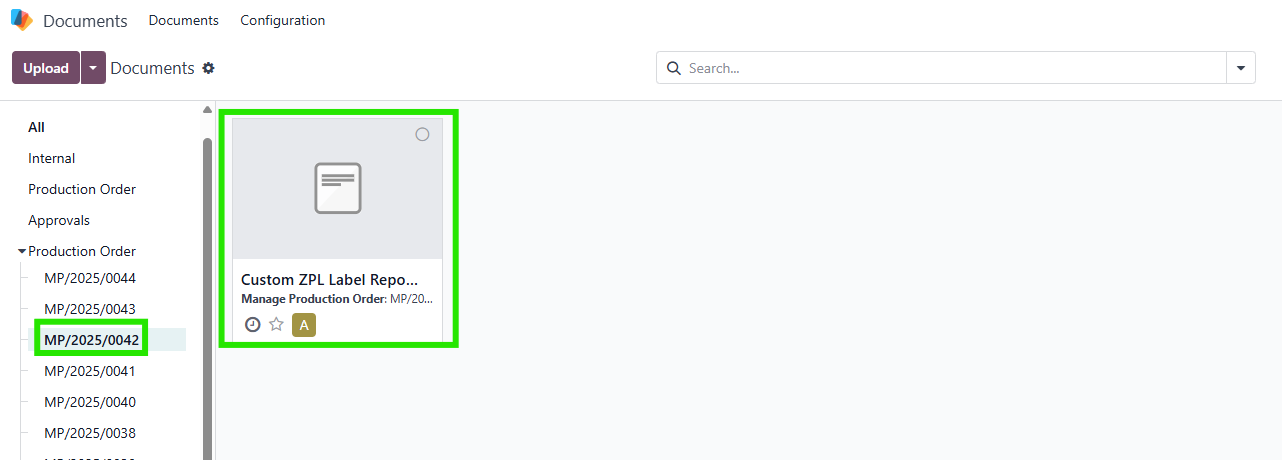
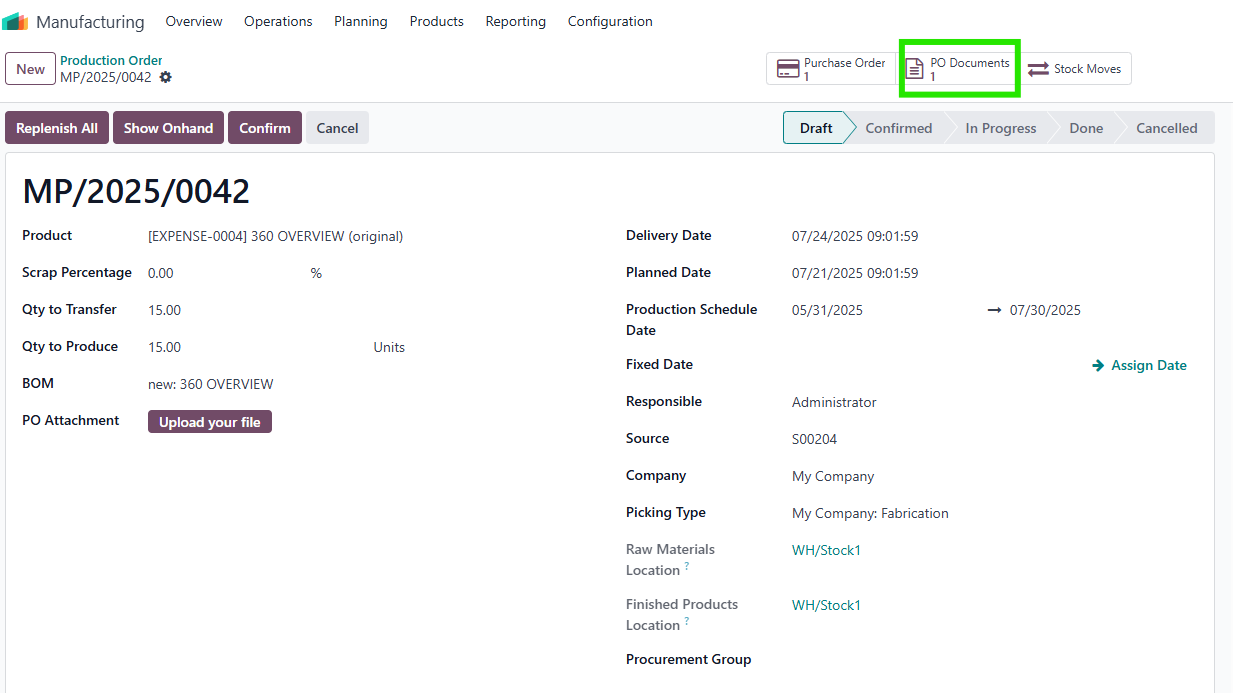
- Provides a dedicated document folder per PO, accessible via a smart button in the PO form.
- Allows manual editing of Qty Missing to handle cases where the same product appears in multiple POs or when semi-product Qty Missing is zero.
BUSINESS CASE
This module is ideal for manufacturing businesses that require precise production planning and comprehensive visibility into their production processes. For companies using Make-to-Order (MTO) strategies, the module simplifies scheduling by accounting for Production Leadtime and Production Capacity, ensuring timely production. It is particularly valuable for businesses with complex BOMs, multiple product variants, or high-volume production, where managing material requirements, replenishment, and traceability is critical. The 360-degree view reduces manual navigation, minimizes errors in replenishment, and ensures all related data (SOs, RFQs, stock moves, documents) is accessible from a single interface, improving operational efficiency and decision-making.
HOW TO USE THIS MODULE
HOW TO USE THIS MODULE
1. Configure Product Settings
|  |
2. Create and Configure Production Orders
|    |
Note:
|  |
3. Manage Manufacturing Orders (MOs)Go to Manufacturing > Operations > Manufacturing Orders or view MOs directly from the PO form. Look for:
Note:
|   |
4. Manage Material Requirements
Note: Forecast Qty column has been removed from the Material Requirements tab since v19 | 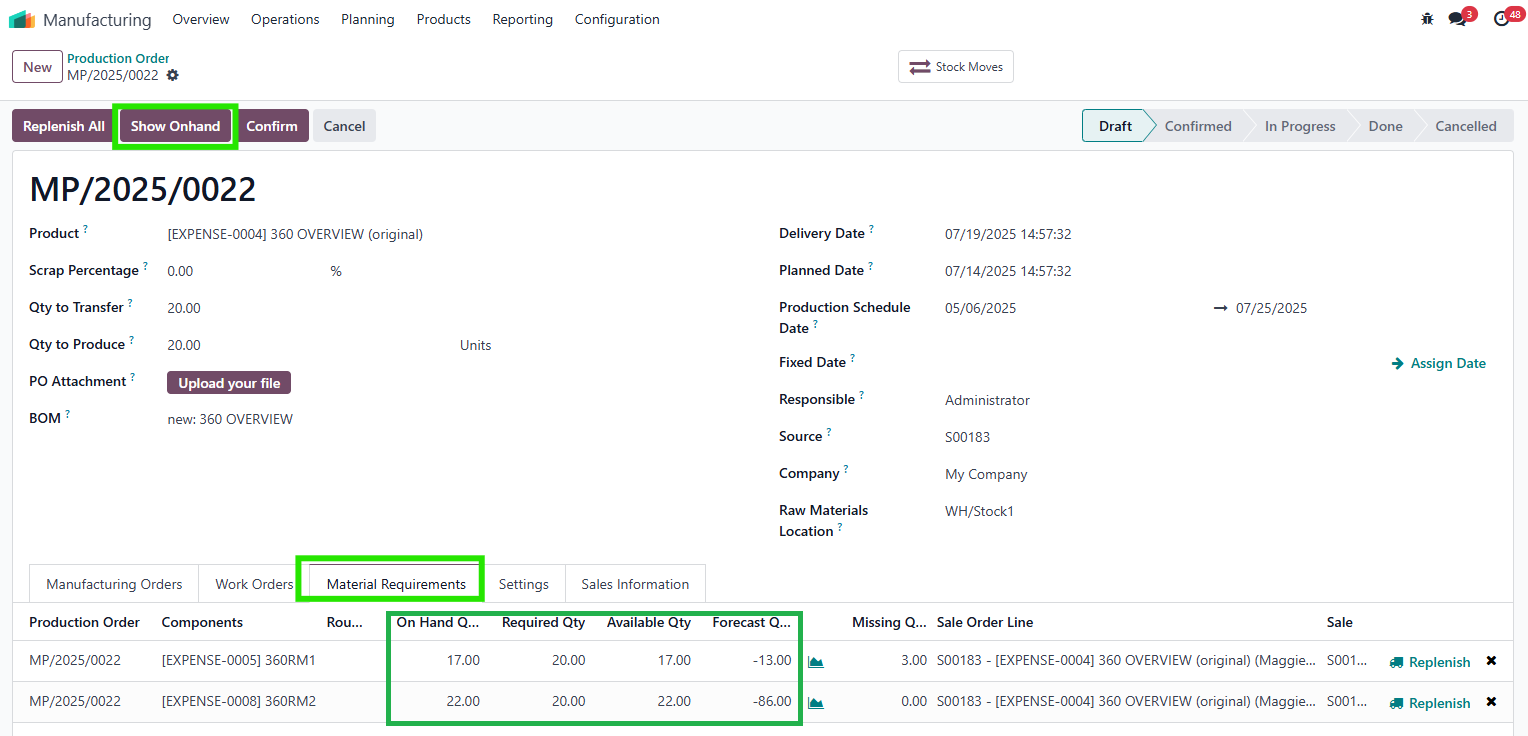 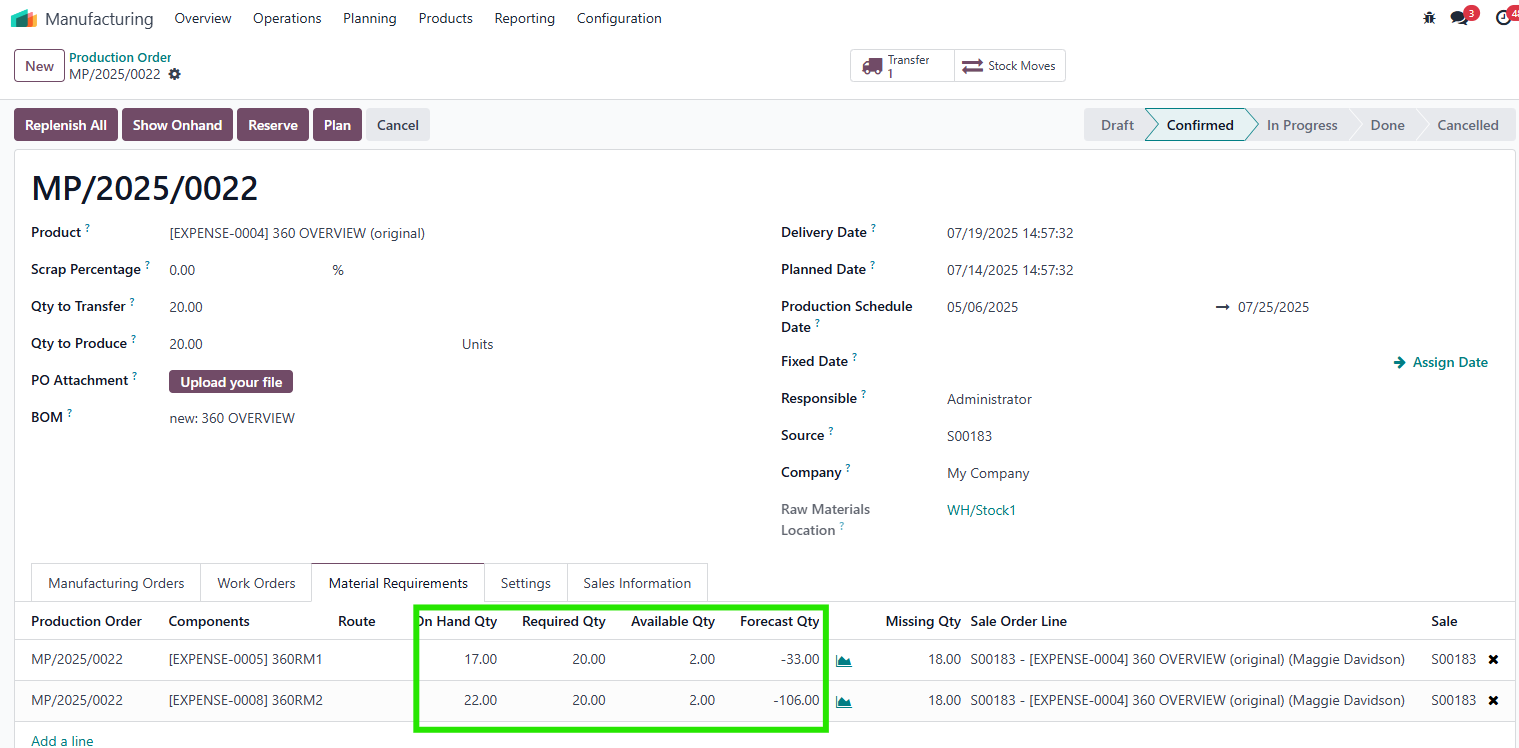 |
Note:
|   |
Note:
|    |
5. Replenish Materials
|    |
|    |
|    |
6. Manage Documents
|      |
7. Link to Related Records
|  |