ODOO'S FUNCTION
Odoo tracks and manages your Manufacturing Orders one by one - straightforward, but no way to group or oversee production runs at a macro level.
CLUEDOO'S FUNCTION
CLuedoo introduces full Production Orders management - plus two smart filters built right into the view: Delivery Today and Delivery Tomorrow. Need to plan ahead? Delivery Tomorrow is calendar-aware, automatically skipping weekends and public holidays so "tomorrow" always means the real next working day. No mental math, no second-guessing dates, just the right production orders surfaced at the right time, ready to act on.
CONFIGURATION | |
Go to Time Off > Configuration > Public Holidays > Set up the Start Date/Time and End Date/Time for your holidays > Click Save | 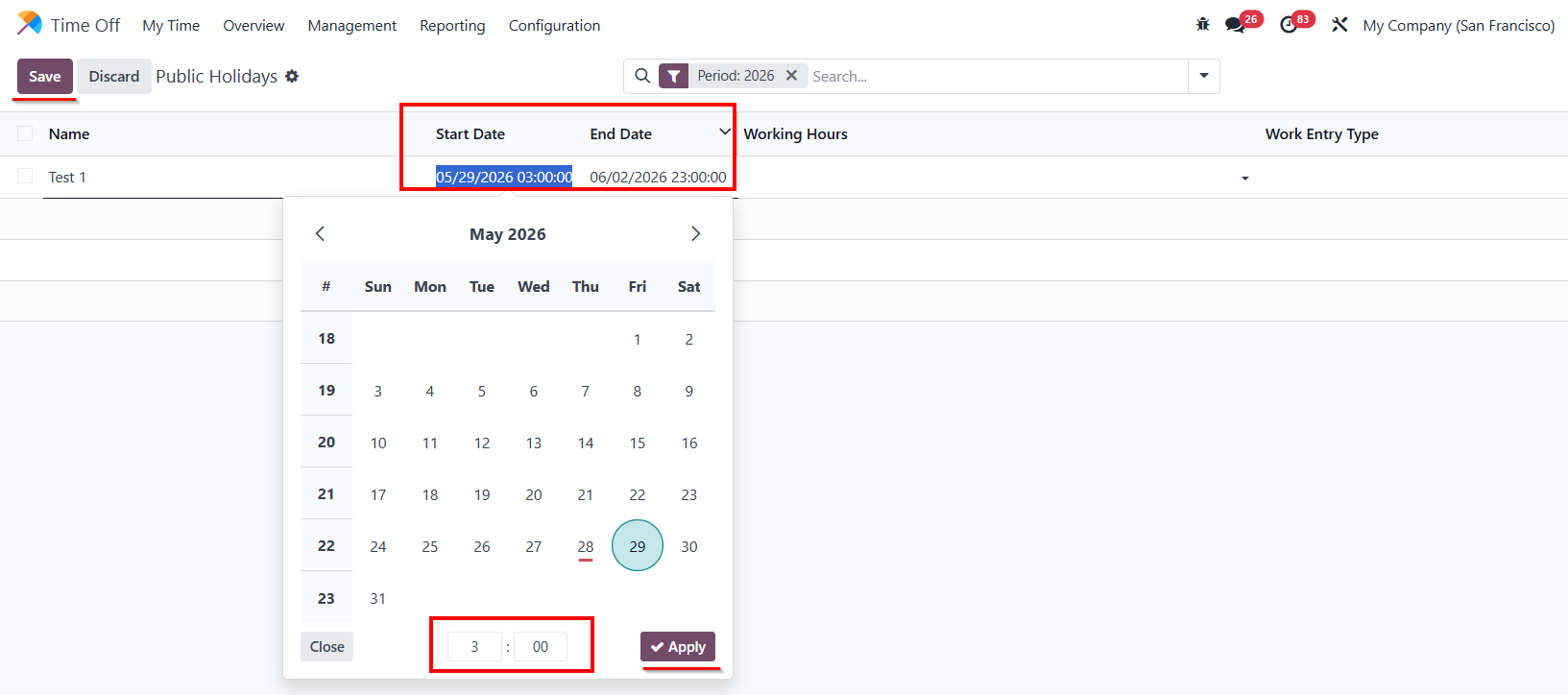 |
USAGE | |
Go to Manufacturing > Operations > Production Orders. Click the Search bar > Filters > Choose Delivery Today or Delivery Tomorrow. | 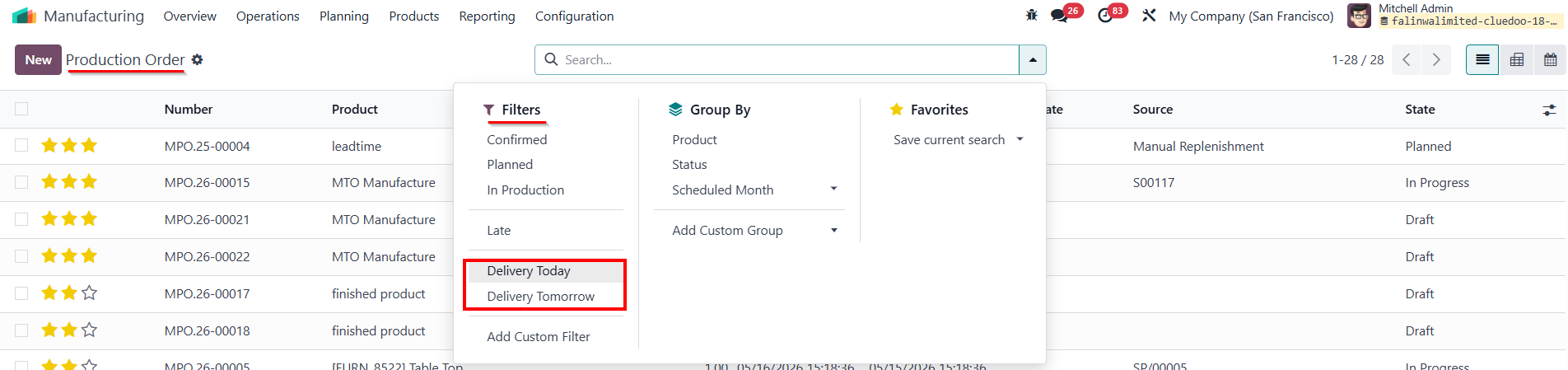 |
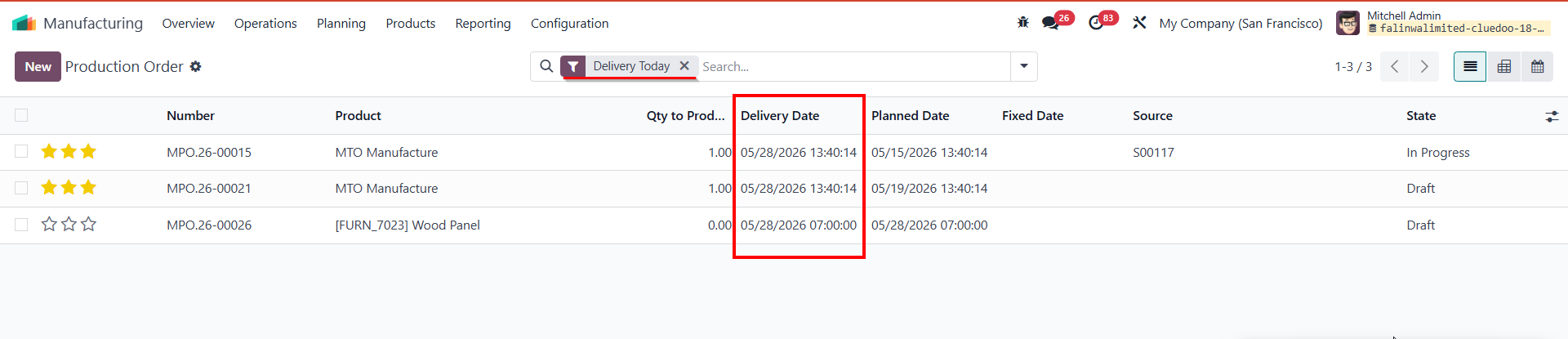
DELIVERY TODAY The system displays Production Orders where the delivery date matches today's exact date. e.g., If today is May 28 (Thursday), the list only shows POs with Delivery Date = May 28. |
|
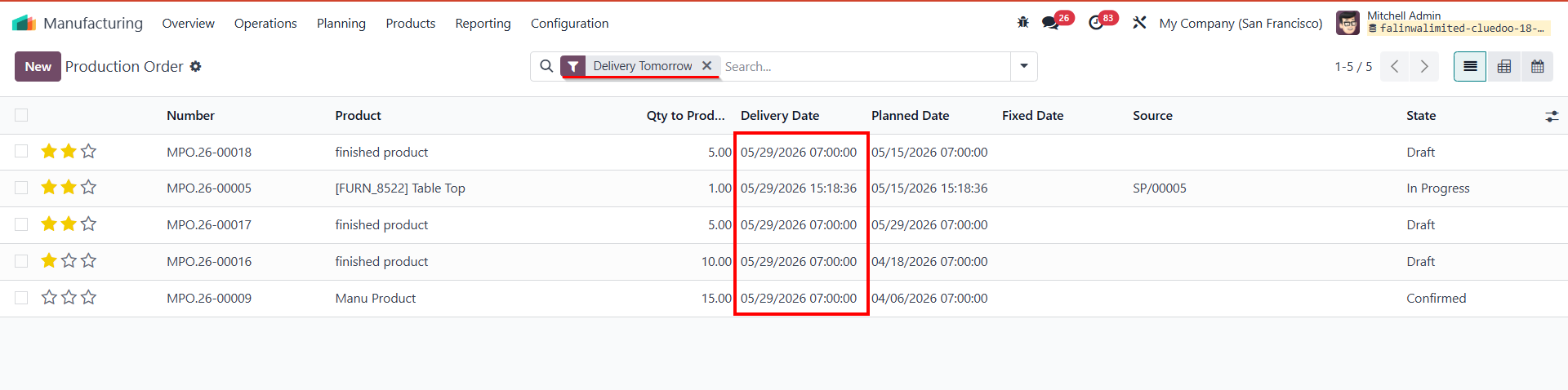
DELIVERY TOMORROW Case 1: Normal working day The system simply displays the POs for the exact next calendar day. e.g., If today is Thursday (May 28), the list shows POs for Friday (May 29). |
|
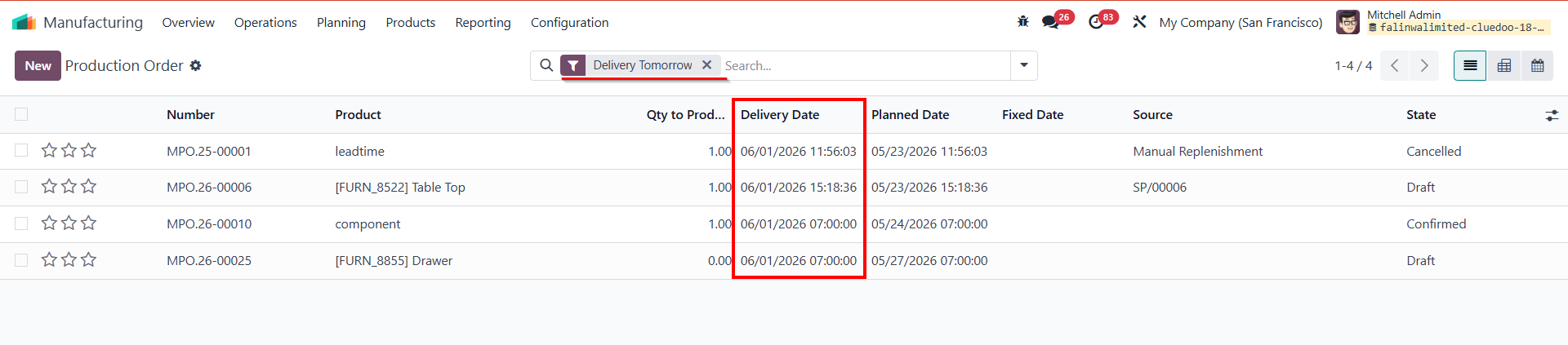
Case 2: Skips Holiday & Weekend The system skips any configured holiday(s) and weekends to find the next available working day. e.g., Today is Thursday, May 28. You configure a holiday for Friday, May 29. The system will skip May 29 (Holiday) and skip May 30-31 (Saturday & Sunday), displaying POs for Monday, June 1. |
|
Case 3: Long Holiday & Working Hour Logic e.g., Today is Thursday, May 28. You configure a long holiday from May 29-June 2. Time Logic: The result depends strictly on the exact end time of the holiday compared to the company's working hours (e.g., 07:00 AM):
|
|
|
|