


STORY BEHIND THE FEATURES
ODOO BEHAVIOR
Odoo Inventory handles the administrative process of inter-warehouse transfers to ensure that inventory counts remain accurate during and after the transfer.
However, Odoo Inventory only displays quantity on hand of Internal Location, without counting inter-warehouse quantity.
cluedoo BEHAVIOR
Cluedoo provides a feature which will demonstrate on-hand quantity of Internal Location and Inter-warehouse seperately, leading to a more convenient administration without any confusions.
MODULE+
In Inventory, for each product, users get the following information:
- On-hand quantity - Internal Locations.
- Qn-hand quantity - Interwarehouse transit.
Based on these info, users can be informed of how many on-hand products there are in current time to ensure supply and shipments to customers.
HOW TO USE THIS MODULE ?
1
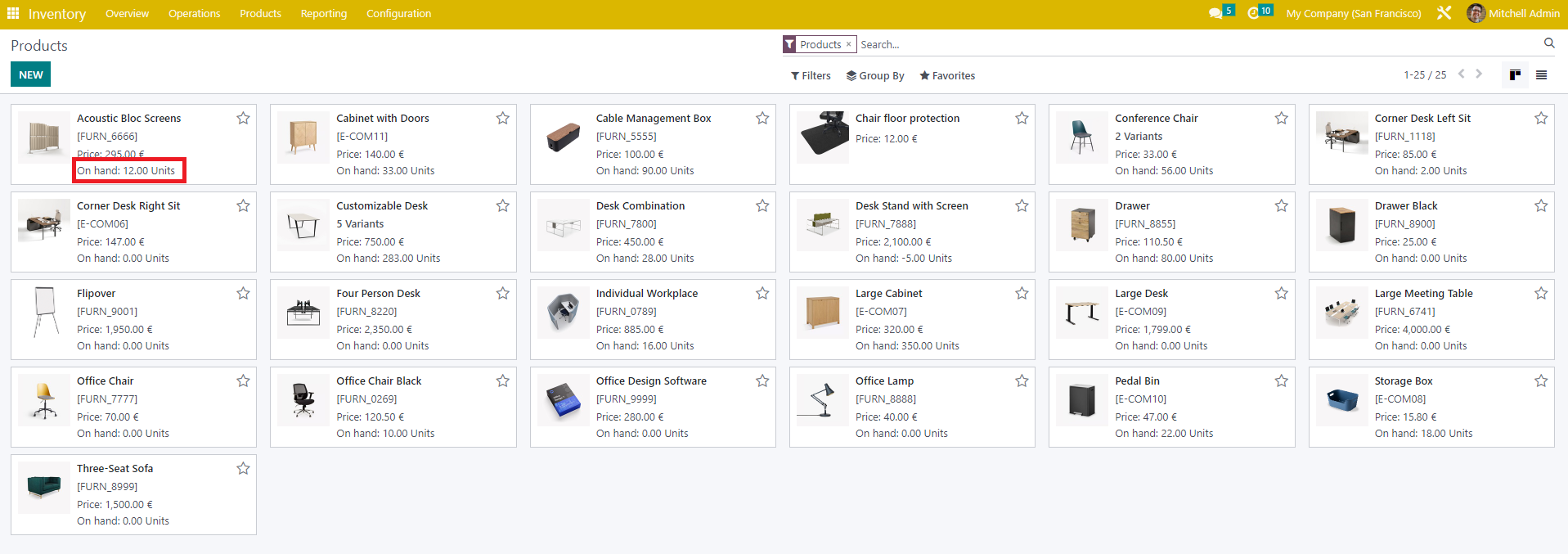
Within the list of products, the on-hand quantity of Internal Location is displayed.
2
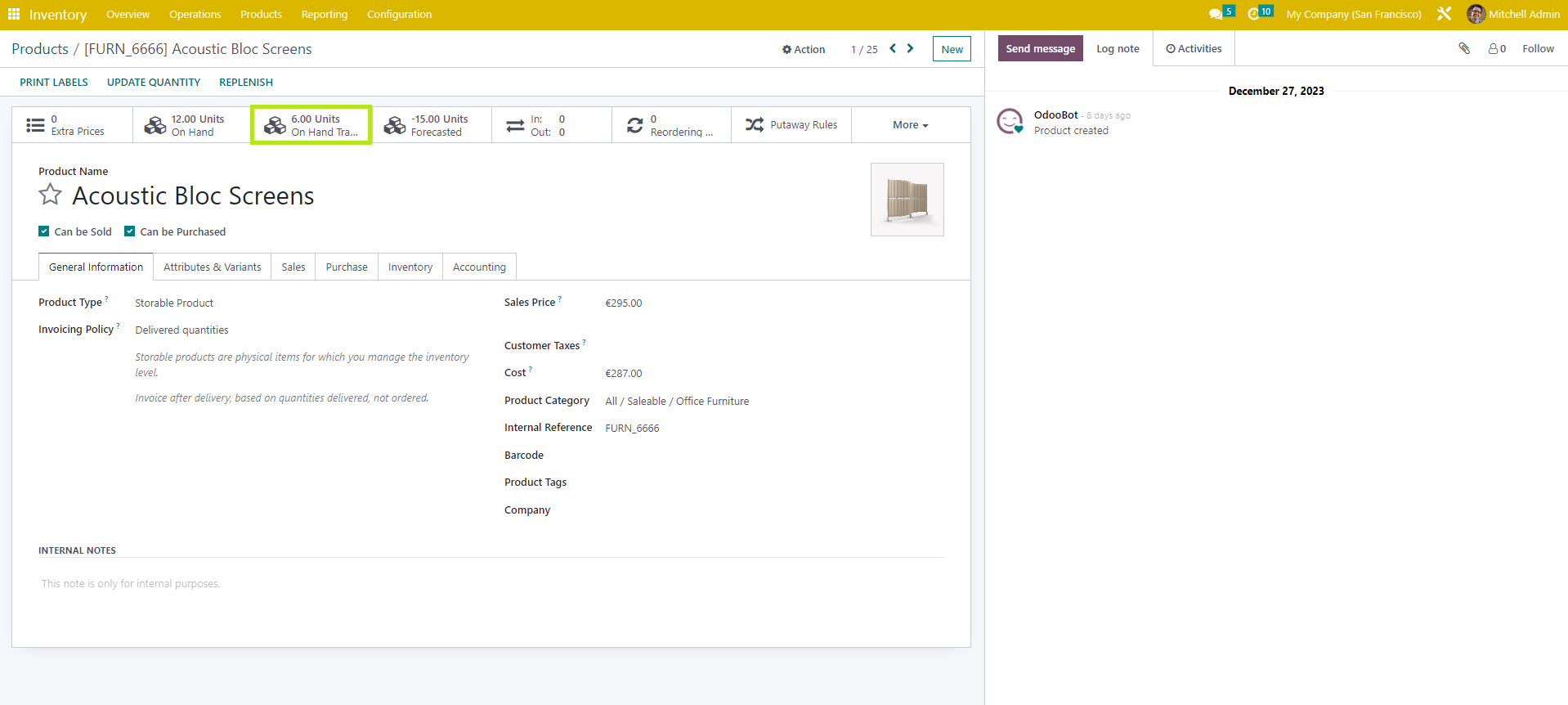
However, within each product, apart from on-hand Internal Location quantity, the amount of on-hand Inter-warehouse transit is also displayed as Smart-button.
3
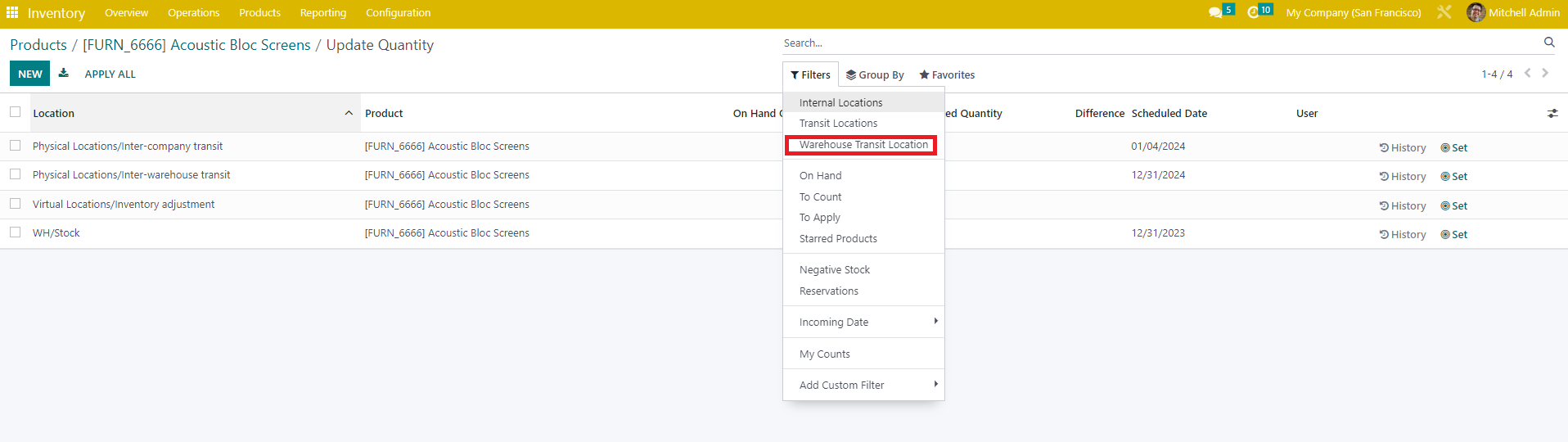
Within "Update quantity", to view Inter-warehouse transit quantity seperately, users can use the "Warehouse Transit Location" filter.