





ODOO'S FUNCTION
In Odoo, the “Add shipping” button on Sales Order is available for adding shipping fees to the quotation. However, this function is limited to Sales Orders only and does not extend to Purchase Orders.
CLUEDOO'S FUNCTION
Cluedoo enhances Purchase Order management by introducing:
1️⃣ "Add shipping" buttion to Purchase Orders
2️⃣ Automatic update of the total amount after adding Shipping cost, with the same behavior as in Sales Orders
This ensures consistent handling of shipping costs across both Sales Orders and Purchase Orders.
1. Click button "Add shipping" | 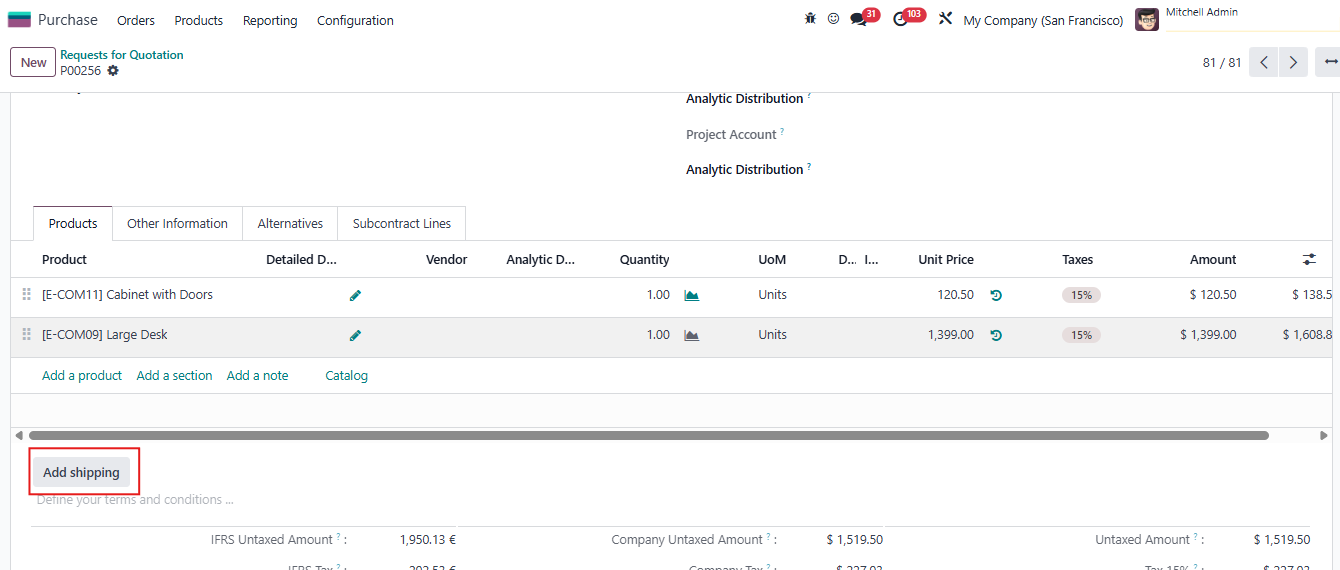 |
2. It will open wizard to add shipping method. | 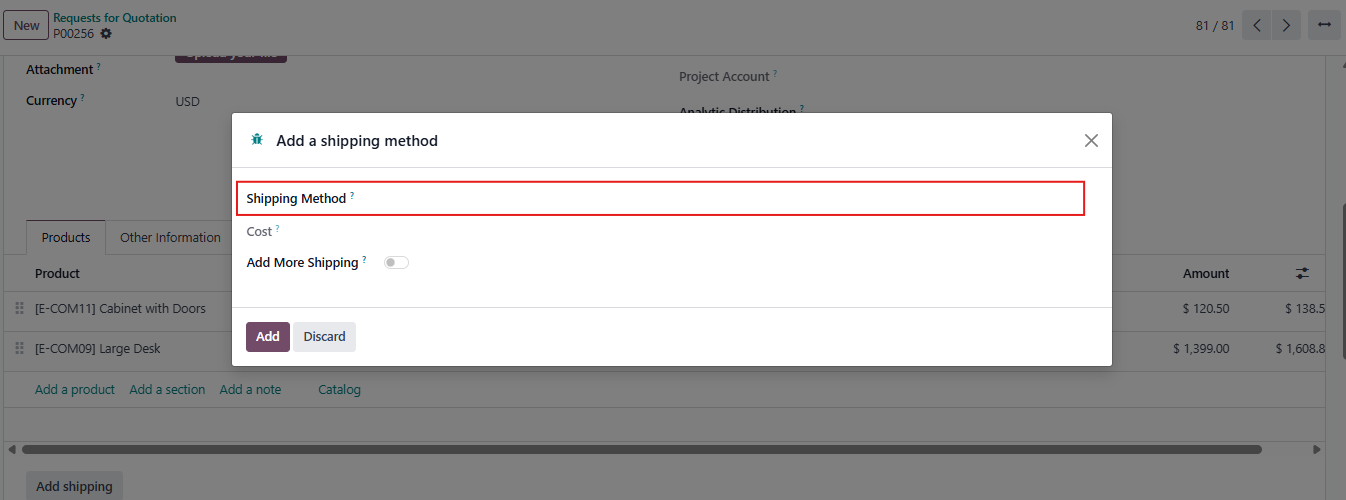 |
3. Choose Shipping Method and click "Add" | 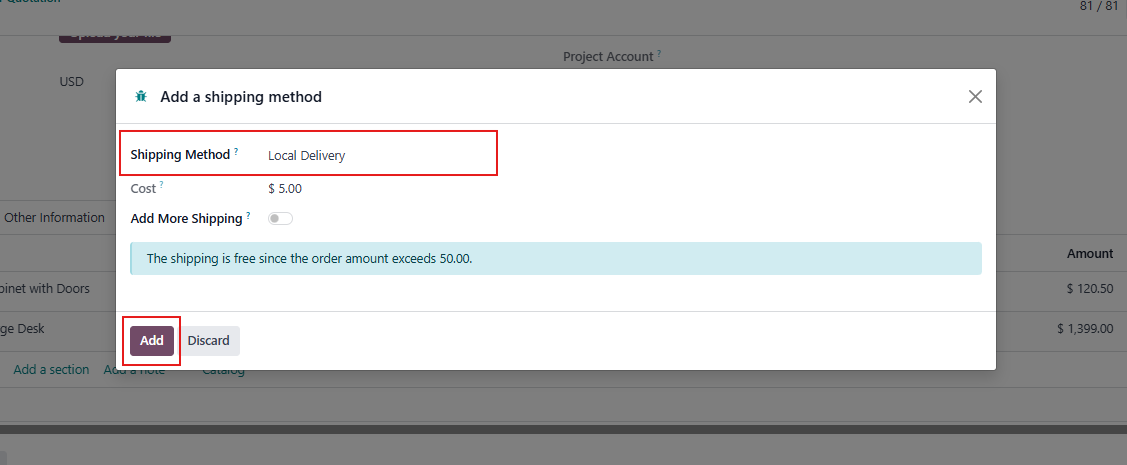 |
4. The shipping line will be added on Product lines. Total amount is also updated. | 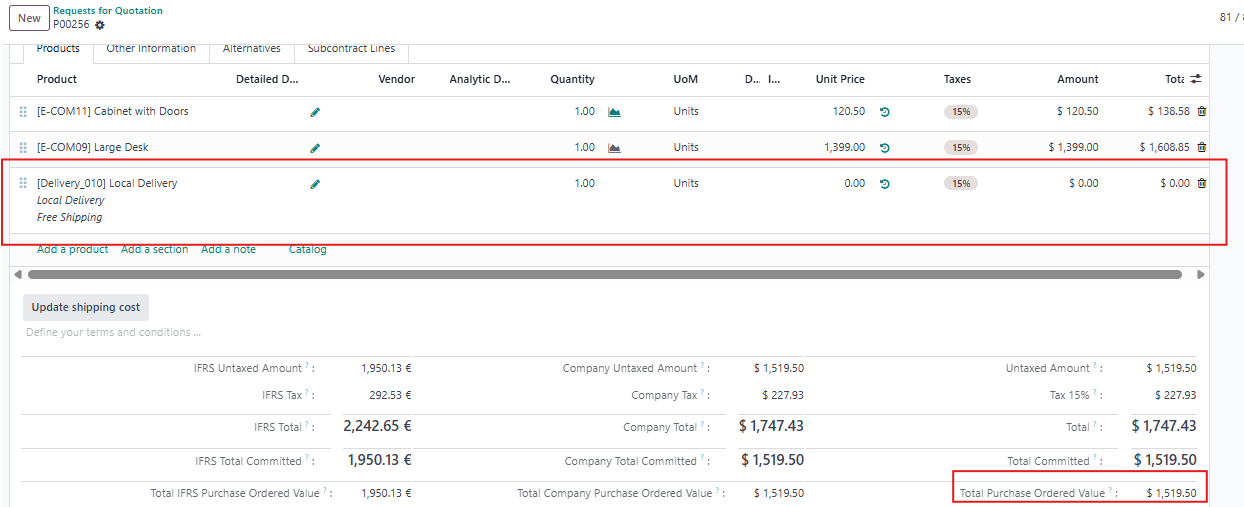 |