


ODOO'S FUNCTION]
In Odoo, there is no Revenue Sharing, so sales revenue cannot be automatically allocated to their individual components.
CLUEDOO'S FUNCTION
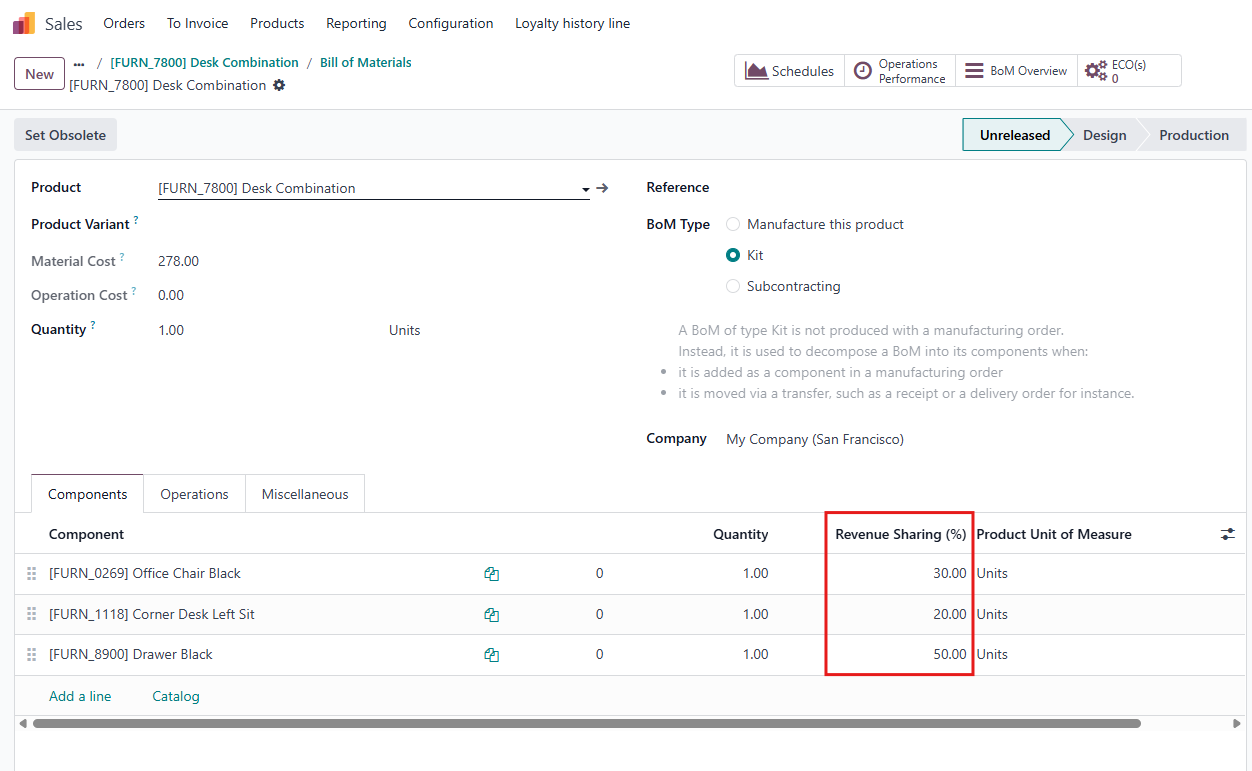
CLuedoo enhances the standard process by introducing Revenue Sharing (%), allowing sales revenue from Kit products to be allocated among their component items and extending to Point of Sale. This improvement leads to enhanced accuracy and better traceability in revenue management.
CONFIGURATION | |
1. Go to a product's Bills of Material and set the Revenue Sharing (%) for each component of the product. Notes:
|
|
2. Go to Settings > Enable Closing Entry by Product checkbox | 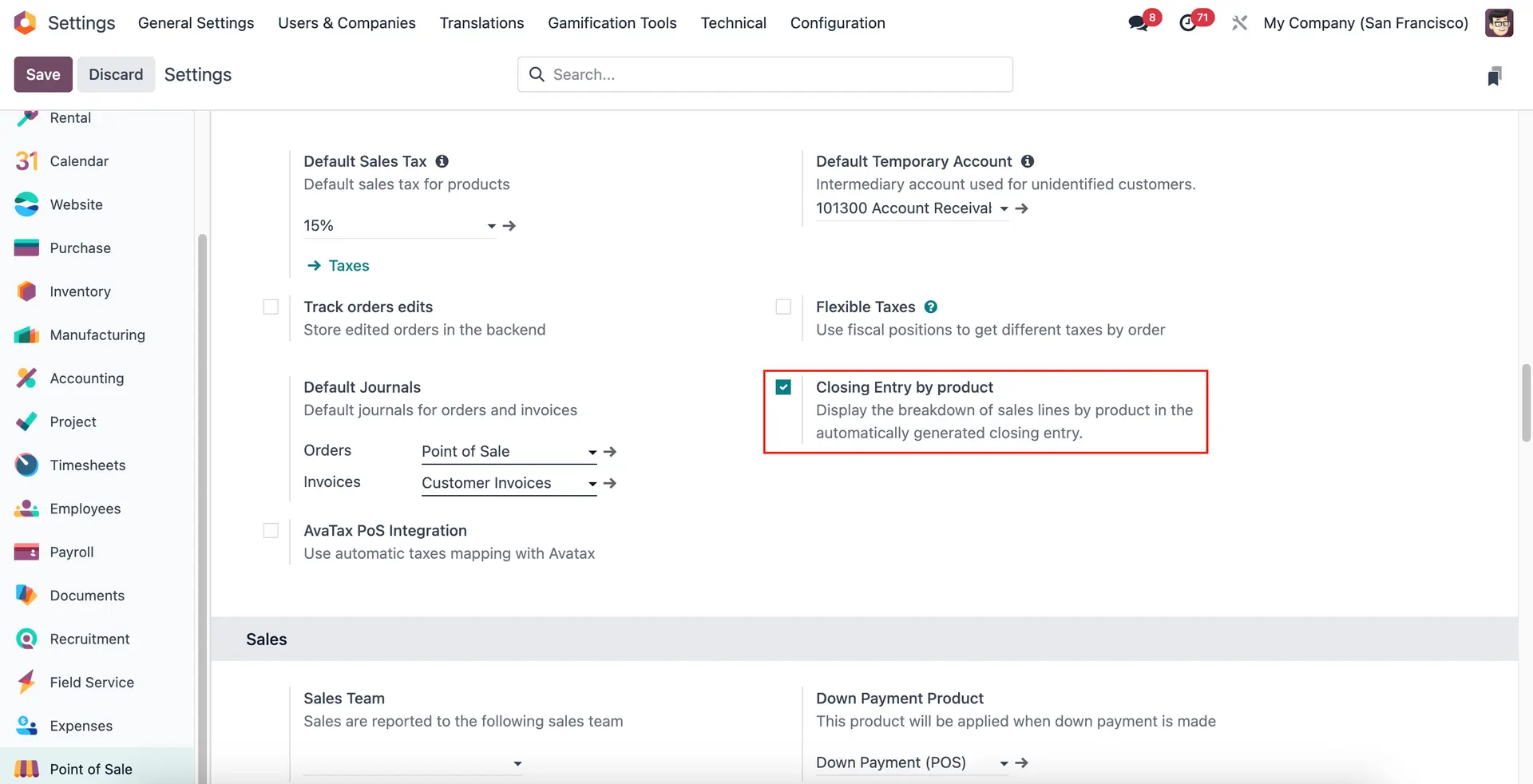 |
USAGE | |
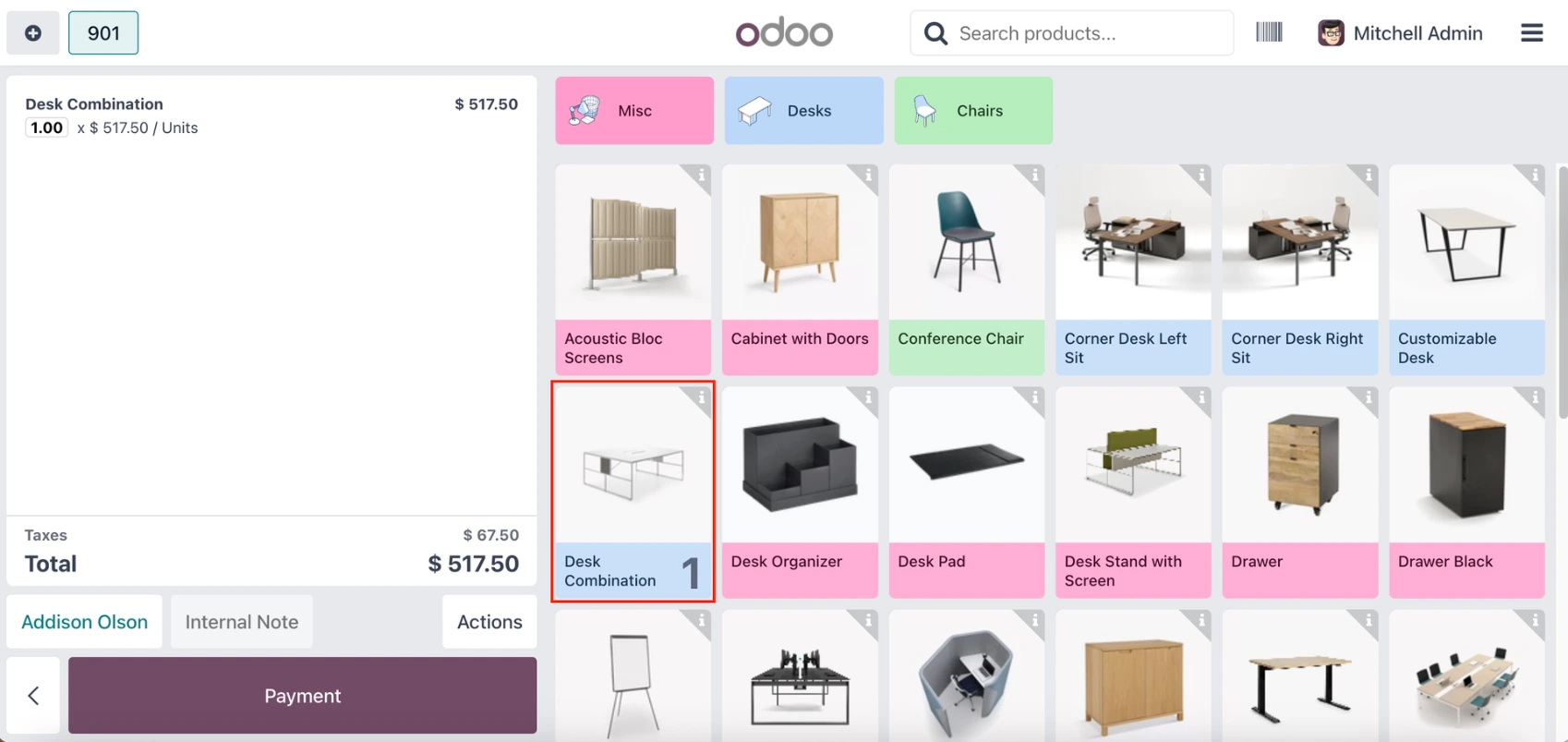
1. Go to a Point of Sale session and choose the product that you set up in step 1 > Payment |
|
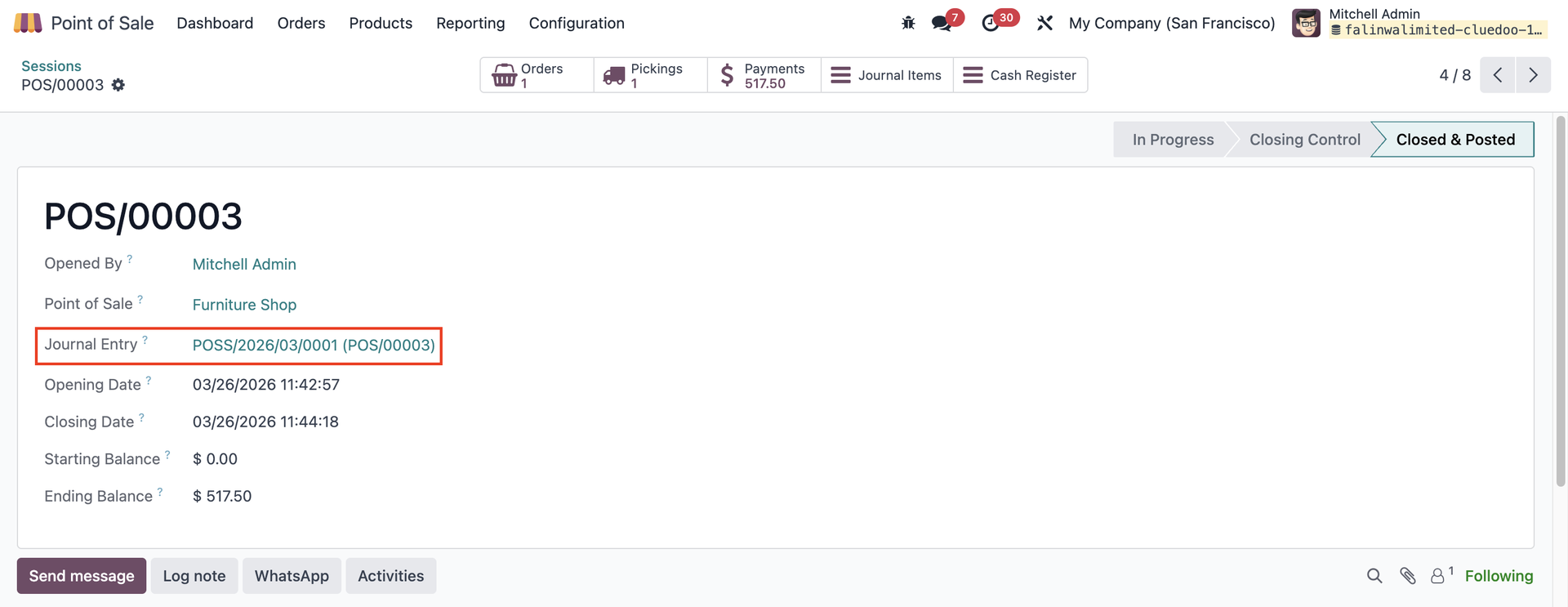
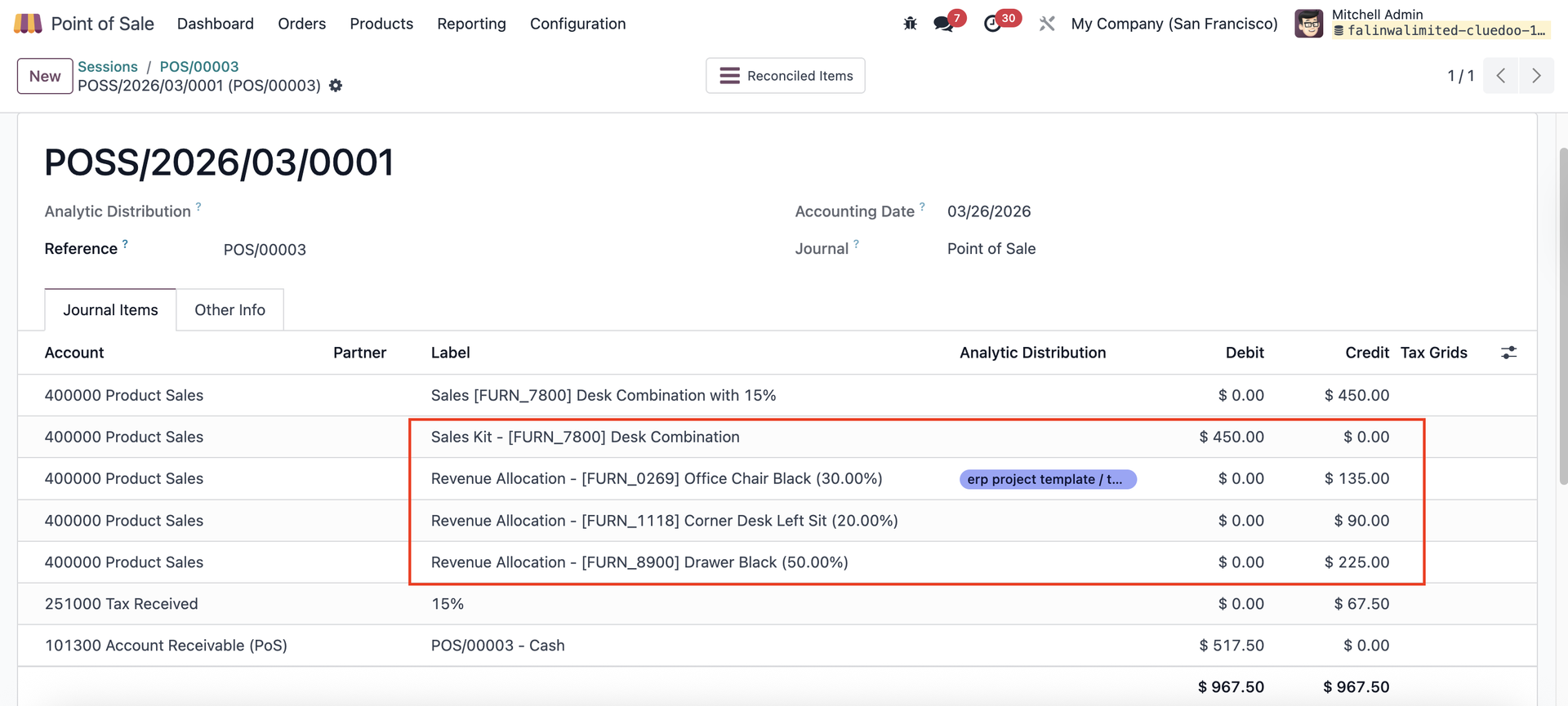
2. Finish the order and Close Register > open the related POS Journal Entry. |
|
In the Journal Items tab, you can see how the revenue from the KIT sale is allocated to each component.
Formula:
|  |