



ODOO'S FUNCTION
In Odoo, Contacts do not have technical parameters or built-in version control. Changes to contact information are made manually, with no structured method to track or review historical modifications.
CLUEDOO'S FUNCTION
Cluedoo adds a "Technical Parameter" field to Contacts and integrates it with PLM/ECO (Engineering Change Orders) for controlled change management. Each update creates a new Version of Partner (e.g., v1, v2, v3), and older versions are archived and viewable for traceability. This ensures structured, auditable, and versioned partner information—ideal for regulated industries or B2B partner management.
1. Go to Contacts > Partner Target Parameter Type > Add some types | 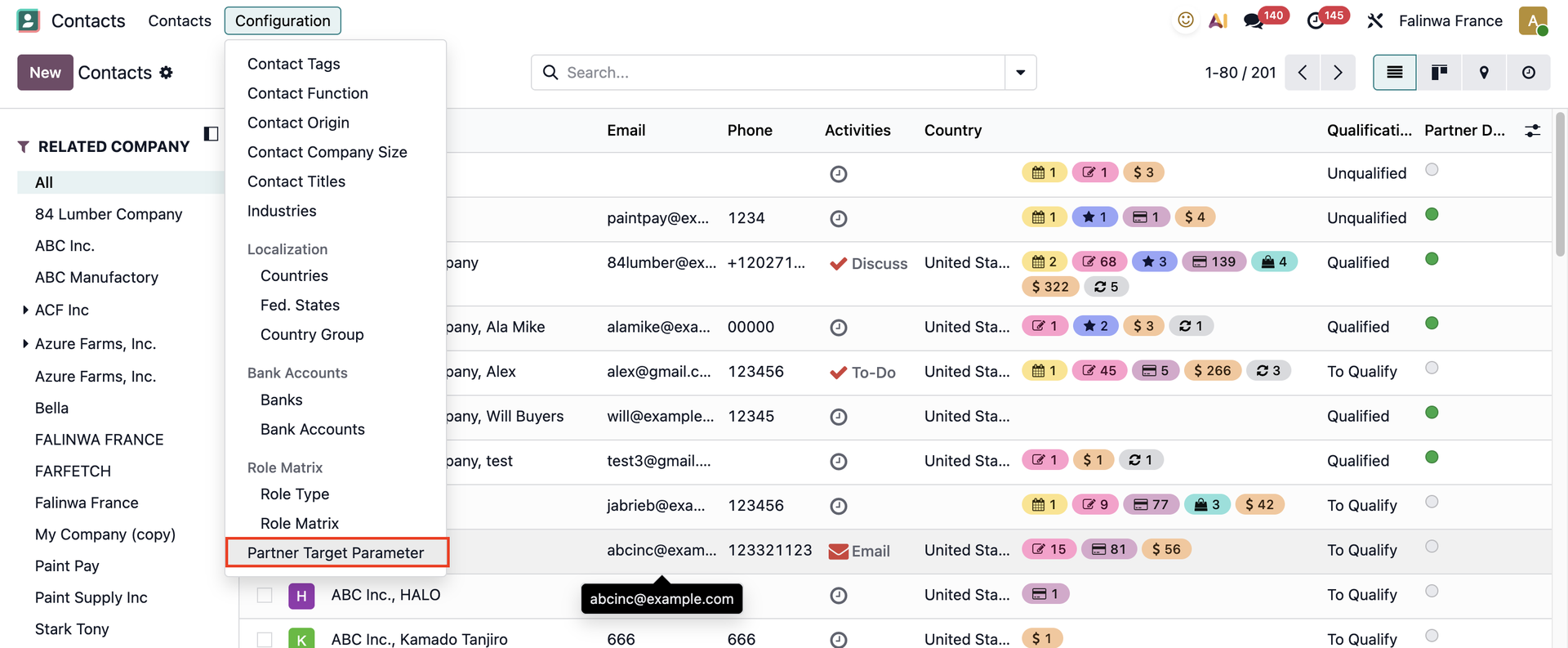   |
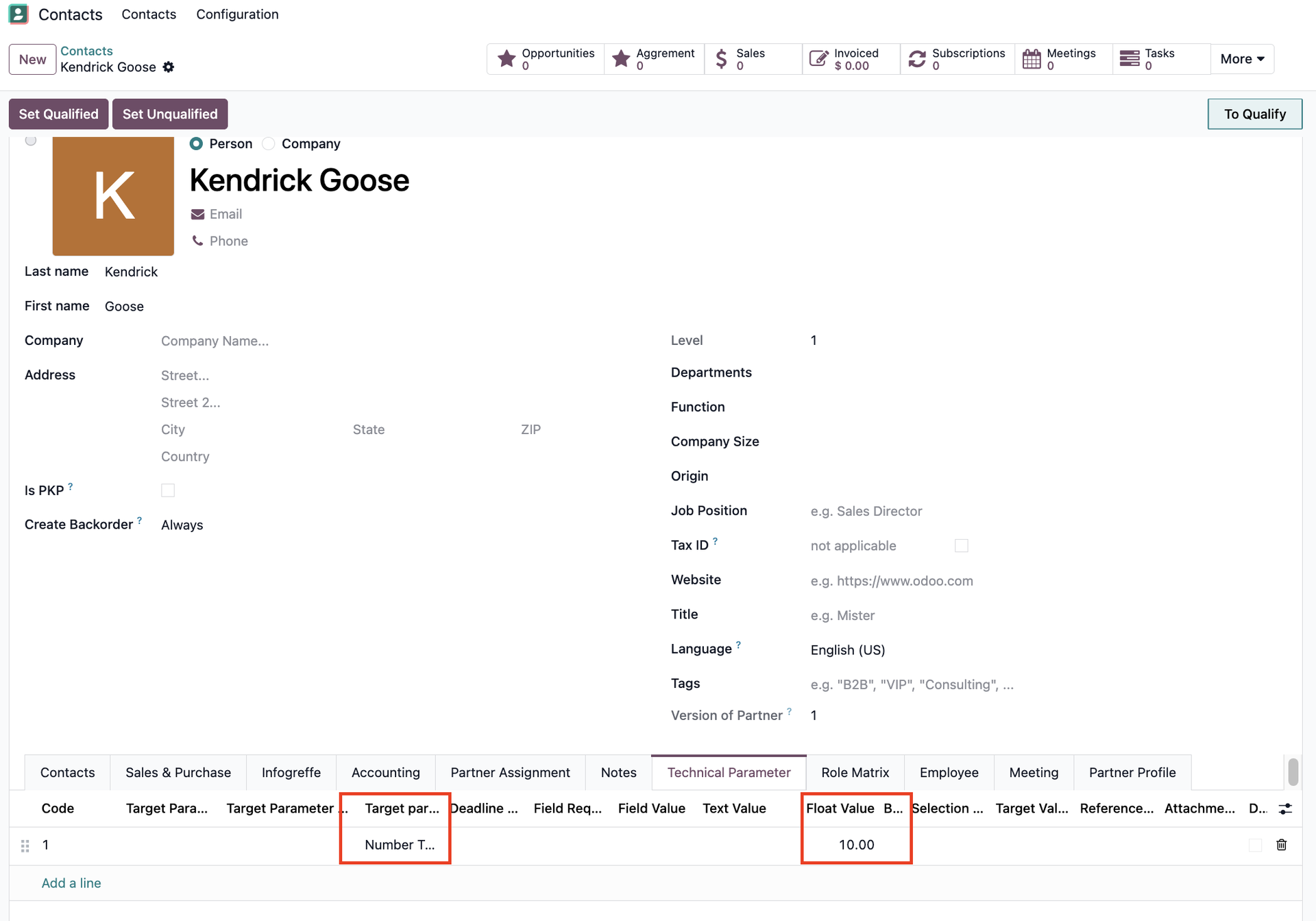
2. Choose a contact > Add the parameter values under the Technical Parameter tab
|  |
3. Go to PLM > Changes > ECO > Create a new ECO and fill in all the necessary information > Start Revision | 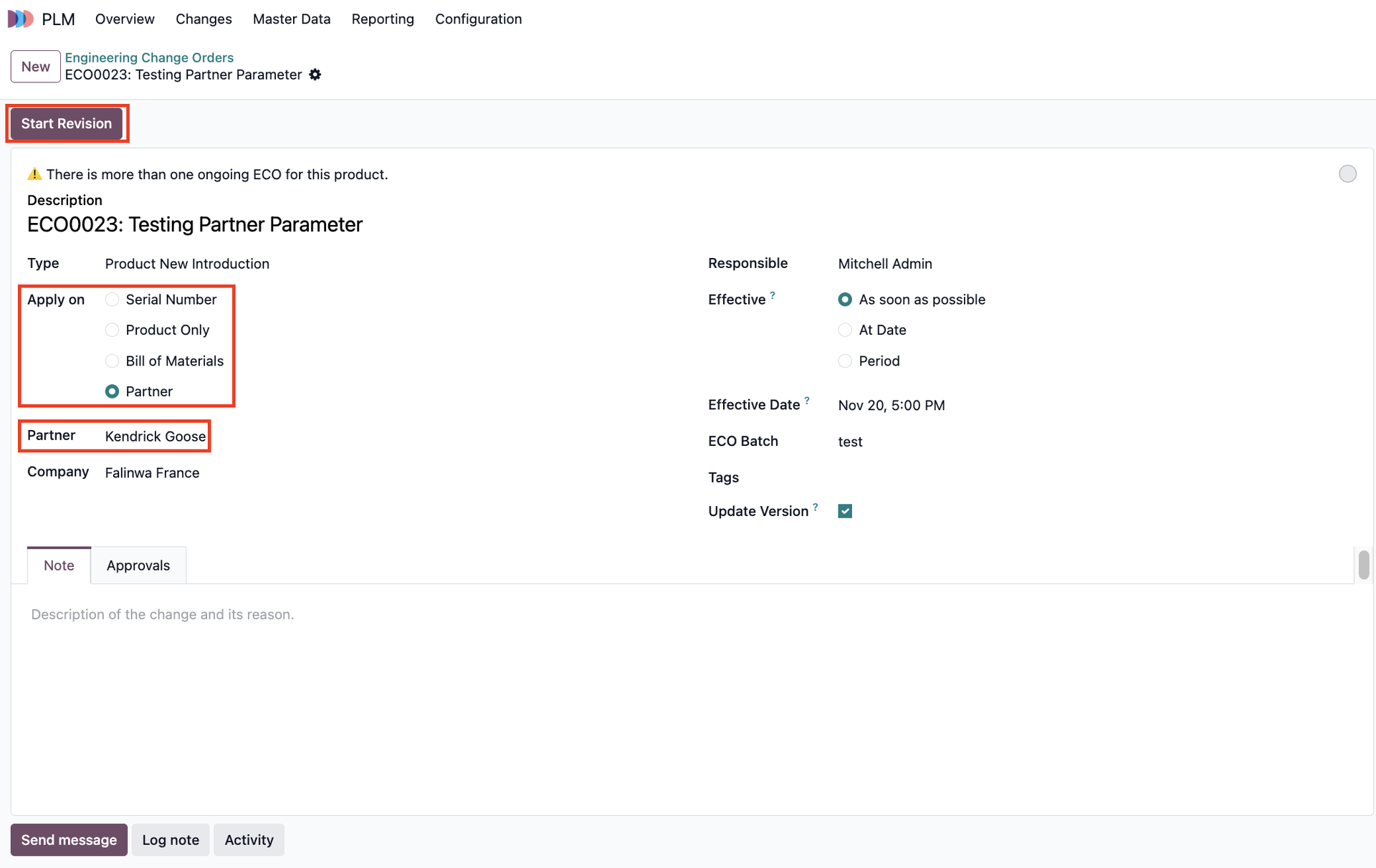 |
4. Under the Target Parameter tab, you can see the Old Values of the parameters and can change/remove them > Update Stage > Apply Changes | 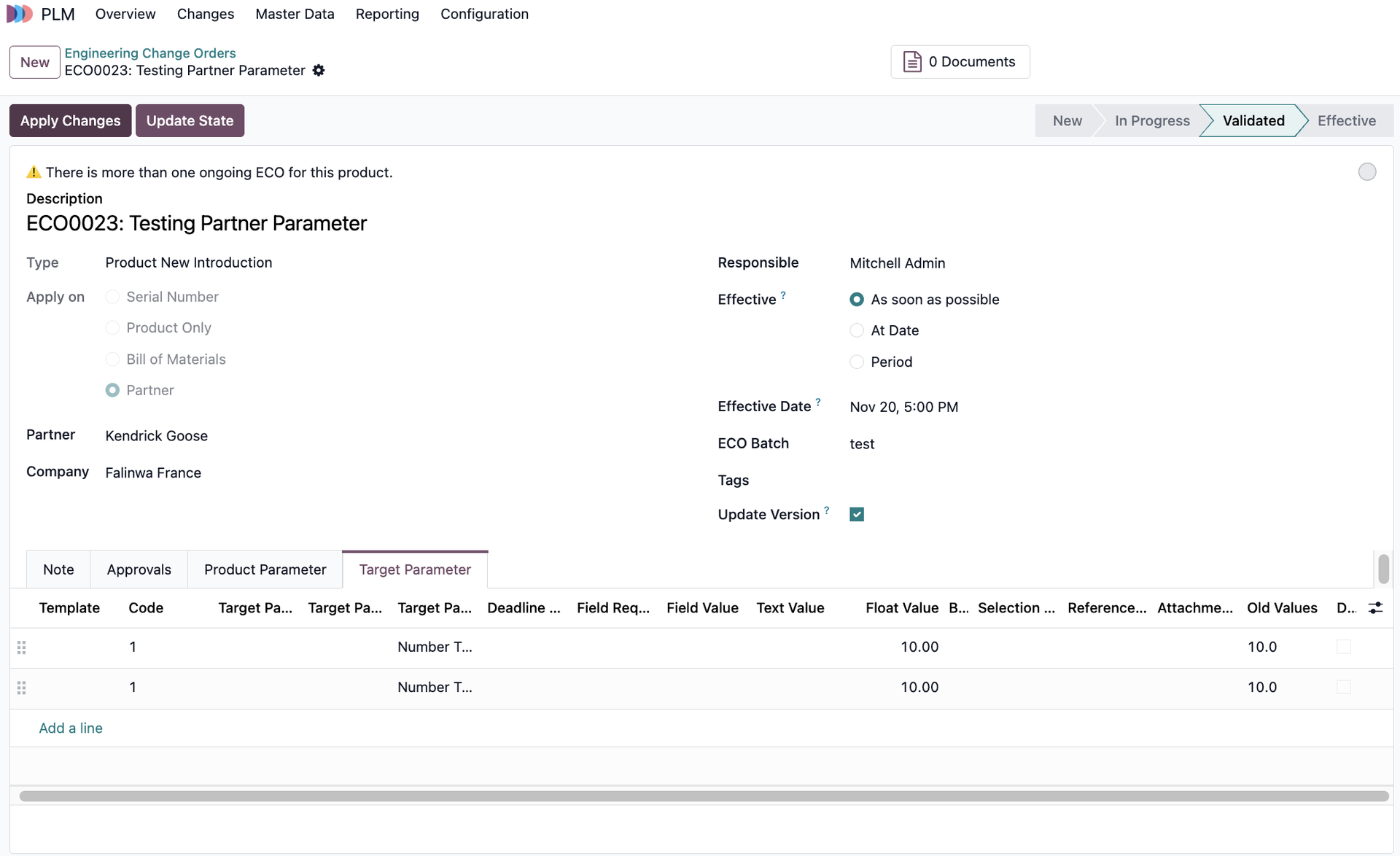 |
5. Head back to Contacts > You will see that the Version of Partner has been updated, and the values in the Technical Parameter tab have changed as well | 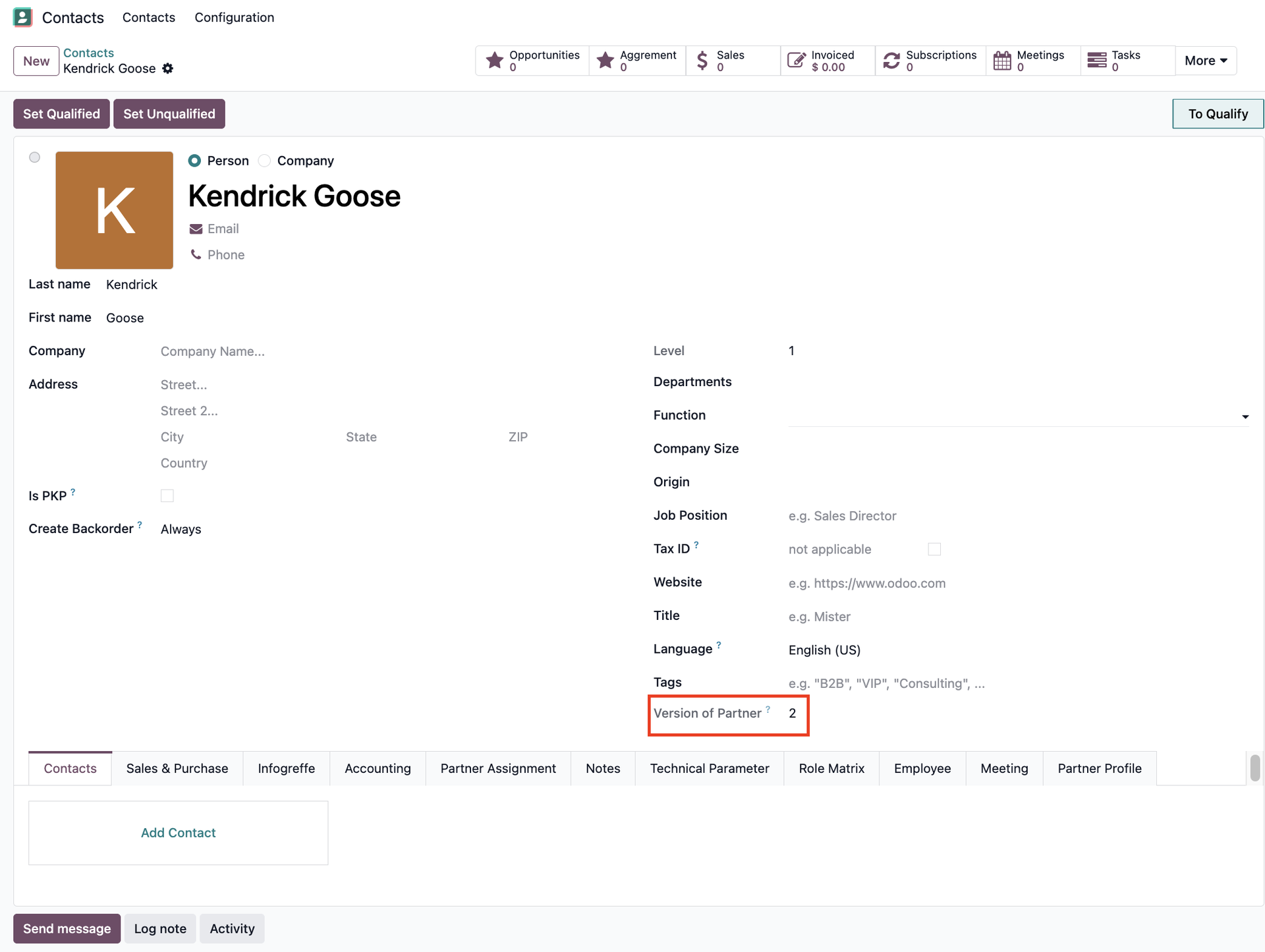 |
6. The old version of the contact has been moved to Archived |  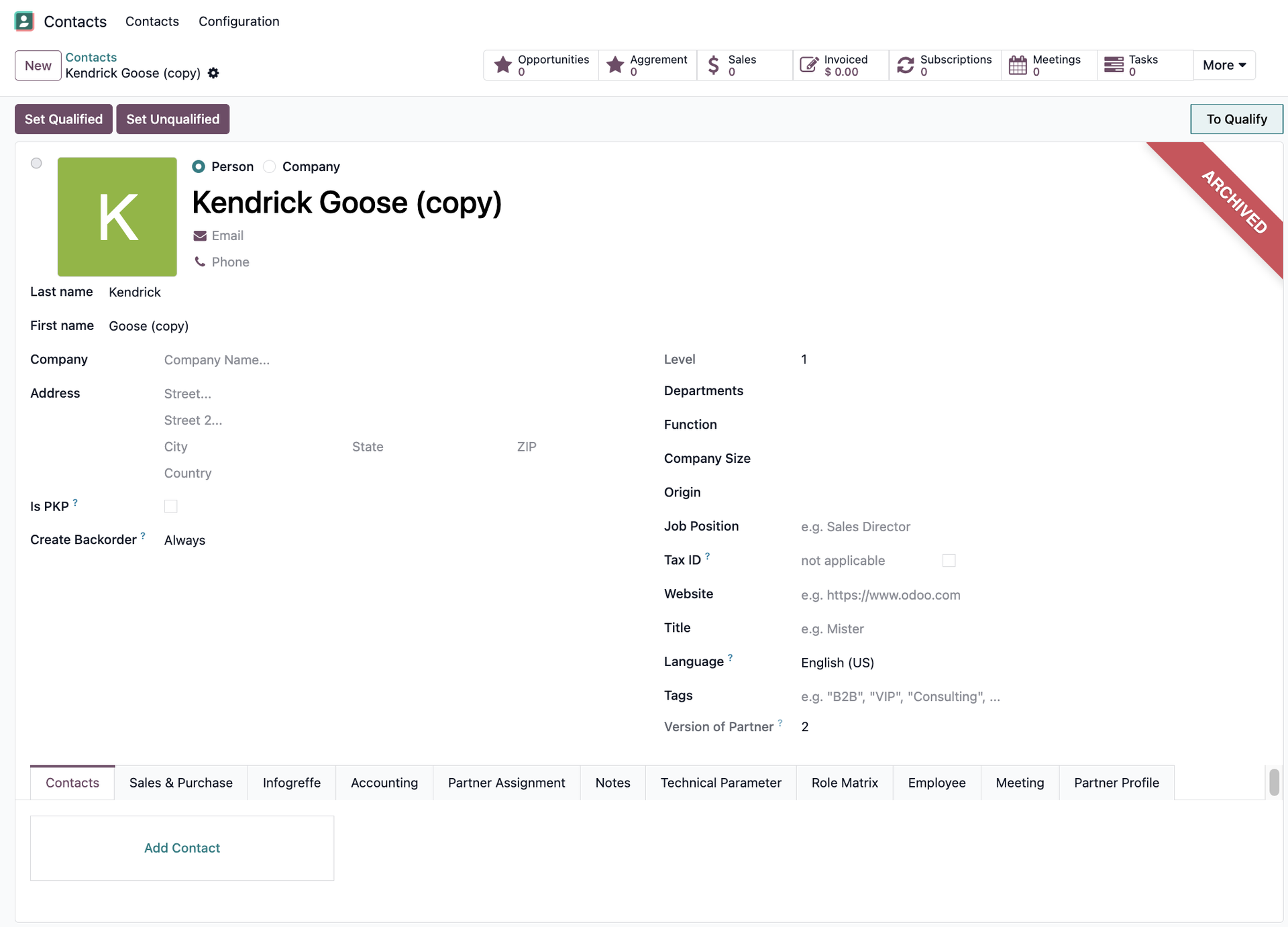 |
STORY BEHIND THE FEATURES
STORY BEHIND THE FEATURES
ODOO BEHAVIOUR
In Odoo, Contacts do not have technical parameters or built-in version control. Changes to contact information are made manually, with no structured method to track or review historical modifications.
CLUEDOO BEHAVIOUR
Cluedoo adds a "Technical Parameter" field to Contacts and integrates it with PLM/ECO (Engineering Change Orders) for controlled change management. Each update creates a new Version of Partner (e.g., v1, v2, v3), and older versions are archived and viewable for traceability. This ensures structured, auditable, and versioned partner information—ideal for regulated industries or B2B partner management.
CLUEDOO RECOMMENDATION
Install on 100% of the database
OUR FEATURES AS SOLUTIONS
Parameters for Contacts
HOW TO USE THIS MODULE?
|  |
2. Choose a contact > Add the parameter values under the Technical Parameter tab You can also check the Version of Partner | 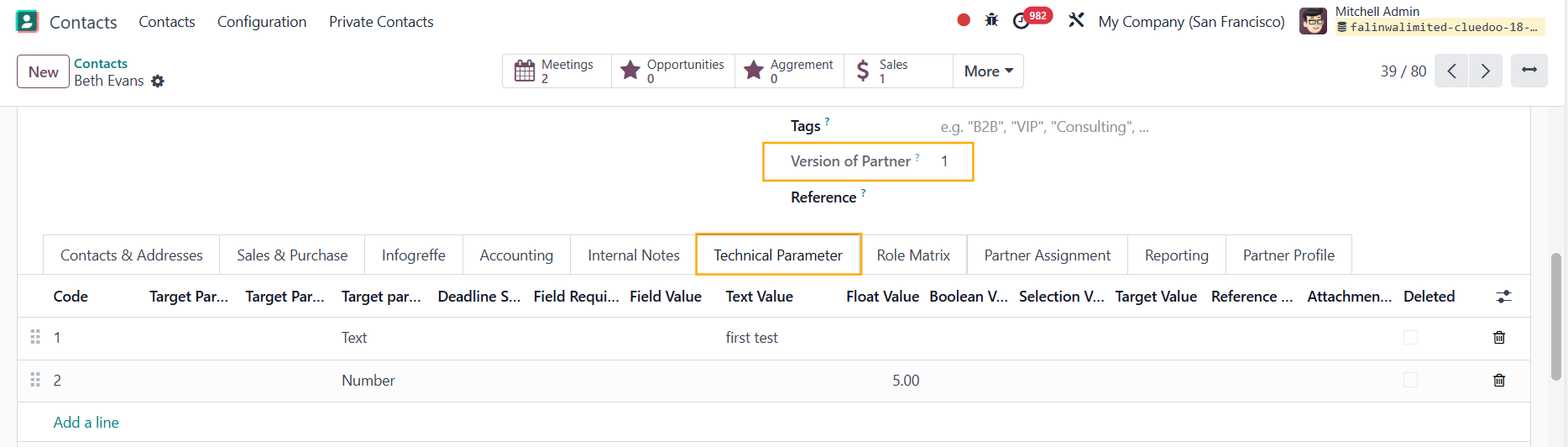 |
3. Go to PLM > Changes > ECO > Create a new ECO and fill in all the necessary information > Start Revision | 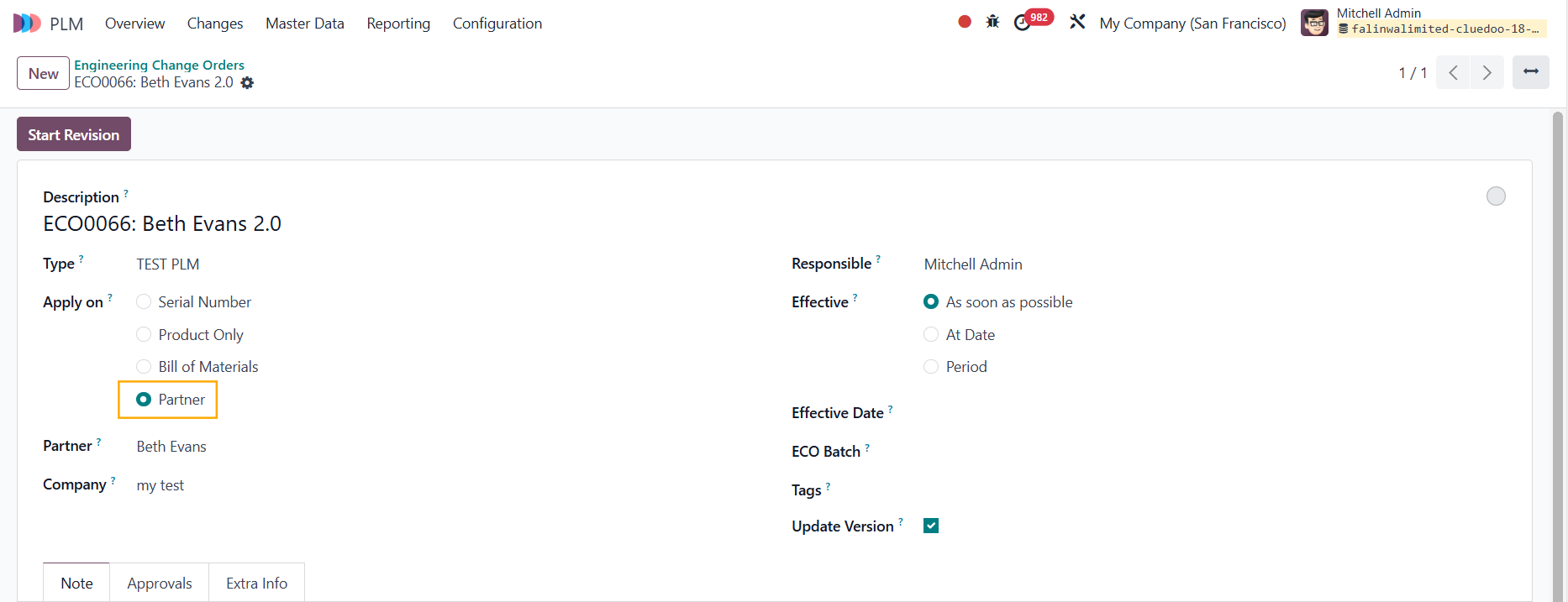 |
4. Under the Target Parameter tab, you can see the Old Values of the parameters and can change/remove them > Update Stage > Apply Changes | 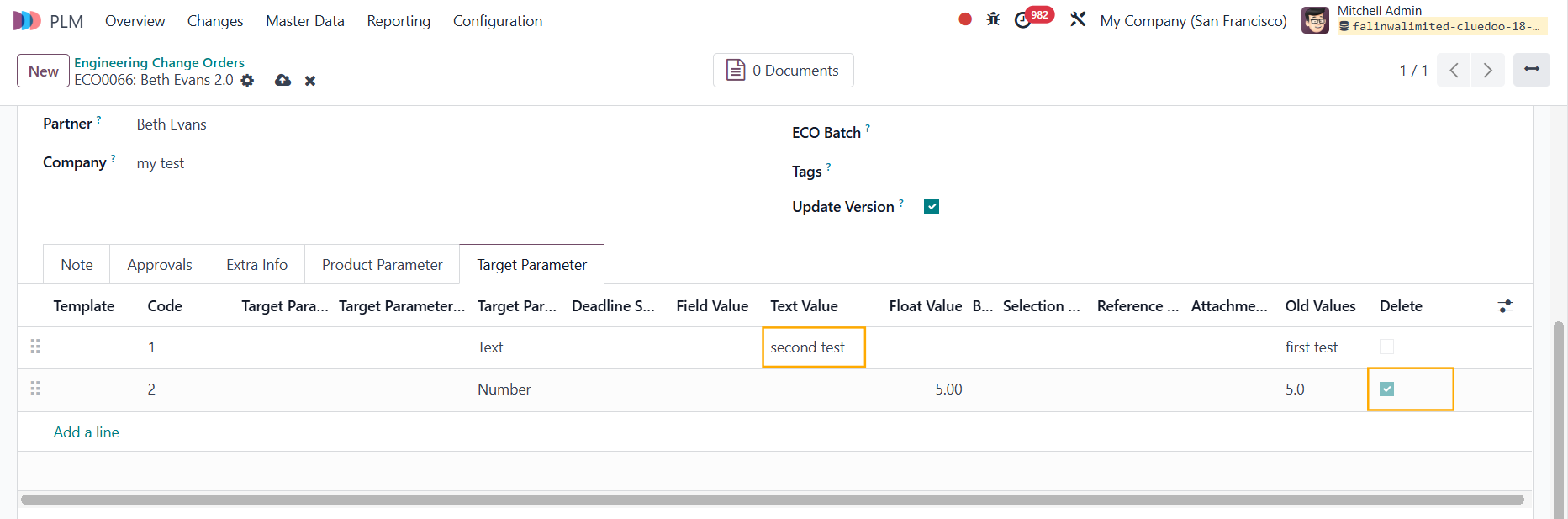 |
5. Head back to Contacts > You will see that the Version of Partner has been updated, and the values in the Technical Parameter tab have changed as well | 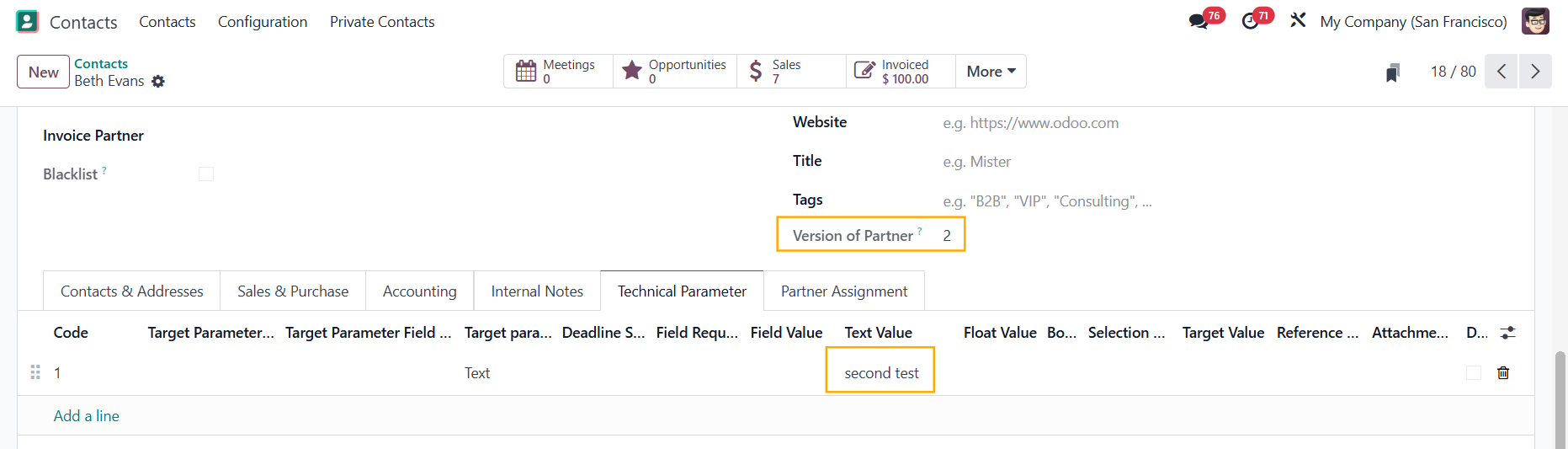 |
6. The old version of the contact has been moved to Archived | 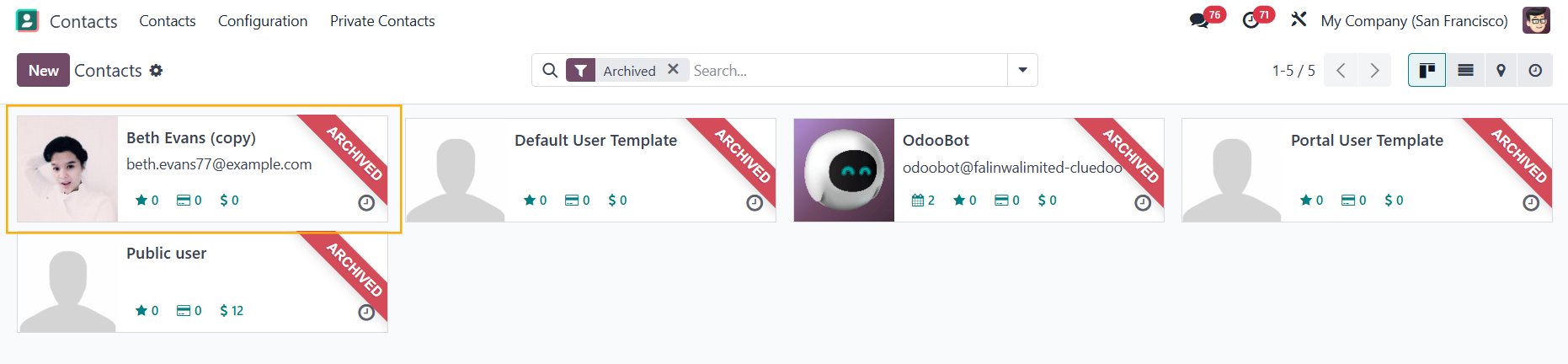 |