

ODOO'S FUNCTION
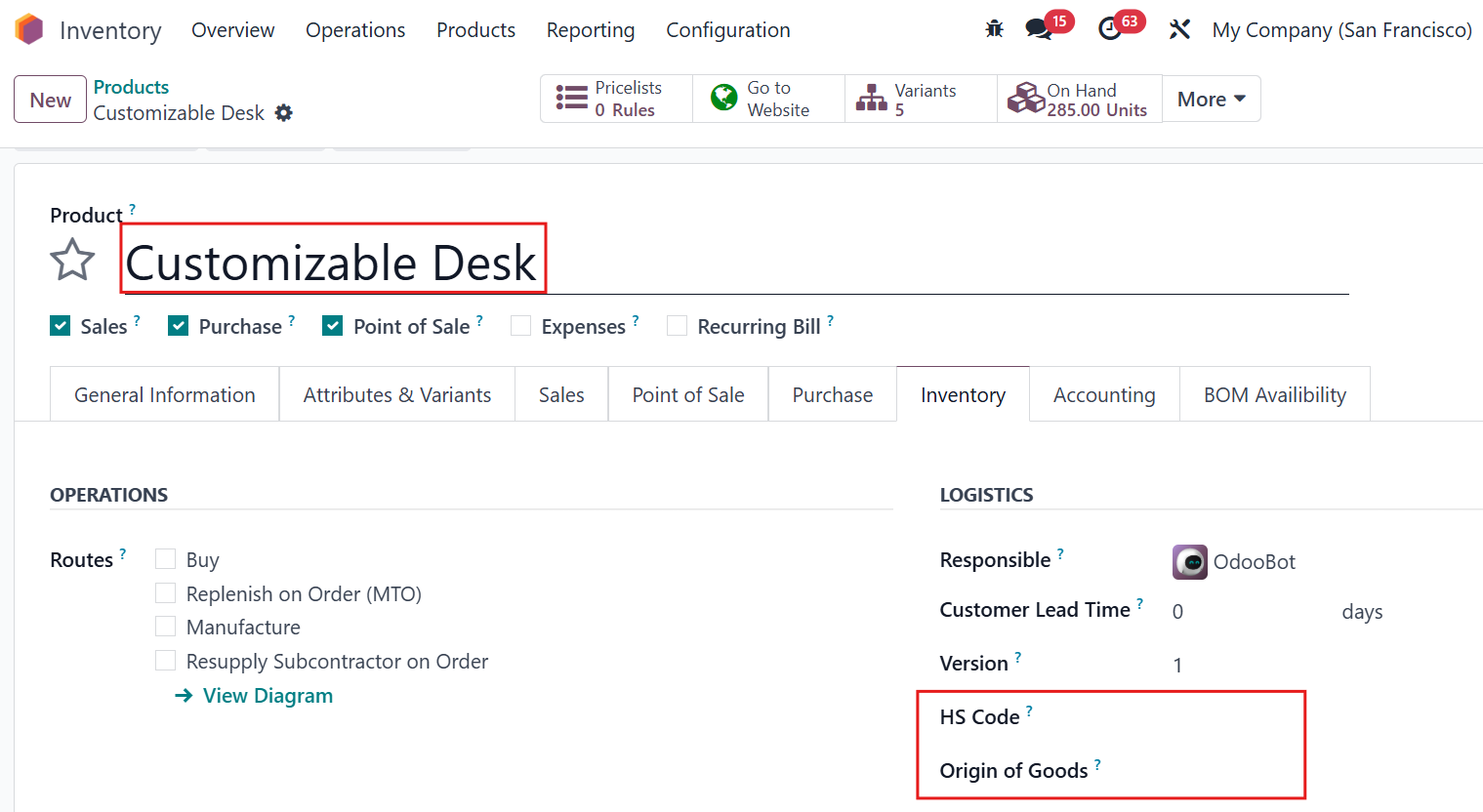
In Odoo, the Product Variant Name is strictly tied to the Product Template Name. This means that if the name of the main product chnages, all variants (different sizes, colors, etc.) must follow that exact same name. The same "linking" logic often applies to logistics data like HS Codes and Country of Origin, making it impossible to have different identifiers for specific variants under one template.
CLUEDOO'S FUNCTION
CLuedoo introduces an "Unlink" engine that breaks the forced synchronization between the Product Template and its Variants. By providing specific checkboxes in the Product Category, users can choose to unlock the Product Name, HS Code, and Country of Origin fields. This allows each variant to have its own unique name and customs data.
Go to Product Categories > Select one category > There are 3 checkboxes: Link Product Name to Template, Link HS Code to Template, and Link Country of Origin to Template. If the checkbox is not checked, we can have different names/HS codes/countries of origin per product variant. | 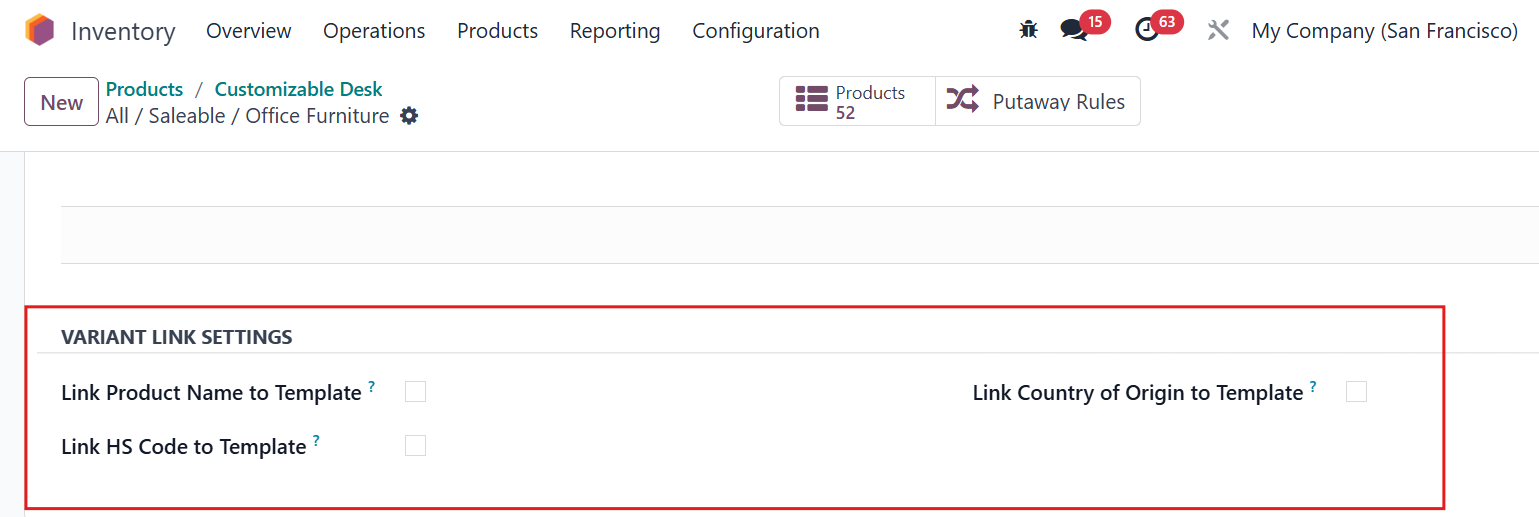 |
For example, we can set the different names/ HS codes/ Origin of goods for each variant of the product Customizable Desk. |  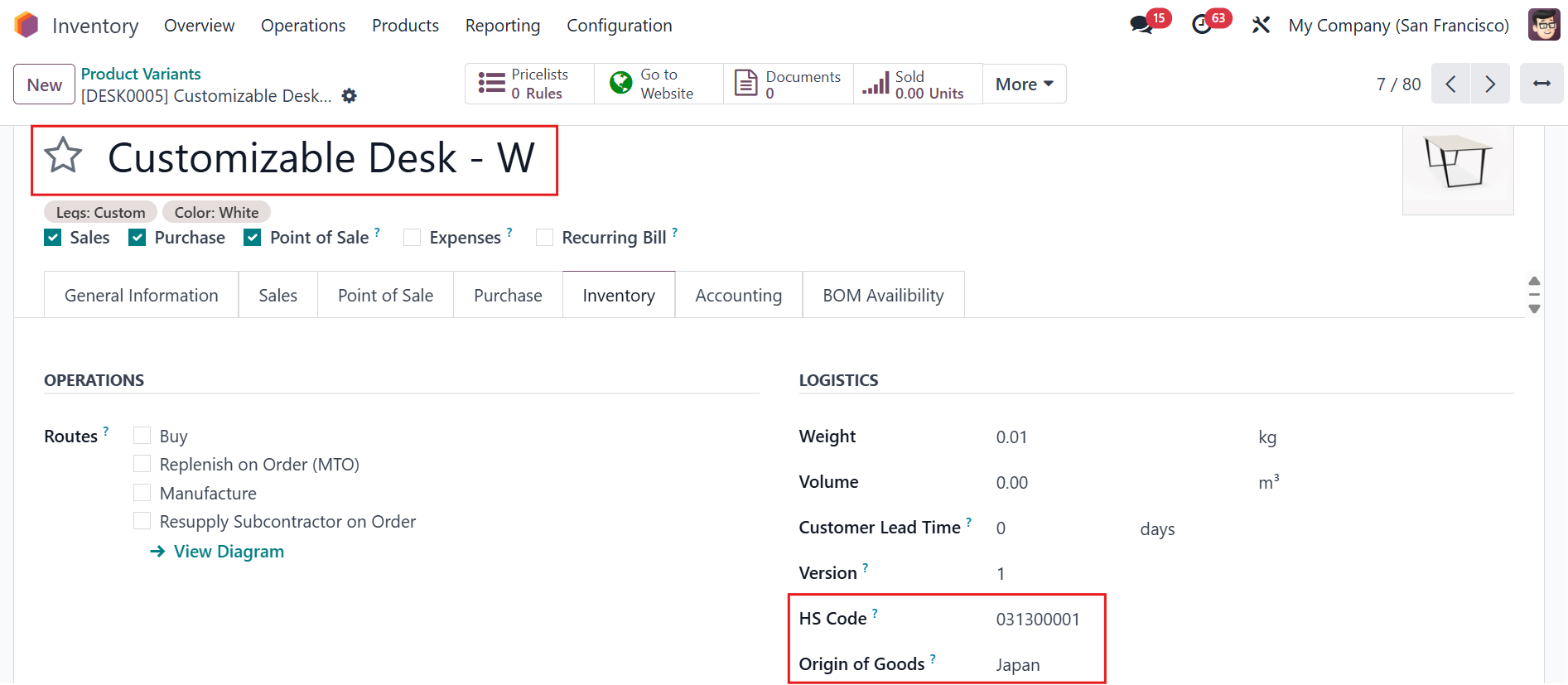 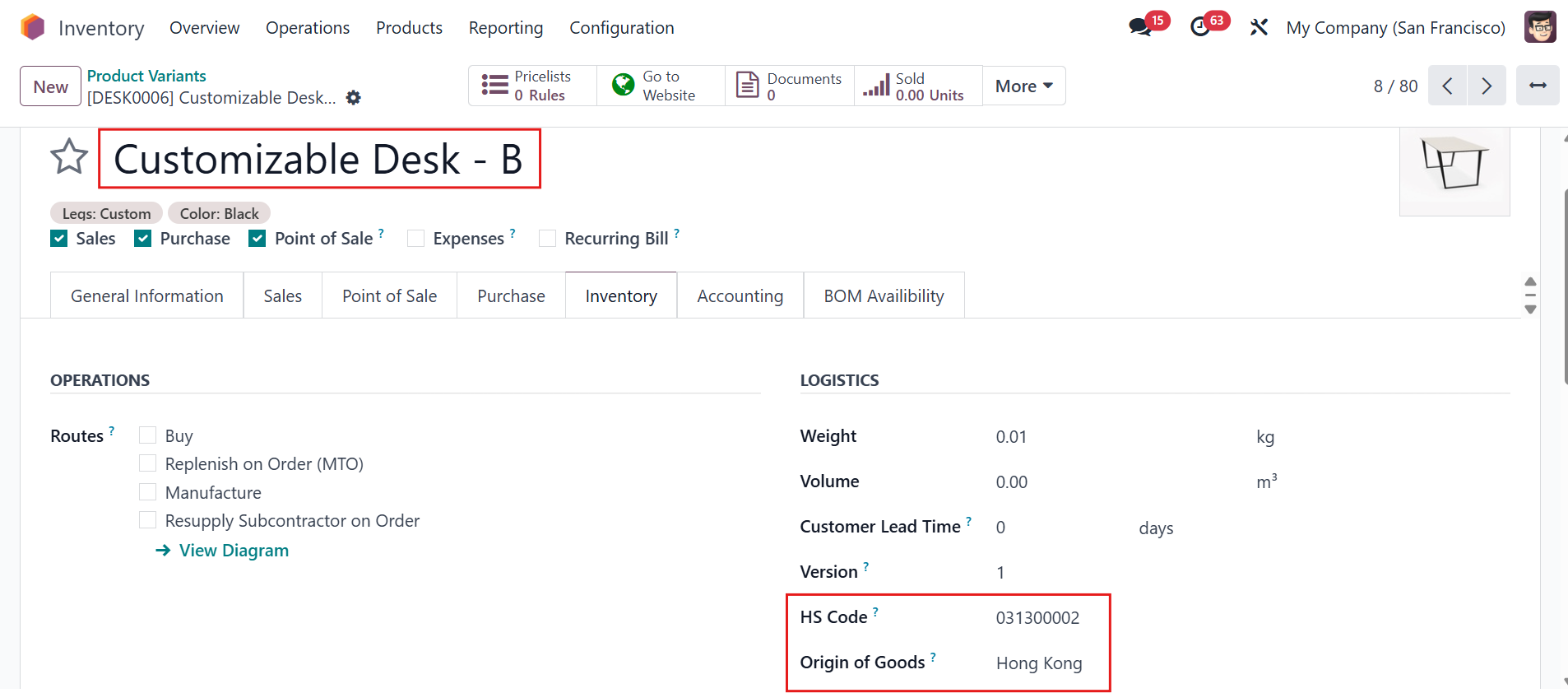 |
The product name/HS/Origin of Goods of Customizable Desk will not link to its variants as well. |
|
If the checkbox is checked, Product Name/HS code/Country of Origin of the variants will be linked to the product template (the ODS behavior). | 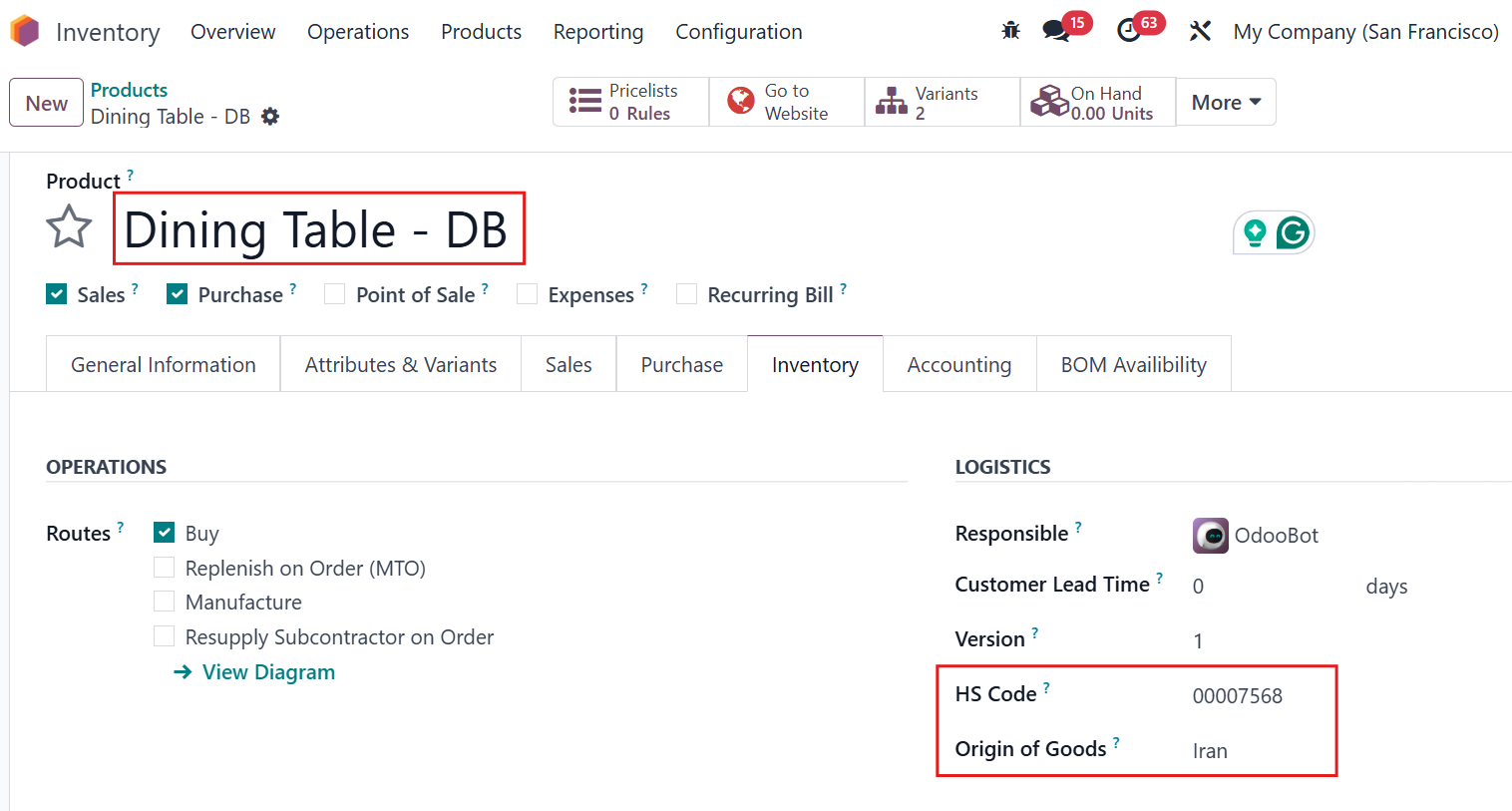 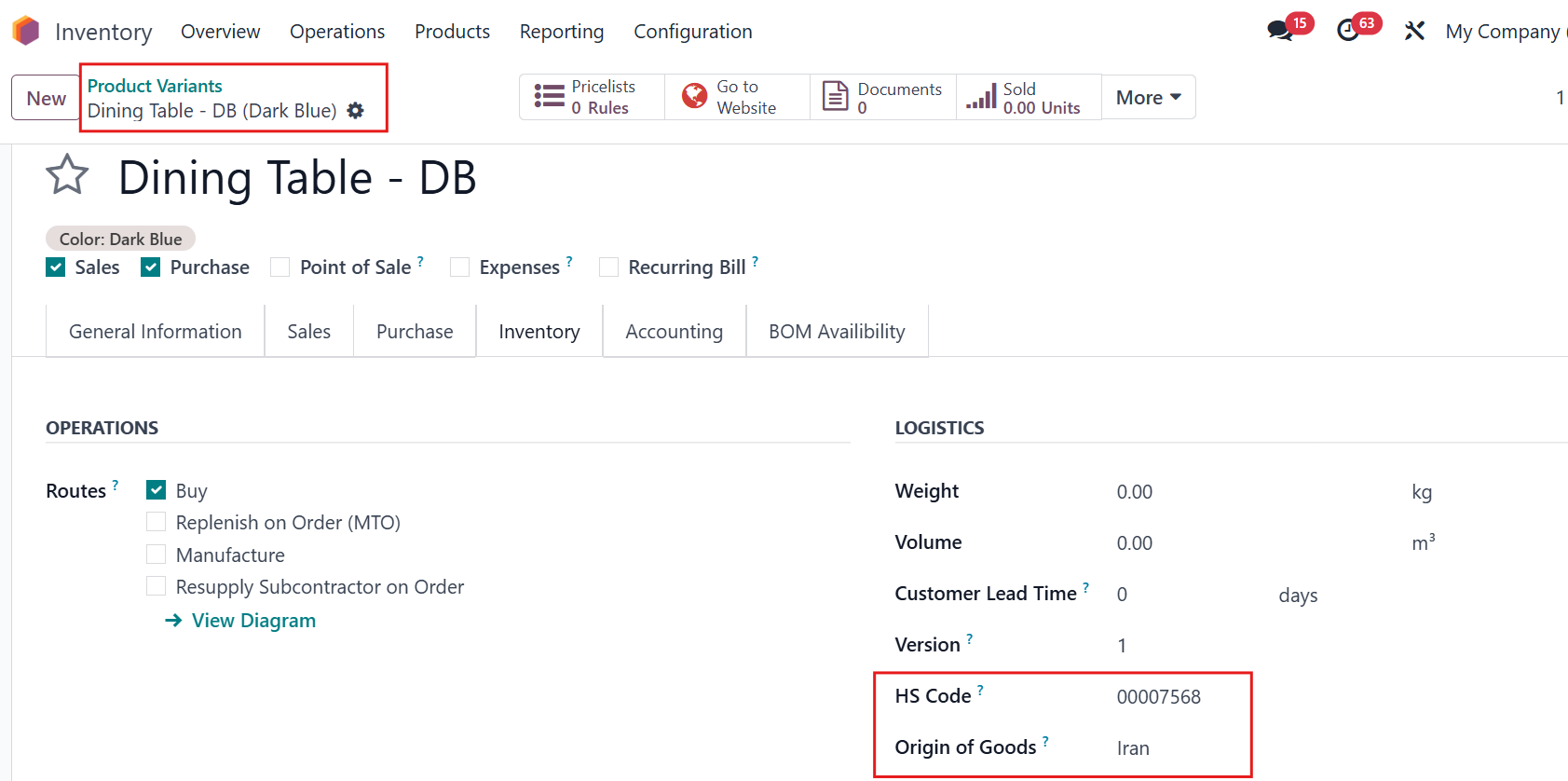 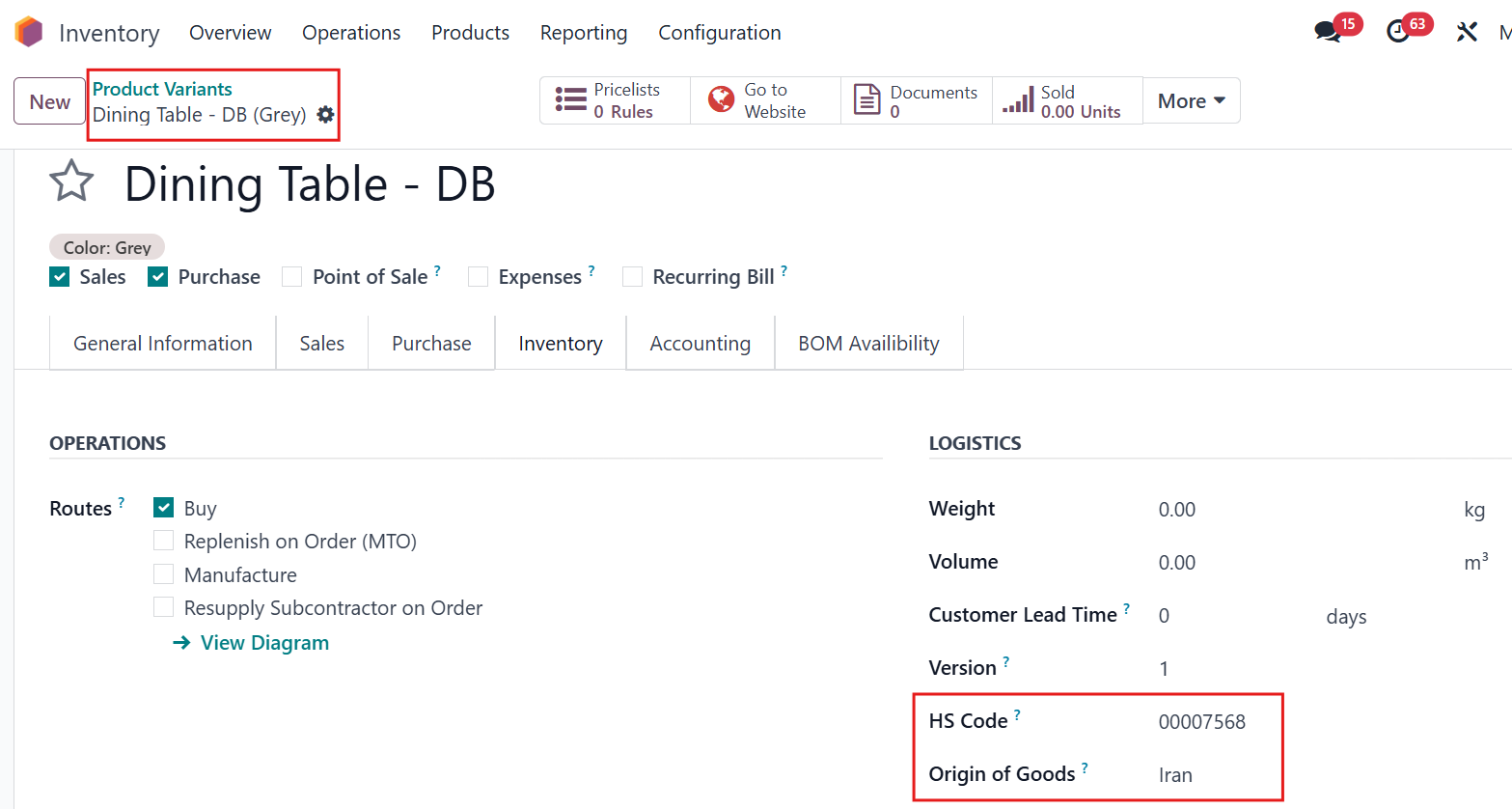 |