


ODOO'S FUNCTION
Odoo doesn’t link product parameters with quality control points, forcing manual updates when specs change.
CLUEDOO'S FUNCTION
CLuedoo automatically sync ECO parameter with Quality Control Points. When a product parameter changes, a Quality Check is created and QCP values update automatically, ensuring consistency and reducing manual effort.
Set up the Product Target Parameter by going to the Configuration menu in the Inventory module. | 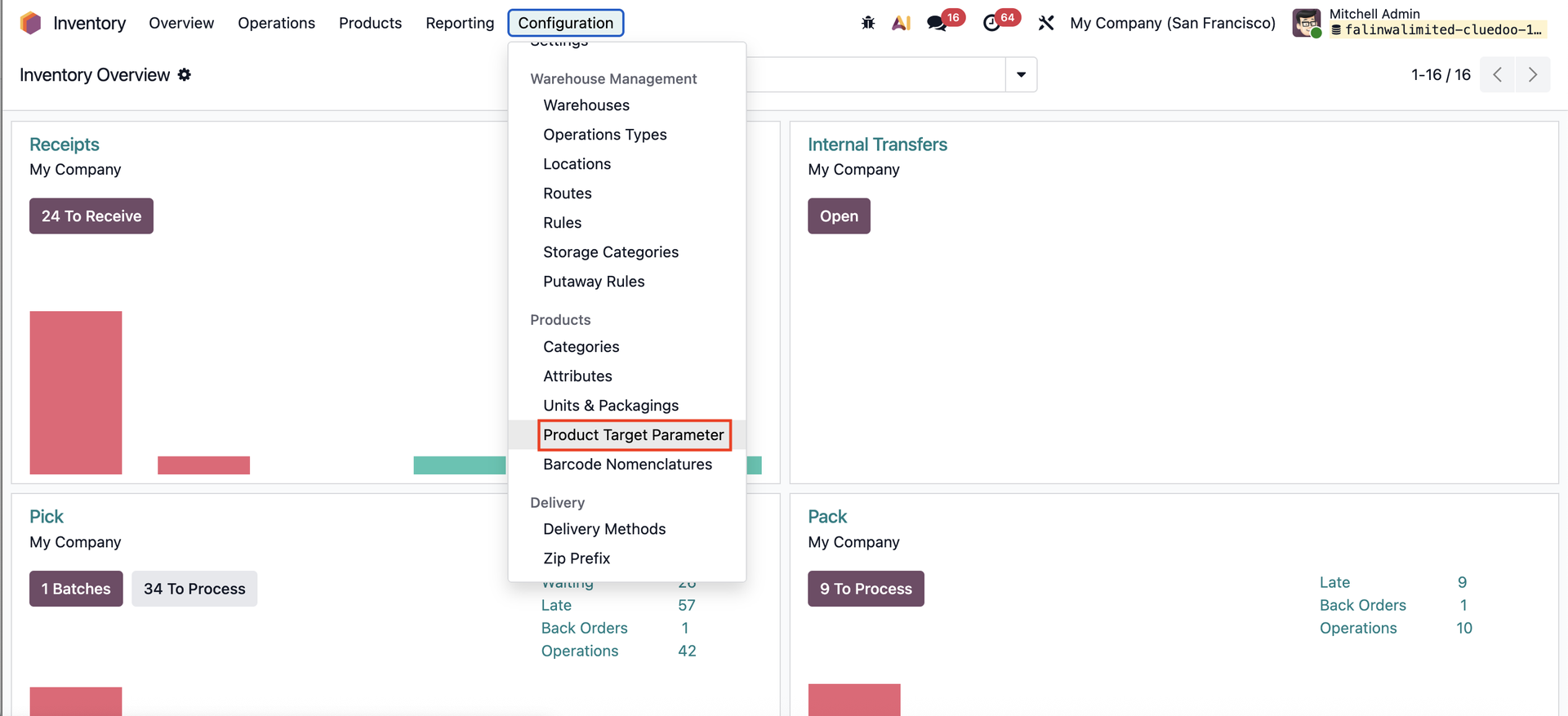 |
Insert the Code and pick the available Value Type. | 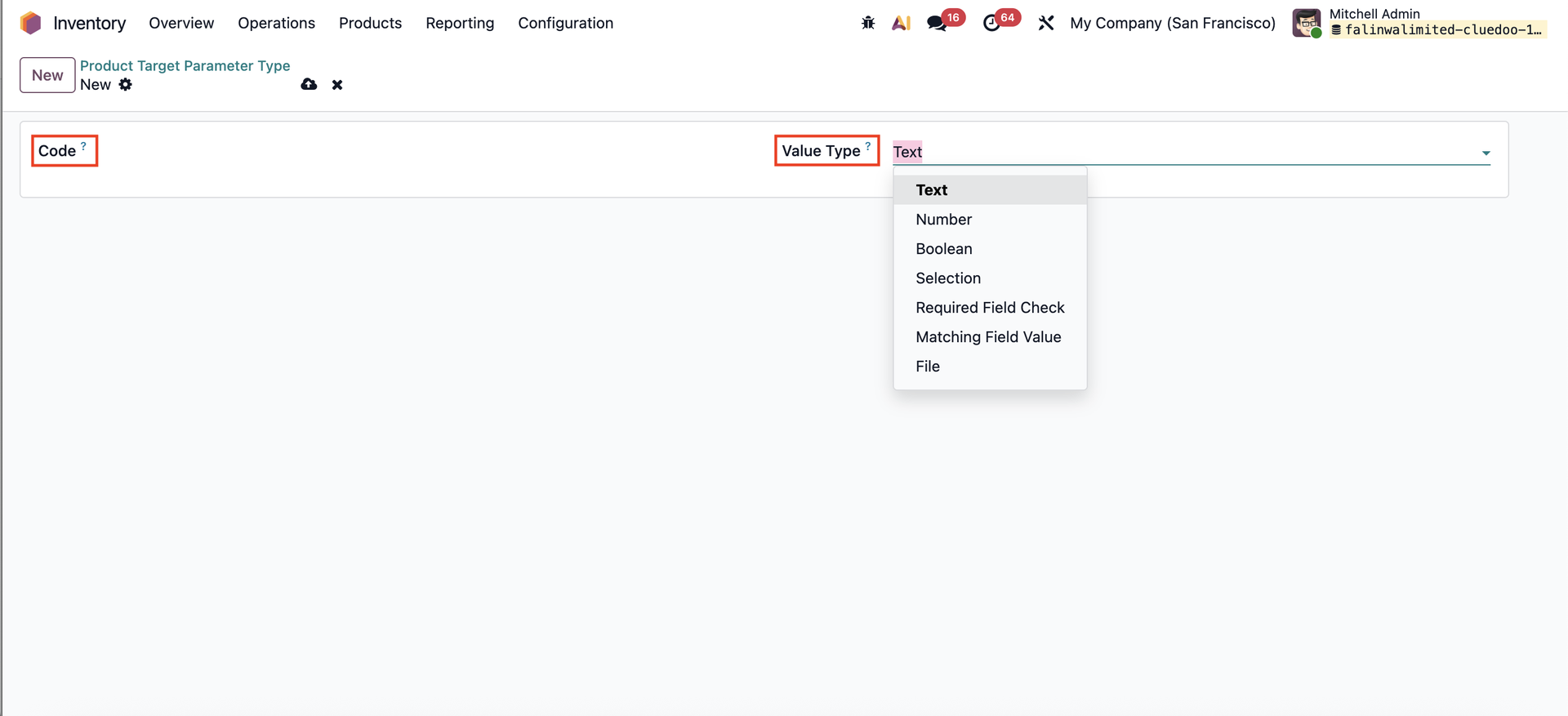 |
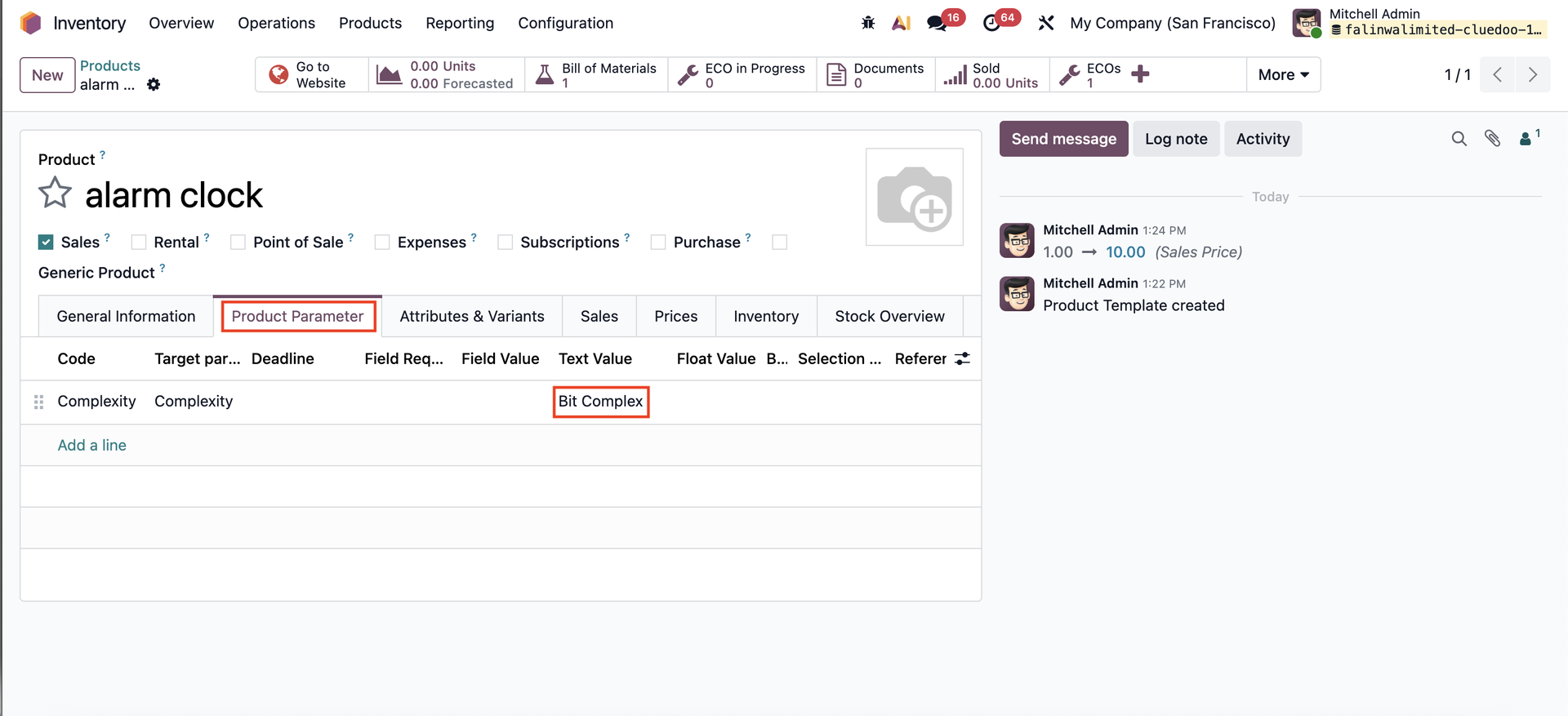
In the product's page, insert the Product Parameter and insert the Value. |
|
Next, create a Quality Control Point for the product. | 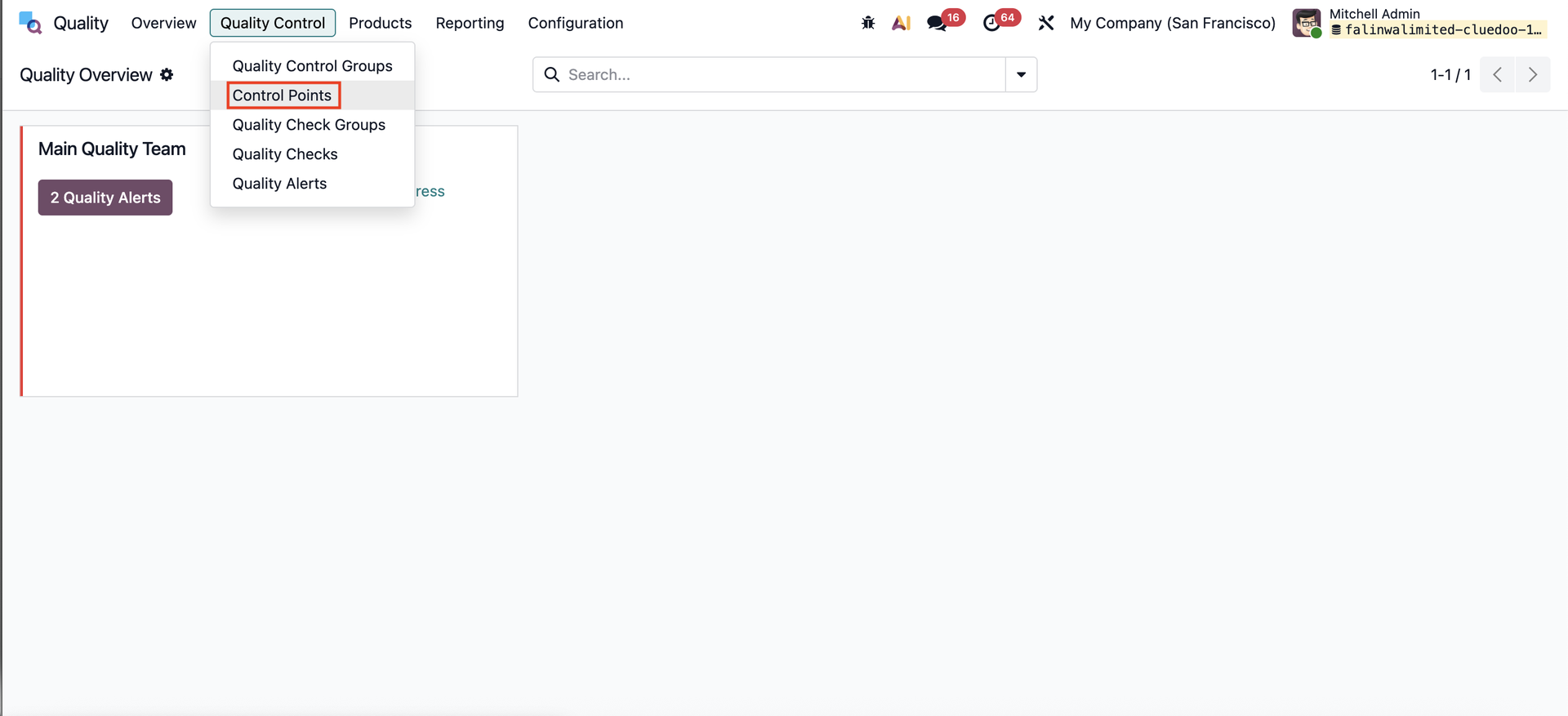 |
Complete the nescessary fields in the Quality Control Point, particularly the Product Parameter to define which parameter will trigger the QC. The Initial Parameter Value will be filled in automatically. Note: Remember to fill in the Stage Eco | 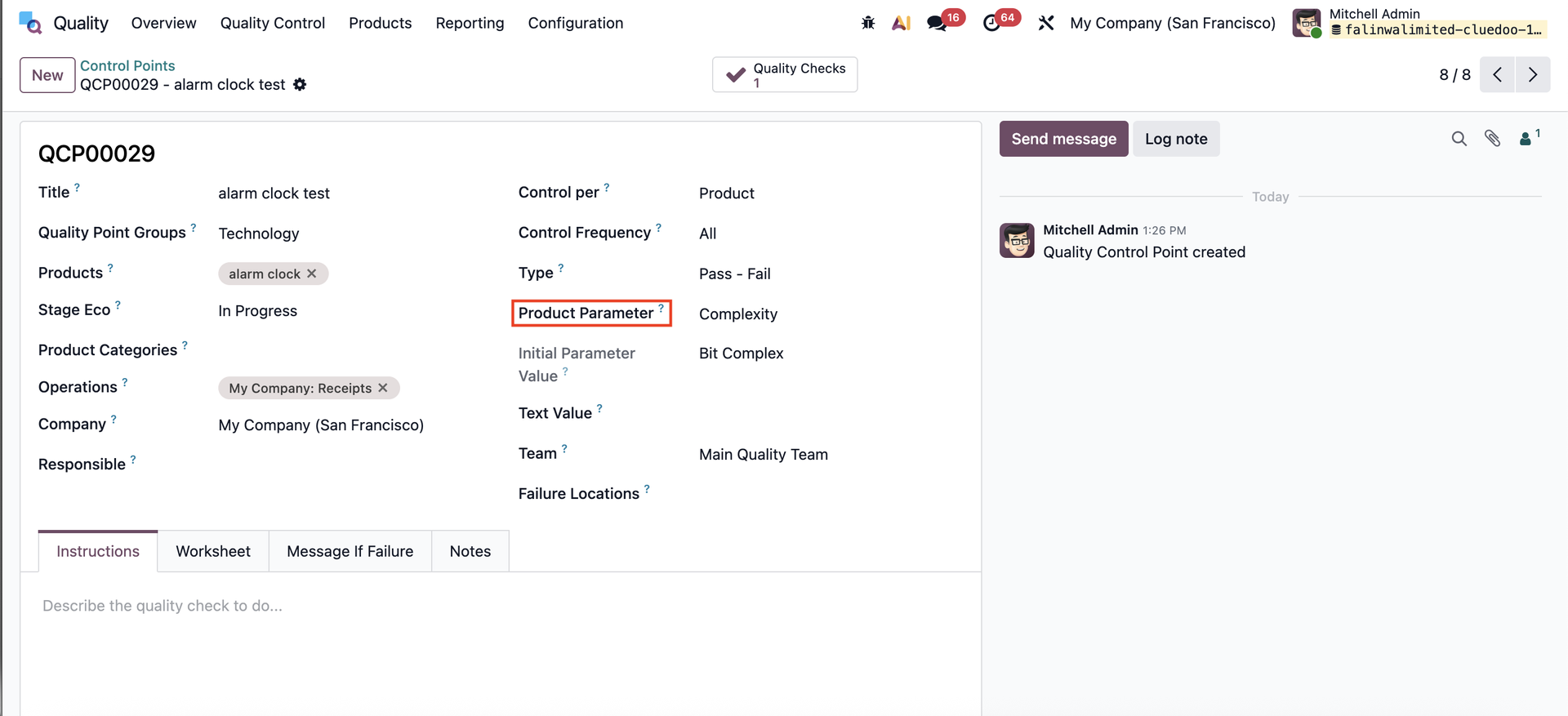 |
When an Engineering Change Order (ECO) is created in the PLM module, the Product Parameter tab becomes available in the In Progress stage. Update the Parameter Value, then select Update State > Apply Changes. | 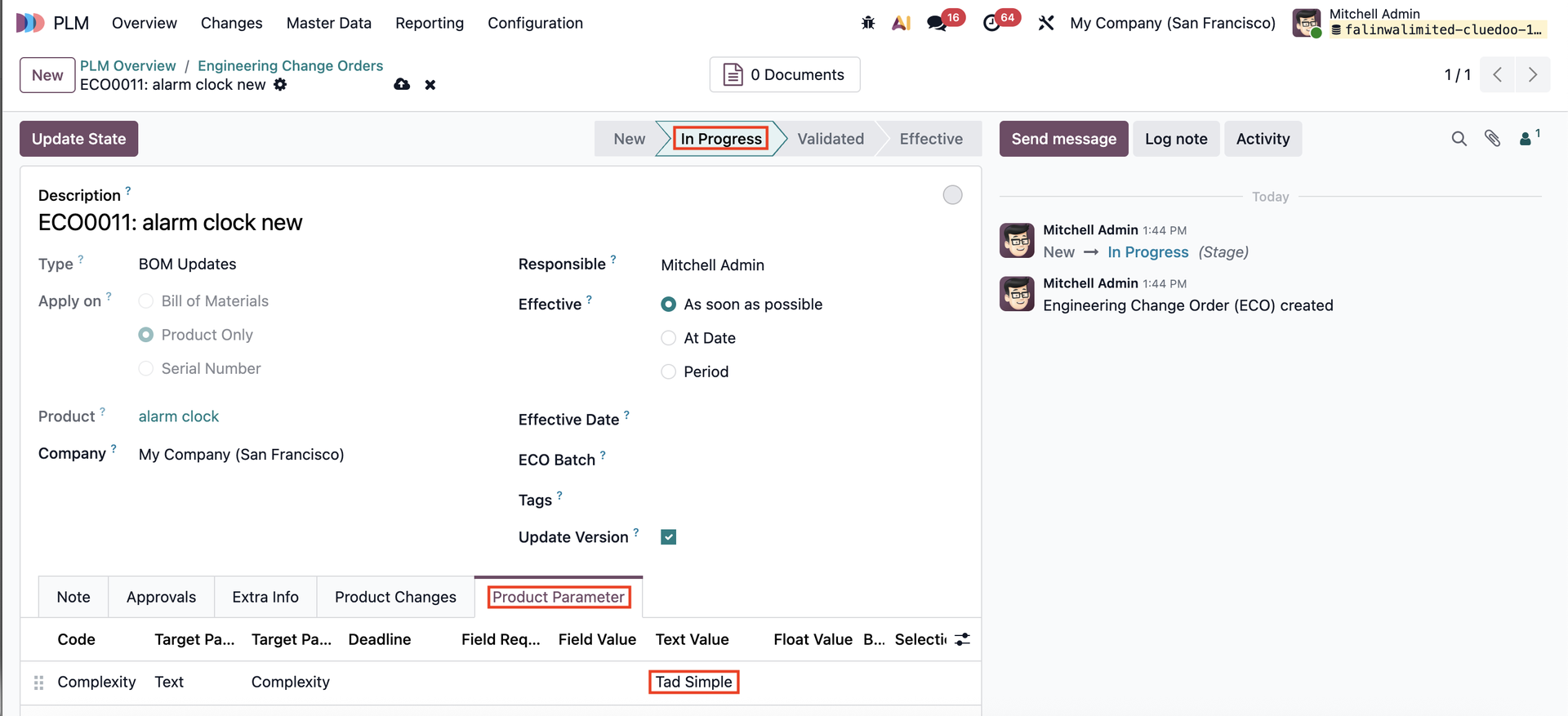 |
Within the Quality Control Points, the corresponding Quality Checks will be triggered, and the Initial Parameter Value will be updated based on the changes made in the ECO. | 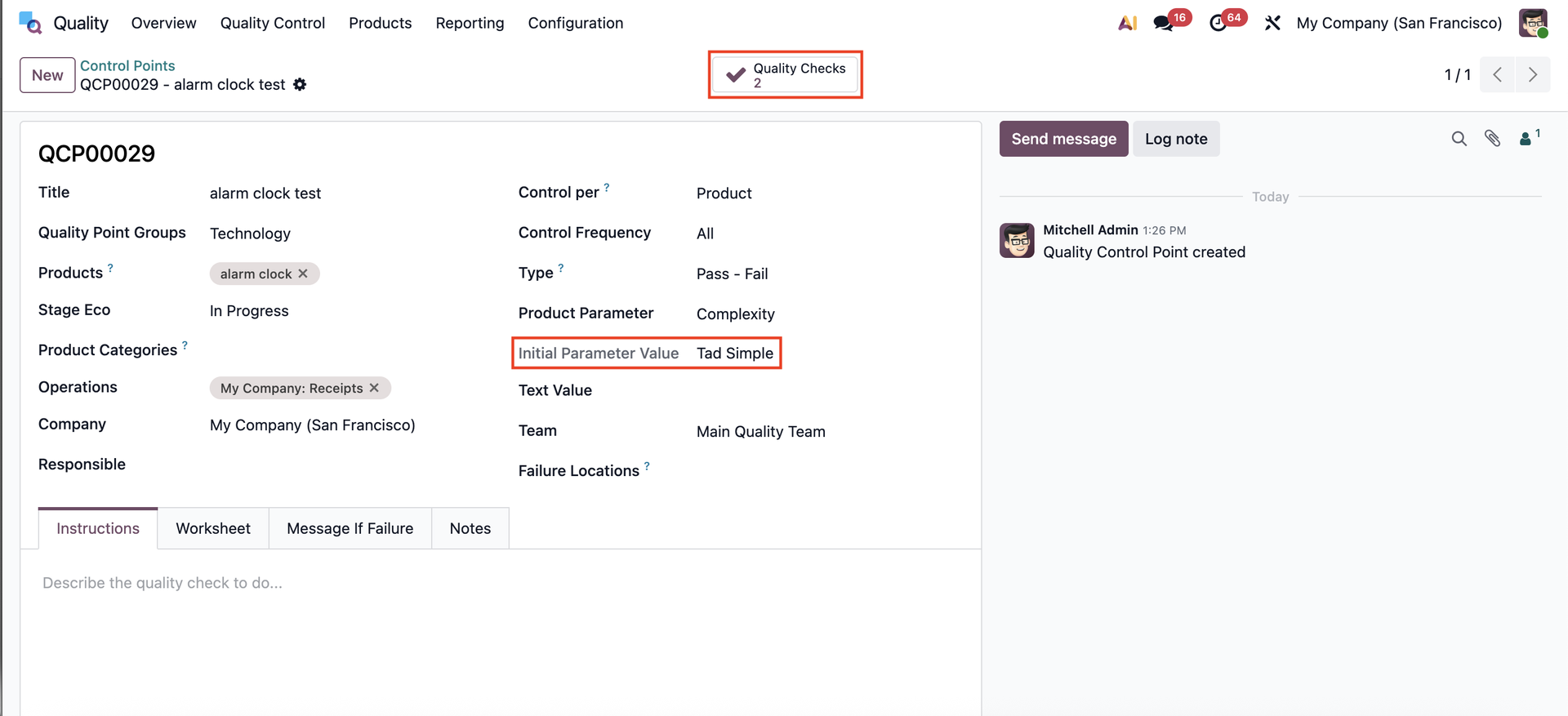 |
The updated values will also appear on the product page. | 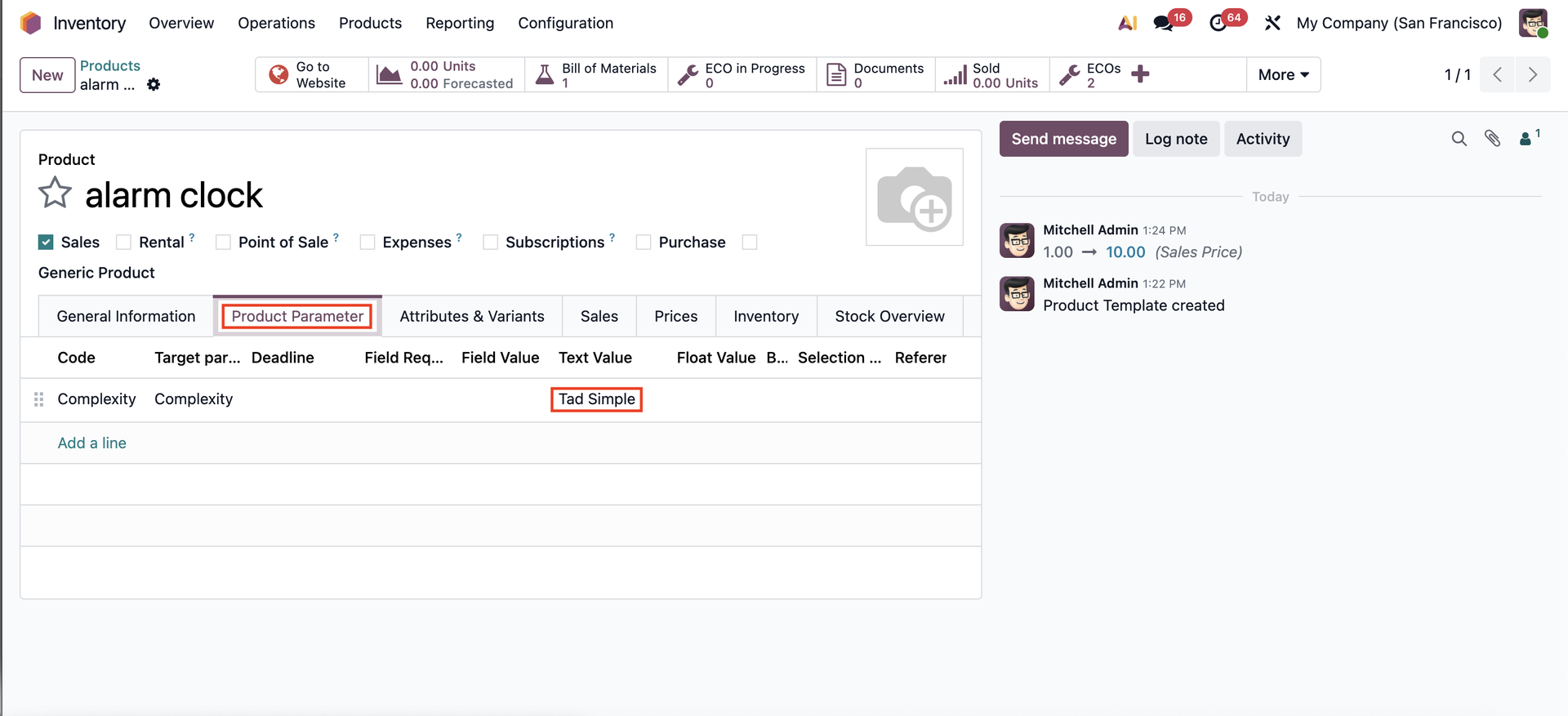 |