


STORY BEHIND THE FEATURES
ODOO BEHAVIOUR
<input>
CLUEDOO BEHAVIOUR
<input>
MODULE +
<input>
BUSINESS CASE
<input>
CLUEDOO RECOMMENDATION
<input>
OUR FEATURES AS SOLUTION
Add Terms and Conditions to your documents
HOW TO USE THIS MODULE ?
1.
Go to Setting > Technical > Reports - choose where do you to put the Terms and Conditions, in this example Invoices.
Check the Attach Terms and Conditions to this reports check box and field in the language field.

2.
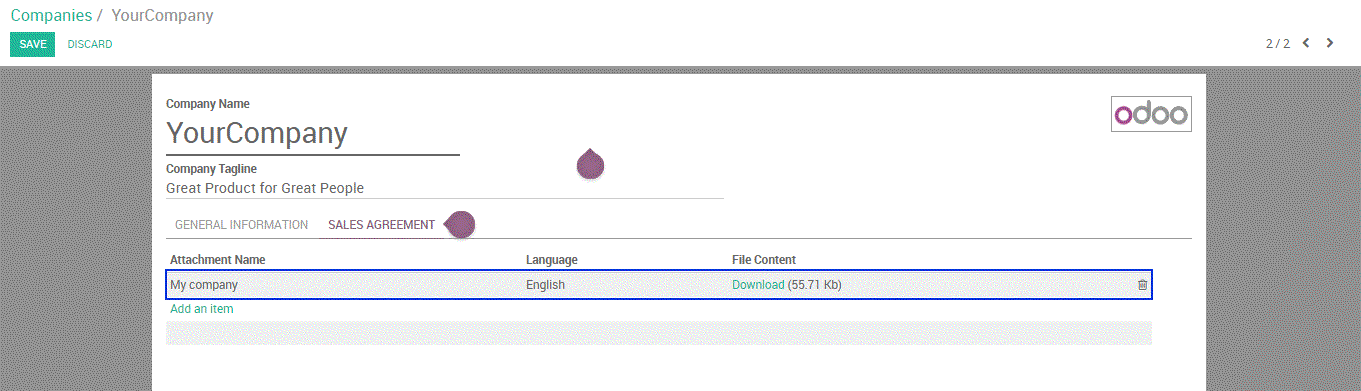
Go to Settings, User > edit companies, click Add and item to add Terms and Conditions attachment
Go to Settings, User > edit companies, click Add and item to add Terms and Conditions attachment
3.
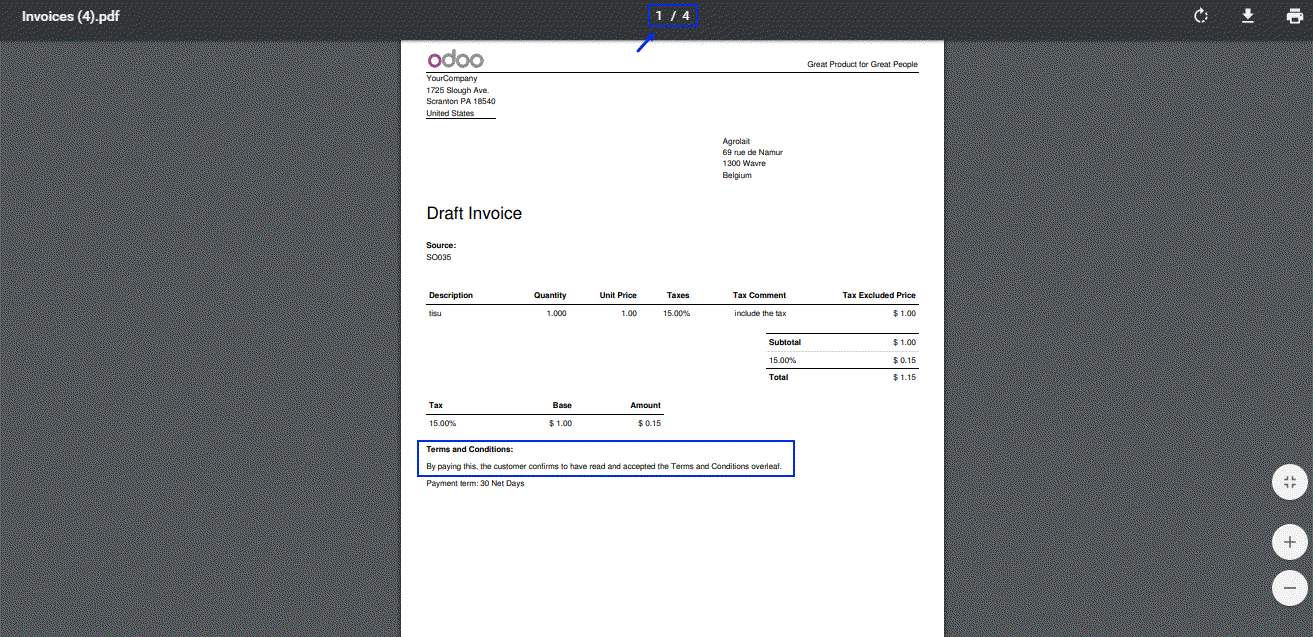
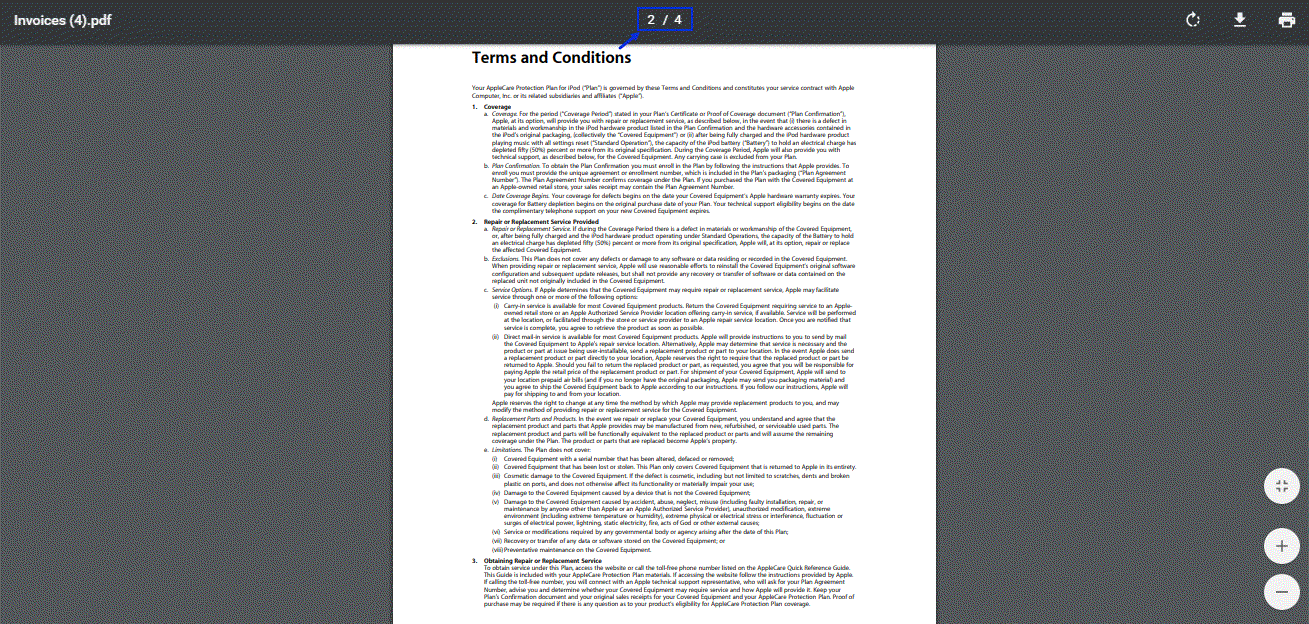
Go to Accounting, create a customer invoice then print the customer invoice, after that there is Terms and Conditions displayed on the bottom of invoice, and on the second page, we can see the details of terms and conditions that we already set before.