

ODOO'S FUNCTION
Odoo provides a Note field on Sales Orders, Purchase Orders, and Invoices, but this field is empty by default and cannot be automatically filled using standard note templates.
CLUEDOO'S FUNCTION
CLuedoo allows you to create Note Templates, set default note templates on various objects (such as taxes, customers, or products), or manually select a note template directly on your order or invoice. This lets you add required or repetitive notes to official documents without re-typing them each time.
1 Go to Settings > Users > Choose a user > Check Manage Terms & Conditions |  |
2 Go to Accounting > Configuration > Terms & Conditions > Create a new template |  |
3 Go to Accounting > Customers > Invoices and create a new invoice Select the Contract Condition and the content will be automatically filled. The content of the conditions is editable on the invoice. Select the Contract Condition Report for the printout | 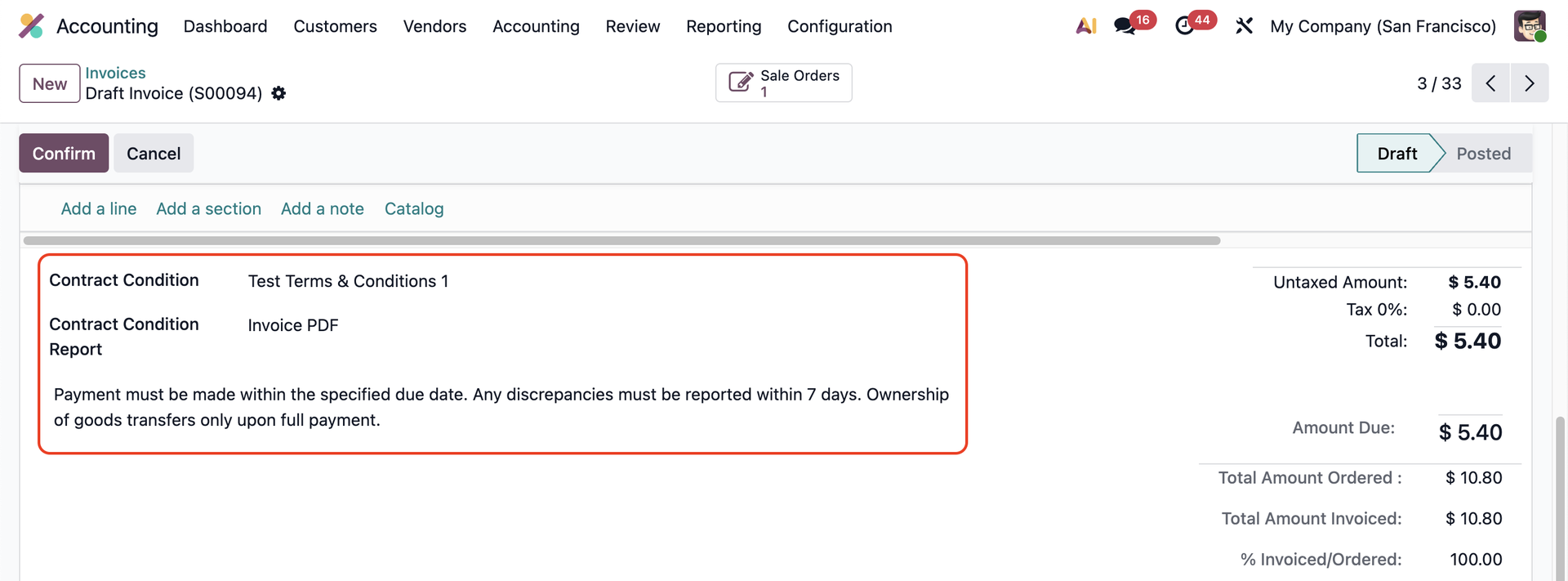 |
4 Click Actions > Print > Choose the report | 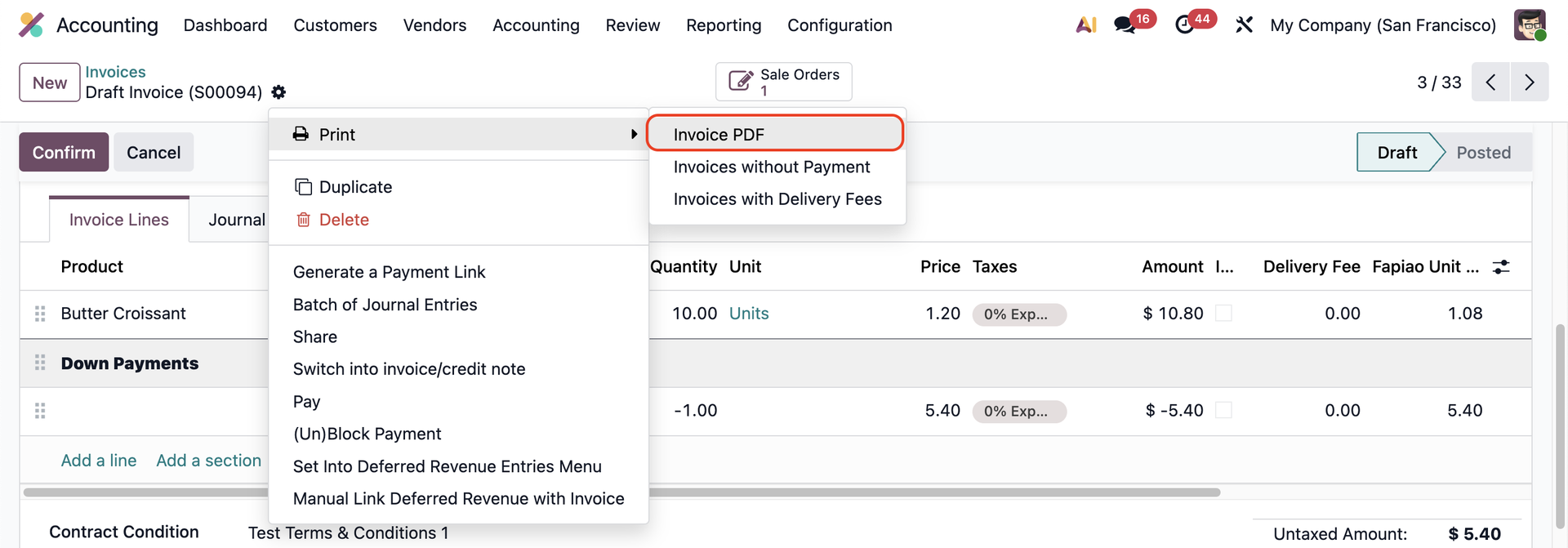 |
The content of the terms & conditions will also appear on the selected report. Note: Even when you choose a different report than your Contract Condition Report, the same Terms & Conditions apply. | 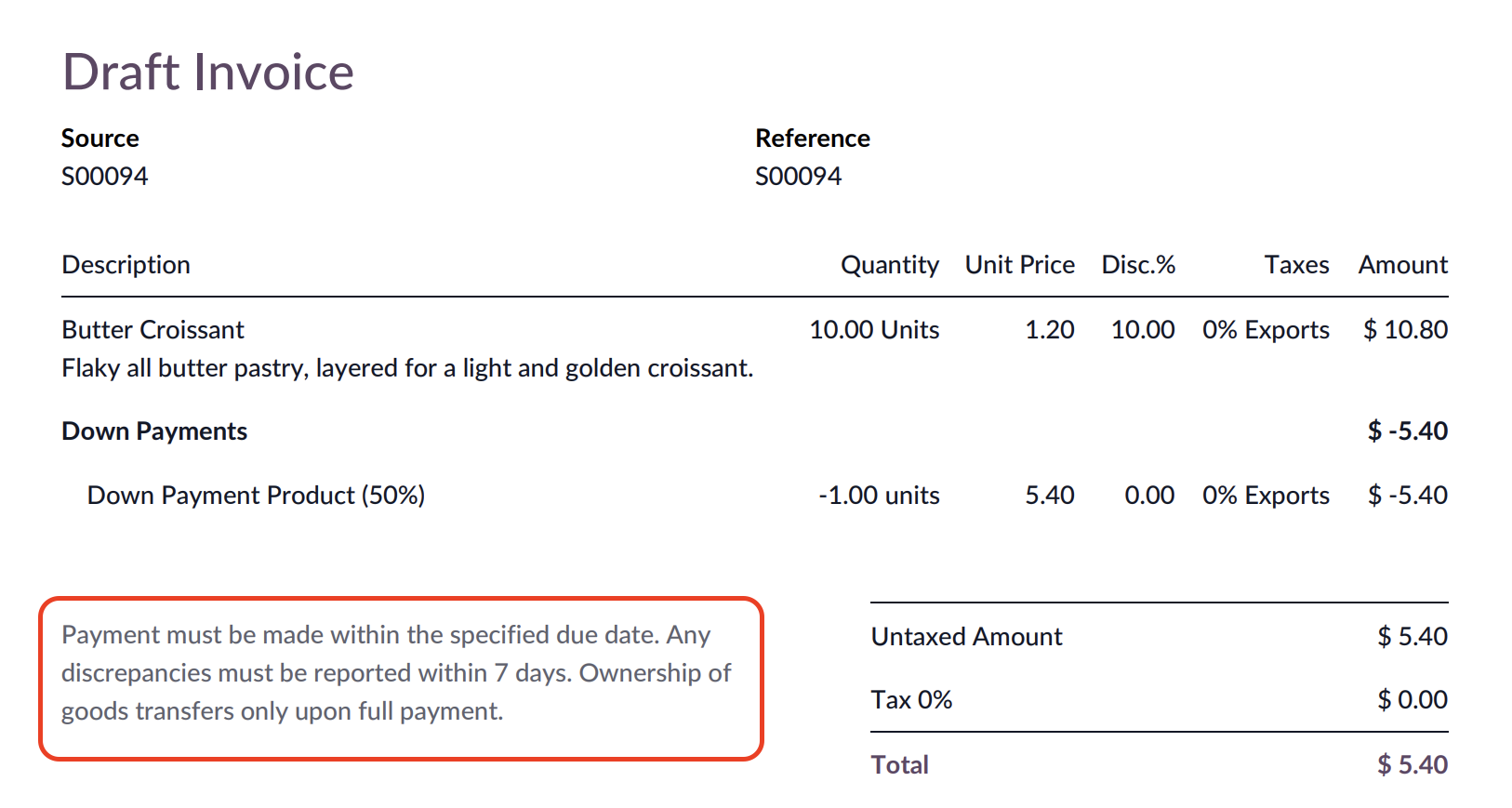 |