ODOO'S FUNCTION
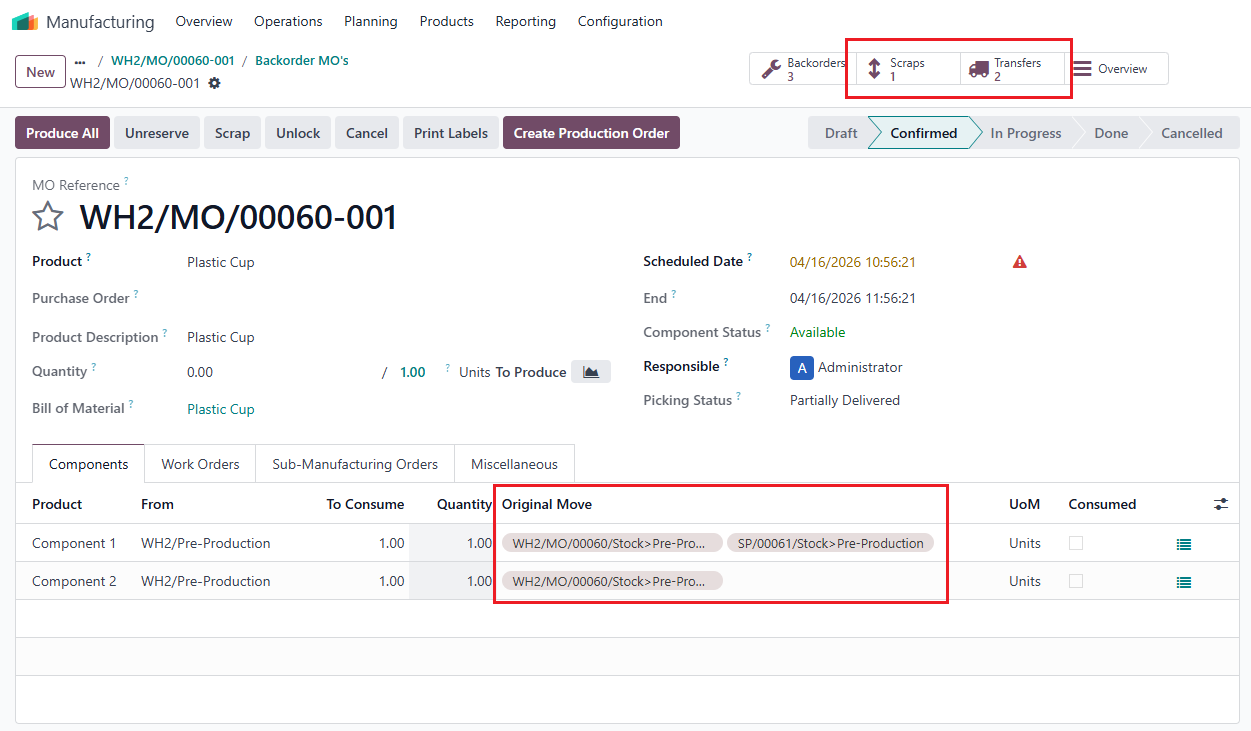
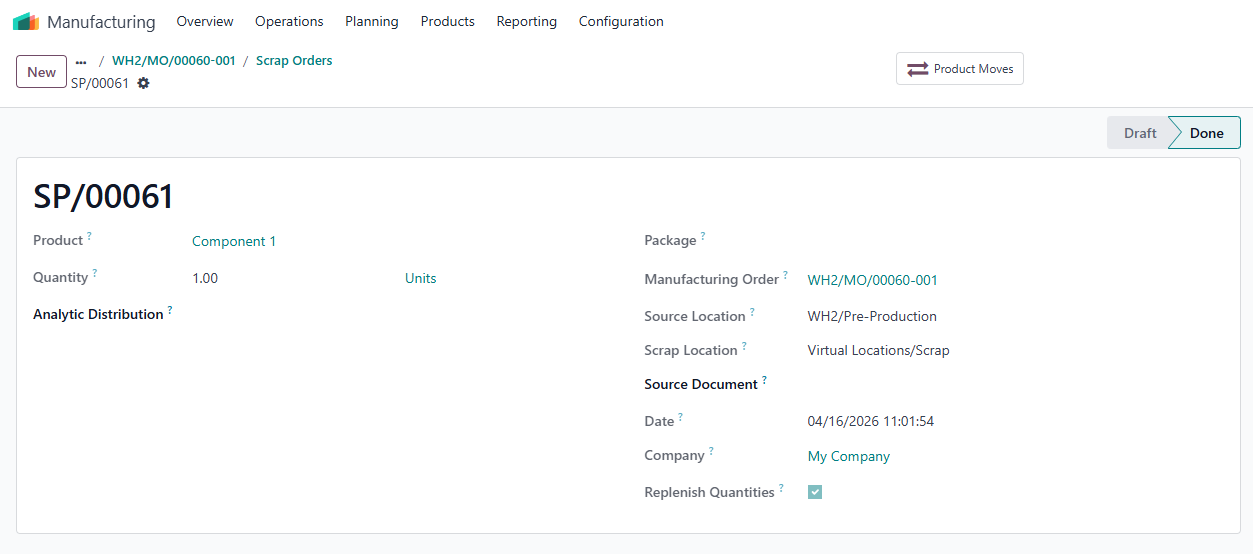
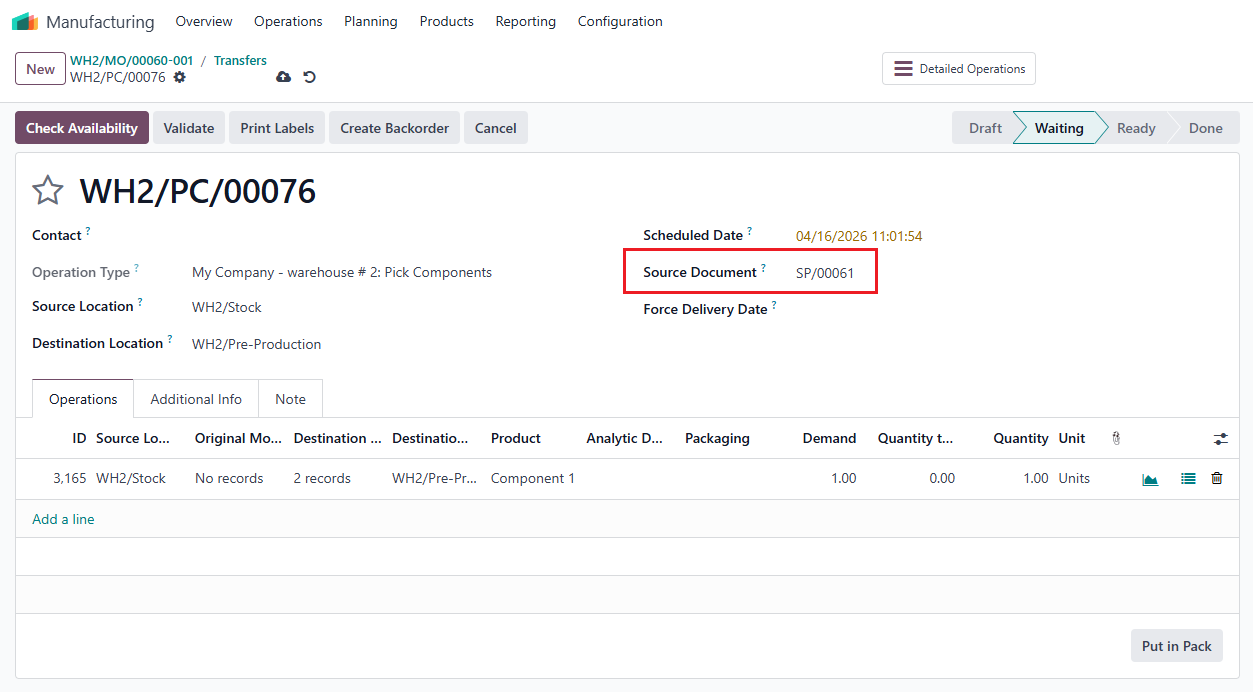
In Odoo, when replenishing a scrapped component to compensate for the lost quantity, the system creates a new transfer for the replenishment but fails to link it back to the Original Move on the MO line.
CLUEDOO'S FUNCTION
In CLuedoo, the transfer generated for the replenished component is automatically link to the Original Move on the MO line. This ensures full end-to-end traceability, maintaining a continuous data link between the scrapped items, the replenishment actions, and the original production requirements.
CONFIGURATION | |
1. Create a finished product > Set up the Route: Manufacture for the product. Note: Ensure your Manufacturing Route in the Warehouse is set to either Pick components then manufacture (2 steps) or Pick components, manufacture, then store products (3 steps). | 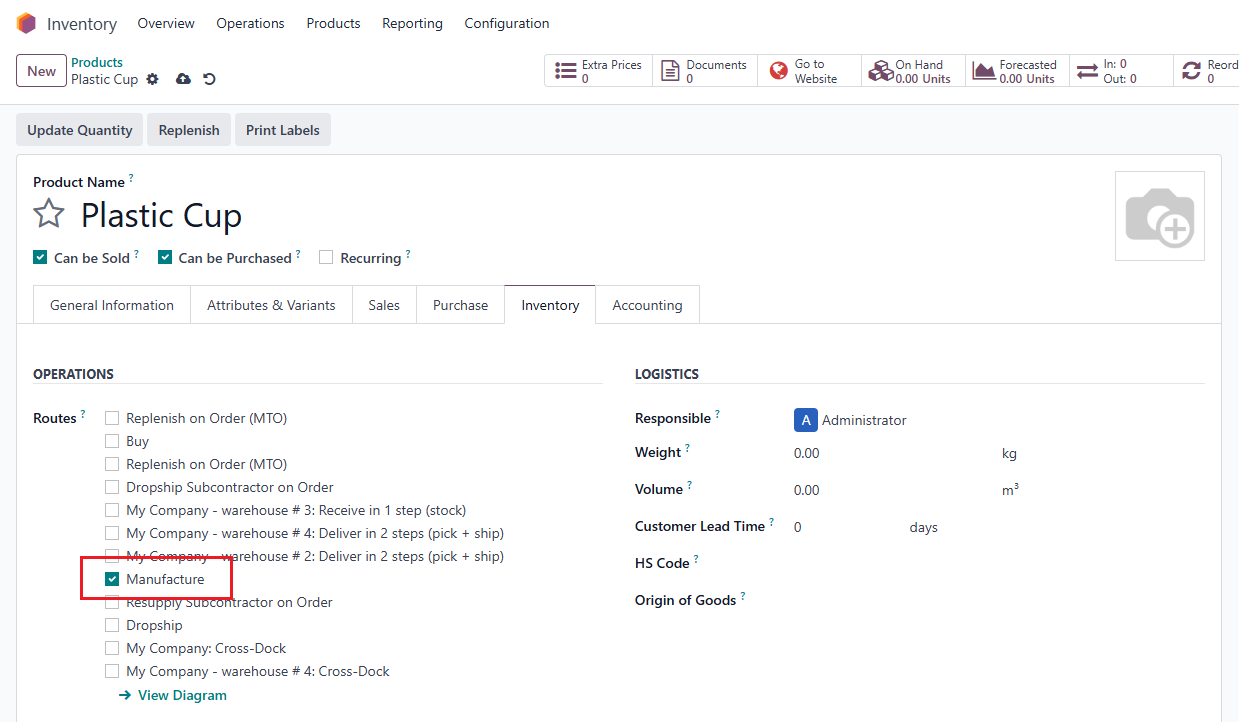 |
2. Create a Bill of Materials for the finished product and add the component(s). | 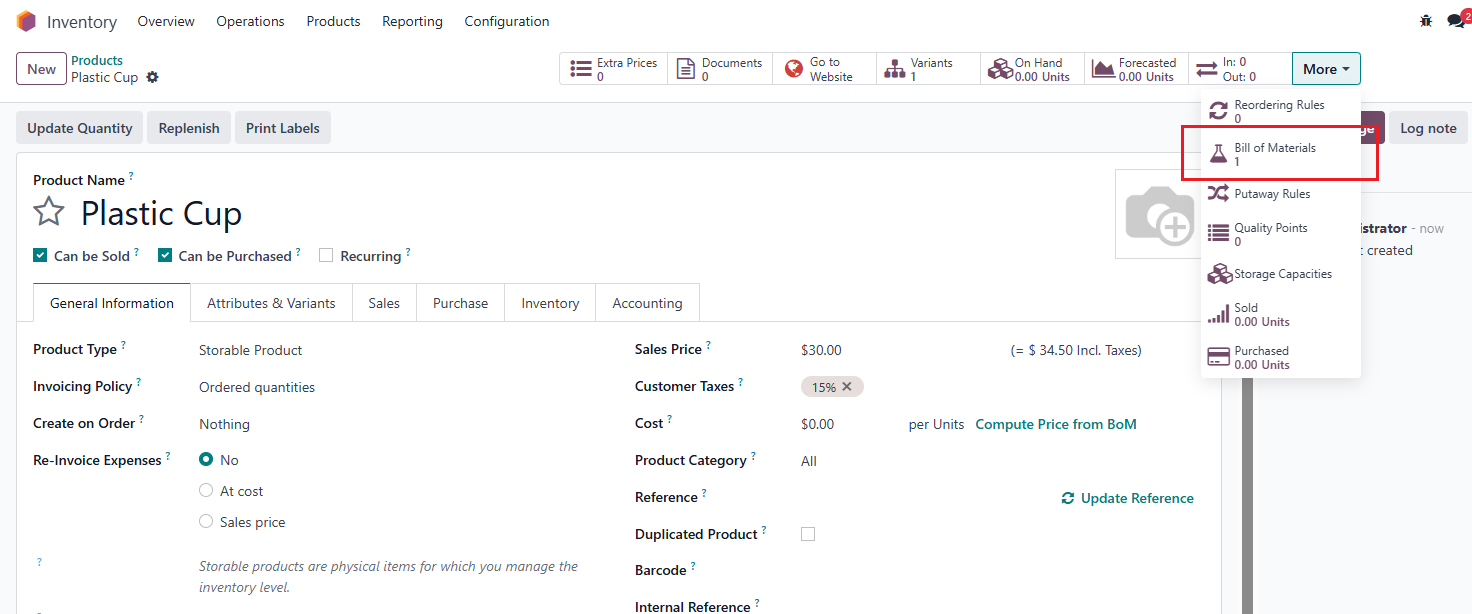 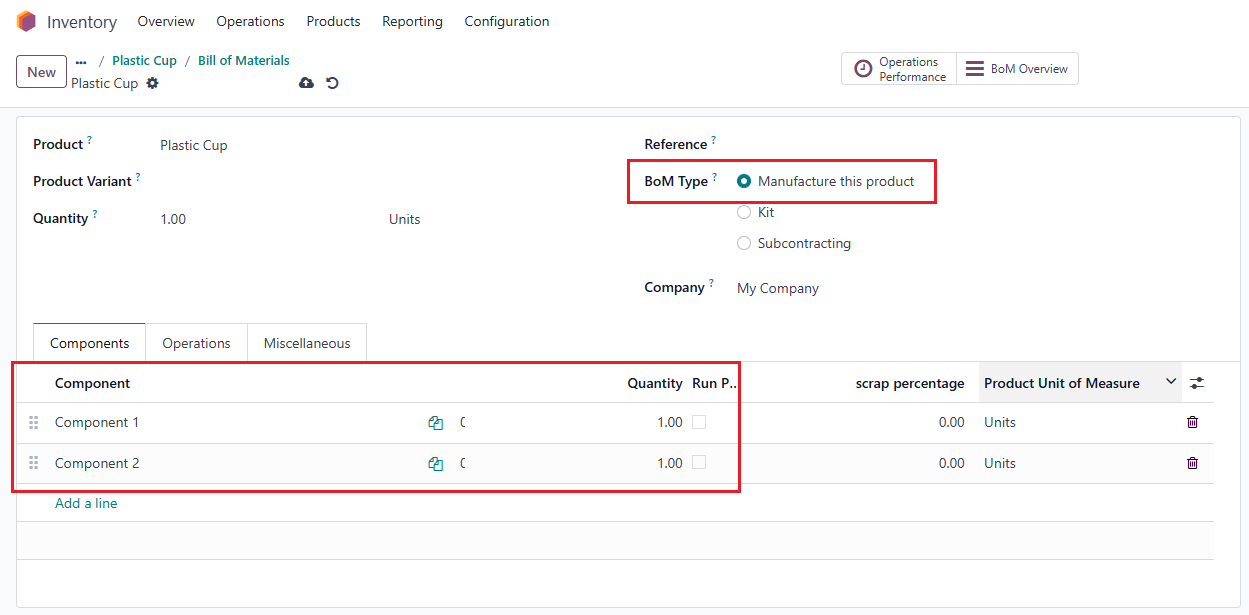 |
USAGE | |
1. Go to Manufacturing > Manufacturing Orders > Create a new MO, fill in the Quantity and Confirm | 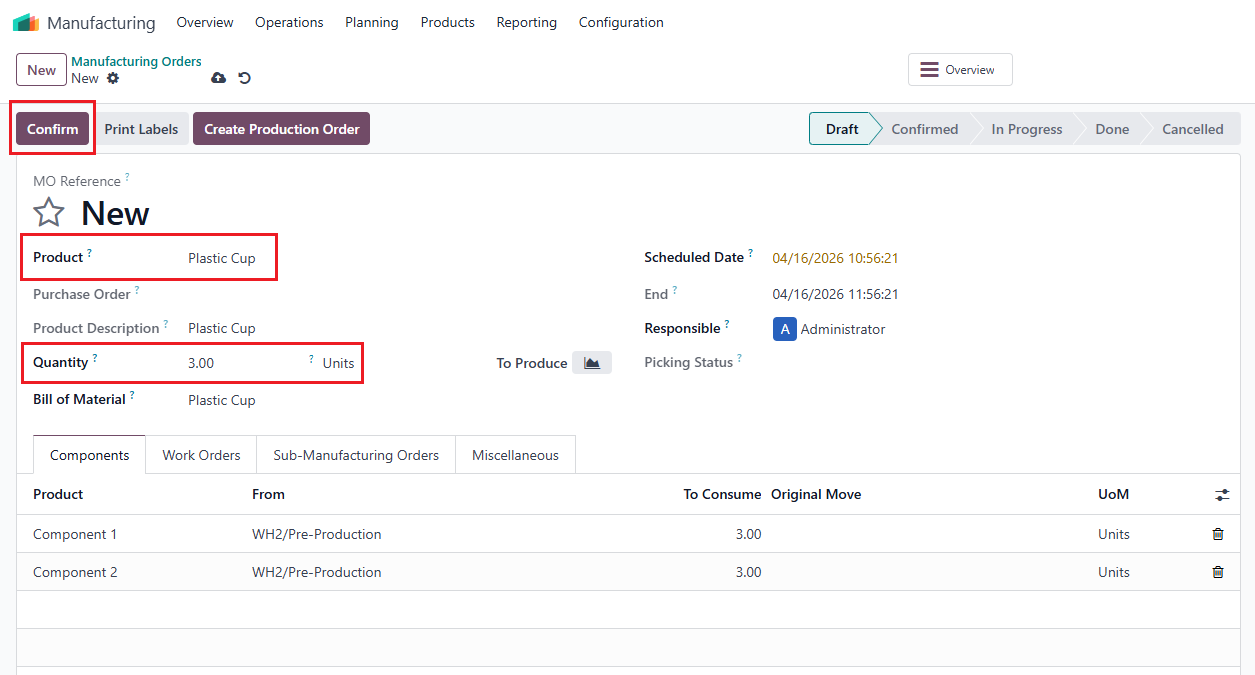 |
2. Go to Transfers > Validate the transfer | 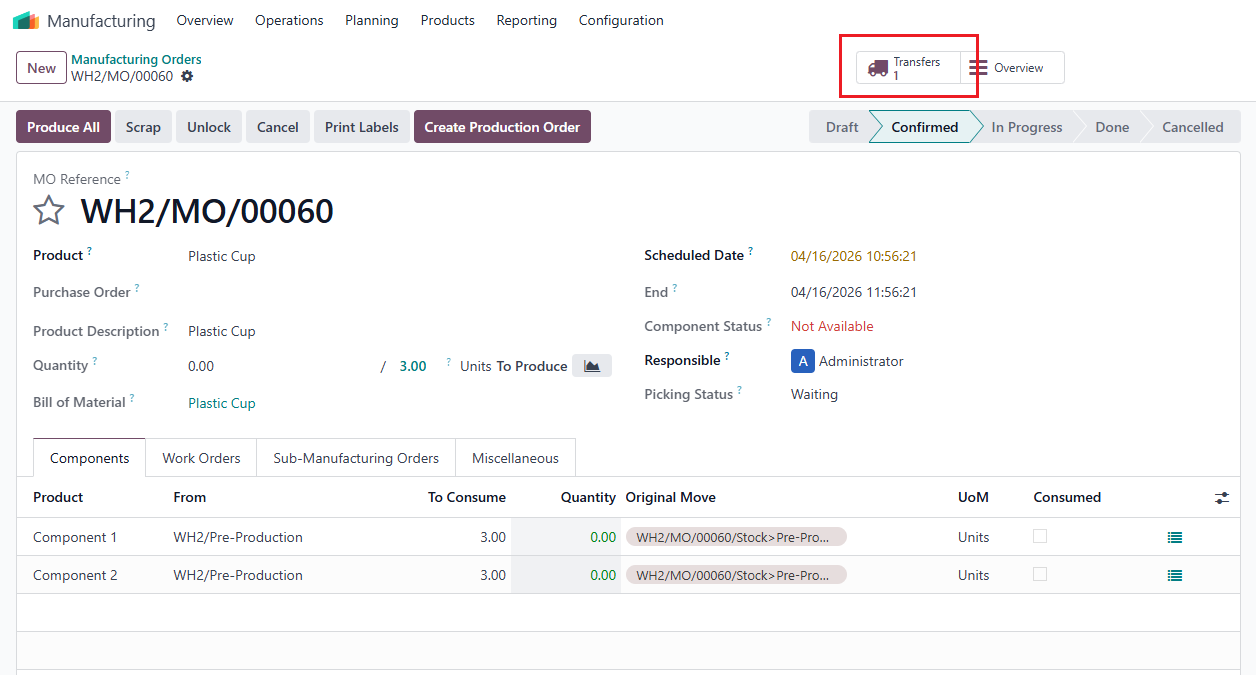 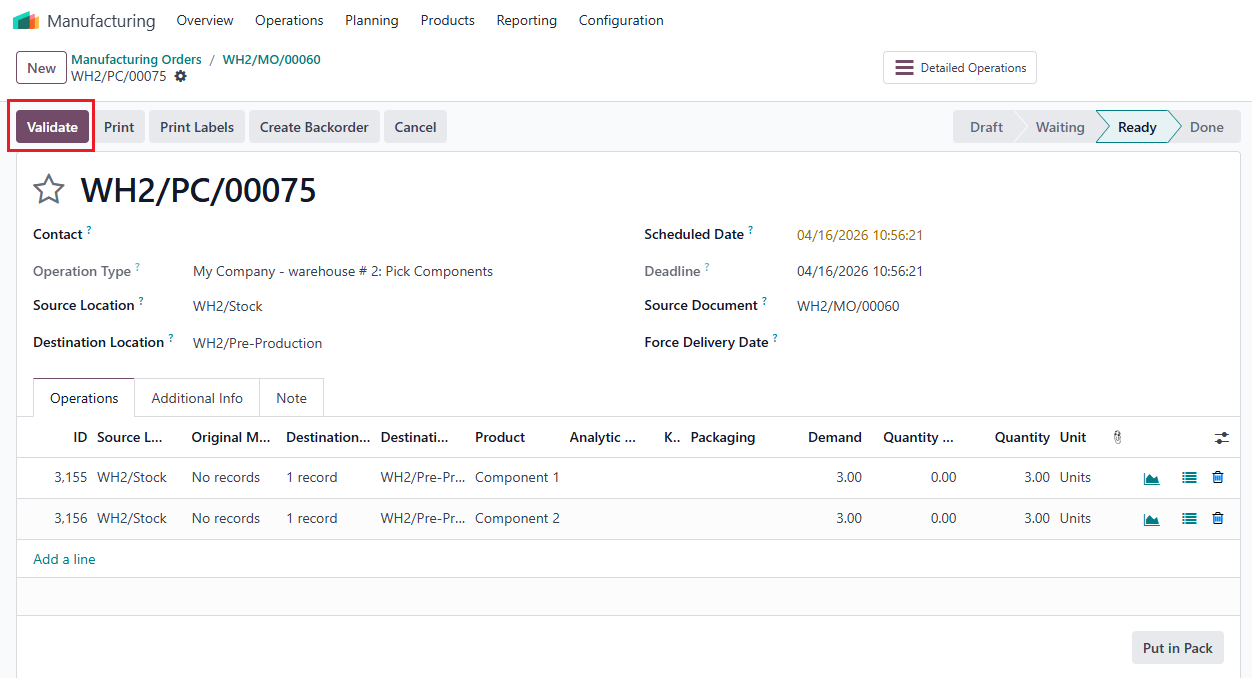 |
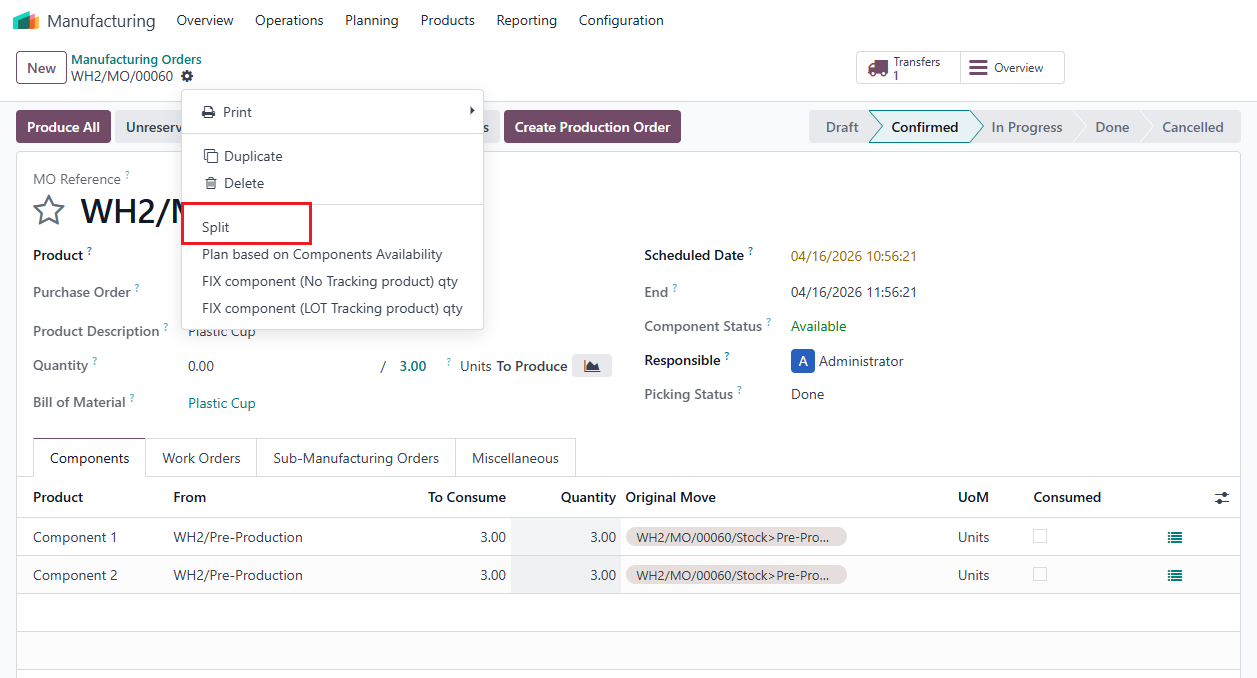
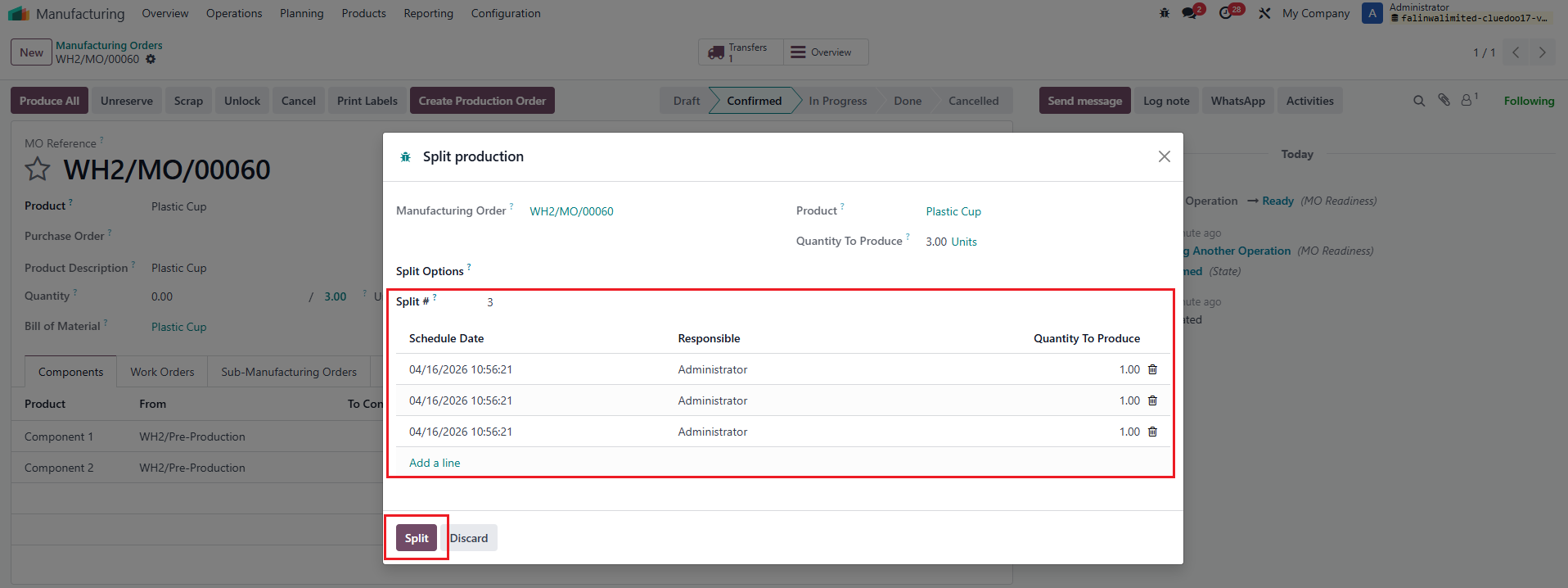
3. Go back to the MO > Split |
|
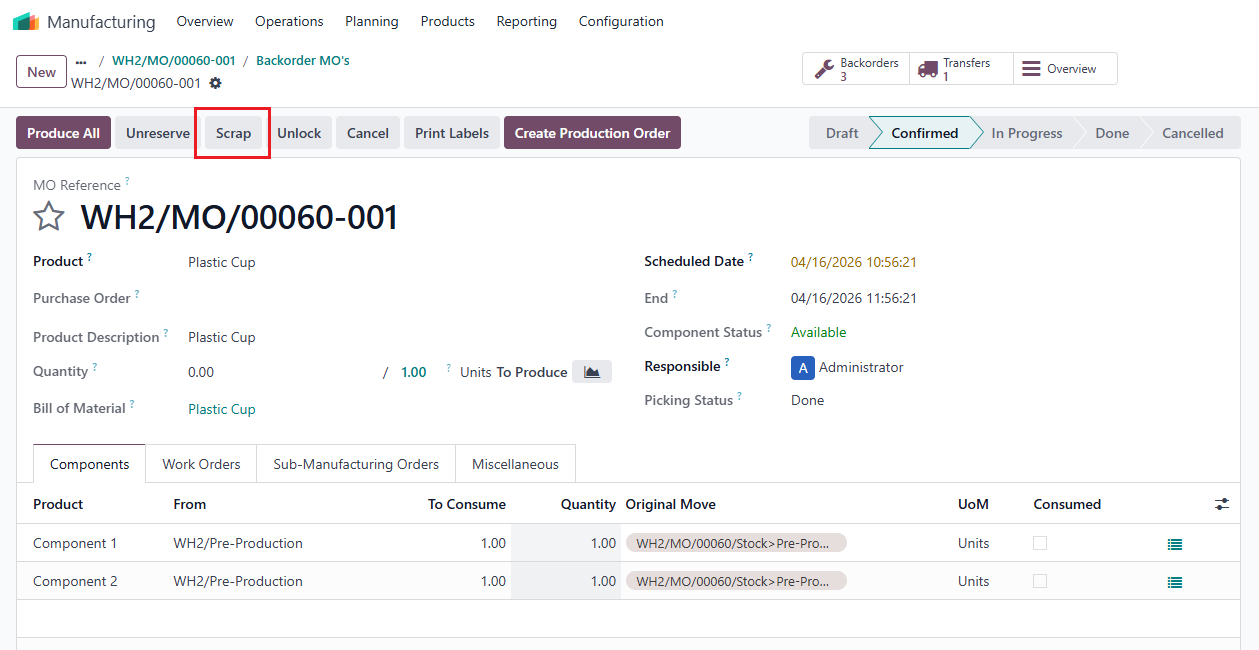
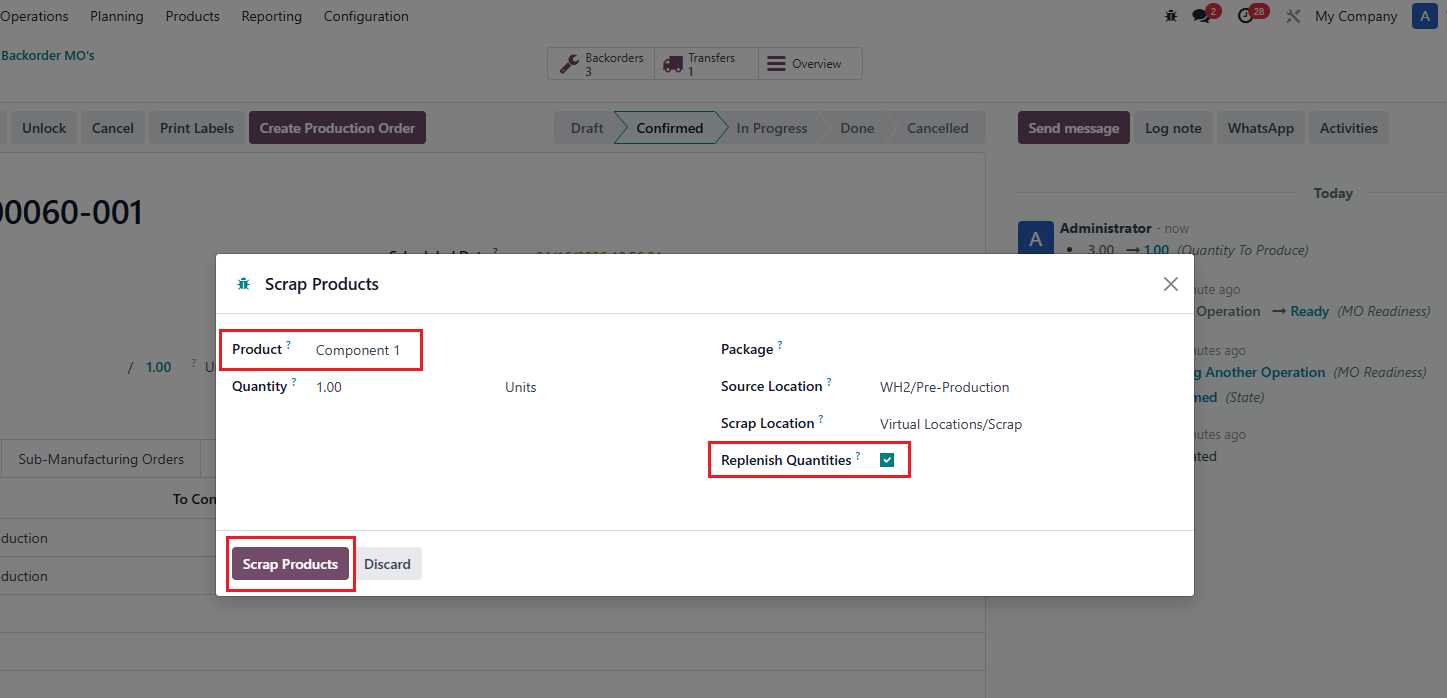
4. Go to the MO's backorders > Click on Scrap > Choose product that needs to be scrapped & tick Replenish Quantities |
|
5. A Scrap Order & a Replenishment Transfer generated from the Scrap Order are created. Transfer for Replenishment is linked directly to Original Move on MO line. |
|