



ODOO'S FUNCTION
In Odoo, Manufacturing Orders (MOs) operate independently. Even if a parent MO relies on a child MO for a semi-finished product, the system allows users to mark the parent MO as Done before the child MO is completed. This flexibility comes with drawbacks in traceability and production control.
CLUEDOO'S FUNCTION
CLuedoo enhances Odoo’s manufacturing logic by enforcing BoM-based sequencing across MOs. It prevents the completion of a parent MO until all its dependent subMOs are marked
as Done. This ensures that production strictly follows the BoM hierarchy.
Key features:
✅ Block the parent MO from being completed if child MOs are still open
✅ Enforces execution order based on BoM levels (e.g., L5 → L4 → L3 → L2 → L1)
1. Go to Settings > Checkbox Block Confirm for Manufacturing Order | 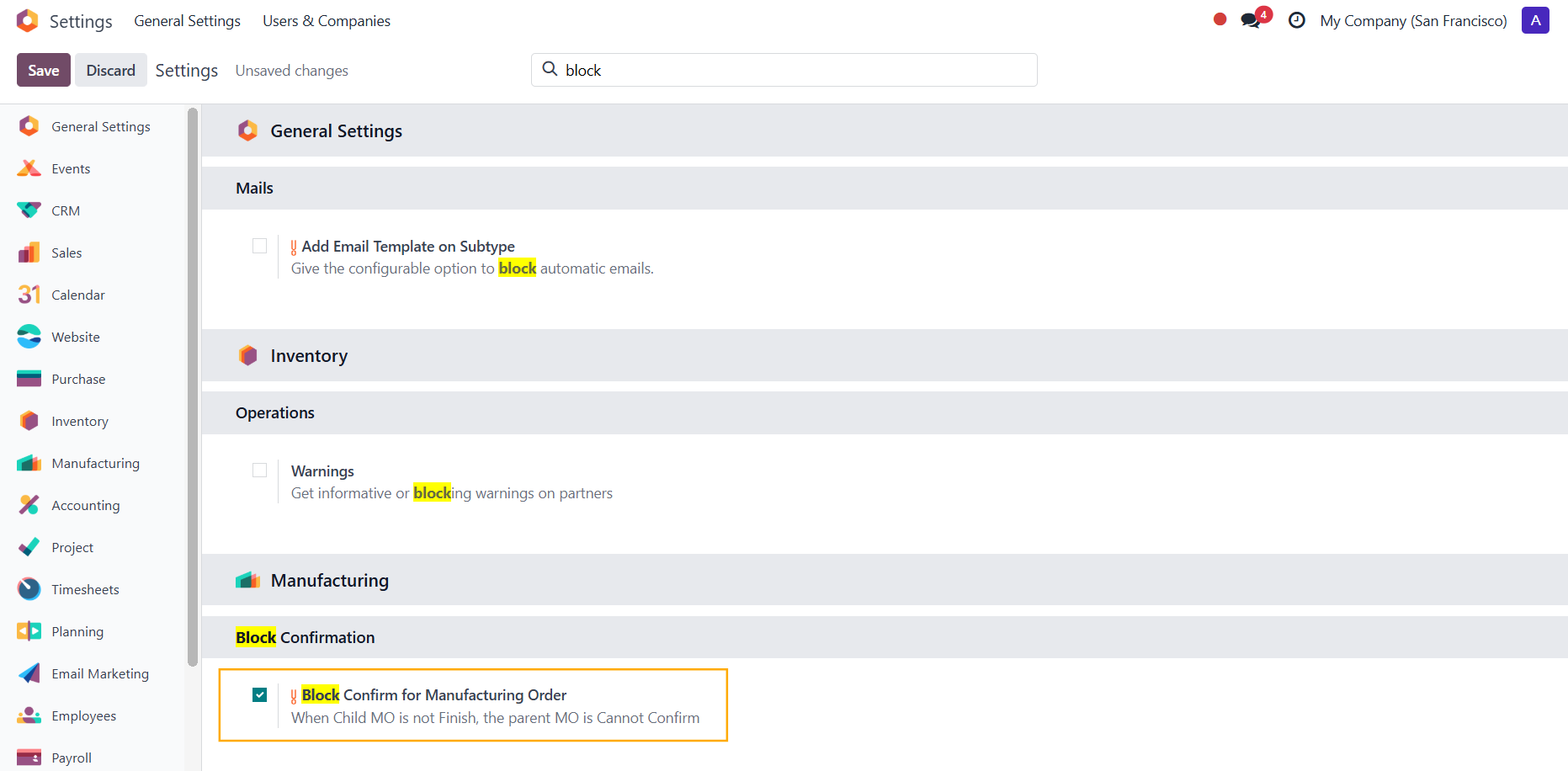 |
2. Create a product with multiple BoM levels Note: The component(s) need to have routes Manufacture + MTO | 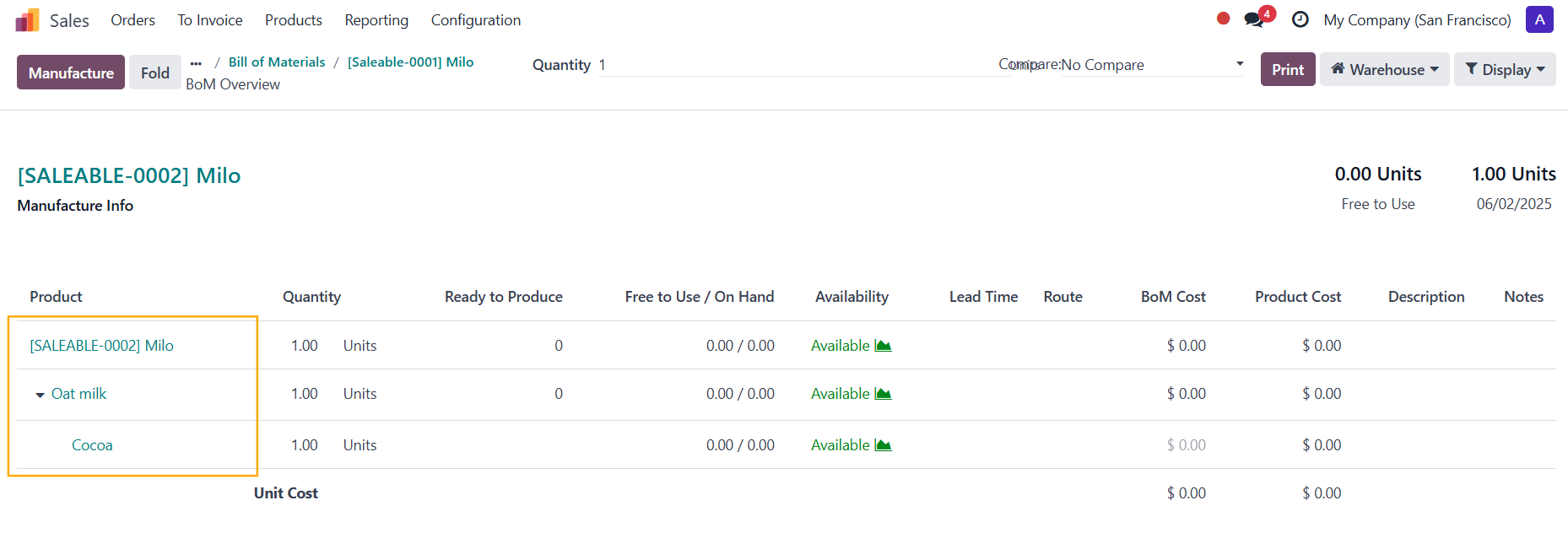 |
3. Create a Manufacturing Order > Add the product > Confirm > A Child MO smart button will appear > Produce All | 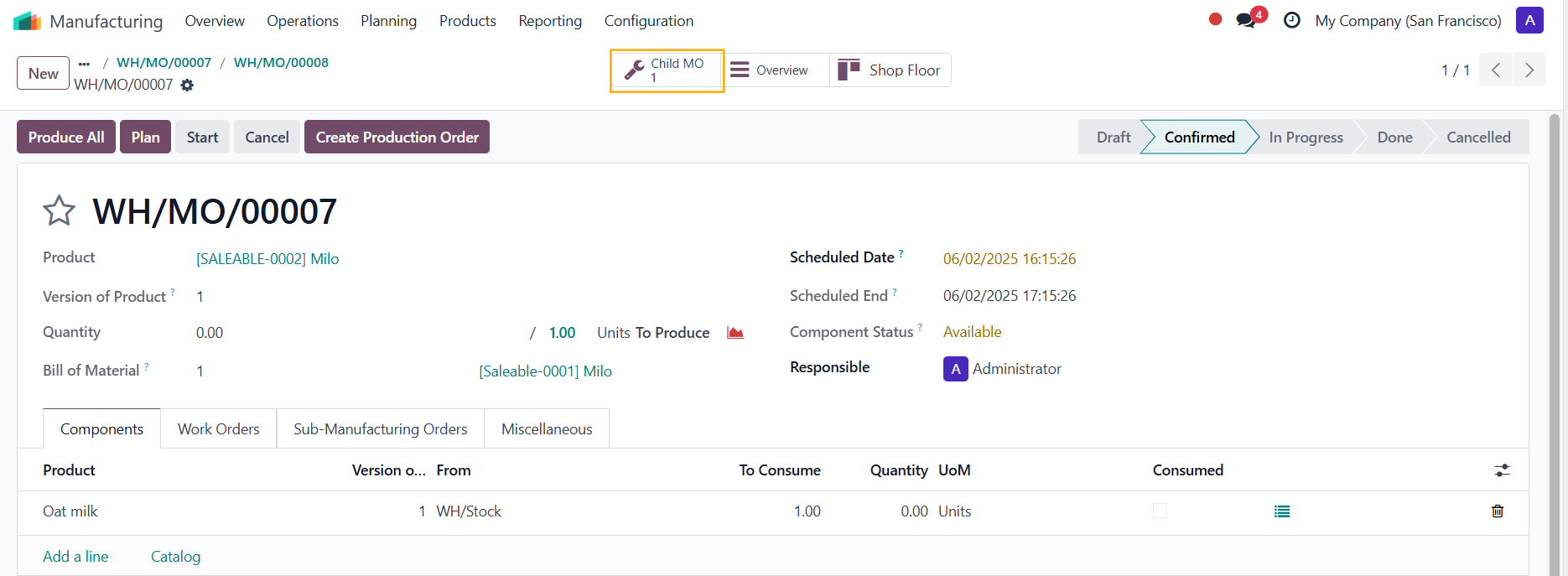 |
4. If you try to produce the MO without finishing the child MO > an Invalid Operation warning will pop up | 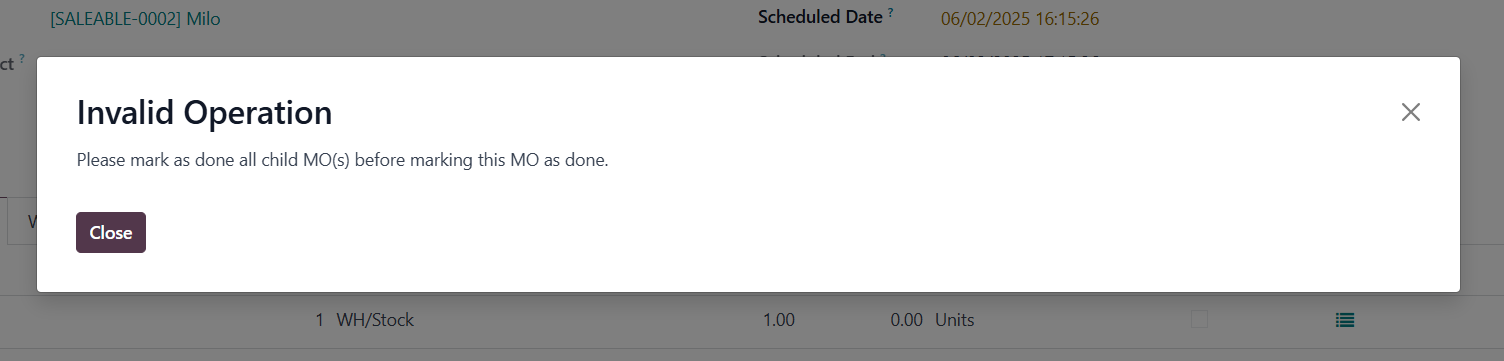 |
5. After the child MO has been marked as done > you can produce the parent MO as usual Note: This module introduces a hierarchical execution restriction e.g., you have a BoM with 5 levels: Under CLuedoo, the sequence to finish MOs must follow: | 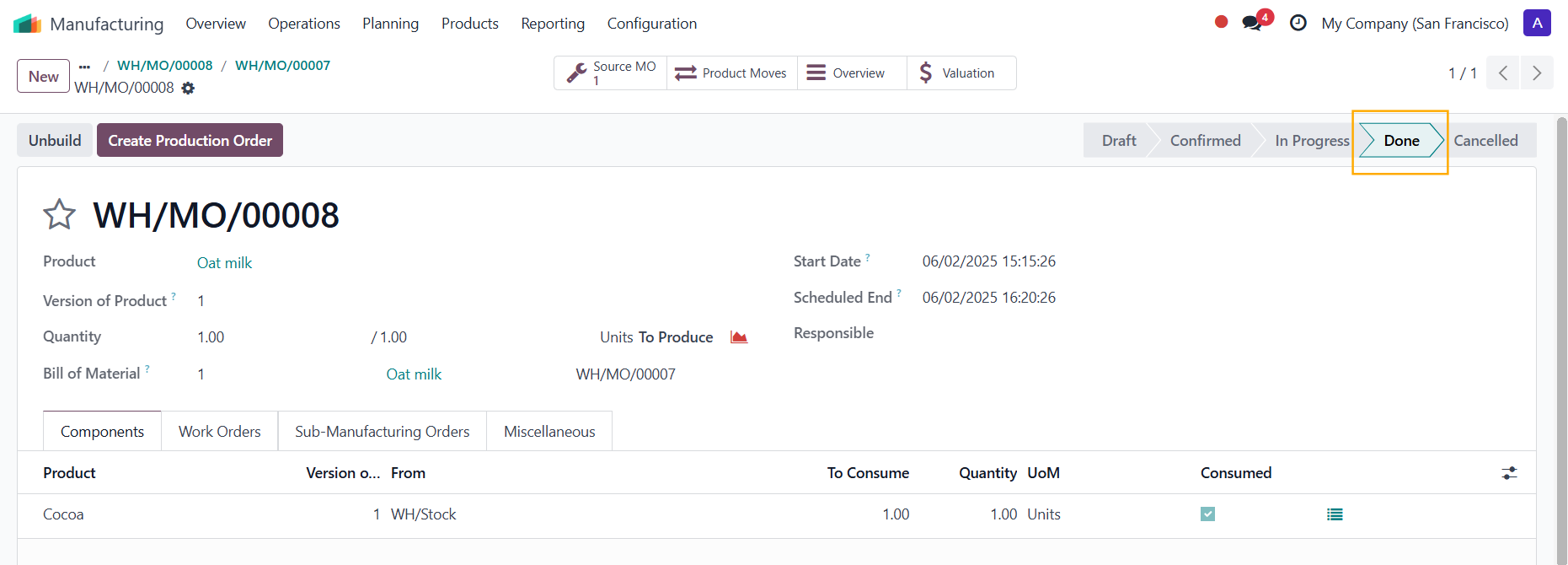 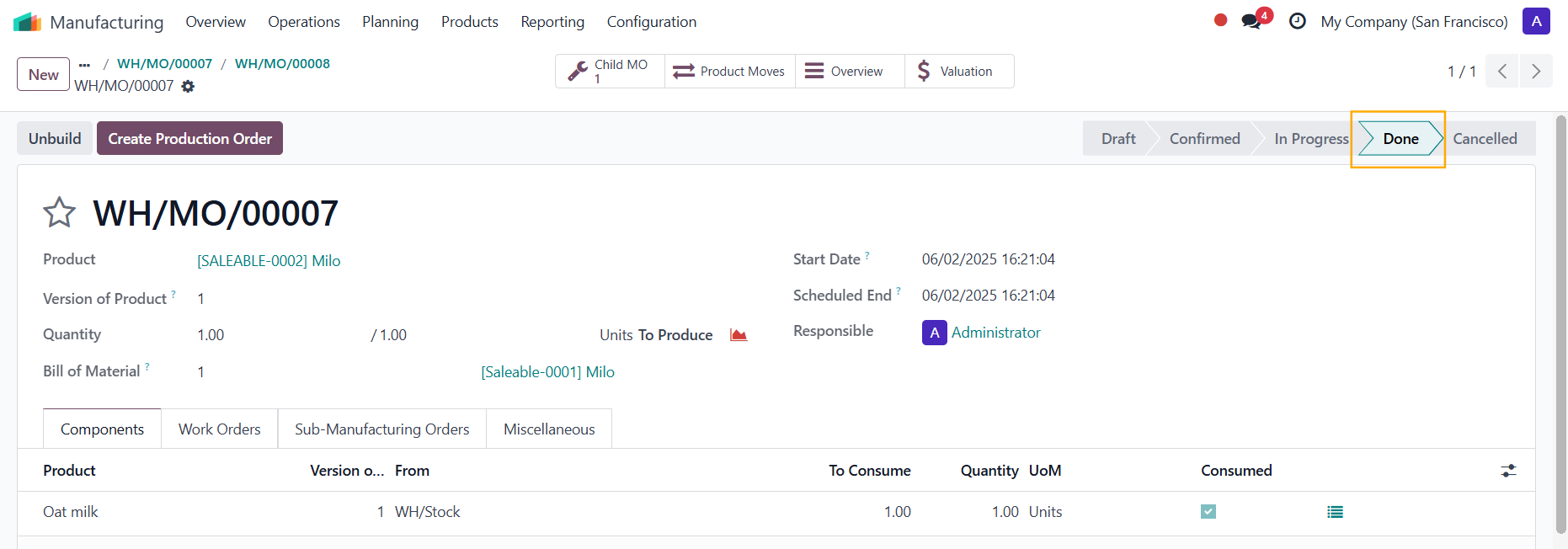 |