



ODOO'S FUNCTION
In Odoo, you can easily hide or unhide the Operator panel on the Shop Floor with just one click
CLUEDOO'S FUNCTION
With CLuedoo, the Operator panel on Shop Floor is hidden by default for all users, and you can specify which users are allowed to see it. This helps improve access control and keeps the Shop Floor interface cleaner.
1After activating the module, the Operator panel on the Shop Floor will be hidden by default for all users.
| 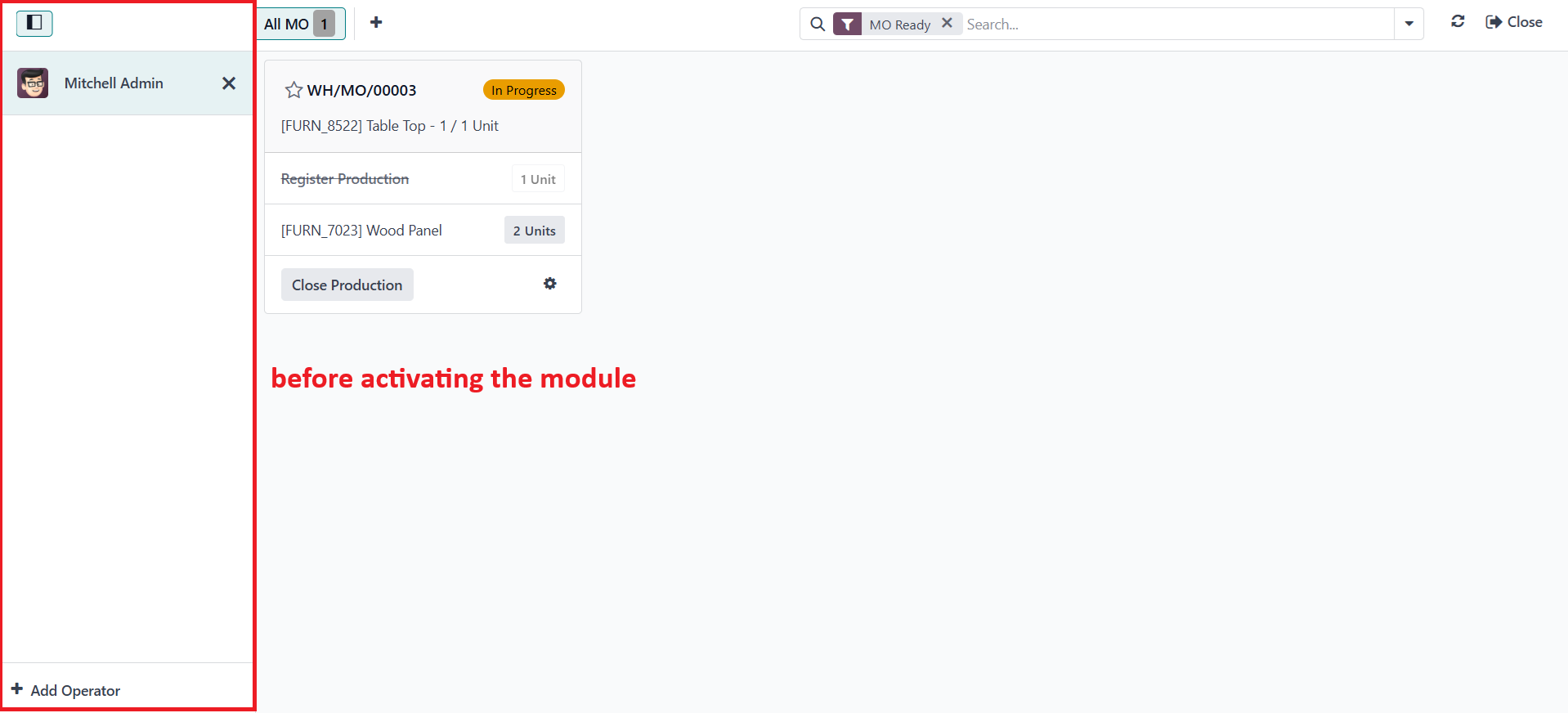 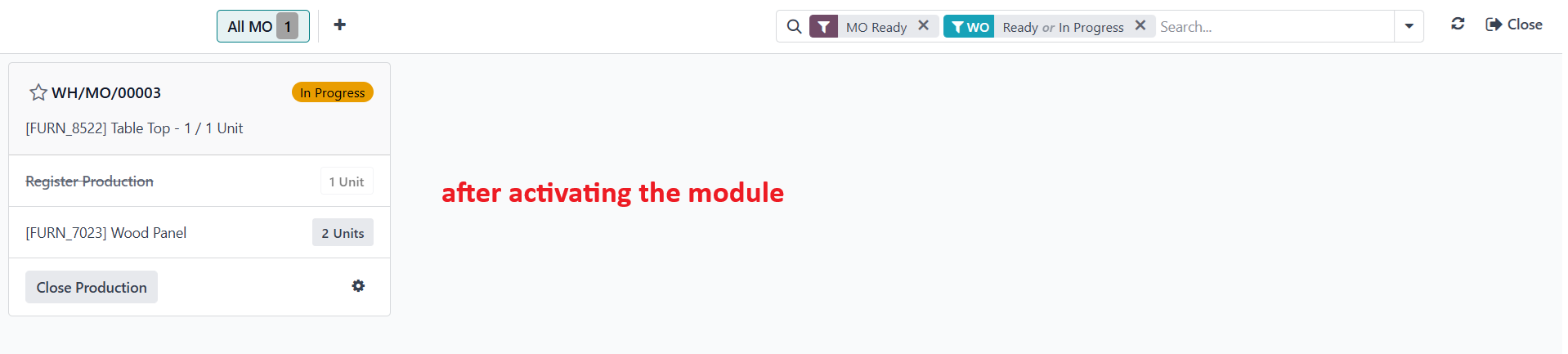 |
2To make it appear on a specific user screens, go to Settings > Users > Access a user form > Check Shopfloor: Can See Left Panel checkbox EX: On the Mitchell Admin user form, I checked the checkbox. Then, I could see the Operator panel on Shop Floor after logging in with the Mitchell Admin account | 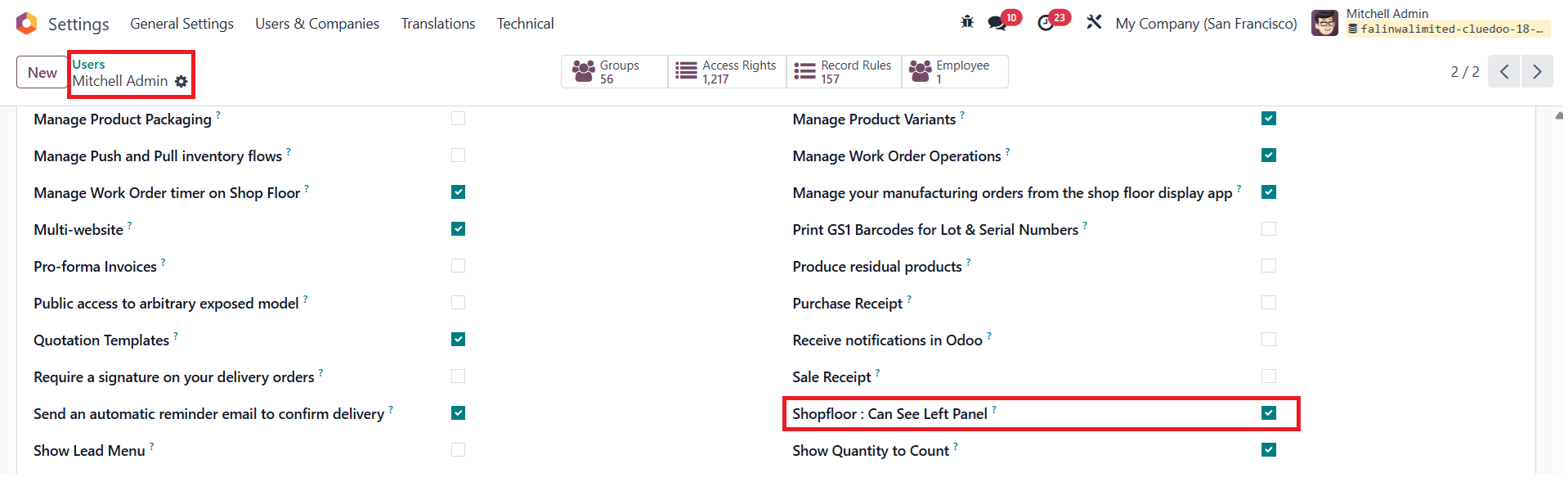 |
3Go to Settings > Groups > Search for Technical / Shopfloor: Can See Left Panel > On the Users tab, it shows all users who have the right to see the Operator panel on Shop Floor. You can add or remove users who have permission to view it here | 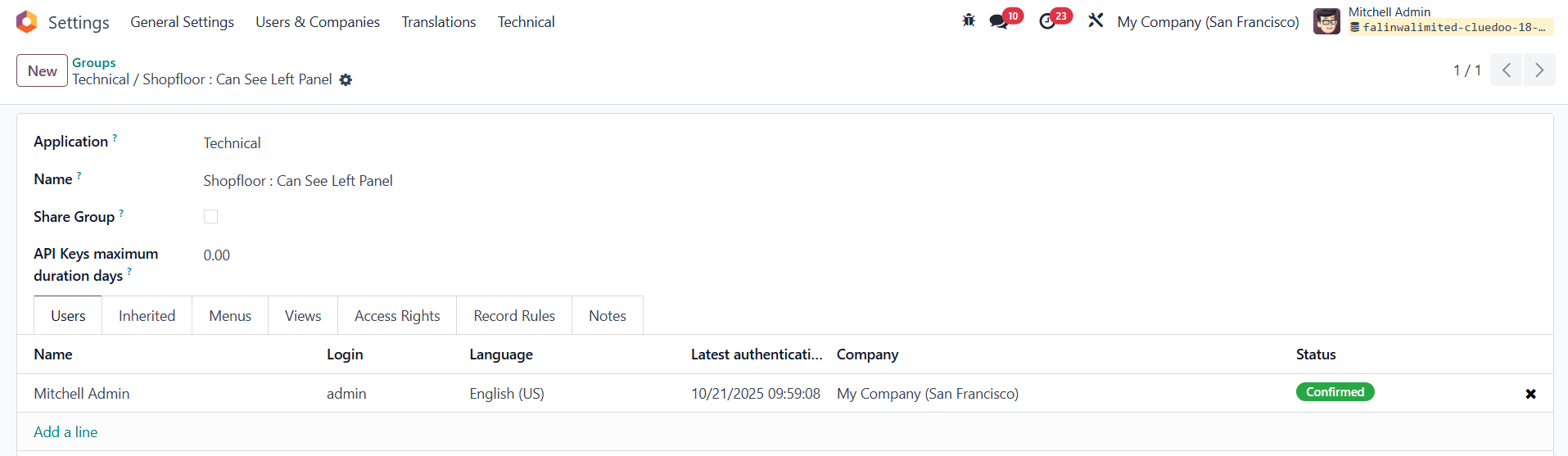 |