


ODOO'S FUNCTION
Standard Odoo utilizes a built-in engine to display a vendor pricelist within the BoM Overview. However, this selection is locked, preventing users from manually changing or adjusting the vendor directly from this screen.
CLUEDOO'S FUNCTION
CLuedoo leverages the standard Odoo engine to show vendor pricelists but introduces essential flexibility, allowing you to manually change the vendor selection on the fly for the subcontracting route. Furthermore, it enriches the BoM Overview by directly displaying the vendor's Minimum Order Quantity (MOQ) alongside the Unit Price for complete cost visibility.
CONFIGURATION | |
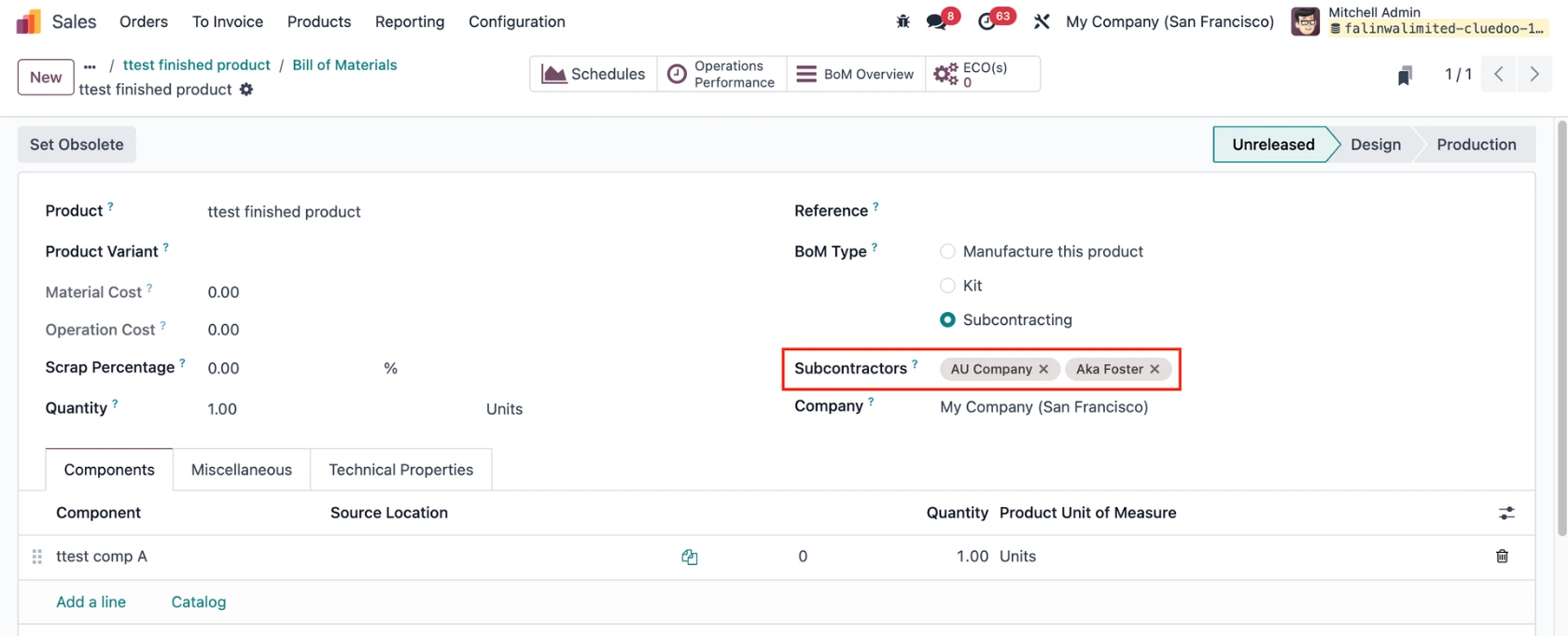
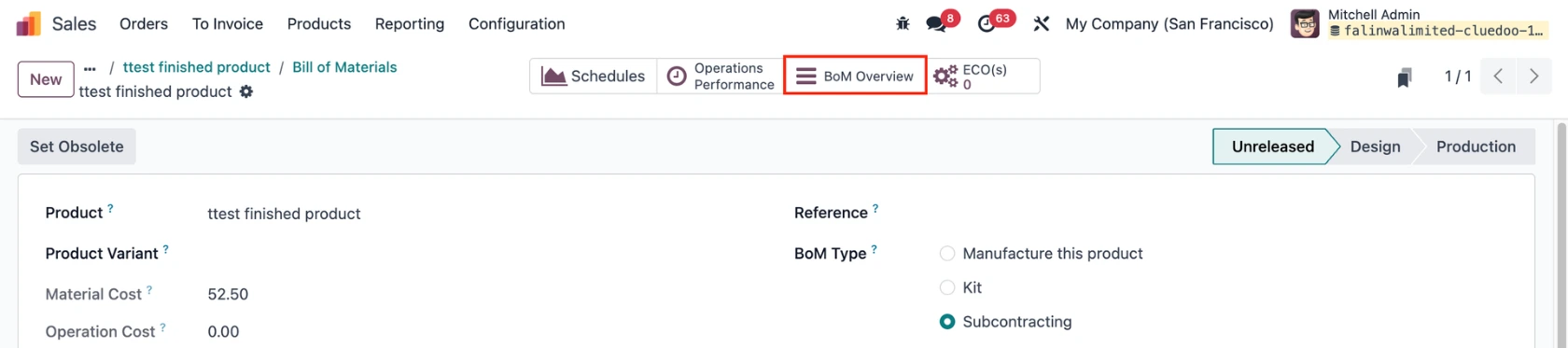
1. Create a BoM for a finished product with type Subcontracting and add the Subcontractor |
|
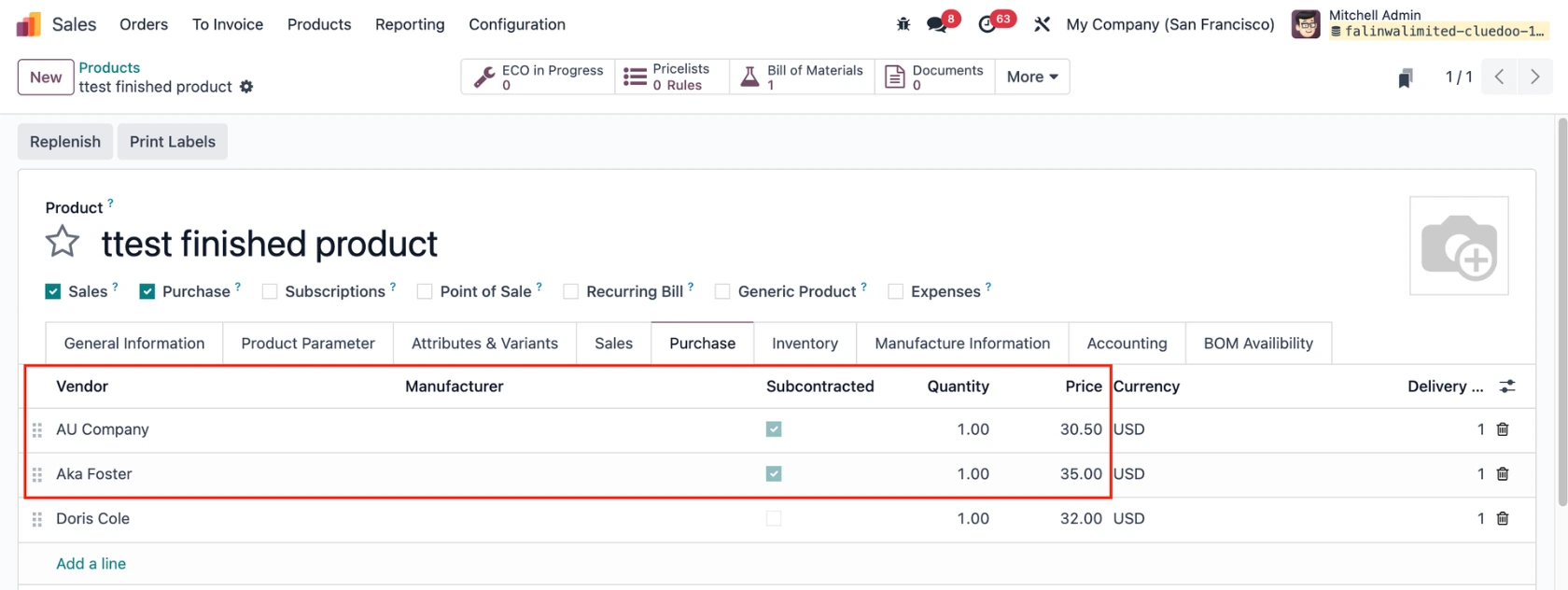
2. Add some vendor pricelists for the product; those that are subcontractors will be marked. If the subcontractor outsources the production to another manufacturer, you can choose a Manufacturer under the Purchase tab. |
|
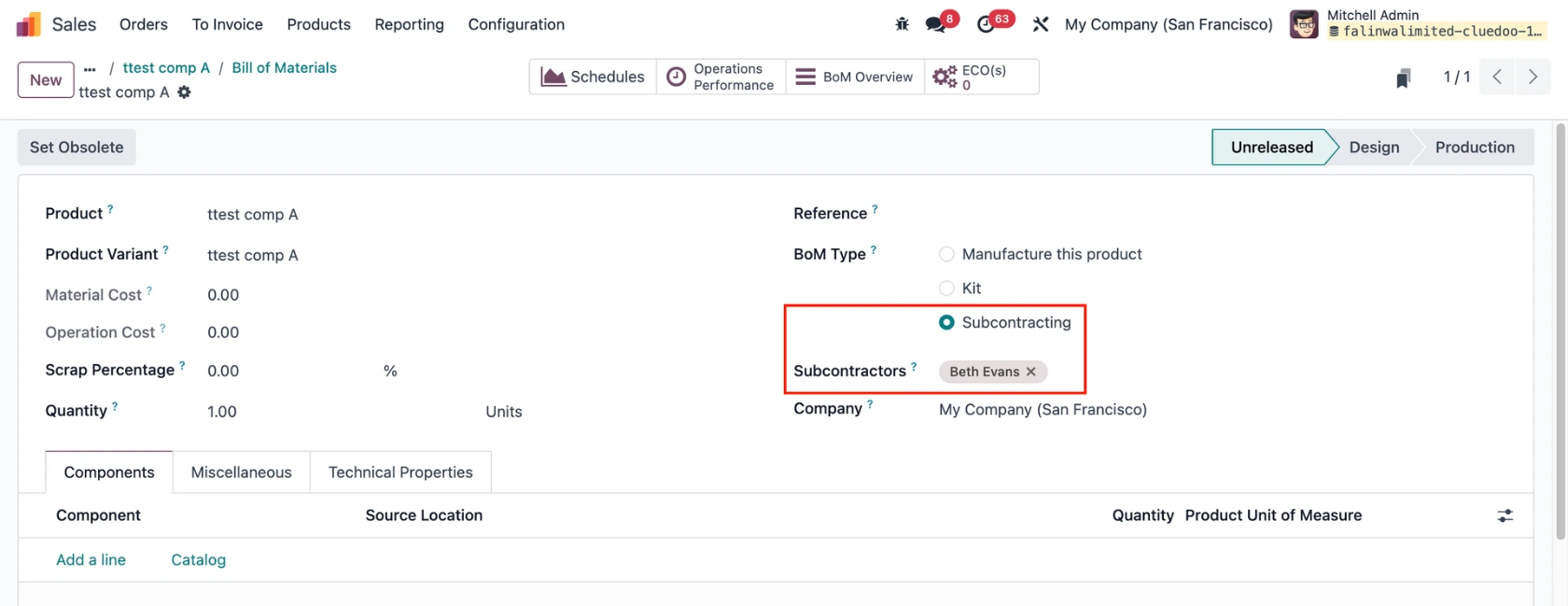
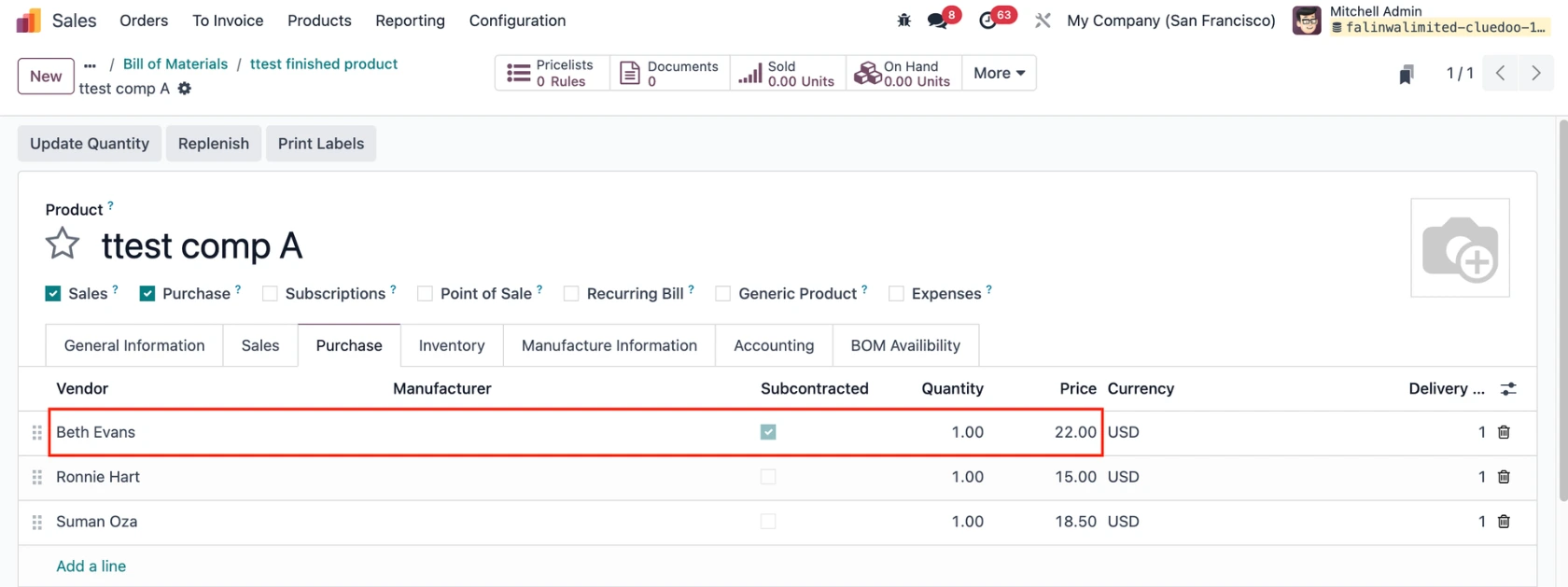
3. Configure the component(s) as well if needed. |
|
USAGE | |
1. Go to the finished product's BOM Overview |
|
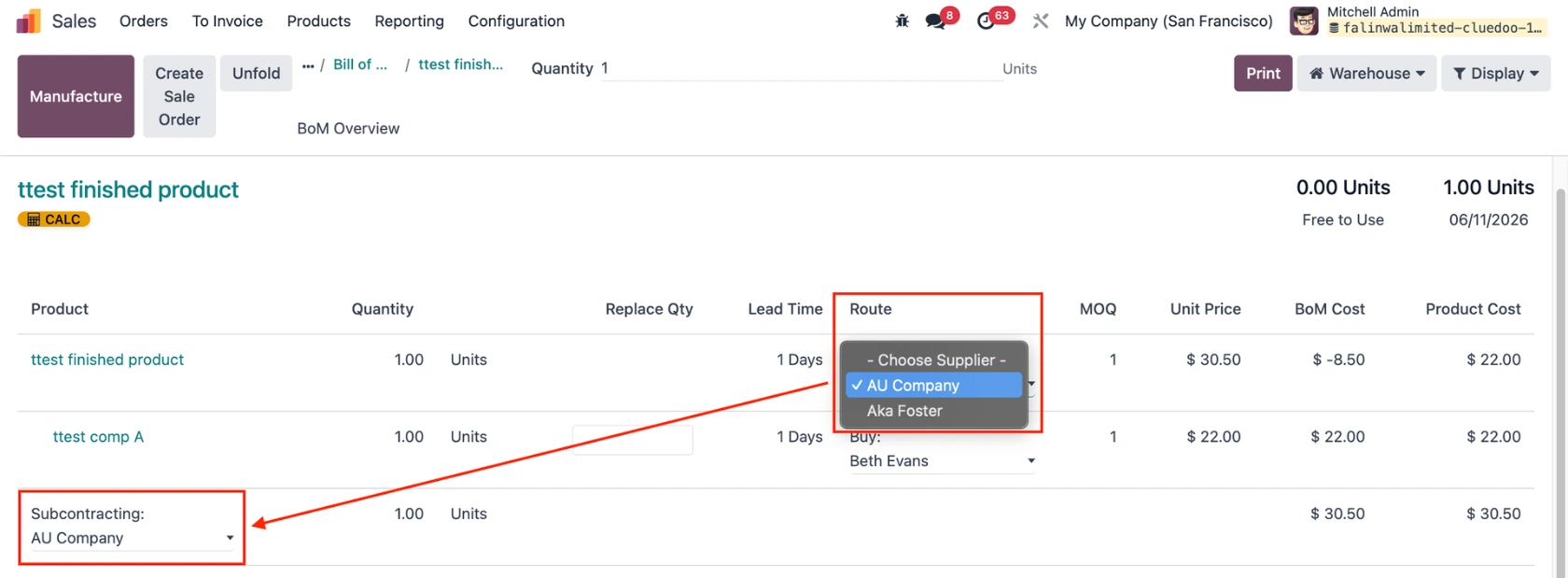
2. The vendor in the Route column is now editable. The options are limited to the subcontracted pricelists only. The selected vendor will be inherited to the Subcontracting field, with ability to change. |
|
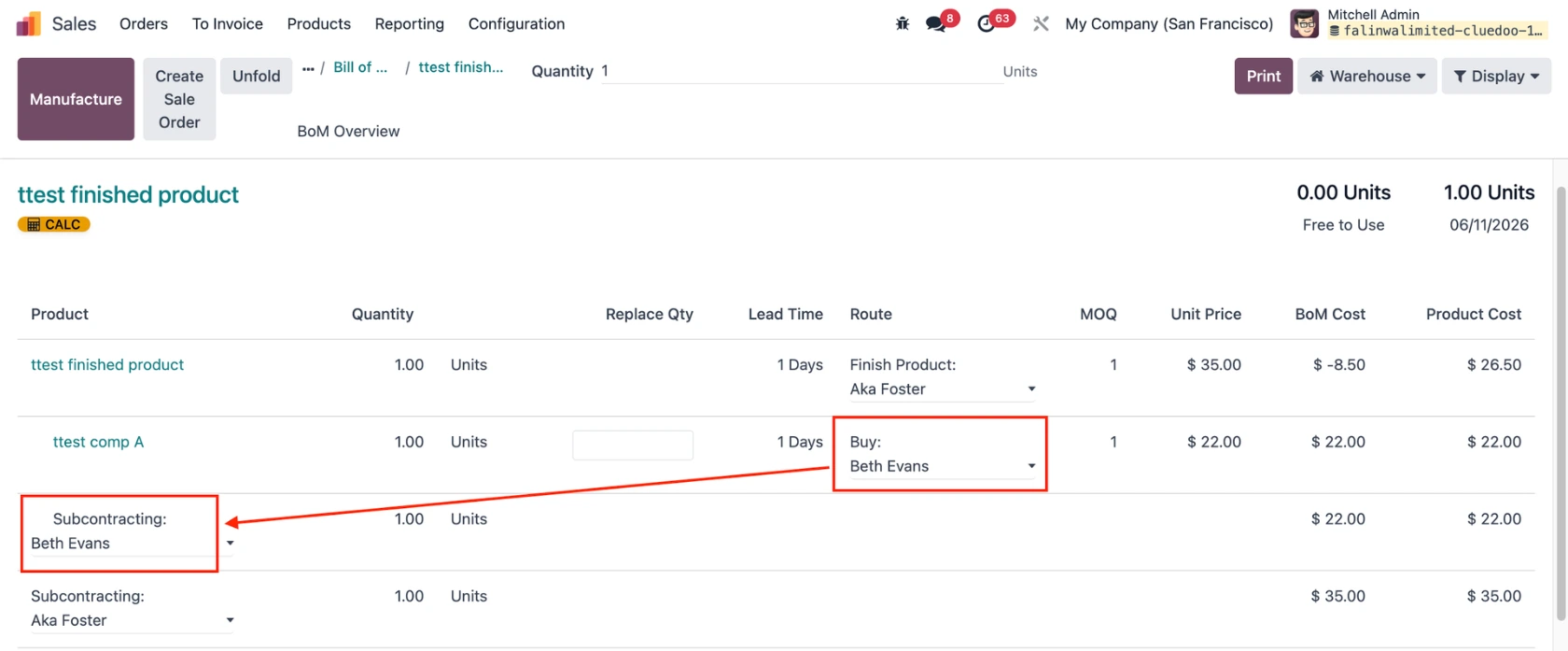
You can also select the vendor for the component(s). |
|
Calculations:
| |
Note: Selecting a supplier will display its linked manufacturer information in the Manufacturer Info column, if one is linked. | |
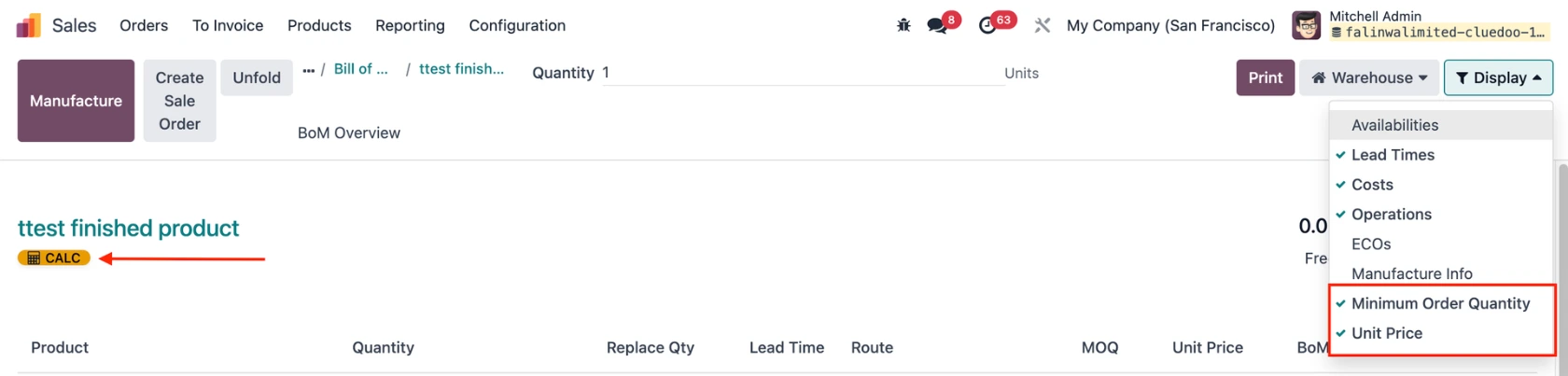
3. There are additional display options (MOQ, Unit Price) to give you an overview of the BOM. Click on the CALC button to recalculate the cost for the product. |
|