



ODOO'S FUNCTION
Odoo lacks a Stock Overview to track warehouse history. Companies can only see current stock, not when a warehouse first reached zero or how long it stayed empty, making it impossible to measure Unavailability KPI/day or analyze supplier reliability. Internal transfers are also not clearly tied to product availability, creating audit confusion. Without unavailability indicators, stock-out risks increase since patterns of empty stock go undetected.
CLUEDOO'S FUNCTION
CLuedoo Warehouse Stock Overview provides information on:1️⃣ On Hand Qty
2️⃣ Forecasted Qty
3️⃣ Zero Quantity Date
4️⃣ Unavailability KPI/day
Used to track incoming and outgoing goods, including internal warehouse transfers, calculate the number of days the warehouse is empty, and the initial warehouse empty date.
Go to Products > Select a product > Stock Overview You will see fields like: Quantity On Hand, Forecasted Quantity, Zero Quantity Date, Unavailability KPI/days Click on Update Warehouse | 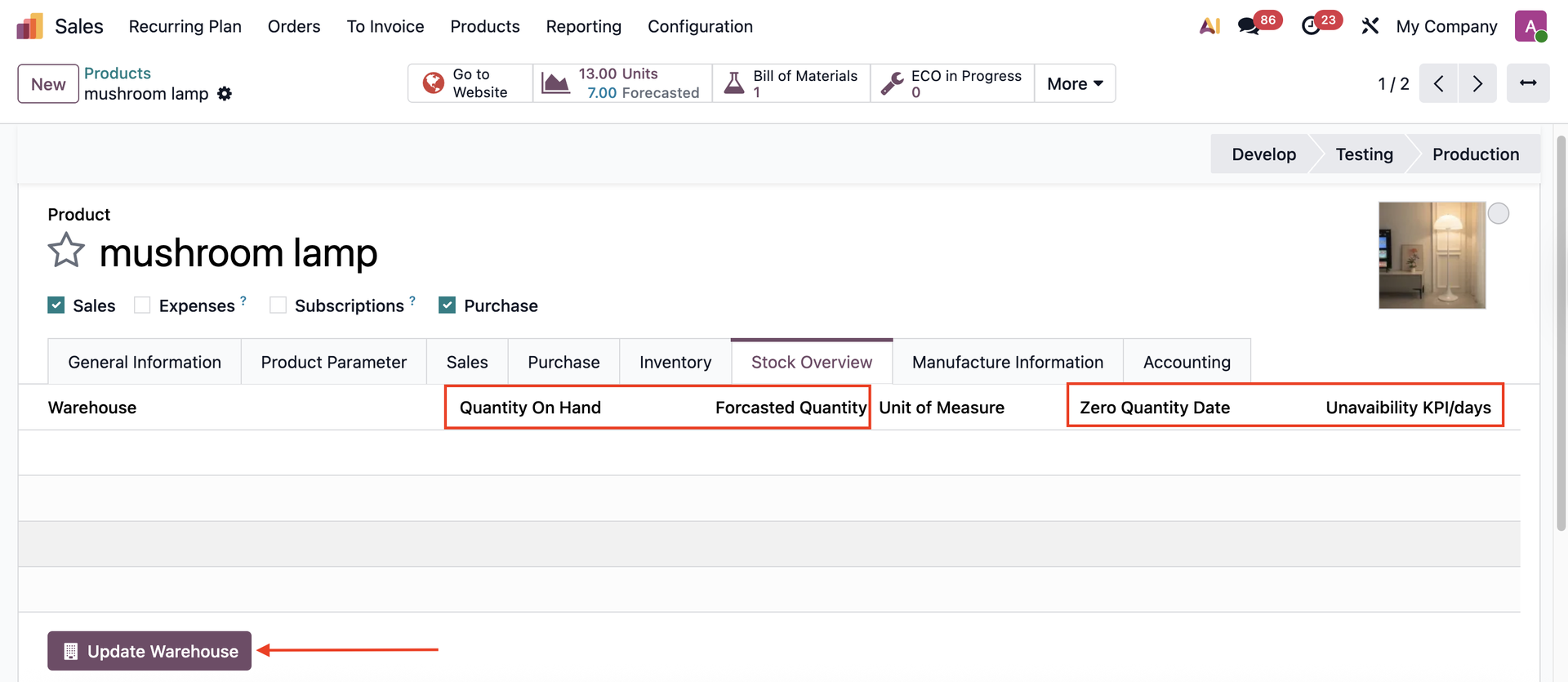 |
The information will be updated. Notes:
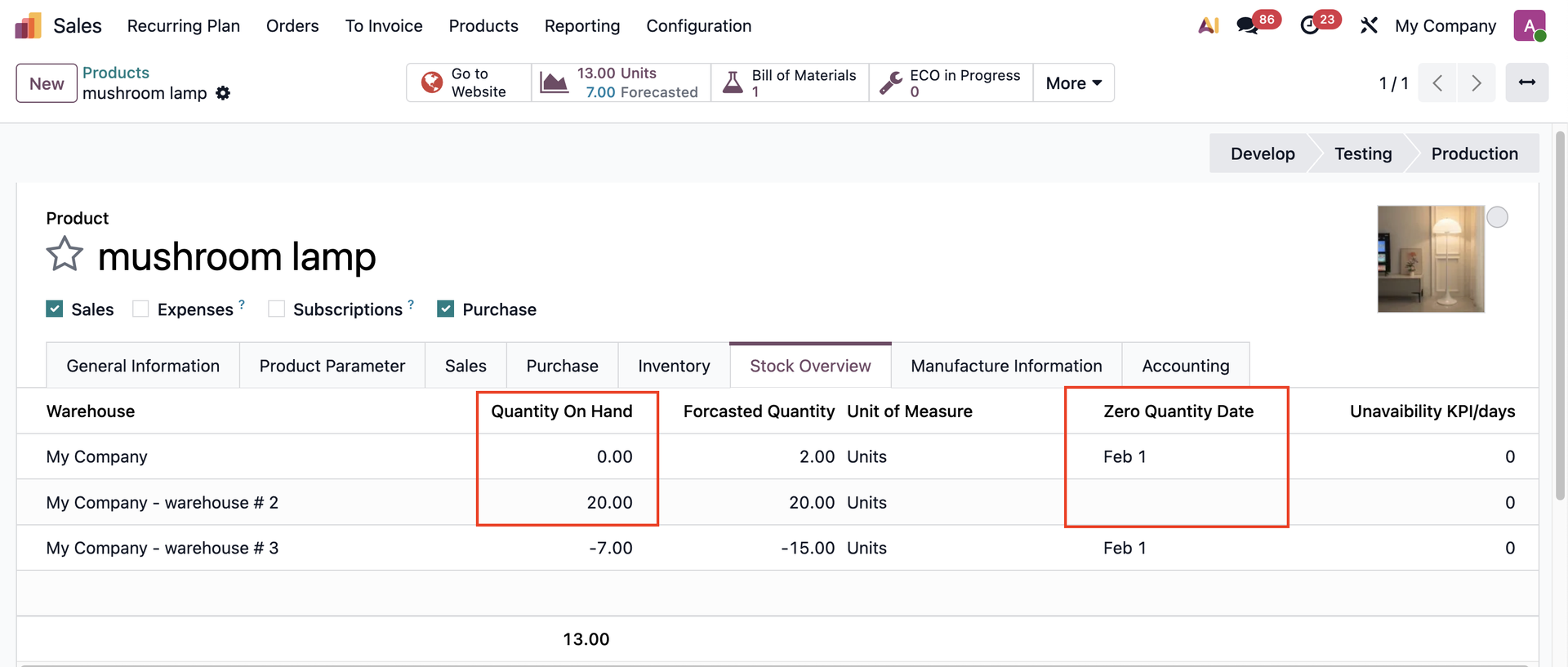
e.g., Zero Quantity Date = Feb 1, then on Feb 2, the Unavailability KPI/days = 1 | 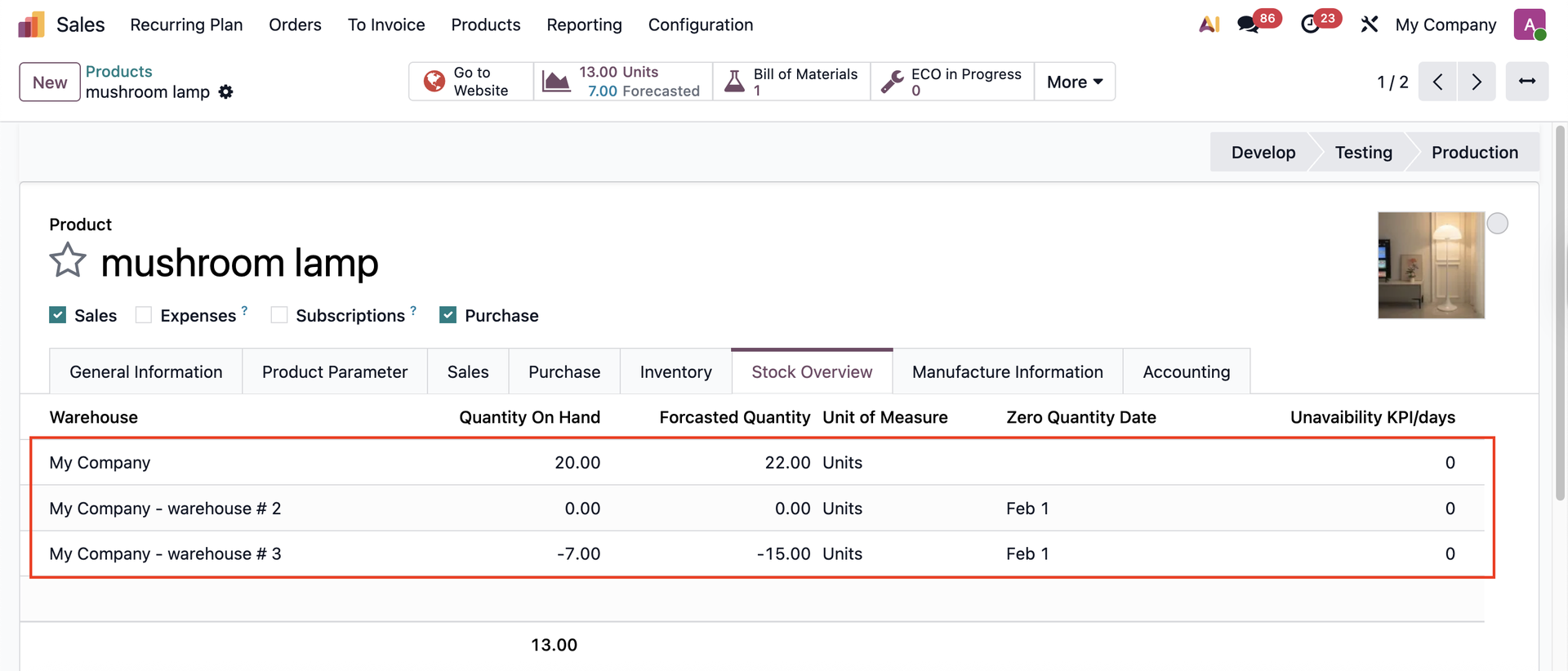 |
|  |
| 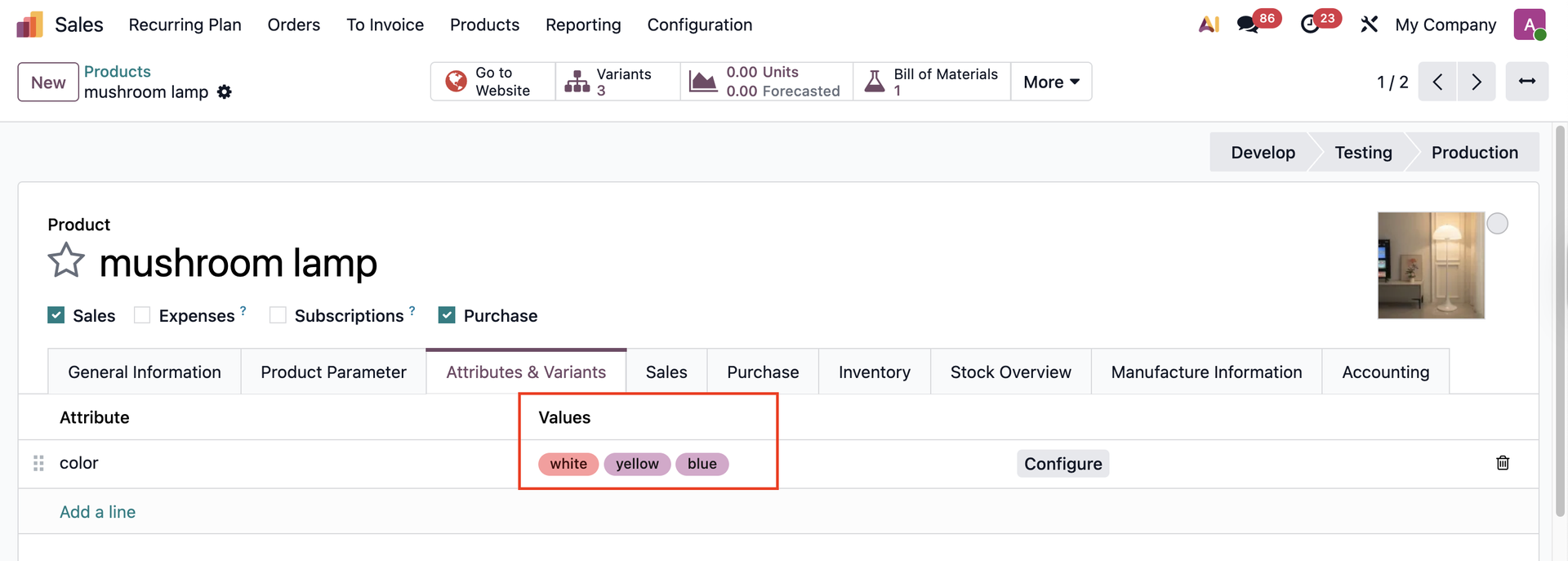 |
You can also check the Stock Overview of the product variants. | 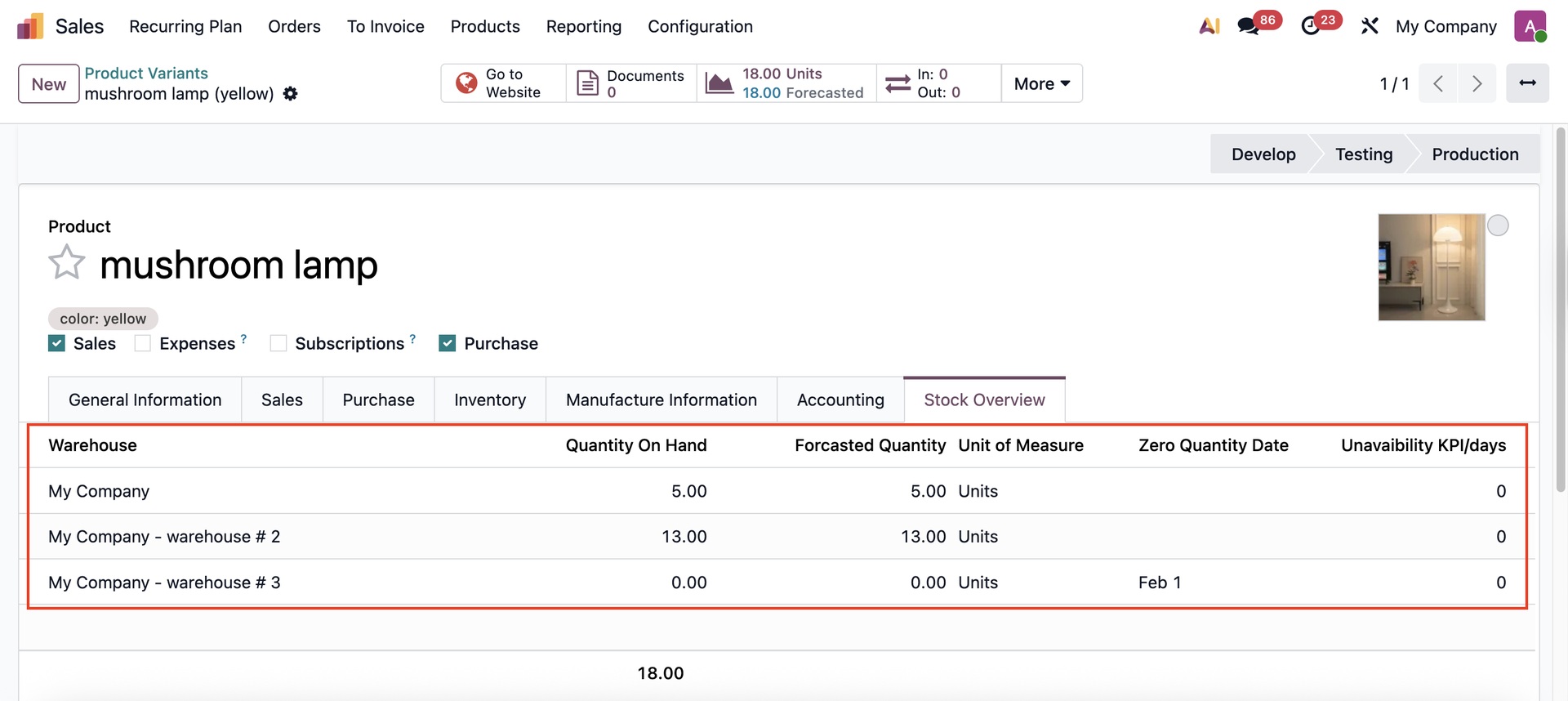 |