



ODOO'S FUNCTION
In Odoo, when a serial number is stored in a different location than the source location of the transfer, the system does not create any additional transfer to align the locations.
CLUEDOO'S FUNCTION
CLuedoo creates an extra transfer if the product serial number is in a different location / SN is not available in the source location.
1. Go to Settings and check Bypass warning message Set the Default Operation Type and Default Inventory Location | 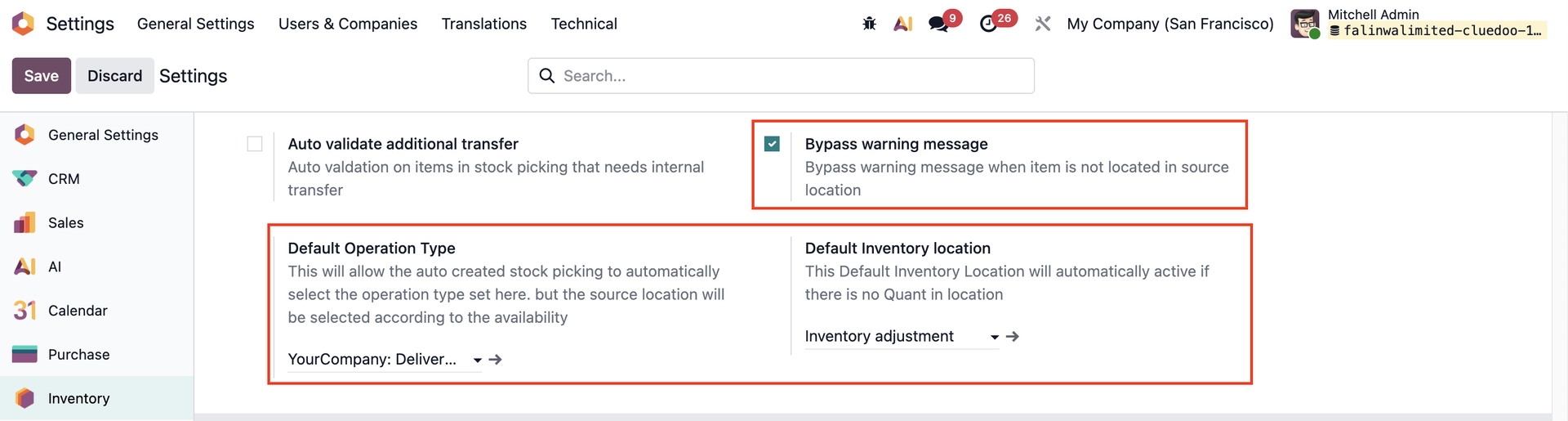 |
Or go to Companies to check the Bypass warning message checkbox and set the Default Operation Type. | 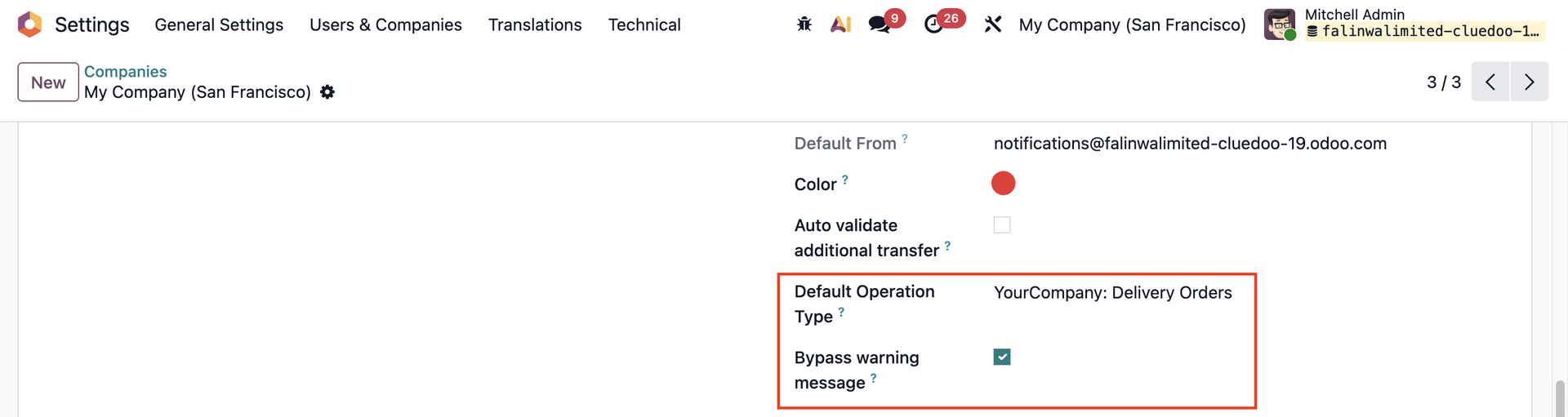 |
2. Create a Sales Order and choose a product tracked by Unique Serial Number > Confirm > Access the delivery | 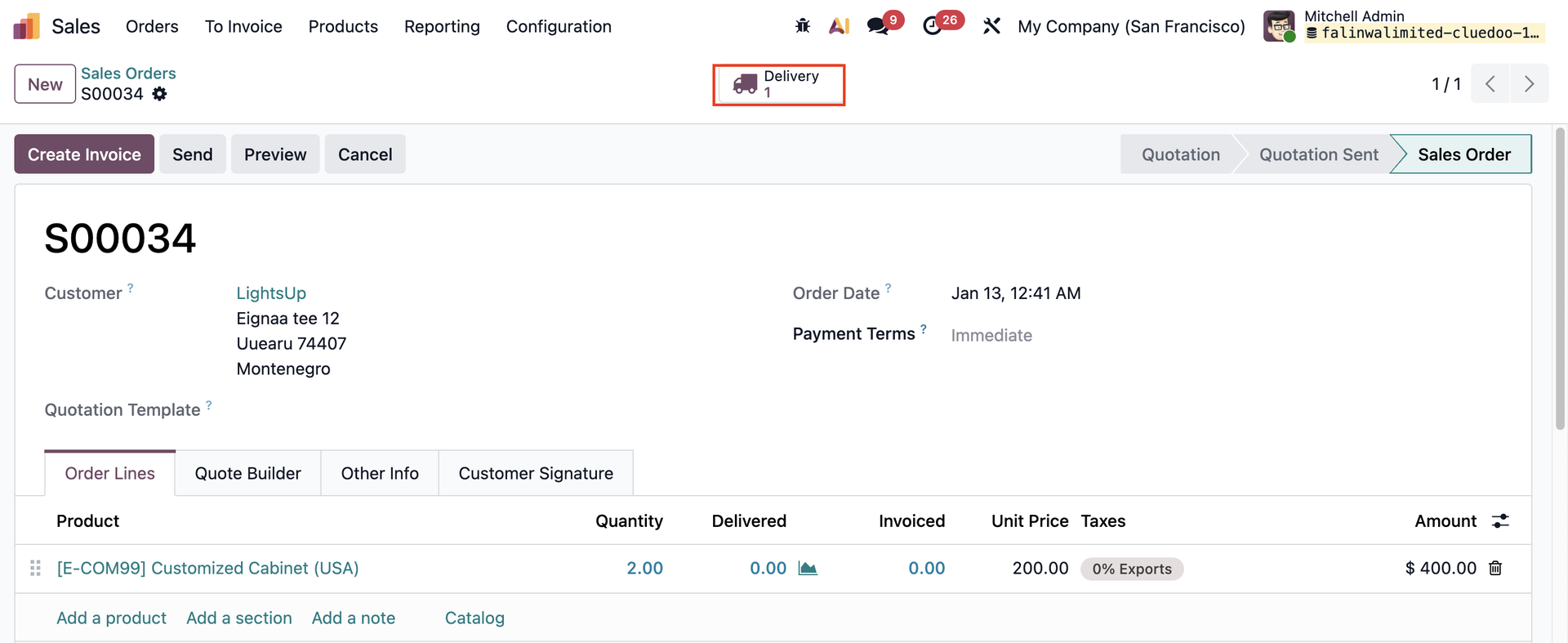 |
3. In the delivery transfer, assign the SNs that are stored in a location different from the Source Location | 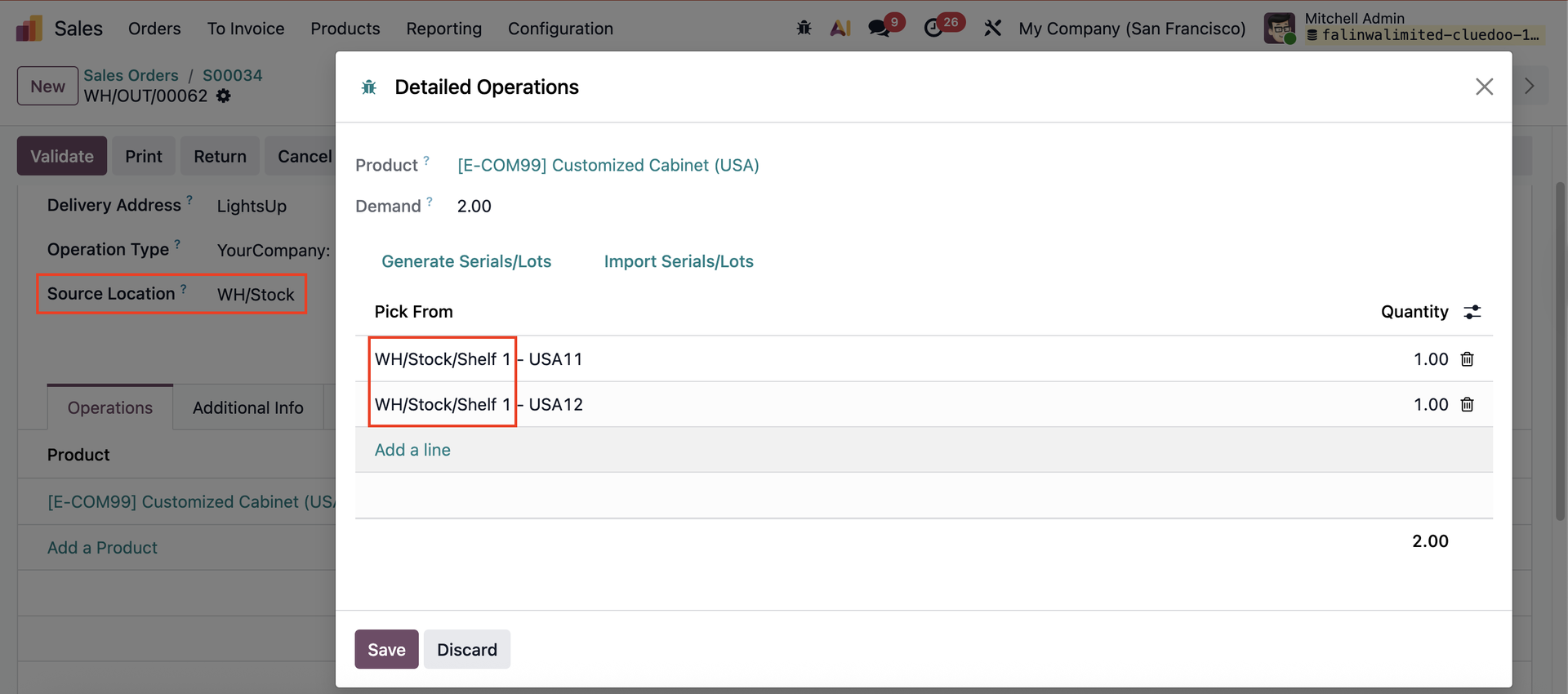 |
4. Check the Detailed Operations / Moves > tick Need Internal Transfer Go back to the transfer > the button Create Internal transfer will appear. | 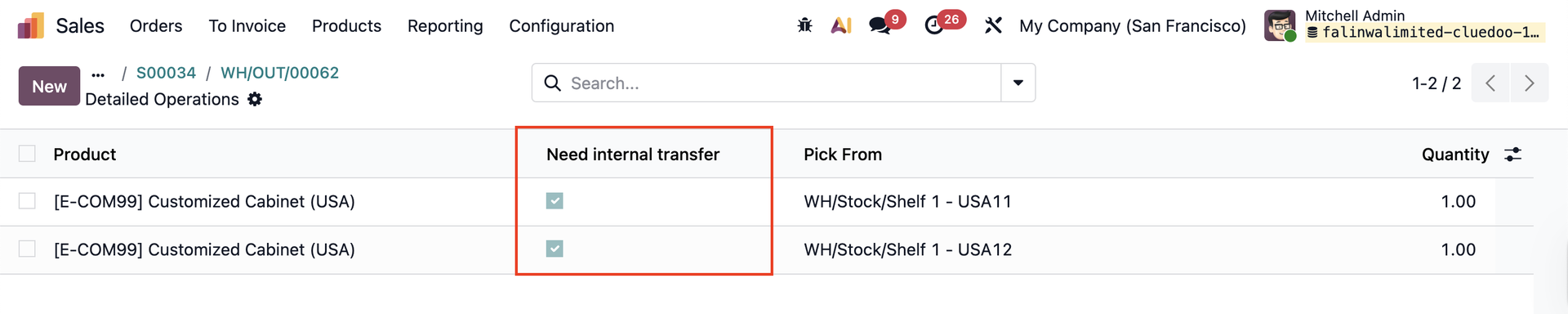 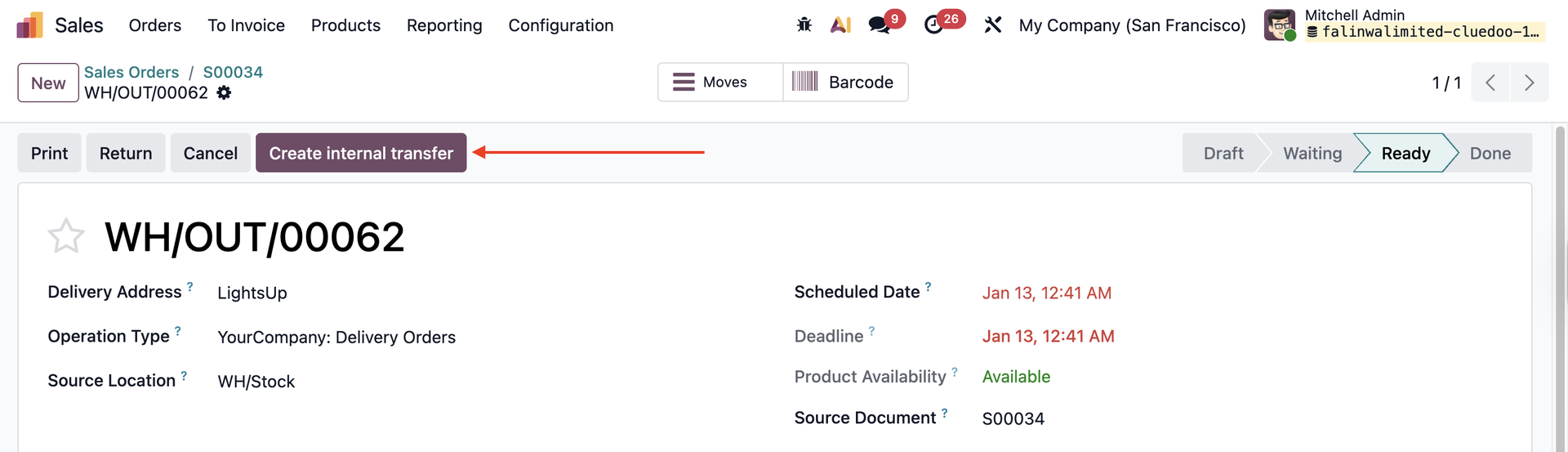 |
5. After we click the Create Internal Transfer > New child transfers will be created depending on the number of SN, moving from the stored location to the source location of the transfer. |  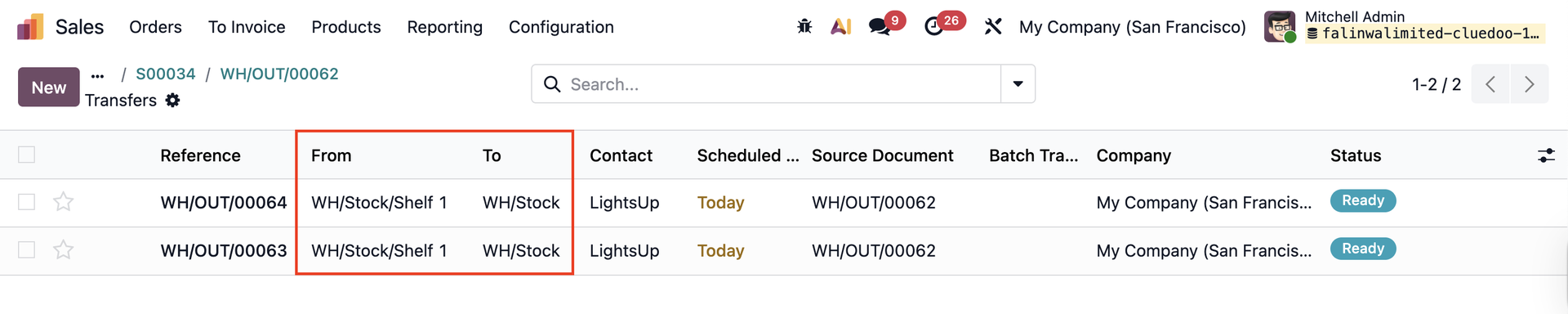 |
6. Validate the child transfers and the delivery can be done | 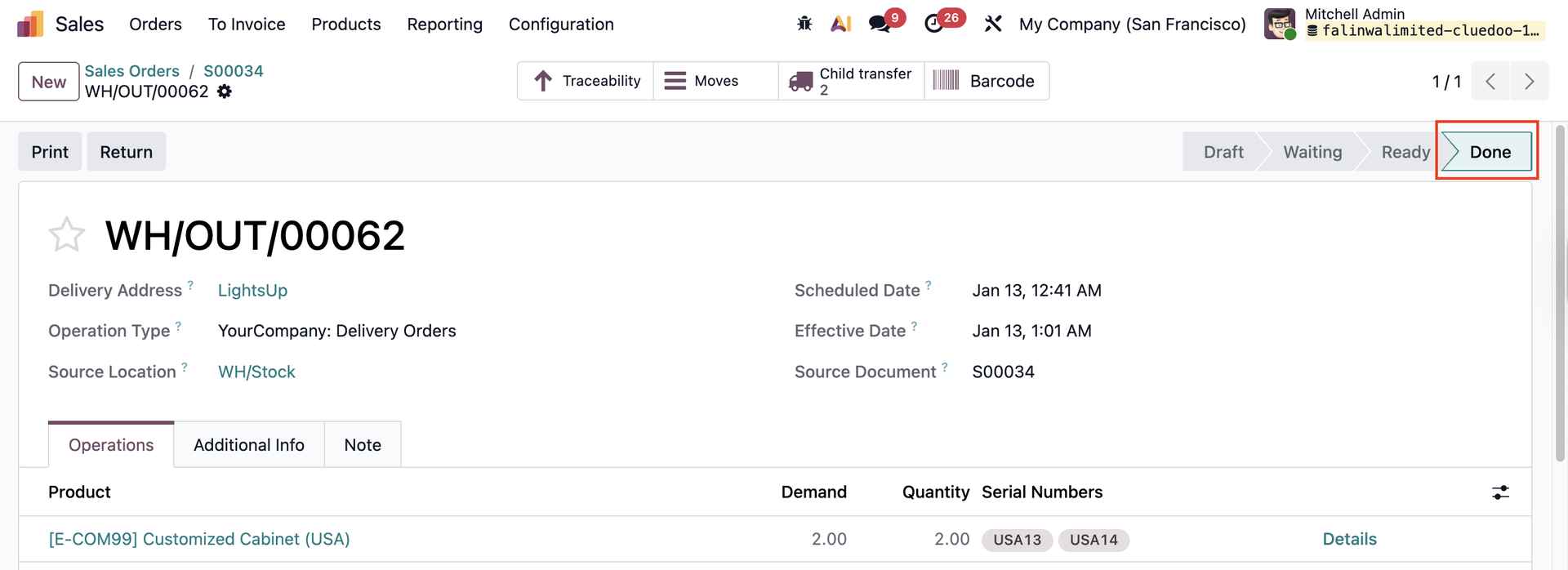 |