



STORY BEHIND THE FEATURES
ODOO'S FUNCTIONS
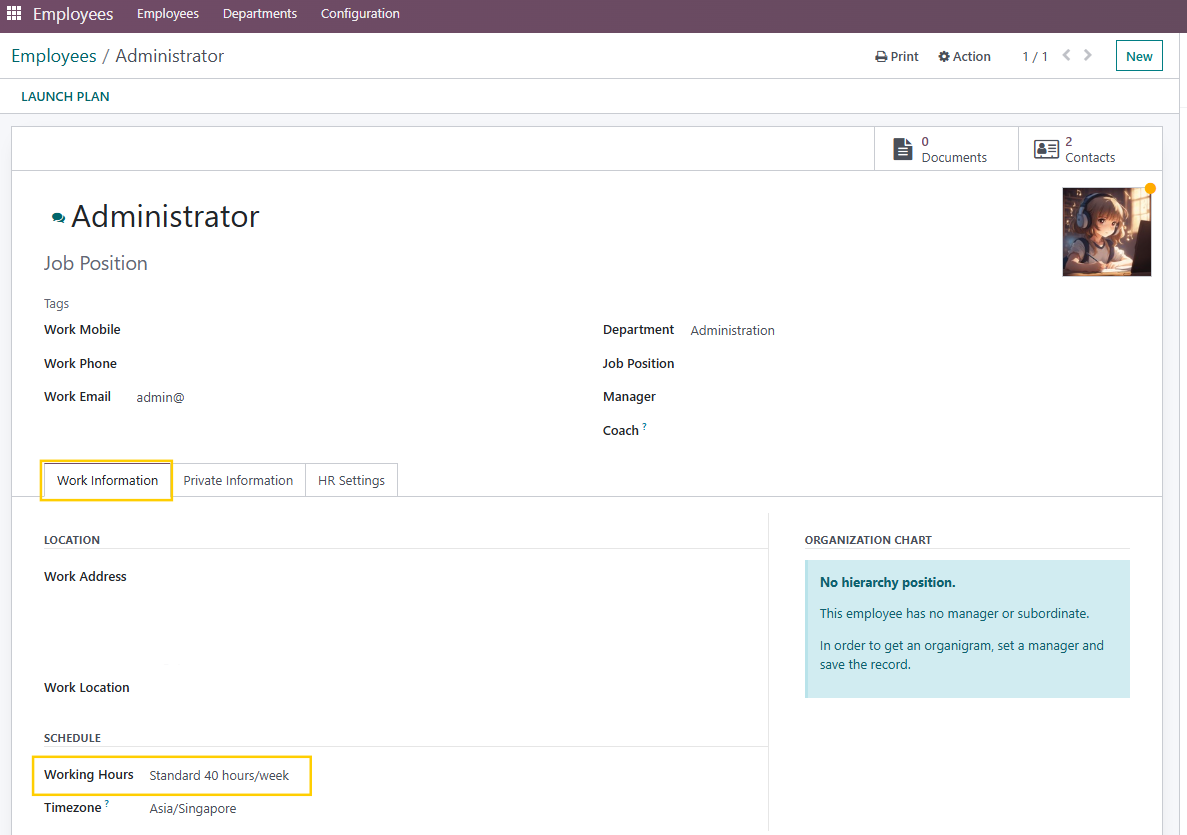
Odoo provides a working schedule, which defines the day and work hours for each employee. It's a good basis, but it misses a lot of information that drives the employee's life within the company.
CLUEDOO'S FUNCTIONS
CLuedoo extends the notion of working schedule to convention. The principle is to consider that this convention will give the framework of the employee as long as she/he is collaborator of the company:
- Onboarding signature of the convention and the handbook.
- Define the leave policy (period of contribution, period to take them, fixed leaves, and so on).
MODULE +
By extending the working schedule to convention, CLuedoo provides a useful tool to your HR department in order to manage employee communication and leaves.
CLUEDOO RECOMMENDATION
Install on all of your company databases that use leave management.
OUR FEATURES AS SOLUTIONS
LEAVE TYPE
WORKING SCHEDULE
FIX DATE
HOW TO USE THIS MODULE
1 Go to Leaves > Configuration > Working Schedule and create a Working Time In Odoo16:
OR
|  |
Fill in all the necessary information | 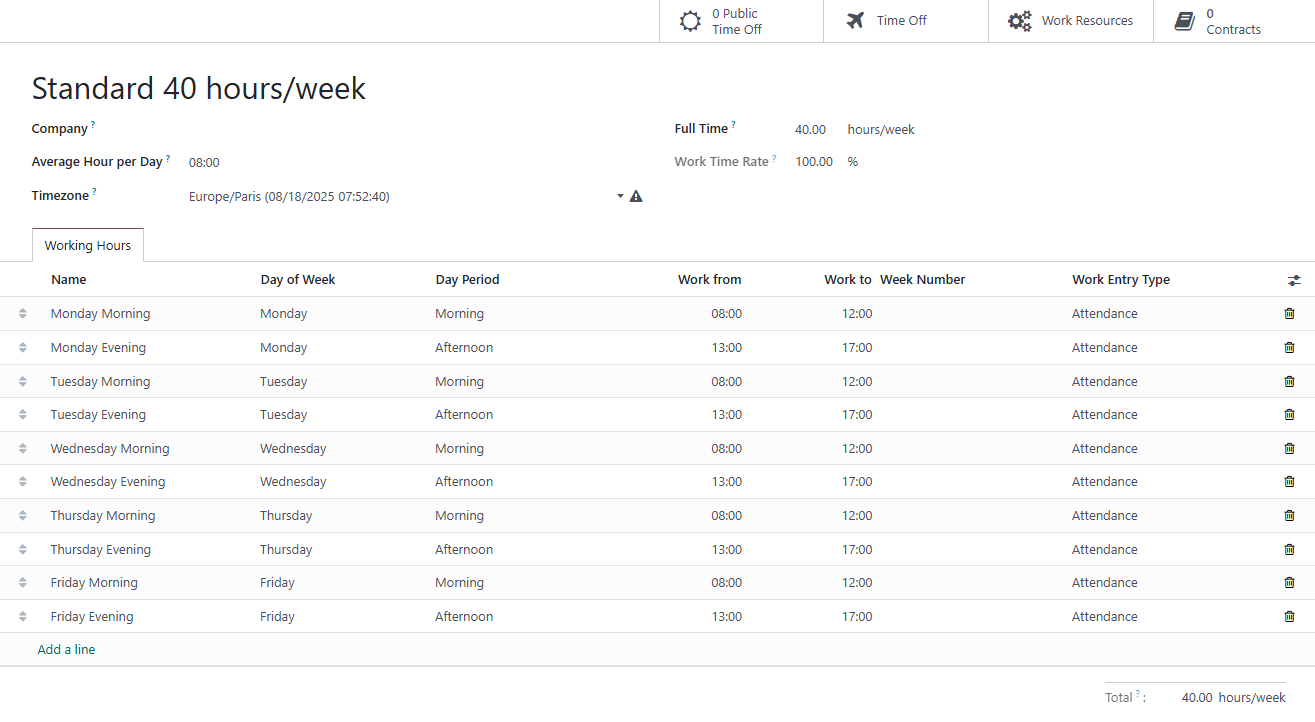 |
2 Time Off will be automatically filled if there are employees on leave. |  |
3 Working Time for Periodic Allocation | |
4 Go to Fix Date menu to create a fixed date of leaves > Add name for fix date, select resource calendar, and select the leave type | |
5 Validate/Create Leave > The status Fix Date is validated. |