



ODOO'S FUNCTION
Odoo does not allow direct creation of a Sales Order from a Helpdesk Ticket.
No traceability between Helpdesk → MRP → Sales.
A manual process is required for follow-up sales.
CLUEDOO'S FUNCTION
1️⃣ The “Sales Order” button allows creating an SO from the ticket in one click.
2️⃣ The ticket automatically shows MO, serial, and BoM details for tracked products.
3️⃣ Smart buttons enable two-way navigation between the Ticket and the SO.
4️⃣ End-to-end traceability (Helpdesk → Sales → MRP) is fully supported.
Go to the Helpdesk module, then reach for the Configuration menu and access Helpdesk Teams. | 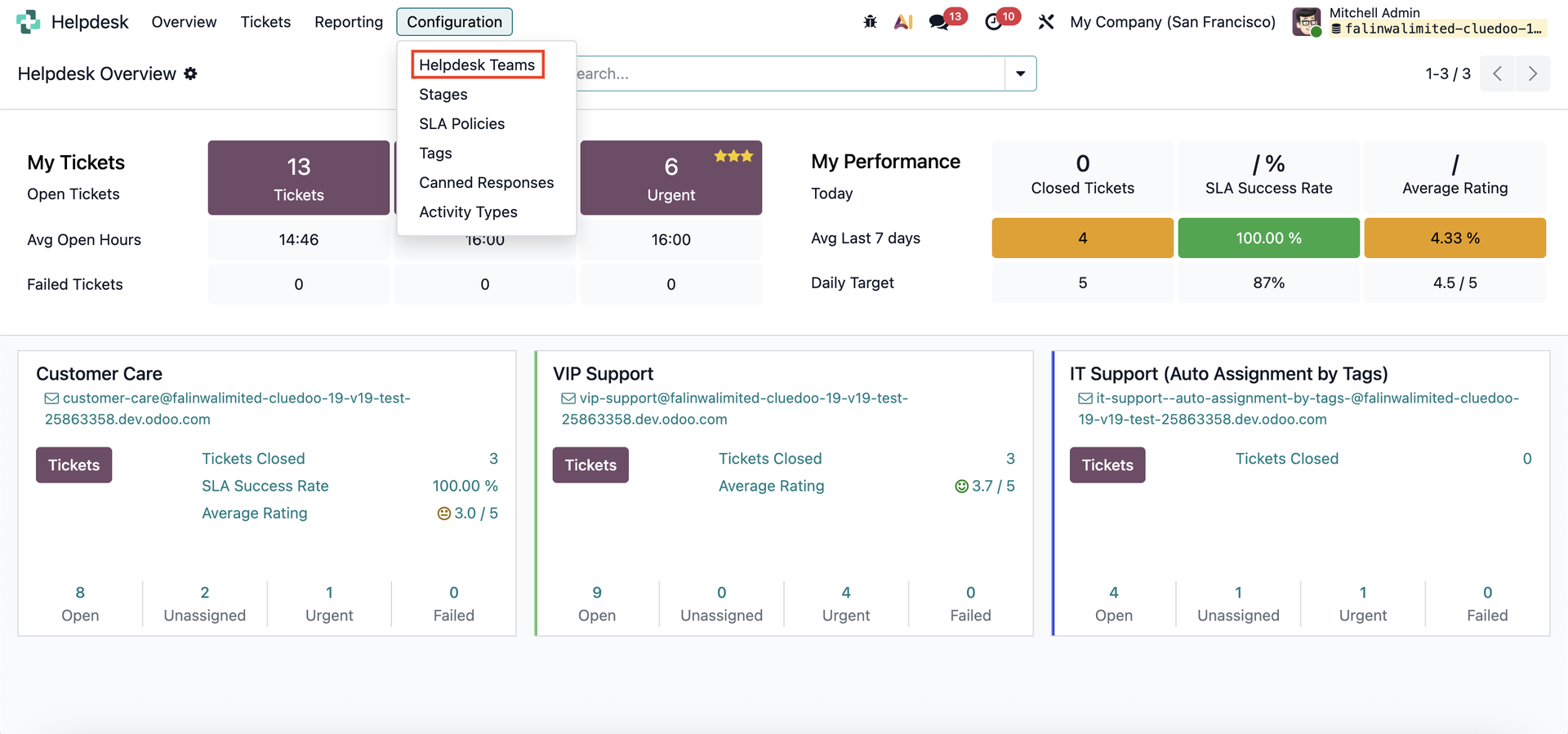 |
Choose a team, scroll down until you see the Returns section, then enable the checkbox. | 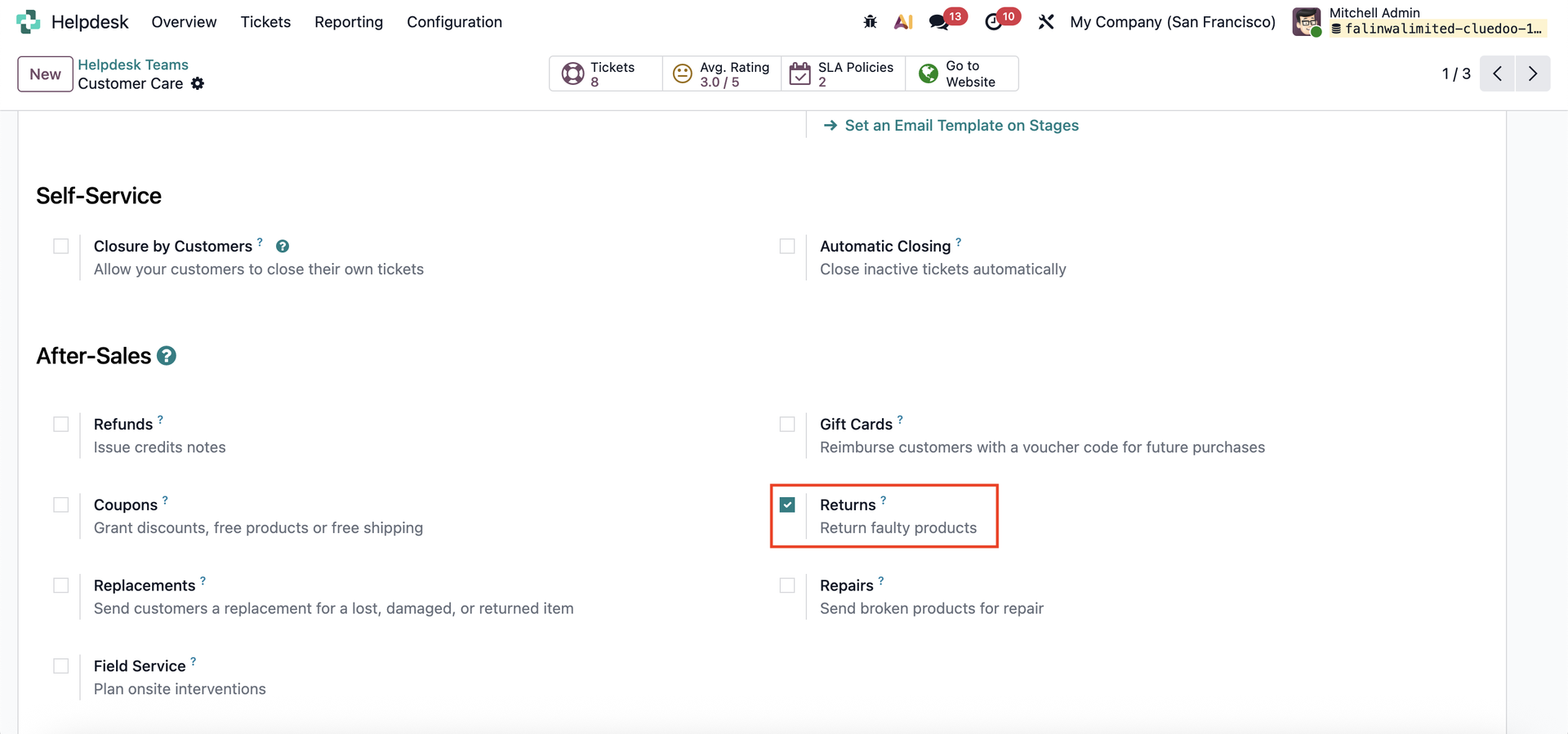 |
For each ticket you receive, a Sales Order button will now appear, making it easy to generate a Sales Order straight from the ticket. | 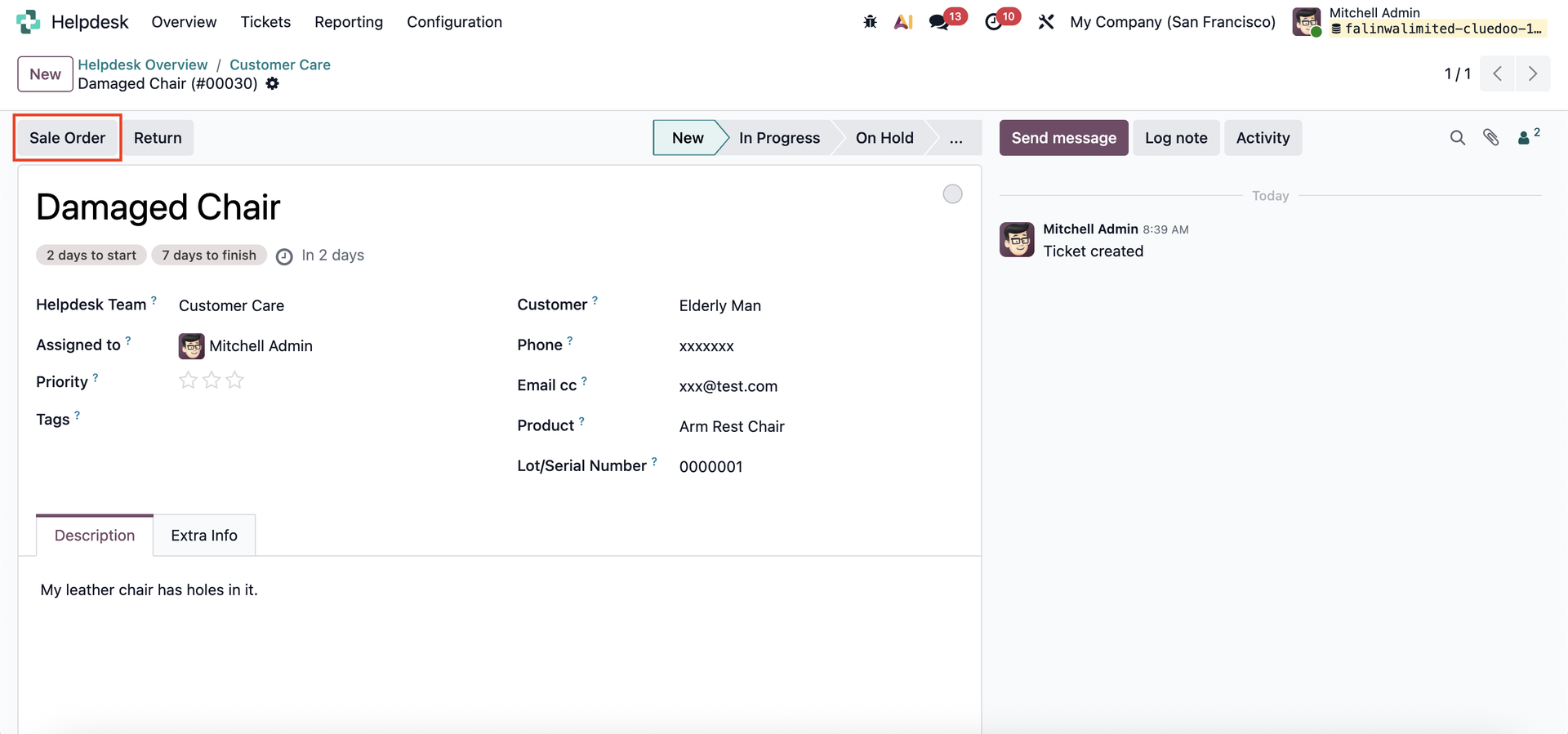 |
When you click Extra Info Tab, you’ll see the Manufacturing Info that shows which MO produced the product linked to this ticket. Below that, you’ll find the product selector. Select Bill of Materials to view the BoMs used to create the product. | 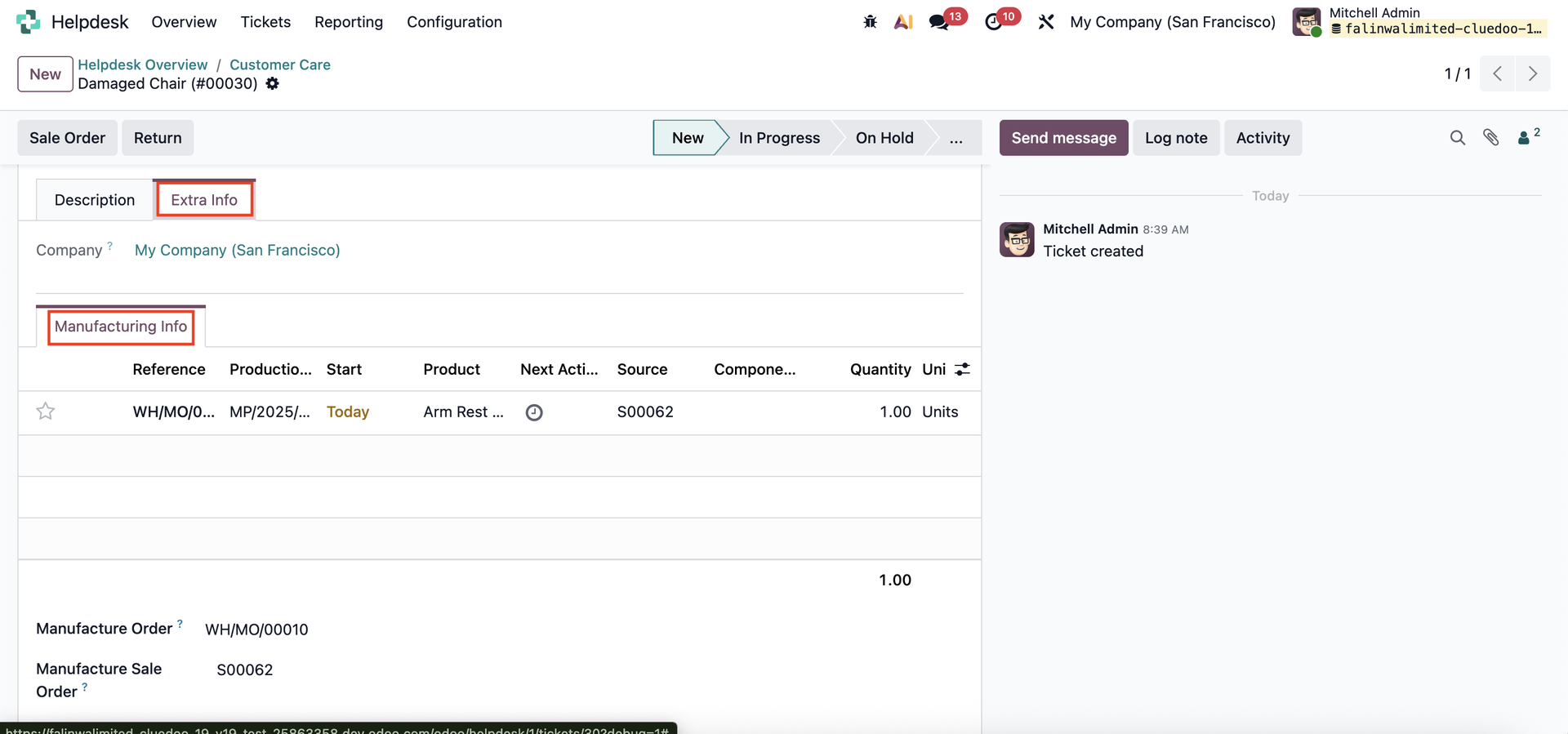 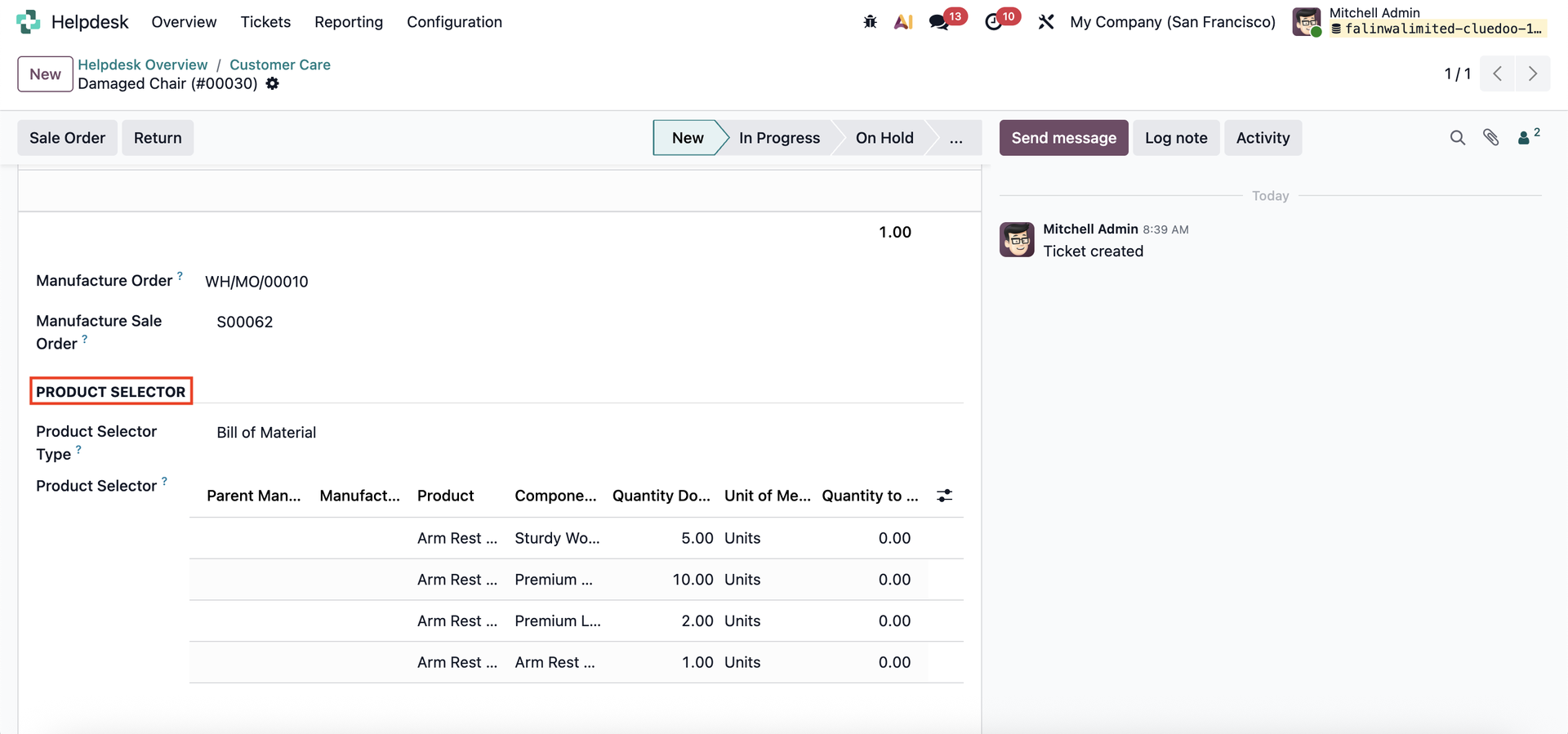 |
Click the Sales Order button to create the sales order directly in the pop-up window. | 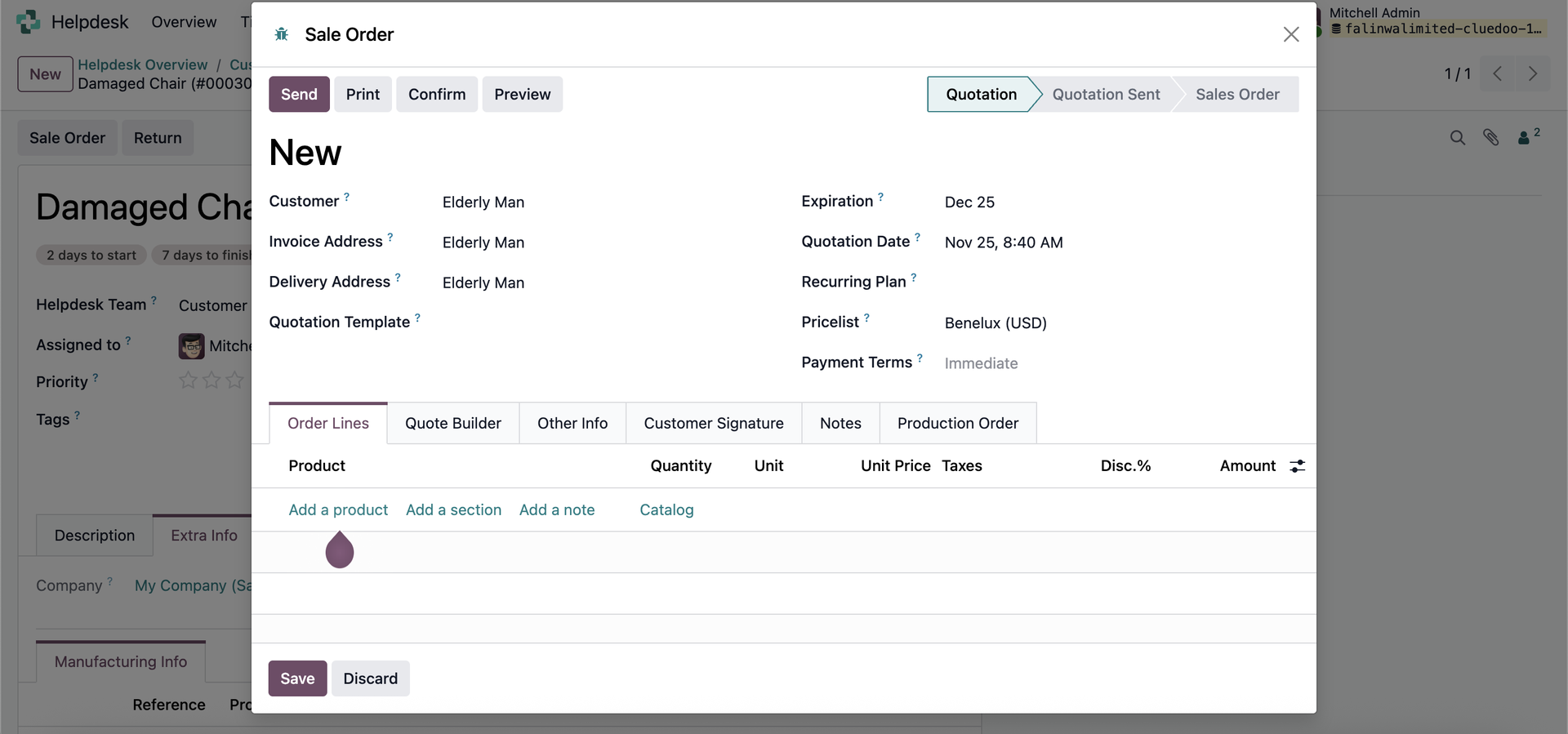 |
The system will create a Sales smart button, providing quick access to the Sales Order that was created. | 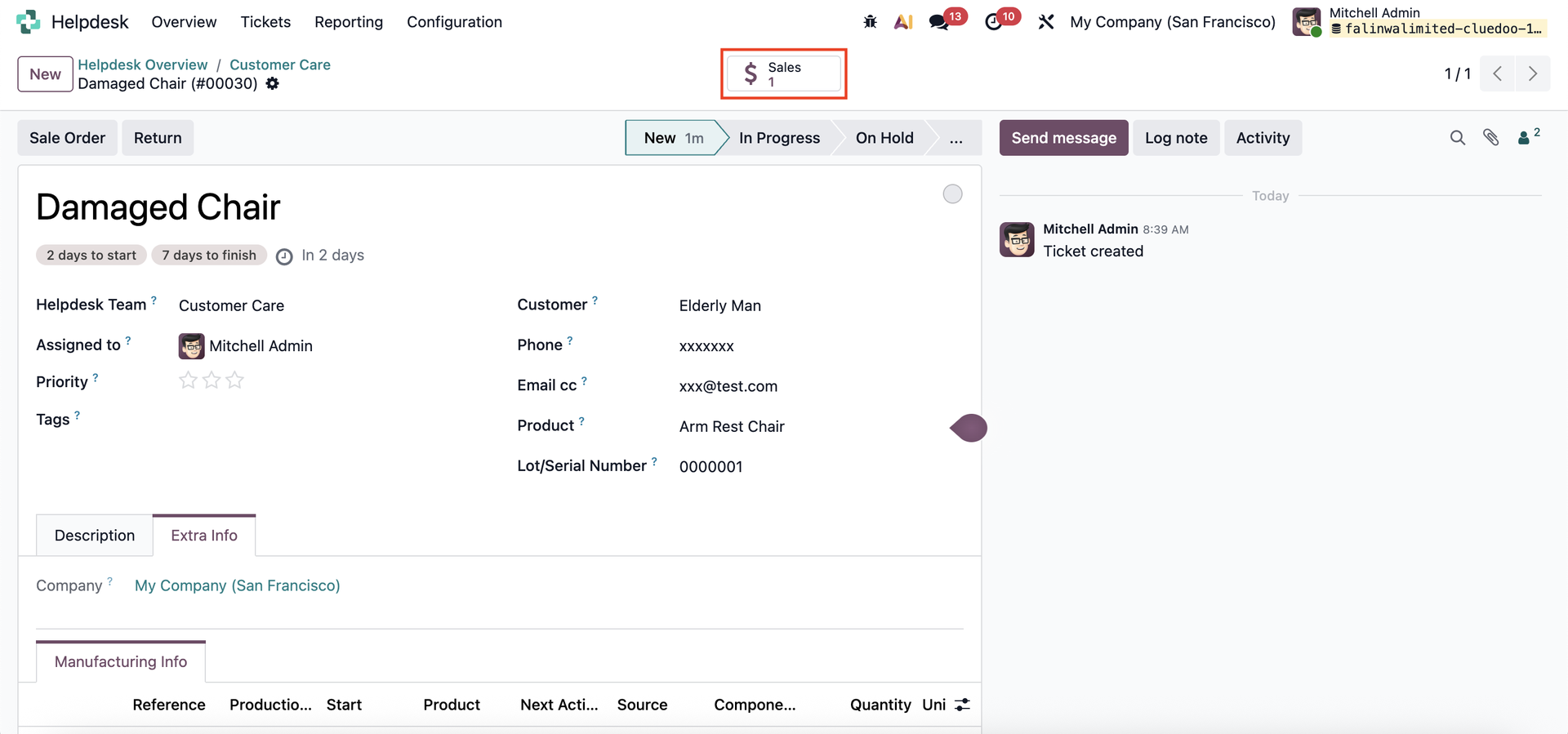 |
The Sales Order also displays a Tickets smart button for easy access to the linked ticket. | 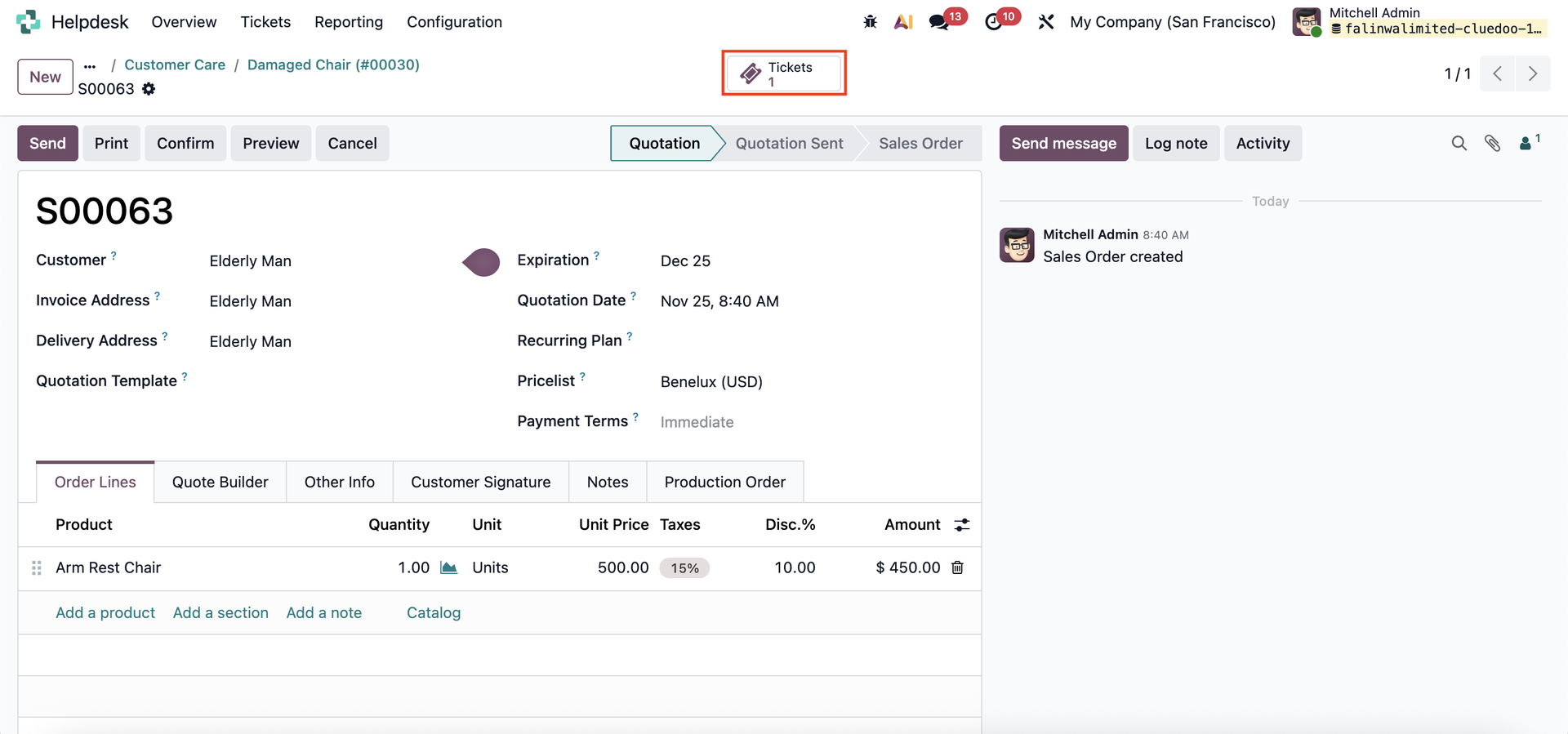 |