ODOO'S FUNCTION
Odoo Helpdesk and MRP are separate modules.
Support agents cannot view manufacturing data (BoM, MO, lot info) directly from a helpdesk ticket.
Manual effort is required to trace the product origin.
CLUEDOO'S FUNCTION
- Direct integration between Helpdesk and MRP.
- Product info, BoM, and MO data visible inside tickets.
- Streamlined support for manufactured goods.
Go to Helpdesk > Configuration > Helpdesk Team > find Return checkbox & tick it | 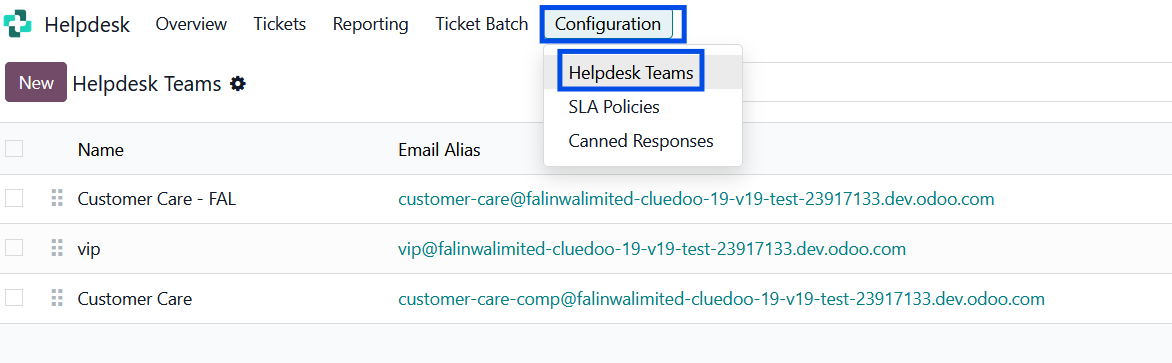 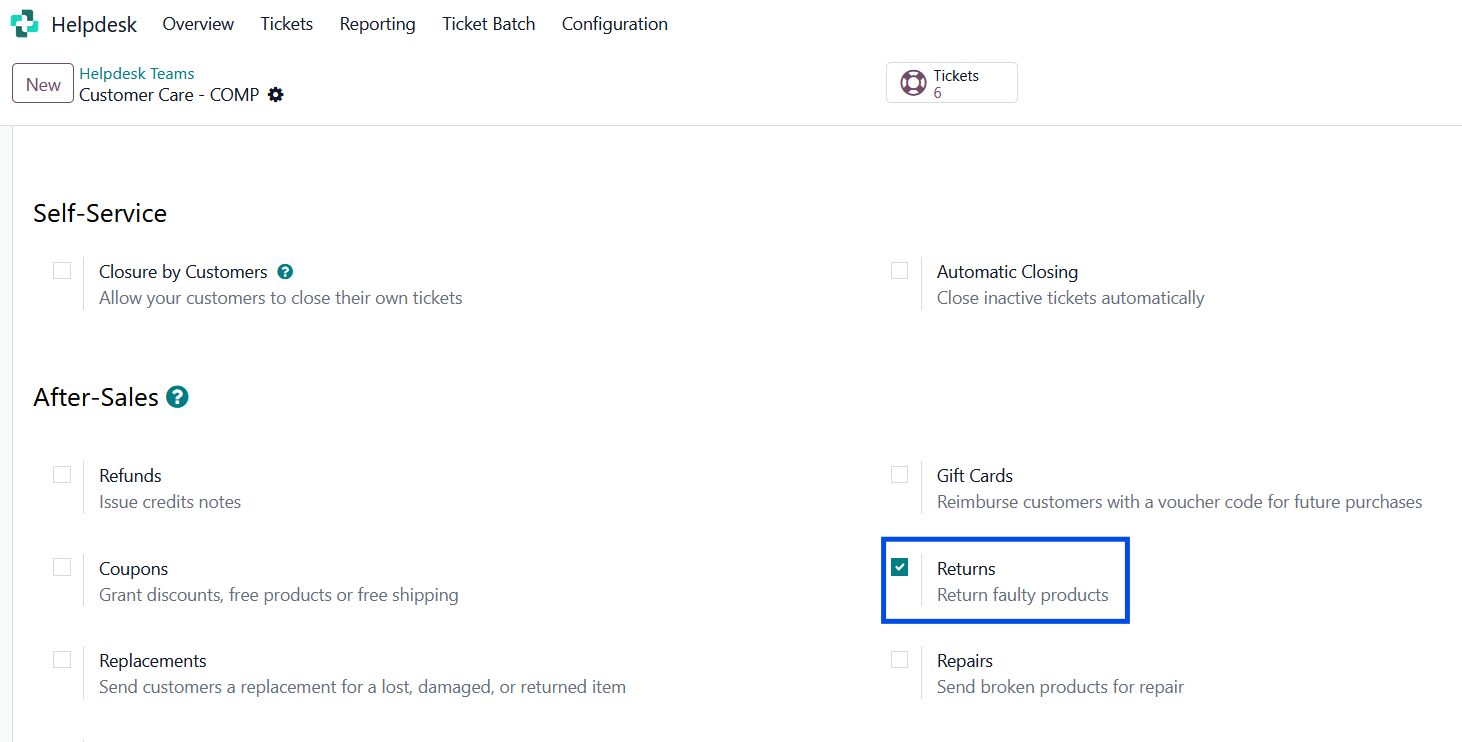 |
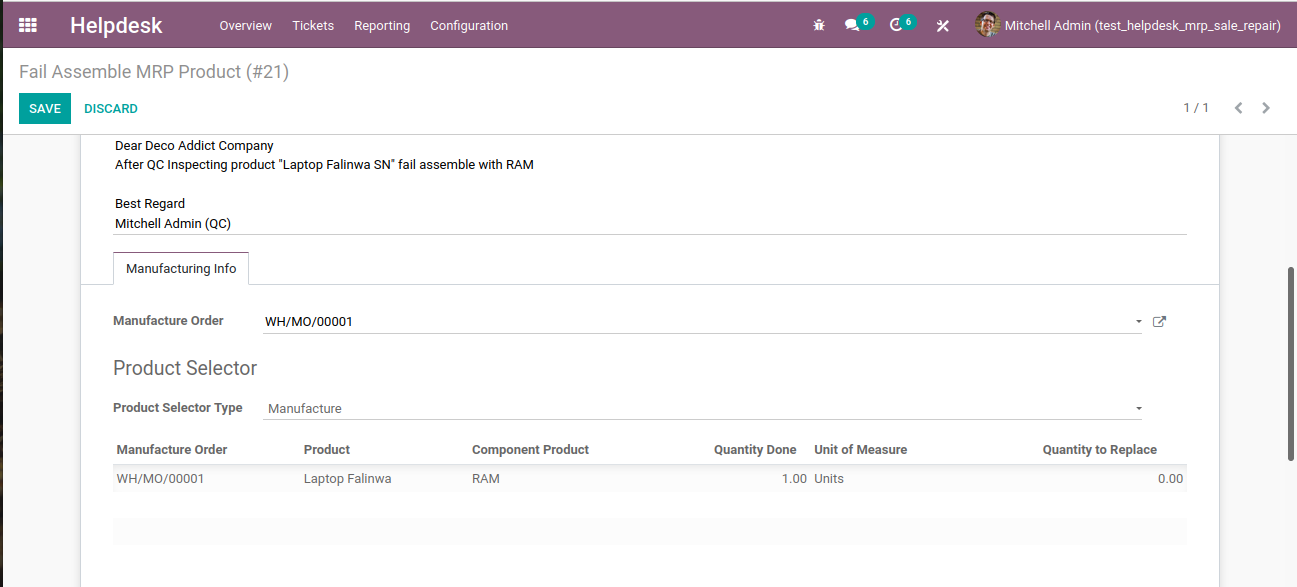
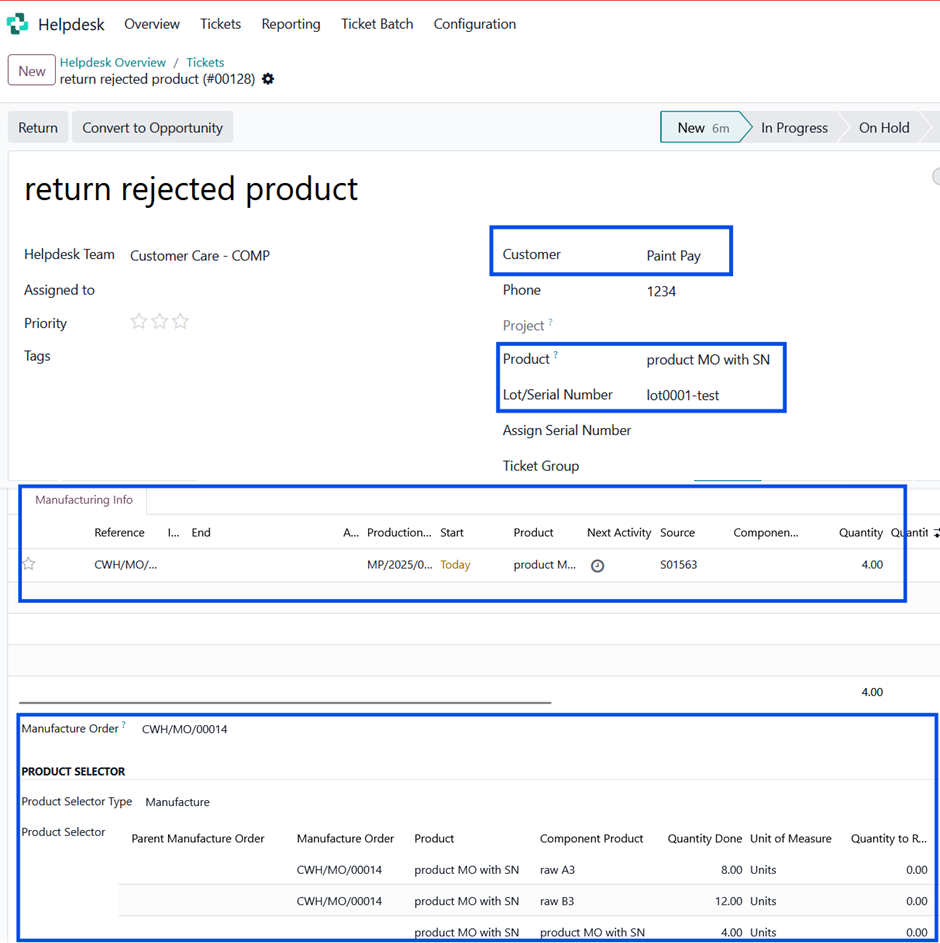
Scenario : you have a SO that contains manufactured product and its delivery to customer has been validated, then customer wants to return a product to your company because of some issues from a helpdesk ticket ================================ Go to helpdesk > create a new ticket > fill the customer name > select the product & lot/SN number that wants to be returned > it will autofill the manufacturing infos below Notes : you can select the Product Selector Type as Manufacture or Bill of Materials (BoM)
|  |
After the step above > click Return button > it will give a pop up window > input the related delivery transfer > input the quantity you want to return > click button Return > it will create a new transfer | 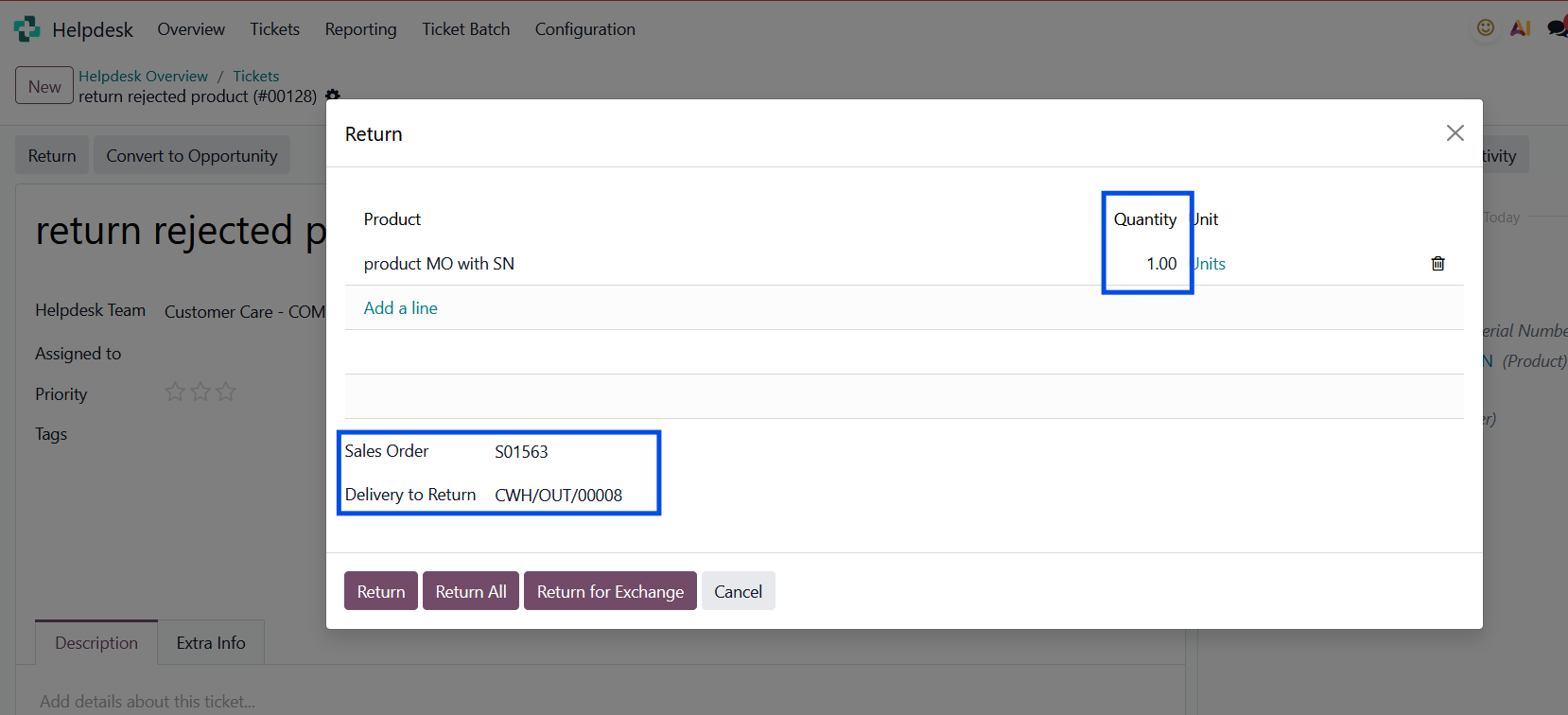 |
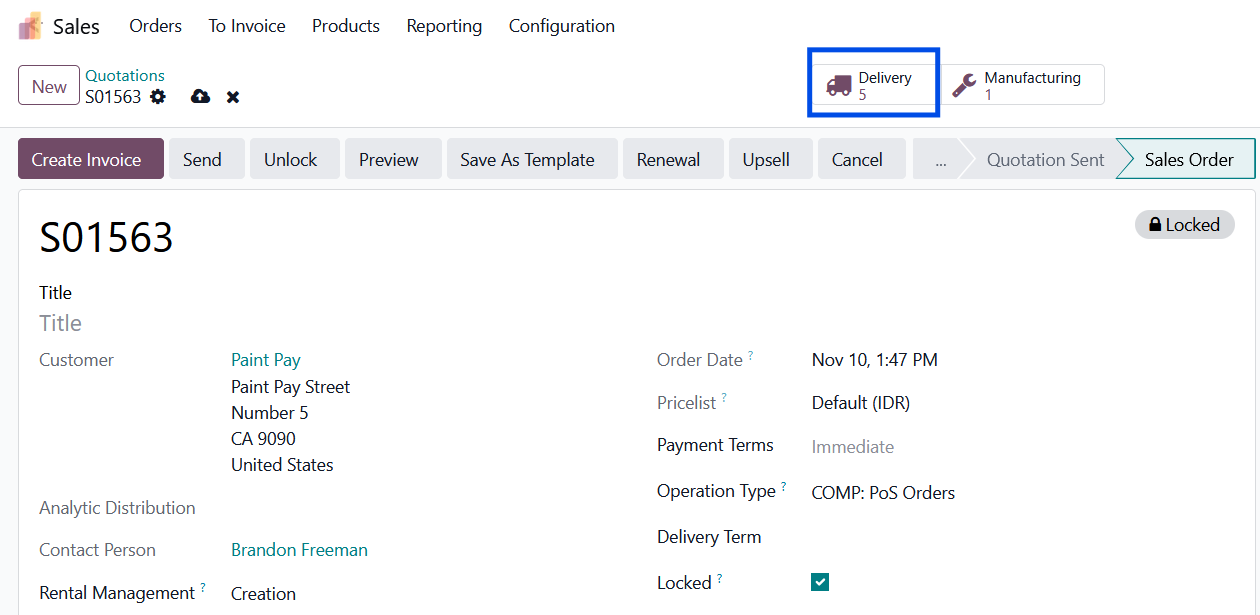
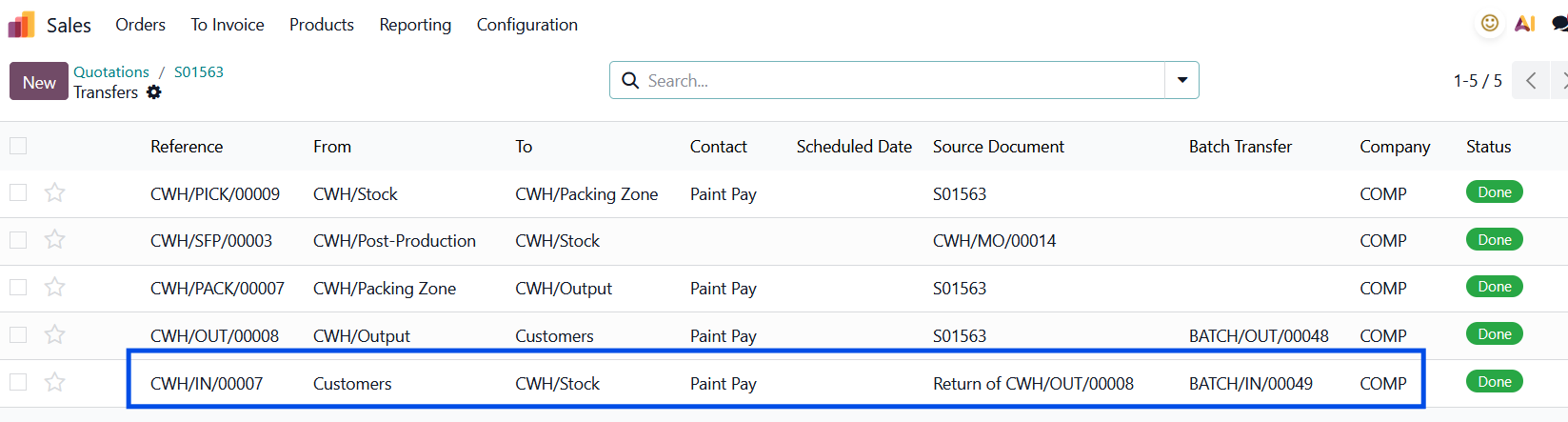
Go to the Sales > open the related SO > click the Delivery smart button > you will find the return you created from Helpdesk has been attached to the SO |
|
STORY BEHIND THE FEATURE
ODOO BEHAVIOR
Odoo Helpdesk and MRP are separate modules.
Support agents cannot view manufacturing data (BoM, MO, lot info) directly from a helpdesk ticket.
Manual effort is required to trace the product origin.
CLUEDOO BEHAVIOR
Cluedoo provides detailed MRP Information in the Helpdesk for products with the tracking method.
COMPARISON: ODOO VS CLUEDOO
Odoo:
- No connection between Helpdesk and MRP.
- Agents must switch apps and manually trace product info.
Cluedoo:
- Direct integration between Helpdesk and MRP.
- Product info, BoM, and MO data visible inside tickets.
- Streamlined support for manufactured goods.
CLUEDOO RECOMMENDATION
Install on 100% of your database.
OUR FEATURES AS SOLUTIONS
Helpdesk MRP
HOW TO USE THIS MODULE
1. First, in Helpdesk, go to the Configuration Menu and select Helpdesk Team. Create a new or modify an existing field and click the Returns box.

2. Go to the Ticket menu. Create a ticket and select the Helpdesk team that we set before.
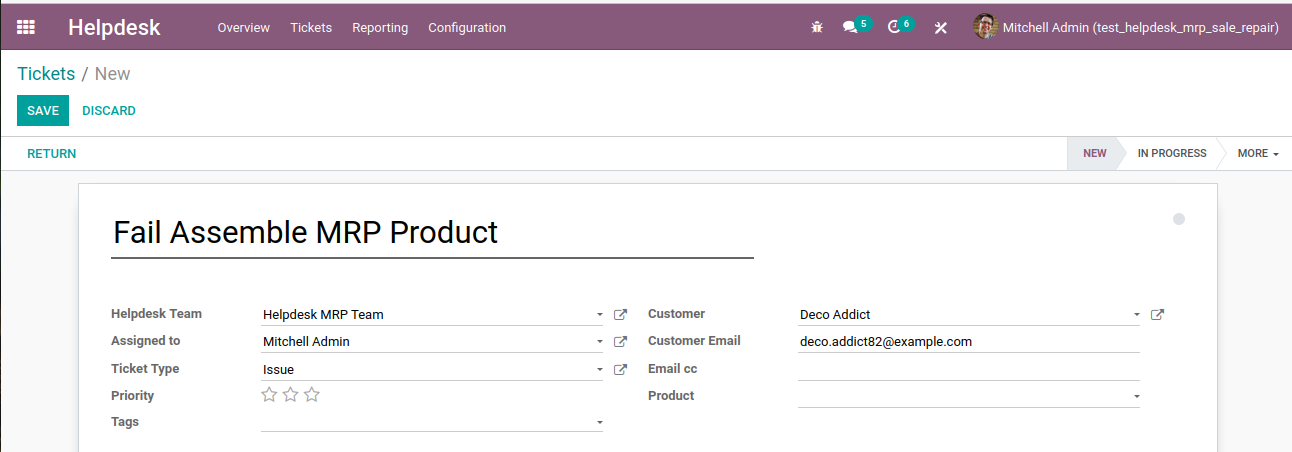
3. Fill in the product field that already has been produced in the Manufacturing Order and description field
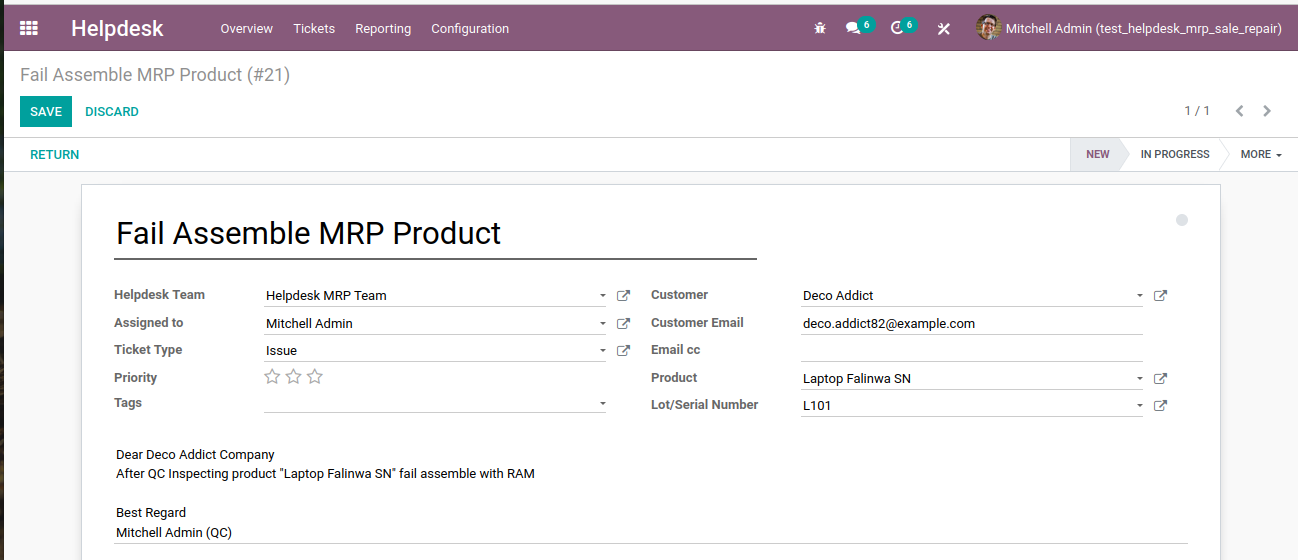
4. And we can see Manufacturing Info about manufacture's product
4.1 If we select Product Selector Type == Bill of Material (BOM)
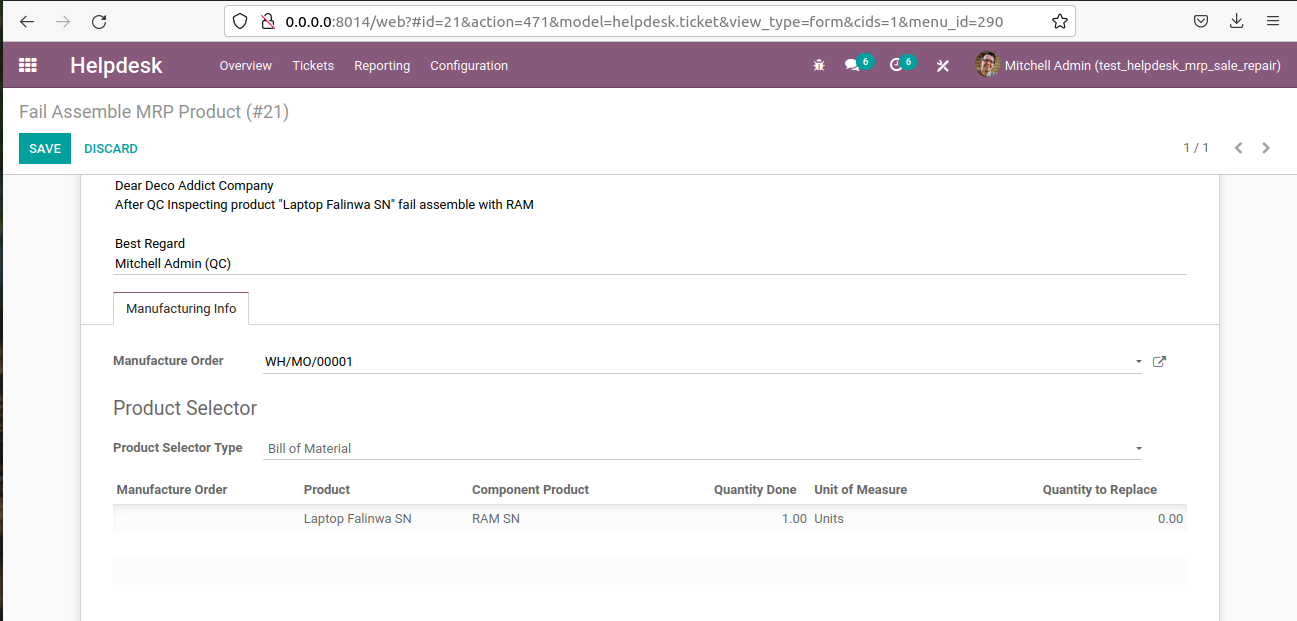
4.2 If we select Product Selector Type == Manufacture