


ODOO'S FUNCTION
The Appointment module in Odoo simplifies scheduling and managing appointments for businesses. It offers an efficient and user-friendly way to organize meetings, consultations, or service bookings.
CLUEDOO'S FUNCTION
CLuedoo extends this feature by allowing users choose users and resources at the same time. This feature streamlines planning, reduces errors, and ensures seamless coordination between employees and resources in various business scenarios.
CONFIGURATION | |
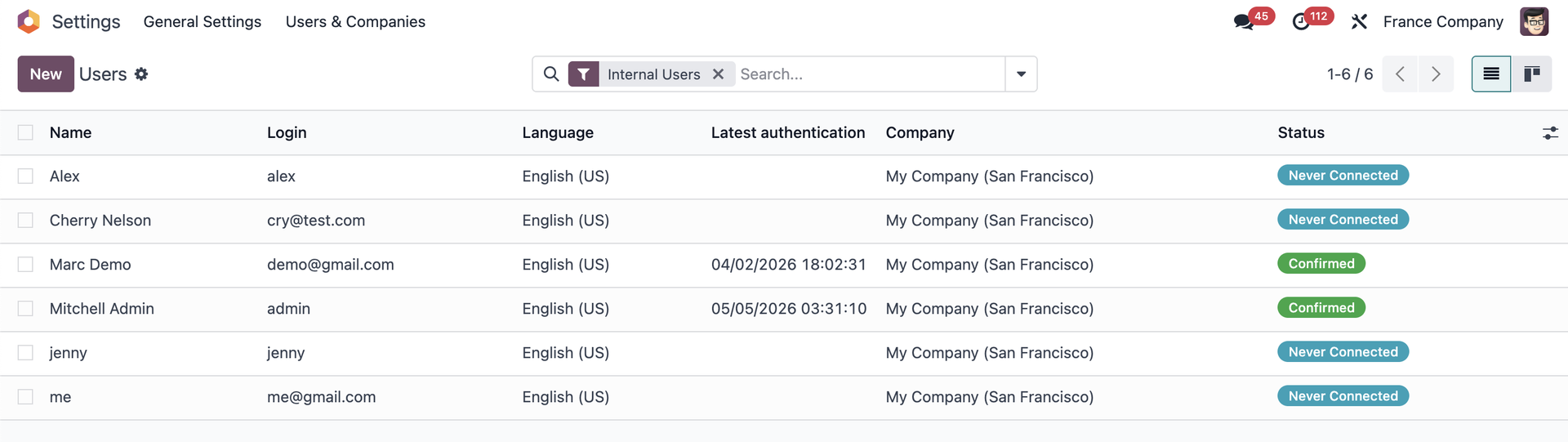
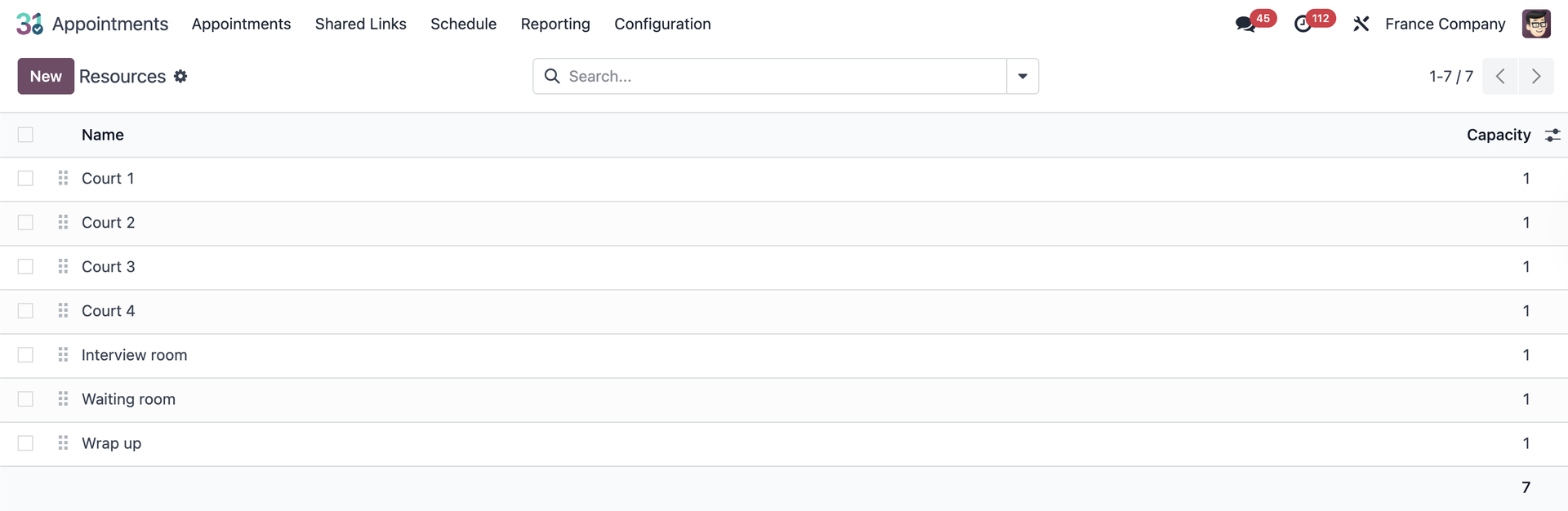
Create some resources and users. |
|
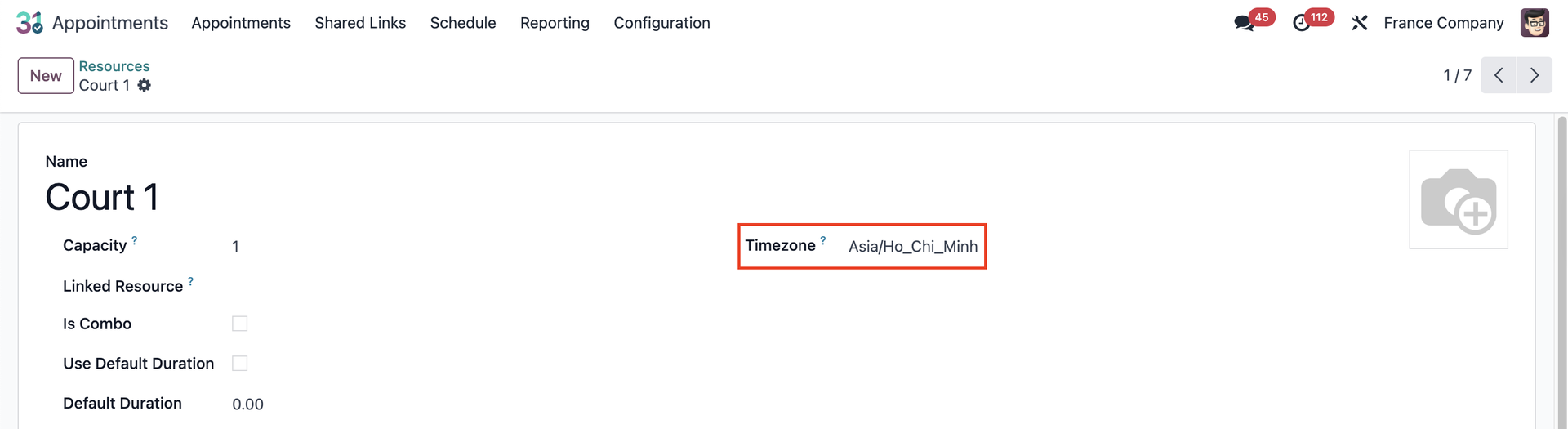
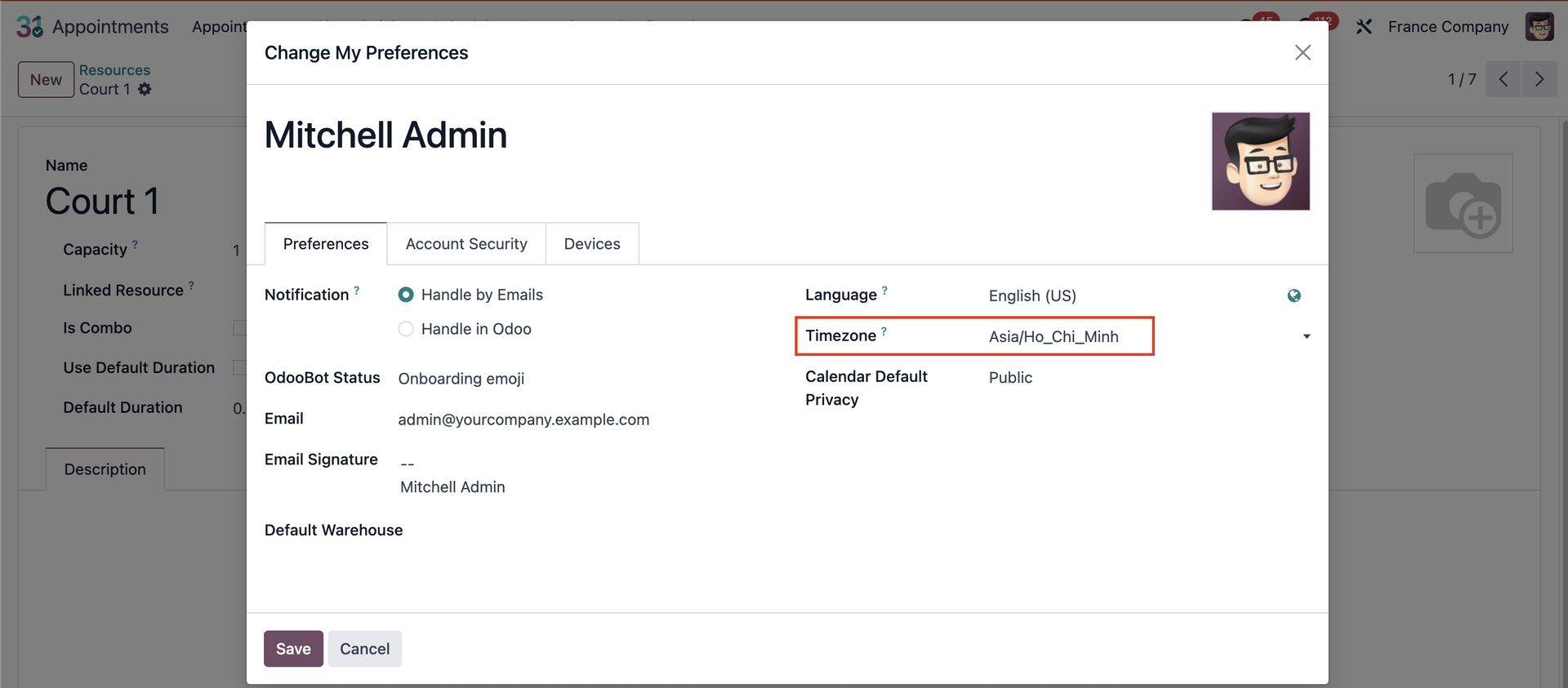
Make sure the Timezone in the resources, the user's profile, and the laptop is the same. |
|
USAGE | |
1. Create a new appointment or use an existing one > Action > Edit | 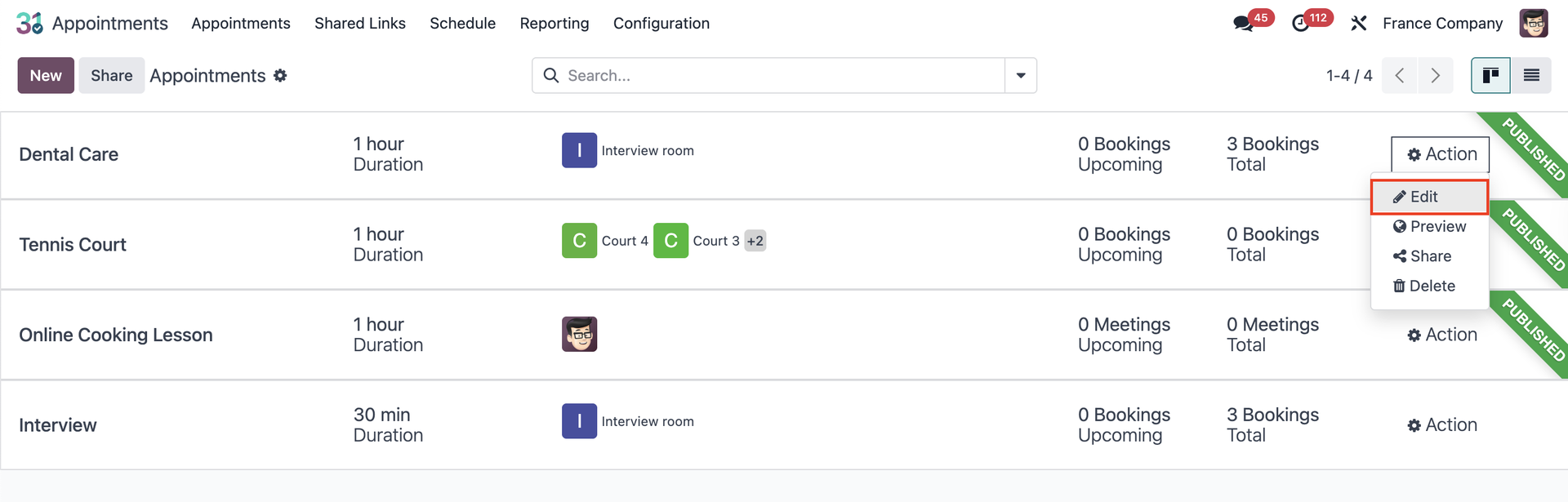 |
2. On field Availability on, choose Users & Resources > Fill in the Users and Resources fields > click Preview or Go to Website. | 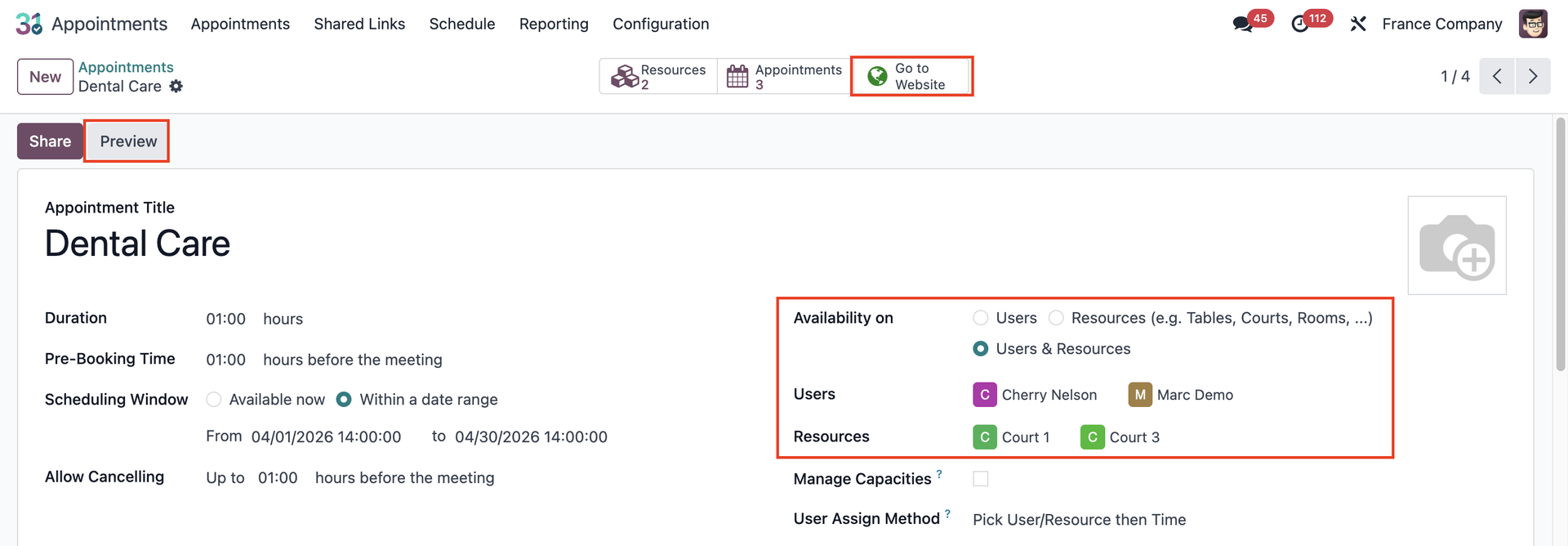 |
3. Choose the Date & Time. After that, choose person and resource > Confirm | 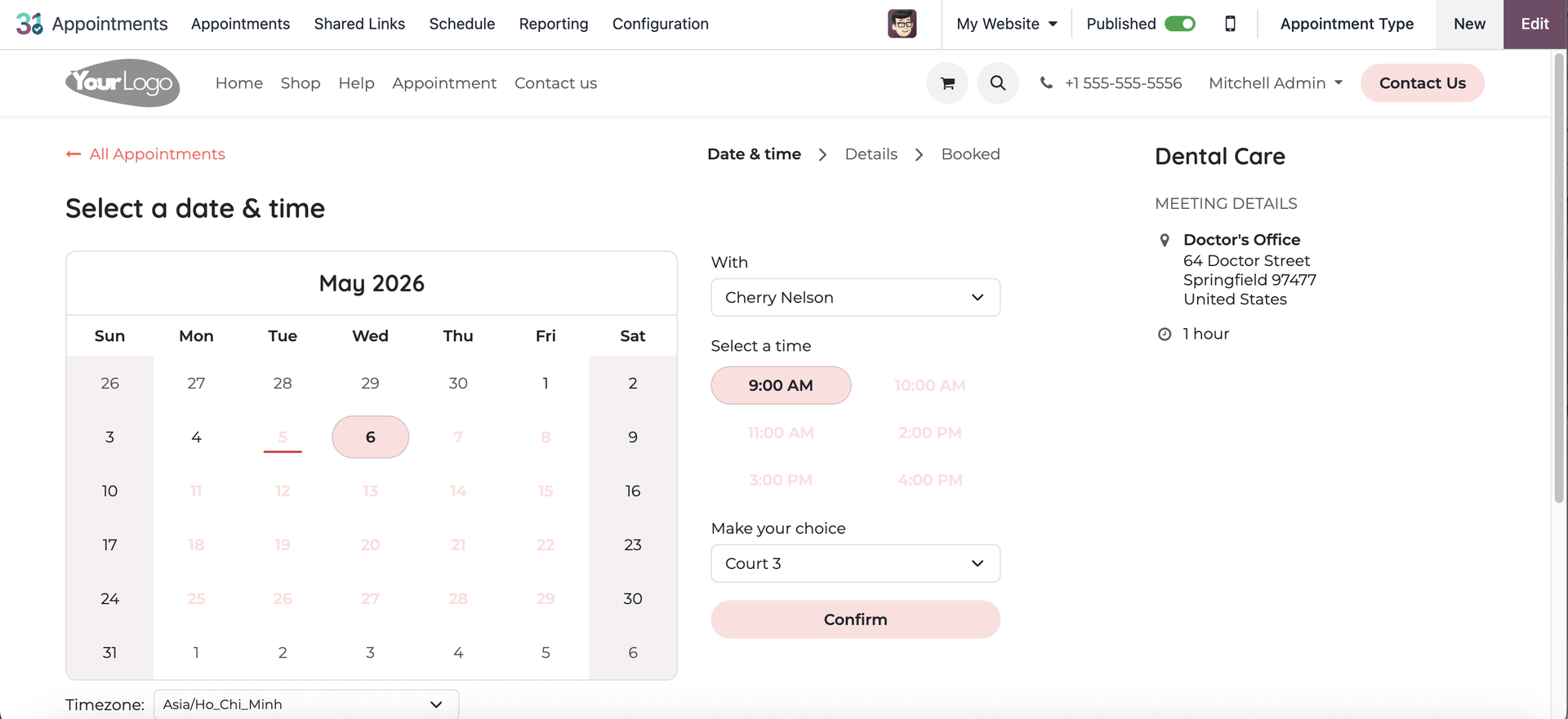 |
4. You will see the operator beside. After adding your information, click Confirm Appointment. | 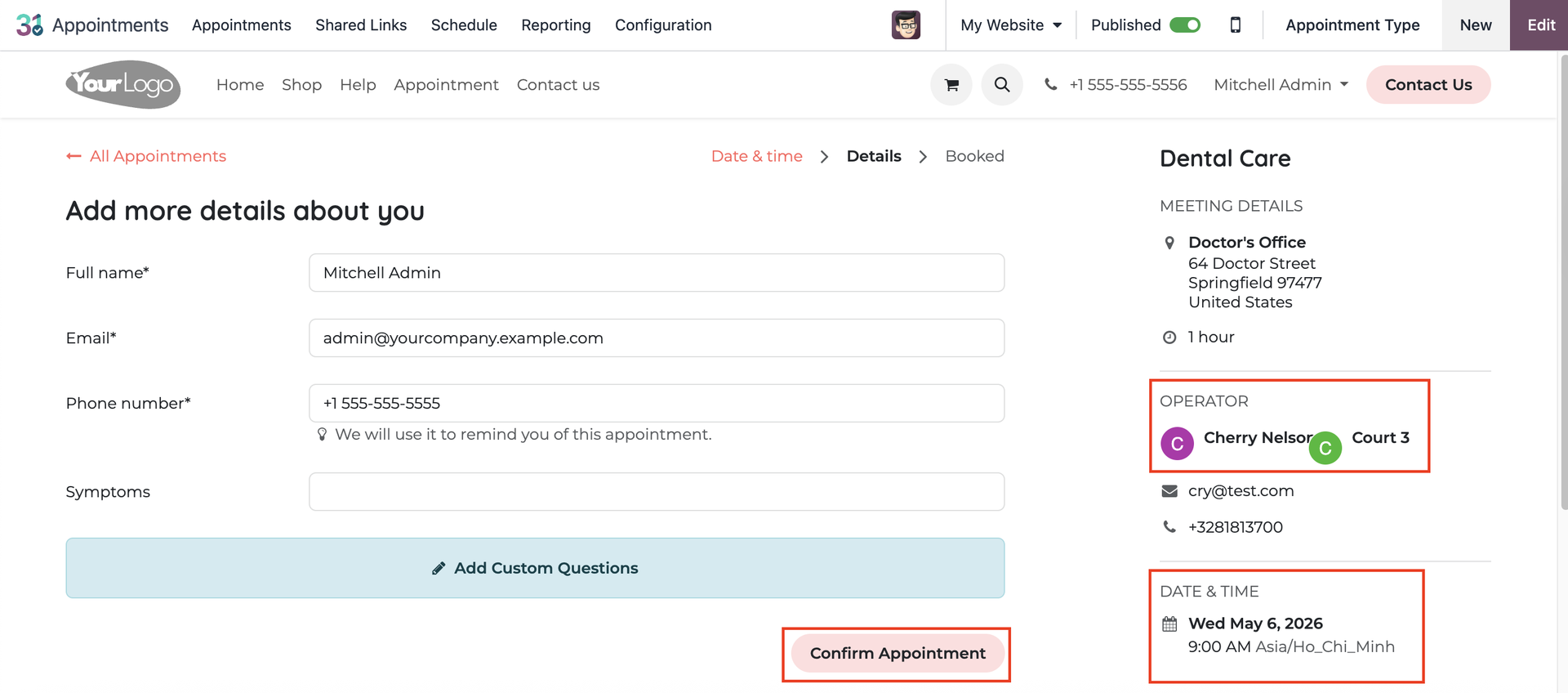 |
5. You can see the details of your appointment. | 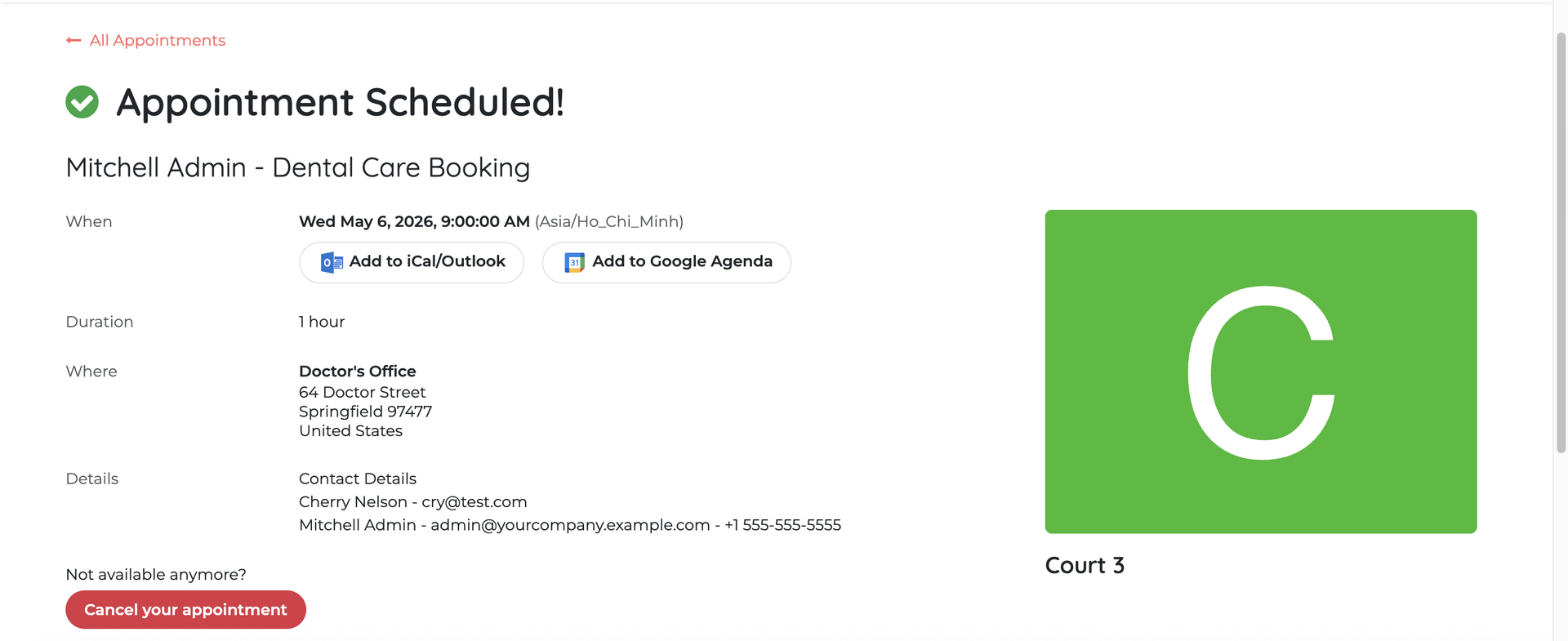 |
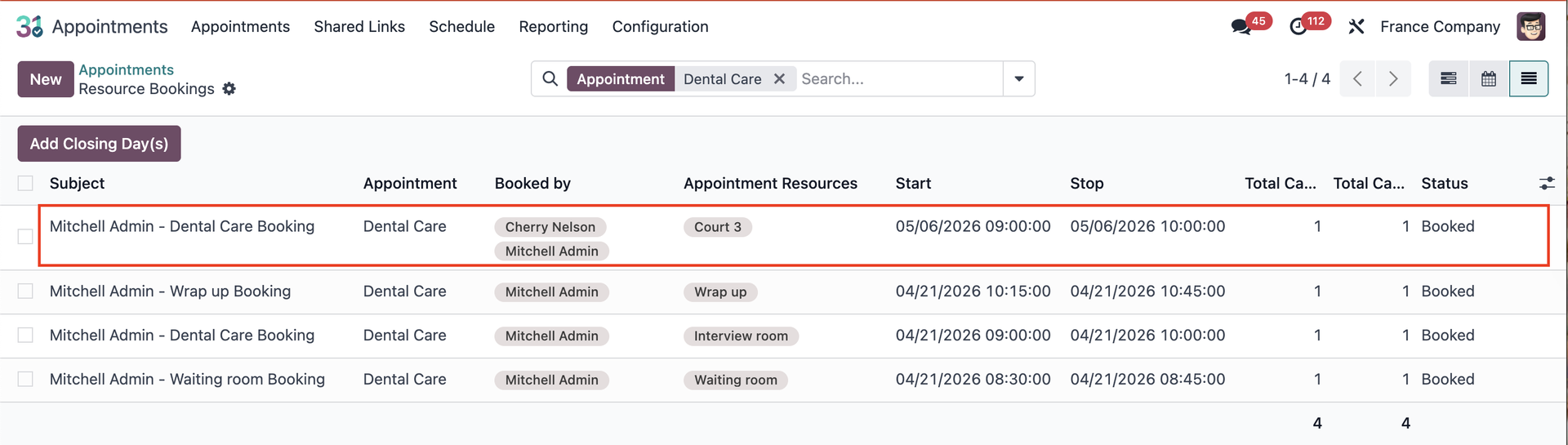
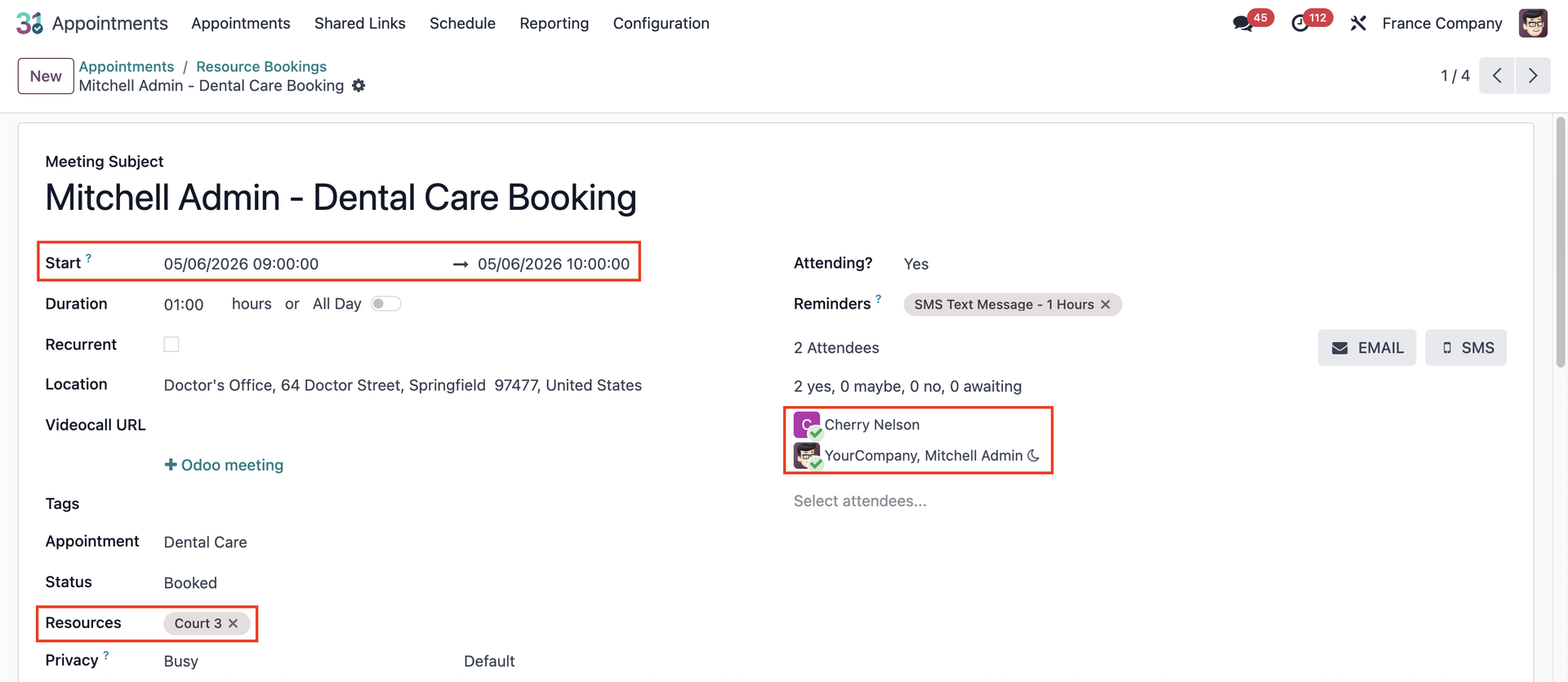
6. Go back to Appointments > click on the chosen appointment > list view > select your booking > the detailed information will display. |
|