



ODOO'S FUNCTION
In Odoo, timesheet users and managers must manually filter or navigate through different views to identify which timesheet entries require validation. There is no dedicated menu that centralizes all entries pending approval, which can make the validation process less efficient.
CLUEDOO'S FUNCTION
CLuedoo introduces a new “To Validate” timesheet menu, making it easier and more convenient for users to review, track, and validate timesheet activities. This centralized menu improves visibility and streamlines the validation workflow.
1. Go to Settings → Users > Choose a user and check Access to validate timesheet sheet | 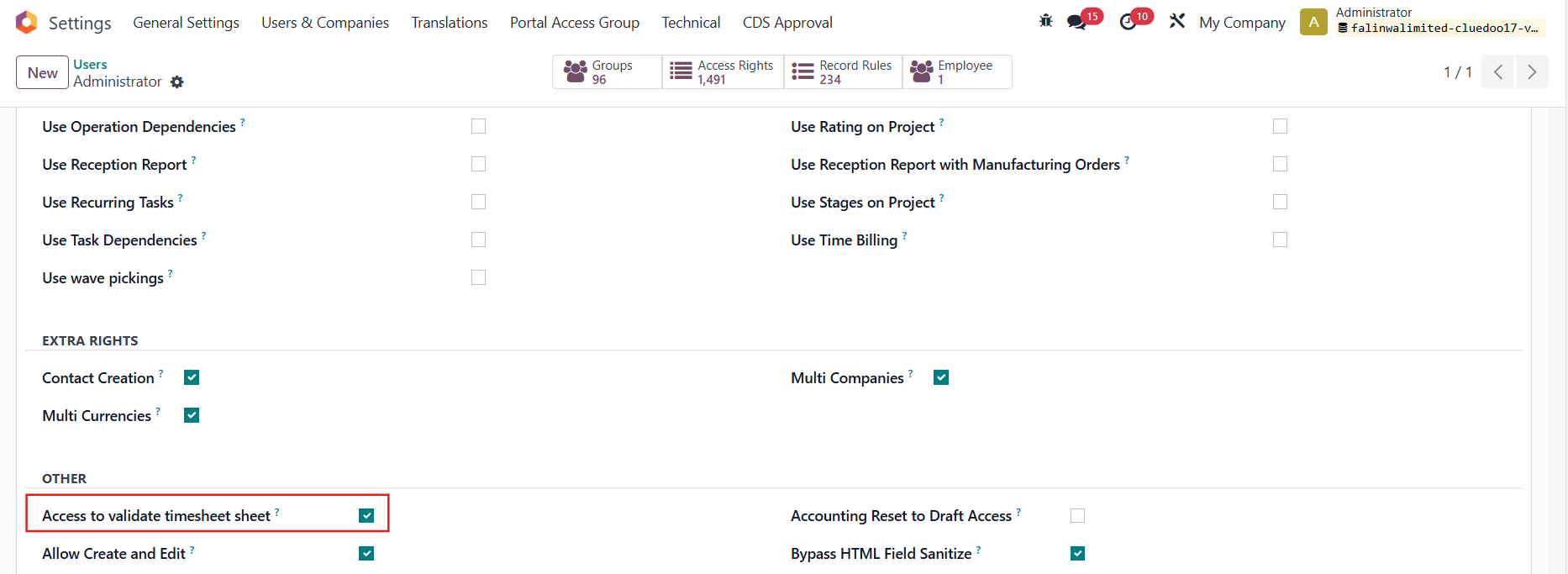 |
Navigate to Timesheets → You can see a new menu called To Validate, which lists all the timesheets that require validation |  |
From here, you can validate the timesheet lines that are not included in the timesheet reports. | 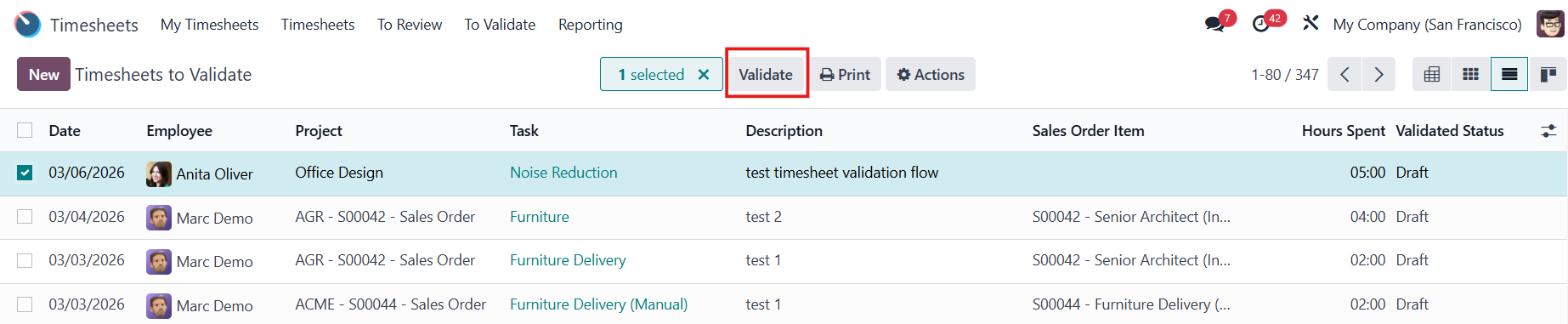 |
And can also Reset to Draft the already-validated timesheets. | 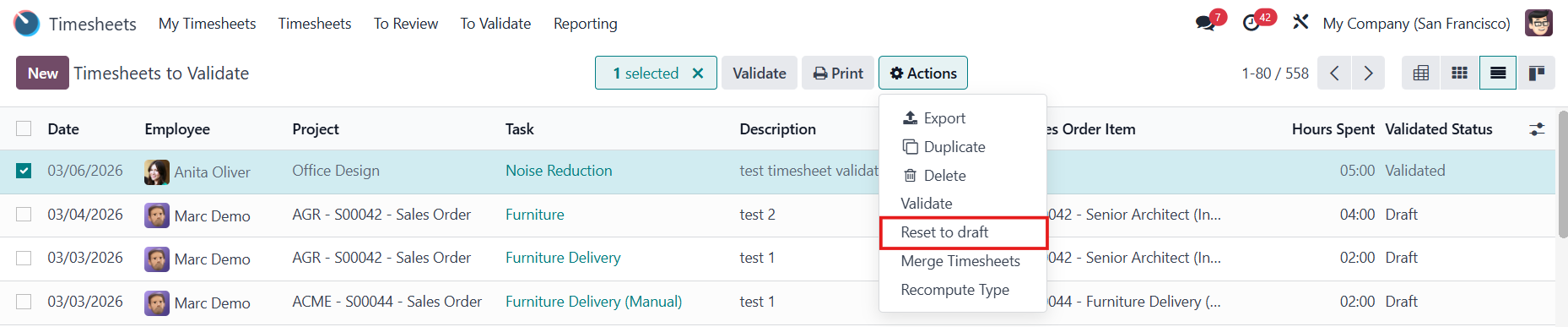  |