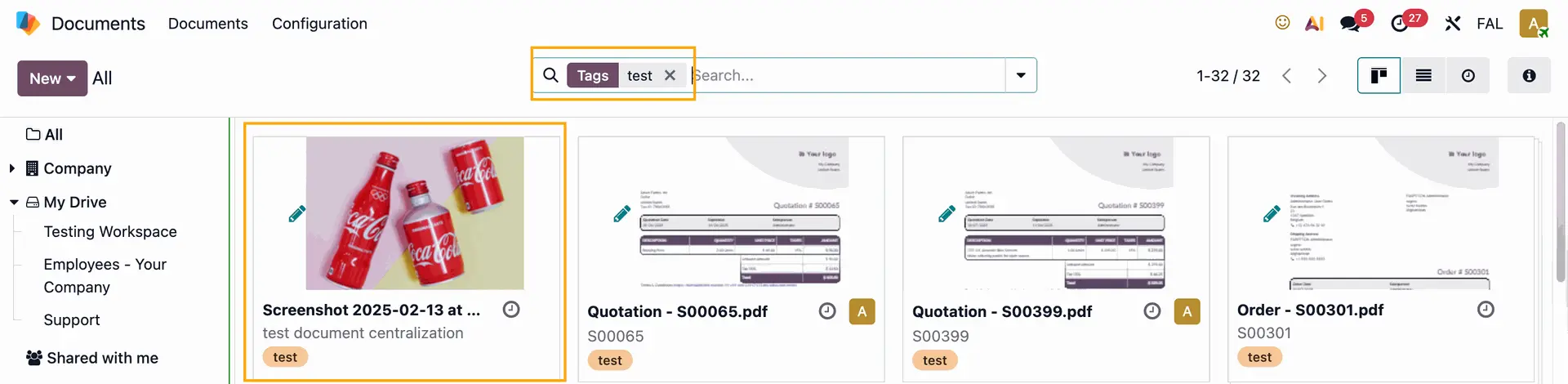



ODOO'S FUNCTION
Odoo Documents lets you store, view, and manage files directly in Odoo. You can upload any file (up to 64MB per file on Odoo Online) and organize them across different workspaces.
CLUEDOO'S FUNCTION
CLuedoo integrates the Analytic Resource module with the Documents module, so any file uploaded in an Analytic Resource is automatically synchronized and available in Documents.
1. Open the Settings app > Choose Documents from the menu on the left side > Tick Resource > Fill in Workspace and Default Tags e.g., I choose Testing Workspace; Default Tags: Test | 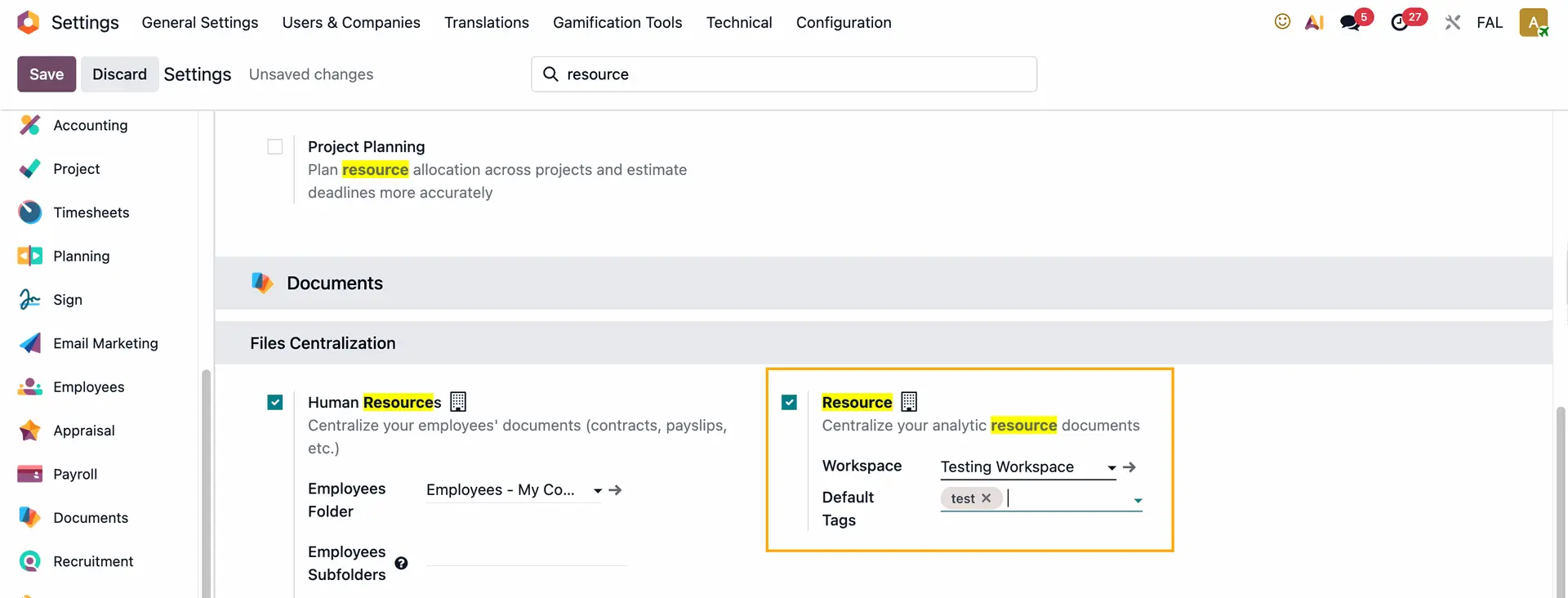 |
2. Go to Analytics Resource to create a new one > Fill in the necessary information > Click on the attachment file symbol and upload a file | 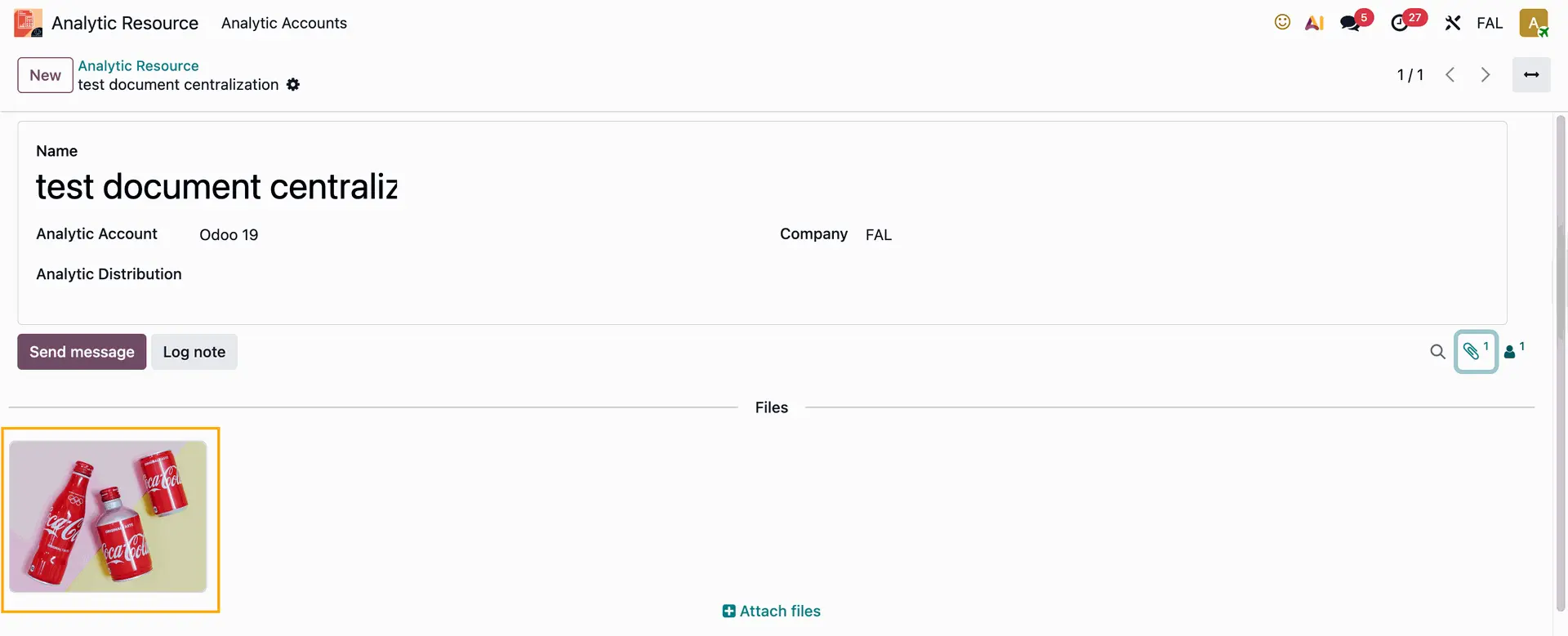 |
3. Go to the Documents app - Choose the folder that you set as the Workspace earlier > The attached file in the resource will be uploaded to this folder | 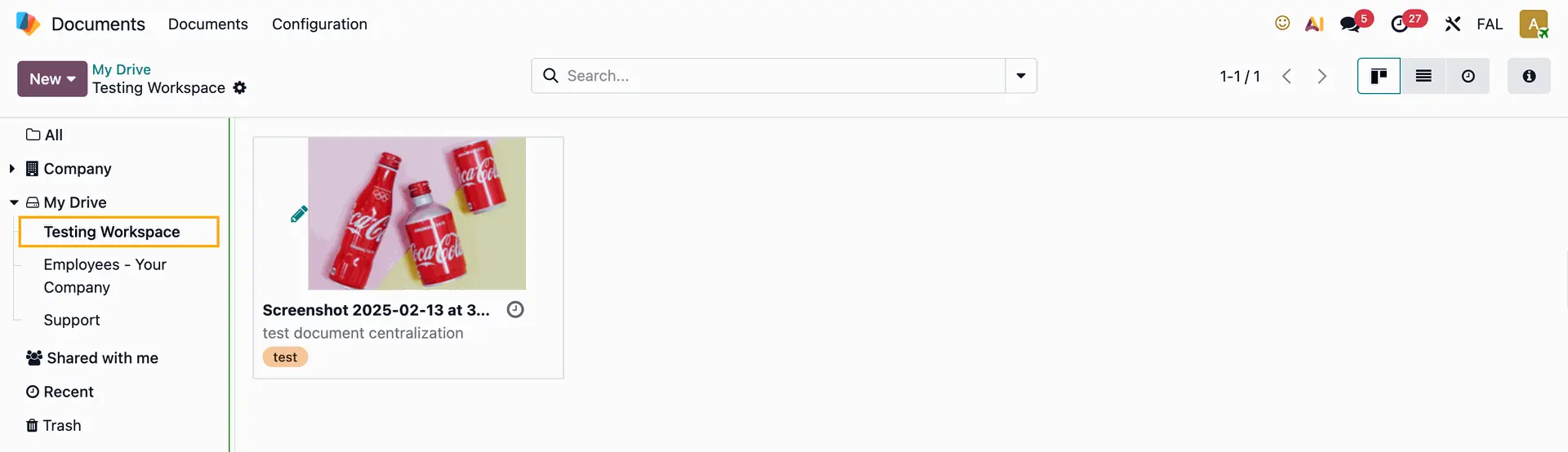 |
5. You can search files using tags that were set up earlier as well |
|