



ODOO'S FUNCTION
Odoo allows you to centralize documents attached to the Product/Approval/Fleet/HR/Accounting apps.
CLUEDOO'S FUNCTION
CLuedoo extends this feature and helps you centralize and synchronize all your helpdesk documents to the Documents app.
By this extension, you can fully manage your documents in one place.
BUSINESS CASE
A company provides technical support through a Helpdesk team. Customers often send images, contracts, or other relevant documents when submitting tickets. In standard Odoo, these attachments are stored only within the ticket, making it difficult for the Documentation or Quality Assurance team to find and review them later.
1. Go to Settings> Enable Helpdesk on Files Centralization > Fill in Workspace and Default Tags | 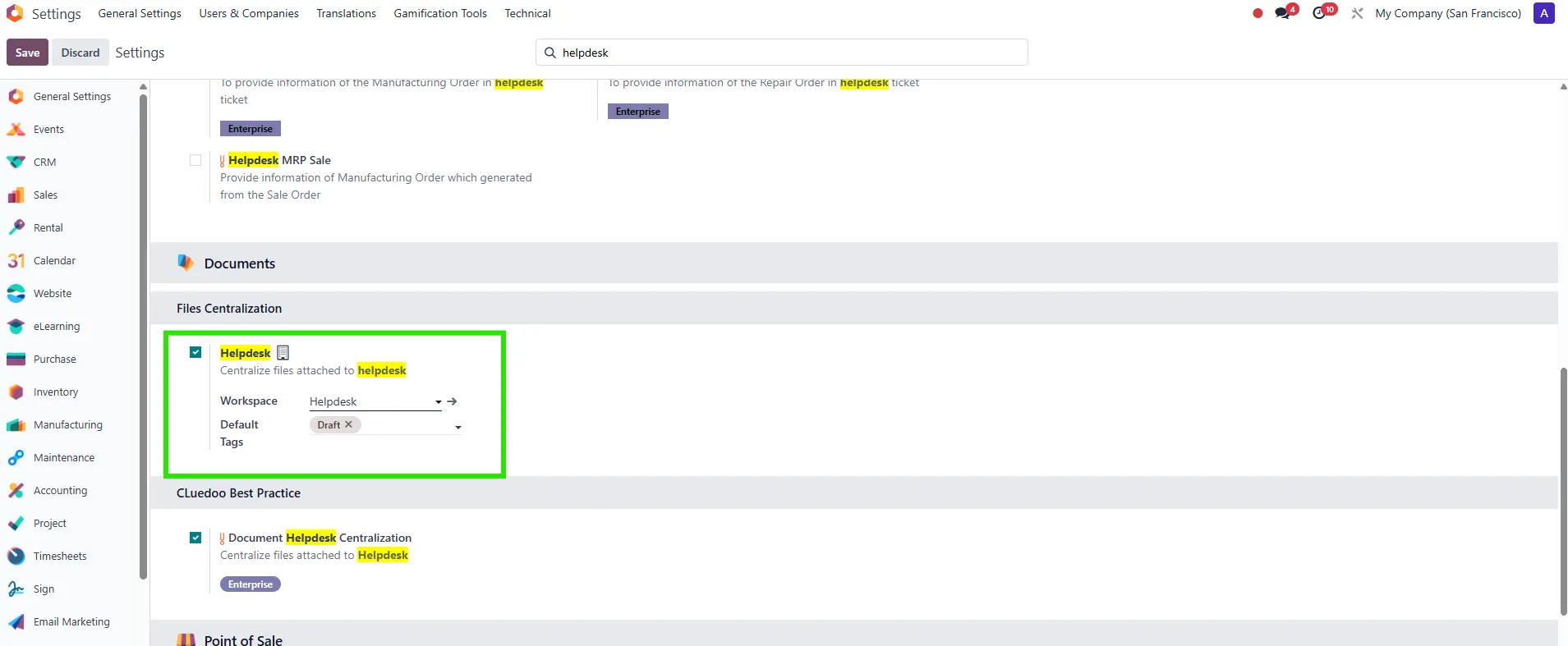 |
2. On the Helpdesk app, choose or create a ticket, and then upload your document. | 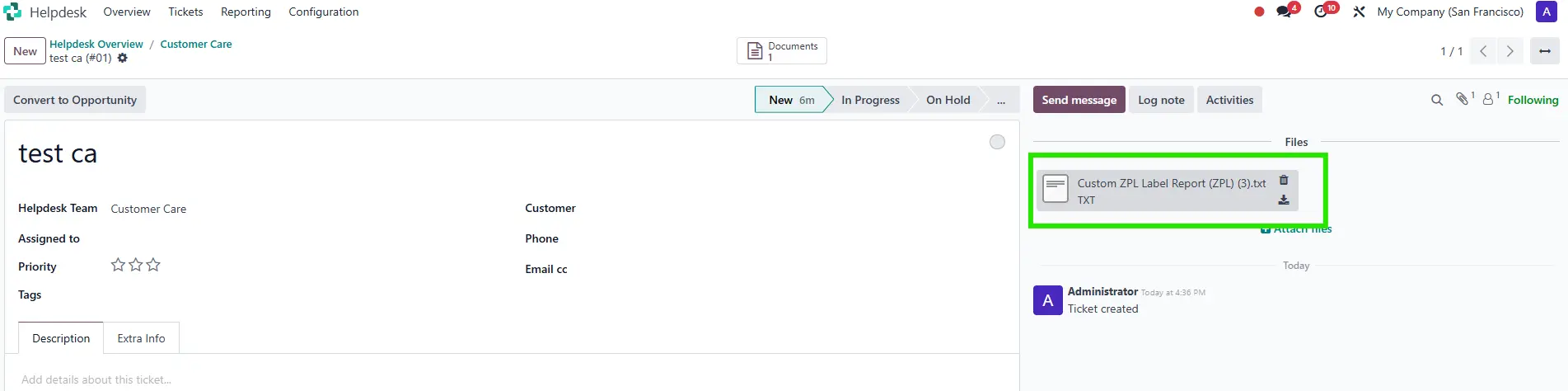 |
3. The Helpdesk ticket's uploaded document is located in the location specified in the Settings on the Documents app. | 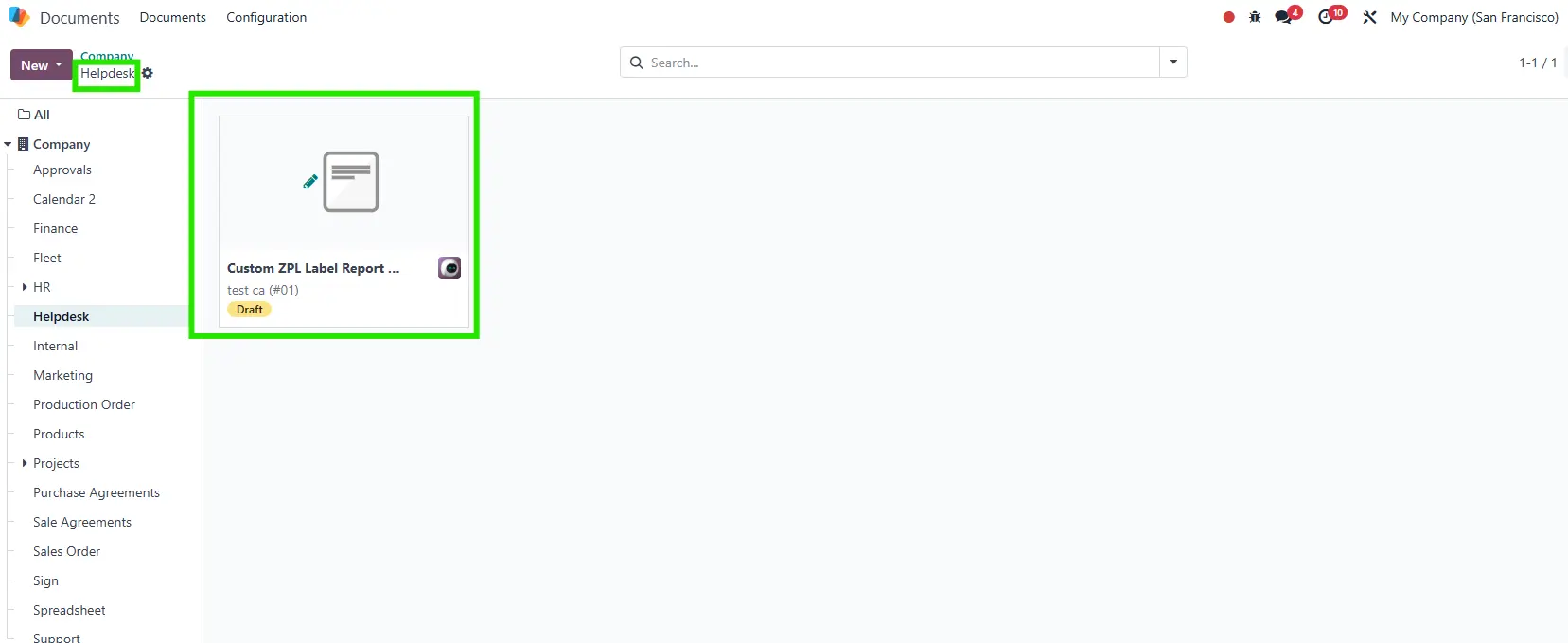 |