



ODOO'S FUNCTION
In Odoo, only administrators with full access to the Time Off module can refuse or reset time off. There is no built-in option to grant employees limited permissions for these actions. However, in some cases, roles like HR staff, team leads, or senior employees may need the ability to approve or manage time off requests without having full administrative rights
CLUEDOO'S FUNCTION
Cluedoo provides two additional access rights, allowing employees to refuse and/or reset time off
In Users, we have 2 additional access rights (Refuse time off access and reset time off access) | 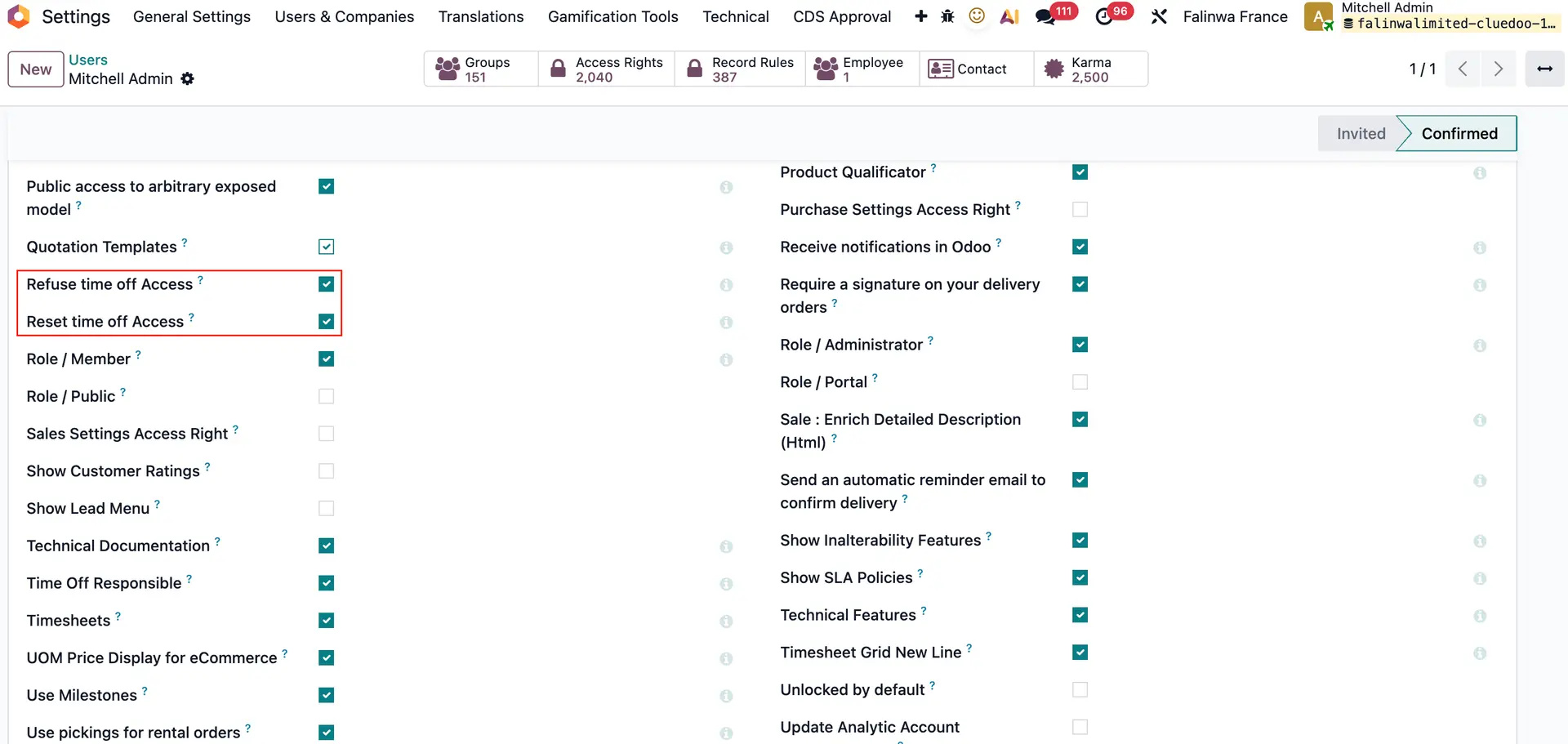 |
Create time off and submit it. If you have the access rights to refuse, you'll see the button to refuse, otherwise, you can't see it. | 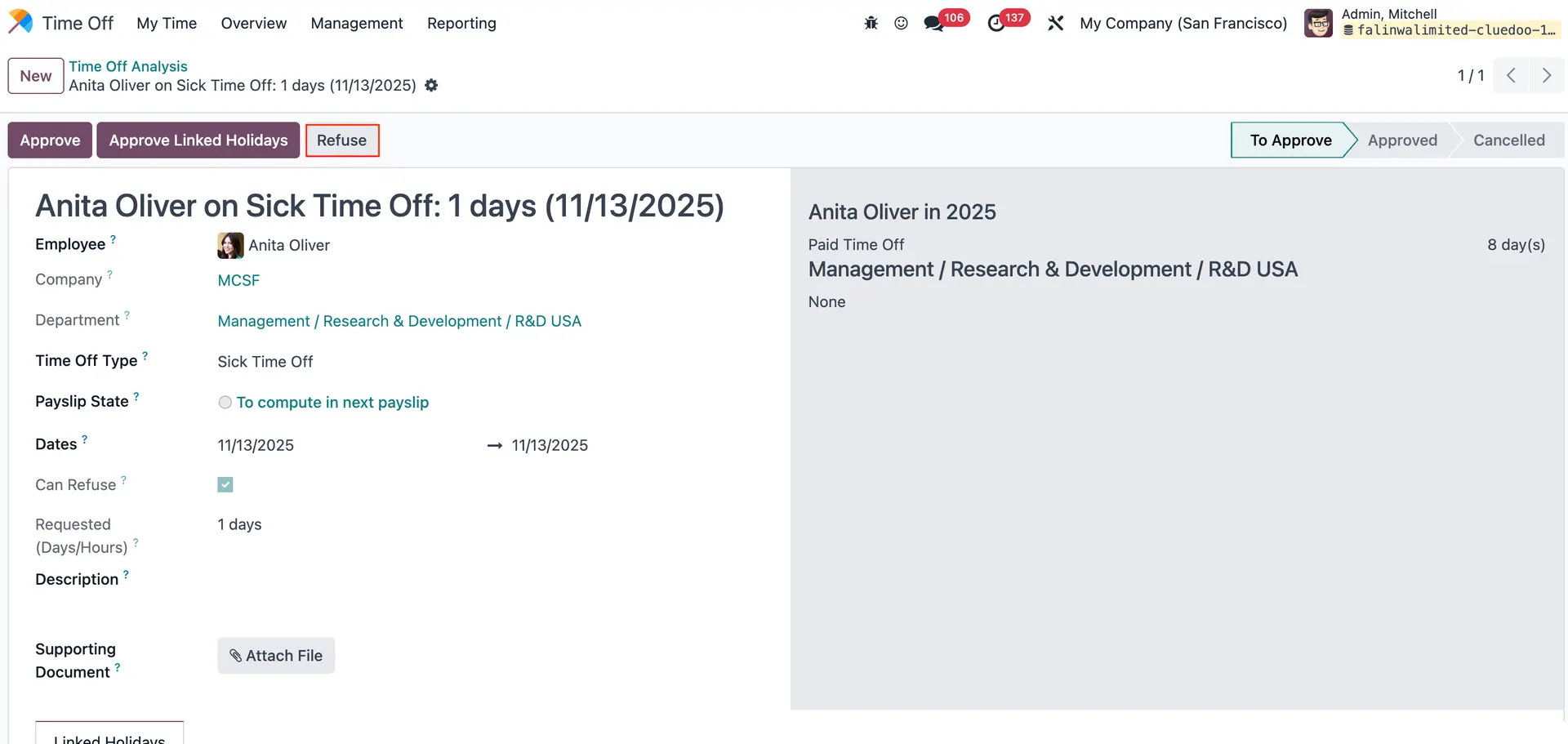 |
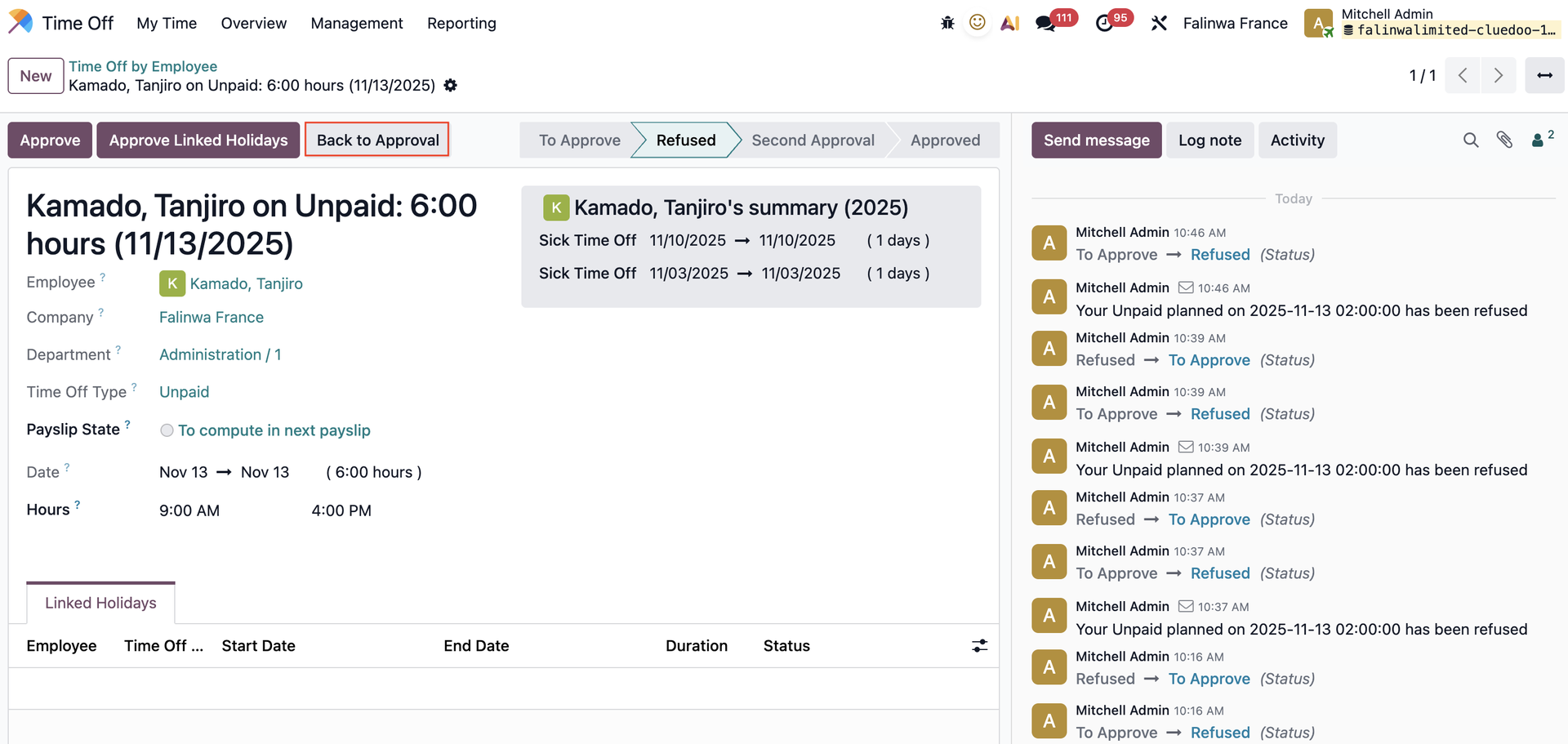
After refusing time off, if you have the access rights to reset to draft, you will see the "Reset" button. Otherwise, the button won't appear | 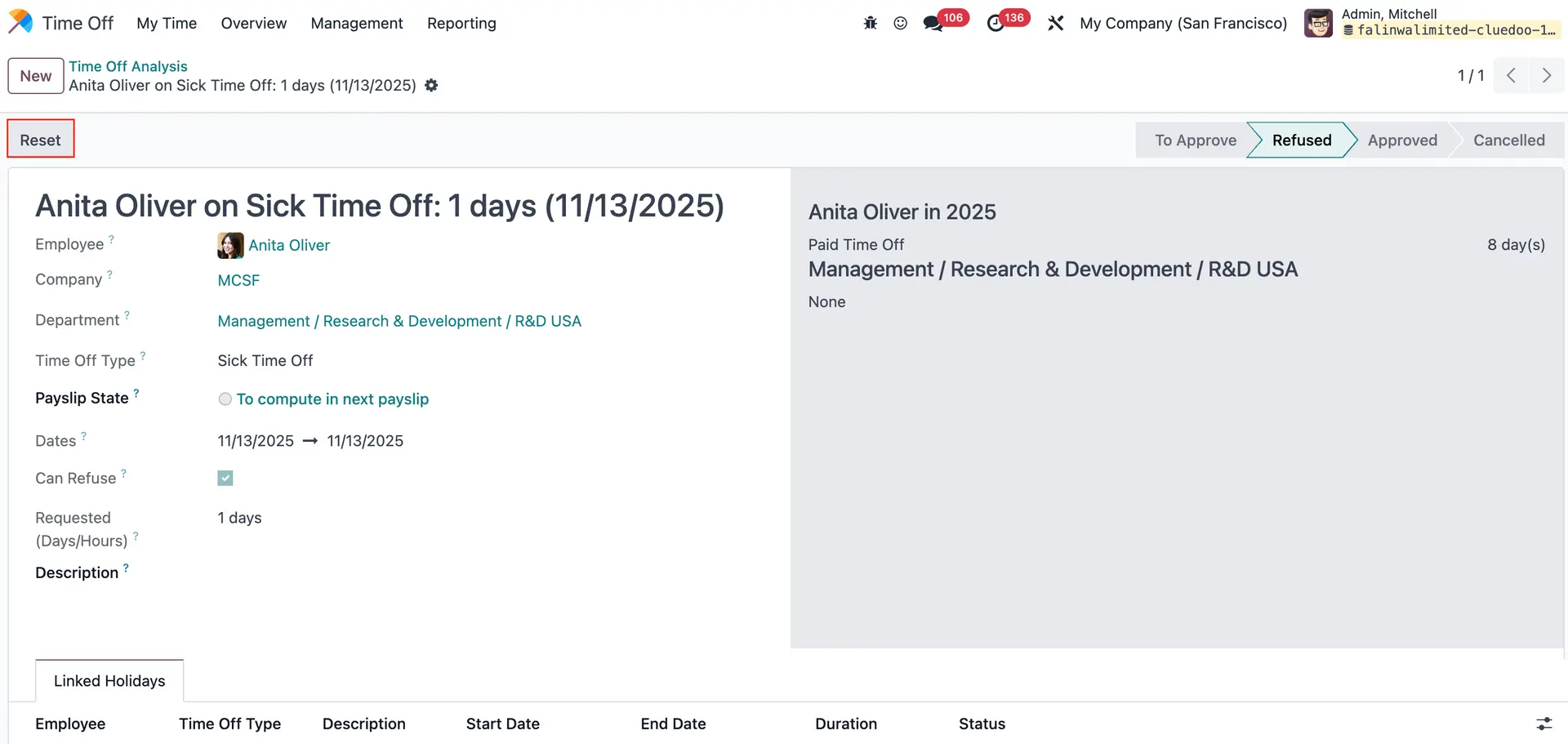 |
Note: In v19, the "Reset" button changed to "Back to Approval" button. | 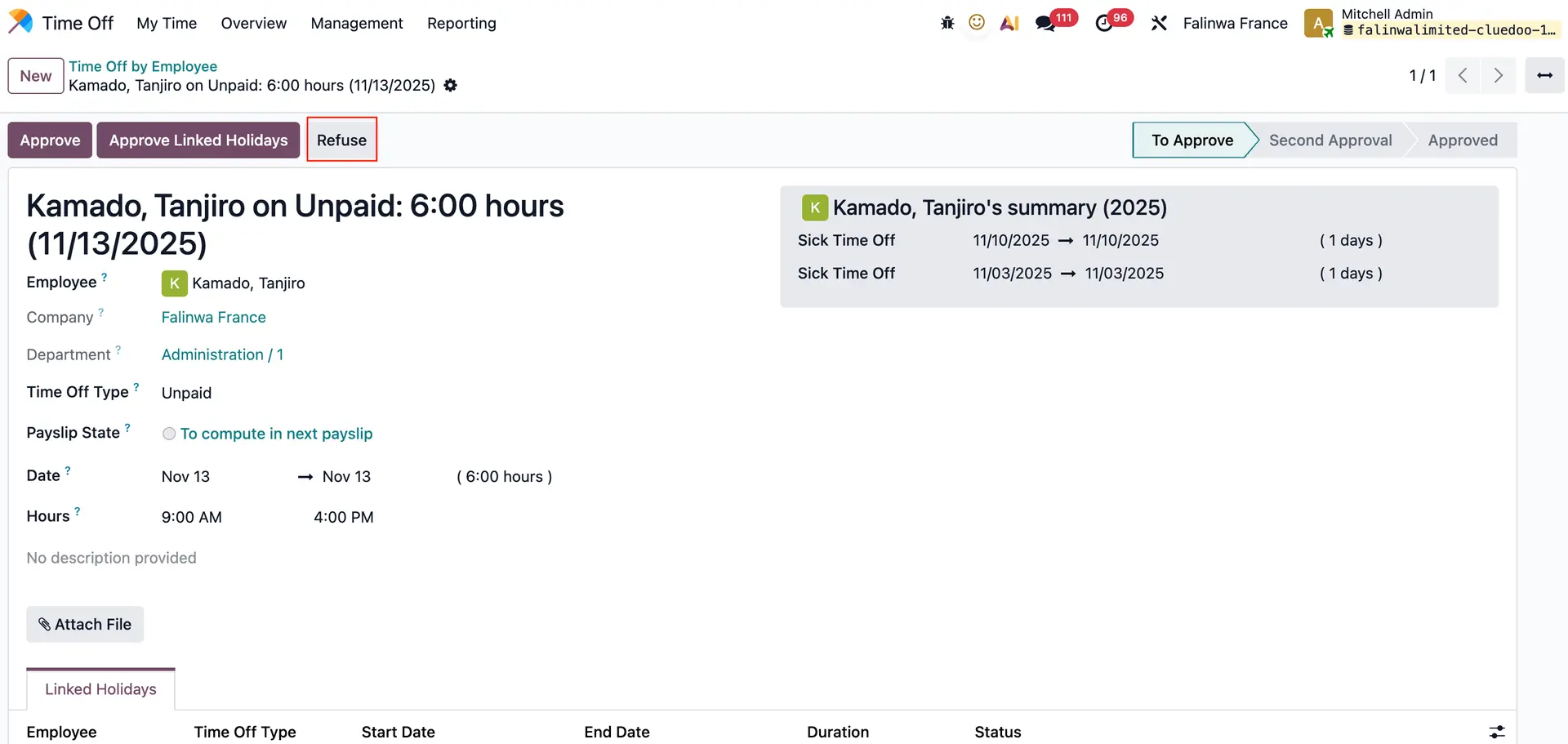 |
 |