


ODOO'S FUNCTION
By default, Odoo tracks operation time only at the Work Order level. Users can choose to allocate this time either based on real time or based on expected time.
CLUEDOO'S FUNCTION
Additionally, CLuedoo provides three new options for tracking operation time: by Timesheet, by Real time WOG, and by Python calculation. Note that the time calculated by CLuedoo is recorded as “computed time”. To automatically push this value into the “duration” field in a work order, proper configuration of duration computation in the BoM operation is required.
Go to Manufacturing > Operations > Work Centers and create a new work center Fill in all the necessary information > Save | 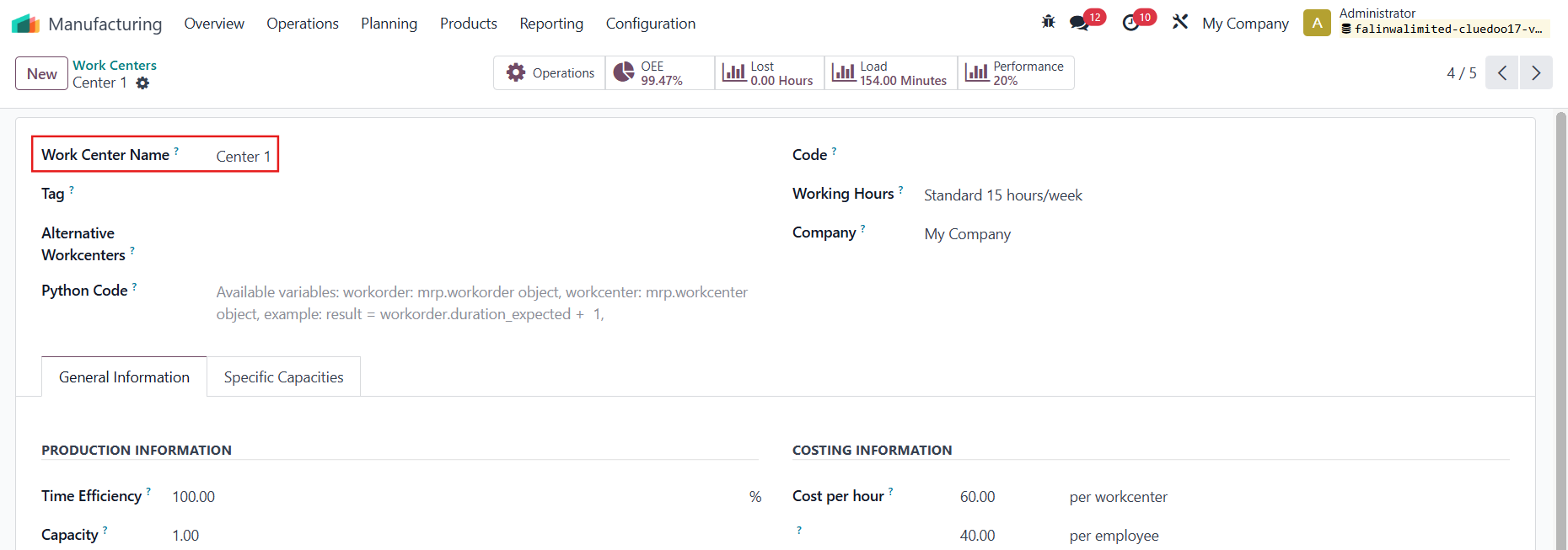 |
REALTIME WO GROUPCreate a new operation > Add the BoM, Work Center, and set a computation method |  |
Create a Manufacturing Order > Choose the product containing the BoM that you just set in the operation > Actions > Create Work Order Group > A WOG will be created | 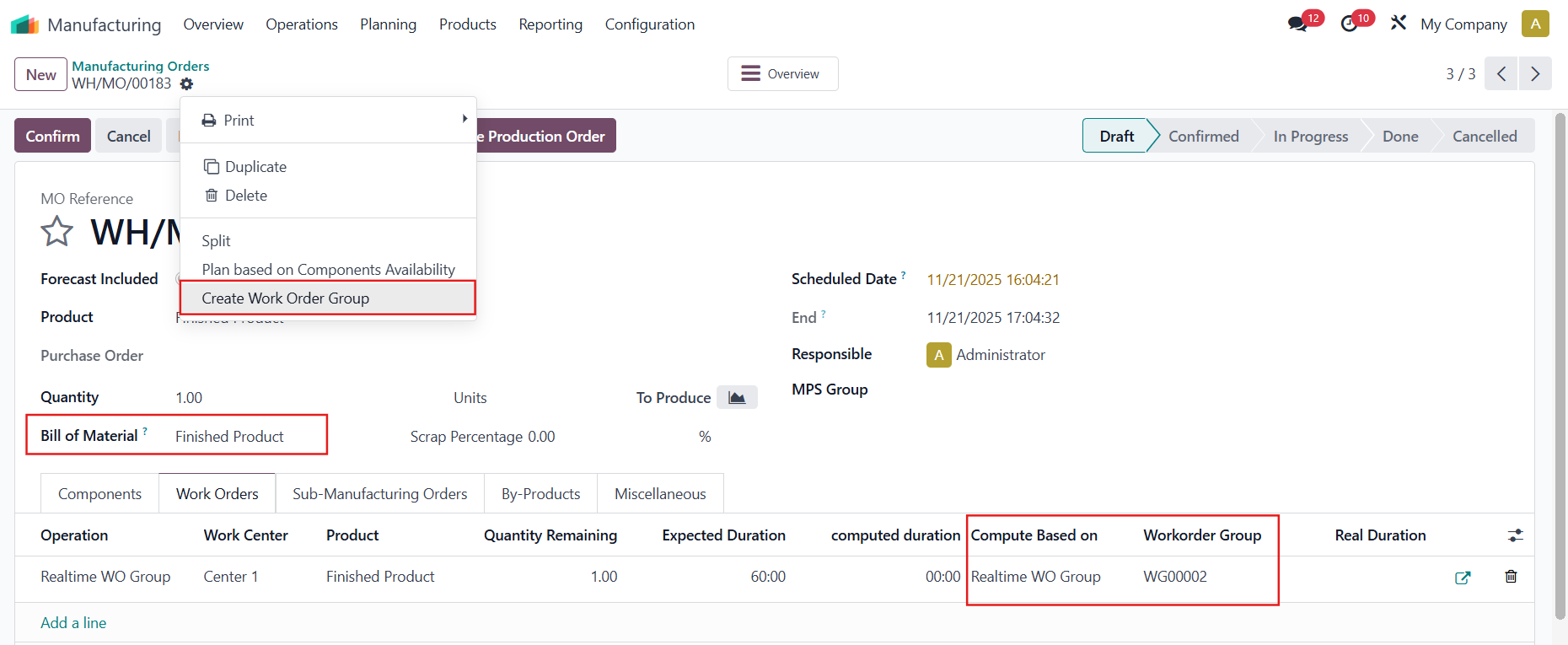 |
Alternatively, you can also Create Work Order Group directly from the Work Orders / Production Orders menu | 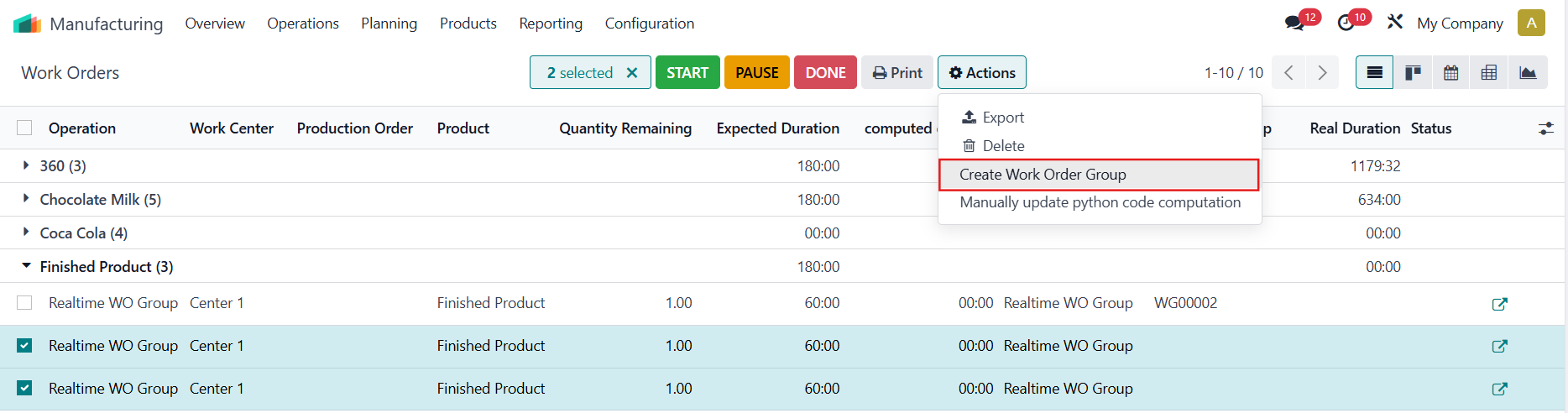 |
Note: You can change the WOG of a Work Order. | 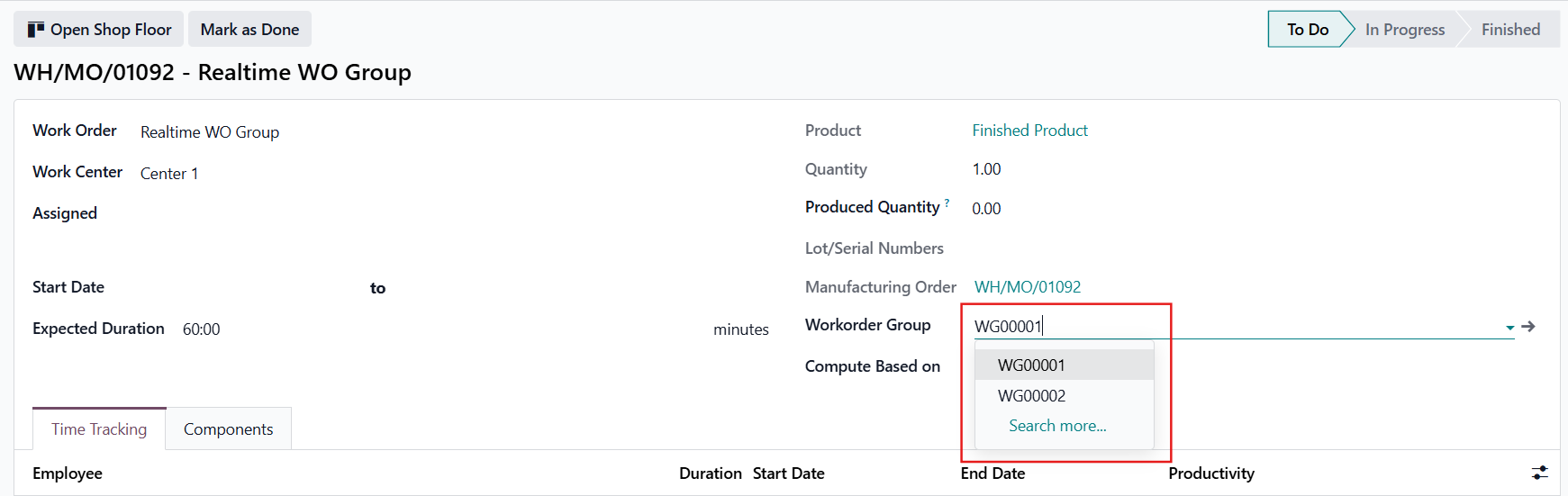 |
Go to the WOG > You can start the time for the WOG | 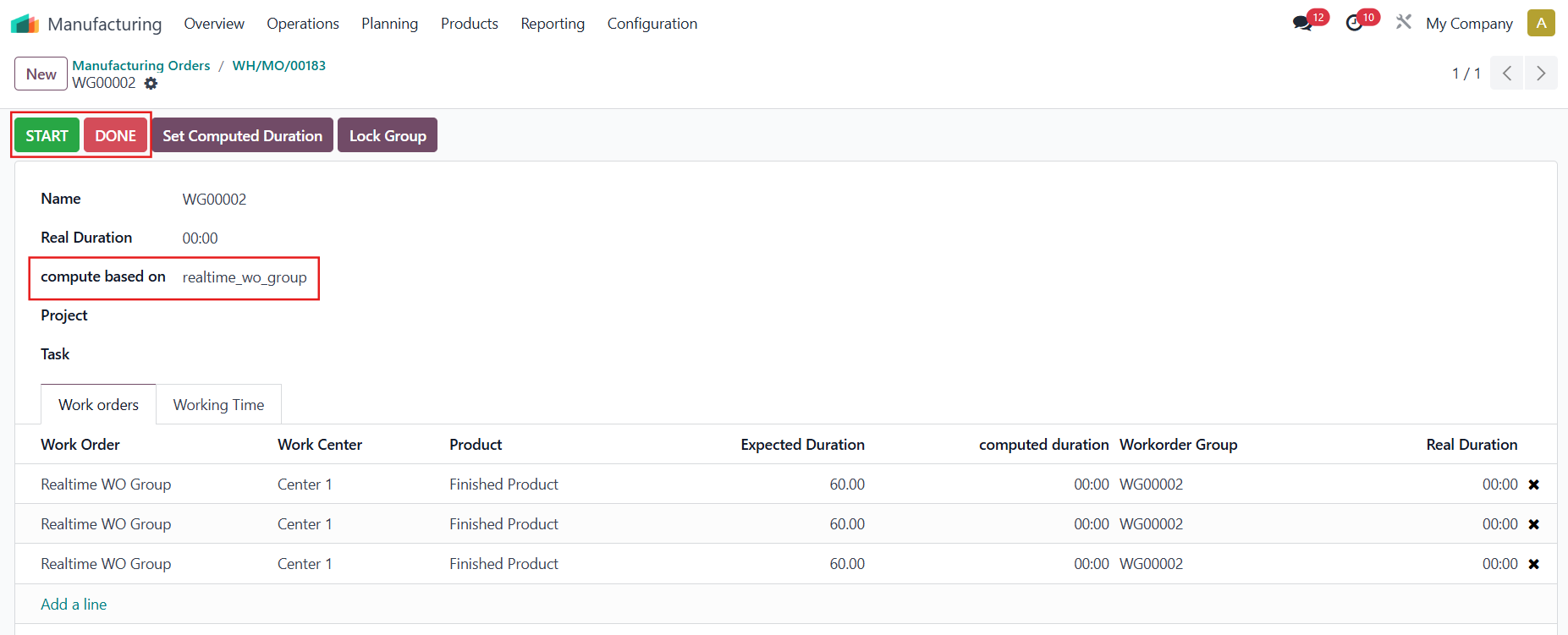 |
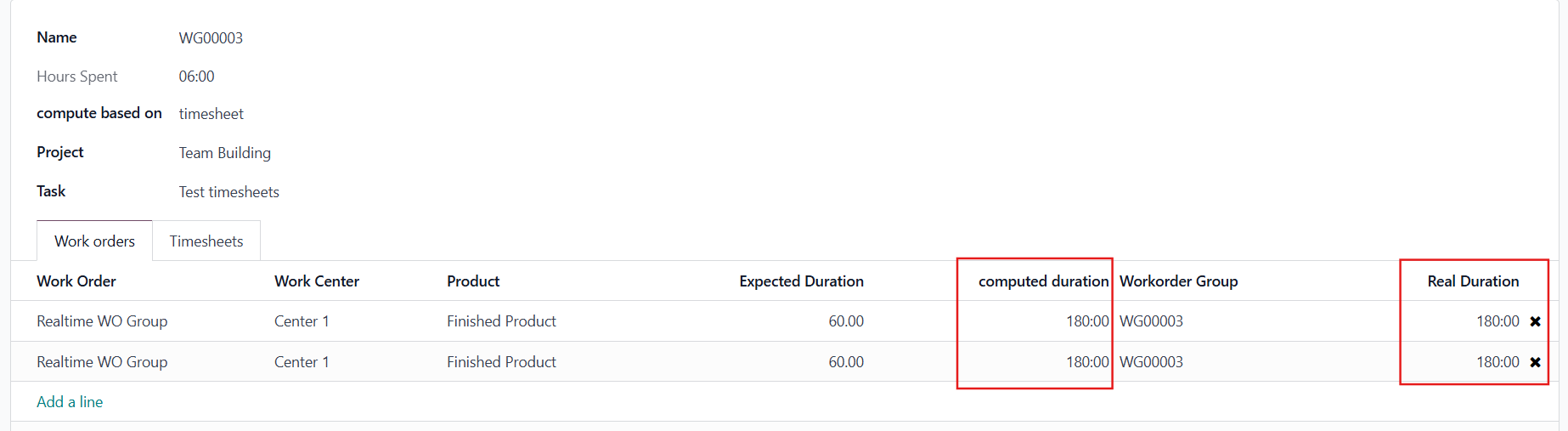
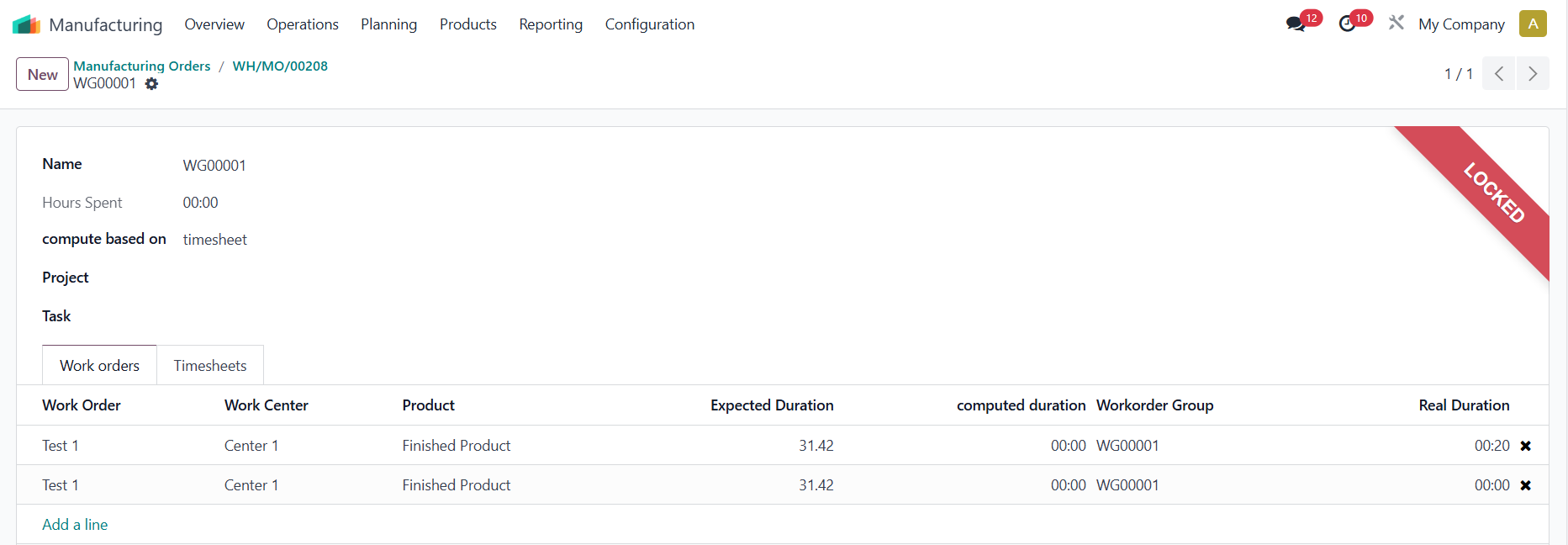
After you finish the WOG > Set Computed Duration > The Real Duration will be evenly distributed across all work orders of the WOG. | 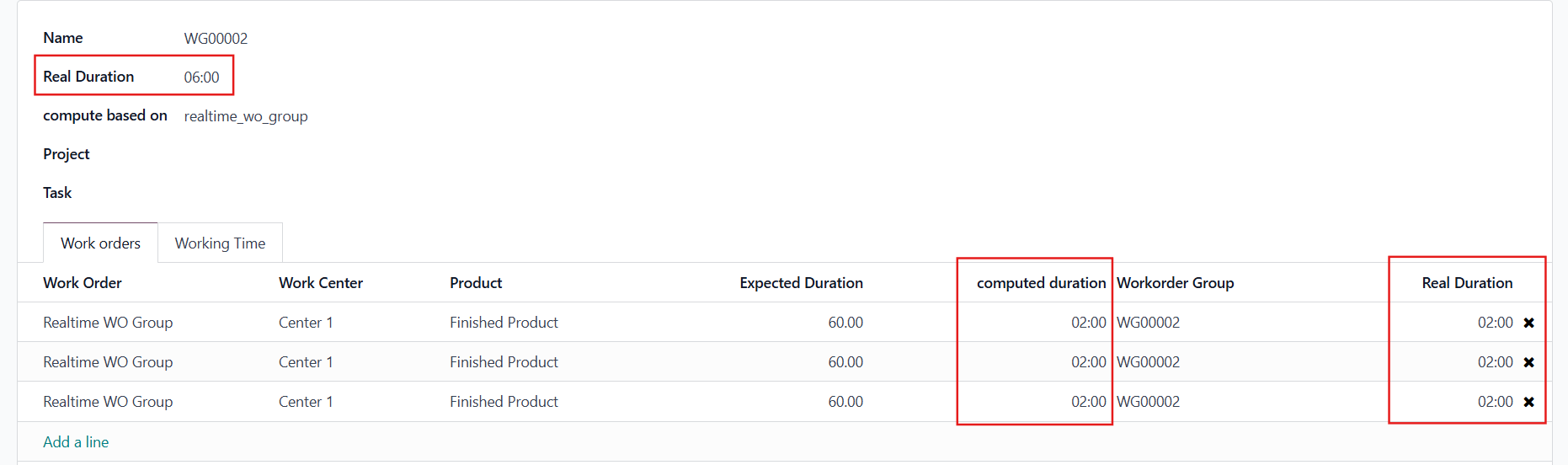 |
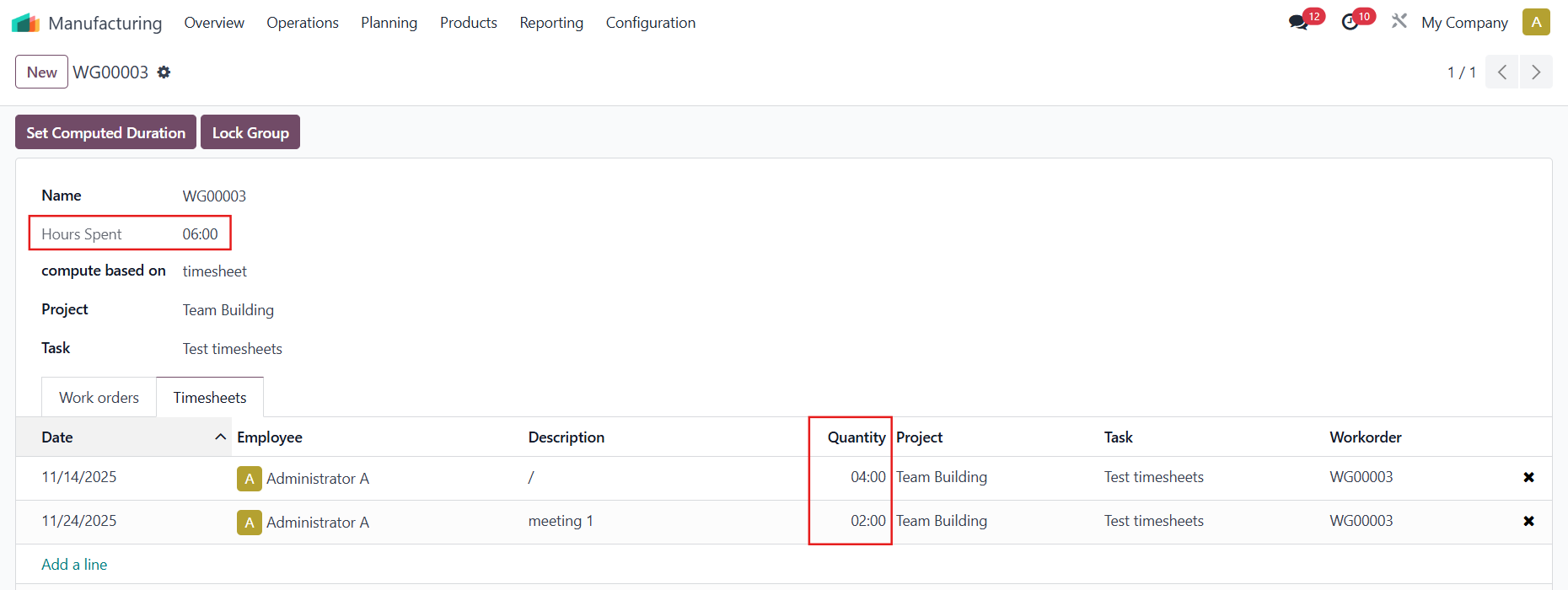
TIMESHEETThe Hours Spent is the sum of all the timesheets in the WOG
|
|
| 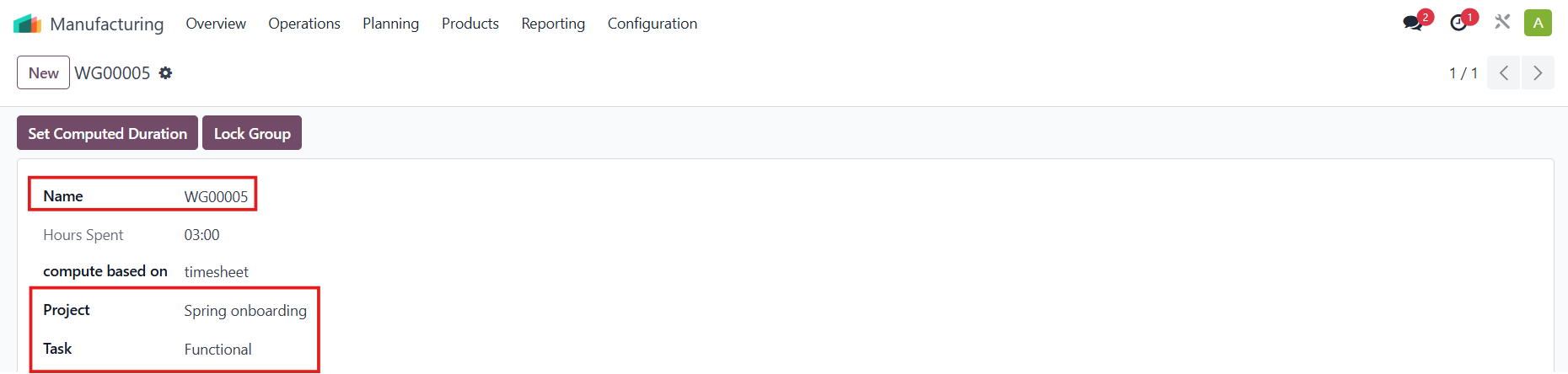 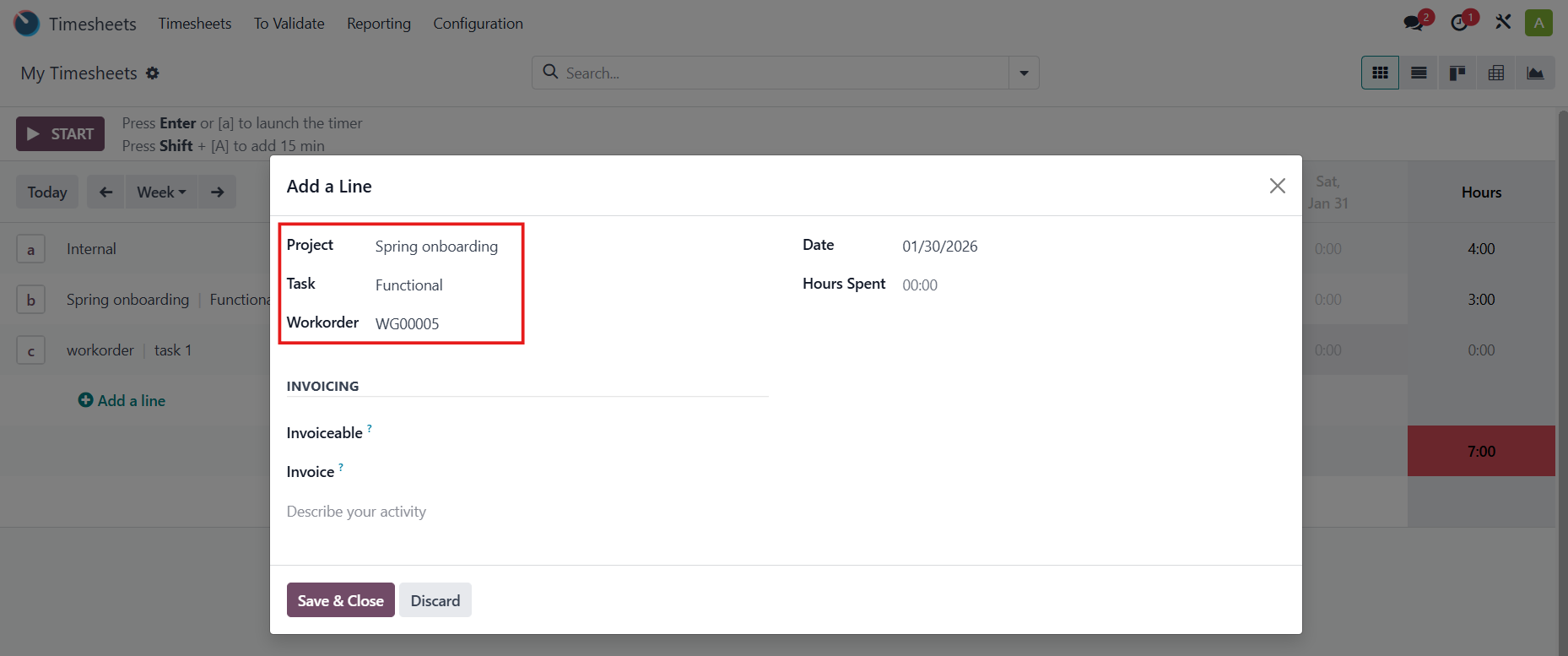 |
Set Computed Duration > The Hours Spent will be evenly distributed across all work orders of the WOG. Note that the duration is in minutes. For example, Hours Spent = 6h = 360 mins |
|
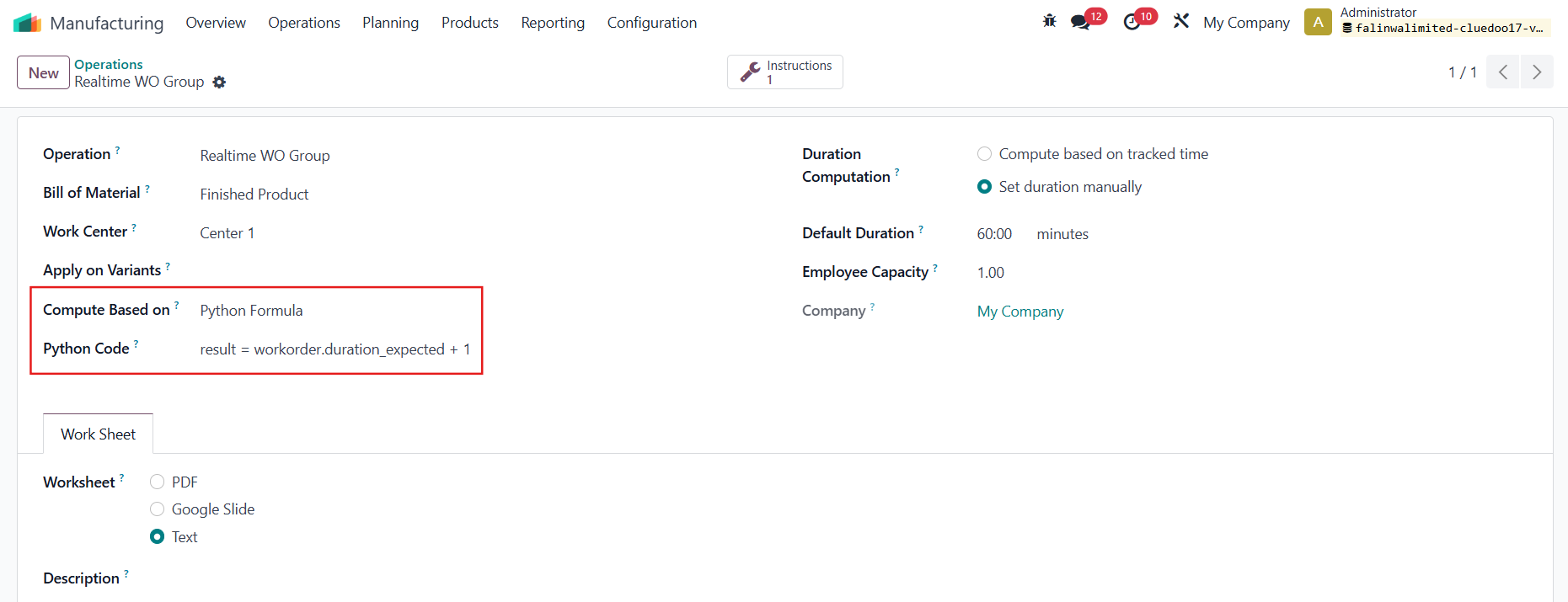
PYTHON FORMULAInsert a python code to define how the time will be computed. Available variables: workorder: mrp.workorder object, workcenter: mrp.workcenter object For example: result = workorder.duration_expected + 1 Note: If you input the Python code in the Work Center, it will be inherited to the operation. |
|
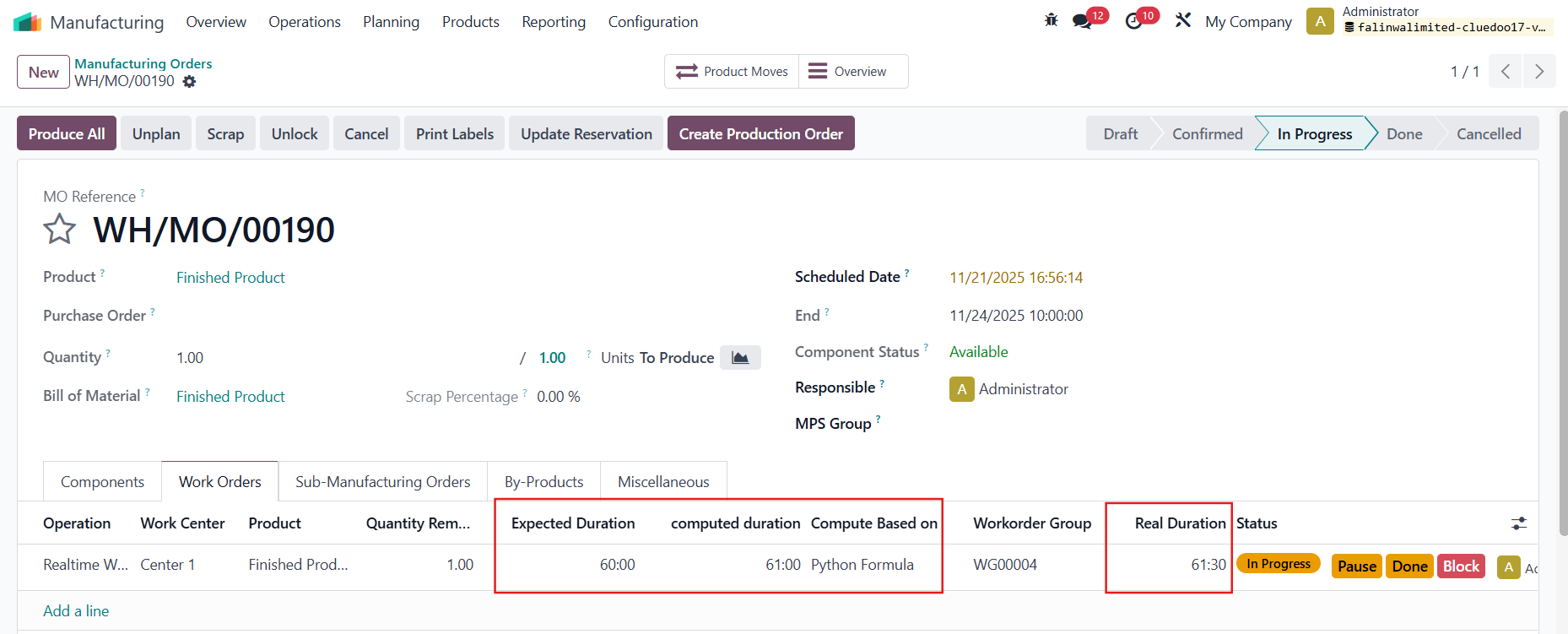
The Computed Duration is calculated as the Expected Duration + 1 based on the Python code. The Real Duration begins counting from this Computed Duration. |
|
Notes:
|
|
|
|