


ODOO'S FUNCTION
In Apps, there is no information about column tags, the amount of lines for coding, the purpose, nor comments.
CLUEDOO'S FUNCTION
Customers want more transparency on the complexity level of a module, so CLuedoo adds the ability to add information to a module. This includes adding fields for Column Tags, Count Line of Coding (ie: the number of lines of code you will have), Purpose, and Comments.
1. In Apps, choose a module > Module Info | 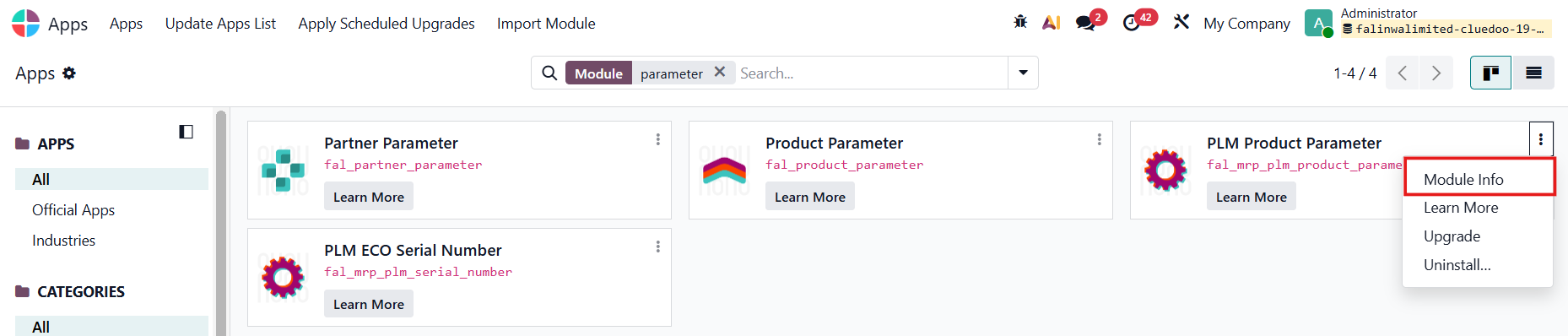 |
2. Turn on the debug mode > Actions > Count Line of Code | 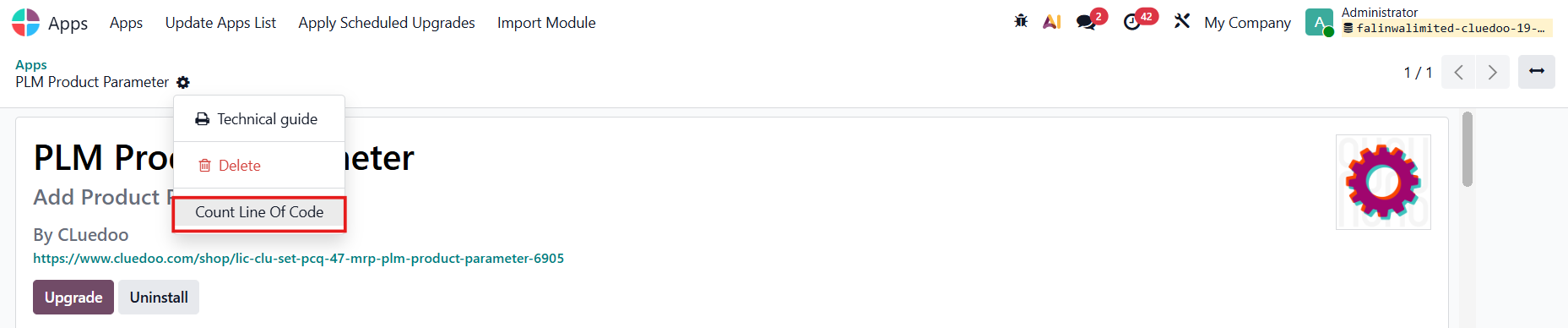 |
3. The number is displayed in Count Line of Coding | 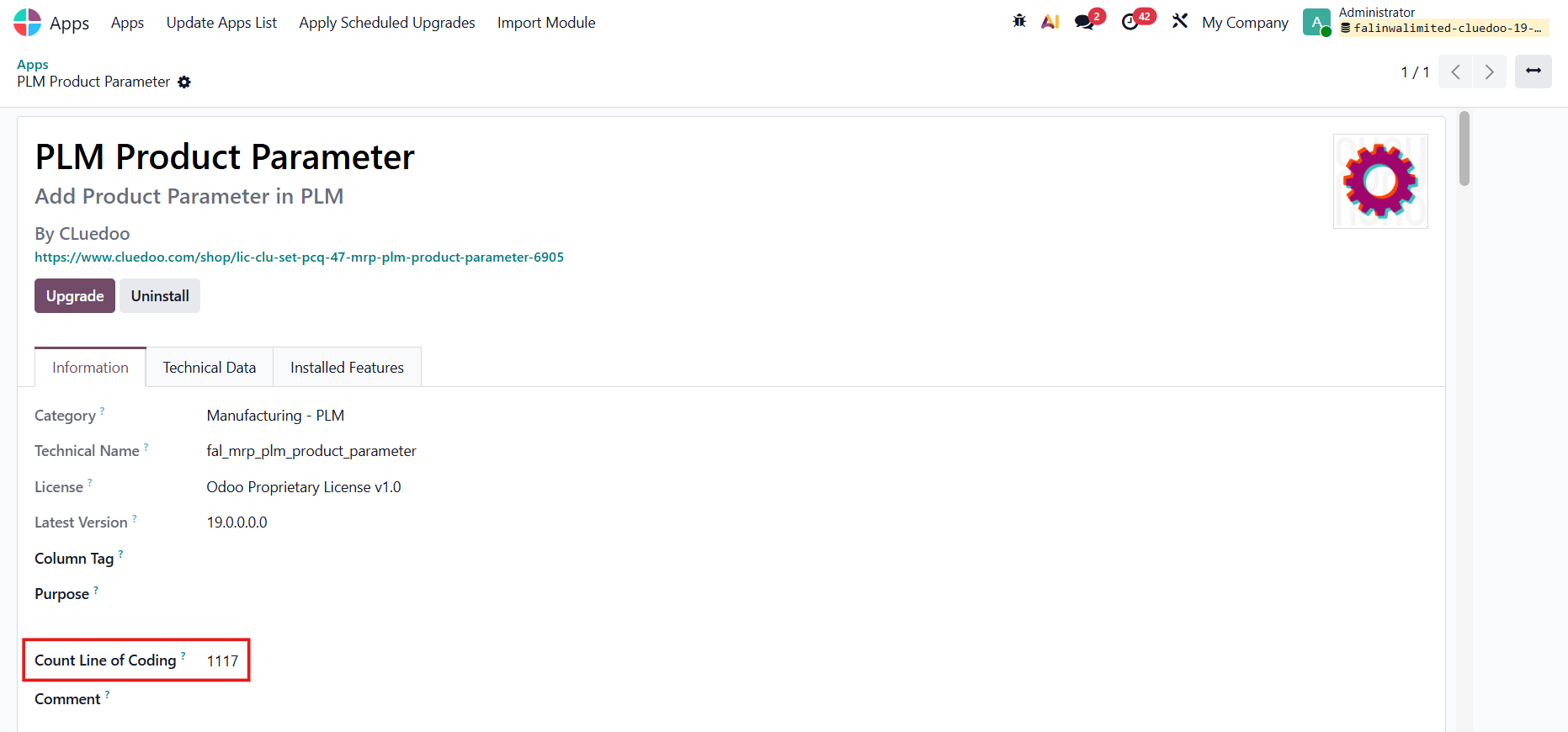 |
4. You can also fill Column Tag, Purpose, and Comment. | 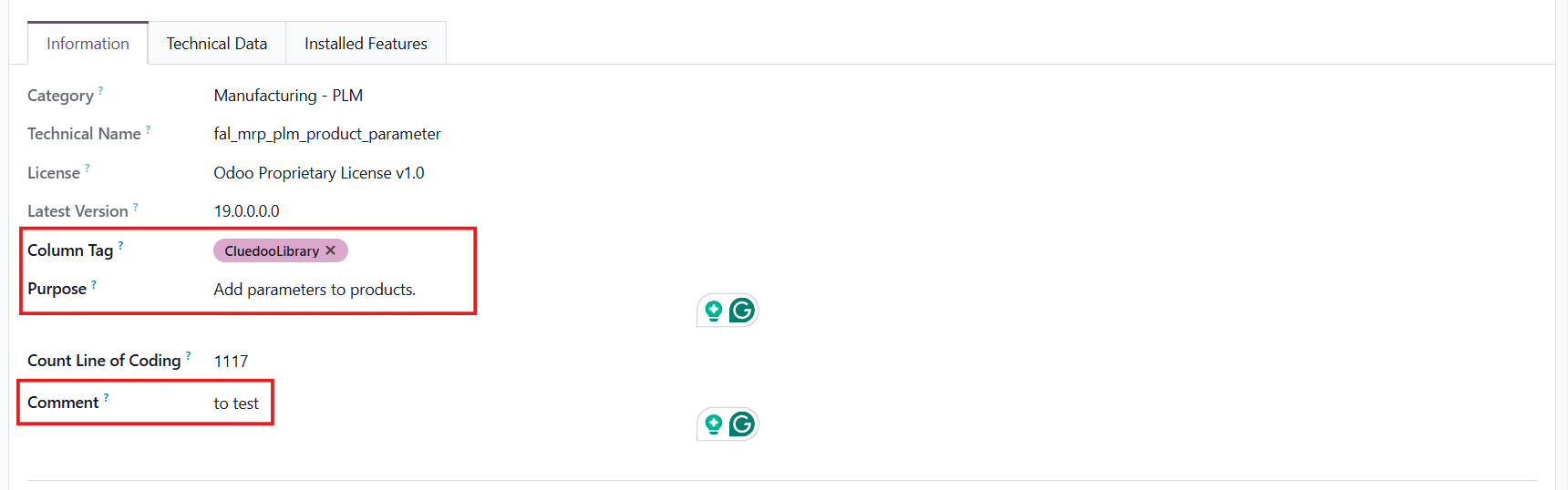 |
Go to Apps > Module Tags There is a Tags menu which helps to create or edit the tag. |
|
5. The Column Tag and Count Line of Coding are also displayed in the list view. | 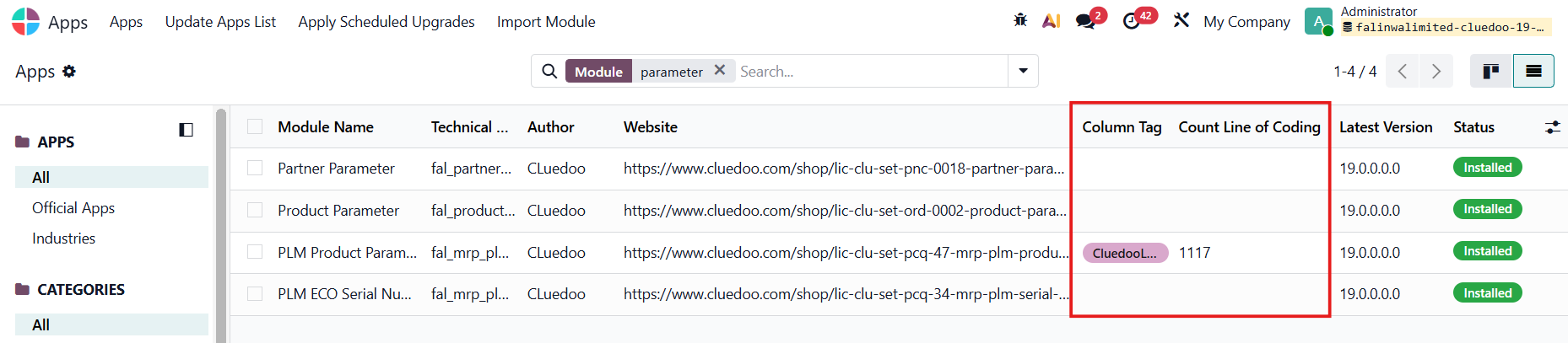 |
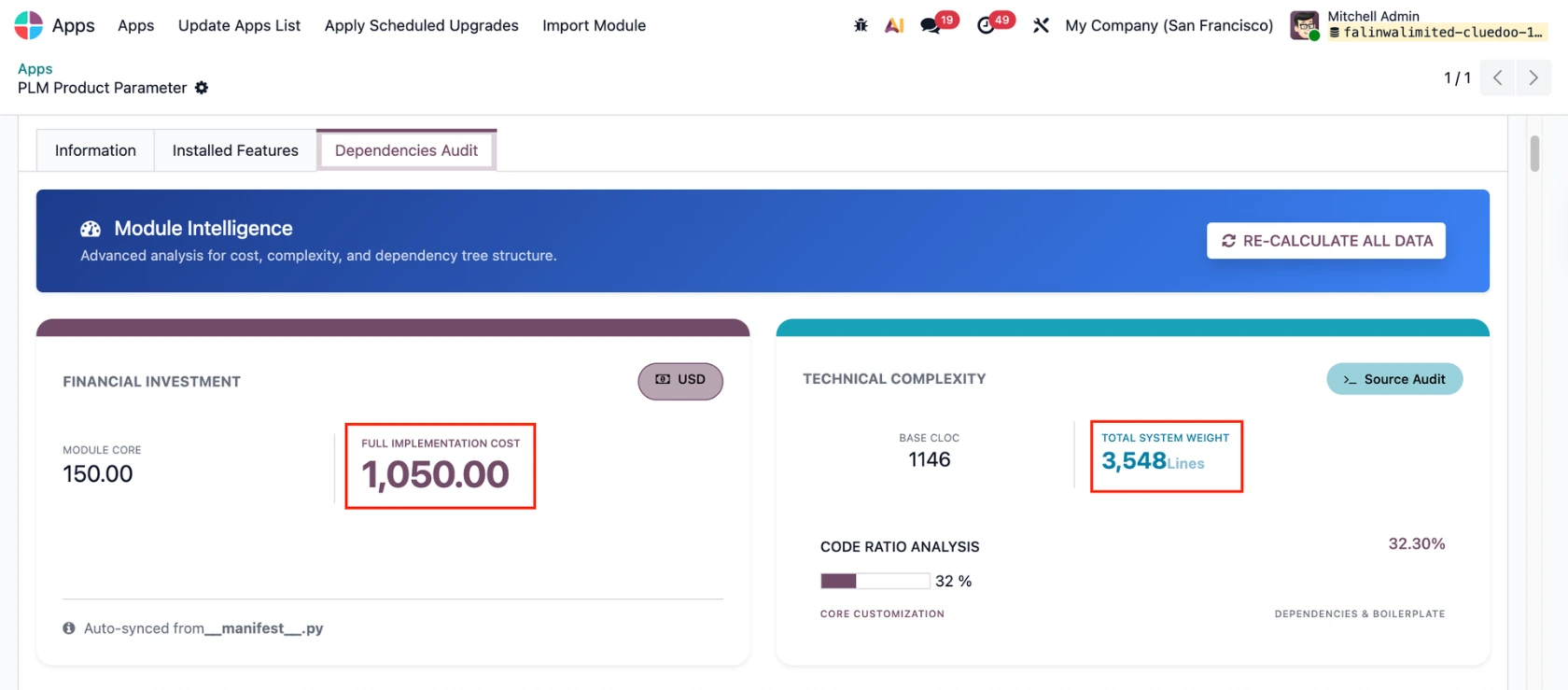
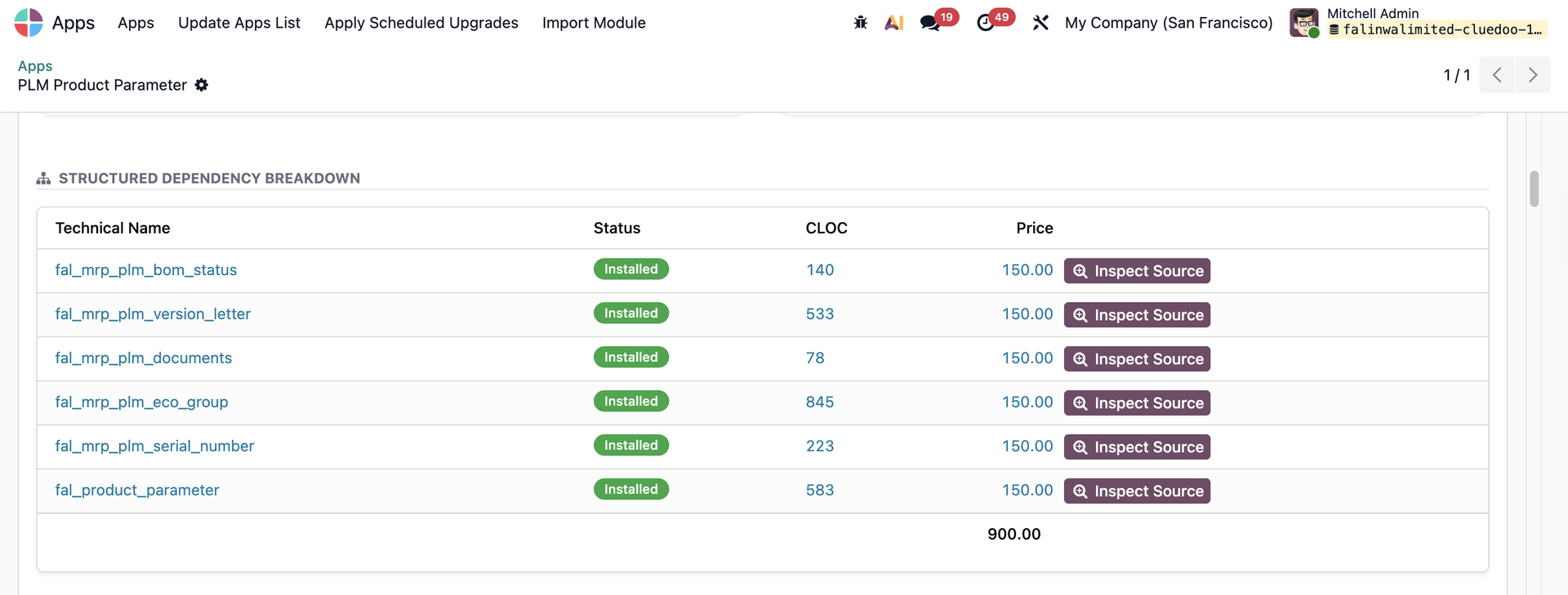
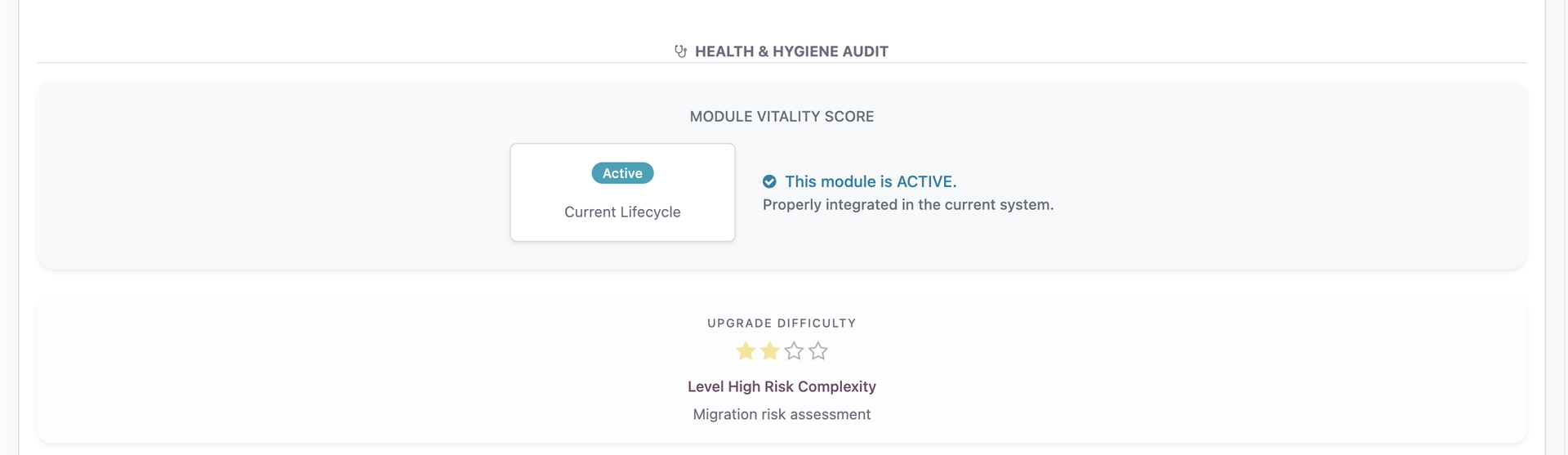
NEW FEATURE SINCE V19A new tab, Dependencies Audit, is added.
|
|
Click Inspect Source to see detailed dependency information. |
|
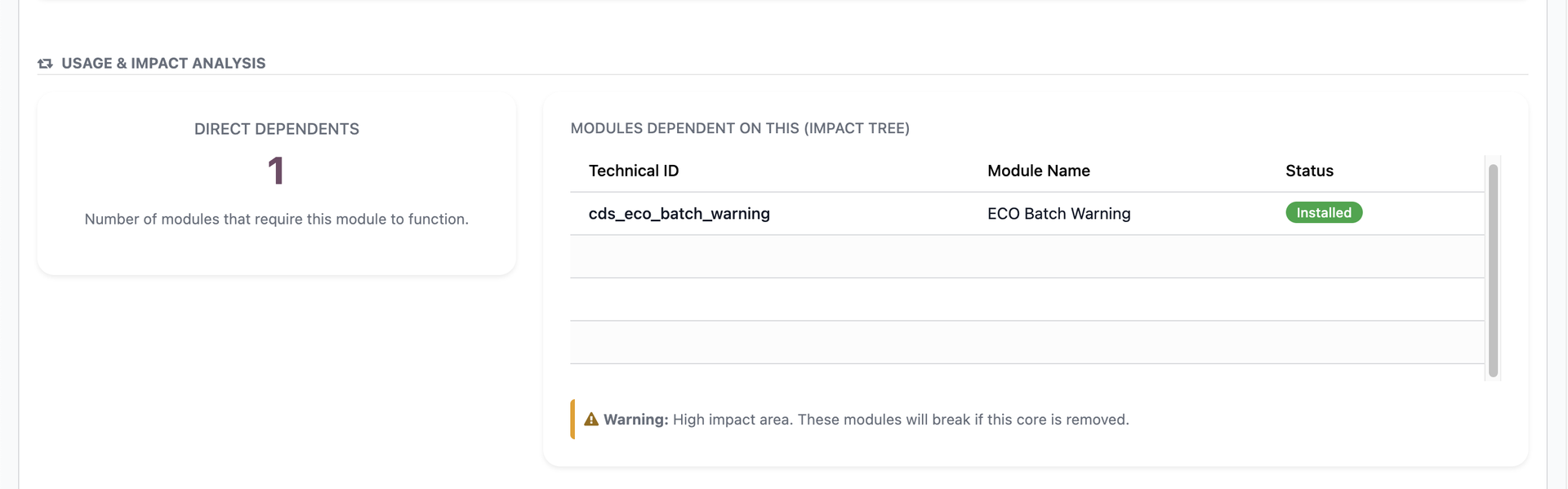
The number and names of modules requiring this module to function. |
|
|
|