

ODOO'S FUNCTION
By default, Odoo allows businesses to plan desired financial outcomes and measure performance using Budgetary Positions and Analytic Accounts as the primary tracking identifiers.
CLUEDOO'S FUNCTION
CLuedoo expands your tracking capabilities by introducing direct Product and Partner filters. Now, your company can bypass the need for analytic accounts entirely, delivering a more flexible, streamlined, and customized budgeting experience.
1. Go to Accounting > Analytic Budget Create a new budget and fill in the Period and the Budget Type (Expense / Revenue / Both). | 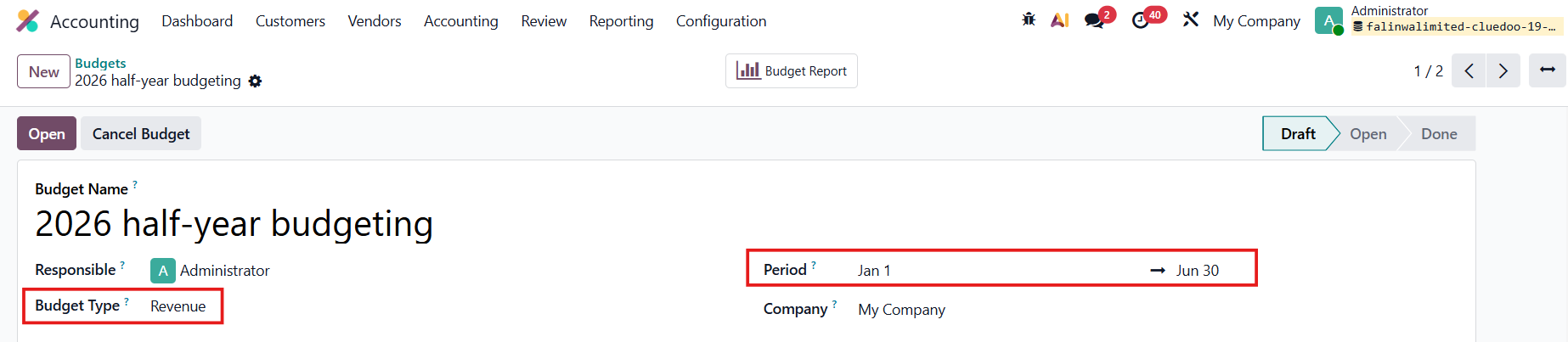 |
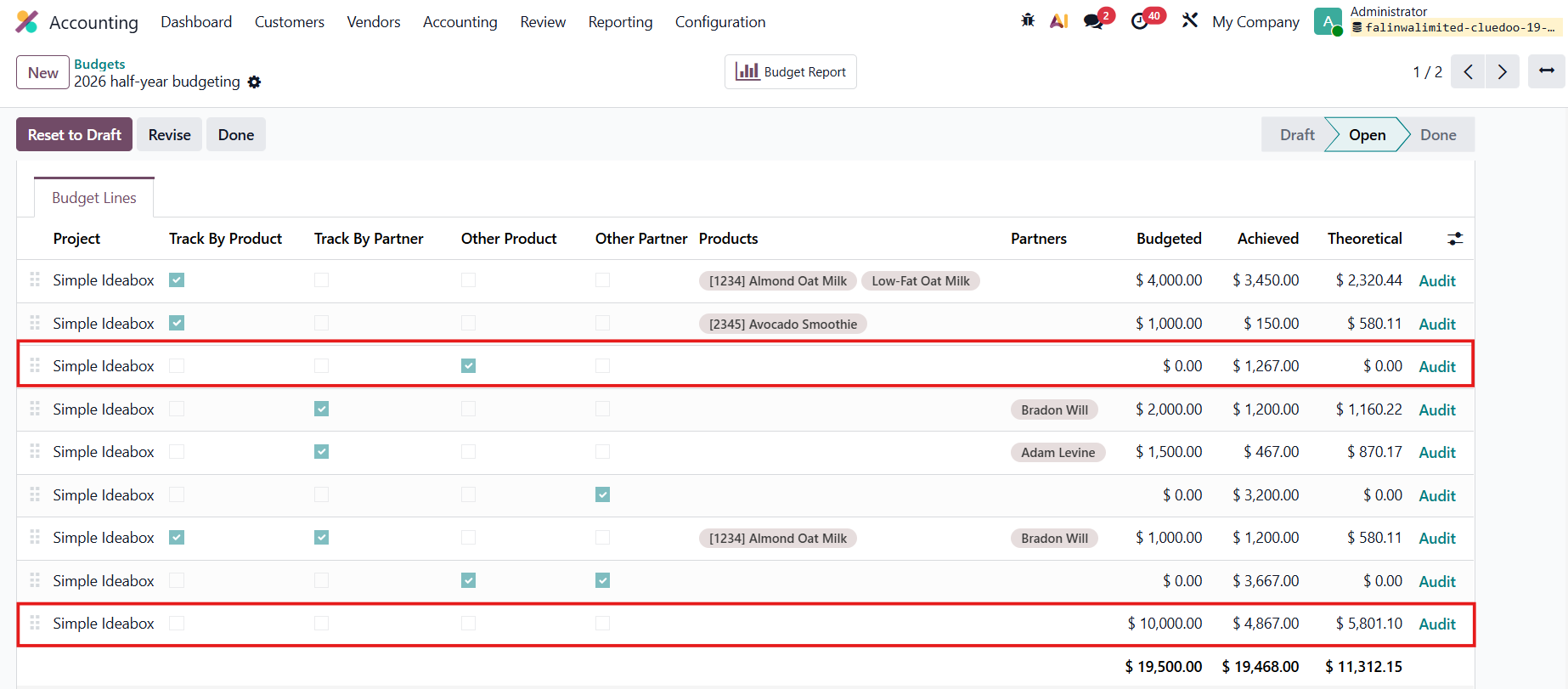
2. Add the budget lines and fill in the necessary information. There are 4 new columns:
Add a line with no tracking for the total planned amount > Click Open | 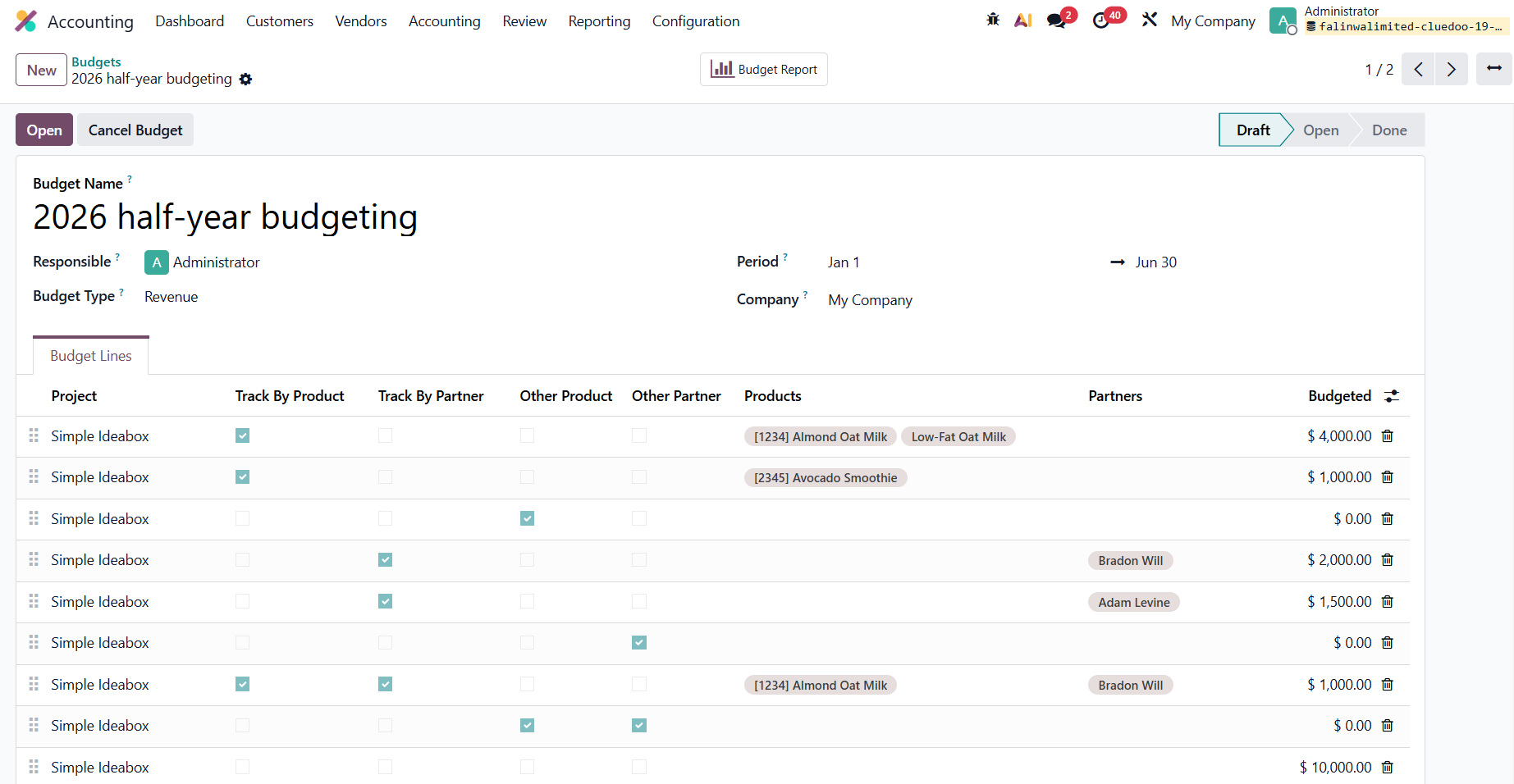 |
The Achieved column will be automatically calculated. | 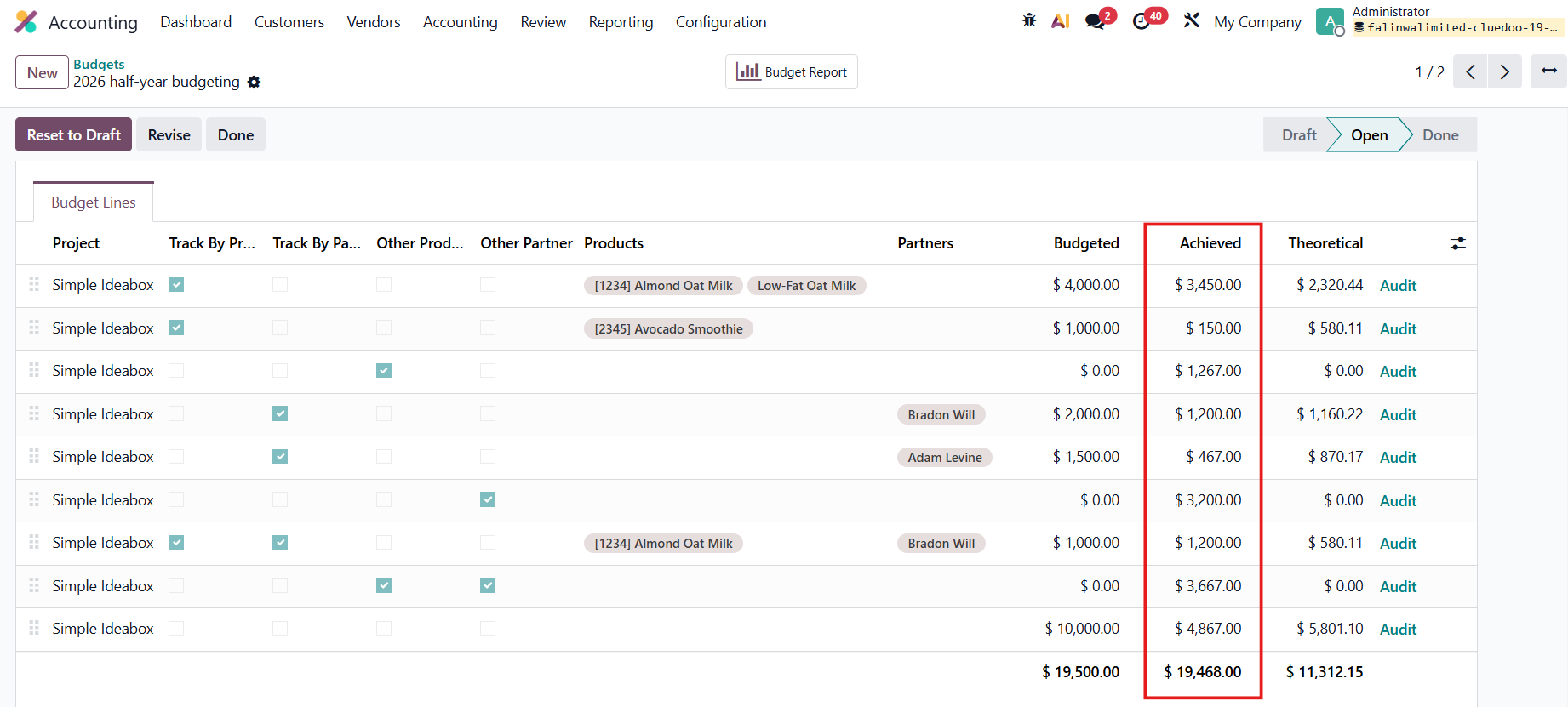 |
The inputted budget lines will be automatically updated in the mentioned Analytic Account (Project). | 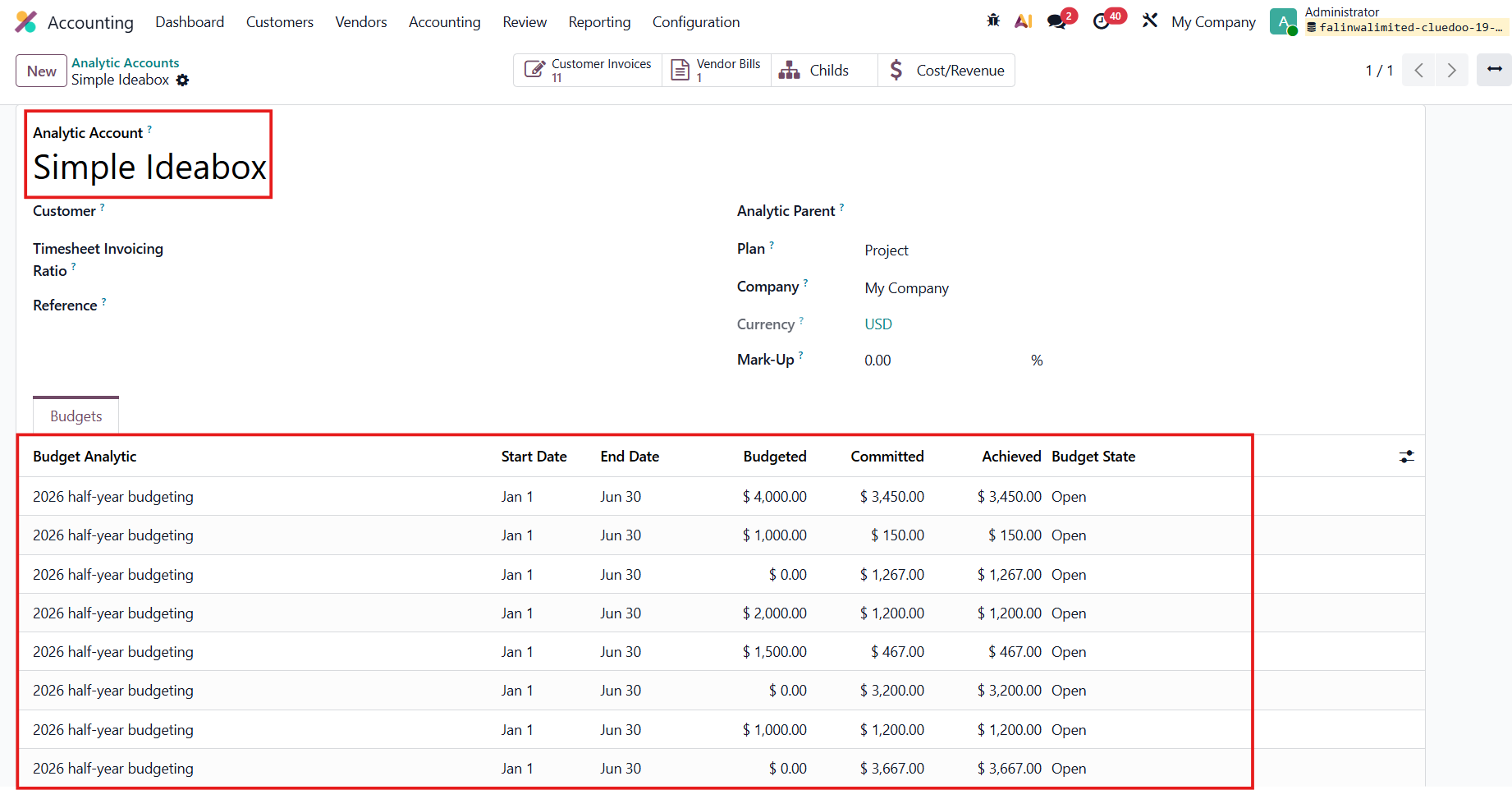 |
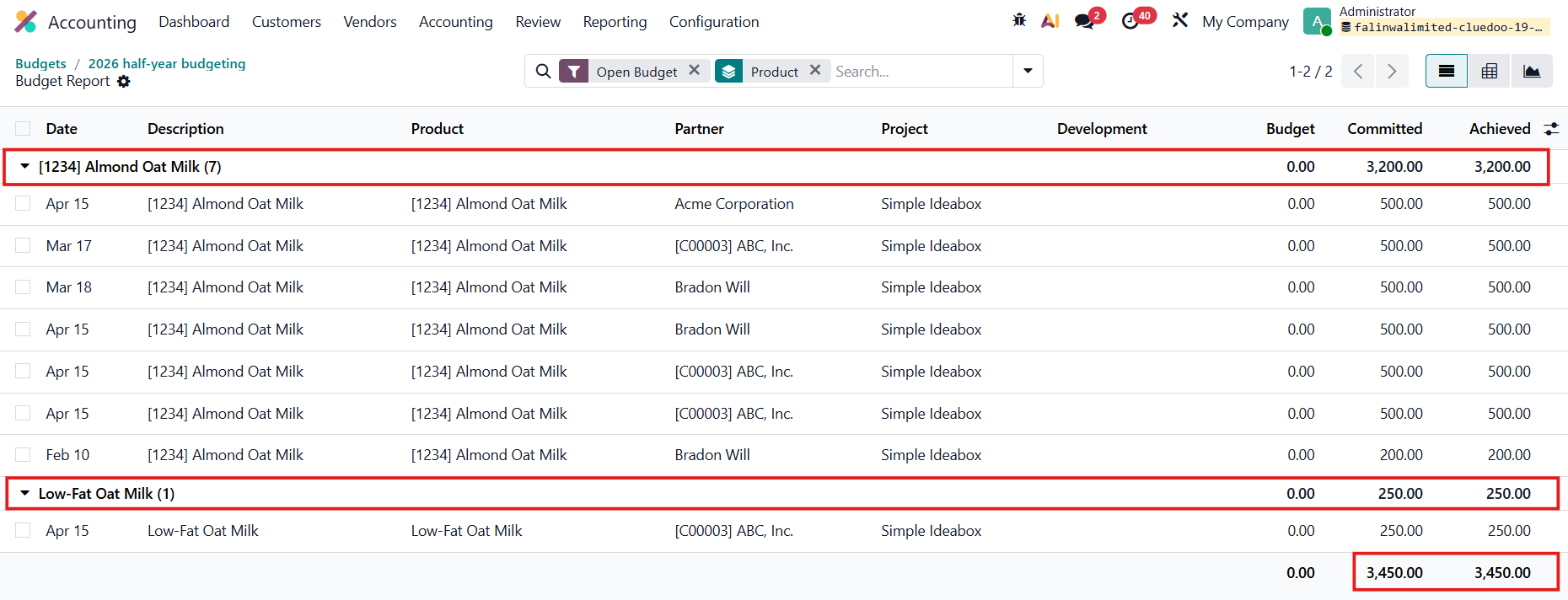
TRACK BY PRODUCTClick on the Details/Audit button in the budget lines to view the details. | 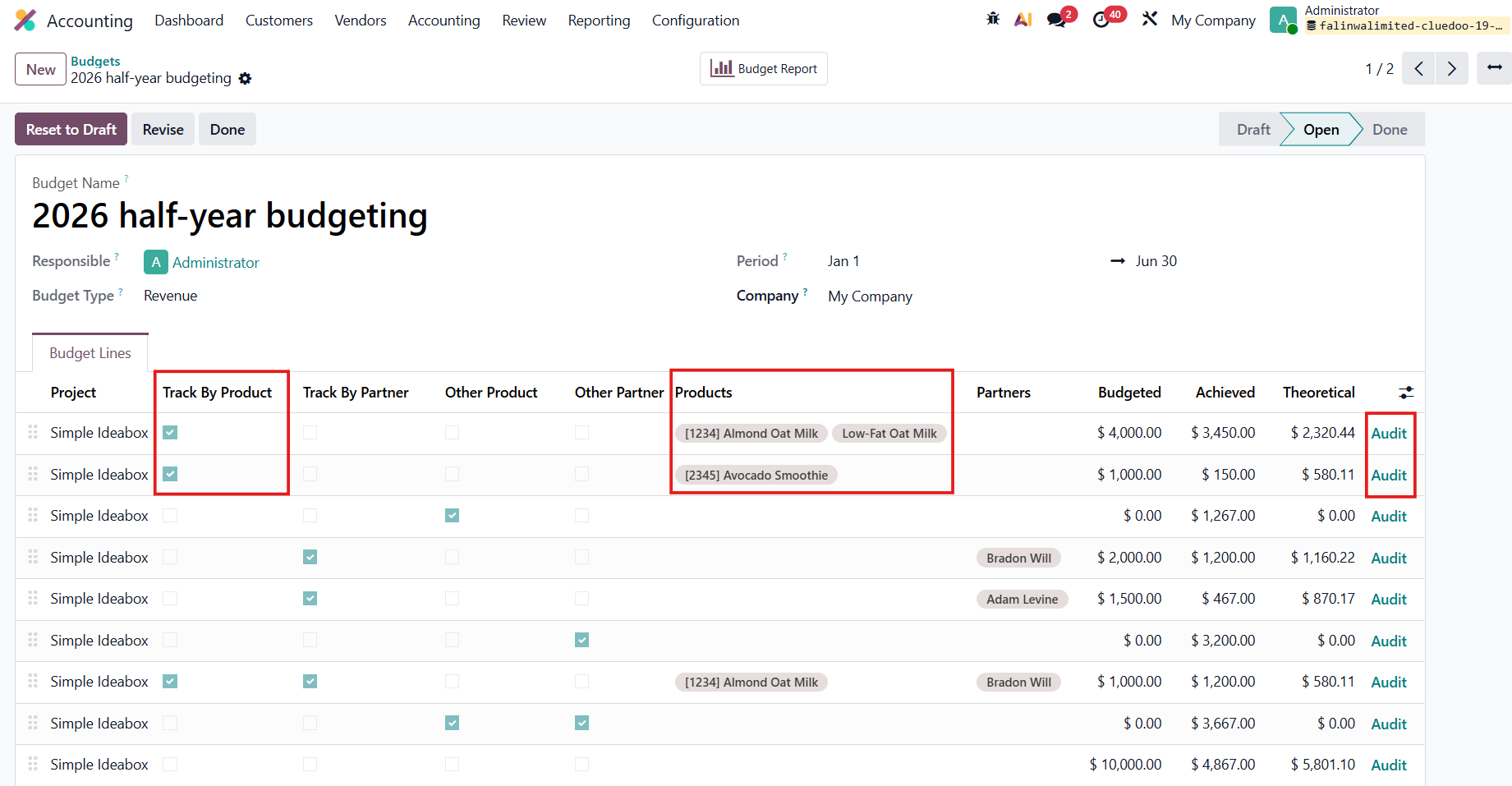 |
Group by Product to see the amount for each product, with the Total amount achieved. |
|
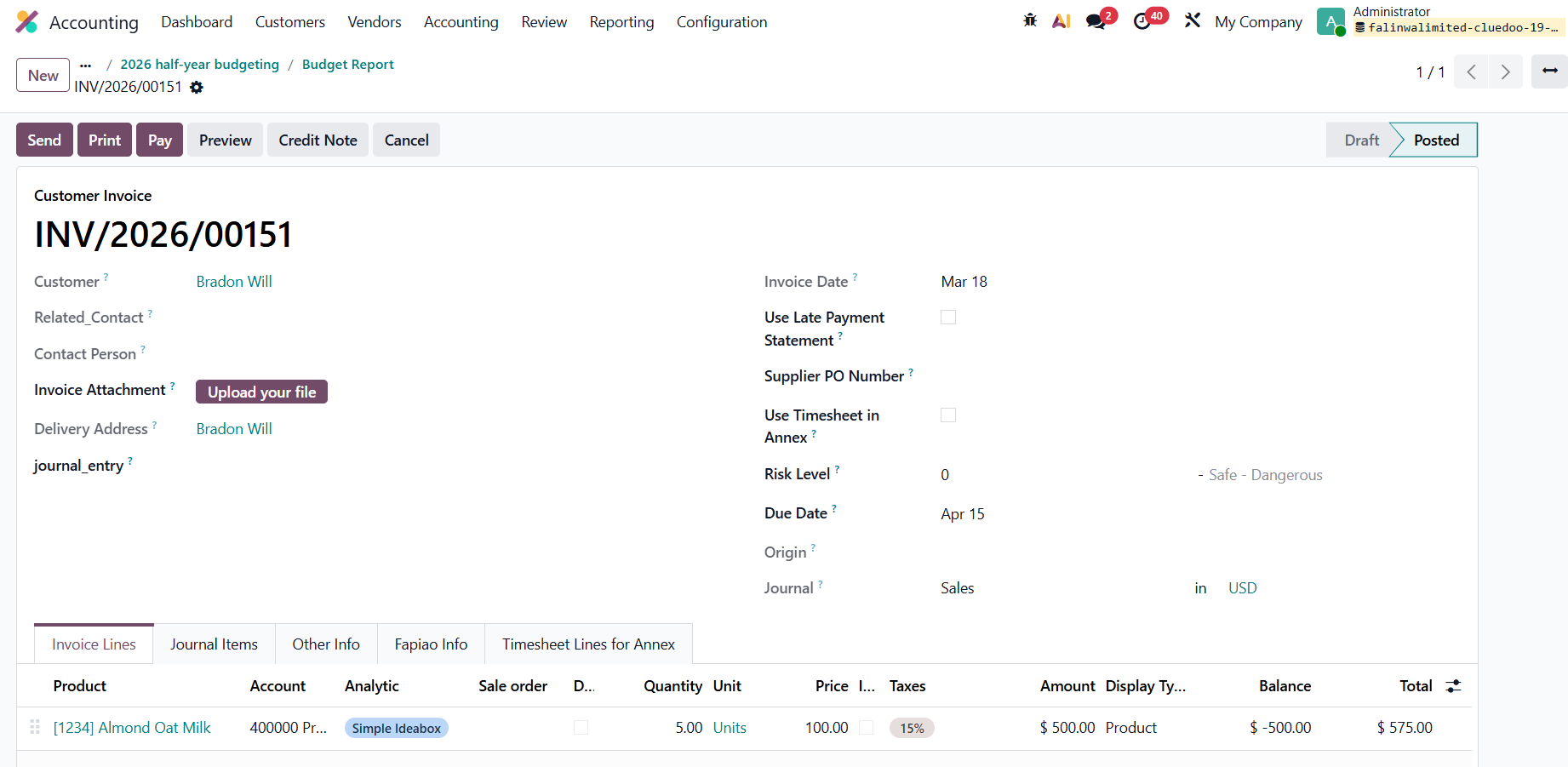
Click on each line to see the related invoice/bill. |
|
OTHER PRODUCTThis filter counts any other products that are not defined in the Track by Product filter, within the chosen period. Calculation: Total achieved amount - all the budget lines with the Track by Product filter → 4867 - 3450 - 150 = $1267 |
|
The Track by Partner and Other Partner filters work the same way. |