



STORY BEHIND THE FEATURES
ODOO'S FUNCTIONS
In Odoo, there is no Activities button in the product category, making it difficult for users to add related activities and track the workflow.
CLUEDOO'S FUNCTIONS
CLuedoo's module introduces an Activities button, which allows users to directly set the activity and follow progress.
HOW THIS MODULE WORKS?
1. Go to Products Categories > The Activities option is now displayed next to (or beneath) the product categories. | 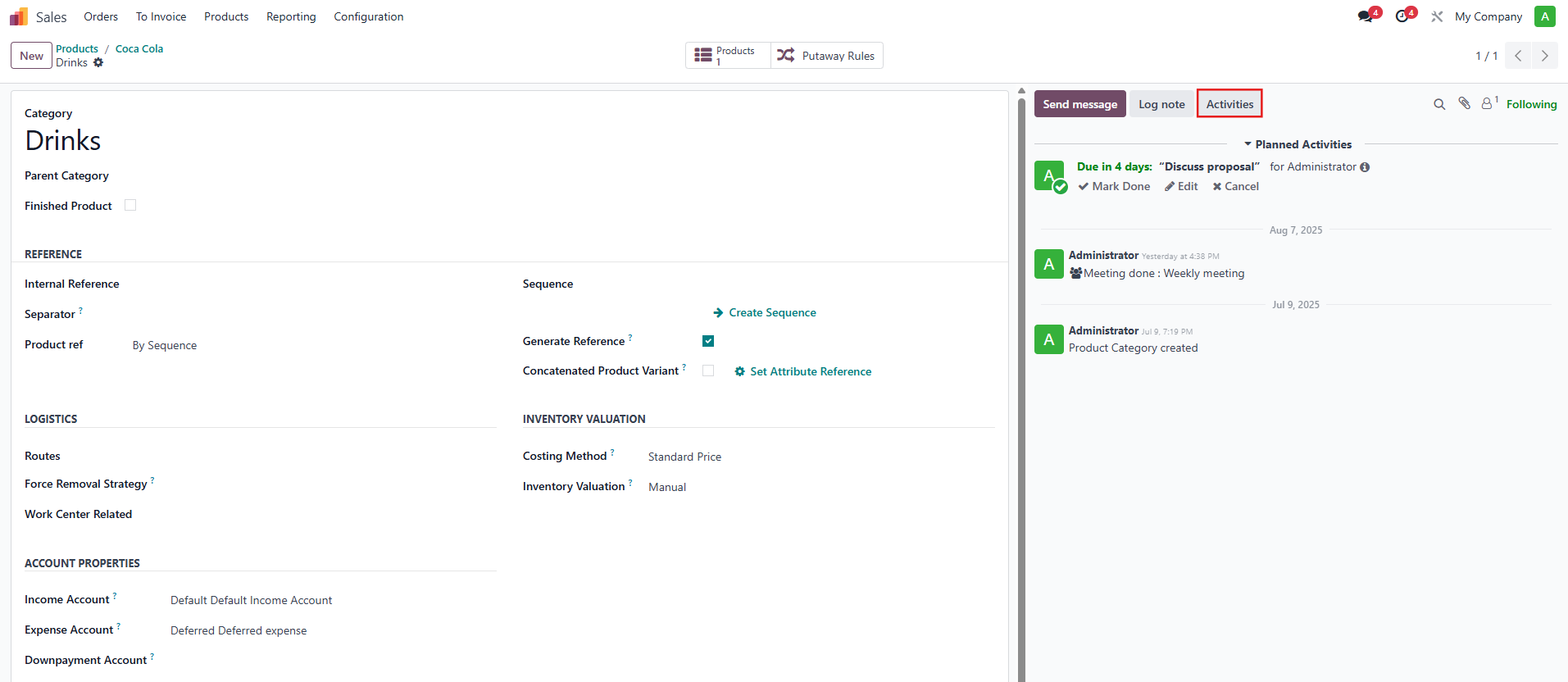 |
2. Upon choosing Activities, a Schedule Actions pop-up will appear, allowing you to configure the details of the activity. Fill in the required fields (e.g., activity type, due date, ...) and confirm to save the scheduled activity. | 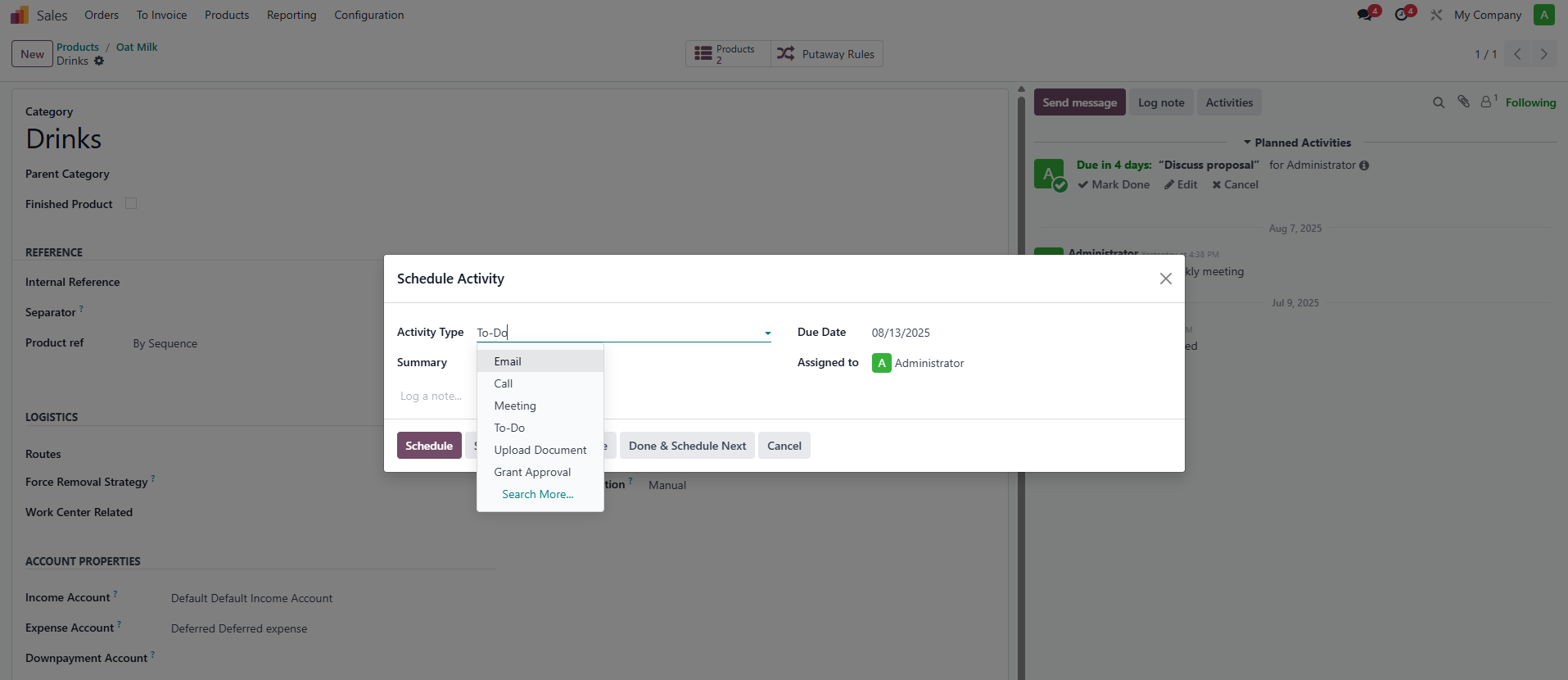 |
3. Once scheduled, the activity will automatically appear in the Chatter, ensuring visibility and tracking for your team. | 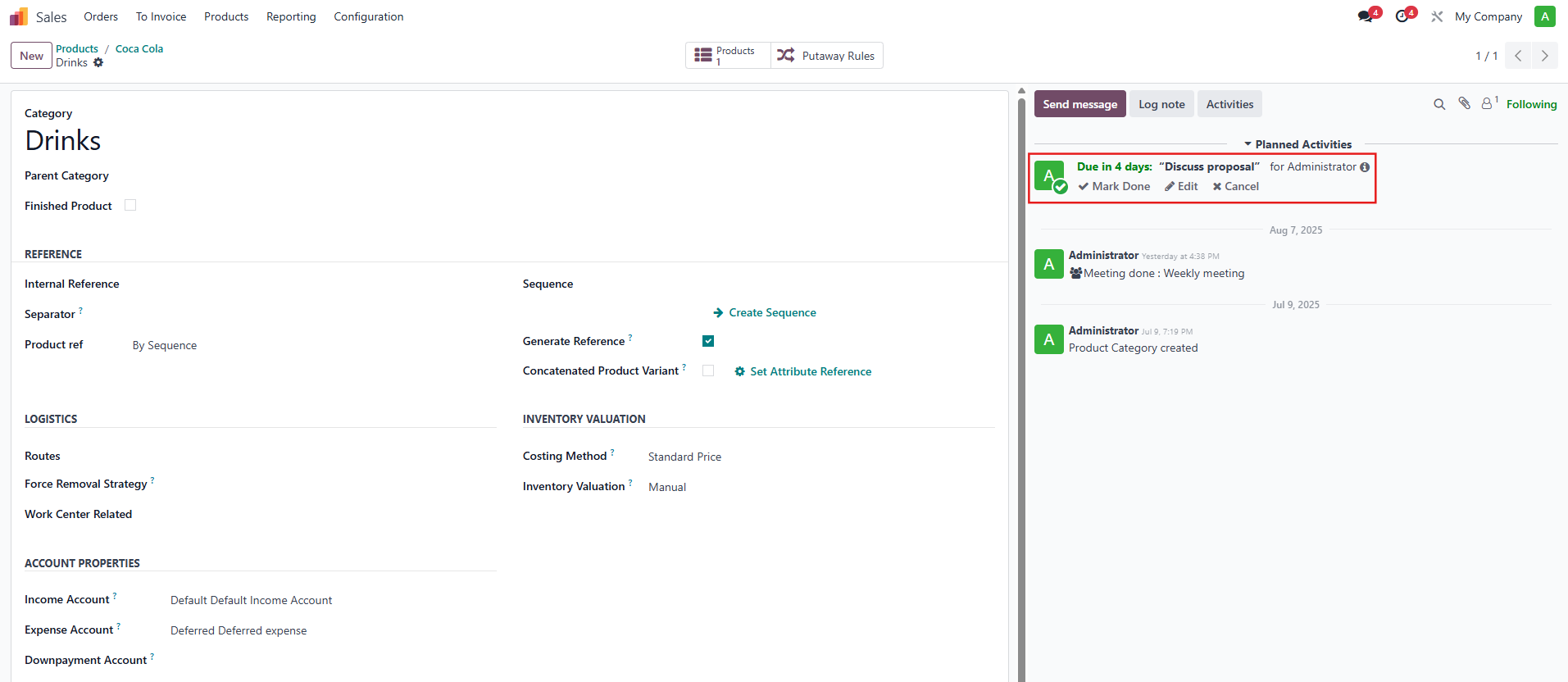 |