



ODOO'S FUNCTION
To share an Odoo survey, you can get a link or send an email, but the email option requires you to select recipients manually.
CLUEDOO'S FUNCTION
Cluedoo streamlines survey distribution and audience targeting by introducing:
1️⃣ A powerful recipient selector that allows you to target contacts from various pre-defined groups.
2️⃣ The ability to instantly pull audiences from records like Mailing Lists, Leads, Sales Orders, Journal Entry, Contact, Point of Sale Orders and Event Registrations.
This allows users to send surveys to highly specific audiences without leaving the survey form, saving significant time and eliminating manual data entry. This streamlined workflow ensures your surveys reach the most relevant people, boosting engagement and data quality.
1. Go to Survey > Share. | 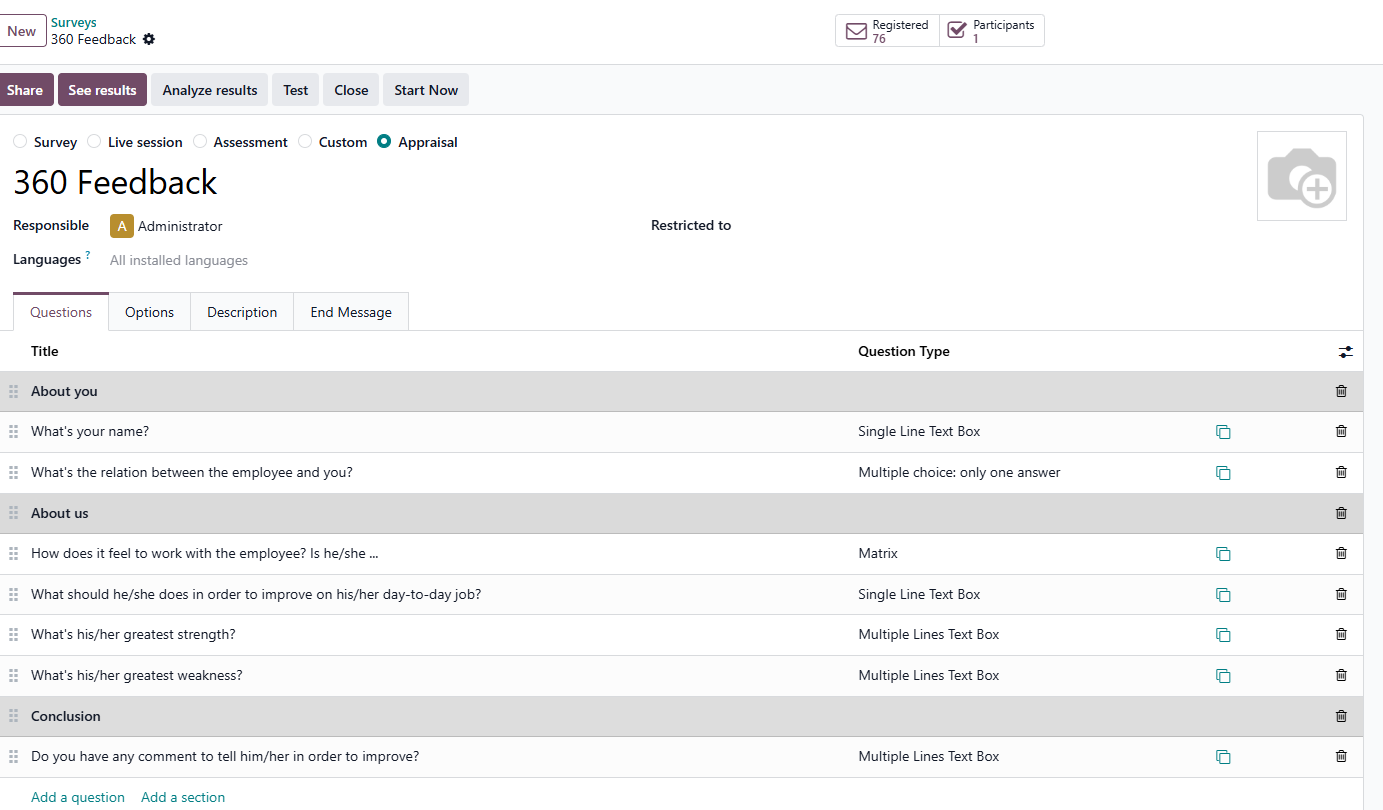 |
2. Enable Send by Email option | 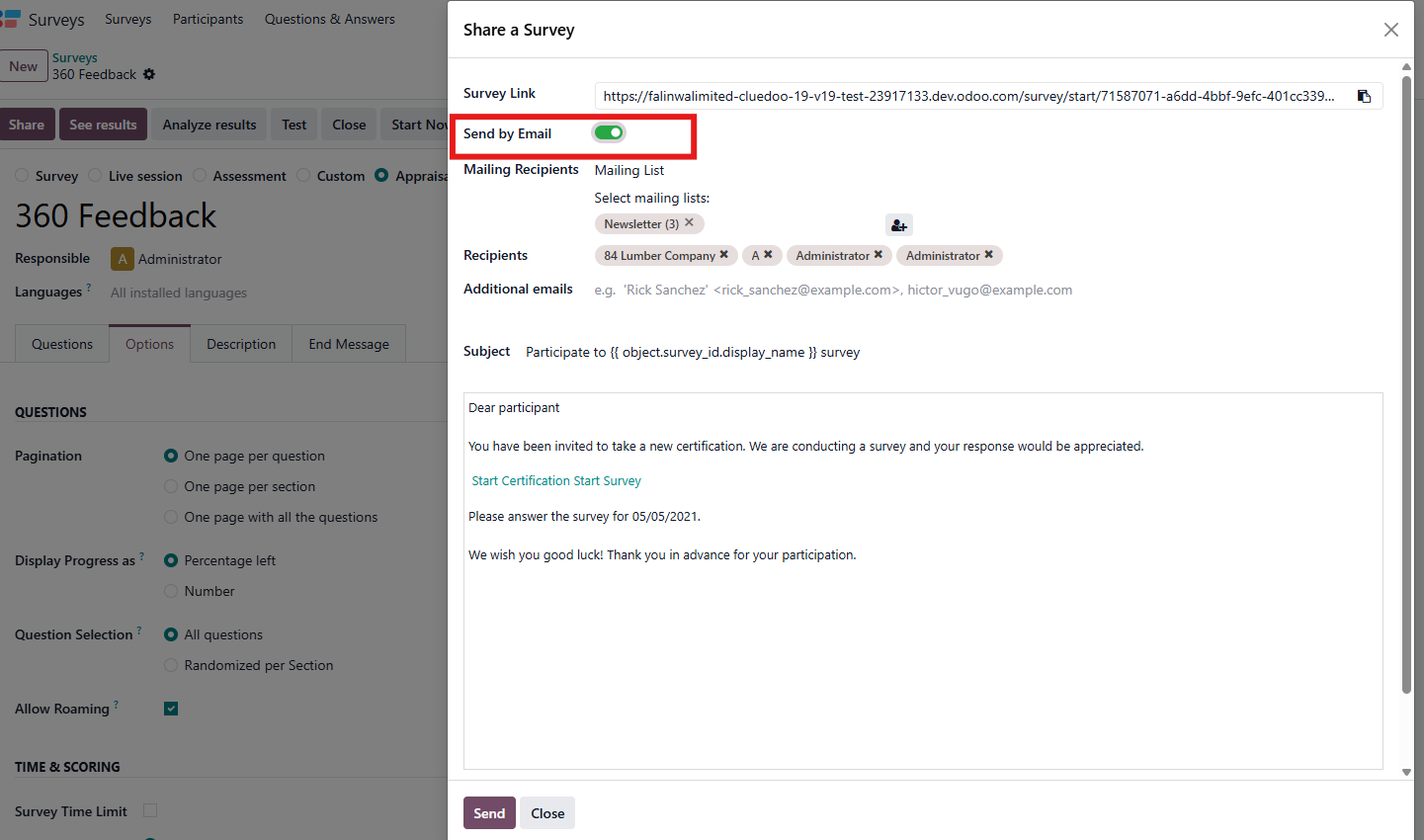 |
3. We are able to choose any of the pre-determined groups for recipient, or a single contact's email | 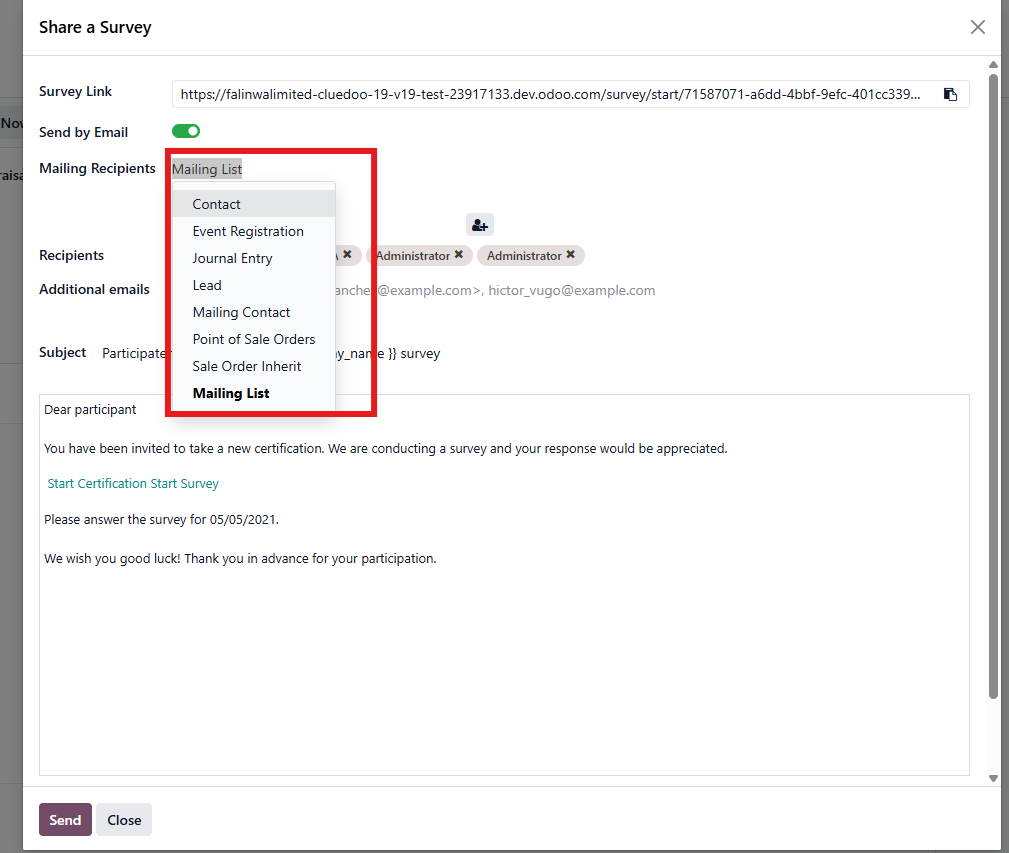 |
4. You can use the Recipients field to search for and add more people who are already saved in your Contacts app. Additional Emails: This field is for adding recipients who are not in your Contacts app. You can manually type or paste any external email address here. | 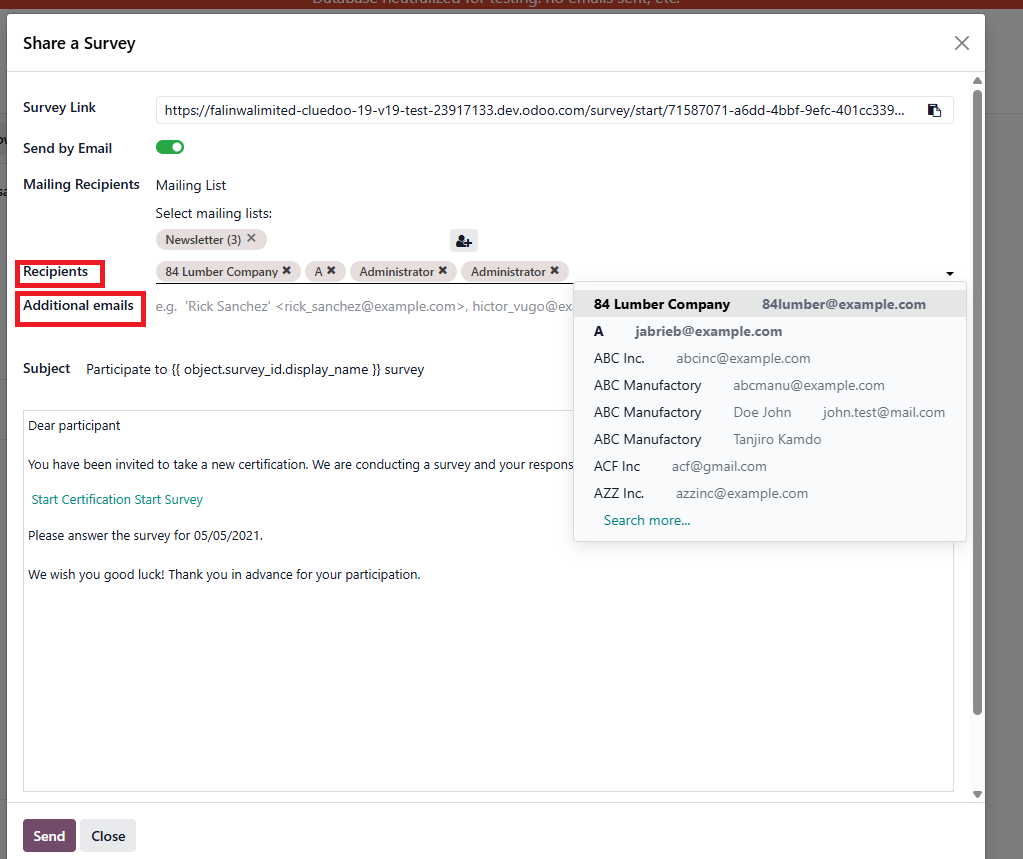 |