![[Drawing Engine Improvment] Dynamic Merge of PDF Report](/web/image/product.product/13483/image_1024/%5BLIC.CLU.SET.COM.0021%5D%20%5BDrawing%20Engine%20Improvment%5D%20Dynamic%20Merge%20of%20PDF%20Report%20%28V18%29?unique=91a854f)

![[Drawing Engine Improvment] Dynamic Merge of PDF Report](/web/image/product.product/13483/image_128/%5BLIC.CLU.SET.COM.0021%5D%20%5BDrawing%20Engine%20Improvment%5D%20Dynamic%20Merge%20of%20PDF%20Report%20%28V18%29?unique=91a854f)

ODOO'S FUNCTION
Odoo menyediakan kemungkinan untuk mencetak laporan, seperti Purchase Order, Sales Order, Invoice, dan lain-lain sesuai dengan nomor dokumen yang dipilih
CLUEDOO'S FUNCTION
Dengan CLuedoo, pengguna dapat membuat laporan PDF dari beberapa laporan sekaligus. Pengguna juga dapat menentukan aturan untuk laporan tersebut.
1. Go to Sales -> Settings (Gear Icon) > Print And Merge PDF | 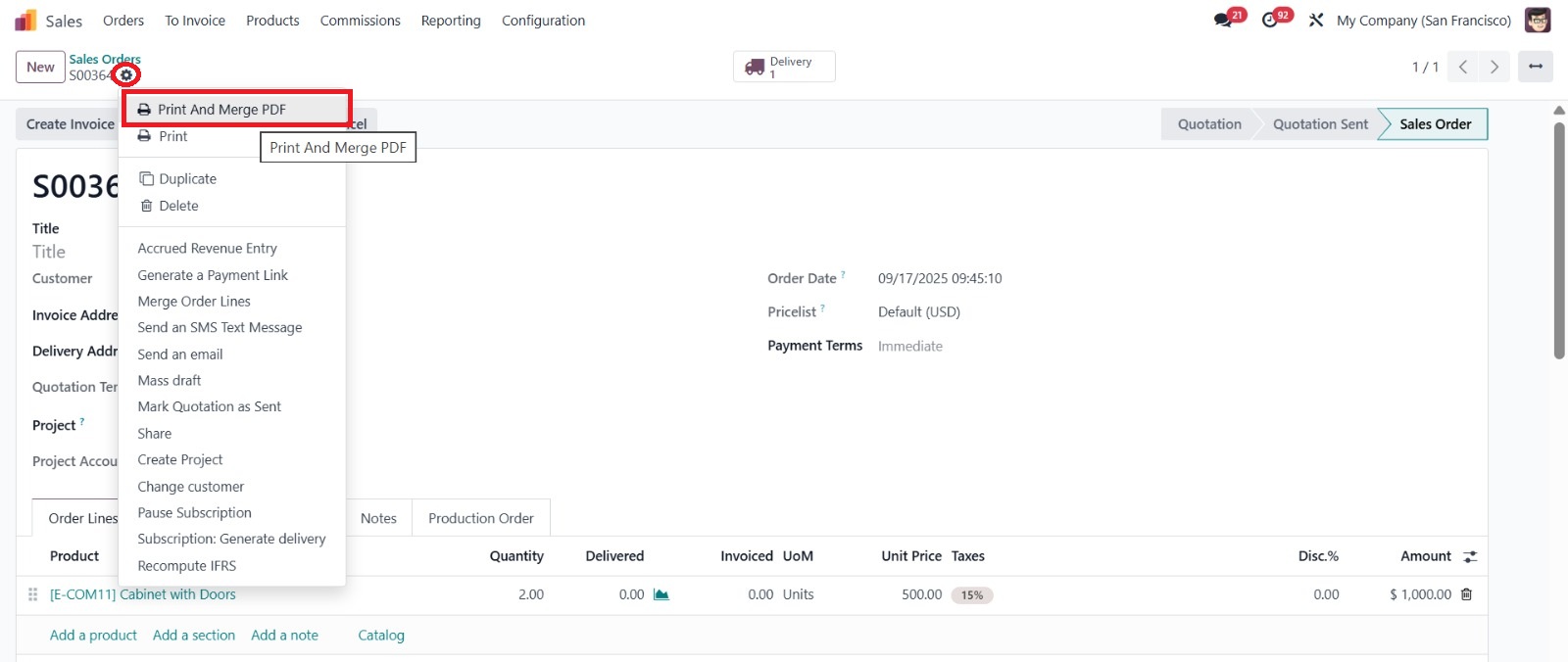 |
Note : Select the report type and edit the domain for the relationship reports to be merged. | 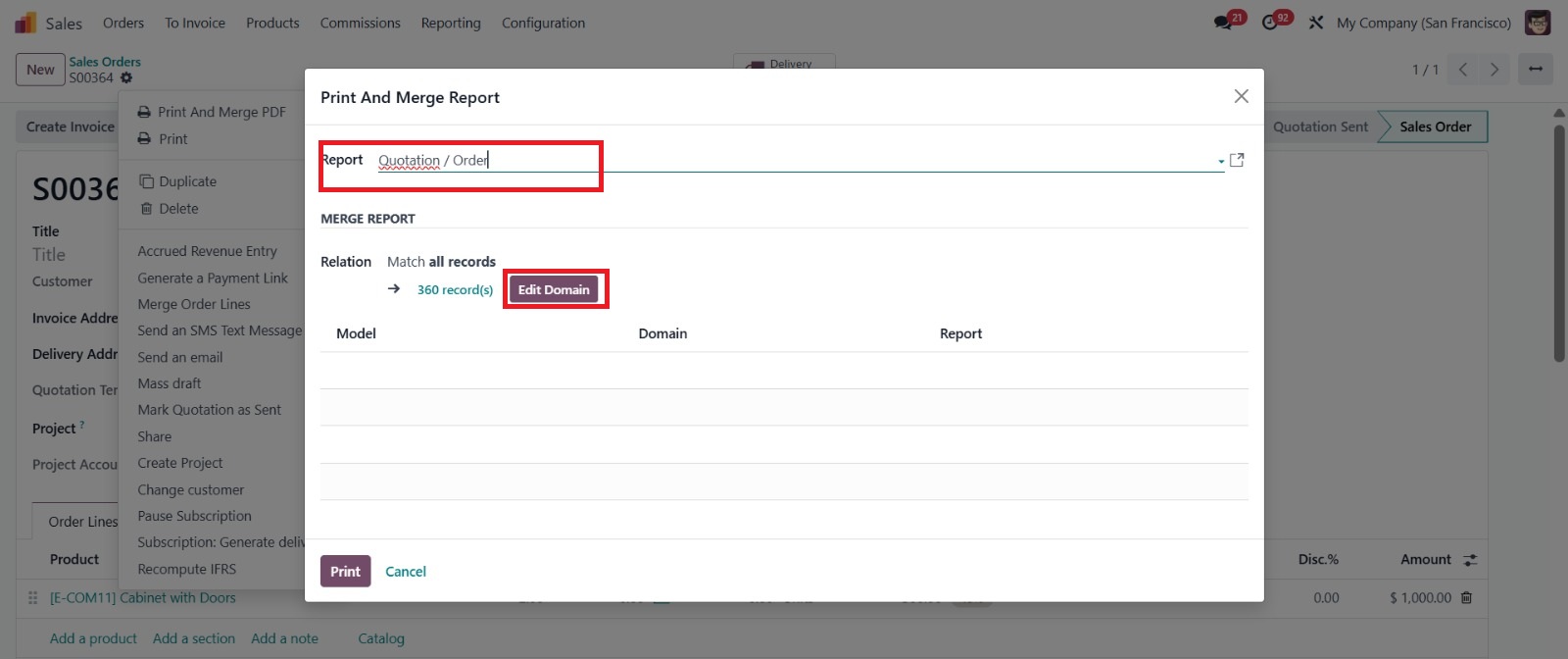 |
2. Create rules for reports to be combined (for example, order line is in sales order) | 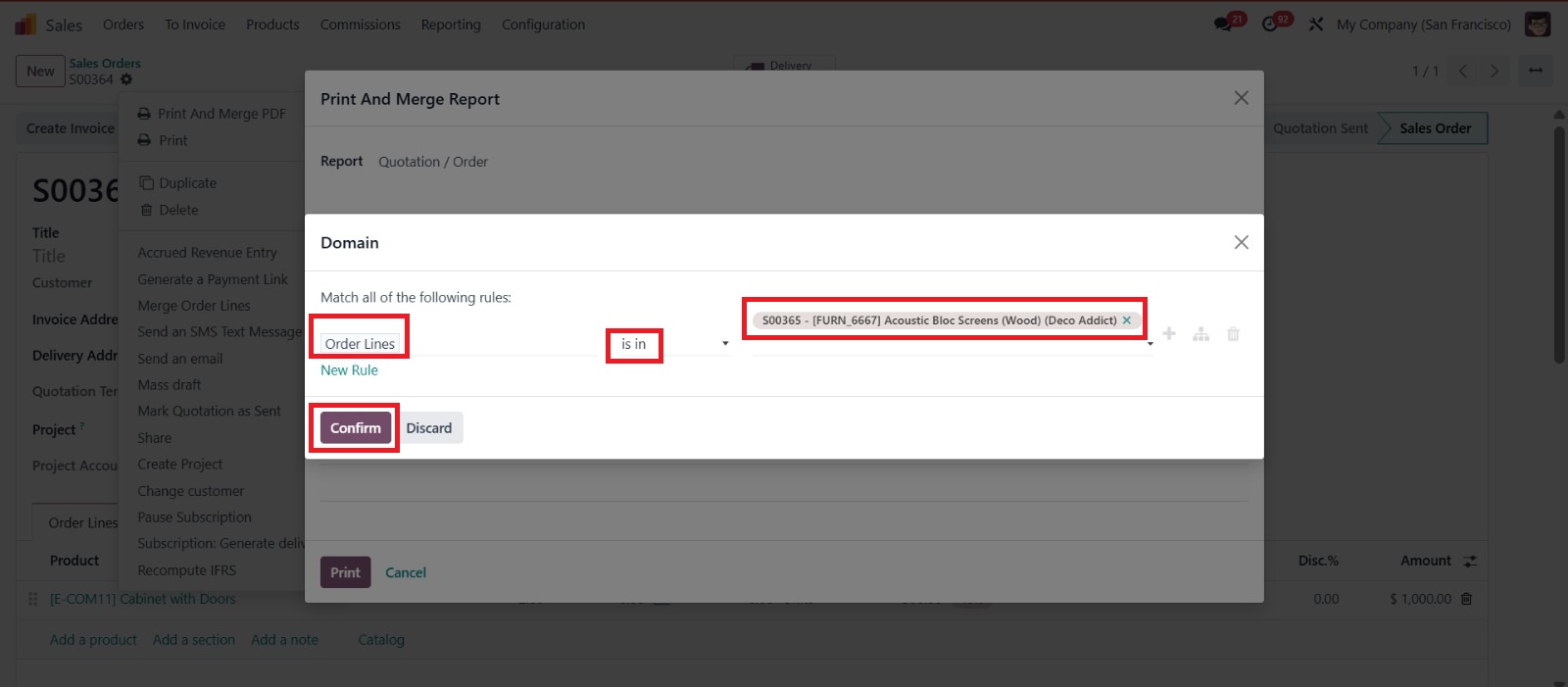 |
3. A Journal Entry for the difference will be created, and the Analytic Distribution is inherited as well | 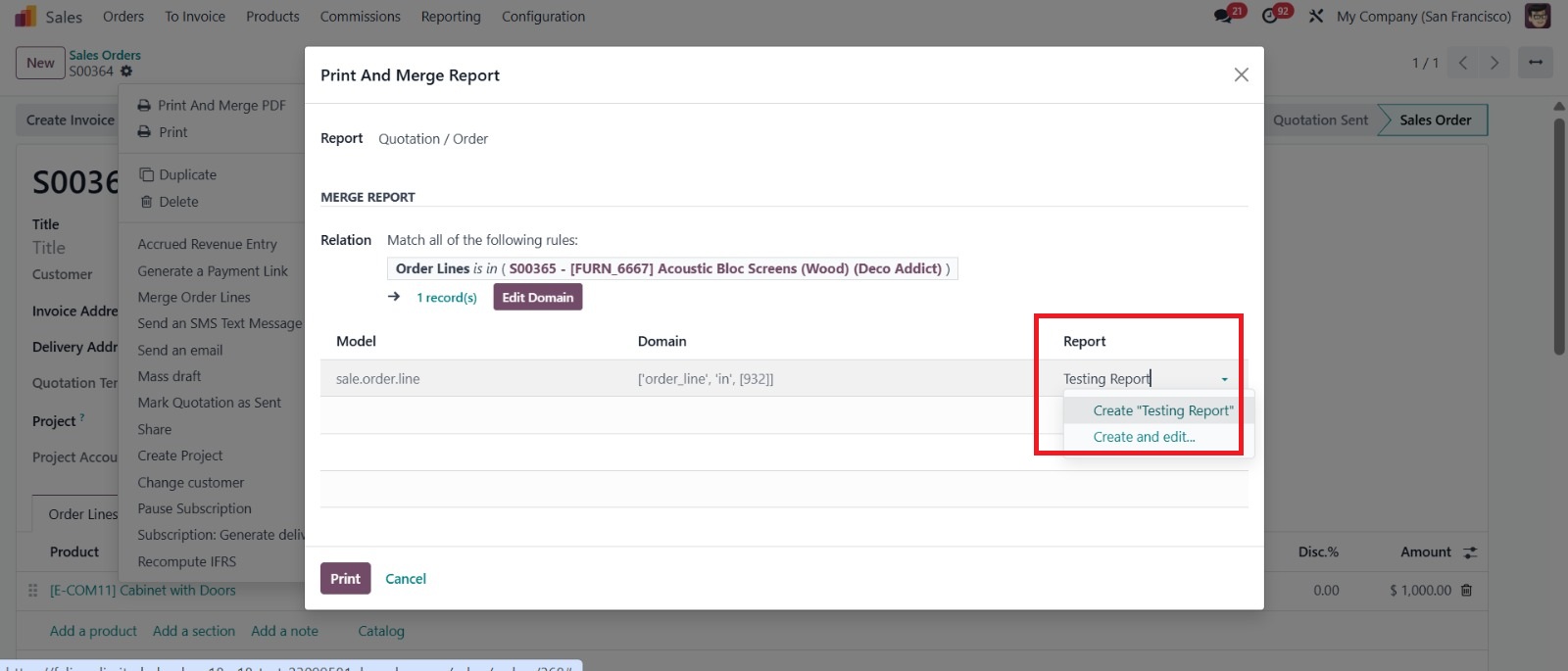 |
Note : Fill in the report field, if you haven't been able to create a new one, fill in the report field information according to the model name and template name. | 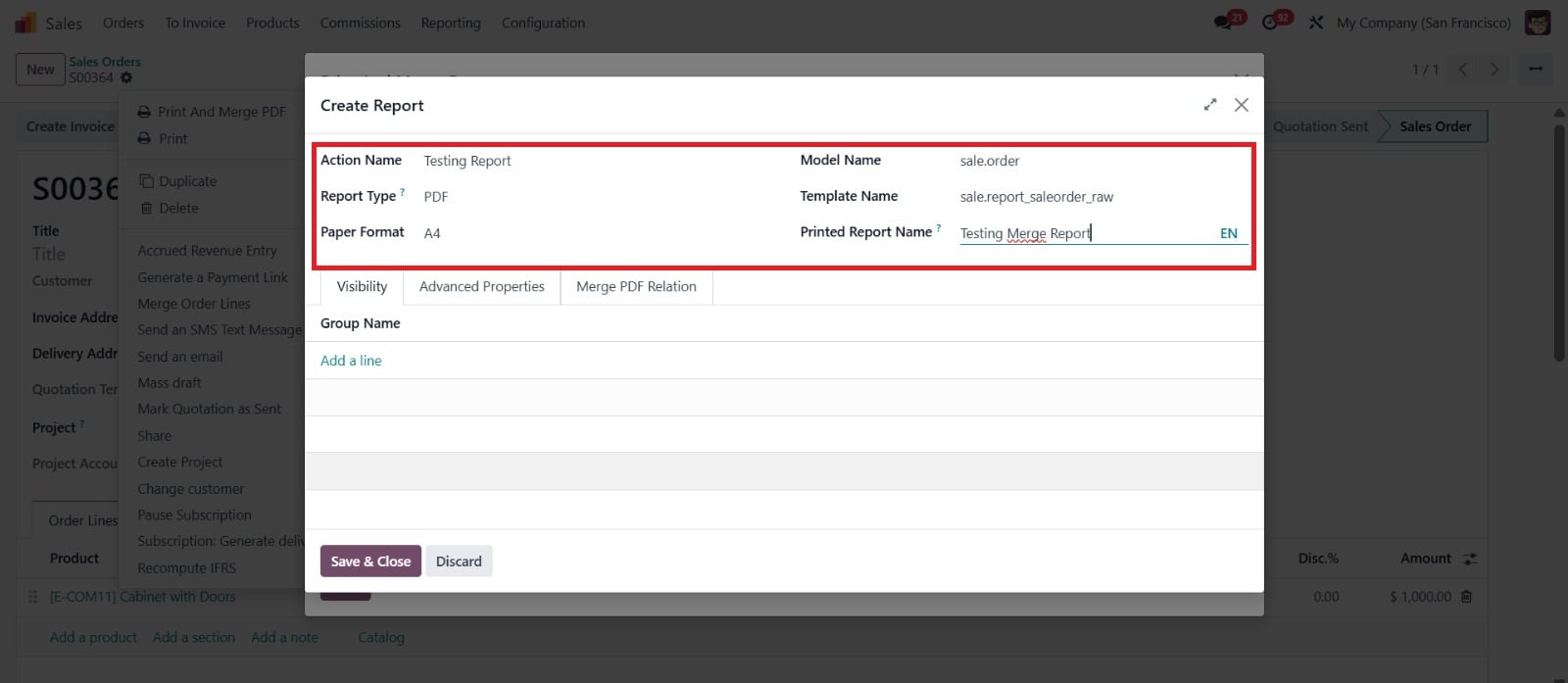 |
5. Dont forget to add another document rules document to merged, then press print to print out the document | 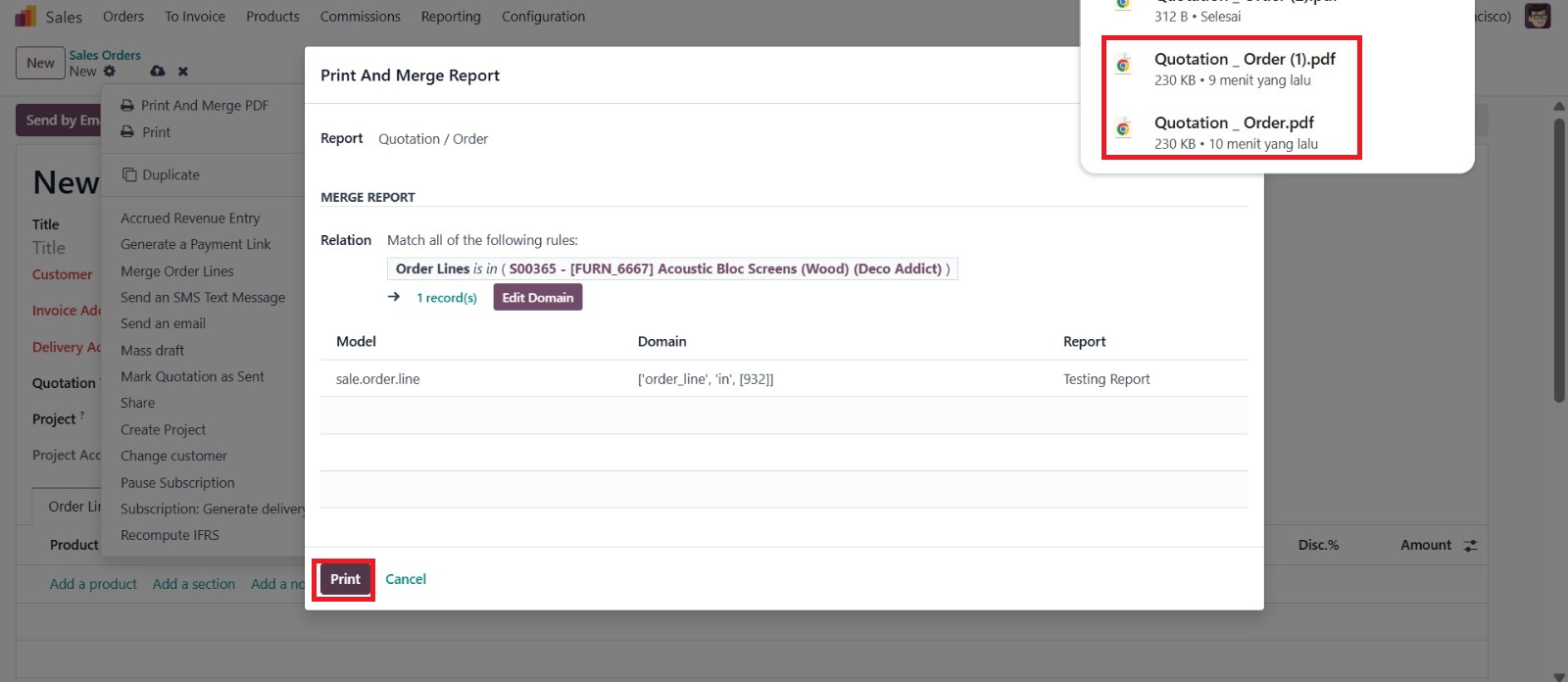 |